Automatic rotation
Distribute bookings among available members instead of assigning each appointment manually.
LunaCal round-robin scheduling assigns each booking to an available team member in rotation. Choose who joins the pool, keep a default co-host on every meeting and set shared or individual working hours.
Start your free trialCompare scheduling tools ↓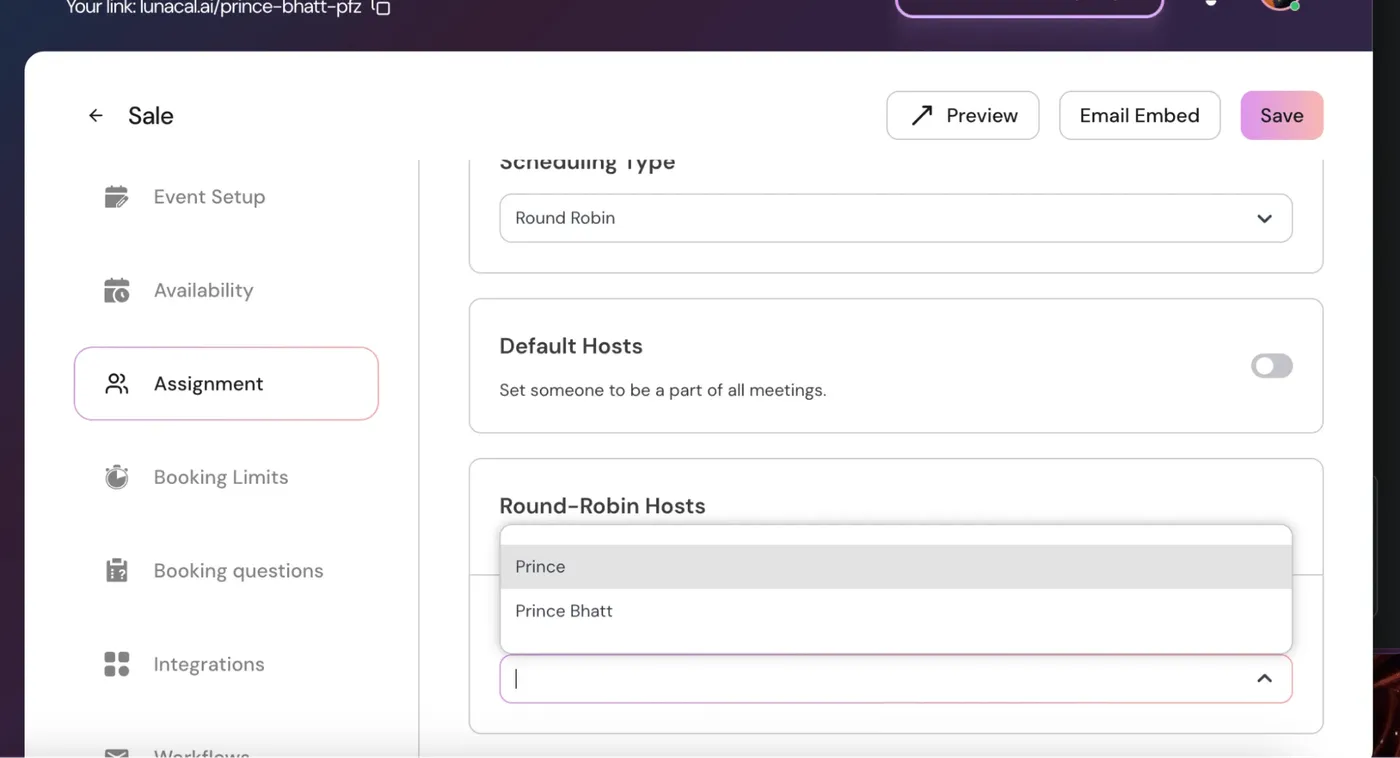
LunaCal combines host assignment with the availability and limits of the event.
Distribute bookings among available members instead of assigning each appointment manually.
Choose the specific teammates eligible for this event.
Include all current and future team members in the rotation.
Add a teammate to every meeting alongside the rotating host.
Let each host use their own working hours for the event.
Apply one availability schedule across the assigned hosts.
Skip members whose connected calendars make them unavailable.
Use notice periods, buffers and booking caps alongside assignment.
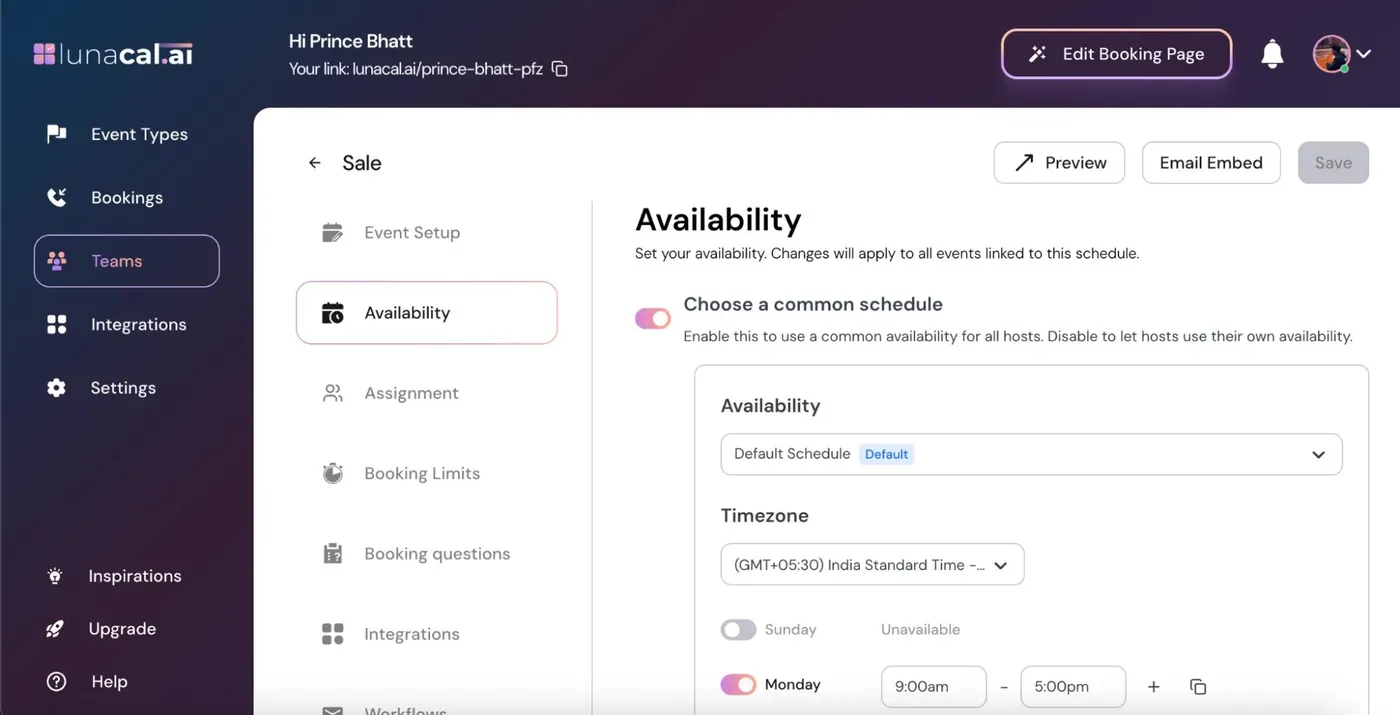
Host selection and working hours are separate controls. A member can belong to the rotation without being available for every slot.
Only assigned members take part in the rotation. Turn automatic inclusion off when the event needs a specific team.
A slot can appear when an assigned rotating host is available. Connected calendar conflicts and booking limits affect eligibility.
LunaCal rotates bookings among available members. Different working hours can produce different booking totals.
Default hosts join every booking; they are not additional people taking turns in the rotation.
The Round-Robin Hosts toggle controls whether membership follows the whole team or a manually selected list.
Explore this setting →With automatic inclusion on, current and future team members join the rotation.
With it off, you select eligible hosts and add new members deliberately.
A host still needs working hours, a connected calendar and room within their booking limits to receive appointments.
LunaCal combines rotation with the controls needed to run different services from one team account.
Keep one person on every appointment while another place rotates through the team.
Automatically include new teammates, or keep a service restricted to selected people.
Teams includes round robin, shared scheduling, multi-session packages and webhooks, alongside payments and reminders.
The main distinction is how the next host is selected. Compare that assignment model alongside the scheduling controls your team needs.
| Capability | LunaCal | Calendly | Cal.com | Koalendar |
|---|---|---|---|---|
| Round-robin scheduling | Teams | Teams+ | Teams+ | Paid plans |
| Selection method | Available-host rotation | Availability / fairness | Weights / priority | Priority / random |
| Choose eligible hosts | Yes | Yes | Yes | Yes |
| Calendar conflict checks | Yes | Yes | Yes | Yes |
| Host working hours | Yes | Yes | Yes | Yes |
| Meeting buffers | Yes | Yes | Yes | Yes |
| Minimum booking notice | Yes | Yes | Yes | Yes |
| Custom booking questions | Yes | Yes | Yes | Yes |
| Email reminders | Yes | Yes | Yes | Yes |
| Payment collection | Stripe / PayPal | Stripe / PayPal | Stripe / PayPal | Stripe / PayPal |
| Website embedding | Yes | Yes | Yes | Yes |
| Collective meeting option | Yes | Yes | Yes | Yes |
Availability affects distribution. Members with fewer working hours, calendar conflicts or reached booking limits may receive fewer appointments.
Yes. Turn off automatic inclusion in Round-Robin Hosts, then select only the people who should receive this event’s bookings.
Yes. Add that person as a Default Host. They join every meeting alongside the host selected through the rotation.
Yes. Turn Choose a Common Schedule off so each host uses their own availability for the event.
Round robin selects a rotating host. Collective scheduling requires all selected hosts to be available for the same meeting.
LunaCal Teams includes round-robin scheduling and starts at $15 per user per month.