Google Tag Manager
Add a GTM container to an individual account or team.
Connect your marketing activity to the appointments it brings in. LunaCal supports Google Tag Manager events, hidden UTM fields and booking webhooks, so you can track the booking journey and keep campaign details with each appointment.
Start your free trialCompare scheduling tools ↓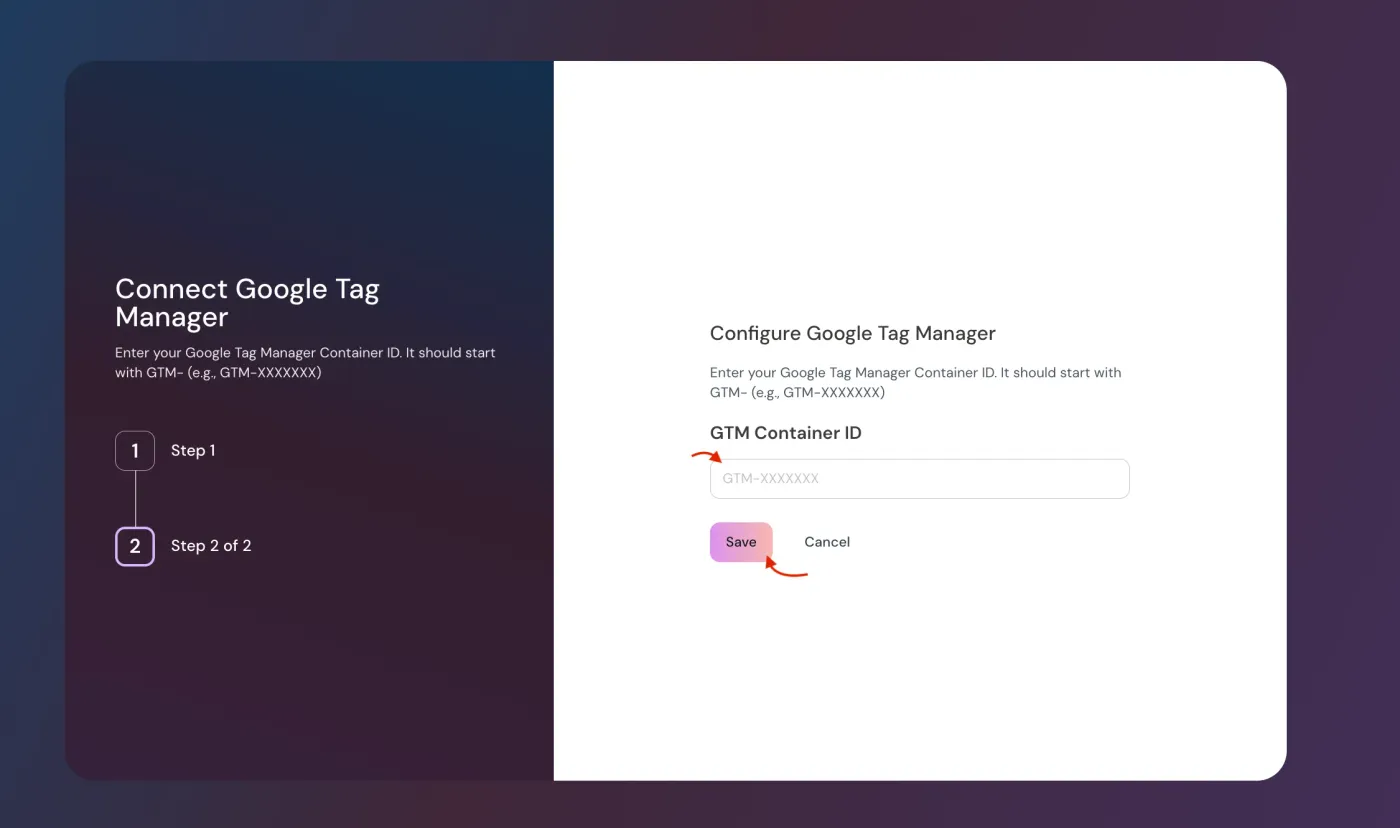
Capture appointment activity in LunaCal and connect it to the analytics and reporting tools you already use.
Add a GTM container to an individual account or team.
Enable the integration on the specific event types you want to track.
Track service selection, team member selection and time-slot selection.
Use the completed-booking event as your conversion signal.
Track payment completion separately from booking requests.
Save campaign parameters through matching hidden booking fields.
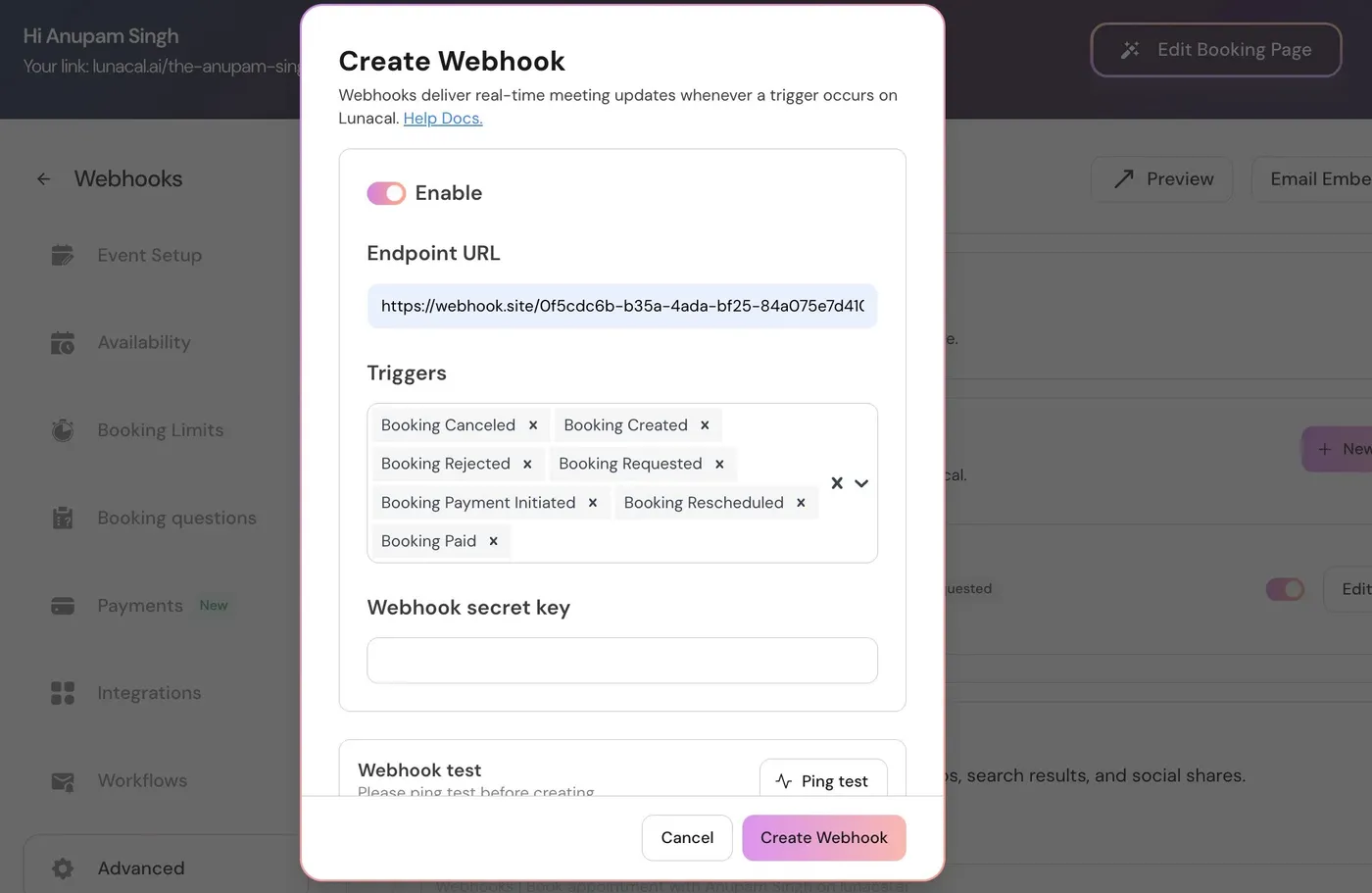
Send appointment details and form responses to your own reporting system.
Use Zapier to send booking and campaign details to Google Sheets.
Connect booking activity to tools including HubSpot and Pipedrive.
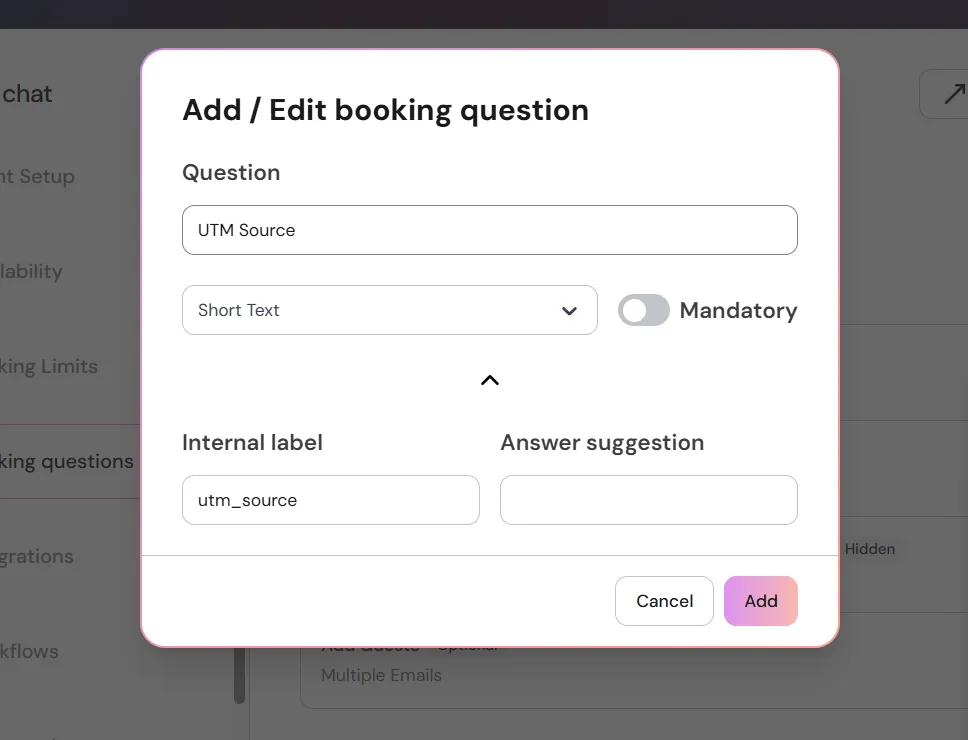
LunaCal matches a booking-link query parameter to the internal label of a booking question. A hidden optional field can retain the campaign value without asking the guest to type it.
Track which service, member or time slot the visitor selects before submitting a booking.
A bookingRequested event records a request. Keep it separate from a confirmed appointment when approval is required.
Use bookingSuccessfullV2 for the updated booking-completion event. Avoid counting both the legacy and V2 event as separate conversions.
Use paymentSuccessfull to measure successful payment. A booking conversion and a payment conversion describe different actions.
GTM setup has two levels in LunaCal. Saving the container ID connects the account or team; the event’s Integrations setting determines whether tracking runs for that event type.
Configure Google Tag Manager →Choose the scheduling profile whose booking activity belongs in the container.
Enable Google Tag Manager in each relevant event type’s Integrations tab.
Configure GA4 or other supported tags inside GTM. LunaCal supplies booking events; your tags determine where that data is reported.
Webhooks connect the appointment record to your reporting workflow. Include the booking identifier, attendee details and form responses so a campaign source stays attached to the correct appointment.
LunaCal connects marketing signals to the service, host and booking record—not only to a generic page-view event.
Hidden fields retain the source on the appointment itself, making it available beyond the analytics session.
Distinct events let you measure the action your business actually counts as a conversion.
Use the same account for scheduling, payments and reminders. Standard starts at $9 per user per month; Teams starts at $15 and adds webhooks and shared scheduling.
Compare the ways each tool connects appointment activity to external analytics. Calendly and Cal.com also offer dedicated scheduling insights.
| Capability | LunaCal | Calendly | Cal.com | Koalendar |
|---|---|---|---|---|
| Google analytics connection | Via GTM | Google Analytics | Google Analytics | Google Analytics |
| Google Tag Manager | Yes | Embed events | Yes | Analytics integration |
| Campaign attribution | Hidden UTM fields | UTM tracking | UTM tracking | Analytics integration |
| Booking webhooks | Teams+ | Yes | Yes | Paid plans |
| Custom booking questions | Yes | Yes | Yes | Yes |
| Website embedding | Yes | Yes | Yes | Yes |
| Zapier connection | Yes | Yes | Yes | Yes |
| Payment collection | Yes | Yes | Yes | Yes |
| Individual scheduling | Yes | Yes | Yes | Yes |
| Round-robin scheduling | Teams+ | Yes | Yes | Yes |
| Collective scheduling | Teams+ | Yes | Yes | Yes |
| Calendar conflict checks | Yes | Yes | Yes | Yes |
| Free plan | No | Yes | Yes | Yes |
You can configure GA4 through Google Tag Manager. Add your container ID in LunaCal, enable GTM on the event types you want to track, then configure the relevant tags in your container.
Create optional hidden booking questions whose internal labels match your campaign parameters, such as utm_source. Add those parameters to the booking URL. LunaCal saves the matching values as booking responses.
No. Enable the integration on each relevant event type in its Integrations tab after saving the account or team container ID.
The updated completion event is bookingSuccessfullV2. Choose one completion event for your conversion rule so the legacy and updated events do not count the same booking twice.
Yes. LunaCal sends paymentSuccessfull for successful payment. Keep that event separate from the request and booking-completion events in your reporting setup.
Yes. Use the Zapier connection to send booking data and captured campaign values to Google Sheets. Webhooks can also deliver booking responses to a reporting endpoint.