One-to-one meetings
Match one host with one attendee for a private appointment.
LunaCal event types define who attends, who hosts, and how each appointment can be booked. Offer private meetings, group sessions, team appointments and multi-session packages from the same account.
Start your free trialCompare scheduling tools ↓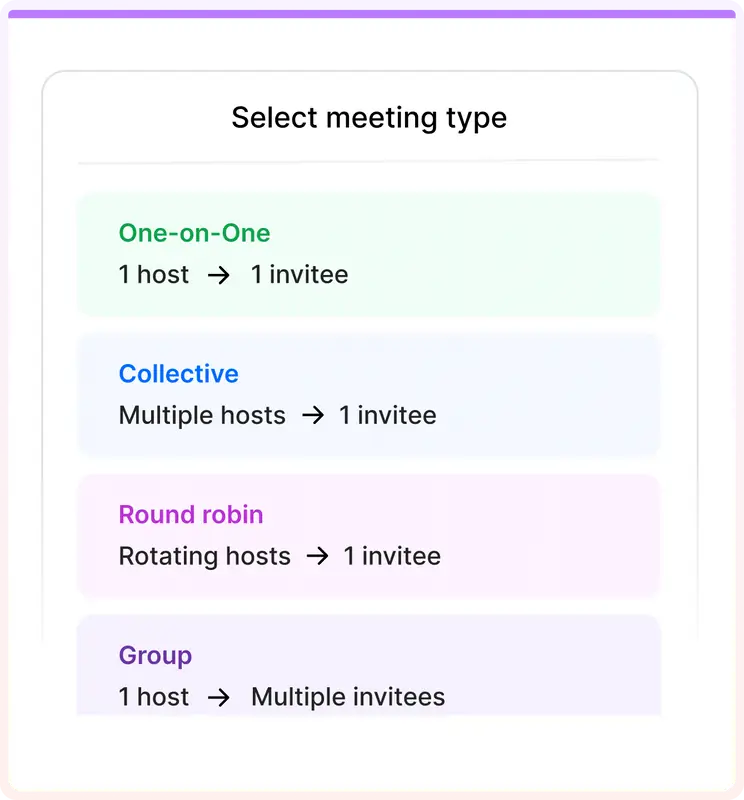
Set up the appointment format first, then add the duration, location, questions and booking rules that belong to that service.
Match one host with one attendee for a private appointment.
Open a session to multiple attendees with a capacity for each time slot.
Allocate incoming appointments across available team members.
Offer times when every required host can attend.
Let attendees book a fixed number or a permitted range of sessions.
Let clients fill a package with a recurring booking pattern.
Offer different session lengths within an event type.
Offer video, phone or in-person appointments, including a choice of locations.
Connect Stripe or PayPal and set a price for the booking.
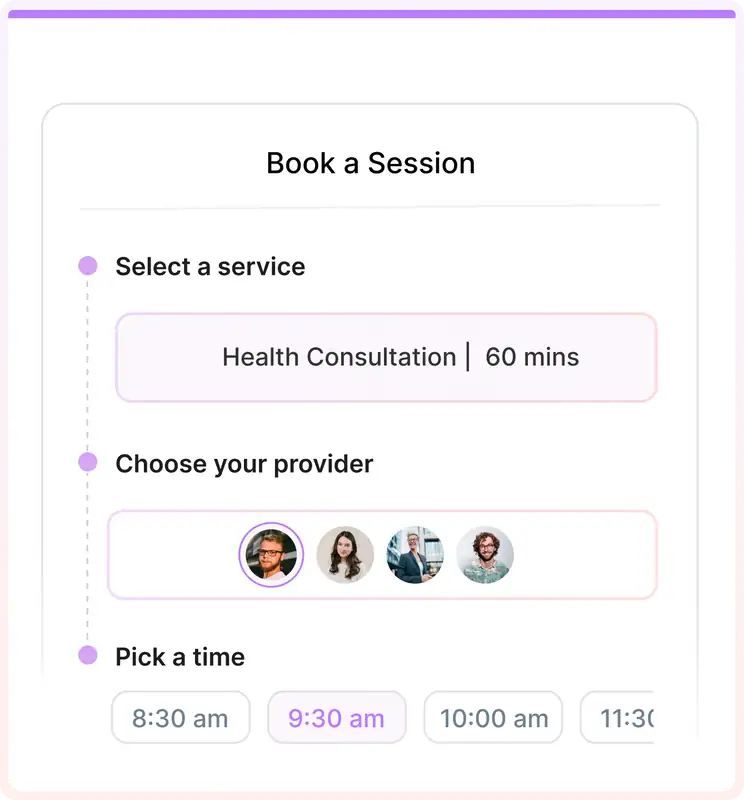
Each LunaCal event type has its own title, description, duration and meeting locations. Clients see those details while choosing the appointment.
Use a one-to-one event when the appointment belongs to a specific person. Availability comes from that host’s schedule and calendar settings.
Use a group event for a class or shared session. Each booking takes capacity from the same time slot instead of creating another private meeting.
Use round robin when multiple colleagues can handle the same appointment. LunaCal assigns a host from the available team.
Use collective scheduling when a panel or several specialists must attend together. The guest sees overlapping availability.
LunaCal packages set how many sessions a client books. Recurrence controls how those session dates repeat. Configure the quantity and the pattern separately.
Set up multi-session packages →For a four-session program, require four selected slots before the booking completes.
For ongoing support, allow a range such as two to six sessions so the client chooses within your limits.
Packages work with individual and supported team events. Collective meetings use a separate booking flow and do not support packages.
LunaCal connects session selection with payment collection, so a package has bookable dates as well as a price.
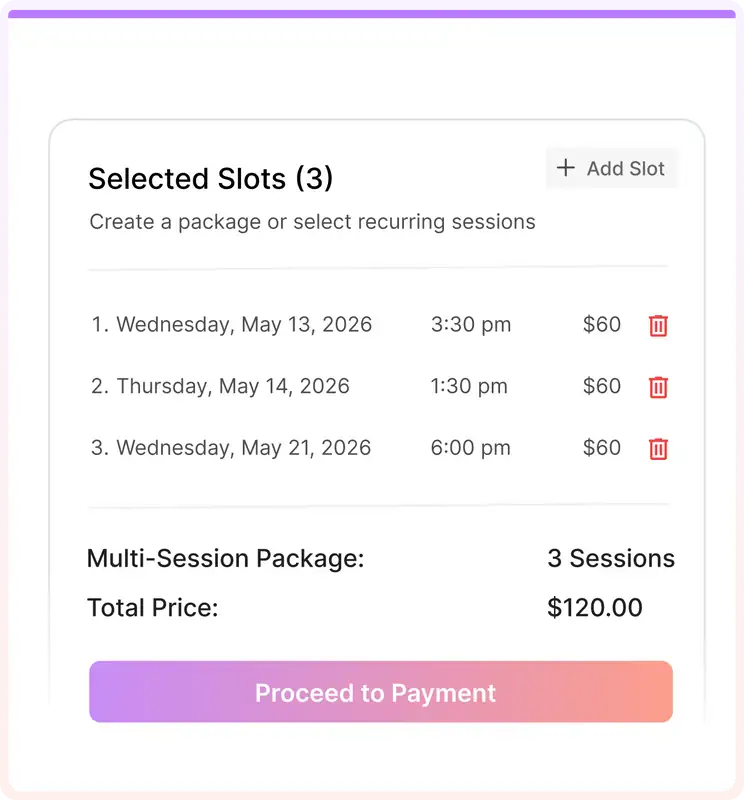
The advantage is the combination: individual and team formats, session packages and service-specific content within the same scheduling setup.
Keep a service’s hosts, meeting locations, questions and booking rules attached to its event type. A consultation need not follow the same setup as an introductory call.
Show preparation documents for a paid session and introductory material for a discovery call using event-specific widgets.
Standard starts at $9 per user per month with unlimited services and calendar connections. Teams adds team scheduling and multi-session packages; choose the tier for the formats you need.
Compare meeting formats and the tools needed to operate them. LunaCal brings service bookings and packages alongside familiar individual and team meeting types.
| Capability | LunaCal | Calendly | Cal.com | Koalendar |
|---|---|---|---|---|
| One-to-one meetings | Yes | Yes | Yes | Yes |
| Group sessions | Yes | Standard+ | Yes | Paid plans |
| Round-robin assignment | Teams+ | Teams+ | Teams+ | Paid plans |
| Collective meetings | Teams+ | Standard+ | Teams+ | Paid plans |
| Unlimited event types | All plans | Standard+ | Yes | Yes |
| Connected calendars | Unlimited | Up to 6 | Unlimited | Plan dependent |
| Multiple meeting durations | Yes | Paid plans | Yes | Yes |
| Online and in-person | Yes | Yes | Yes | Yes |
| Custom booking questions | Yes | Yes | Yes | Paid plans |
| Payment collection | Stripe / PayPal | Stripe / PayPal | Stripe / PayPal | Yes |
| Website embedding | Yes | Yes | Yes | Yes |
| Automatic reminders | Yes | Standard+ | Yes | Paid plans |
| Free plan | No | Yes | Yes | Yes |
An event type is a reusable appointment setup with a title, duration, location, hosts and booking rules. A booking is one scheduled appointment created from that setup.
Yes. Create separate event types for a free introduction and a paid service, then enable payment collection on the paid event.
A group event accepts multiple attendees into a shared session. A collective meeting brings multiple required hosts into one appointment and checks their overlapping availability.
Yes. Use a fixed quantity or a minimum and maximum range. With a fixed package, all required slots must be selected before booking completes.
No. LunaCal package booking supports individual and supported team events, but not collective scheduling events.
Yes. Enable event-specific widgets in the booking-page editor and select which event types should display each widget.