Shared availability
Show only times when all selected hosts are free.
LunaCal collective scheduling shows appointment times only when every selected host is available. Clients book once, and the meeting is added to the assigned hosts’ calendars.
Start your free trialCompare scheduling tools ↓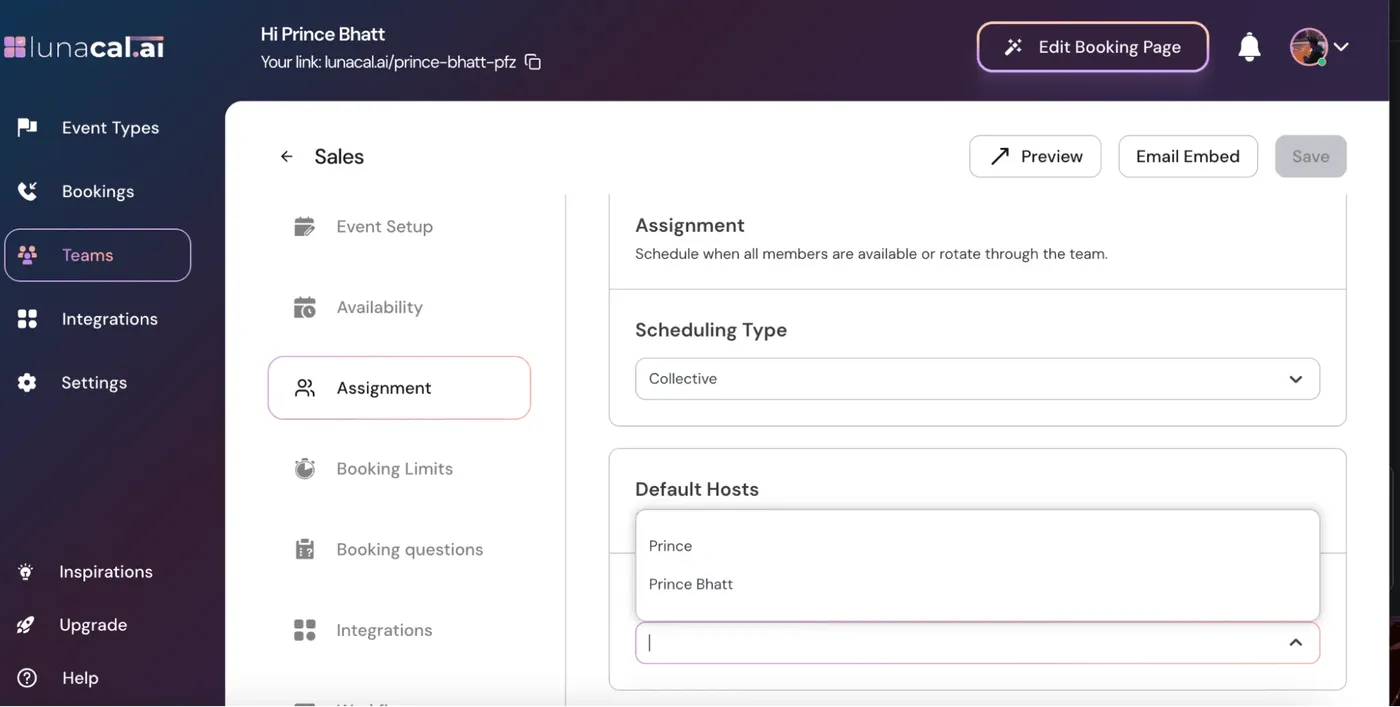
Choose the host group first, then control when that group can be booked.
Show only times when all selected hosts are free.
Choose the teammates who must attend the event.
Automatically include all current and future team members when needed.
Keep each host’s own availability schedule.
Set one shared schedule for the collective event.
Exclude times that conflict with a required host’s connected calendar.
Add the booked meeting to all assigned hosts’ calendars.
Set buffers and advance notice for the appointment.
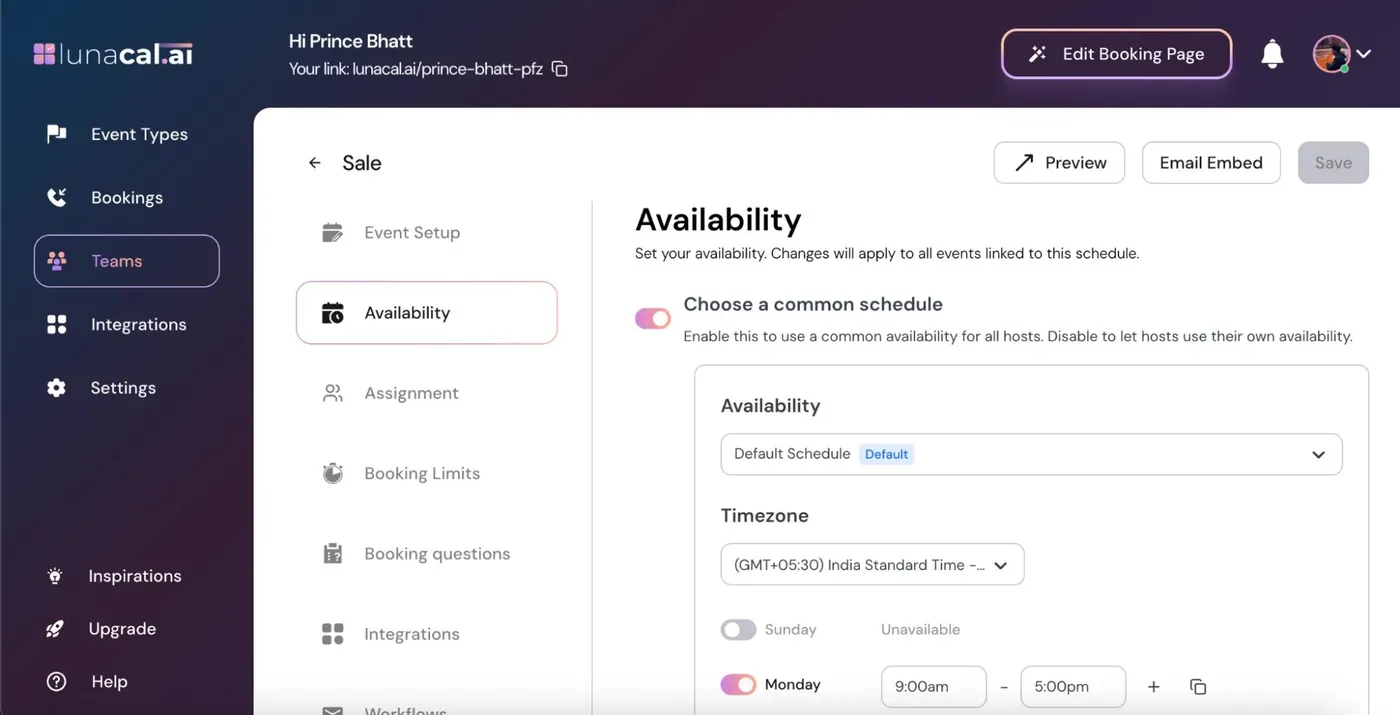
Choose a Common Schedule changes the working hours used for the event. It does not turn a collective meeting into a rotation: all selected hosts still belong in the meeting.
The host list defines whose availability must overlap. Add everyone the appointment requires.
Use the common event schedule or each person’s own schedule, depending on your setting.
If a required host is busy, that time is not a bookable collective slot.
The client chooses from the remaining times, and all assigned hosts are included.
Adding someone to a collective event changes the availability intersection. Use automatic team inclusion only when the whole team genuinely needs to attend.
Explore this setting →Keep Add all current & future team members off and select the required people.
Turn it on when future teammates should also become required attendees.
Check every host’s working hours, calendar conflicts, time zone and event limits before widening the booking window.
LunaCal lets you manage who must attend separately from the hours and booking rules of the service.
Keep a fixed group for a service, or let a whole-team meeting include future teammates automatically.
Use one event schedule for a coordinated team or preserve individual working hours across locations.
At $15 per user per month, Teams combines shared scheduling with round robin, packages and webhooks. Payments and reminders remain in the same account.
All four tools can check shared host availability. Plan access and the surrounding appointment workflow help determine the right fit.
| Capability | LunaCal | Calendly | Cal.com | Koalendar |
|---|---|---|---|---|
| Collective scheduling | Teams | Standard+ | Teams+ | Paid plans |
| All selected hosts required | Yes | Yes | Yes | Yes |
| Choose co-hosts | Yes | Yes | Yes | Yes |
| Calendar conflict checks | Yes | Yes | Yes | Yes |
| Host working hours | Yes | Yes | Yes | Yes |
| Time-zone conversion | Yes | Yes | Yes | Yes |
| Meeting buffers | Yes | Yes | Yes | Yes |
| Advance booking notice | Yes | Yes | Yes | Yes |
| Booking questions | Yes | Yes | Yes | Yes |
| Email reminders | Yes | Yes | Yes | Yes |
| Payment providers | Stripe / PayPal | Stripe / PayPal | Stripe / PayPal | Stripe / PayPal |
| Round-robin alternative | Teams | Teams+ | Teams+ | Paid plans |
Yes. LunaCal collective events show only times when all assigned hosts are available.
LunaCal books the same meeting on all assigned hosts’ calendars.
No. The common schedule supplies the event’s working hours. Required hosts still need to be free for a slot to be bookable.
One or more required hosts may have no overlapping working hours, a calendar conflict or restrictive booking limits. Review each host and the event’s schedule.
Only when Add all current & future team members is enabled. Keep it off when the event should include a fixed set of hosts.
No. Collective scheduling coordinates multiple required hosts. Group booking lets multiple attendees reserve seats in the same session.