

Introduction
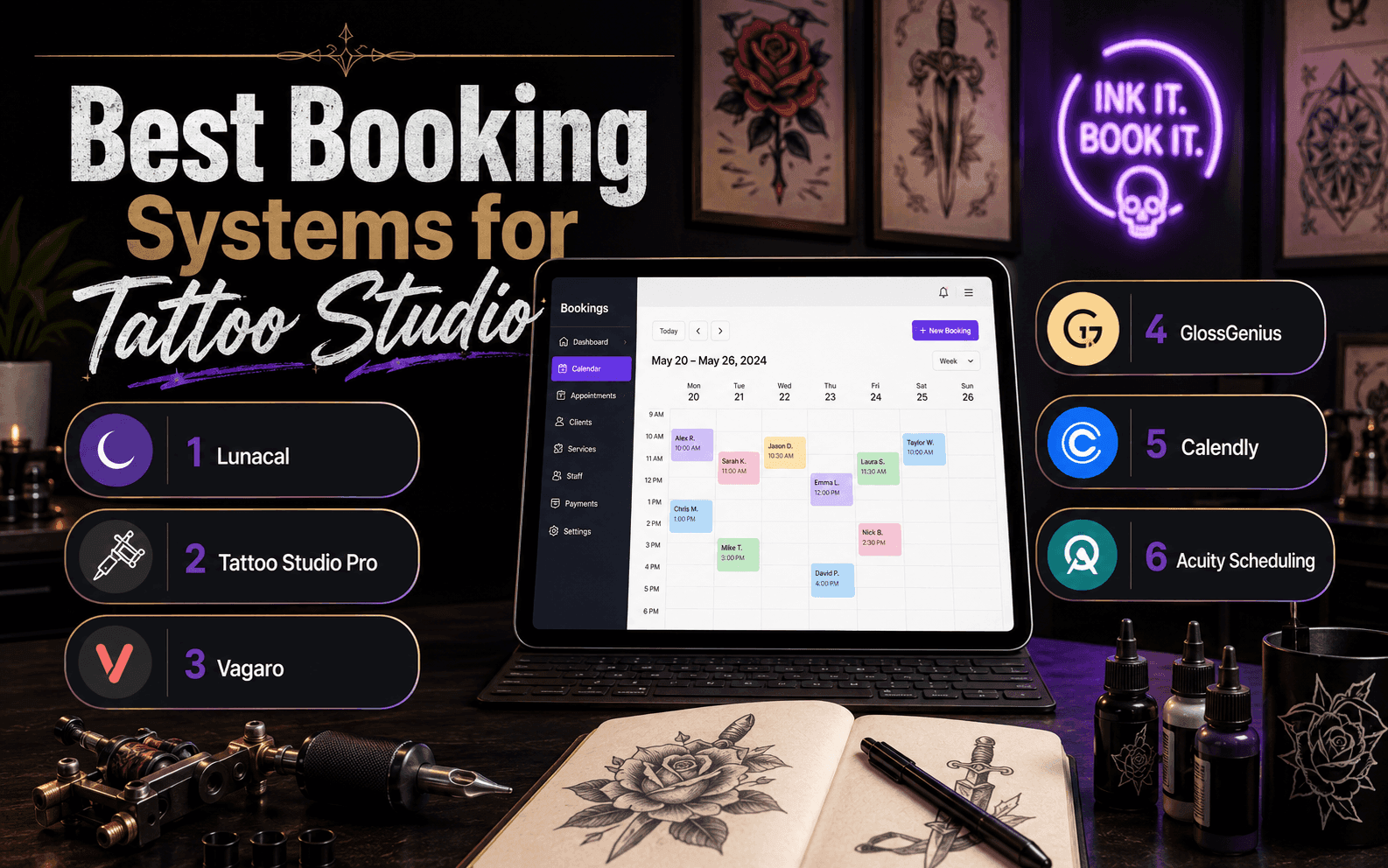
If the current booking tool for your tattoo studio makes deposit-backed consults clumsy, switching usually improves booking quality fast because fewer prime slots get held by maybes. I reviewed these tattoo booking tools with that exact workflow in mind and focused on four things that matter most here: deposits, intake, reminders, and multi-artist scheduling.
I compared Lunacal, Tattoo Studio Pro, Vagaro, GlossGenius, Calendly, Acuity, Square Appointments, and Google Calendar Appointment Scheduler. My initial list had 15 tools but then we shortlisted based on the methodology I've added at the end of the blog.
I also paid attention to regional details that can change the decision. Vagaro pricing shifts across the US, Canada, the UK, and Australia. Acuity flags country limits for SMS. GlossGenius is often described as US-focused. In tattoo studios serving international clients, payments, SMS reliability, and language support can matter as much as core scheduling.
Best Tattoo Booking Software: Comparison Tables
Best fit by use case
Best fit by use case
| Use case | Best tool | Why it fits |
|---|---|---|
| Portfolio booking | Lunacal | Booking + portfolio combined |
| Consent tracking | Tattoo Studio Pro | Built-in waivers + records |
| All-in-one ops | Vagaro | Booking + POS + inventory |
| Simple consults | Calendly | Fast link-based booking |
| Payment-first flow | Square Appointments | Tight POS integration |
| Solo beauty setup | GlossGenius | Booking + payments simple |
| Flexible scheduling | Acuity | Strong rules + intake |
| Basic calendar use | Google Calendar | Free + easy setup |
Feature comparison
| Feature | Lunacal | Tattoo Studio Pro | Vagaro | Calendly | Square | GlossGenius | Acuity | Google Calendar |
|---|---|---|---|---|---|---|---|---|
| Deposits | Yes | Yes | Yes | Yes | Yes | Yes | Yes | No |
| Consent forms | No | Yes | Yes | No | No | Yes | Basic | No |
| Portfolio pages | Yes | Yes | Limited | No | No | Limited | No | No |
| POS | No | Yes | Yes | No | Yes | Yes | No | No |
| Team routing | Yes | Yes | Yes | Yes | Yes | Limited | Yes | No |
| Walk-in queue | No | Yes | No | No | No | No | No | No |
| Mobile UX | Good | App-first | Good | Fast | Good | Strong | Good | Strong |
Deep-dive into individual tools for tattoo artists
Lunacal
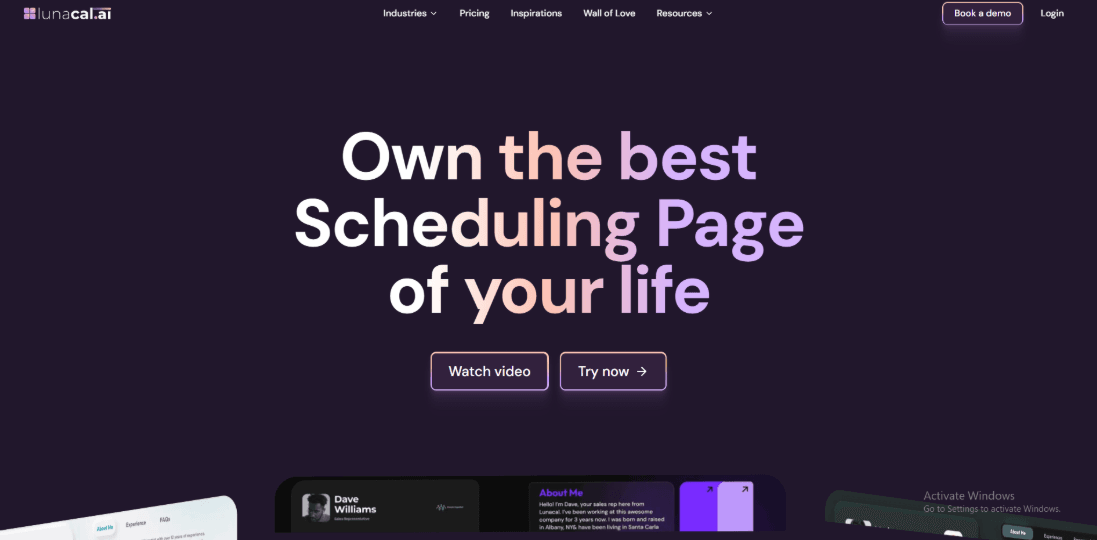
Lunacal turns a simple booking link into something much more useful for tattoo studios. Instead of just showing a calendar, it lets you showcase your work, explain your process, and set expectations before a client even picks a slot. That makes a big difference when clients are deciding whether to book with you or keep browsing.
Timezone-safe bookings
Clients see availability in their own timezone, while your studio calendar stays consistent. Confirmations and reminders follow the same logic, so there’s less confusion around timing. This is especially helpful if you get bookings from out-of-town clients or guest work. You can also add notes like your studio address or consult details right inside the booking flow.
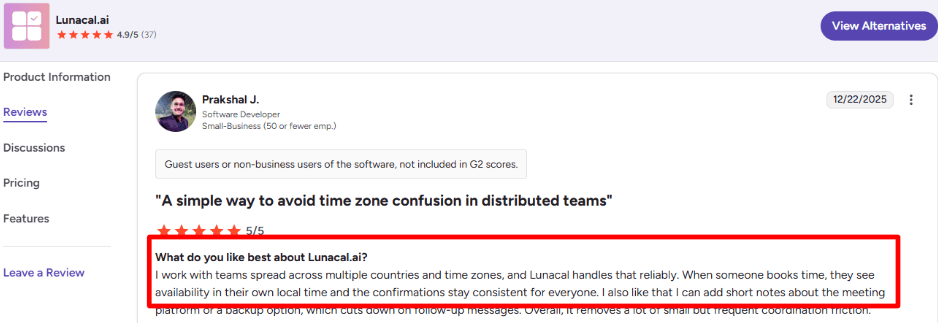
Source: Lunacal G2 reviews.
Deposits and paid consults
Most tattoo bookings need some level of commitment. Lunacal lets you take deposits or charge for consults upfront, which helps avoid holding valuable time slots for people who may not show up. This works well for longer pieces or busy flash days where last-minute cancellations can disrupt your day.
Multiple booking types
You can create different booking options like consults, touch-ups, design reviews, or full sessions. Each one can have its own duration, buffers, and rules. This makes it easier to guide clients to the right option instead of having them guess. You can simply share the correct link based on what they need.
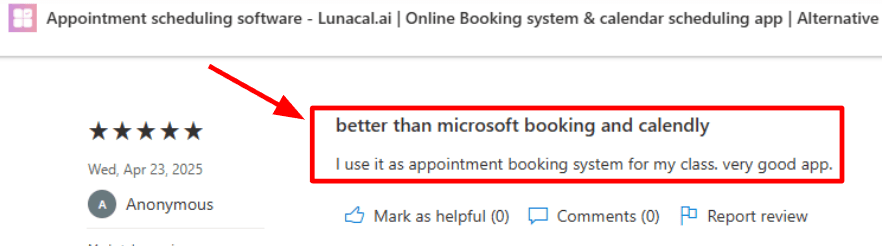
A AppSource review even mentioned it as a better fit than Microsoft Bookings and Calendly for more structured bookings. If you're comparing tools, this Microsoft Bookings alternatives page is useful.
Mobile-first booking flow
Most clients will come from Instagram, WhatsApp, or Google, so mobile matters. The booking flow is clean and easy to follow, but the first load can feel slightly slow on weaker connections. It’s not a dealbreaker, but worth testing on your own network. Beyond booking, you also get things like galleries, testimonials, file sharing, reminders, and team scheduling. These small pieces add up in day-to-day studio use.
Intake questions
You can ask clients questions before they book, which saves time later. Things like placement, size, references, or whether it’s a cover-up help you walk into a consult prepared instead of starting from scratch.
Rules that protect your day
You can control notice periods, add buffers, and set rescheduling rules so your calendar stays manageable. Manual approval is useful for larger or complex pieces where you want to review requests before confirming. Some settings can take a bit of digging during setup, but they’re there.
Multi-artist routing
If you run a multi-artist studio, you can route bookings to the right person instead of just the next available slot. That helps match clients with the right artist based on style or request, which is often more important than speed.
Pros
- Clear timezone handling reduces missed or confused appointments
- Booking pages double as a portfolio, helping clients decide faster
- Deposits help protect long or high-demand sessions
- Flexible booking types make it easier to organize different services
- Works well for teams where artist matching matters
Cons
- Mobile load speed can feel slightly slow on weaker connections
- Some settings take time to find during setup
- You’ll still need to test edge cases like cancellations end-to-end
- Portfolio-style pages require some setup before they feel complete
Lunacal Pricing
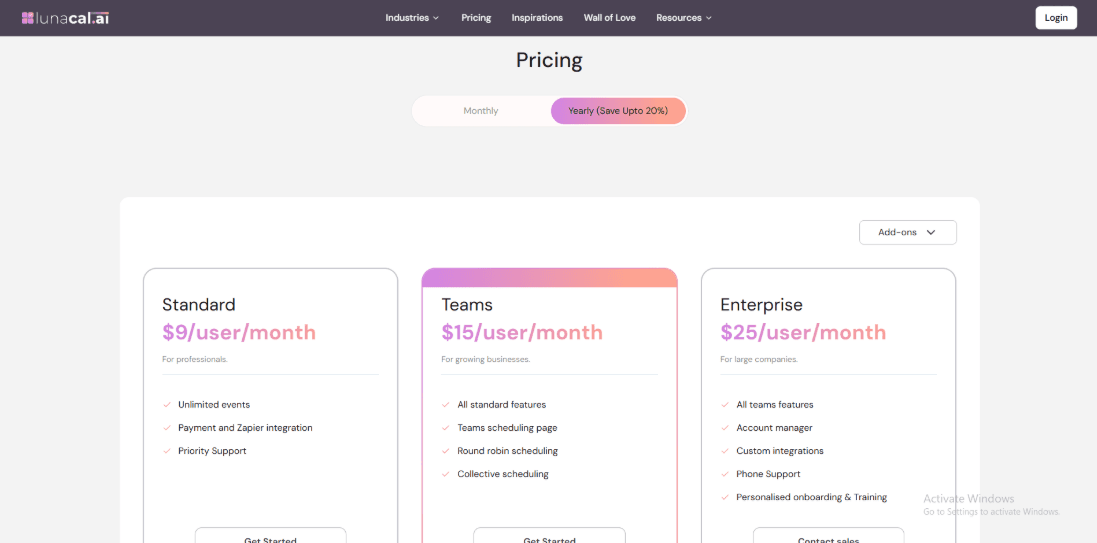
- Standard starts at $9/user/month for solo artists: unlimited event types, payments, Zapier, priority support
- Teams is $15/user/month for multi-artist studios: team scheduling page, round-robin, and collective bookings
- Enterprise is $25/user/month: account manager, custom integrations, phone support, and onboarding
- Annual billing can reduce the cost; full details on the official pricing page
Tattoo Studio Pro
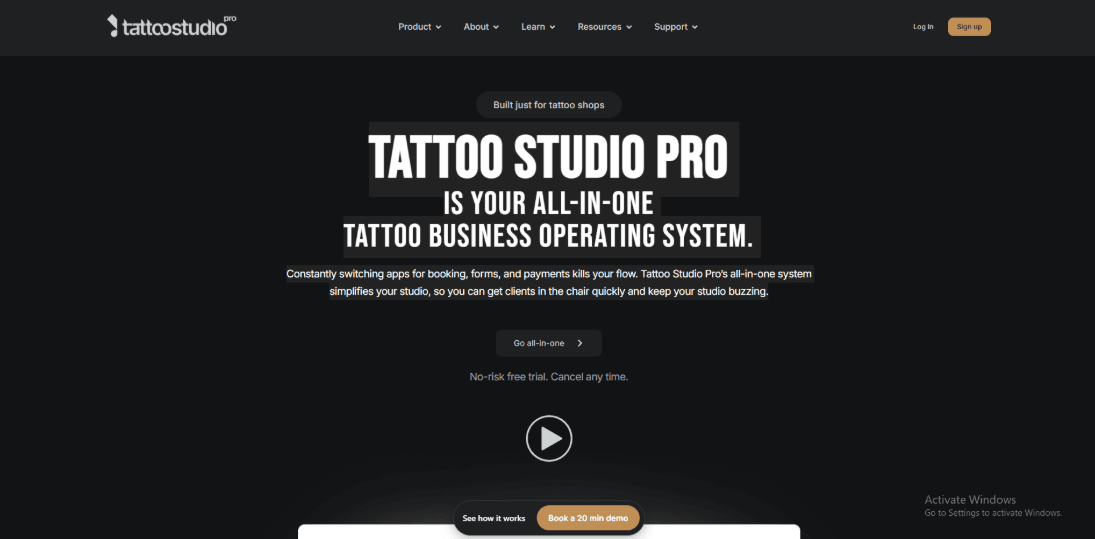
Tattoo Studio Pro is popularly known in tattoo and piercing shops for combining scheduling with digital consent forms and a day-of queue.
1. Digital consent forms and client records:
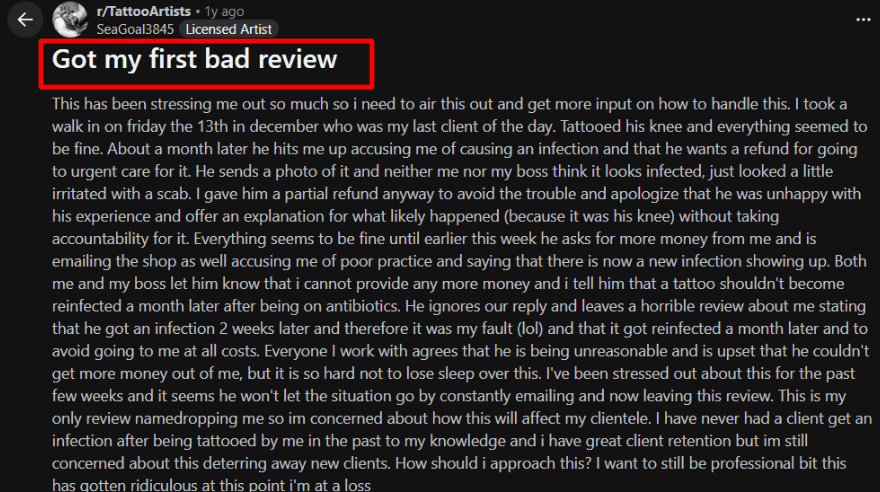
I saw the Reddit thread, screenshot below, about a client claiming an infection and pushing for refunds weeks later. Having signed consent, health answers, aftercare notes, and session details attached to the client keeps those situations factual instead of emotional.
2. Booking calendar with deposits and reminders:
You can take deposits at booking and keep reminders close to the appointment flow.
This helps on days with late walk-ins and long pieces, when you need to log what happened and set a simple follow-up check-in.
One mild frustration is that payments run through Stripe, so studios that avoid Stripe may hit setup friction.
3. Queue view for walk-ins and busy days:
The queue screen is built for what actually happens in a studio.
You can see who is checked in, who still needs forms done, and what is next across multiple artists, which reduces the classic who is waiting for what chaos.
Positive surprise: you can require forms for an offering and block checkout until they are completed, which prevents missed waivers.
4. Artist portfolios and studio presentation:
Portfolios matter because clients book artists, not time slots.
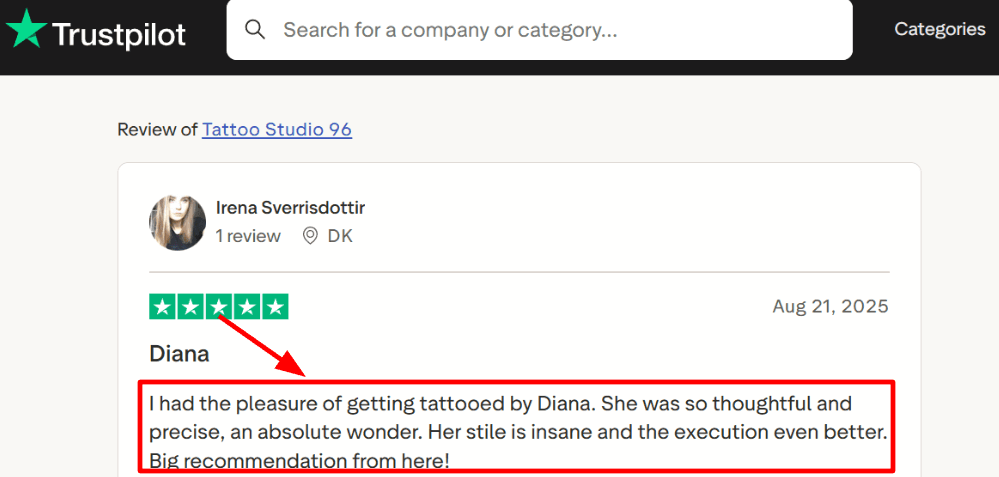
A Trustpilot review shared praising Diana’s precision and style, it tracks that surfacing artist work clearly can attract the right clients and reduce vague consult requests.
Other features in Tattoo Studio Pro for tattoo studios include tax settings, offerings and retail catalog, reports and exports, team permissions, device PIN, and device deauth.
Pros of Tattoo Studio Pro
- Consent forms plus health intake live inside the tool, as shown in Tattoo Studio Pro’s own forms documentation.
- The queue view matches real studio flow for walk ins, check ins, and missing waivers during flash days.
- Deposits and reminders sit close to booking, which helps when a multi hour piece cannot afford a no show.
- Team permissions plus device PIN reduce risk on shared front desk iPads in multi artist shops.
- Reports cover sales, tips, taxes, and exports, which fits end of day close and bookkeeping.
Cons of Tattoo Studio Pro
- Payments run through Stripe, so studios that cannot use Stripe may hit setup friction.
- They explicitly say they are not HIPAA compliant, so do not treat it like a medical record system.
- The web app is beta and invitation only, so desktop first studios should confirm access early.
- On the iOS App Store it sits at a 3.4 out of 5 rating, which signals uneven experience across shops.
- The iOS listing shows English as the app language, which can matter if your front desk runs fully bilingual.
Tattoo Studio Pro Pricing
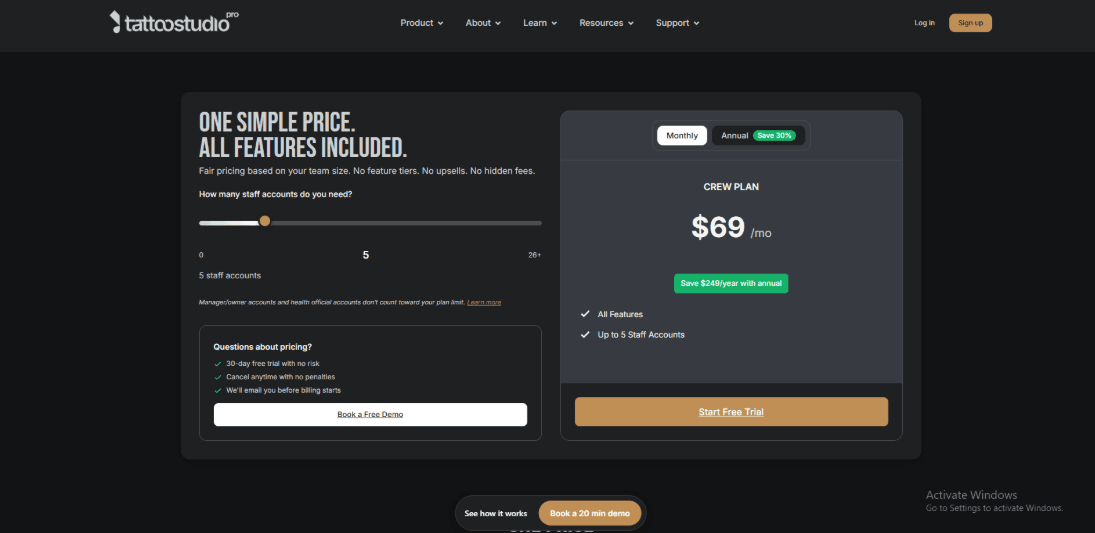
- Team-size pricing, and every plan includes the full toolset. See official pricing.
- Monthly plans start at $29 Solo (1 user) and $69 Crew (up to 5), scaling through Tribe/Clan/Guild to $299 Legion (up to 25); Empire is custom.
- Annual billing saves 25%.
- Includes a 30-day free trial, and new studios can apply for six months free.
Source: Tattoo Studio Pro pricing.
Vagaro
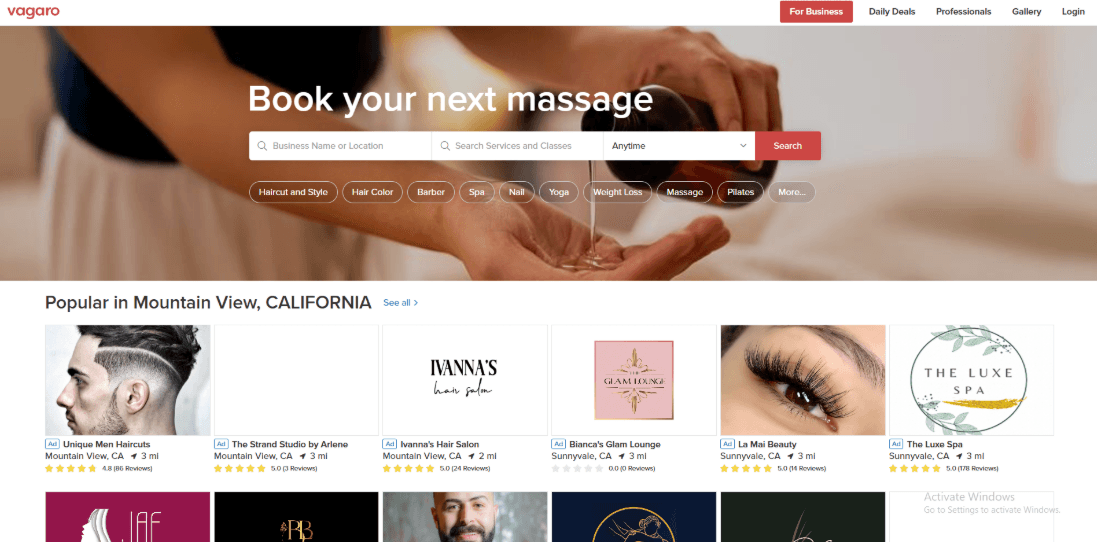
Vagaro is best known in tattoo shops as an all-in-one system for booking, deposits, and checkout, so the studio runs from one dashboard.
1. Deposits and card capture:
In a two-artist setup, the quickest win was requiring a deposit for longer sessions and consults.
Card-on-file capture is available too for higher-risk bookings.
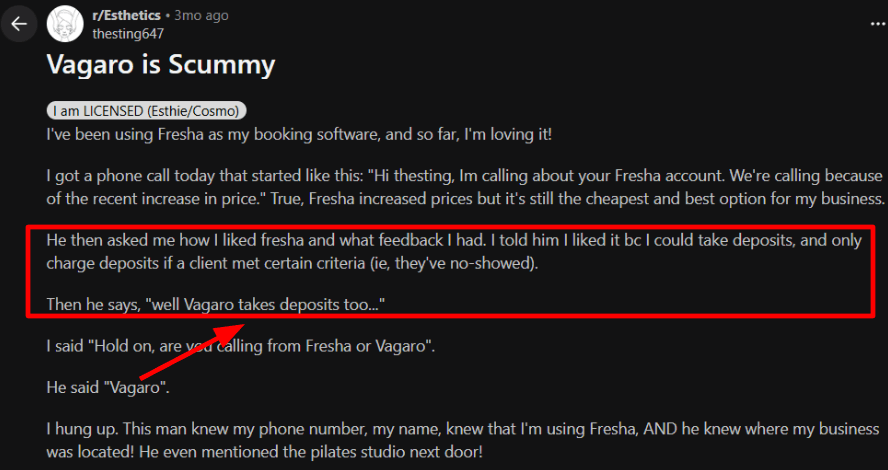
One thing felt off. I also saw a Reddit thread about a cold call that felt too targeted. I can’t verify the scraping claim, but I’m sharing a screenshot below because trust matters.
2. Online booking that fits tattoo workflows:
You can list services like consult, touch-up, and full-day sessions, then let clients book 24/7 from your site with an embed. For a real studio calendar, you can block large-piece sessions to specific days and keep flash slots open without constant rescheduling.
3. Policies that reduce no-shows:
Vagaro supports charging cancellation or no-show fees when your rules are met.
Slightly frustrating. Their docs note you can’t charge a no-show fee if the client already prepaid or left a deposit.
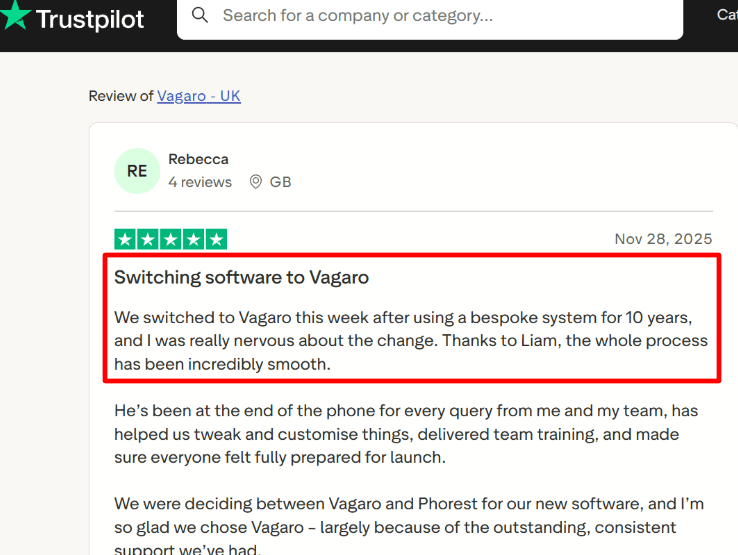
Going through a Trustpilot review about Liam helping the switch and training the team also rings true. Setup has a lot of moving parts.
4. Client records and forms:
Client profiles can store notes, service history, and intake forms, which helps when artists need context fast.
Positive surprise: The form builder can collect placement, references, and prep info before the consult, so the artist shows up ready.
Other features in Vagaro Pro for tattoo studios include invoices and quotes, inventory for aftercare, gift cards, memberships and packages, and reporting.
Did you know: Capterra calls out intake forms and service history alongside POS and inventory, which is easy to miss if you only read basic booking app reviews. For tattoo studios, that combo matters because it keeps consult details tied to the actual sale.
Pros of Vagaro
- Deposits can be required for online bookings, which helps protect long tattoo sessions from no-shows.
- Online booking works well for consult slots, touch ups, and flash days when the front desk is busy.
- Client profiles and synced intake forms are useful for storing placement notes, reference images, and signed waivers in one place.
- Built-in POS and inventory fit studios that sell aftercare and merch alongside appointments.
- Automated reminders reduce the back and forth with clients who book weeks out for big pieces.
Cons of Vagaro
- Vagaro support notes you cannot charge a no-show fee if the client already prepaid or left a deposit, which can limit how you enforce strict studio policies.
- Setup can feel heavy for multi-artist studios since services, deposits, and staff rules need careful tuning to avoid booking gaps.
- Some tattoo studios will find the product language and defaults more salon-first than tattoo-first, so you end up renaming a lot.
- Reporting can be a weak spot for some operators, with users calling out sales reporting accuracy issues in reviews.
- If you run walk-in heavy days, you may still need a tight front-desk process to keep the calendar clean while artists are mid-session.
Vagaro Pricing
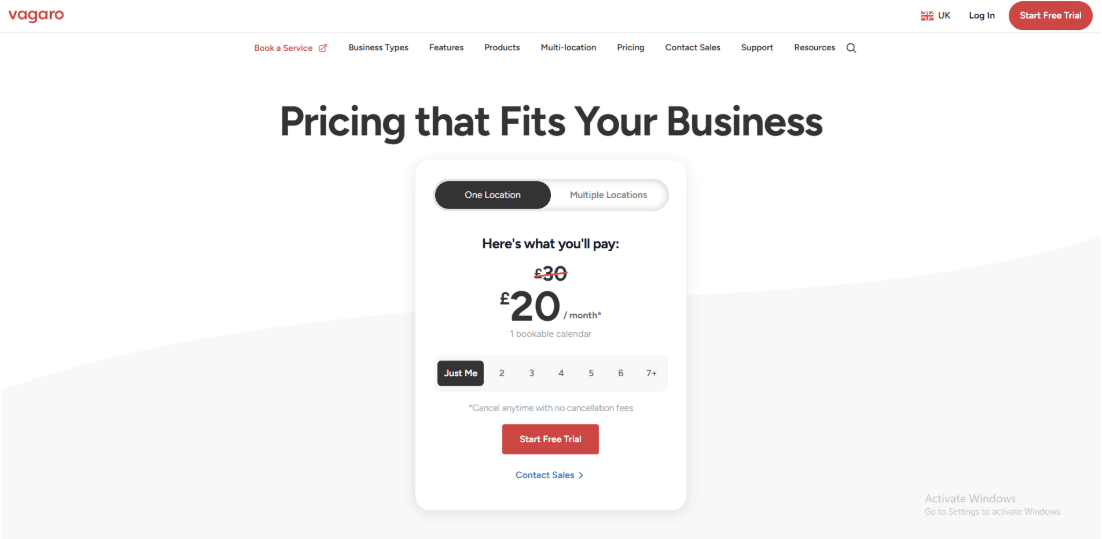
- US pricing starts at $23.99 per month for 1 bookable calendar, with each extra employee calendar at $10 per month up to 7, then more staff can be added without extra calendar fees. See Vagaro pricing and subscription details.
- Pricing varies by country, like Canada $35, UK £20, and Australia $45 per month, each including 1 calendar.
- Premium add-ons can raise the monthly total.
- Text and email plans may trigger overage charges if you exceed credits.
Source: Vagaro subscription details.
GlossGenius
GlossGenius is best known in beauty services for combining online booking with built-in payments, so clients can pick a slot and pay without endless back-and-forth.
1. Online booking with deposits and no-show guardrails:
You can require deposits for some services and skip them for others, which fits tattoo flows like consult first, deposit after design approval. One thing felt slightly frustrating: tuning cancellation and deposit rules for reschedules took a few passes.
2. Payments and dispute behavior you should map early:
Checkout is built into the flow, which helps when you are juggling deposits, touch ups, and add-ons like aftercare.
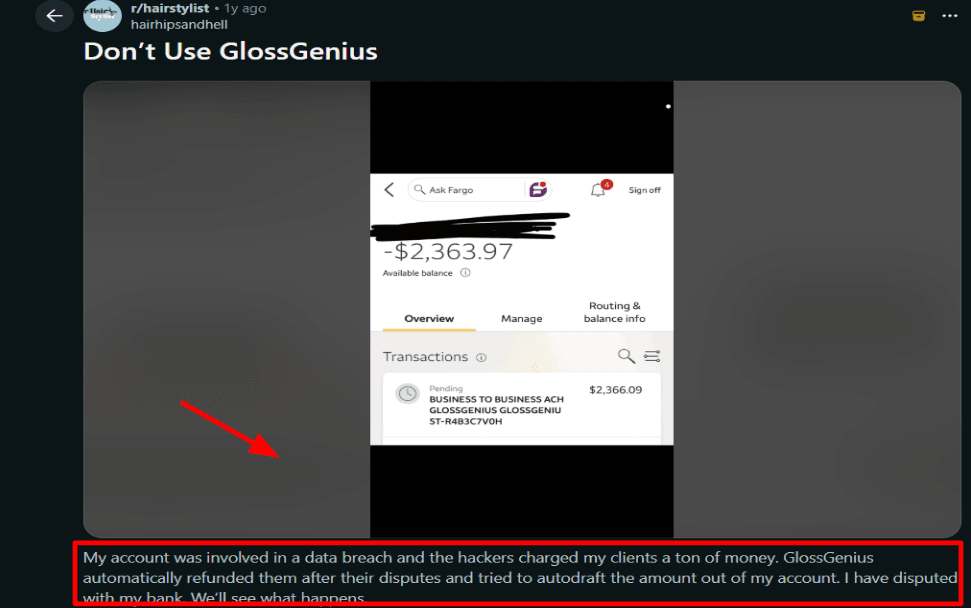
I also saw a Reddit thread alleging a hacking and dispute scenario with auto-refunds and attempted debits, so I would treat payout settings and account security as part of setup.
3. Forms and waivers that reduce front-desk chaos:
Forms show completion status on the appointment and you can resend nudges, which is useful for consent and health questions before a session. In practice, clients can fill them on their phone beforehand, you see the completion indicator, and you just start the appointment.
Positive surprise: once enabled, the workflow is clean and you stop chasing signatures at the chair.
4. Client communication that keeps calendars clean:
Automated reminders and confirmations help with late arrivals and last-minute cancellations, and you can keep messaging consistent across artists.
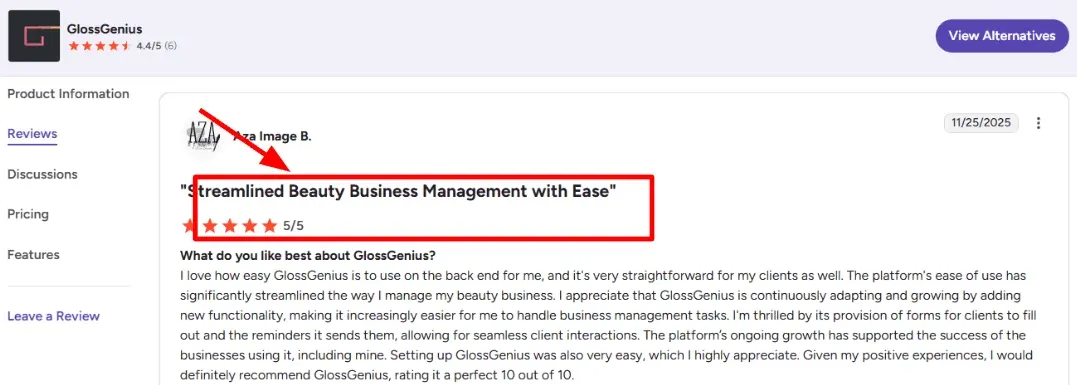
A G2 reviewer praised the ease of use and called out forms plus reminders as a real time-saver, which matches the day-to-day experience.
Other features in the higher-tier GlossGenius plan for tattoo studios include waitlists, text marketing, Google Reviews prompts, payroll and time tracking, room and resource management, and email marketing.
Did you know: on Capterra, GlossGenius Standard is listed at $24 per month and shows a strong value-for-money score, which is a useful sanity check when comparing tools.
Pros of GlossGenius
- Clients can book a consult fast on their phone, which cuts down the constant back and forth before a design is even approved.
- Built-in payments make deposits easier to enforce for custom pieces where you are blocking a long slot.
- Automated appointment reminders help reduce no-shows for longer sessions that destroy your day when they vanish.
- Forms and waivers let you collect consent and health questions before the client hits the chair.
- Waitlists plus room and resource management help when you run multiple artists and want to refill cancellations quickly.
Cons of GlossGenius
- It is not tattoo-first software, so quoting custom work and handling design approval steps can feel like a workaround.
- Your bill can climb once you need higher-tier tools like waitlists and room management for a busy shop floor.
- Payment disputes are a real risk area, and a Reddit post describes a breach and chargeback scenario that studios should take seriously.
- If you operate outside the US, third-party writeups commonly describe it as US-focused.
- Some shops will want deeper tattoo-specific records like artist notes tied to each session and more detailed reporting than the default setup.
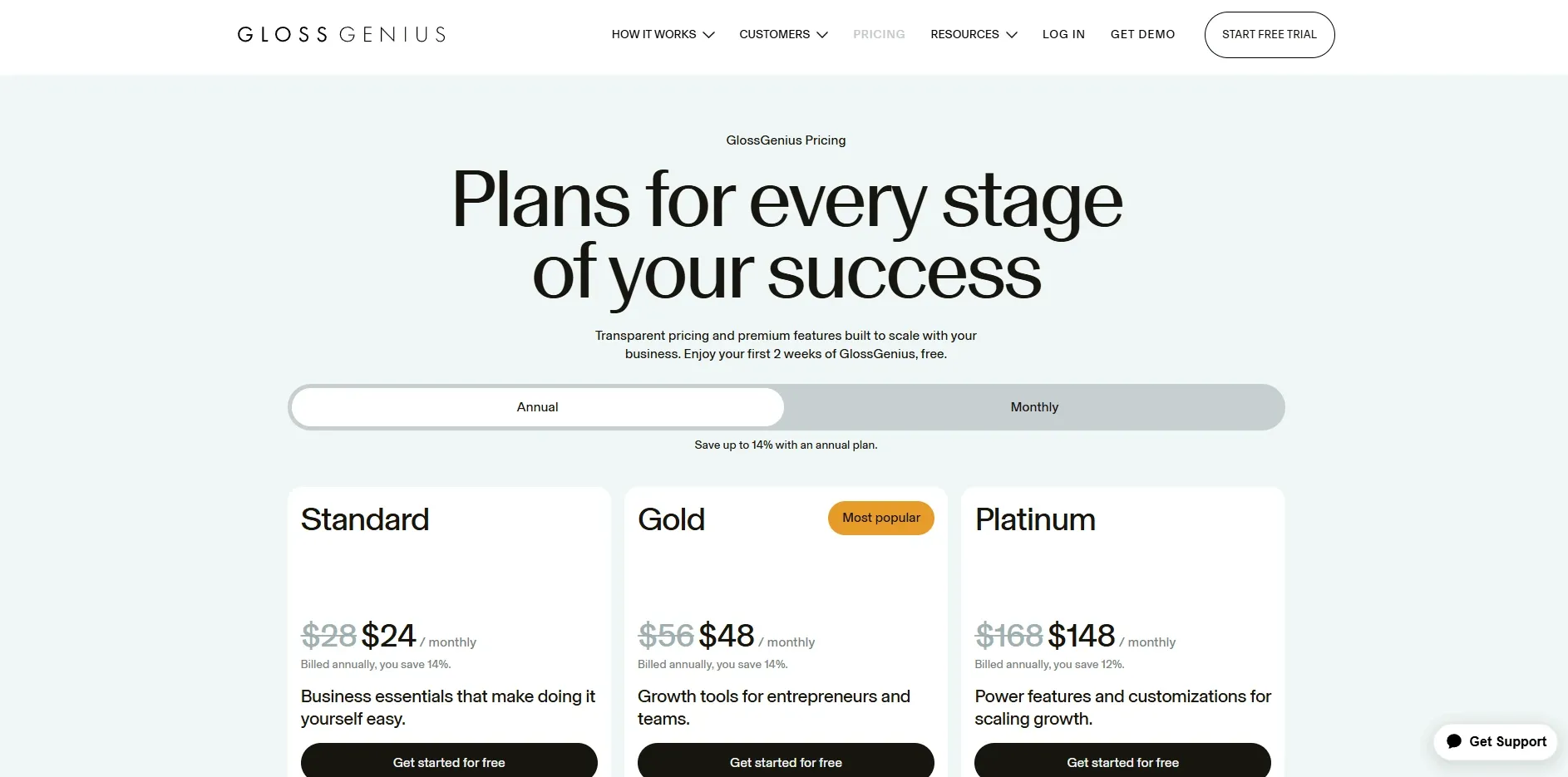
Glossgenius Pricing
-
Plans start at $24/month on Standard for core online booking, POS, and basic marketing.
-
Gold starts at $48/month and adds things like waitlists, Reserve with Google, and text marketing tools.
-
Platinum starts at $148/month and is geared toward teams, with unlimited members and higher SMS limits.
-
A free 14-day trial is available, and annual billing discounts apply; some add-ons and payroll or BNPL fees may be separate. Learn more on the official pricing page.
Calendly
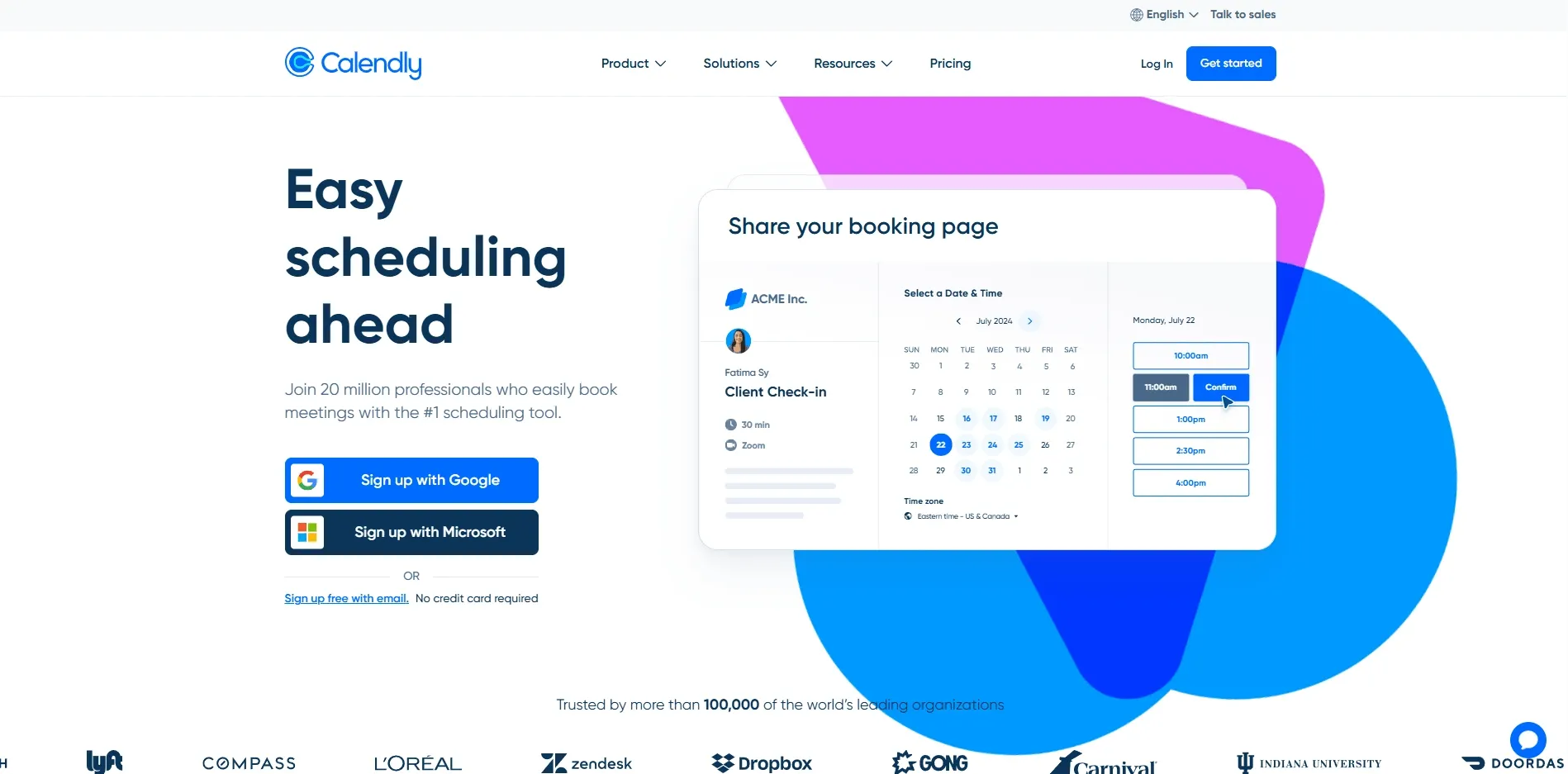
Calendly is best known for the share-a-link booking flow, so some tattoo studios use it to reduce DM back-and-forth for consults and sessions.
If you’re weighing simpler tools too, the Setmore alternative comparison can help you sanity-check the basics.
1. Deposits and paid bookings:
You can collect a deposit at booking by connecting Stripe, which helps make the slot count. The slightly frustrating bit is payments add another layer to manage, not hard, just easy to miss.
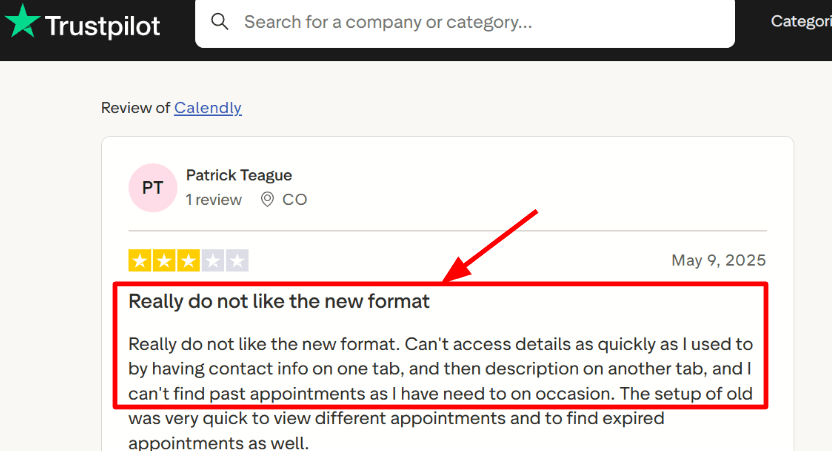
From a Trustpilot review the reviewer doesnt likes the new format at all, and I’m mentioning it here adding a screenshot below.
2. Event types that fit tattoo work:
Different event types let you separate a consult, a touch-up, and a long sitting with their own durations, buffers, and caps. Example: Consult 15 minutes, Full-day session 5–6 hours, with a longer reset window for cleanup and stencil prep.
3. Workflows for reminders and no-show recovery:
Workflows can send email and SMS reminders, and on eligible plans you can follow up with people marked as no-shows. Positive surprise: the no-show follow-up is genuinely useful because it drives a clean rebook link instead of more messaging.
Positive surprise: the no-show follow-up is genuinely useful because it drives a clean rebook link instead of more messaging.
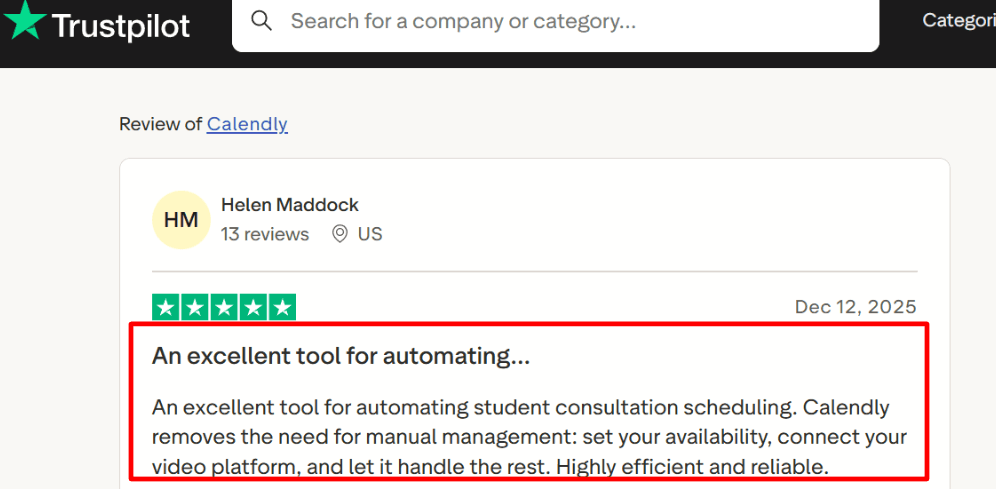
A Trustpilot review about Calendly praising forms and reminders points to the same thing, fewer missed steps means fewer missed appointments.
4. Routing and intake before someone books:
Routing Forms let you ask a few questions and send people to the right booking page, handy when you split piercings, custom work, and consults across artists. It’s also a practical way to stop vague how much for a sleeve bookings landing on the wrong calendar.
Other features in Calendly Pro for tattoo studios include team scheduling, round robin assignments, website embeds, multi-calendar sync, and Zapier automations.
Did you know: Wired noted Calendly supports multiple calendar services, multiple video platforms, and even group appointments on the free tier, which is easy to miss if you only skim pricing grids.
Pros of Calendly
- Collecting deposits for consults or design holds is straightforward once you connect Stripe, which helps cut no show risk.
- Buffers are great for stencil prep, cleanup, and sterilization time between clients, and they work across plans.
- Separate event types make it easy to split consults, touch ups, and long sessions so clients book the right slot.
- Routing Forms can triage piercings vs custom tattoos so people land on the right artist or calendar without back and forth.
- Availability rules like meeting caps help avoid overbooking artists on heavy flash days or guest artist weeks.
Cons of Calendly
- Calendly payments do not manage refunds, tax collection, or enforcing cancellation policies, so studio billing still needs process outside Calendly.
- SMS reminders use monthly credits and the cost varies by country, so multi artist studios can run out faster than expected.
- Routing Forms are not available on every plan, so the best intake style triage may require upgrading.
- Calendly is scheduling first, so tattoo specific consent waivers and detailed health forms usually need another tool.
- It will not run a walk in queue for the front desk, so day of studio flow still lives outside the calendar.
Calendly Pricing
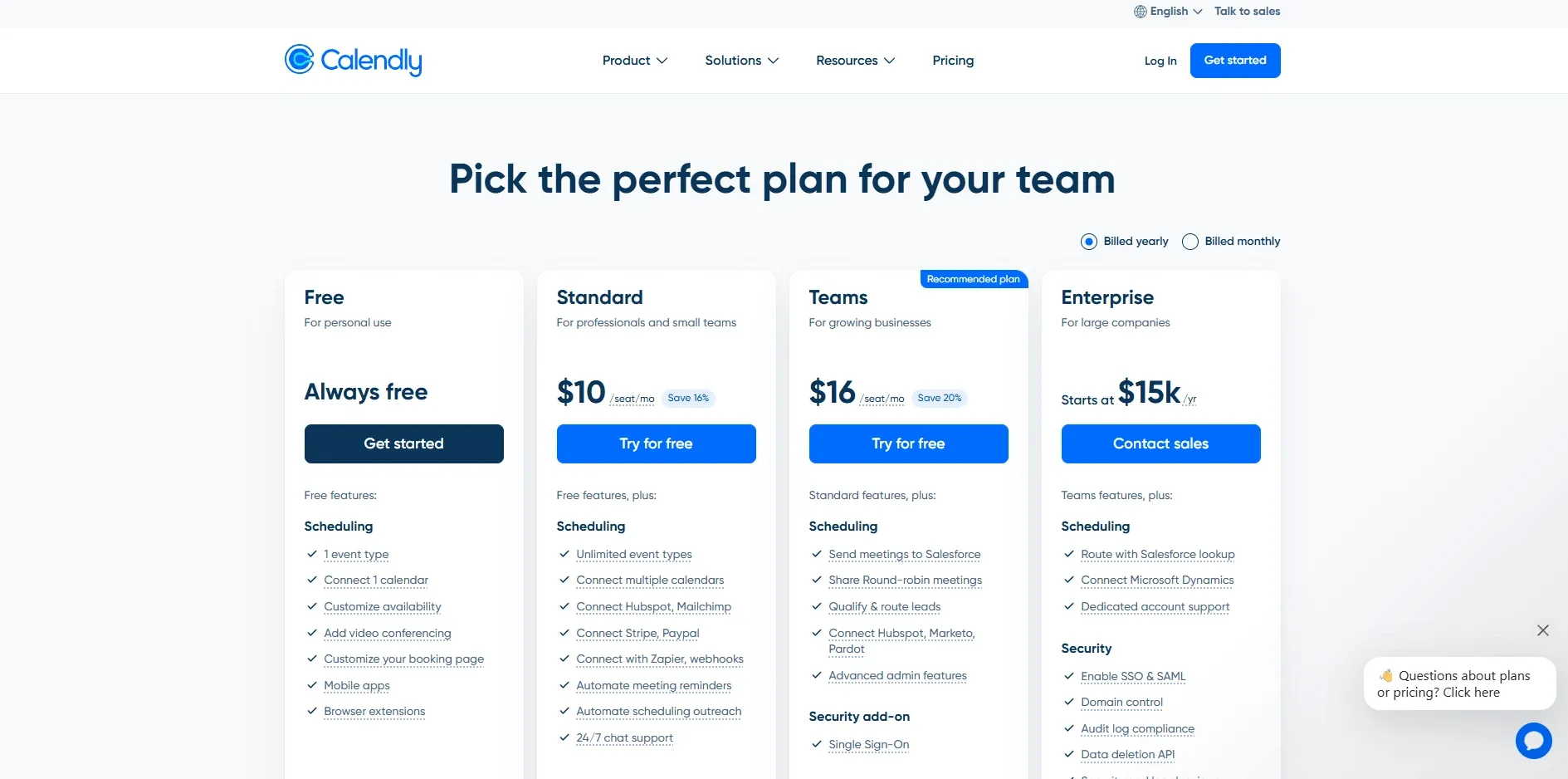
- Free is always free with 1 event type and 1 calendar connection.
- Standard is $10 per seat per month on annual billing, with unlimited event types, multiple calendars, and basic automations.
- Teams is $16 per seat per month on annual billing, adding round robin, routing, and stronger admin controls.
- Enterprise starts at $15k per year for larger org needs like SSO and audit controls. See the official pricing.
Acuity
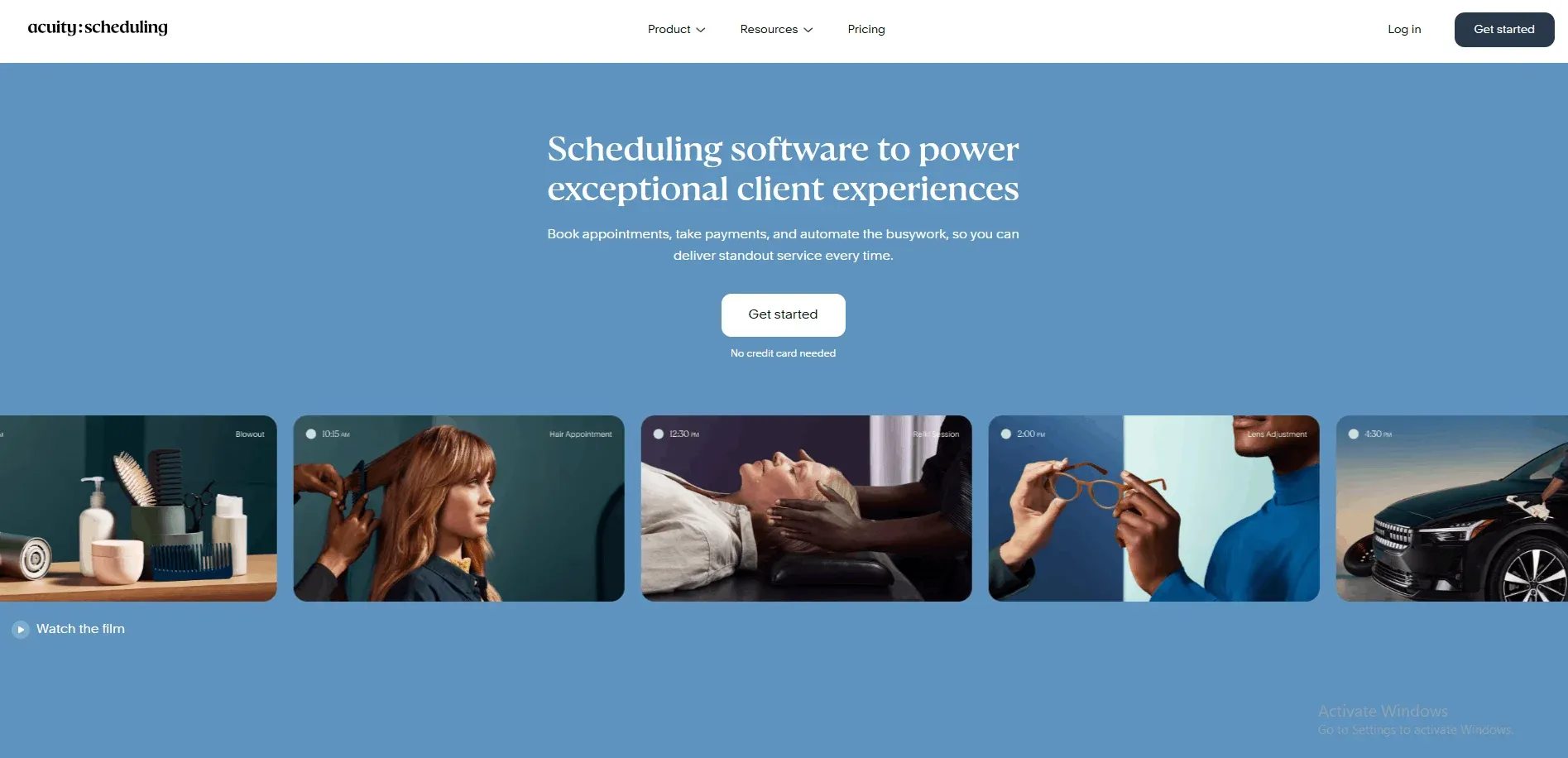
Acuity Scheduling is best known for shareable scheduling links that remove the back-and-forth, so tattoo studios often use it for consult slots and follow-ups.
1. Event types with booking rules:
Set separate links for consults, touch-ups, and longer sessions, each with its own duration and availability. The surprise was how quickly buffers and daily limits produced a realistic setup, like a 30-minute consult with a 15-minute cleanup gap.
2. Calendar sync and a cleaner booking flow:
Connect Google or Outlook so holds and existing blocks reduce what clients can book. This matters when artists juggle guest spots, conventions, and studio time.
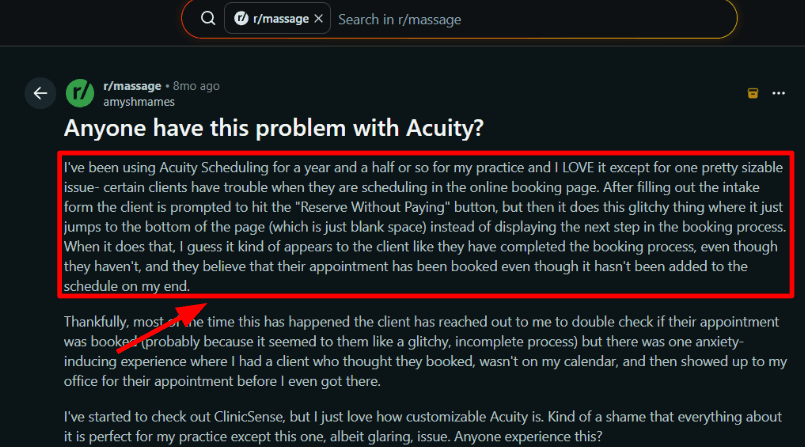
I also watched the booking flow closely because of a Reddit Acuity review where the page jumped after an intake step and clients thought they booked.
3. Deposits using Stripe payments:
Acuity can take full or partial payments at booking through Stripe, which fits a consult deposit or a small booking fee to reduce no-shows. Small frustration: Stripe is connected per user, so each artist collecting deposits must connect separately.
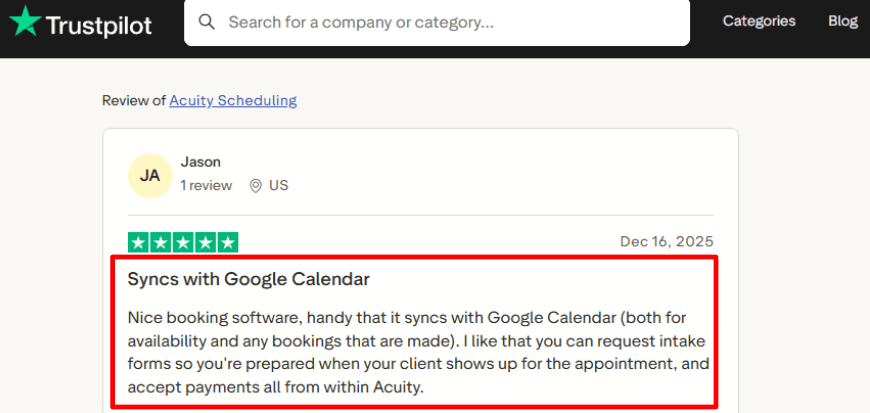
In a Trustpilot Acuity review , the reviewer liked calendar sync, intake forms, and payments. Acuity covers sync and payments well, and intake can work, but you should test the flow end-to-end.
4. Basic intake plus routing options:
Add booking questions for placement, style, and reference links, so you’re not starting cold when the client shows up. For stricter screening, routing forms can qualify and route people based on answers, which is useful if you separate realism from fine-line or want different consult lengths per artist.
Other features in Acuity for tattoo studios include automated reminders, round robin assignment, time zone support, website embeds, integrations, and conferencing links.
Did you know: a validated reviewer on G2 noted Google Calendar sync can lag, so blocked time may not show immediately. If you run walk-ins alongside prebooks, sanity-check holds before you share links.
Pros of Acuity
- Intake forms help you collect placement notes, allergy flags, and reference links before the client walks in.
- Deposits and online payments work well for locking in long sessions and reducing same-day cancellations.
- Packages and gift certificates fit multi-session pieces and holiday gifting without messy manual tracking.
- Calendar sync is strong for multi-artist shops since blocks from Google Calendar reduce double-booking risk.
- Automated email and SMS reminders reduce missed consults on busy weekends and flash days.
Cons of Acuity
- I also saw a Reddit report where the booking page jumped after intake and clients thought they booked when they had not.
- Setup can feel heavier than it looks because there are many knobs, and some reviewers note a moderate learning curve.
- Custom SMS reminders need a paid plan plus business verification steps, which slows down first-time setup.
- SMS support is not universal and Acuity itself flags global availability limits for text reminders.
- Tiered plan limits can push you up a plan once you add more artists and calendars.
Acuity Scheduling Pricing
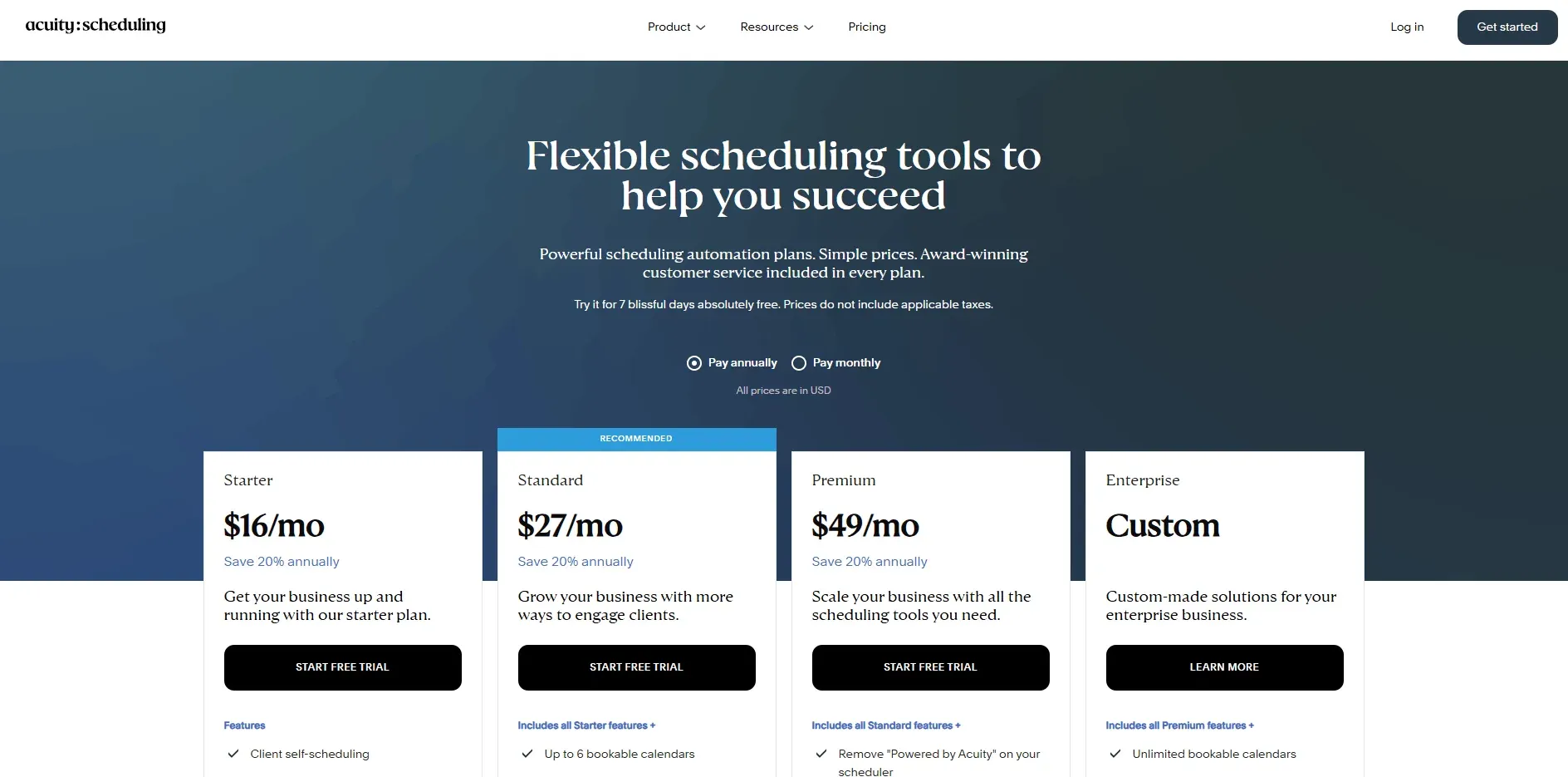
- Starts with a 7-day free trial, then you pick a paid plan. See the official pricing page.
- Starter is $20 monthly or $16 per month billed annually.
- Standard is $34 monthly or $27 per month billed annually, and adds SMS reminders plus packages and memberships.
- Premium is $61 monthly or $49 per month billed annually, and adds 36 calendars, branding removal, and HIPAA BAA.
- Enterprise pricing is custom for larger teams.
Source: Acuity pricing.
Square Appointments
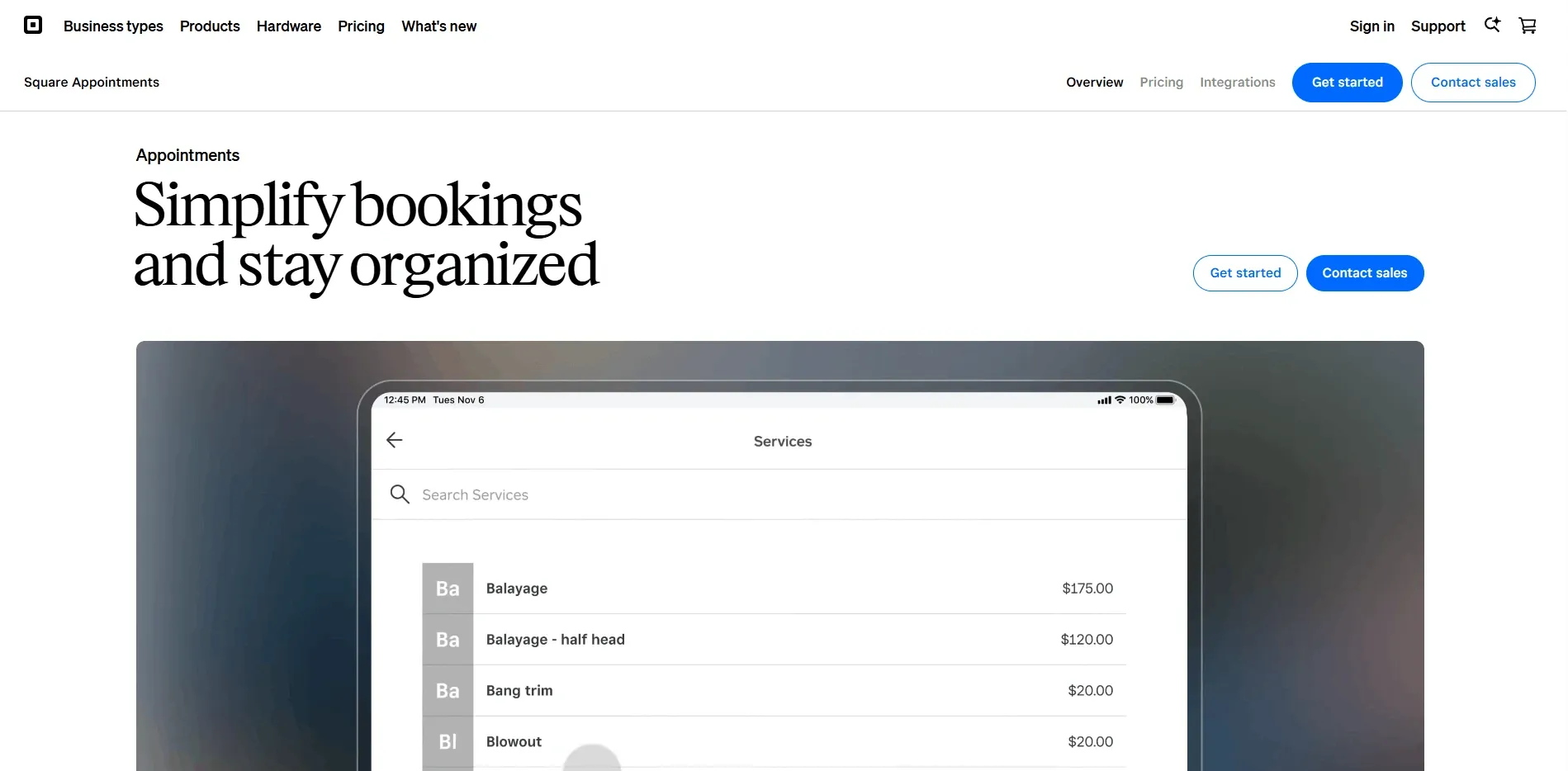
Square Appointments is popular in tattoo studios because it’s tied to Square POS, so booking and payments live together.
1.Deposits and no show protection:
You can take a deposit, require prepay, or hold a card and charge late cancel or no show fees when someone ghosts a prime slot. Setup is mostly toggles inside the Square dashboard.
One thing felt off. I also saw this in a Reddit thread and I’m sharing a screenshot below.
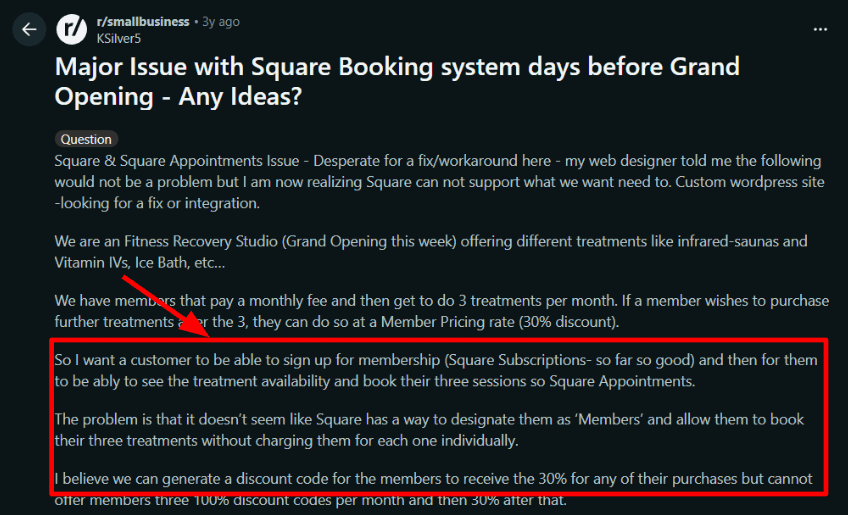
If you run memberships or bundles like three sessions per month, applying those credits to bookings is not clean and usually needs a workaround.
2. Services and artist calendars:
Define consults, tattoo sessions, piercings, and aftercare follow ups with different durations, then assign staff and availability so the day doesn’t get overbooked. Real studio example: book a 15 minute consult this week, then a 3 hour session later, without blocking the artist’s afternoon twice.
3. Client profiles and notes:
Square keeps appointment history and notes, which is enough for repeat client context like preferred artist, placement reminders, or needs extra stencil time.
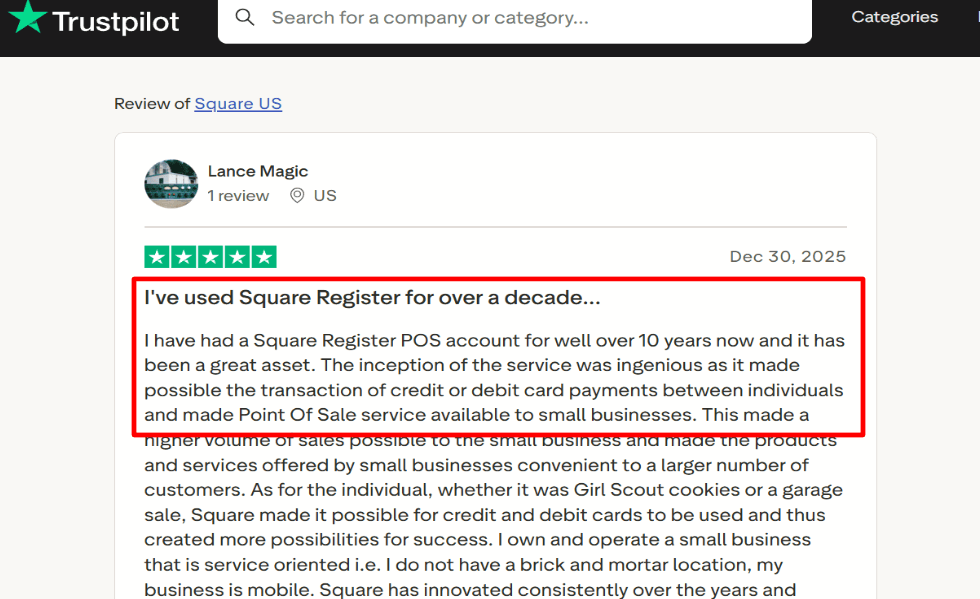
That lines up with a Trustpilot review, where the writer sticks with Square long term because POS, payouts, and the wider ecosystem feel dependable.
4. Online booking embed:
You can add a booking button or widget to your studio website so DMs turn into scheduled consults. The positive surprise was how fast the basic embed worked.
If you need deep WordPress behavior, expect limits. It’s a solid widget, not a custom booking engine.
Other features in Square Appointments for tattoo studios include waitlist, multi staff booking, automated reminders, cancellation rules, reporting, and resource management.
Did you know: Bookedin points out Square Appointments effectively keeps you inside Square’s payment ecosystem. Convenient if your deposits already run on Square, restrictive if you want Stripe or another processor.
Pros of Square Appointments
- Deposits and no show fees help protect long tattoo blocks when someone flakes.
- Square POS and appointments sit together, so taking a deposit, selling aftercare, and closing out the session feels consistent.
- Staff calendars work well for multi artist shops that juggle consults, tattoos, piercings, and short aftercare follow ups.
- Online booking is quick to embed, which is useful when most inquiries start from Instagram or Google and clients want the next slot fast.
- Client history and basic notes are enough for repeat work like touch ups, preferred artist, and stencil prep time.
Cons of Square Appointments
- Packages and prepaid sessions can be confusing because credits often apply at checkout, not cleanly at the time of booking.
- It is not tattoo specific, so you will still need a separate workflow for waivers and consent forms.
- The booking widget has limits on deep website customization, which can be annoying on a custom WordPress build.
- Membership style pricing and tiered discounts are not as straightforward as studio focused systems.
- If your studio does not want to run payments through Square, the experience loses a big part of its value.
Square Appointments Pricing
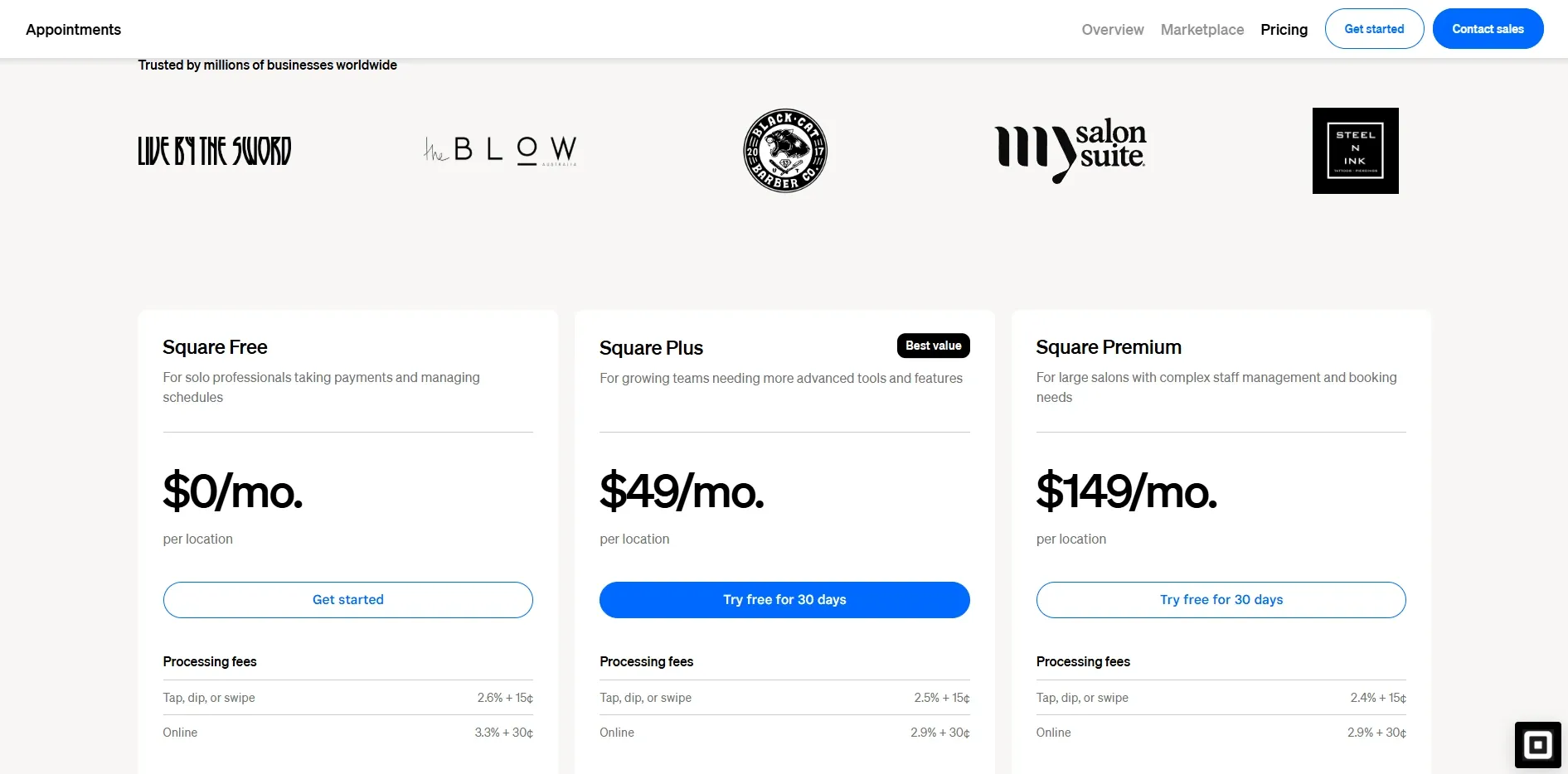
- Free: $0/month per location for core booking and client management for a single studio
- Plus: $49/month per location for growing class schedules and small teams
- Premium: $149/month per location for advanced staff and resource management and priority support
- Payment processing fees are separate, and some add-ons like SMS can add cost. See details on Square pricing
Google Calendar
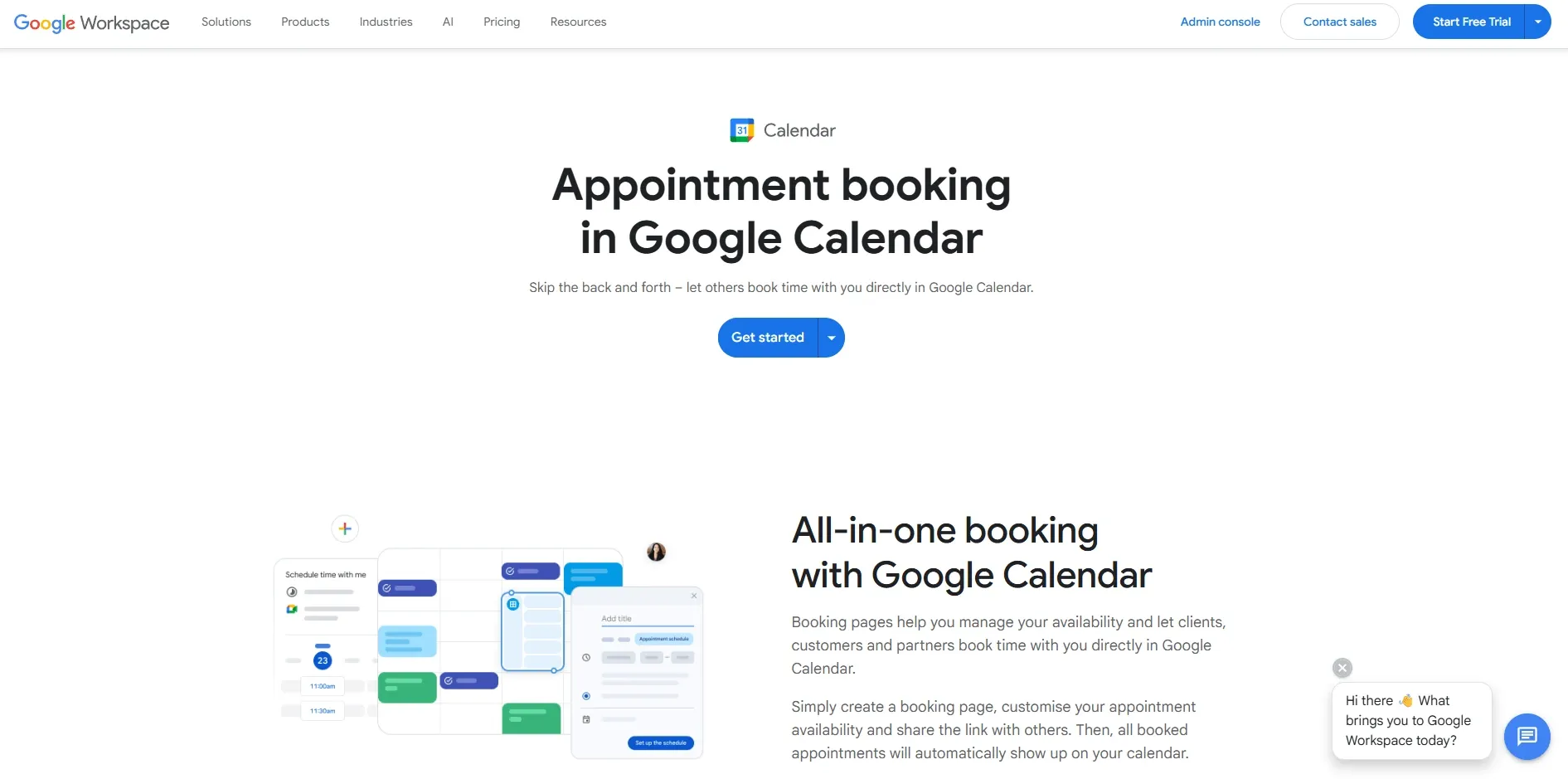
Google Calendar is the default tool many tattoo studios use to block artist time and avoid double-booking.
1. Shared calendars for artist availability:
Create a calendar per artist and color-code sessions, breaks, and walk-ins. Once it’s set, the front desk can see who’s free in seconds.
Small frustration: adding calendars and nailing sharing permissions can feel finicky. I saw the same complaint in a Reddit thread, plus the pain of work and personal life getting mixed together. Screenshot below.

2. Appointment schedules for consult bookings: You can publish an appointment schedule with a booking page, so clients pick a slot and it lands on your calendar automatically. This is best for consultations. Use 15-minute windows, add buffer time so consults don’t collide with prep, and stop last-minute bookings on packed days. The positive surprise is how smooth the booking page feels for clients.
This is best for consultations. Use 15-minute windows, add buffer time so consults don’t collide with prep, and stop last-minute bookings on packed days. The positive surprise is how smooth the booking page feels for clients.
3. Reminders and a Gmail-friendly flow:
Put practical prep notes in the event like ID, reference images, and arrival instructions. Artists see it where they already live, on phone notifications and in Gmail.
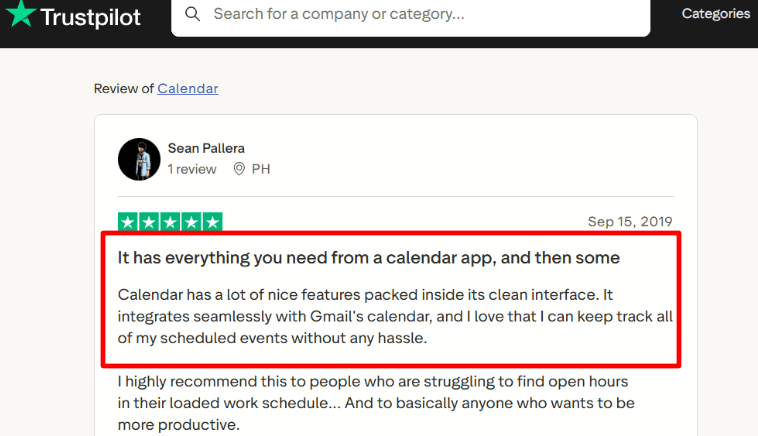
A Trustpilot review also praised the clean interface and Gmail integration. I agree it’s low-friction for day-to-day tracking.
4. Search and coordination, with time-grid limits: Search helps when you need to pull up a client name or touch-up slot mid-shift. If your studio plans in 5–10 minute increments, Google Calendar can be annoying, and you may end up typing exact start/end times. It also won’t give you hours worked reports by artist or project.
Other features for tattoo studios include recurring events, working hours, multiple locations, time zones for guest artists, and Drive attachments.
Pros of Google Calendar
- Easy to run one calendar per artist so the front desk can block chair time for sessions, consults, breaks, and walk-ins.
- Appointment schedules let you share a booking page so clients can pick a consult slot and it lands on your calendar without double-booking.
- Fast rescheduling on the phone helps when a stencil runs late and you need to move a touch-up without calling five people.
- Works well for guest artist weeks because time zones and invites are handled cleanly for everyone.
- Search is genuinely useful when you need to find touch-up or a client name during a busy flash day.
Cons of Google Calendar
- No studio-native deposits, no-show fees, or checkout, so you still need a payment flow outside the calendar.
- No built-in consent forms or health intake, so compliance paperwork stays in another system or on paper.
- Time planning can feel rigid when your studio runs 5 or 10 minute offsets for prep and cleanup.
- It does not give practical studio reporting like hours tattooed per artist or weekly workload by project.
- Sharing settings are easy to mess up, and the wrong access choice can expose event details you meant to keep private.
Google Appointment Scheduling Pricing
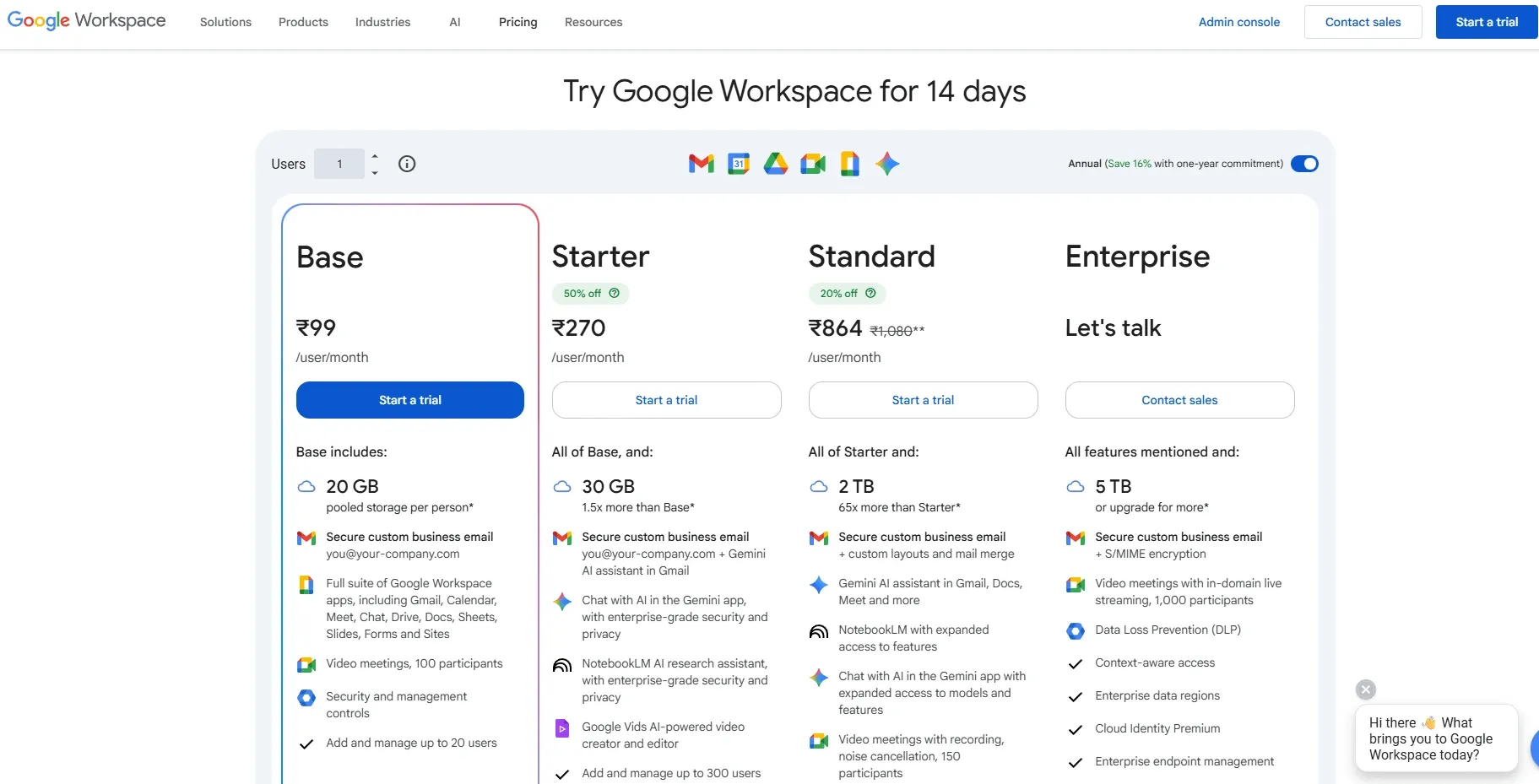
- Google Appointment Scheduling is bundled into Google Calendar, not sold separately.
- For most businesses, Business Standard is the typical starting plan for advanced booking pages; see Google Workspace pricing.
- Higher tiers add admin and security, while premium scheduling can add multiple booking pages, reminders, and Stripe payments based on eligibility.
Conclusion
After testing these tools in real tattoo studio scenarios, the differences show up more in daily workflow than in feature lists.
- Lunacal works best when your booking page also needs to sell your work and set expectations upfront.
- Tattoo Studio Pro is the most aligned with tattoo-specific operations, especially for consent forms and walk-in flow.
- Vagaro fits studios that want everything in one place, including POS and inventory.
- Calendly is a clean option for consult-heavy setups where speed matters more than depth.
- Square Appointments is strongest if your payments already run through Square and you want tight integration.
- GlossGenius suits solo or small teams that want simple booking plus payments without heavy setup.
- Acuity gives more control over scheduling rules and intake, which helps for structured consult flows.
- Google Calendar works as a base layer but needs other tools for deposits, forms, and studio workflows.
If your priority is fewer no-shows, focus on deposits and reminders. If it’s smoother studio operations, look at consent forms and queue handling. If it’s growth, the booking experience and how well it converts clients will matter more than anything else.
Methodology
I evaluated each booking system with a clear checklist focused on studio workflows, client experience, and risk.
Sources
- I reviewed official websites, pricing pages, FAQs, and help docs to confirm what each tool supports for tattoo studios.
- I ran free trials or demos when available and verified the key claims inside the product settings.
- I checked reviews on Trustpilot and G2, then scanned Reddit and Quora for unfiltered feedback about fees, support, and no show policies.
Test setup for a tattoo studio
- I set up a sample studio with two artists, one apprentice, and services for consults, small tattoos, and full day sessions.
- I added deposits, cancellation rules, and intake forms with reference photos and health notes to match real bookings.
- I connected email and SMS, tested calendar sync, and reviewed privacy controls for staff access.
Common scenarios we tested
- A client books a consult, uploads images, pays a deposit, then reschedules twice and requests a refund.
- An artist blocks personal time, the studio adds walk in slots, and staff moves bookings between artists while reminders stay accurate.
- The studio exports reports for deposits, no shows, and artist utilization, then reconciles totals against payment records.
FAQs
Which tattoo booking tools should I compare first?
Start with Lunacal, Vagaro, and Tattoo Studio Pro.
Lunacal is a good fit when you want a better booking page, deposits, intake, and smoother client communication.
Vagaro makes more sense for studios that need stronger day-to-day staff and front desk coordination.
Tattoo Studio Pro is a better fit for consent-heavy workflows and detailed client records.
If you are a solo artist and want something simple, GlossGenius is also worth checking.
What features matter most in tattoo booking software?
The most important features are deposits, intake forms, reminders, and artist availability. After that, look for buffers between sessions, reschedule rules, client notes, and team scheduling. These are the features that usually make the biggest difference in day-to-day studio life.
How should tattoo studios handle deposits and no-shows?
A good setup is simple. Take a deposit at the time of booking, show the policy clearly on the booking page, ask the right questions before the appointment, and send reminders automatically. This helps reduce no-shows and saves a lot of back-and-forth with clients.
What should I check for consent and country-specific requirements?
This depends on where your studio operates. In the US, UK, Canada, and Australia, age checks, parent consent, signed forms, and safe record storage matter. In Germany, France, Spain, and other EU markets, GDPR matters more, especially for health notes, consent storage, export, and deletion. If you serve multilingual clients, it also helps to offer forms in the right language.
Summarize this content with AI


