Service selection
Offer appointment types with their own descriptions and settings.
LunaCal booking pages put your services, available times and business information together. Add videos, testimonials and documents, then choose which content appears for each event type.
Start your free trialCompare scheduling tools ↓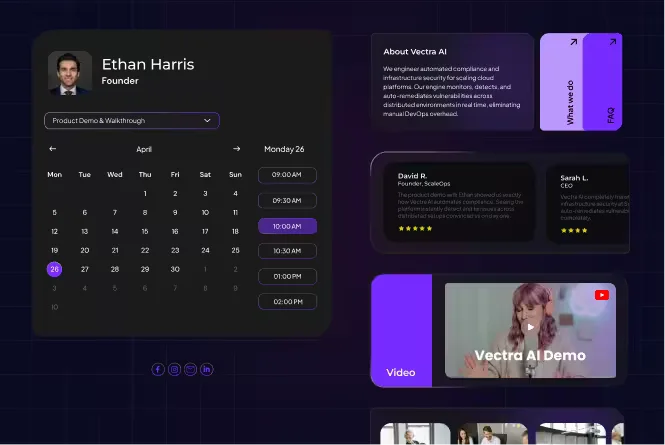
The page can explain the service, collect the information you need and let the visitor complete the booking.
Offer appointment types with their own descriptions and settings.
Let clients choose a provider within a team booking flow.
Show an introduction or relevant work beside your availability.
Add customer experiences to the booking page.
Share useful files before the visitor schedules.
Answer practical questions about your service and business.
Show selected content only on the event types it applies to.
Collect appointment details as part of booking.
Adjust page appearance to match your business.
Make booking available from an existing website as well as a shared link.
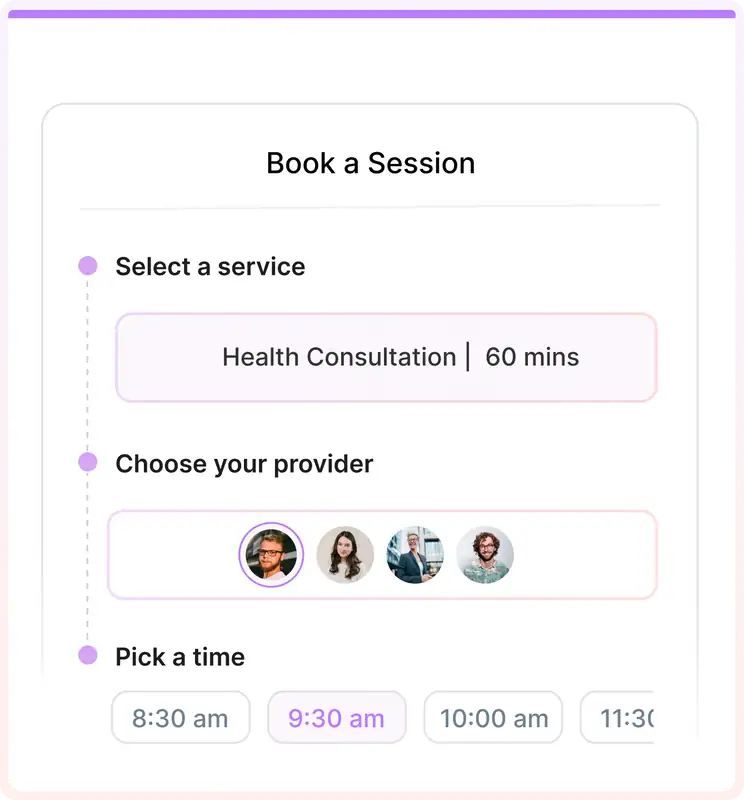
A LunaCal team page can guide a visitor from the service they need to the person and time they want. The service selection is connected to scheduling.
Introduce one professional, show their services and let visitors choose a suitable appointment.
Present services and providers for a shared business booking flow. Link to team scheduling when clients need multiple people or automatic assignment.
Send someone to the specific consultation or meeting they need, with content selected for that event.
Add booking to an existing website so clients can schedule from the page where they learned about the service.
LunaCal event-specific widgets let one booking setup carry different supporting content for each event. Enable the setting in the page editor, then select where each widget appears.
Configure event-specific content →Show an introductory video and a short explanation of what the call covers.
Display the preparation document or service details relevant to that appointment.
Keep general business information visible across events while restricting specialized content to the right ones.
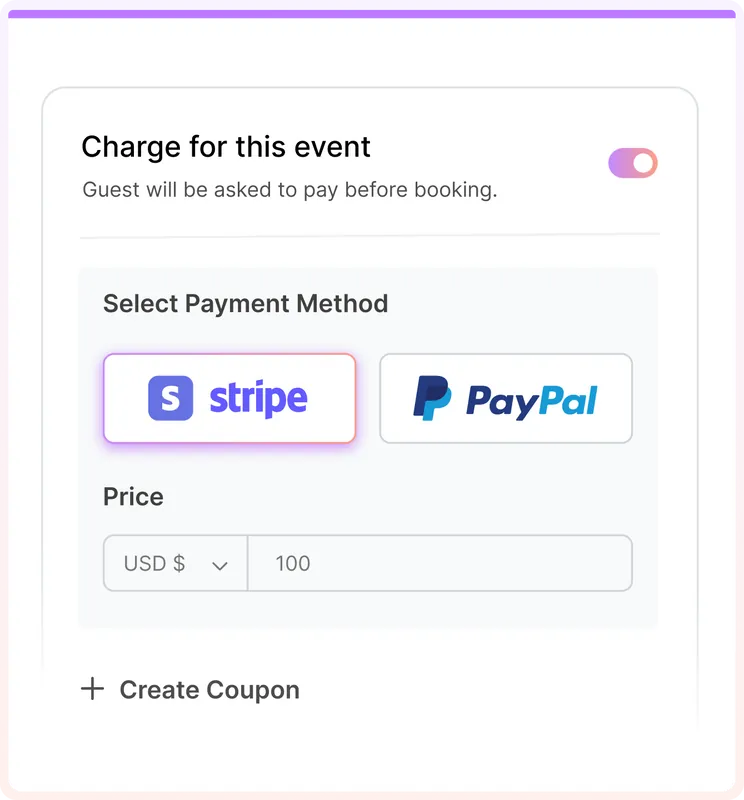
A booking page can take payment as part of scheduling. Connect the payment provider and configure the charge on the relevant event.
The useful distinction is what stays connected: service-specific content, provider selection, appointment rules and the steps after a client books.
Control widget visibility by event type. The same account can show an introduction for a first call and preparation material for an existing client.
Team pages bring provider choice and services into the appointment journey rather than leaving clients to pick from disconnected personal links.
Standard starts at $9 per user per month with page customization, unlimited services, payments and reminders. Teams adds the shared scheduling and package features.
Compare the booking journey as well as visual customization. LunaCal’s page editor adds content widgets and event-specific visibility alongside scheduling.
| Capability | LunaCal | Calendly | Cal.com | Koalendar |
|---|---|---|---|---|
| Hosted booking page | Yes | Yes | Yes | Yes |
| Website embedding | Yes | Yes | Yes | Yes |
| Page content | Rich widgets | Profile / description | Profile / description | Service visuals |
| Custom event descriptions | Yes | Yes | Yes | Yes |
| Custom booking questions | Yes | Yes | Yes | Paid plans |
| Multiple appointment types | Unlimited | Standard+ | Unlimited | Unlimited |
| Service-specific availability | Yes | Yes | Yes | Yes |
| Video meeting integrations | Yes | Yes | Yes | Yes |
| Payment collection | Stripe / PayPal | Stripe / PayPal | Stripe / PayPal | Yes |
| Round-robin booking | Teams+ | Teams+ | Teams+ | Paid plans |
| Collective booking | Teams+ | Standard+ | Teams+ | Paid plans |
| Automatic reminders | Yes | Standard+ | Yes | Paid plans |
| Free plan | No | Yes | Yes | Yes |
No. Share a hosted LunaCal booking page directly. If you already have a website, you can also add a booking embed there.
Yes. Enable event-specific widgets in the booking-page editor and choose the event types where each widget should appear.
Yes. LunaCal supports multiple services with their own event settings. Team booking flows can also include provider selection.
Yes. Connect Stripe or PayPal and enable payment collection for the relevant event.
Yes. Turn off Show Widgets in the page editor to hide the widgets across the booking page and center the calendar.
Yes. LunaCal offers custom-domain booking pages. The pricing page lists the relevant branding options and domain add-on.