The top 10 Calendly alternatives in 2026 include Cal.com, Lunacal, Acuity Scheduling, Koalendar, TidyCal, Doodle, HubSpot Meetings, Reclaim.ai, Microsoft Bookings, and Setmore.
Calendly is a solid scheduling tool, but it's not a good fit for everyone. For example, it doesn't support Apple Calendar, which is an issue if your team or clients use Apple devices. Another issue is that in July 2026, Calendly brought in a new rule which mandates phone number verification by OTP for text reminders which makes the process too complicated for bookers.
For this guide, my team and I did extensive first hand research and tried a lot of scheduling tools. We built real booking pages, and ran different booking flows on every tool we reviewed. I also reviews on G2, Capterra, Trustpilot, Reddit, etc. and you'll see screenshots of what others are saying in the article. We've also added links to official documentation, help centers, and pricing pages so you can verify thees claims.
Alternatives to Calendly Scheduling Software: Tables
Best Calendly Alternative by Use Case
Use case
Best tool (with G2 rating)
Why it’s a fit
Best low-cost option for small businesses
Lunacal (4.9/5)
Brand-first booking pages, payments integration, meeting reminders, good support
Lunacal is a low-cost alternative to Calendly which supports multi-session packages, meeting reminders and payments. It focuses on creating beautiful booking pages featuring videos, and rich media, while having deep-features like SMS reminders, paid meetings, multi-session packages, team scheduling, and calendar integrations (Google, Apple, Outlook), which are perfect for small businesses. Also, Lunacal does not need phone vertification by OTP for text reminders, unlike calendly. This makes the booking process smoother and faster. Check out this help doc for reference: https://help.lunacal.ai/sms-and-email-workflows.
Lunacal features
Scheduling page content and design
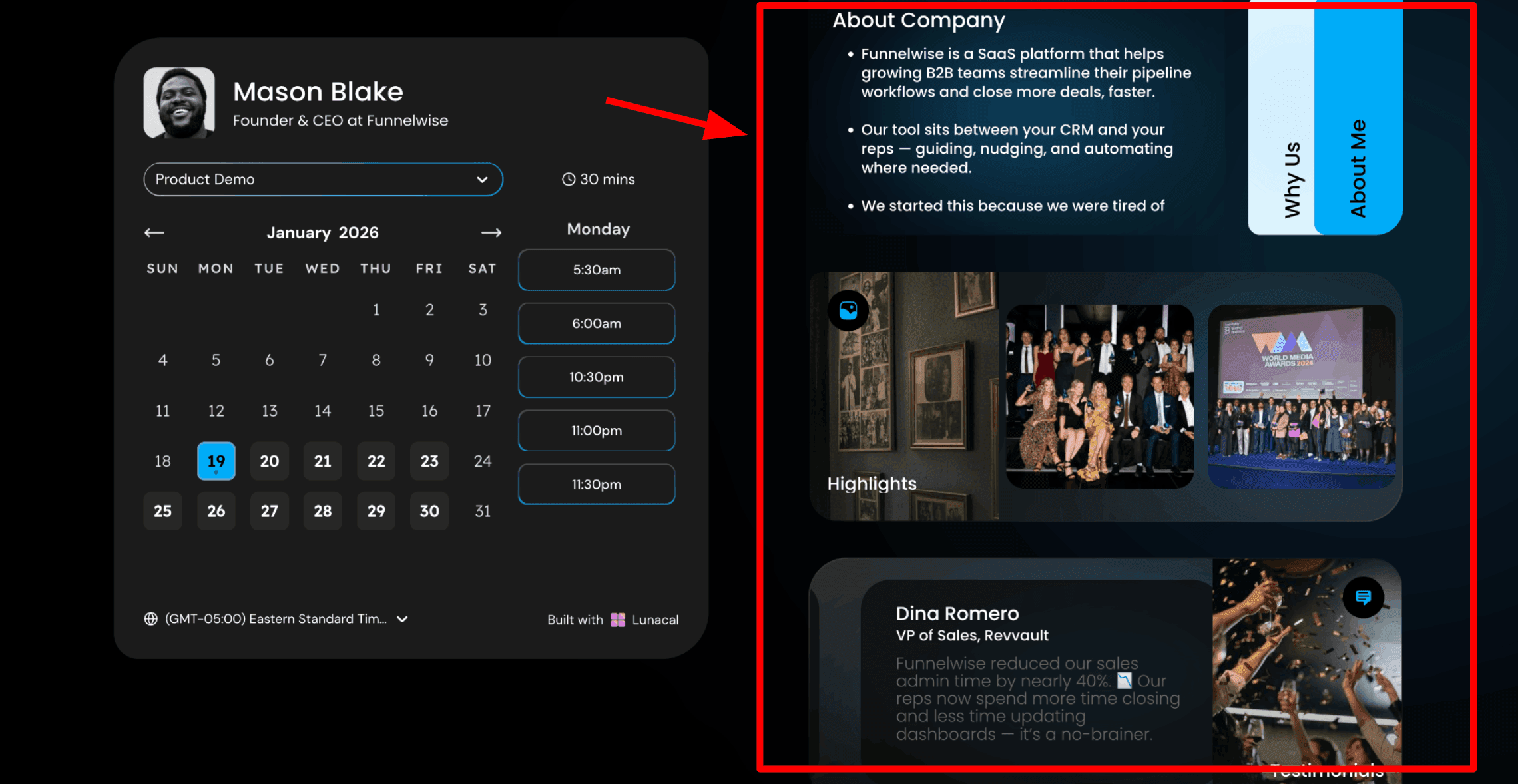
The biggest difference vs Calendly is the page itself, you can add context like testimonials, files, links, and sections that answer objections before the time gets booked.
It actually feels closer to a lightweight sales page than a classic scheduler embed.
Here's a screenshot where I've highlighted different widgets that appear alongside the calendar in Lunacal scheduling page:
Notice the extra cards beside the calendar that let Lunacal share proof and context before someone books.
Time zone
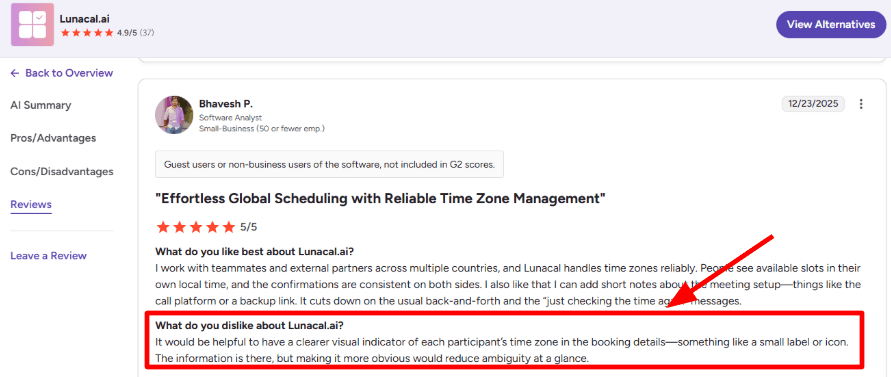
Time zones are handled, but the visual cue inside booking details can be easy to miss when you move fast.
I also saw the same point in a G2 review, and I am dropping a screenshot below so readers can sanity-check it.
The reviewer’s point is that time zone cues exist, but the UI can make them easy to overlook.
If you book across US, EU, and Australia often, a clearer label or icon would save a few slips.
Page customization
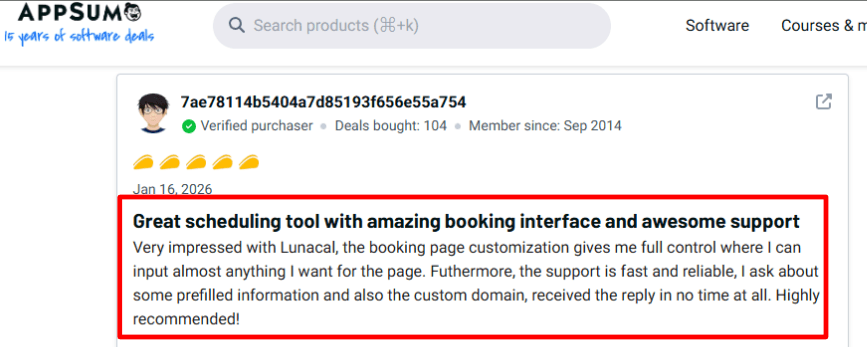
You can customize the booking interface heavily, which matches what a AppSumo reviewer user praised about the booking page control and quick support.
I agree on the support part, responses were fast and done by a human support agent. I am sharing a screenshot below of a trustpilot review regarding support.
The takeaway is that Lunacal support feels fast and human when you hit setup friction, per Trustpilot.
Small downside, the options are powerful but you may spend extra minutes finding the exact setting you want.
Availability rules
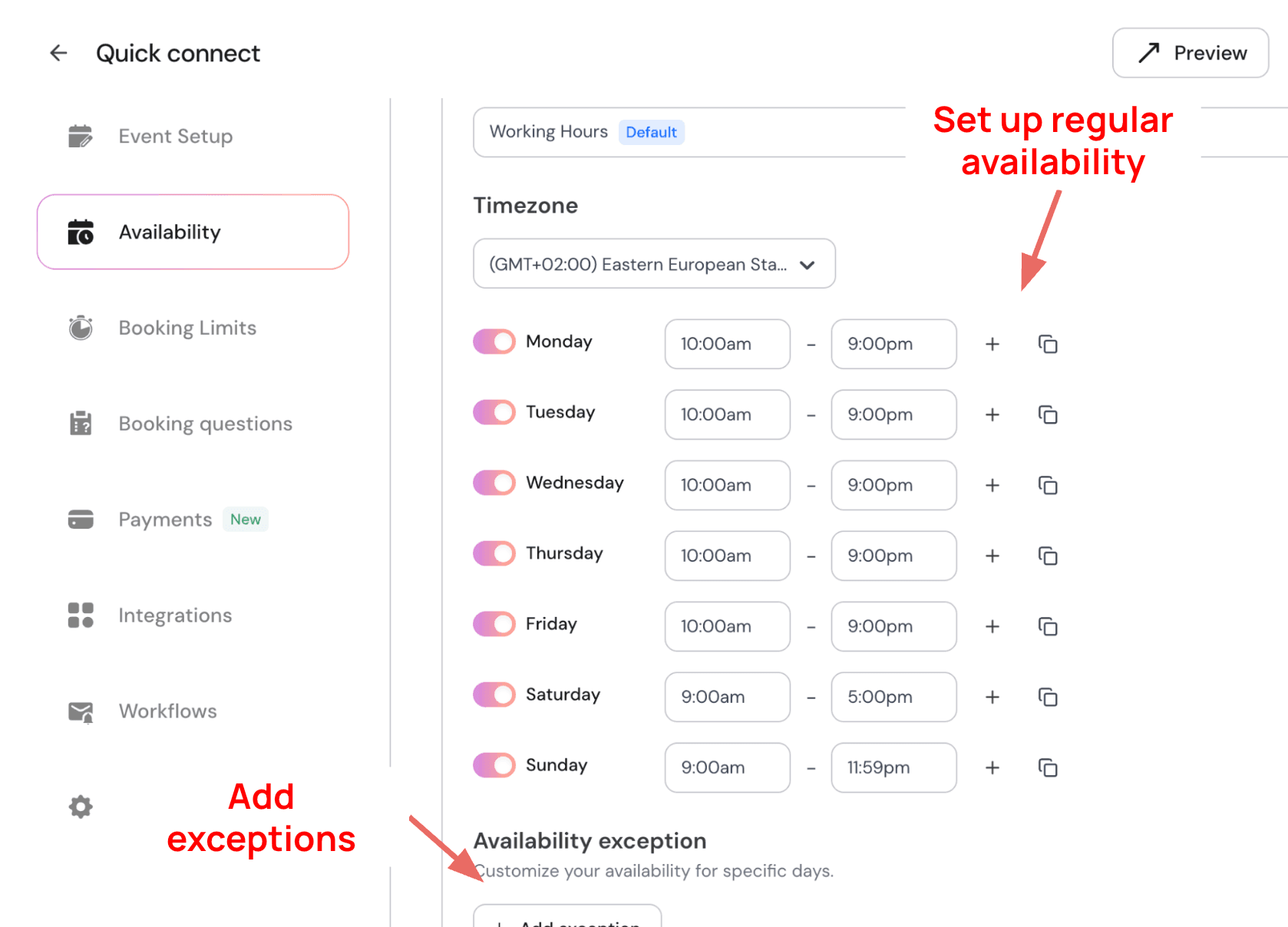
You get the core scheduling controls like availability windows, buffers, and notice periods, so you can protect focus time and avoid back-to-back chaos.
How to add event-specific availability and exceptions
Compared to Calendly, the scheduling basics are familiar, but Lunacal puts more emphasis on what surrounds the calendar, not just the slots.
This is the part I test first because it decides whether the tool is usable day to day.
GDPR and DPA
If you work in regulated spaces, do a quick checklist early, DPA, data location, audit docs, and what you should never collect in booking fields.
If you're in regulated healthcare business, this is critical for you: Calendly is not HIPAA-ready for PHI because it does not execute a BAA, so PHI should not go into scheduling fields. BAA gap. The same issue exists with Lunacal. Lunacal may still be fine for general scheduling in healthcare businesses, but treat PHI as a hard boundary unless you have written coverage.
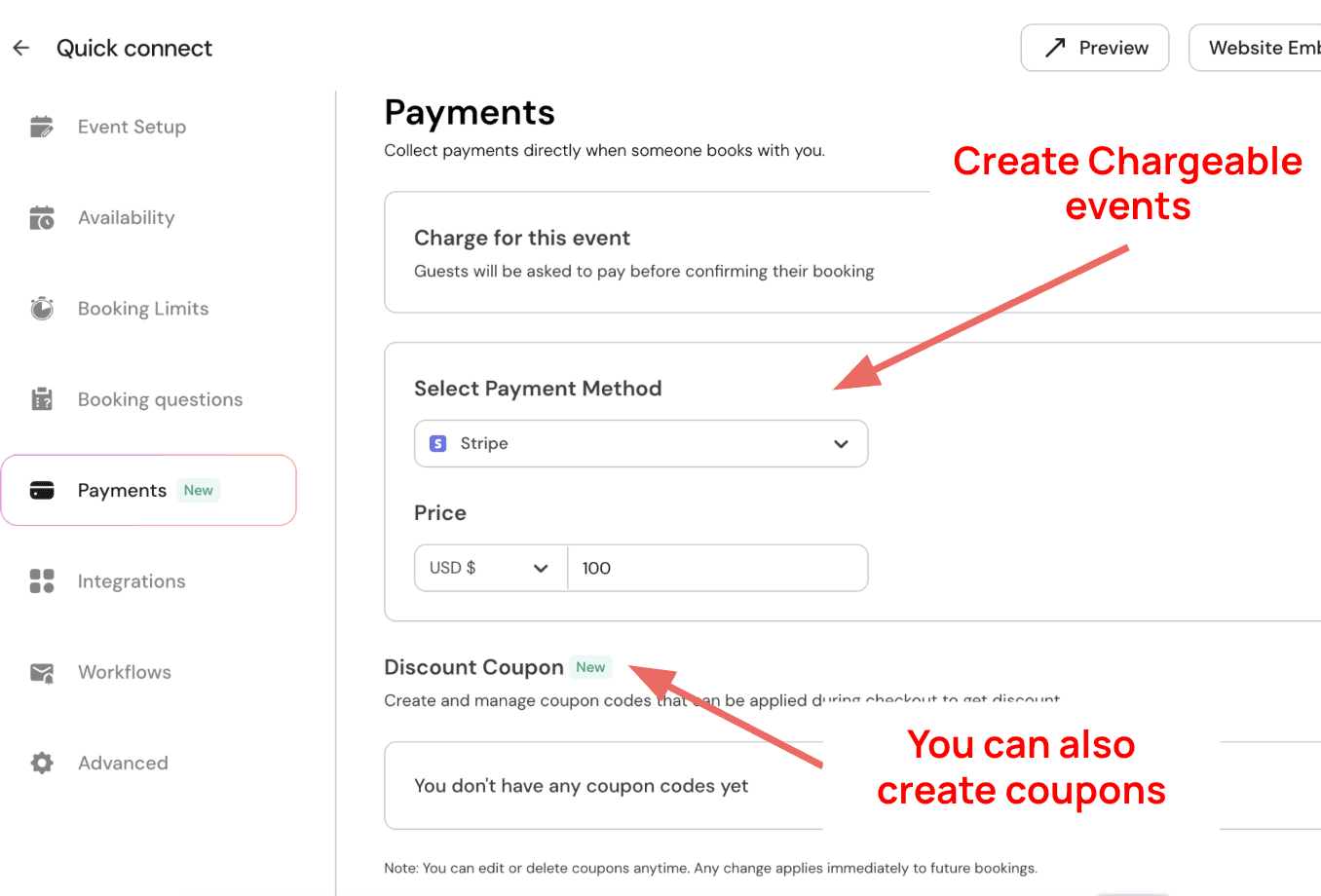
Chargeable events: You can charge for meetings by integrating with Stripe or paypal. Here's how the setup happens:
You can also create discount coupons with different rules that bookers can apply to get discounts.
Pros
Booking page can carry real context, not just times.
Strong fit for personal brand and high-trust services.
Flexible customization for what invitees see before booking.
Fast support experience in practice, also echoed on Trustpilot.
Works well when you want the scheduler to feel like your site.
Cons
If you need enterprise-grade routing, deep workflows, and mature admin controls today, Calendly is usually the safer pick.
Time zone visibility in booking details can be too subtle for global teams.
Too much customization can slow initial setup for first-time users.
Teams with strict compliance needs must verify policies in writing.
If your org relies on many existing Calendly automations, migration effort is real.
When to Choose Lunacal over Calendly
Choose Lunacal when your booking link needs to do more than scheduling, especially for consulting, agencies, creators, and sales-led teams that benefit from context, proof, and files before someone books.
Choose Calendly when you care most about enterprise controls and advanced routing logic and the booking page itself can stay simple.
Acuity Scheduling
Acuity Scheduling is popularly known for service-style appointment booking with payments, intake forms, and client management.
Use it over Calendly when you are running a booking-based business and need deposits, packages, or client intake built into the flow.
Availability controls
When I set it up, the availability rules felt very business-first, not meeting-first.
You can block personal time, add buffers, and keep booking windows clean.
One small hiccup: a couple of settings were not where I first went looking, so setup took an extra pass.
Intake forms
Acuity lets you collect client details before the appointment, which is great until the form gets too long.
Compared to Calendly’s simpler meeting intake, this can feel heavy for clients if you overdo it.
I also saw a similar complaint in a Reddit thread (screenshot below) where the person struggled to find appointment details after a massive intake.
Notice how the complaint is less about scheduling and more about long intake making details hard to find.
Client records
Client profiles keep appointment history and form submissions together, so you are not hunting across tools.
This is where Acuity feels more like a lightweight client desk than Calendly.
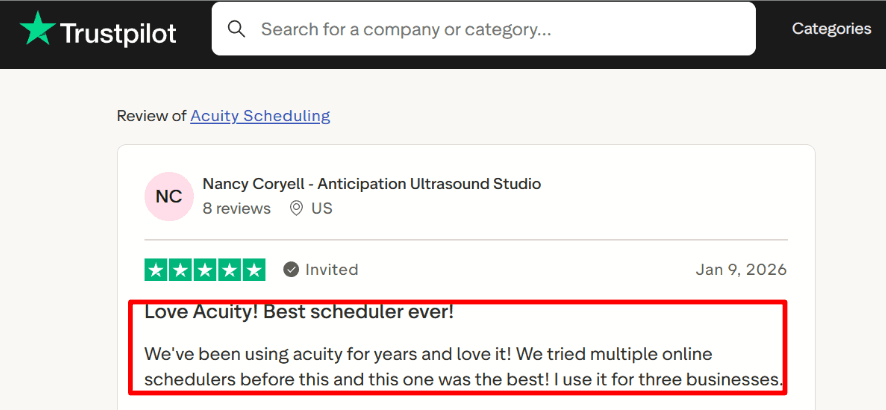
A Trustpilot review (screenshot below) praised using Acuity across three businesses, and this client-history view is usually why.
The key point is that Acuity’s client history can work across multiple businesses without extra tooling.
Payment integration
You can take payments or deposits at booking via Stripe, Square, or PayPal, which changes client behavior fast.
For paid sessions, this is the main reason people pick Acuity over Calendly in practice.
I tested a deposit flow end-to-end and it was straightforward once the pricing rules were set.
Staff scheduling
Acuity works well when you have staff or multiple locations and you want clients to self-book the right slot.
But it is not trying to be an enterprise lead router like Calendly’s routing stack.
Worth knowing: Calendly has pushed deeper into recruiting scheduling too, including acquiring Prelude, which hints at where its team workflows are headed.
Source: TechCrunch
Strong fit for paid appointments with deposits and prepay.
Intake forms feel built for service businesses, not just meetings.
Client history is easy to reference before a session.
Multiple staff and locations are manageable without hacks.
Clients can cancel or reschedule without calling you.
Cons
If you need sales-style routing and round robin for inbound leads, Calendly is usually the better pick.
Intake forms can become a mess if you do not keep them short.
Some setup choices take a bit of clicking to discover.
Team handoffs are simpler than Calendly’s routing logic.
If your main need is quick 1 meeting scheduling, Acuity can feel like extra machinery.
When to Choose Acuity Scheduling over Calendly
Choose Acuity Scheduling if you sell appointments as a service, need payments or deposits at booking, and rely on intake forms to prep before a session.
Choose Calendly if your world is sales demos, recruiting loops, or lead routing, where team distribution and routing logic matter more than client checkout.
Cal.com
Cal.com is a modern scheduling platform known for its customizations, flexibility, and scalability. It's built on an API-first infrastructure, which means that you can integrate it into your existing workflow. When I tried using the platform, it was easy to set up, making it one of the good alternatives to Calendly.
Features
Open source control:
If you want to own the stack, Cal.com literally positions itself as an open-source Calendly successor.
Source: Cal.com repo
When I tested the hosted version first, it felt fast to ship, and self-hosting is there when you need deeper control.
This is the clearest place where Cal.com differs from Calendly, which is primarily a SaaS-only setup.
API-first infrastructure:
Cal’s API controls allow for native integrations. You can easily integrate Cal.com with calendar apps, CRMs like Salesforce, marketing software like HubSpot, and payment aggregators like Stripe.
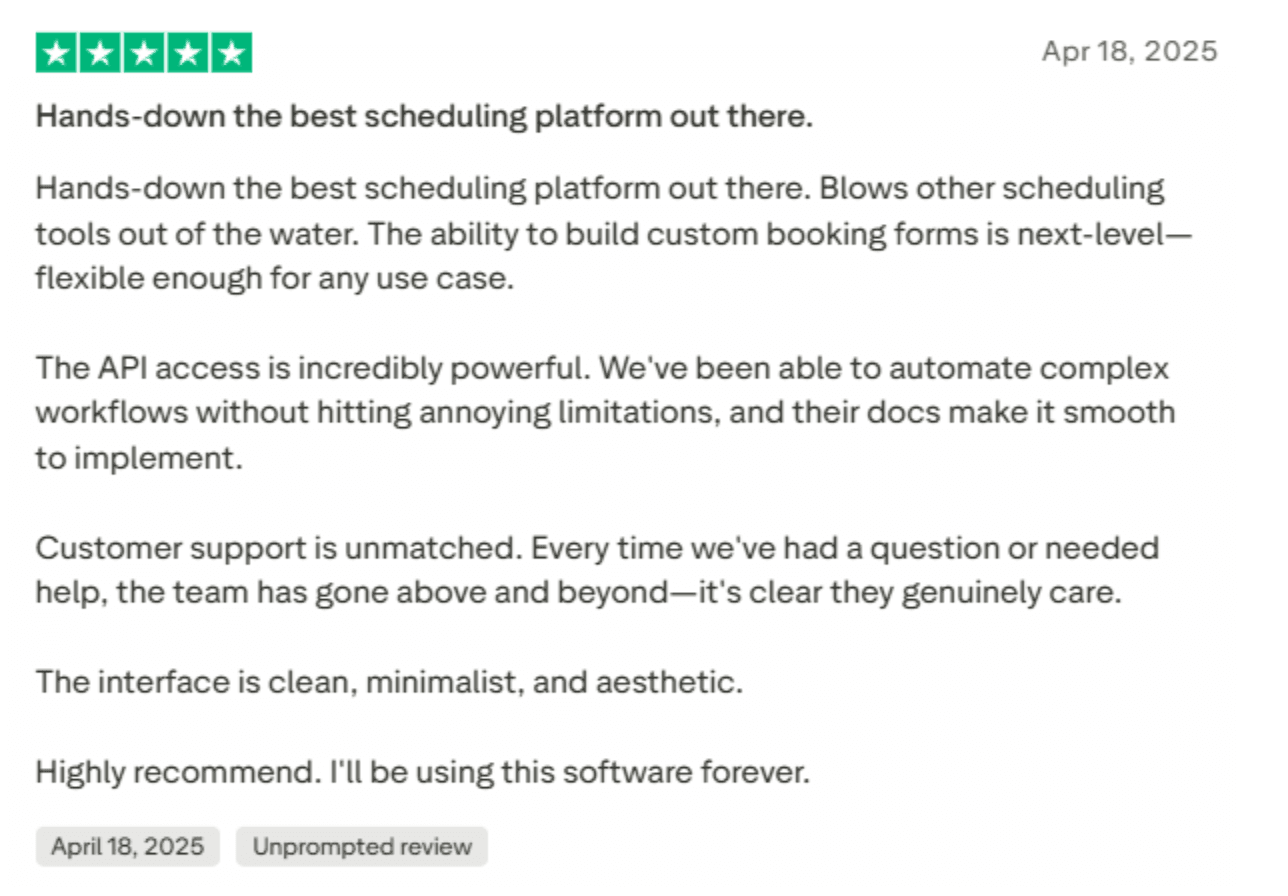
Here's the screenshot of a review I found on Trustpilot:
Team events:
Team scheduling is practical once you start doing round-robin style lead flow and shared calendars across reps.
I also noticed team subscription setup can get a bit delicate, especially if you are in a hurry.
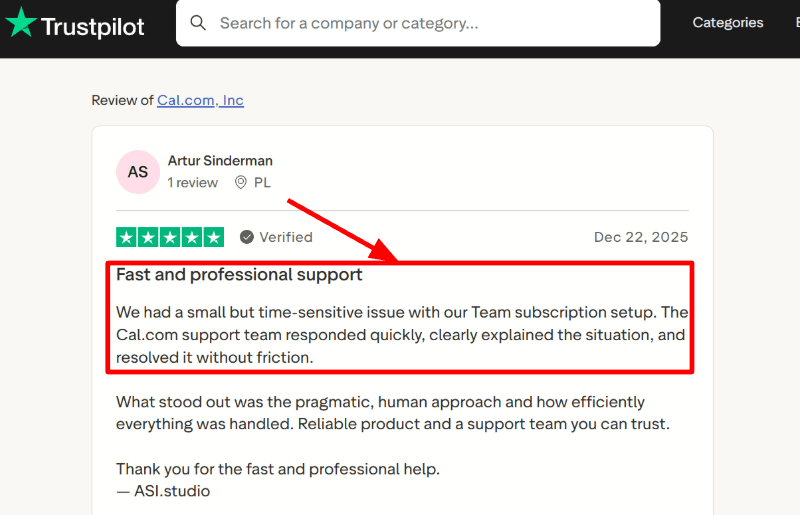
A Trustpilot review I saw mentioned a time-sensitive Team subscription issue that support resolved quickly, and I’m dropping that screenshot below so you can sanity-check it.
What to notice is that Cal.com billing issues can become time-sensitive, but support can resolve them quickly per Trustpilot.
Custom routing logic:
This is a powerful feature of Cal that I really liked. You can set up custom lead routing logic inside Cal.com to ensure leads are routed to the right representatives automatically with booked meetings. You can also set up time zone-based routing inside Cal.com, which is among the most useful features for global teams, in my experience.
Calendar integration:
It supports syncing multiple calendars so availability reflects real life and you avoid double-booking.
The part to be careful about is choosing which calendars actually block availability, otherwise you can accidentally over-open slots.
If you are building your own product, Cal.com also pushes a Unified Calendar API direction.
Payment integration:
Payments are native through Stripe for paid event types, which is great for consults and upfront deposits.
If you want Apple Pay and Google Pay via Stripe, Cal.com also documents that path.
Compared to Calendly, this flow feels more like a modular app you enable rather than a fixed billing-style feature set.
If you are looking at Cal.com, I put together a full list of Cal.com alternatives.
Pros
API-first infrastructure allows seamless integrations with existing workflows
Strong fit if you want self-hosting and deeper customization.
Routing forms + team events can scale inbound scheduling cleanly.
Enterprise-grade security and HIPAA-compliant scheduling platform
Developer-friendly building blocks and docs are easy to follow.
Works with Google Calendar, Microsoft Outlook, Salesforce, HubSpot, and Zoom
Cons
If you just want the most polished set-and-forget experience for a non-technical team, Calendly is often simpler day one.
Cost math is not always obvious at scale because Calendly Enterprise can be a flat annual starting around $15k, so compare contracts before switching.
Some setup paths feel app-driven, so you may spend more time configuring your ideal workflow.
Detailed customization features and automations may be overkill for small businesses
Pricing may scale as teams grow
When to Choose Cal.com over Calendly
Choose Cal.com if you need self-hosting, or you are building scheduling into your own product.
It’s also a strong pick if you want routing logic and paid bookings that you can shape around your workflow.
If your priority is the most frictionless rollout for a large non-technical team, Calendly usually wins on out-of-box simplicity.
Doodle
Doodle is best known for group polls that help teams pick a time fast, without long email chains.
If you mainly need group coordination and simpler scheduling than Calendly, Doodle can be the cleaner pick.
Doodle features
Group polls
I used this for a committee-style meeting and it gets everyone aligned quickly, even if they do not have an account.
But the availability selection can feel repetitive once the group is large, which slowed me down a bit.
I also saw the same complaint in a Reddit thread and I am sharing a screenshot below to show what people mean.
The thread shows how picking availability can feel repetitive once the group gets large.
Booking Page
You can set up a booking page once and share it like a normal scheduling link, similar to how you would run Calendly.
In testing, it worked well for simple 1
booking, especially when you do not need heavy routing rules.
If your flow is mostly pick-a-time and confirm, this is easier to keep tidy than a full Calendly setup.
Calendar sync
Once I connected calendars, it did a solid job preventing double bookings and keeping the day view realistic.
It supports common calendars like Google Calendar and Microsoft Exchange, so it fits mixed teams.
This is the kind of basic reliability Calendly also does well, so the difference is more about depth elsewhere.
Video links
Doodle can auto-generate conferencing links so every booked event has the right join info.
I liked that the Zoom side can generate a unique meeting link automatically, as noted on the Zoom listing.
It also supports tools like Google Meet and Microsoft Teams via Doodle integrations.
Stripe payments
If you charge for time, Doodle can collect payment at booking through Stripe, which is clean for paid sessions.
One detail that made me stop and double-check: refunds and taxes are not handled by Doodle, you manage refunds in Stripe and you bake tax into the price.
Doodle documents this clearly in their Stripe guide.
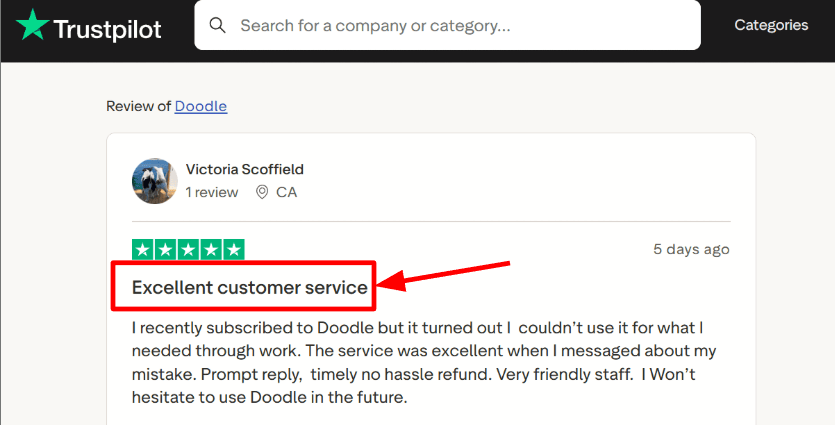
A Trustpilot review also praised their quick subscription refund when the plan did not fit their work setup, and I have included that screenshot below too.
The reviewer’s point is that Doodle can refund subscriptions quickly when the plan doesn’t fit, per Trustpilot.
Pros
Strong for group scheduling and committee decisions
Invitees can vote without creating an account
Fast to set up for simple scheduling flows
Useful mix of polls plus booking page
Payments at booking works well for paid time
Support experience can be a bright spot when plans do not fit
Cons
If you need lead routing, round robin, and deep automations, pick Calendly instead
Group poll availability picking can get tiring with many participants
Less built for sales-style workflows than Calendly
Payment edge cases require manual handling in Stripe
Advanced branding and admin controls push you into paid tiers
Not a great fit if you must collect sensitive health details in the scheduler
When to Choose Doodle over Calendly
Choose Doodle if your main job is finding a time across many people using simple group polls.
It is also a good fit if you want basic 1
booking plus Stripe payments without building a heavier workflow.
Stick with Calendly if you need team routing, complex automations, or sales handoffs.
One compliance nuance to keep in mind: BAA gap, so if PHI might appear in booking questions, you should look at tools designed for that.
HubSpot Meetings
HubSpot Meetings is best known for turning scheduling into a CRM step, not a separate tool.
Pick it over Calendly when your team already lives inside HubSpot and wants meetings logged automatically.
CRM-first booking
When I connected my calendar, new bookings immediately had a home in the contact record.
That is the big difference vs Calendly, where scheduling can stay cleanly outside your CRM.
For sales teams, this reduces the “who is this call with?” scramble right before the meeting.
Workflow follow-through
You can trigger follow-ups and internal steps based on a booked meeting, but the setup can feel slippery.
I had to click around more than expected because the settings area is not always where I first looked.
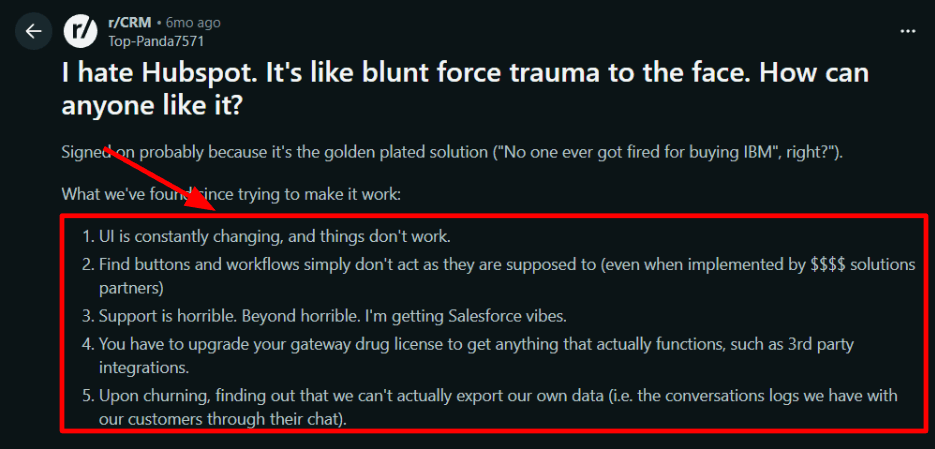
I also saw the same “things move and break” frustration in a Reddit thread , screenshot below, and it matches the vibe when the UI shifts mid-setup.
Notice how the complaint is about setup friction and UI churn more than the scheduling link itself.
Team routing options
Round robin and group availability are built for teams that do lead handoffs and shared calendars.
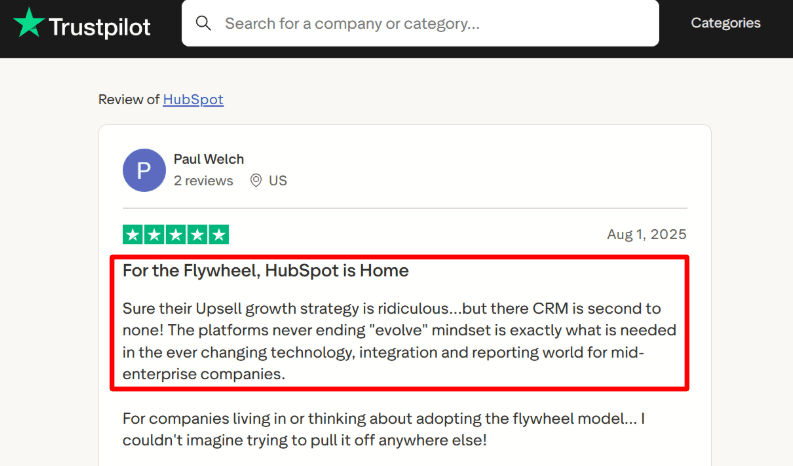
A Trustpilot review I read described HubSpot as the natural home for flywheel teams, screenshot below, and I get why when meetings feed the same CRM loop.
If you already run inbound, nurture, and pipeline in one place, this feels coherent.
The key idea is that HubSpot Meetings feels strongest when scheduling is tightly tied to CRM workflows, per Trustpilot.
Calendar sync
It syncs with Google and Office 365 so your availability stays accurate without manual blocking.
Calendly usually wins on pure scheduling depth, but HubSpot wins when you want “availability plus CRM logging” as one flow.
In testing, the basic availability rules worked fine, but advanced scheduling nuance depends on your Hub tier.
Payments hook
You can add a payment link so a booking can also act like a lightweight checkout for paid consults.
One detail people miss is geo coverage for native payments, and you may end up using Stripe depending on where you operate.
Also worth noting, TechCrunch reported Calendly acquired Prelude to push deeper into scheduling automation for recruiting, which hints at how far Calendly goes when scheduling is the whole product
Choose HubSpot Meetings if you need CRM-native scheduling, automatic meeting logging, and team routing tied to pipeline.
It is the better fit for sales-led teams and flywheel operators running marketing, sales, and service in HubSpot.
Stick with Calendly if you want best-in-class scheduling depth without committing to a CRM-centered workflow.
Koalendar features
Koalendar is best known for making scheduling feel effortless for both the account owner and the person booking.
Pick it over Calendly if you want faster setup, lower friction, and reliable scheduling without a heavy learning curve.
Simple UI
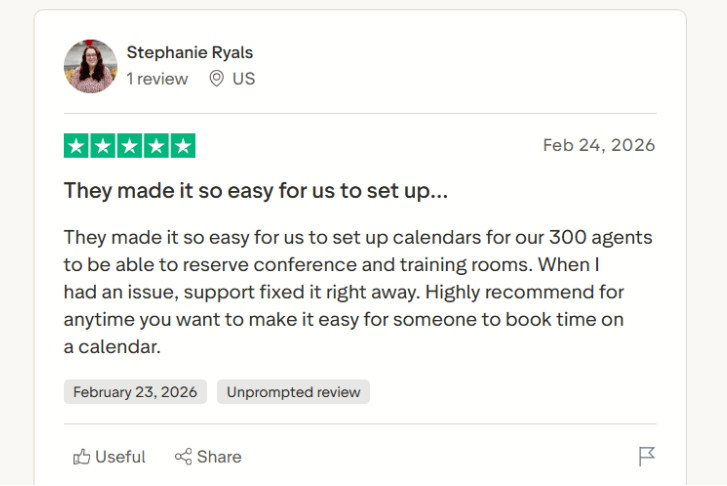
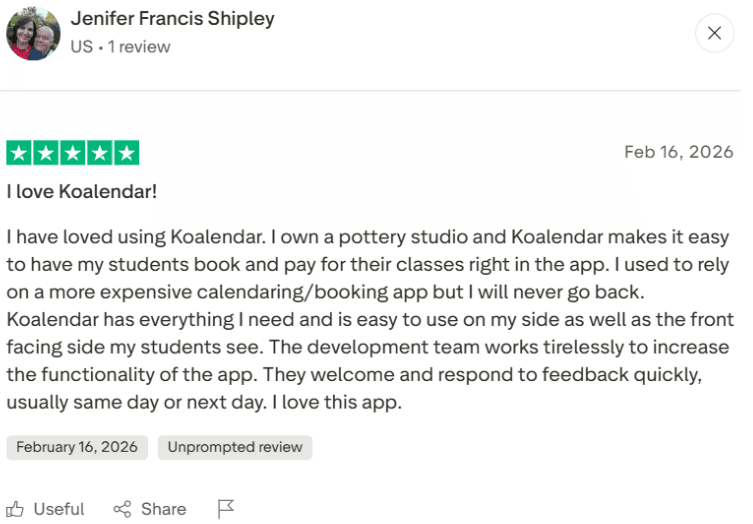
What stood out to me most about Koalendar was how simple it felt from the start. I could see most users getting a booking page live in minutes, without a long setup process or much trial and error. That simplicity carries into everyday use too. Solopreneurs can get moving fast and small teams do not need much hand-holding. This lets customers book without feeling lost. I saw these sentiments echoed in Trustpilot reviews that you can see screenshots of below.
Calendar sync
From what I saw, Koalendar handles the basics of calendar sync well. It connects with Google Calendar, Outlook, and iCloud Calendar, along with availability updates in real time to help avoid double bookings. Events are added instantly, so the day-to-day experience feels reliable and easy to trust. Users feel these benefits in the smooth sync between calendars. You can see the screenshots from Trustpilot below.
Availability controls and admin view
When it comes to controls Koalendar stays easy to use without feeling basic. On the booking side, automatic time zone detection is a simple feature that saves a lot of confusion, and the booking page itself feels clean. On the admin side, I found the team controls surprisingly solid too. It was easy to manage teammates, bookings, permissions, availability, limits, and even round-robin rules. It was all done from one place for whole departments without the product feeling hard to use.
Payments
Koalendar has a very capable payments side for a tool that is known for simplicity. I found that Pro users can take payments for bookings through Stripe, including card payments, Apple Pay, and Google Pay. It also supports coupons and discounts. That makes it feel like more than a basic scheduler, and users feel the same through their reviews as seen below. For consultants, coaches, educators, and other service businesses, it can work as a simple revenue tool too, since the booking and payment flow stays in one place.
Automated meeting links and reminders
What I liked here was how much Koalendar automated for me once a booking came in. It can create Google Meet, Zoom, or Teams links automatically, send SMS reminders, and even handle follow-up emails. That meant I did not have to keep sending access details, chasing confirmations, or remembering what to send after the meeting. The whole flow felt smoother for both sides and took a lot of admin work off my plate.
Pros
Free forever plan is strong for basic use
Unlimited booking pages on the free plan
Very simple UI and UX
Affordable Pro plan for growing teams
Responsive customer support
Easy setup for solo operators and small teams
Strong availability controls and admin view
Supports recurring events and round robin
Supports payments, deposits, and packages
Cons
No group poll style scheduling
Reporting can feel light for sales teams
May lack in-depth features for large enterprises
When to Choose Koalendar over Calendly
I would choose Koalendar if I wanted reliable scheduling, Stripe payments, and a booking experience that feels easy for both my team and the people booking with us. From what I saw, it makes more sense for businesses that care most about usability, a smooth customer experience, and solid value, without needing heavier reporting or more complex enterprise workflows.
Reclaim.ai features
Reclaim.ai is popularly known for AI time blocking that auto-schedules tasks, habits, and focus time into your calendar.
If Calendly is for booking meetings with other people, Reclaim is for defending your week so you actually get work done.
Smart task blocks
I tested it by dumping a bunch of long tasks with hard deadlines, and it immediately started rearranging my week around them.
That is powerful, but you need to tune priorities, otherwise it can shove habits aside to hit a deadline.
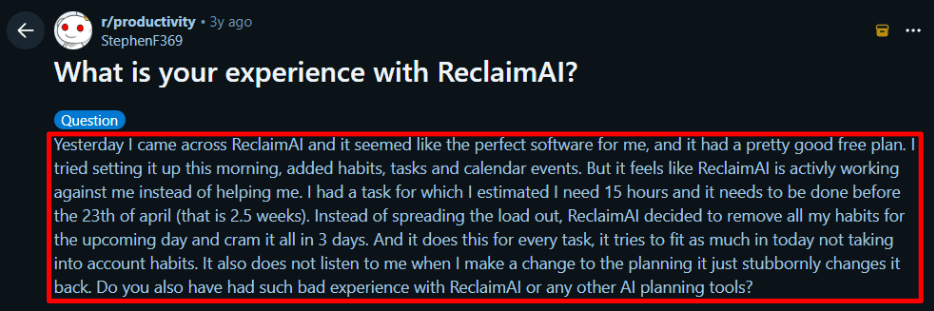
I also saw the same pattern called out in a Reddit thread , and I’m sharing a screenshot below so you can judge it yourself.
The takeaway is that Reclaim can reshuffle aggressively unless you tune priorities, based on the Reddit discussion.
Todoist sync
If your tasks live in Todoist, this feels clean once connected, tasks show up as real time blocks in Google Calendar or Outlook.
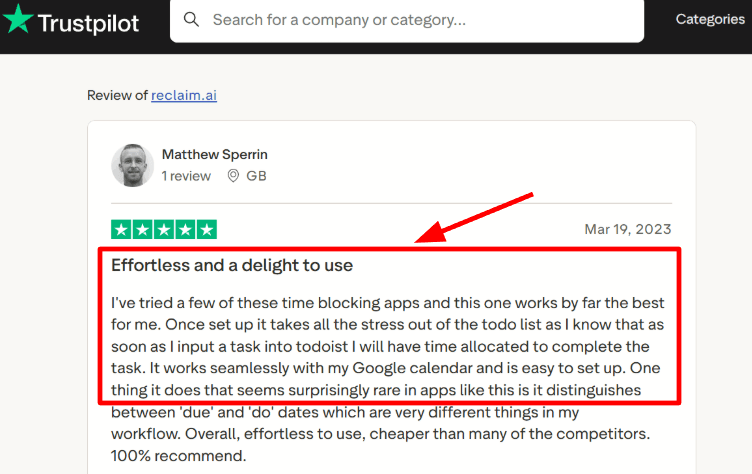
A Trustpilot review called the setup effortless and praised the due vs do date separation, and I mostly agree after testing.
I’m adding a screenshot below so readers can see what the sync looks like in practice. Notice how the review focuses on setup ease and the due vs do date split for tasks, not just calendar blocks.
Focus Time goals
You set a weekly target for focus time and it keeps protecting those blocks as meetings appear.
I liked this more than trying to manually block deep work, because it keeps adapting as your calendar changes.
This is the core difference vs Calendly, which is great at scheduling the meeting itself, not defending the work around it.
See the product list on: Reclaim.ai
Availability links
Reclaim has scheduling links to share availability, so it can cover basic external booking too.
But if your whole workflow is client facing scheduling pages, Calendly still feels more purpose-built for that flow.
Calendly also goes deeper on routing and team scheduling features like round robin and routing forms.
Compare: Reclaim listing vs Calendly team scheduling and Routing forms
Compliance basics
Reclaim documents SOC2, GDPR, CCPA and Data Privacy Framework claims on its security page.
One detail most people skip is data handling disclosures in marketplaces: Microsoft’s listing notes calendar data is stored in the USA and not retained after account termination.
That matters if you have strict geo or retention expectations.
Read: Reclaim security
Source: Microsoft Learn
Pros
Best fit when calendars are messy and constantly shifting
Turns a task list into real scheduled time blocks
Habits and routines can be protected, not just tasks
Focus time goals help teams defend deep work
Task integrations listed for Todoist, Jira, Linear, Asana and more
Scheduling links exist for light external booking
Works with Google Calendar and Outlook Calendar
Clear security posture page, plus a formal trust center
Marketplace disclosures help IT teams evaluate data handling
Free plan exists for solo testing before rolling out
Cons
If you mainly need client booking links, Calendly is usually simpler and more direct
Can over-optimize toward near deadlines if priorities are not tuned
Manual adjustments can get re-optimized after sync, which takes getting used to
Free plan has tight limits like scheduling range and seats
It is not a CRM style router like Calendly routing forms for sales teams
Calendar permissions are deep by nature, so IT teams may push back
Geo expectations may be a blocker since Microsoft listing states US data storage
Some teams will need training, otherwise it feels unpredictable at first
Best experience is tied to Google or Microsoft calendar ecosystems
Not designed for payment-first scheduling the way some booking tools are
When to Choose Reclaim.ai over Calendly
Choose Reclaim.ai if your problem is internal capacity and focus, not just scheduling the meeting.
It is strongest for teams that want tasks and habits auto-blocked and focus time defended across Google or Outlook calendars.
Choose Calendly when you need client-facing booking flows, lead routing, or high-volume team scheduling as the main job.
Setmore
Setmore is known for simple appointment booking with a branded booking page, staff calendars, and built-in payments.
If you want a lighter setup than Calendly for service-style bookings, Setmore can feel easier to get live.
If Setmore is on your shortlist, the deeper Setmore alternatives breakdown is useful for edge cases and trade-offs.
Support access
Setup was smooth, but one issue took more follow-ups than I expected to close.
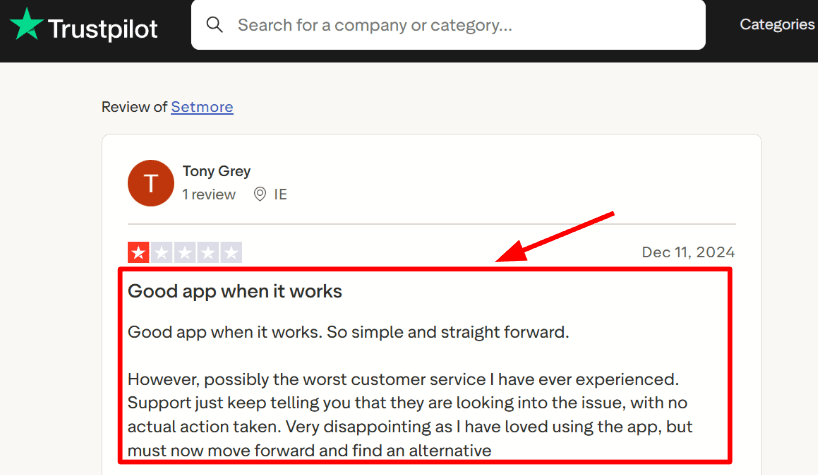
I saw the same theme in a Trustpilot review about loving the app but getting stuck with support replies, and I’m sharing that screenshot below.
If support speed is critical for you, test it early, not after you roll it out.
The point to notice is that Setmore can work well, but support follow-ups may stall when something gets stuck.
Availability rules
Staff working hours, breaks, and time-off are straightforward to set, so you avoid accidental overlaps.
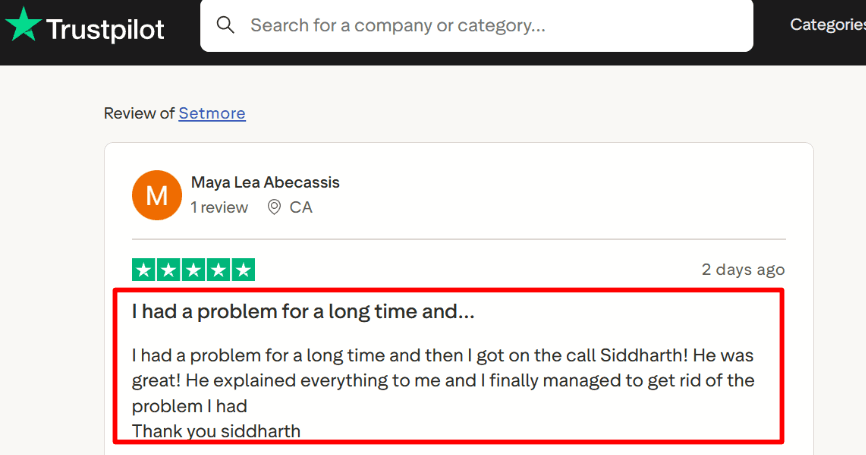
I did have one setting that took a bit to locate, and a Trustpilot review mentioned a support call with Siddharth that finally cleared a long-running issue, screenshot below.
Once configured, staff-specific availability feels closer to real operations than a single shared calendar.
What matters here is that a single guided support call can clear an issue that drags on during self-setup.
Calendar sync
You can sync with Google Calendar, including a 2-way option, so bookings and existing events stay aligned.
This is where Setmore can feel a bit more hands-on than Calendly, because you need to be precise about what you sync and how.
After the first setup, it stays stable for day-to-day use.
Payment integration
Payments at booking are a strong fit when you sell paid sessions and want fewer no-shows.
Setmore supports common payment paths like Stripe, and Square or PayPal show up a lot in small-business stacks too.
Compared with Calendly, this is more compelling if payments are central to the booking flow, not just optional.
Booking forms
You can add custom intake fields so customers share details before the appointment.
If you handle sensitive healthcare info, be careful about what you collect and where it lands.
BAA gap highlights the BAA gap on Calendly, so compliance checks should happen before you collect any PHI.
Pros
Quick to launch a branded booking page with minimal setup
Practical staff scheduling with individual calendars and links
Strong fit for paid appointments and commitment upfront
Helpful integrations for everyday workflows like Zoom
Availability controls are easy to maintain over time
Cons
If you need advanced lead routing and enterprise controls, Calendly is usually the safer pick
Support can feel inconsistent when an issue gets stuck, similar to that Reddit review (screenshot below)
Calendar sync choices can be easy to misconfigure on day one
Some features you will want weekly sit behind paid tiers
Less depth for sales-style routing compared to Calendly Routing
When to Choose Setmore over Calendly
Choose Setmore if you run a service business, need payments at booking, and want simple staff scheduling without heavy admin.
Choose Calendly if you need advanced routing, round-robin distribution, or enterprise IT controls where routing logic matters more than checkout.
Microsoft Bookings
Microsoft Bookings is best known for Teams and Outlook native scheduling inside Microsoft 365.
Use it over Calendly when you want scheduling to live where your team already works, not in another tool.
If you want more options in the same space, these Bookings alternatives can help you compare what you gain and lose.
Microsoft Bookings Features
Teams scheduling
When I set it up, the biggest win was creating staff calendars and appointments right inside Teams.
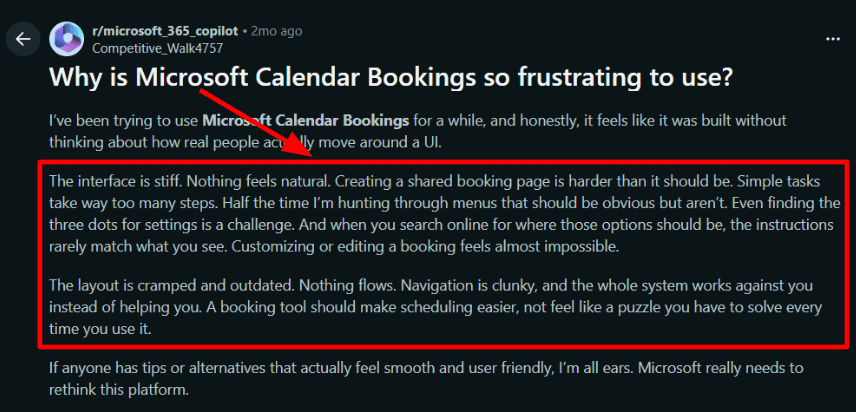
But I did notice the setup path is not always obvious, and I saw the same complaint in a Reddit thread too, screenshot below.
Calendly usually feels more straightforward for quick self-serve setup, especially for non-Microsoft-first teams.
Notice how the frustration is about too many clicks for setup and edits inside Bookings, per Reddit.
Booking page control
You can publish a web booking page and let customers pick a time that syncs with Outlook calendars.
In testing, basic edits are fine, but deeper tweaks can feel like a hunt through settings.
That lines up with the Reddit thread saying simple changes take too many clicks, and I’m sharing that screenshot below.
Calendar integration
Bookings is tightly integrated with Outlook so availability updates and conflicts behave predictably across staff schedules.
This is the feature I trust most when multiple people share calendars and you need fewer scheduling collisions.
It is less about fancy logic, more about keeping the Microsoft calendar truth clean.
Teams meeting links
If you run virtual appointments, Bookings can automatically create a Microsoft Teams meeting link for each booking.
This is where it can be smoother than Calendly for Microsoft-heavy orgs, because you are not stitching together separate tools.
I also found SMS reminders useful once enabled, but it took a minute to locate the right toggle.
SMS reminders
You can configure SMS text notifications for confirmations and reminders, which helps reduce no-shows.
I like this for service businesses where people miss email, but test it end-to-end with your exact appointment type.
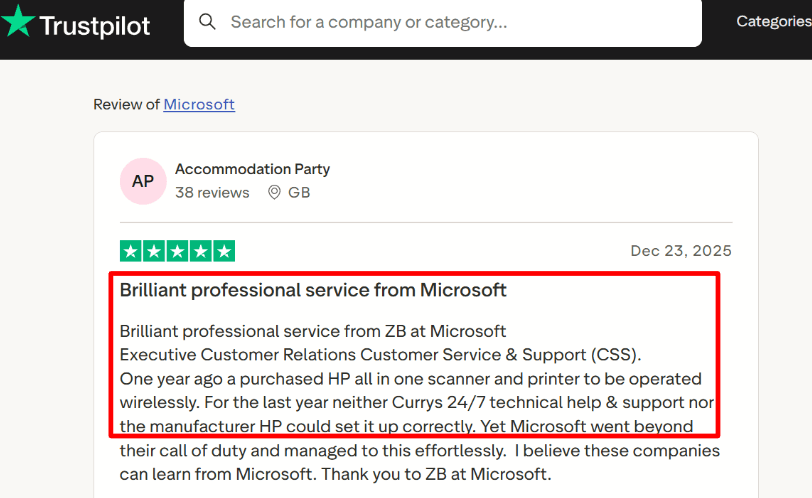
On support, I’ve also seen a Trustpilot review praising Microsoft CSS for getting messy setups resolved, screenshot below.
The practical takeaway is that Microsoft CSS can untangle a messy Bookings setup when normal troubleshooting stalls.
Pros
Works naturally inside Microsoft 365 workflows.
Tight Outlook calendar behavior for staff scheduling.
Teams meeting links are automatic for virtual appointments.
Booking pages are quick to publish for simple use cases.
Good fit for internal scheduling and shared departments.
Centralized management in Teams for schedulers.
SMS reminders are available when configured correctly.
No extra vendor to onboard if you already pay Microsoft.
Familiar admin controls for IT-managed tenants.
Customers can book without needing a Microsoft account.
Cons
If you need a very smooth setup and lots of custom booking flows, Calendly is usually the safer pick.
The admin UI can feel rigid when you want fast edits.
Customization depth is limited compared to dedicated schedulers.
Payments are not supported in Bookings, so prepay workflows need a workaround.
Reporting and funnel style analytics are light for sales teams.
Lead routing and qualification logic is not its strength.
Some settings differ between Teams and web views, which can confuse teams.
SMS can be missed if not enabled per appointment type and tested.
External branding and “invitee experience” polish is not its main focus.
Licensing can be confusing because Bookings is not standalone.
Pricing
Microsoft Bookings is not sold as a standalone product.
It is included with many Microsoft 365 business and enterprise subscriptions, so pricing is effectively your Microsoft 365 per-user cost.
For plan comparison, see Microsoft’s own page mentioning Bookings inclusion: plan pricing
Note: If you operate in healthcare, confirm your scheduling tool can legally handle PHI.
For example, HIPAA Journal notes Calendly is not HIPAA compliant and does not enter BAAs, so you should avoid sending PHI through it.
Source: HIPAA Journal
When to Choose Microsoft Bookings over Calendly
Choose Microsoft Bookings if you are Microsoft 365 first, your team lives in Teams and Outlook, and you want simple staff scheduling without adding another vendor.
Pick Calendly if you need cleaner self-serve setup, richer routing and workflows, or a more polished invitee experience for external prospects.
Tidycal
TidyCal is popularly known for simple booking pages with a one-time lifetime pricing option.
Use it over Calendly when you want the core scheduling basics without a per-seat subscription feel.
TidyCal features
Calendar sync
When I set it up, connecting Google, Microsoft 365, and Apple accounts was straightforward using the integrations page.
Two-way sync needs careful setup, and the config guide makes it clear why.
I did have one moment where a slot looked open when it should not have been, so I rechecked permissions and ran a test booking.
Availability rules
You can use buffers and scheduling limits so you are not stacked back-to-back all day.
This is the part I always test by creating a fake event, then checking if the slot truly disappears.
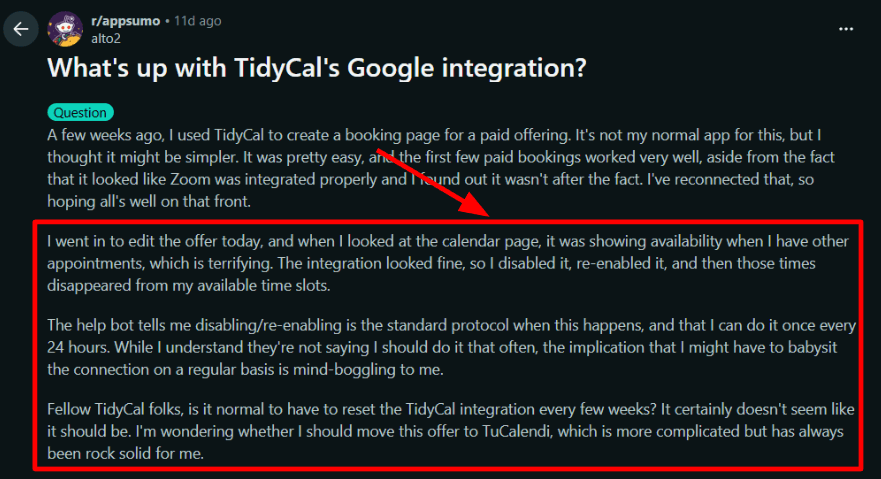
I also saw a Reddit thread describing availability showing during existing appointments until they reconnected the calendar, so I am sharing that screenshot below.
The key detail is that reconnecting calendars can fix availability showing incorrectly, based on the Reddit report.
Apple calendar support
If iCloud or Apple Calendar matters, TidyCal supports Apple accounts directly via the Integrations flow.
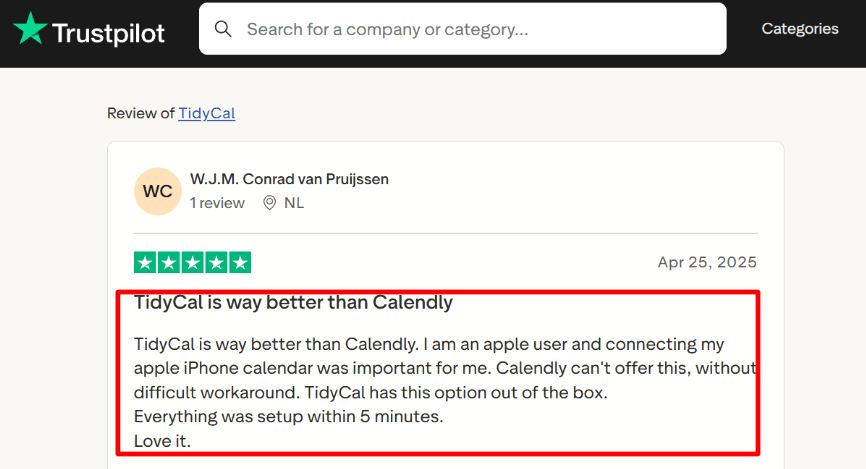
A Trustpilot reviewer specifically called out that Apple calendar connection was set up in minutes, and I have included their screenshot below.
This is worth validating early if your team is heavy on iPhone and Mac calendars.
What to notice is how quickly TidyCal can connect Apple calendars when iCloud is part of your team setup.
Payment collection
Paid bookings work with Stripe and PayPal, which is useful for paid consults, audits, and short coaching calls.
The TidyCal pricing page lists paid bookings as available, so you can confirm plan limits before committing.
In my testing, this is strongest when you keep the paid offer simple and avoid too many branching rules.
Meeting links
TidyCal supports Zoom, Google Meet, and Microsoft Teams via its integrations list.
This is where I always do one end-to-end test, because a link that looks connected can still fail at booking time.
That matches the Reddit story about Zoom appearing connected but not behaving as expected, so again, screenshot below.
Pros
One-time pricing option makes budgeting predictable
Apple calendar support is built into the integrations flow
Stripe and PayPal cover most paid booking needs
Simple setup for solo operators and small teams
Works well for standard one on one booking links
Good enough reminders and confirmation emails for basics
Supports common meeting tools like Zoom and Teams
Unlimited booking types on the free plan per pricing table
Straightforward embed or share-link workflow
Documentation is clear on calendar sync steps
Cons
If you need complex lead routing, strict admin controls, or enterprise scheduling governance, pick Calendly instead
Calendar sync can require extra babysitting in edge cases, based on real user reports
You should not assume meeting link integrations are always perfect without test bookings
Fewer advanced workflow and analytics layers than enterprise-focused schedulers
Some setup screens hide important details until you click deeper
If you collect sensitive client health data, confirm your compliance requirements before using any scheduling tool
A compliance nuance people miss is that BAA warning warns about PHI handling without a signed BAA, so treat this as a vendor due diligence step
When to Choose TidyCal over Calendly
Choose TidyCal if you want simple 1
scheduling, Apple calendar support, and paid bookings with Stripe or PayPal without heavy team admin needs.
It fits best for solo operators, freelancers, coaches, and small teams who can run a few test bookings and keep the setup clean.
If your world depends on reliable routing, enterprise controls, and complex scheduling operations, stay with Calendly.
Summary Table: Which is the best calendly competitor?
Free Plan available Paid Plan starts at $29 one-time
- Cheap lifetime pricing model - Basic paid bookings support
Limited depth for serious teams
Yes
No
No
Methodology
I evaluated every Calendly alternative using the same repeatable workflow so the comparison stays fair. I did not rely on vendor claims alone. I created trial accounts, configured real booking pages, and tested the full invitee journey end to end.
Test setup (constant across tools)
One service business use case: 1 discovery calls
One team use case: round robin or assignment-based routing (when available)
Two calendars: Google Calendar and Outlook (or the closest equivalent)
Two devices: desktop setup, mobile booking flow
One deliberate edge case: business and invitee in different timezones
Scenarios I ran
New booking from a shared link, including confirmation email and calendar event creation
Reschedule and cancel from the confirmation email, then verify calendar updates and notifications
Availability stress test: buffers, minimum notice, max booking window, and weekly limits
Integrations sanity check: video meeting link creation (Zoom/Meet/Teams) and at least one automation path (native workflows or Zapier-style)
Payments test where supported: price visibility before checkout and what happens on cancellation
How I validated findings
I cross-checked critical features in official docs and pricing pages, and I reviewed recent third-party feedback to spot repeat complaints. If a feature required a higher plan or an add-on, I marked it clearly. If I could not reproduce a claim in the product, I treated it as unsupported.
FAQs
How should I test a Calendly alternative before switching?
Pick one booking flow you use all the time and test that first. That tells you more than a long feature list ever will.
Try a real booking on both desktop and mobile. Check whether the calendar blocks the right slots, whether reminders go out properly, and whether rescheduling feels smooth. If you charge for appointments, also test payments, refunds, and confirmation emails before you commit.
Which Calendly alternatives are worth comparing first?
A good shortlist is Lunacal, Acuity Scheduling, and Setmore.
Lunacal is a strong fit if you want a better-looking booking page, intake forms, payments, packages, and team scheduling. Acuity Scheduling works well for appointment businesses that need stronger scheduling controls and client intake. Setmore is a practical pick for small teams that want something simpler and easier to get live.
What usually goes wrong when people switch from Calendly?
The biggest mistake is choosing too fast and finding the problems later.
A tool may look cheaper or cleaner at first, but the real issues usually show up in time zones, calendar conflicts, reminders, team features, or support. It is also smart to check how easy it is to export your data before you move everything over.
Does my location affect which scheduling tool fits best?
Yes, it can make a real difference.
If you serve customers in Europe, look closely at GDPR, the DPA, and where data is stored. If you work in the US, UK, Canada, or Australia, it helps to check local payment support, taxes, and SMS reminder reliability. It is also worth checking language support, date format, and timezone handling if you book across countries.