Availability lookup
Retrieve available slots over a selected date range.
Connect LunaCal scheduling to your application, automation or AI assistant. Use the API to manage appointments, webhooks to respond to booking changes and MCP to give compatible AI clients access to scheduling tools.
Start your free trialCompare scheduling tools ↓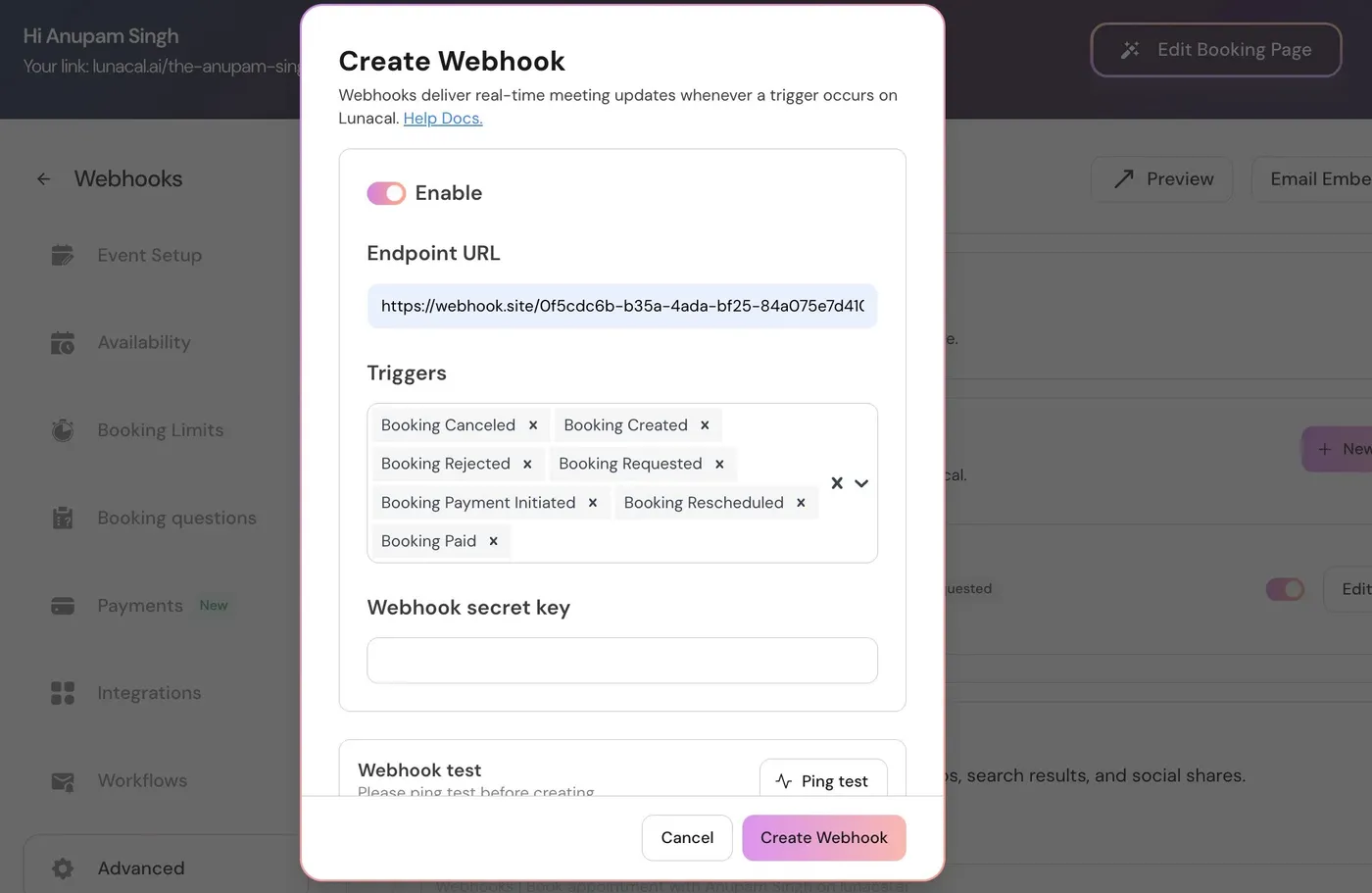
Use the integration surface that matches the job: API requests for actions, webhooks for notifications and MCP for AI tools.
Retrieve available slots over a selected date range.
Book an appointment through the API.
Update an appointment or cancel it programmatically.
Retrieve paginated booking lists, including upcoming, past and cancelled bookings.
List, create, update and delete event types through the API.
Switch event types between published and unpublished states.
Connect an account with an authorization-code flow.
Receive notifications for seven booking and payment events.
Connect compatible AI clients through OAuth-based authorization.
Create a webhook subscription for the events your application needs. The payload carries booking information and responses from the appointment form.
Send authenticated JSON requests to manage availability, bookings and event types from your backend. LunaCal API endpoints use POST, including read operations.
Let booking activity trigger your application instead of repeatedly checking for changes. Choose the events each subscription receives.
Connect a compatible AI client to https://mcp.lunacal.ai/mcp using Streamable HTTP and OAuth authorization.
Use existing integrations when an automation tool can handle the workflow without custom application code.
A request, an approved booking and a successful payment are separate moments. LunaCal exposes distinct webhook triggers so your integration can react to the right one.
Subscribe to Booking Created, Booking Rescheduled and Booking Cancelled.
Use Booking Requested and Booking Rejected for appointment workflows that need review.
Separate Booking Payment Initiated from Booking Paid before marking an appointment as paid in another system.
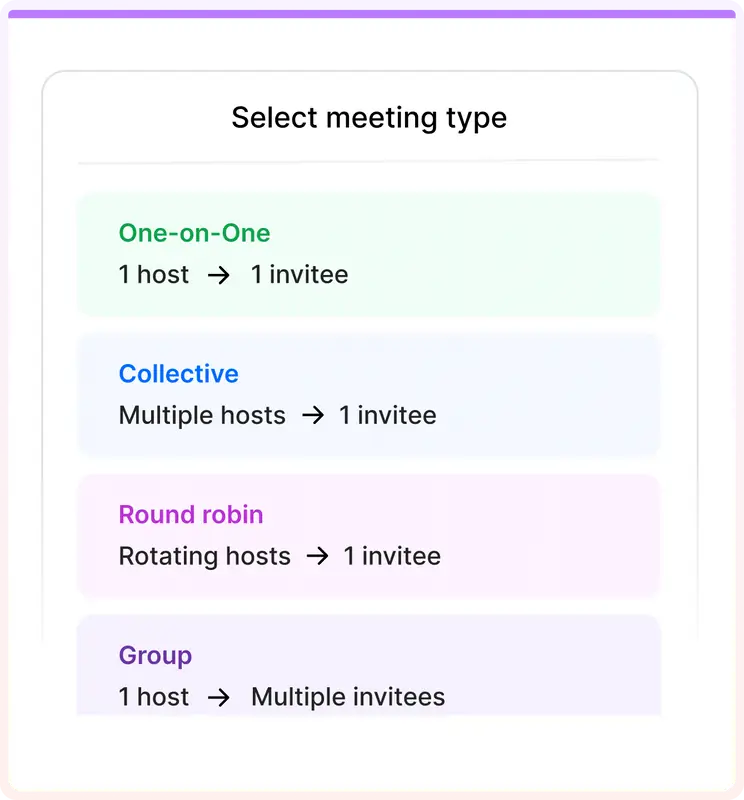
Your integration works with LunaCal event types rather than maintaining a second catalogue of booking links. Retrieve the event configuration or update it through the API.
Connect the booking system you already operate to the tools your team needs, from traditional backends to AI assistants.
The webhook event set covers approval decisions and payment stages as well as created, cancelled and rescheduled appointments.
Manage event types in LunaCal and use the same objects through your application or connected AI client.
Teams starts at $15 per user per month and includes webhooks. Enterprise starts at $25 and includes the MCP server beta alongside SSO.
Each tool supports custom scheduling integrations. Choose by the actions, authorization model and booking information your application needs.
| Capability | LunaCal | Calendly | Cal.com | Acuity |
|---|---|---|---|---|
| Public API | Yes | Yes | Yes | Yes |
| Authentication options | OAuth | OAuth / tokens | OAuth / keys | OAuth / keys |
| Availability lookup | Yes | Yes | Yes | Yes |
| Create bookings | Yes | Yes | Yes | Yes |
| Retrieve bookings | Yes | Yes | Yes | Yes |
| Cancel bookings | Yes | Yes | Yes | Yes |
| Event-type retrieval | Yes | Yes | Yes | Yes |
| Booking-created webhooks | Yes | Yes | Yes | Yes |
| Cancellation webhooks | Yes | Yes | Yes | Yes |
| Rescheduling webhooks | Yes | Yes | Yes | Yes |
| Custom booking responses | Webhook payload | API / webhooks | API / webhooks | Appointment API |
| Website embedding | Yes | Yes | Yes | Yes |
| No-code integrations | Yes | Yes | Yes | Yes |
Retrieve availability and bookings, create, reschedule or cancel appointments, and manage event types. The API documentation describes the required fields and responses for each endpoint.
LunaCal uses an OAuth 2.0 authorization-code flow. Access tokens last one hour; refresh tokens last 365 days and rotate when refreshed. Store the newly returned tokens securely on your server.
No. The documented LunaCal API endpoints use POST with JSON bodies, including endpoints that retrieve data.
Booking Created, Booking Cancelled, Booking Rescheduled, Booking Requested, Booking Rejected, Booking Payment Initiated and Booking Paid.
Yes. Booking-question answers are included in the payload’s responses field, allowing your integration to retain information collected during booking.
Compatible clients connect to the remote MCP endpoint using Streamable HTTP. The server uses OAuth 2.1 with PKCE rather than requiring you to paste an API key into the client.
The MCP tool set includes availability lookup, booking creation and cancellation, booking retrieval and event-type management. Connect the account and authorize the client before using those tools.