


Introduction
Choosing appointment booking software starts with what customers need to book: a meeting, a paid service, a class, or time with a particular staff member. Your calendar setup, payment requirements, and team size will help narrow the options.
This guide compares 16 tools by booking workflow, features, pricing, and limitations. Use the table to shortlist a few, then read their reviews for the details.
Appointment booking software at a glance
| Tool | Best-fit workflow | Main consideration |
|---|---|---|
| Lunacal | Branded booking pages with service details, payments, and optional team scheduling | Standard covers individual booking; packages and round robin are Teams features |
| Cal.com | Configurable meeting scheduling with APIs and team distribution | Free is for individuals; shared team workflows require Teams or above |
| Calendly | Sales and recruiting meetings with calendar, video, and CRM integrations | Standard handles individual paid meetings; qualification and round robin require Teams or above |
| Acuity Scheduling | Service appointments with intake forms, deposits, and prepaid sessions | Packages and subscriptions require Standard or above; staff calendars are not sales lead routing |
| SimplyBook.me | A booking website with multiple services and configurable extras | Select a plan by booking volume, providers, and the number of custom features needed |
| Square Appointments | Service businesses that want appointments and Square POS together | Check location-based pricing and the paid tier needed for staff and resource workflows |
| Setmore | Straightforward booking for individuals and small teams | Free covers basic staff booking; two-way calendar sync and SMS reminders require Pro |
| Microsoft Bookings | Outlook-based staff appointments within Microsoft 365 | Included with eligible subscriptions; no native payment collection |
| Google Calendar Appointment Schedules | Simple booking pages for people already working in Google Calendar | A personal account supports one booking page; premium scheduling features require an eligible subscription |
| Zoho Bookings | Client appointments for teams already using Zoho CRM, Zoho One, or Zoho Meeting | The free plan is for one user; payments, routing, and multi-workspace needs are plan-dependent |
| YouCanBookMe | Customizable booking pages, forms, notifications, and calendar connections | Team distribution requires the Team plan; SMS and payment processing can add usage costs |
| Doodle | Finding a time across a group, plus simple 1 and booking-page scheduling | Stronger for polls than for service catalogs, deposits, packages, or complex staff routing |
| Fresha | Beauty and wellness businesses that want booking, client records, payments, inventory, and marketplace discovery | Marketplace-acquired new clients can trigger a one-time commission; team pricing scales by bookable staff |
| Mindbody | Fitness and wellness businesses that need classes, memberships, resources, marketing, and multi-location operations | Pricing starts per location and advanced automation or enterprise needs move into higher tiers |
| Picktime | Budget-conscious teams scheduling appointments, classes, locations, rooms, and equipment | Free limits users, resources, locations, and classes; advanced routing and workflow controls require Pro |
| HubSpot Meeting Scheduler | Sales and service teams that want meetings written directly to HubSpot CRM | Basic scheduling is free; advanced team scheduling and sales automation depend on the Sales Hub tier |
Pricing details appear in each review. All dollar amounts are USD; annual prices are monthly equivalents unless stated otherwise. Payment processing, SMS usage, taxes, promotions, and add-ons can change the total.
Detailed reviews
Lunacal - Ideal for small businesses looking for appointment booking solution
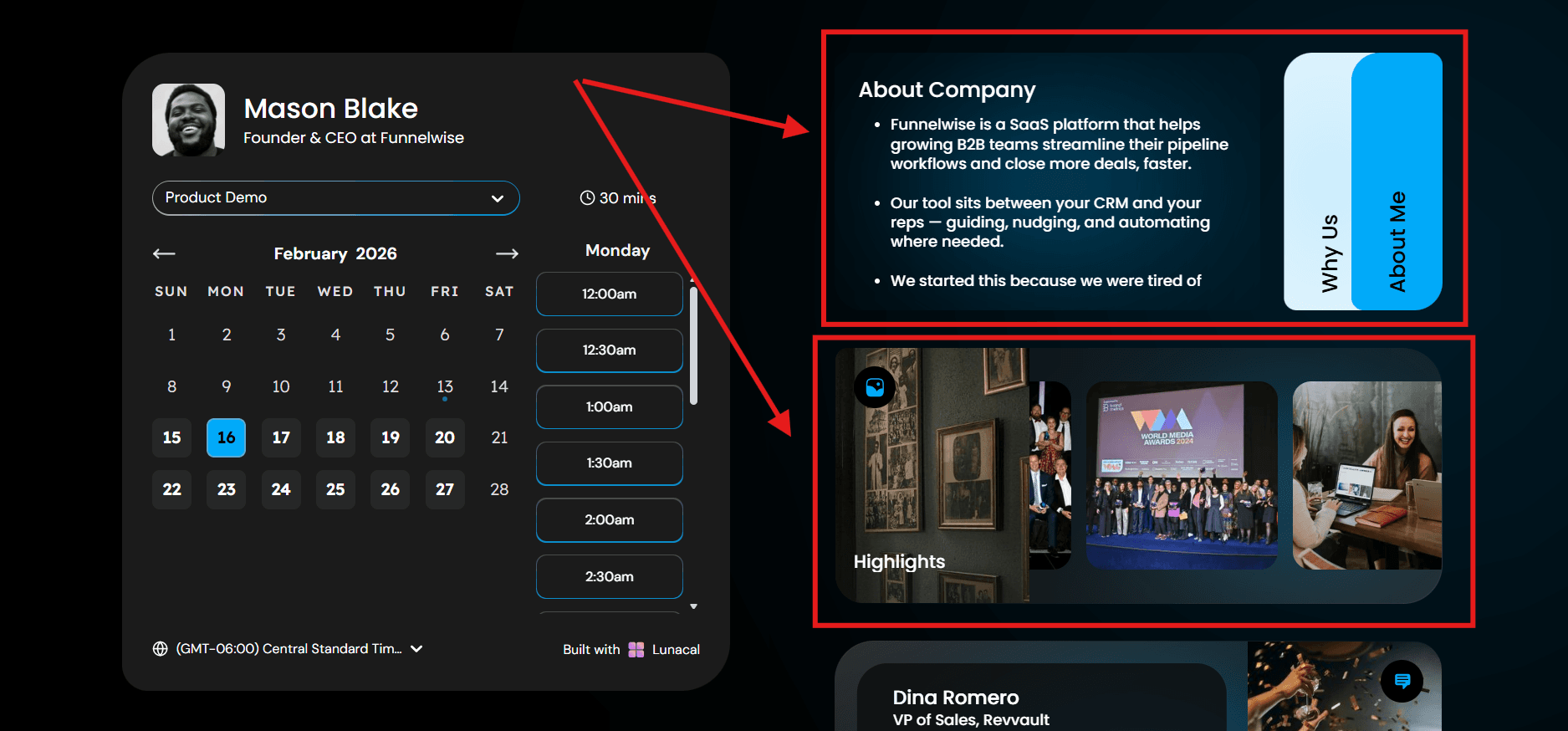
Lunacal lets you add service information and branding to the booking page before visitors choose a time.
Feature wise, it covers what most people need in an appointment booking app: Google, Outlook, and iCal sync, auto video links, email and SMS reminders, and support for solo users and teams.
Features
Booking page
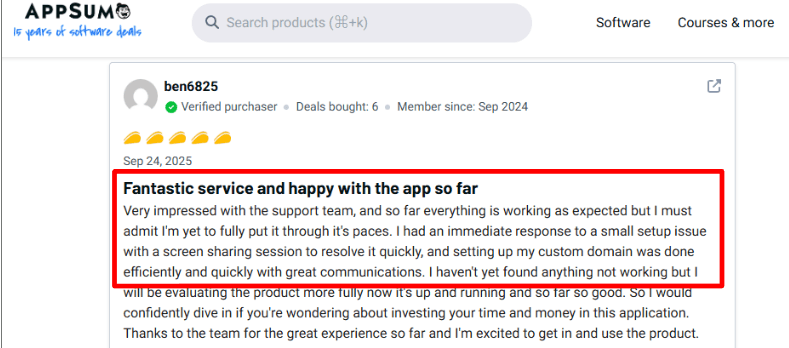
The reviews made this part feel like the main reason people switch.
The page lets you show real info next to the calendar. Service details, photos, videos, testimonials, FAQs, even files. So a visitor can understand what they are booking before they click a time.
I saw an AppSumo review mention quick human support during setup and an easy custom domain setup, which fits this whole idea of taking the booking page seriously.
In plain terms, it helps visitors decide faster. That usually means more bookings.
Booking flow structure
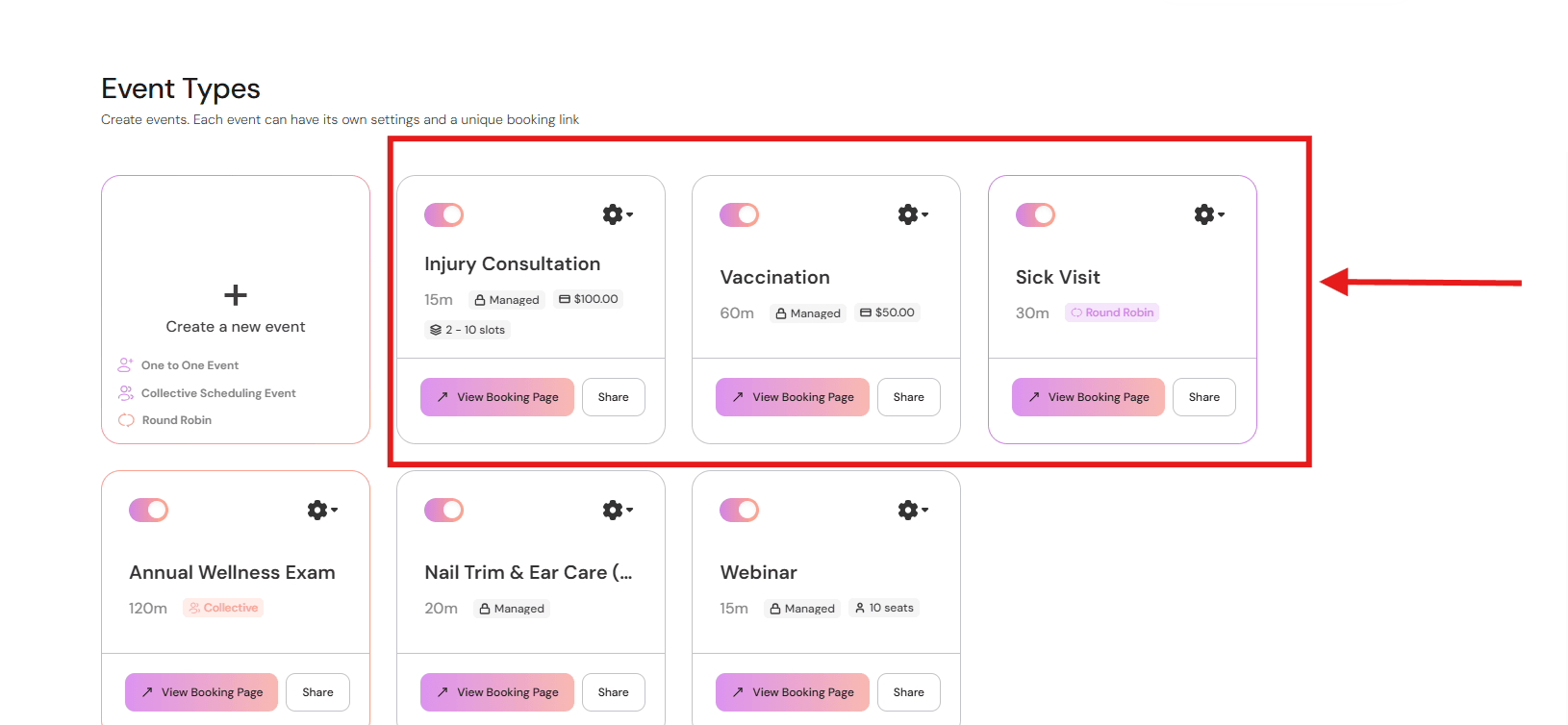
Most people do not wake up thinking I want a 30 minute slot at 3 pm. They think I need a haircut, I want this barber, I need a time that works. Lunacal is a booking app that supports that kind of flow.
The typical steps look like this:
-
Visitor selects a service type from the available options
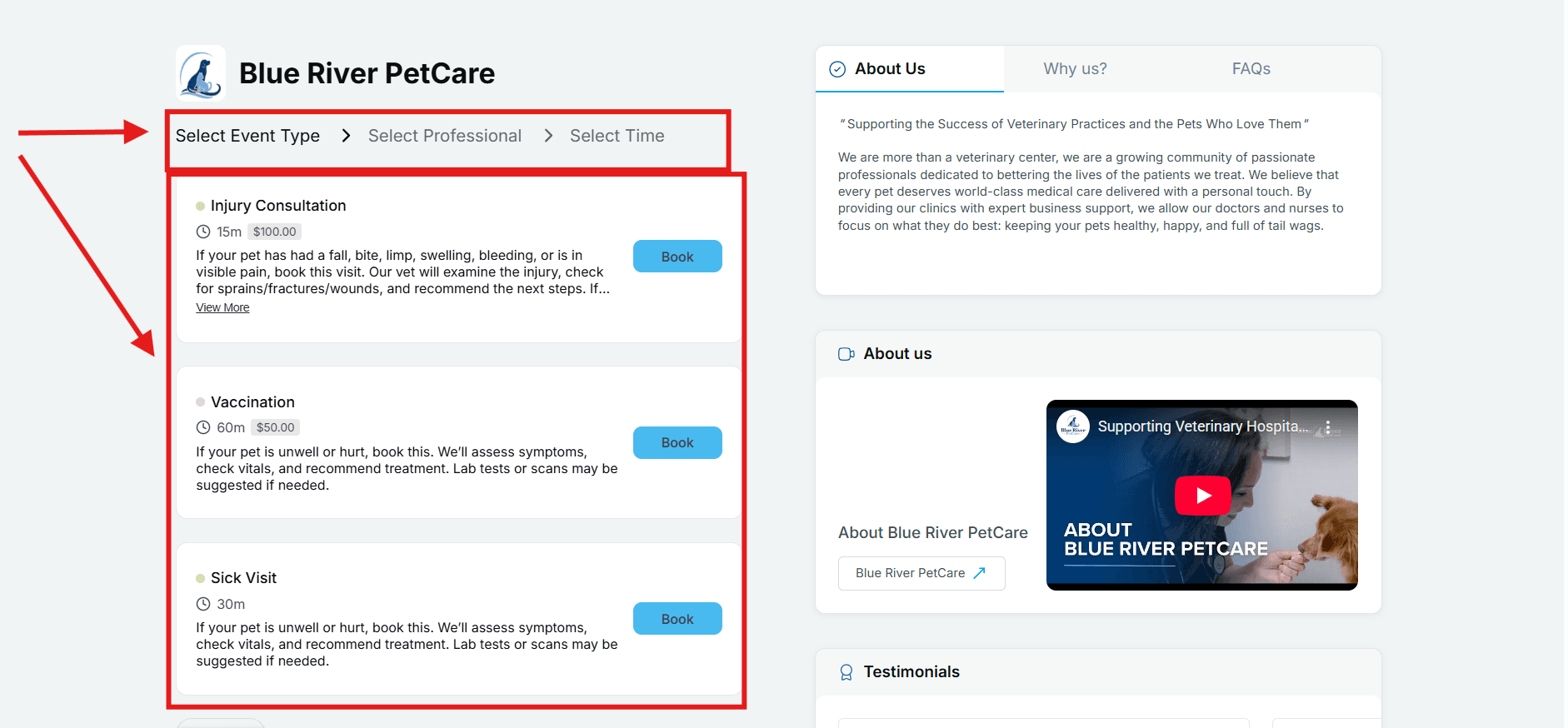
Intuitive user journey for appointment booking -
Visitor chooses a specific professional available for the service
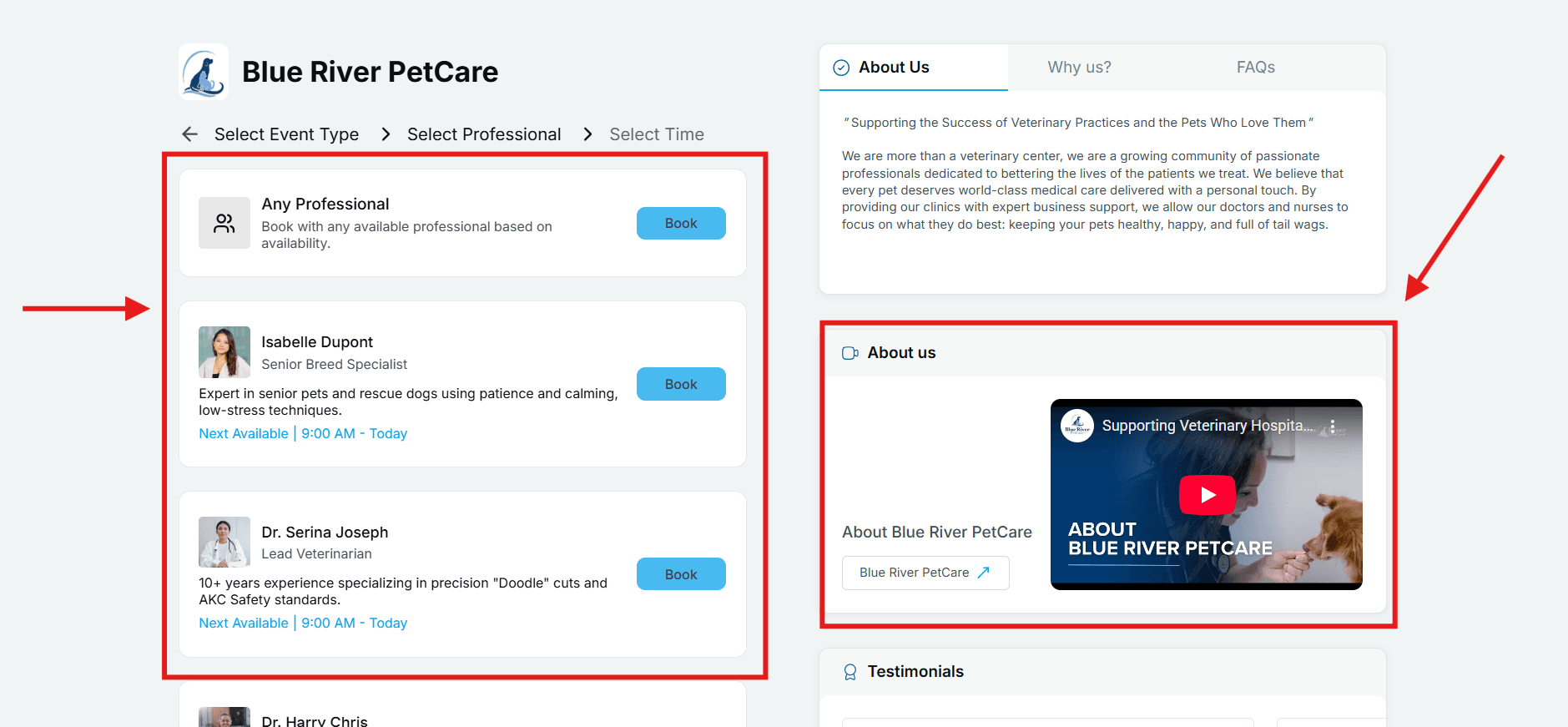
Selecting preferred professional for service -
Visitor picks an available time slot for their preferences
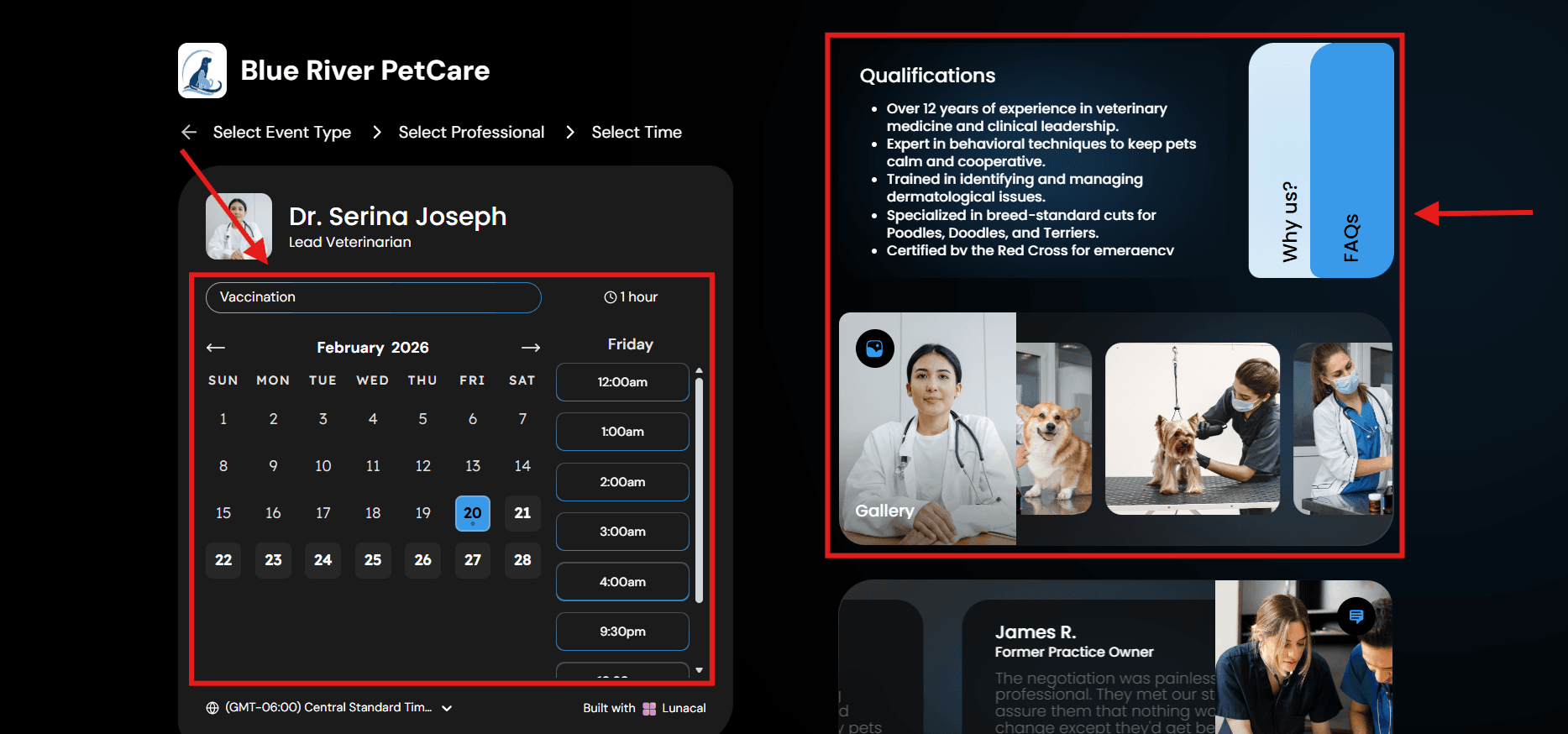
Time slot selection booking page with FAQs and Context cards
This is especially useful for salons, clinics, and agencies. The flow feels organized and it mirrors how real decisions are made.
Team scheduling
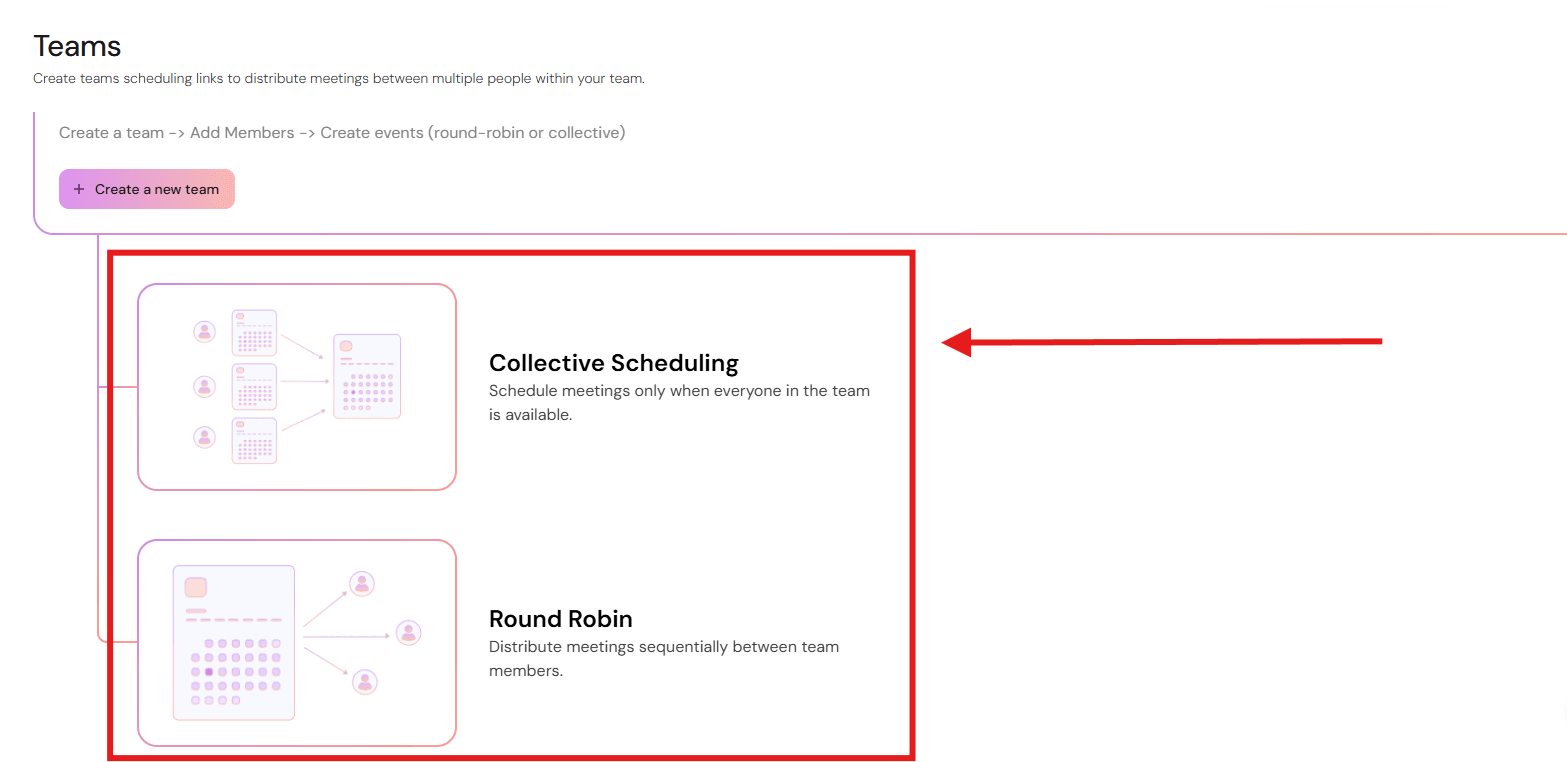
Team scheduling is a common pain point in appointment booking software so I paid particular attention here. Lunacal supports different kinds of team booking options.
I did see people saying they needed to spend a bit of time setting it up the first time. A G2 reviewer said something similar about fine tuning routing. That tracks with most team booking apps I’ve seen. The feature is powerful, so it needs a bit of starting setup.
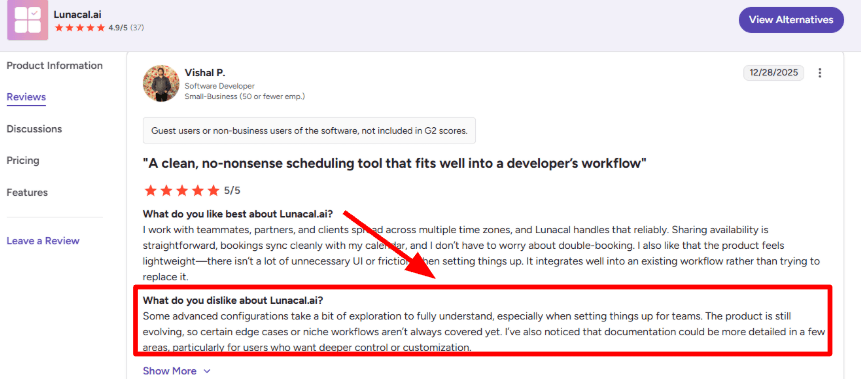
Routing forms
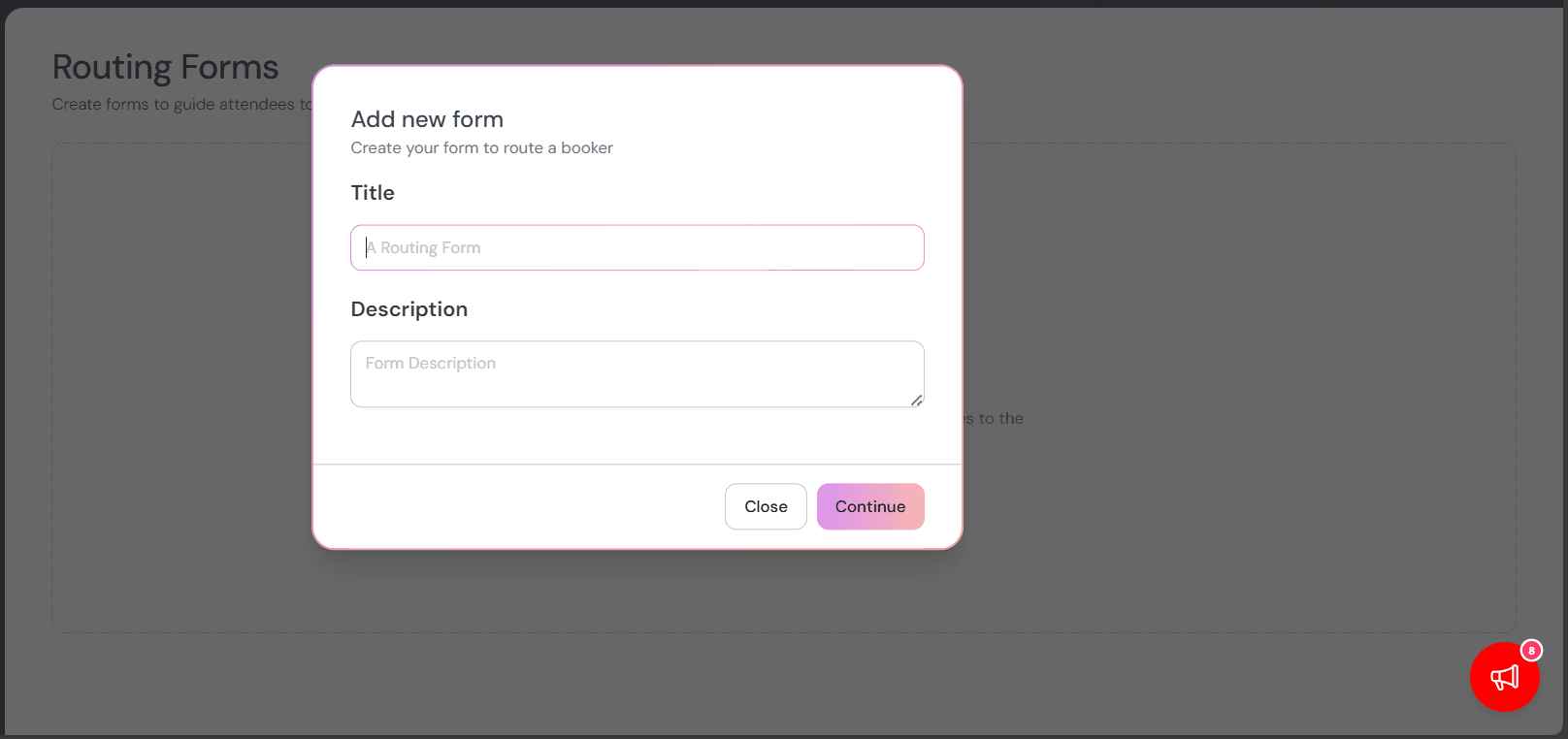
A lot of businesses want fewer wrong bookings and this is one of the best ways to do that.
You can ask your visitors a few questions before showing the calendar. Budget, location, service type, and based on answers, the person gets sent to the right booking option.
Sales teams use it to send leads to the right rep and agencies use it to send prospects to the right specialist.
It's also worth noting that Lunacal supports 12+ languages like English, German, French, Spanish, etc. and is GDPR compliant for privacy-first users.
Custom domain and presentation
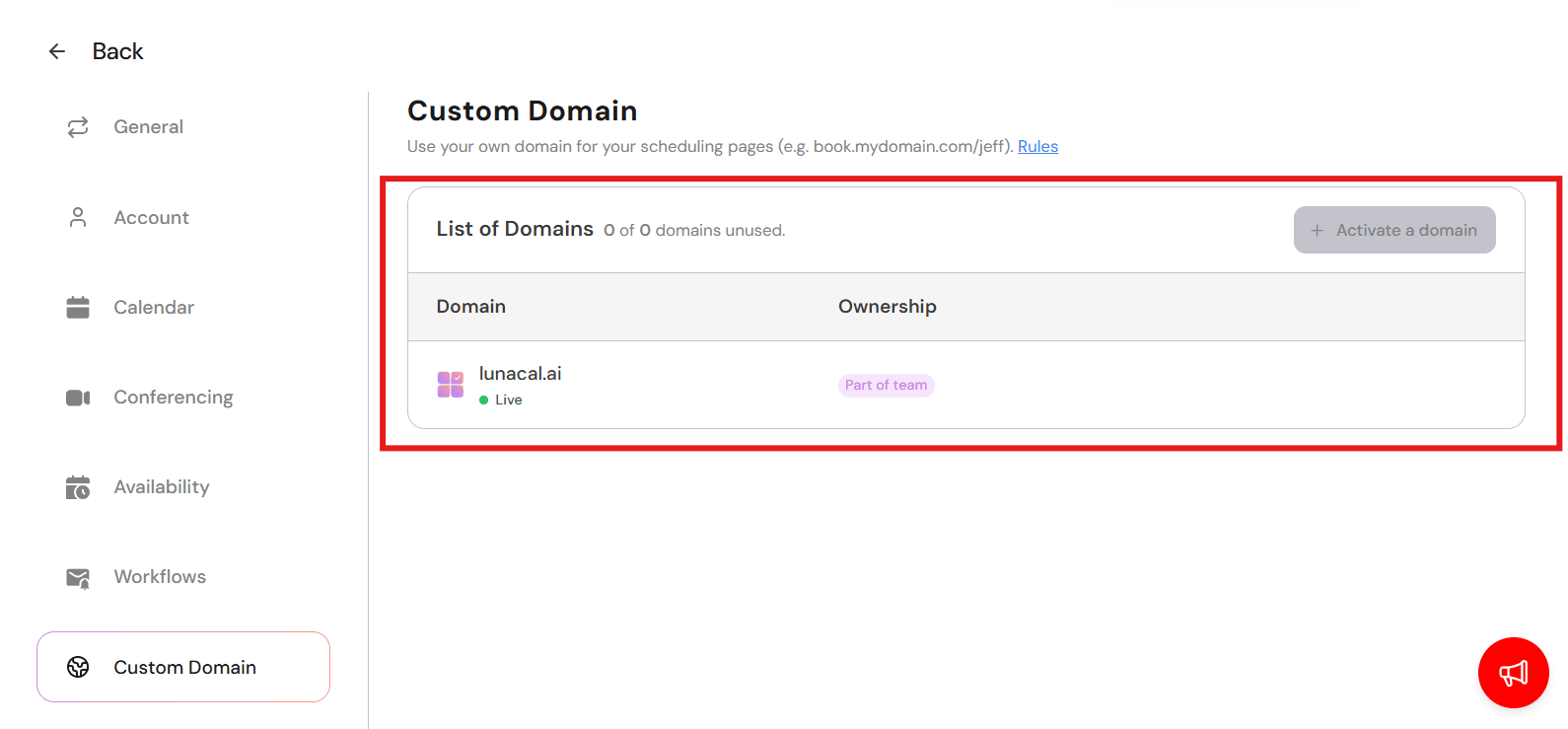
This sounded small in reviews until I thought about trust.
A custom domain keeps the booking experience on your own URL. People feel like they are still booking appointment with your business, not getting bounced to some random link.
I saw an AppSumo review mention a smooth custom domain setup plus responsive support, which matches what most people care about here. They want it to work quickly without drama.
Payment integration
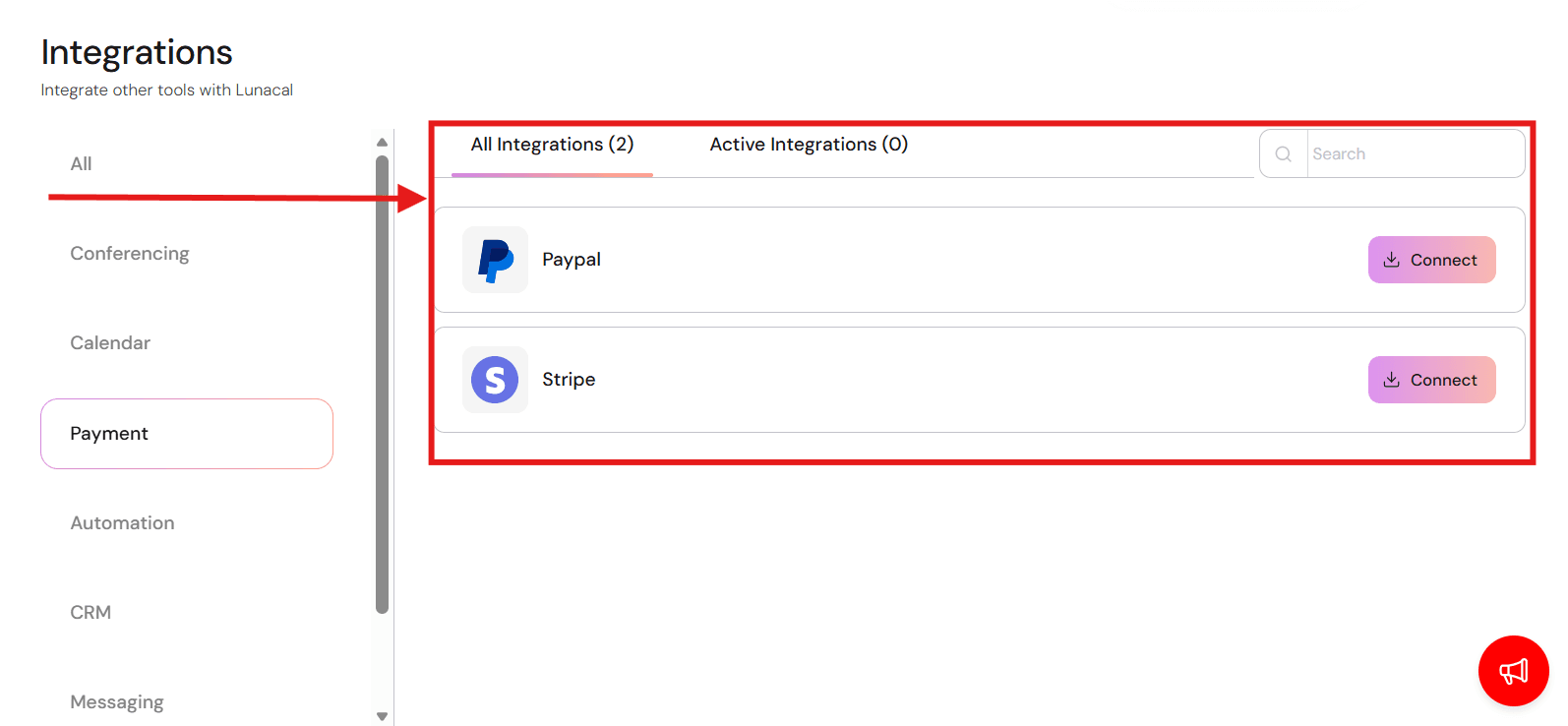
If you charge by the hour, this part really matters.
Lunacal lets me collect payments or deposits right inside the booking flow using Stripe and PayPal. It means fewer no shows and fewer last minute cancellations.
Integrations
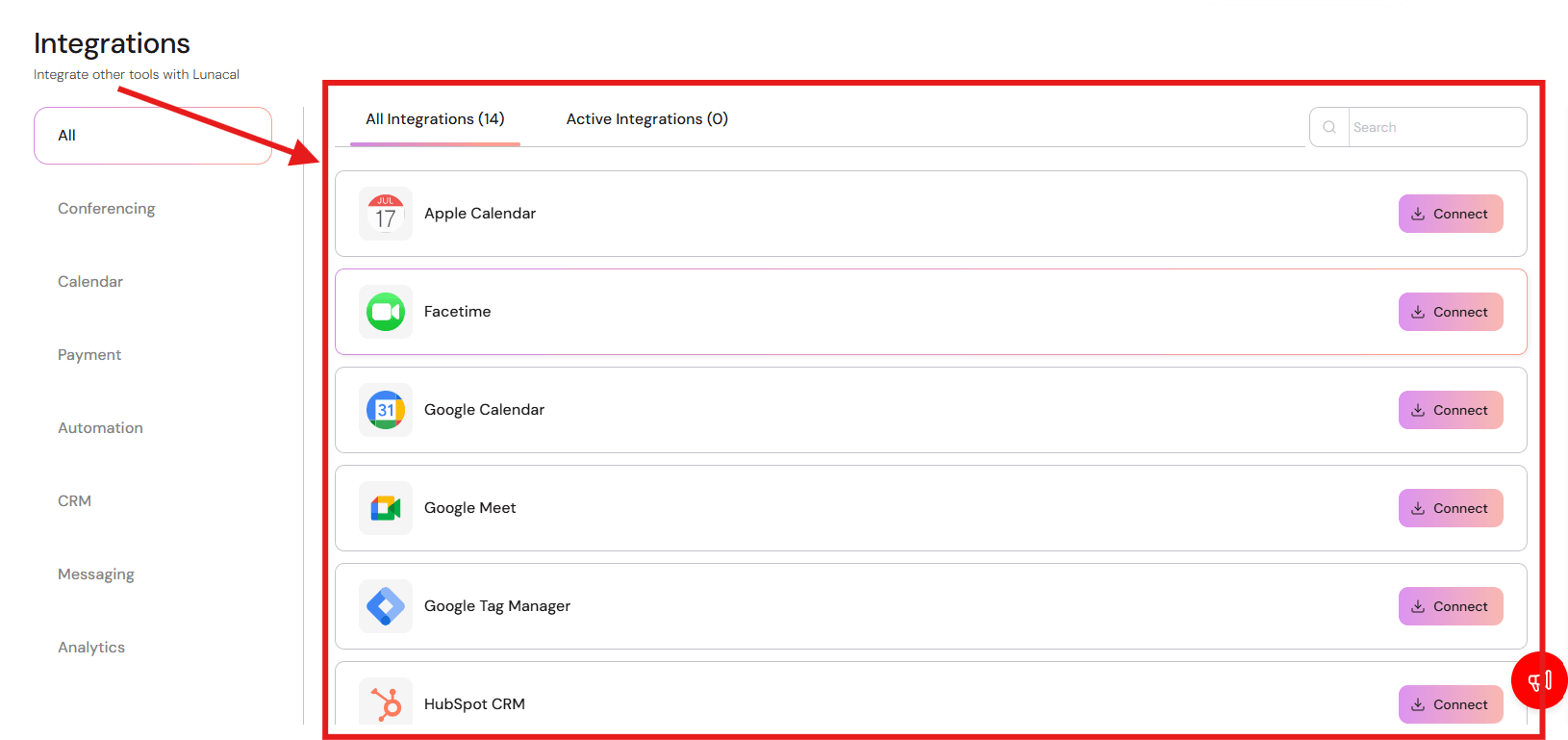
This is the stuff nobody cares about until it breaks, so I paid attention to what people complained about.
Lunacal syncs with Google Calendar, Outlook, and Apple Calendar, so double bookings are avoided. I did notice a small setup thing people mention: you need to confirm which calendar is used for conflict checks. Once that is set, it stays pretty predictable. It also auto adds video links, and it sends email plus SMS reminders.
If you use HubSpot then bookings, reschedules, and cancellations can sync in too. I like that because it doesn’t need manual updates.
Pros
- Booking page is structured to help convert before time selection.
- Cascading service → person → time flow is ideal for service businesses.
- Paid sessions and integrations with Paypal and stripe supported natively.
- Team routing available without enterprise complexity.
- Strong international time zone handling
- Integrates with major CRMs
Cons
- Not intended as a full multi-location enterprise operations suite.
- Annual payments are non-refundable per published terms.
- Documentation could be deeper for advanced customization.
- Per-user pricing scales with larger teams.
Pricing
Standard: $9 per user per month billed annually, or $10 on monthly billing. Includes core scheduling and payments.
Teams: Currently displayed at $15 per user per month in both billing views, with a promotional discount. Adds team scheduling, round robin, and multi-session packages. Confirm the price and renewal terms at checkout.
Enterprise: $25 per user per month billed annually, or $30 on monthly billing, with advanced support and branding features.
A 7-day trial is available. SMS usage, payment-provider fees, and optional add-ons should be included in your budget. Full details are on the official Lunacal pricing page.
When to Choose Lunacal
Lunacal works well for paid consults, service businesses, clinics, salons, agencies, and advisory teams that want the scheduling flow to feel structured and intentional. The cascading selection model is particularly helpful when multiple services and professionals are involved.
Cal.com - Modern infrastructure-first appointment booking software
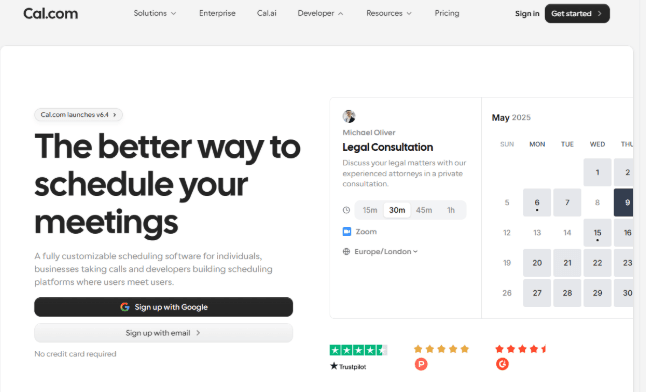
Cal.com is a modern scheduling platform founded in 2021 that got popular as a infrastructure-first alternative to Calendly. It offers robust features for individuals, teams, and businesses.
Its standout feature is its API-first infrastructure. This allows Cal.com to integrate easily into any existing workflow. This is something a lot of tools struggle with and something Cal.com does well.
Cal.com has a clean UI that’s easy to use, and with some minimal setup, it is a plug-and-play scheduling solution.
While it is a business tool, it is helpful for anyone who needs scheduling that’s robust and customizable.
Features
Two way calendar sync
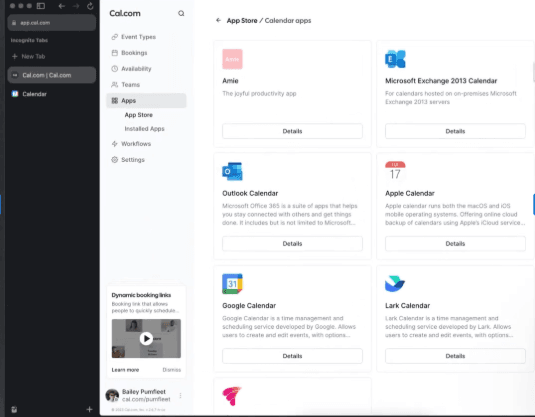
Cal.com integrates seamlessly with your calendar; however, that’s not all. The two-way sync feature of Cal.com ensures your availability is always updated across all devices.
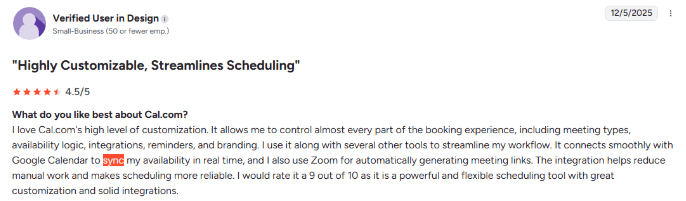
This is especially important to help you manage your personal and professional time together. In my research on Cal.com, I continuously found that its integration and two-way sync with Google Calendar was named as one of its best features for individuals and solo professionals. Here's a review i found which talks about it:
Team scheduling features
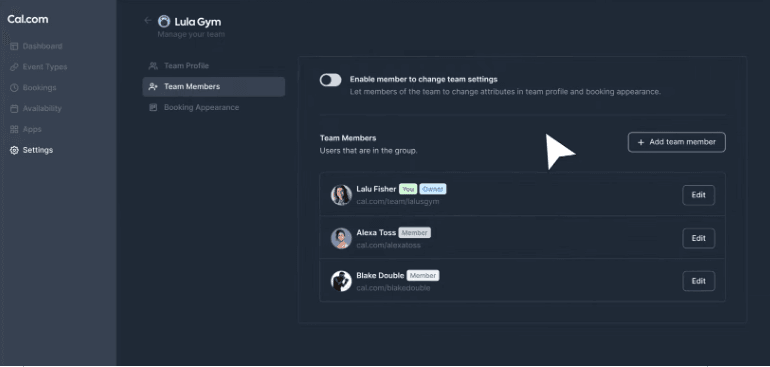
The team scheduling features of Cal.com works really well. You can easily add and remove team members from your team.
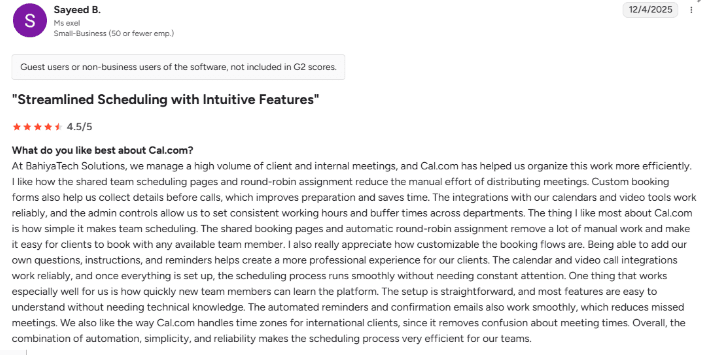
I also noticed how easy it was to set up the round-robin scheduling system. It allowed me to effortlessly cycle meetings and client calls between team members while ensuring fair workload distribution.
It helps reduce manual workload of scheduling team meetings and getting everyone’s availability over email.
My experience was not isolated as I also found G2 reviews stating the same thing about Cal.com. Here's one of them:
Setting availability
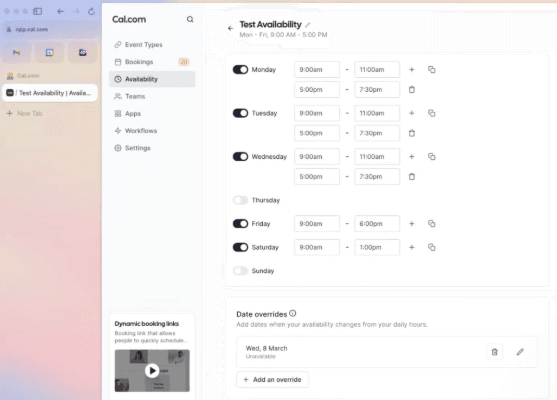
Having control over your availability is important for me in an appointment booking software. Cal.com offers just the right amount of features to make this as easy and seamless as possible.
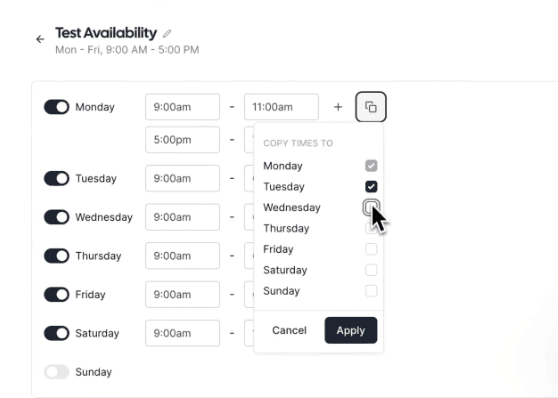
You can set up your scheduling every day and even copy your availability across days to make the process easier and less time-consuming.
Automated reminders
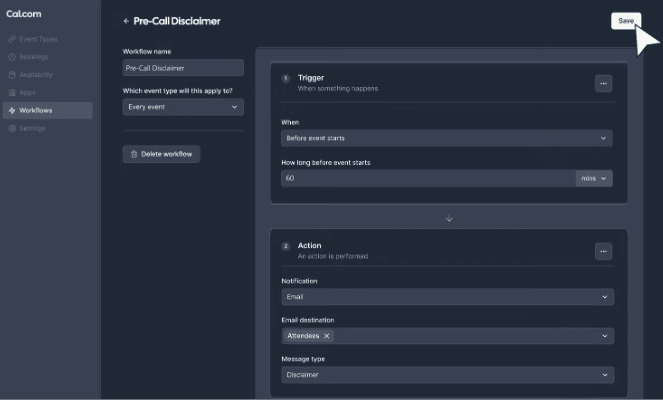
Cal.com has very strong automation features. You can easily set up your workflows and create automations that trigger both before and after the event. In my experience, the settings are very easily accessible on Cal.com’s workflow dashboard, regardless of whether you’re trying to set up reminders or disclaimers before or after your meeting.
This setting is especially useful for service-based businesses as it helps them set up very practical automations that save a lot of manual work hours.
Embeddable booking pages
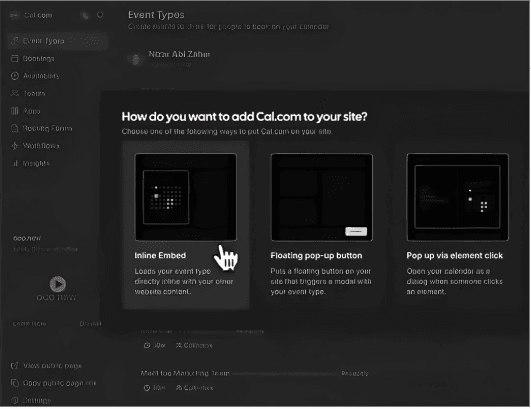
In my testing I could easily set up inline embeds on my website. This helped reduce the friction clients often feel when they’re redirected to other websites to set up meetings.
The embeddable booking links also ensure it remains consistent with my online branding..
Pros
- API-first infrastructure allows integration with over 5,000 workplace tools
- Handles multiple timezones and languages
- Offers strong internal team meeting booking features with automated round robin
- Supports availability controls with buffer times and two-way calendar sync
- Supports automated lead routing for sales teams
If your goal is getting an easy-to-use, powerful end-to-end scheduling solution, Cal.com does it well.
Cons
- Requires some tech experience to set up
- Some features may be an overkill for small solo practitioners
- Self-serve self-hosting option no longer available
Pricing
Free: Individual scheduling with unlimited calendars, event types, and meetings.
Teams: $12 per user per month billed annually for shared availability, round robin, routing forms, recurring events, and team APIs.
Organizations and Enterprise add organizational and security controls. Check the required tier for SSO, a BAA, and other specific requirements; those are not implied by the Teams starting price.
See the official Cal.com pricing page.
When to Choose Cal.com
Cal.com fits into any workflow seamlessly whether you are a personal trainer or you’re running a barbershop.
The strong integration with CRM systems and integrated payments on Cal.com make it a great choice for appointment-based businesses.
Also, Cal.com integrates well with Zoom and other video meeting apps. So, if you need effortless meeting setups with your clients with easy-to-set-up availability, team workload management features, and embeddable booking pages, Cal.com provides it all wrapped with a reliable booking engine.
Calendly - Simple appointment booking solution with deep integrations
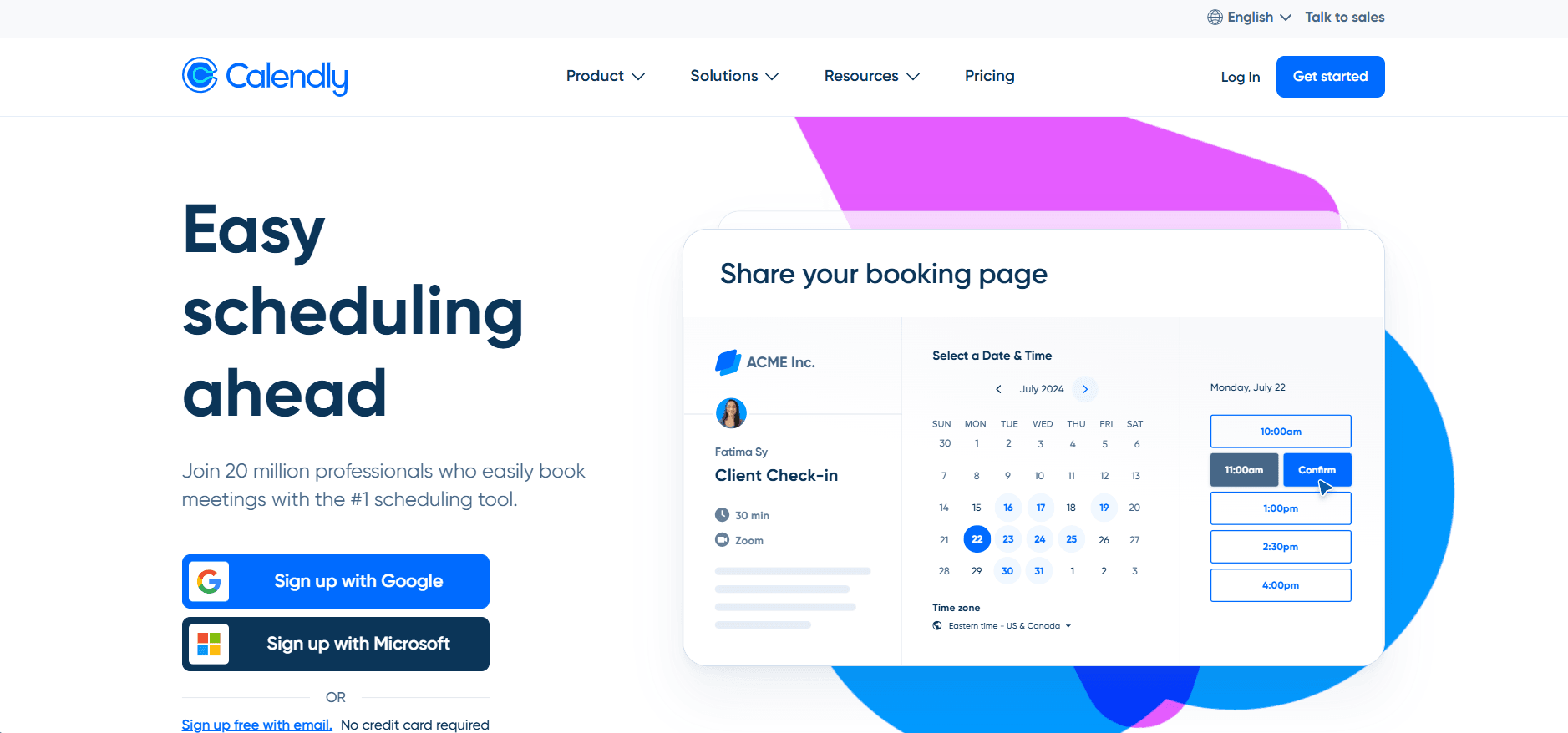
Calendly got popular by fixing one annoying problem really well. Ending the what time works for you email chain and making appointment booking automated.
When I went through reviews, I kept seeing that people like how clean it feels. You send a link, someone picks a time, and it shows up on the calendar in the right time zone.
But when I looked at feedback from service businesses with staff schedules and client records, the tone shifted a bit. It still gets used but it reads like it was built mainly to book meetings smoothly, not to run a service based schedule.
Features
Calendar integration
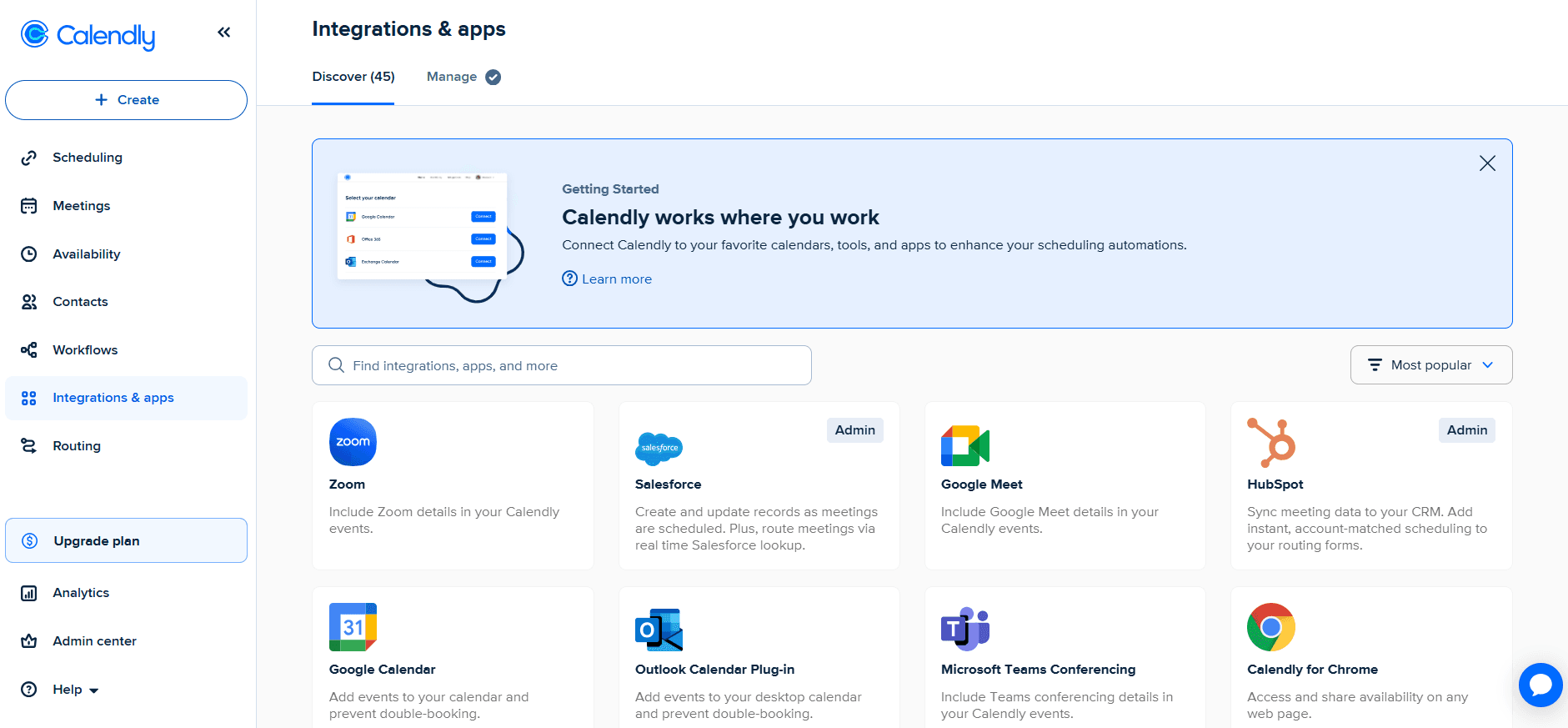
You connect Google or Outlook and Calendly blocks off busy times so people cannot doublebook.
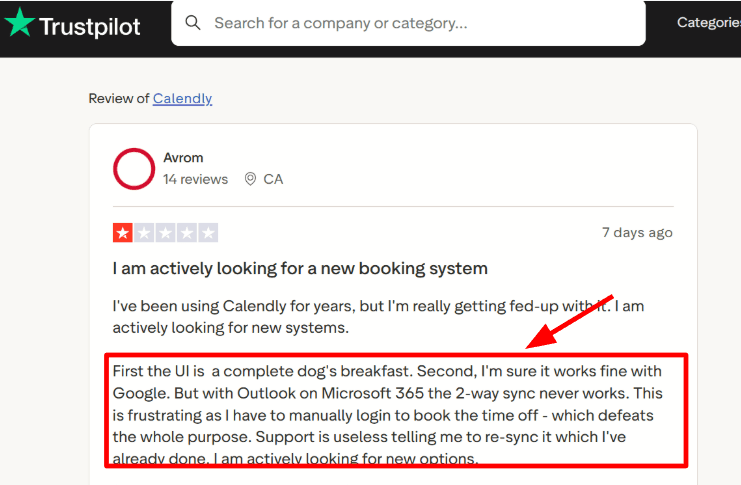
With Google Calendar, the process felt smooth to me. But with Microsoft 365, I had to be a bit more careful. There were a couple of times I re synced to make sure everything lined up.
This was confirmed when I came across a Trustpilot review mentioning Outlook sync felt inconsistent. It may not happen to everyone, but if Microsoft 365 is your main setup, I would test it properly before relying on it.
Availability controls
This part came up a lot in reviews, and it was always very practical.
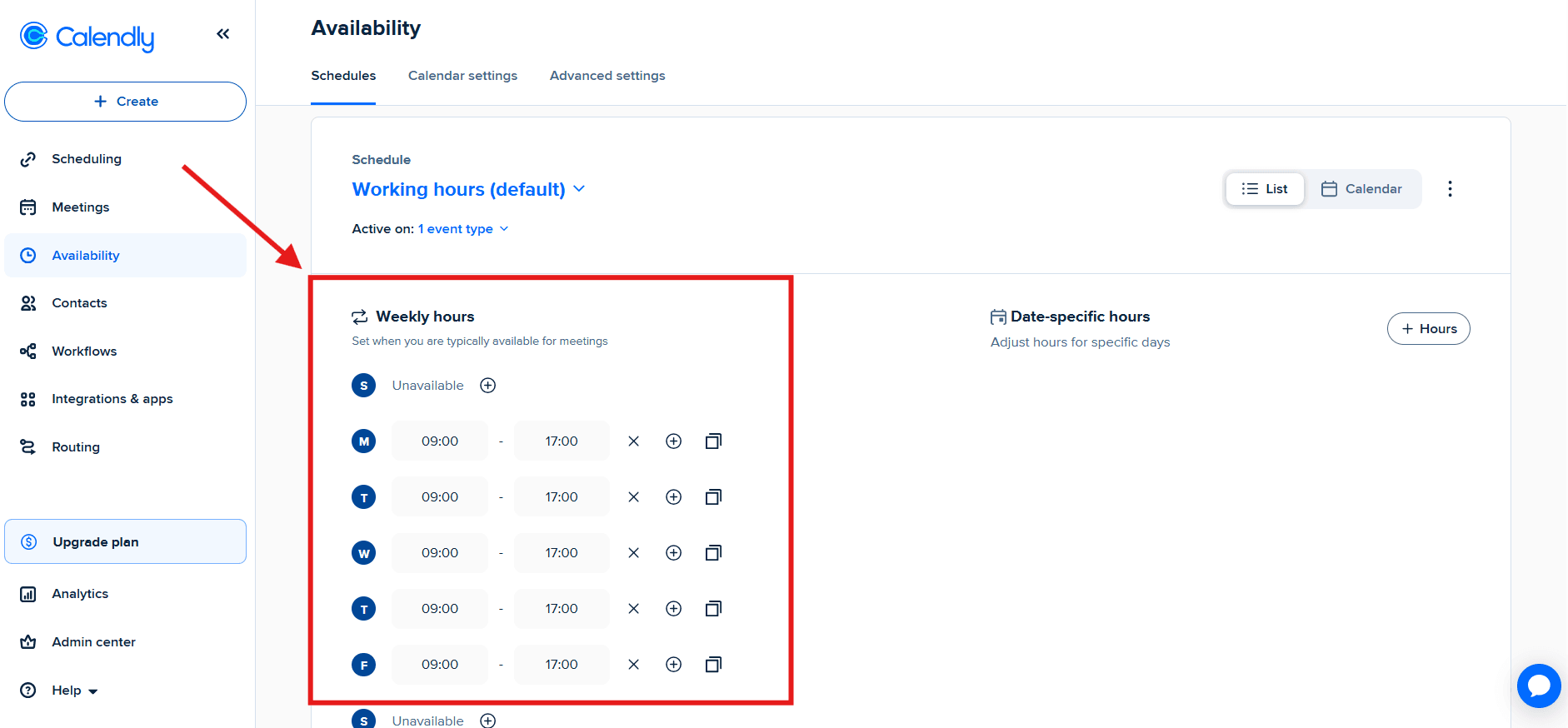
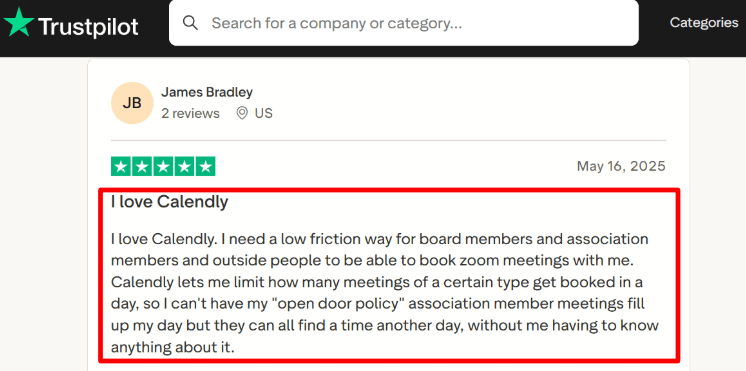
In Calendly, I can add buffers, set minimum notice, limit how far out people can book, and cap how many meetings I take in a day. That daily cap kept mentioned as the feature that saves your your calendar from getting flooded.
I also saw a Trustpilot reviewer mention that daily caps stopped nonstop Zoom calls. Once I set these rules, they stayed predictable for me.
Meeting tool links
This is one of those small things in appointment booking software that people do not always mention, but you notice it when it is missing.
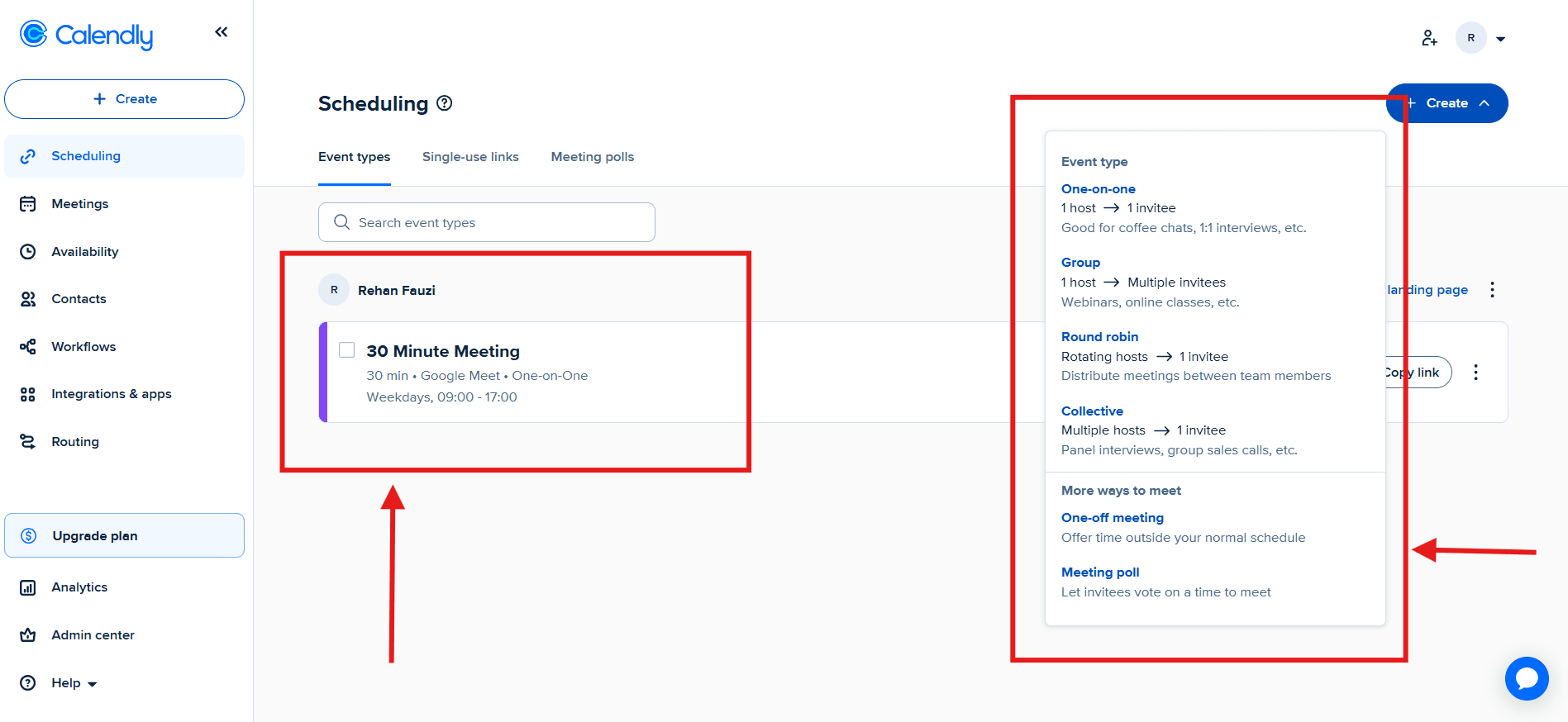
You can connect Zoom or Google Meet to an event type. When someone books, the video link gets added to the invite automatically. That saves a bunch of tiny manual steps over time.
This part felt reliable and well polished.
Reminders and workflows
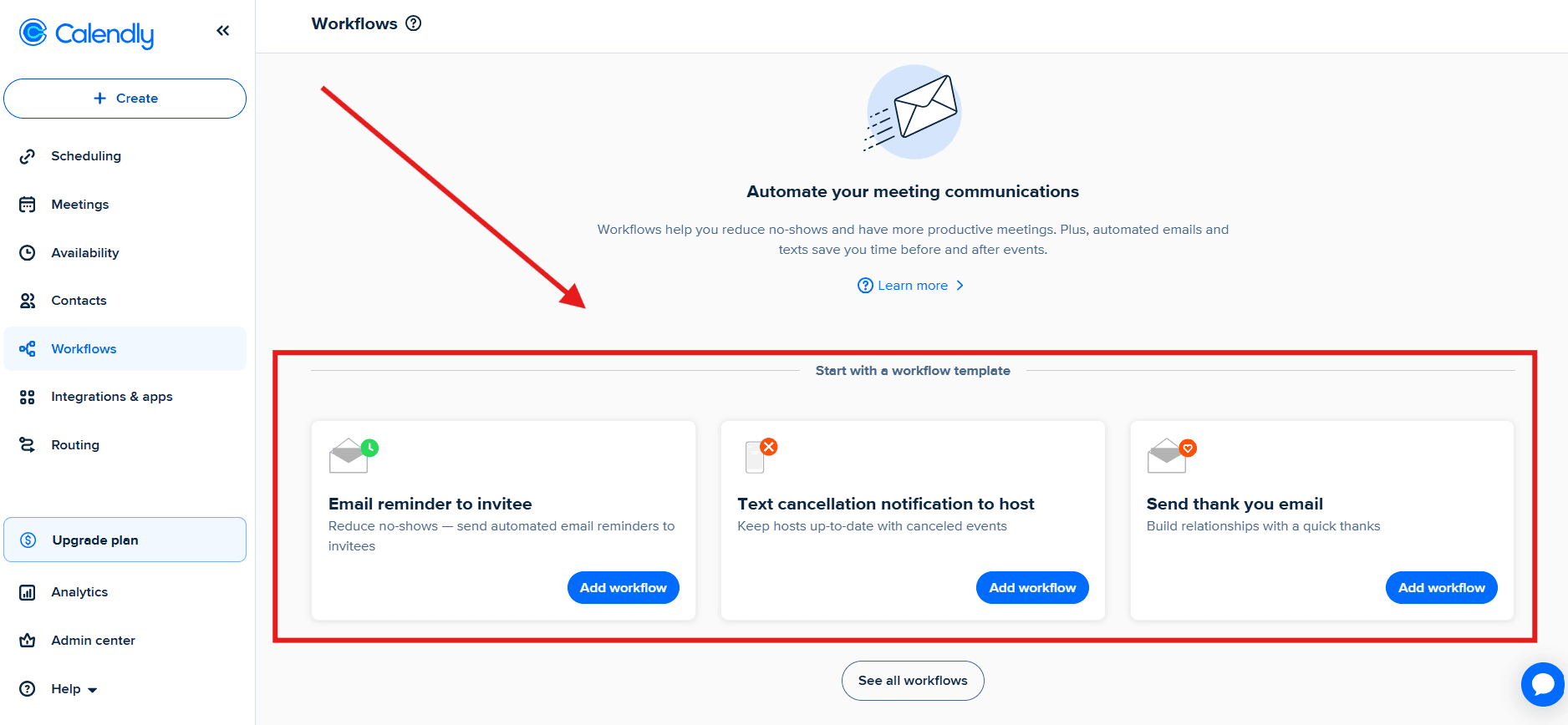
Calendly can send confirmation emails and reminder sequences.
Basic reminders are easy to set up, like in most appointment booking apps. When I tried to go deeper, I had to click around more than I expected. A few settings felt tucked away, then once I found them, they worked fine.
For teams booking a lot of calls, reminders matter. Reviews kept pointing to fewer no shows once reminders were running consistently.
Team routing
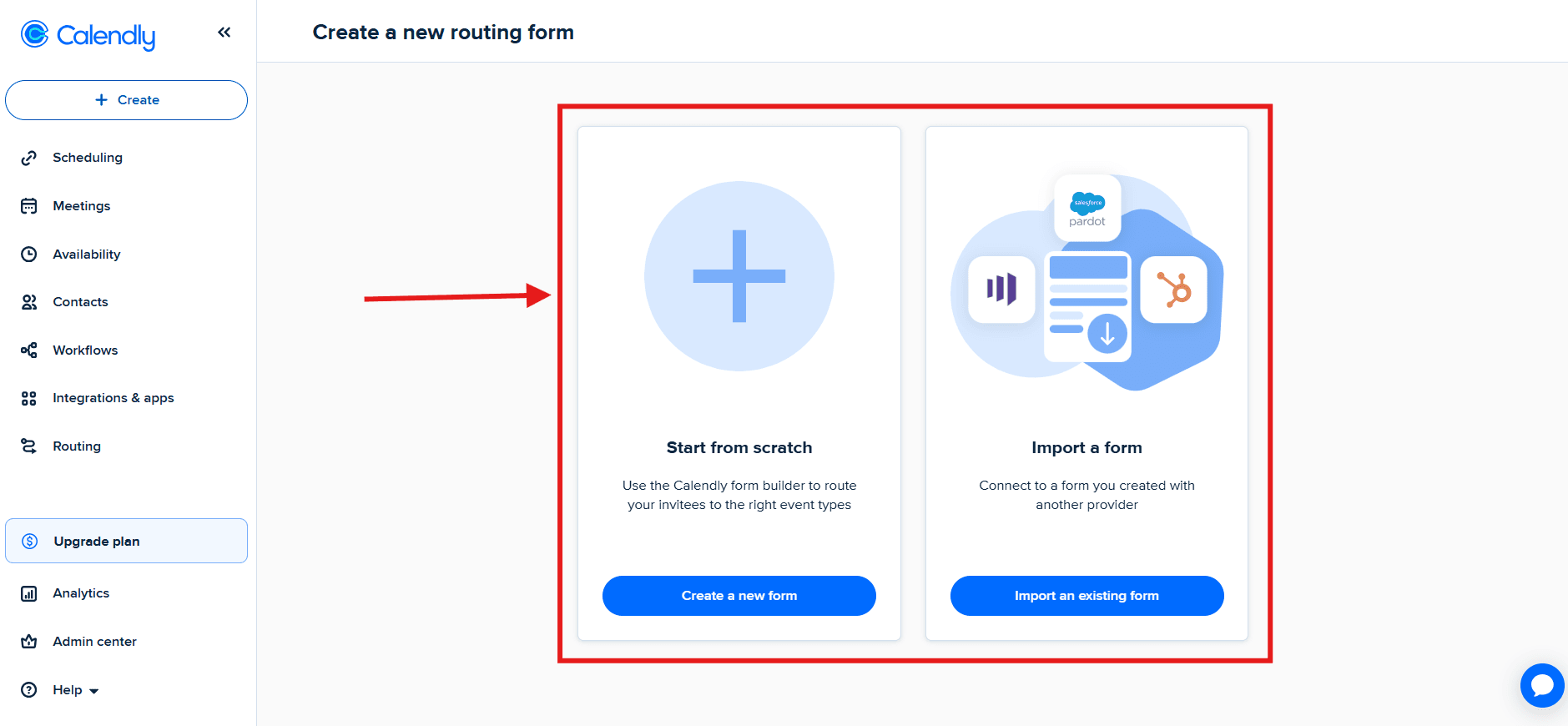
On team plans, you get routing and round robin.
You can spread meetings across people evenly, or assign based on simple rules. In reviews, this came up most for sales teams that want leads to land on the right rep without someone manually coordinating it.
From what I saw, it still stays focused on meetings. It helps you get a meeting booked with the right person, then it gets out of the way.
Pros
- Extremely dependable for high-volume meeting scheduling.
- Strong time zone handling across regions.
- Mature calendar and video integrations.
- Availability controls prevent overbooking.
- Routing options available as teams expand.
If the main goal for your appointment scheduling software is simply getting meetings booked quickly, it does that consistently.
Cons
- Built for meetings, not full service appointment booking use-case.
- Service catalogs and staff resource management are limited.
- Microsoft 365 sync can require extra attention in some setups.
- Interface updates occasionally move familiar settings.
- Some advanced controls sit behind higher tiers.
- SSO is not included by default on mid-level plans, which may surprise IT teams.
Pricing
Free: One event type and basic individual booking.
Standard: $10 per seat per month billed annually for multiple event types, payment integrations, and additional scheduling workflows.
Teams: $16 per seat per month billed annually for qualification, lead routing, and round-robin distribution. Monthly billing has a different price.
Enterprise adds security and administration features; confirm the current offer with Calendly. See the official Calendly pricing page.
When to Choose Calendly
Calendly is indeed one of the most popular appointment booking software and is great for 1
meetings.It is a clean choice when video integrations and predictable scheduling matter most.
If the core need involves structured services, staff management, or deeper client records, a more appointment-focused system may be a better match.
Acuity Scheduling - Ideal for service businesses looking to get appointments
Acuity kept coming up in reviews as the appointment scheduling tool people pick when booking is tied to getting paid.
The common story was simple. A client picks a time, answers intake questions, and pays, all in one go. For businesses selling sessions, packages, memberships, or anything recurring, that flow seems to be the reason people stick with it. If you only want a basic meeting link, a lot of reviewers made it sound like it can feel like more setup than they wanted. Once money is part of the booking decision, it reads very differently. Also, it's a bit costly, so if you don't have a complex setup there are better appointment booking software available.
Features
Client accounts
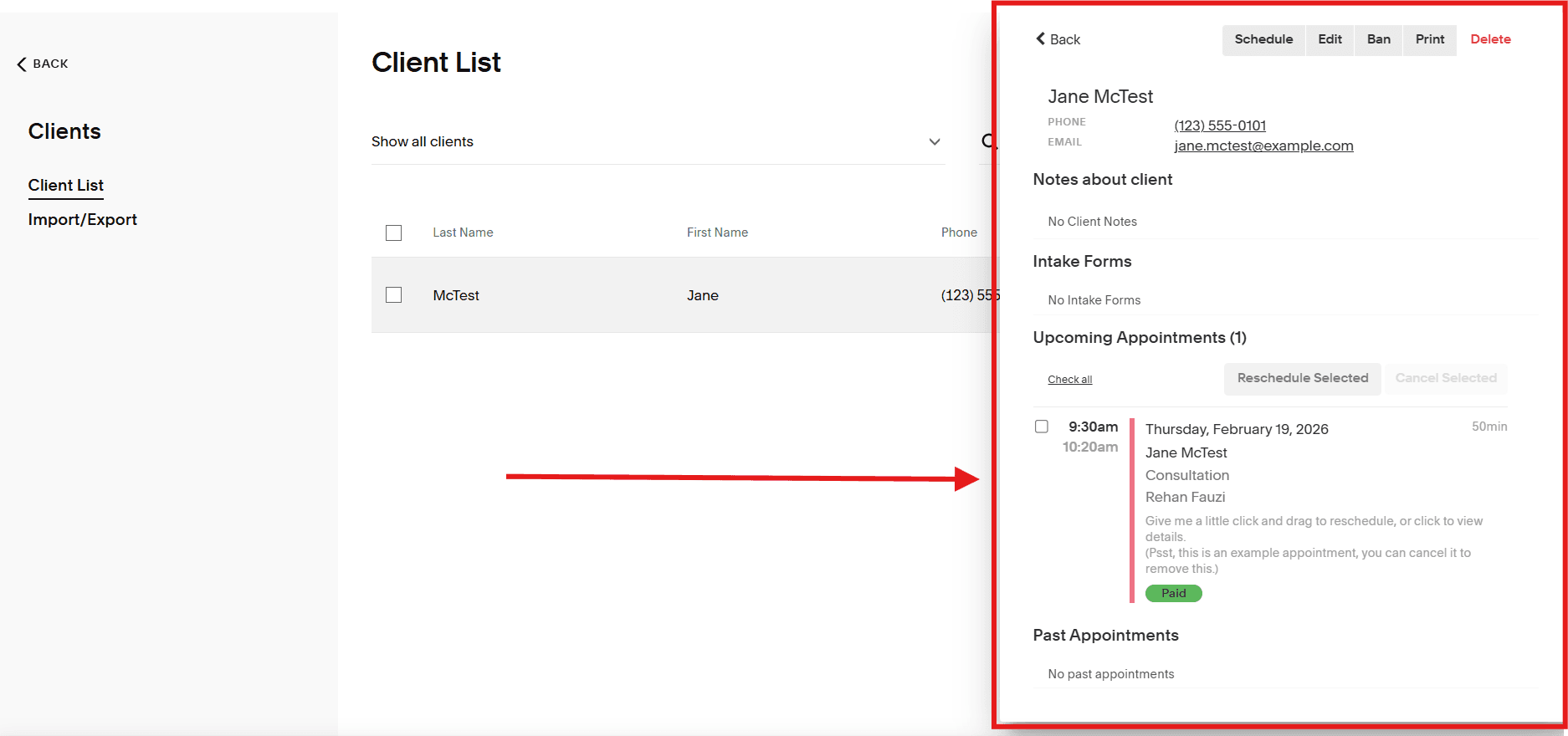
Clients can create an account so they can see upcoming appointments, reschedule, and view their details.
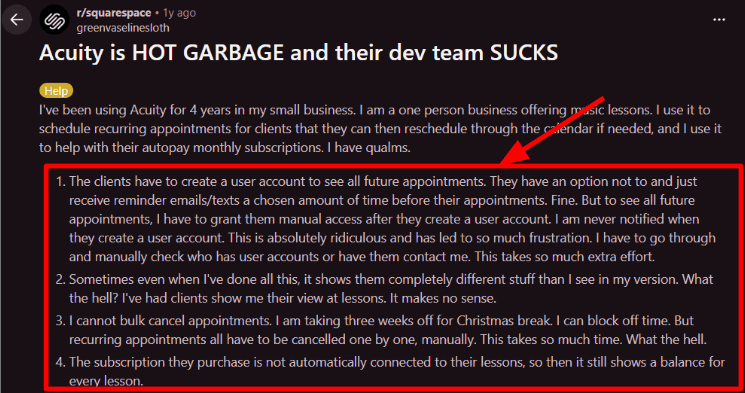
From what I saw in reviews, this works, but it is not fully hands off. A Reddit post talked about how manual client access and visibility can feel, and that matched my experience in the dashboard. I found myself checking the client list more than I expected, mainly to confirm who could see what and what information was showing up where.
It is useful, it just needs a bit of attention.
Calendar sync
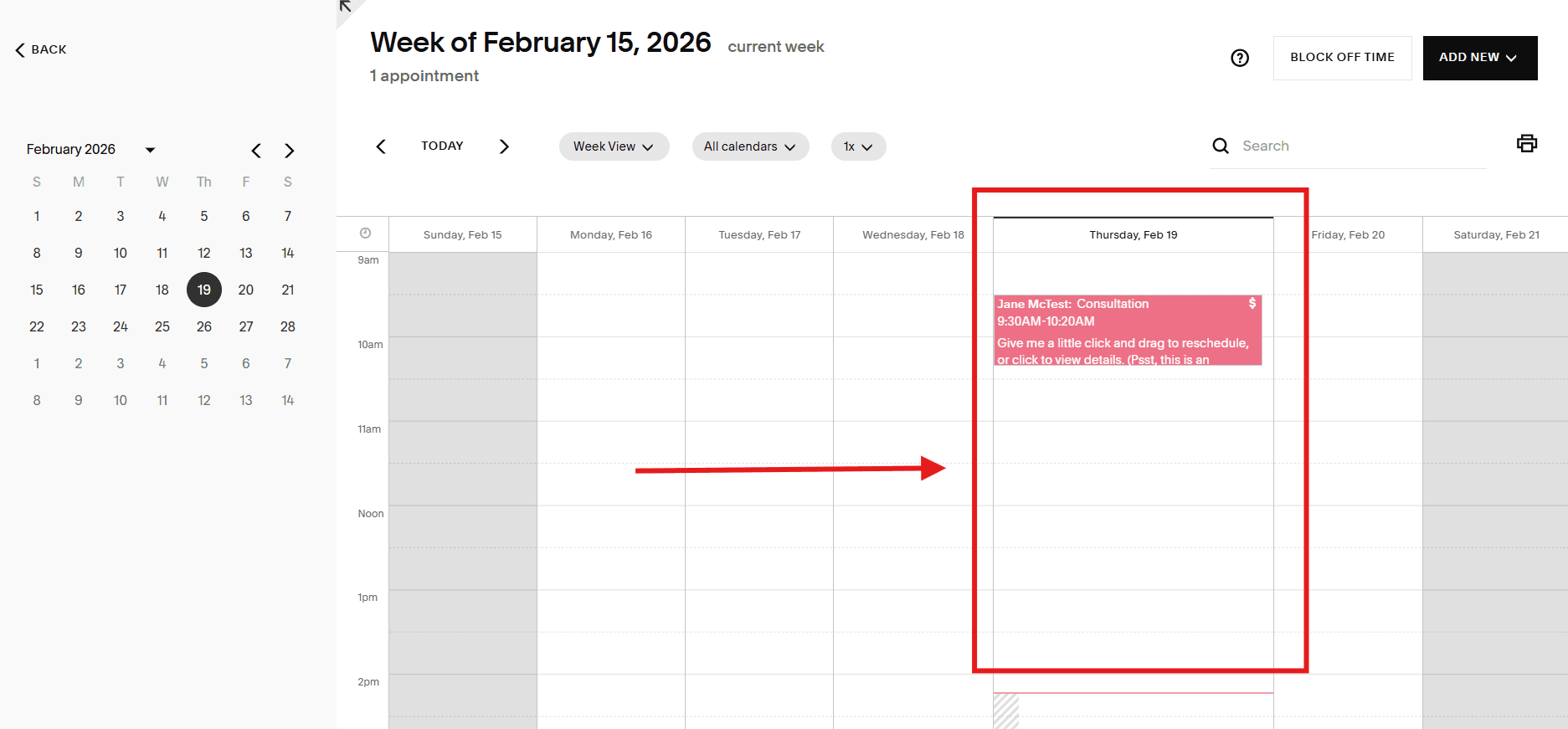
Calendar sync is one of the things people praise about Acuity, especially solo operators. It's one thing that all good appointment booking software have in common.
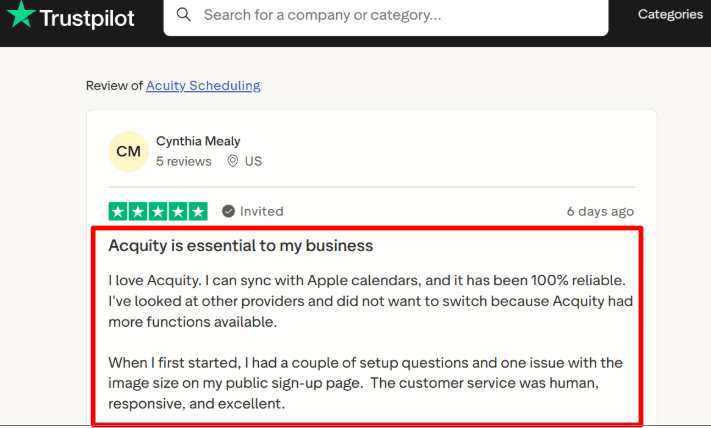
Once it is connected, bookings showed up reliably in Google Calendar and Apple Calendar during repeated tests. I also saw a Trustpilot review saying the sync was dependable once set up properly, including Apple Calendar, and that lines up with what I saw. It is reliable once configured.
Recurring scheduling Recurring appointments are handled inside the booking flow, which is a big deal for a lot of service businesses.
Weekly, biweekly, and monthly patterns are supported, so a client can book an ongoing slot without you manually coordinating every week.
There are a few limits that show up once you try to get creative with this appointment booking app. You cannot mix different appointment types inside one recurring setup. If a client wants alternating formats, you end up creating separate bookings. There is a way to cancel in bulk through the client list, though it did not feel like a clean wipe for an entire date range in one action.
Overall it feels built for consistency. If your services follow a steady rhythm, it fits well.
Payment integration
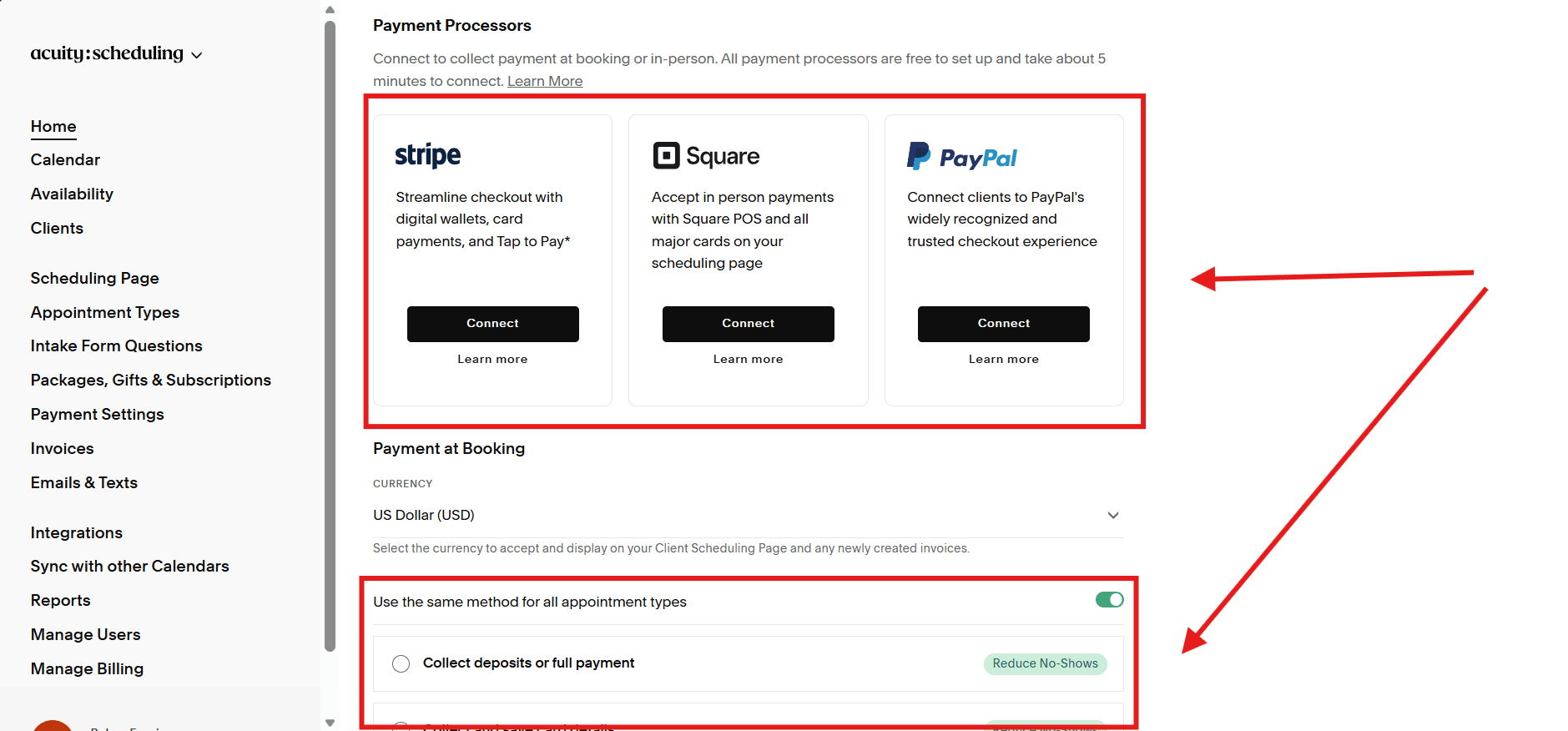
Acuity supports payments through Stripe, Square, or PayPal.
This is where it feels strongest in reviews. Deposits, packages, memberships, and gift certificates come up a lot, and it really does feel like payments are a core part of this booking app.
When I tested checkout and deposits, the only thing I would flag is that small settings can change what gets charged upfront and how it shows on confirmations. It is manageable, you just want to set it up slowly and double check before sending it to real clients.
For virtual sessions, Zoom and Google Meet integrations are supported, and meeting links get added automatically.
Team calendars Team scaling in Acuity is tied to how many calendars you can book against.
At first it feels fine. Then you add staff or locations and you start noticing plan limits more. Reviews and listings tend to mention tiers like 1, 6, and 36 calendars depending on the plan, and that detail matters if you are growing.
Based on what I saw, Acuity is not really trying to be a routing heavy tool for lead distribution. It shines as an appointment booking software when you want services and payments to run smoothly in the same booking flow.
Pros
- Strong for paid appointments, subscriptions, and recurring revenue setups.
- Scheduling and payment operate as one connected flow.
- Reliable calendar sync once configured.
- Automated reminders for clients and staff.
- Practical for classes and workshops.
- HIPAA BAA available on higher tiers for eligible use cases.
When money collection is part of the booking decision, Acuity feels cohesive and purpose built.
Cons
- Not built for complex sales routing or layered assignment logic.
- Client accounts lack SSO and require manual oversight.
- Costs increase as additional staff calendars are added.
- Recurring bookings cannot mix appointment types within one transaction.
- Certain settings need careful testing to avoid mismatches between what staff sees and what clients see.
It performs best when structured services and payment flows matter more than advanced routing logic.
Pricing
Starter: $16 per month billed annually or $20 on monthly billing, with one calendar, intake forms, and payment collection.
Standard: $27 per month billed annually or $34 on monthly billing, with up to six calendars, text reminders, packages, and subscriptions.
Premium: $61 per month on monthly billing, with up to 36 calendars and additional controls; annual billing has a different price.
These are USD subscription prices, not per-user charges. A 7-day trial is available. See the official Acuity pricing page.
When to Choose Acuity Scheduling
Acuity fits businesses that sell structured services with payment attached.
Choose it when clients need to pick a time, complete intake, and pay in one seamless flow. It is especially suited for recurring sessions, packages, memberships, and classes.
If the main requirement is complex team routing, sales lead distribution, or an enterprise grade client portal with SSO, another system will likely align better.
SimplyBook.me - Popular for its booking website
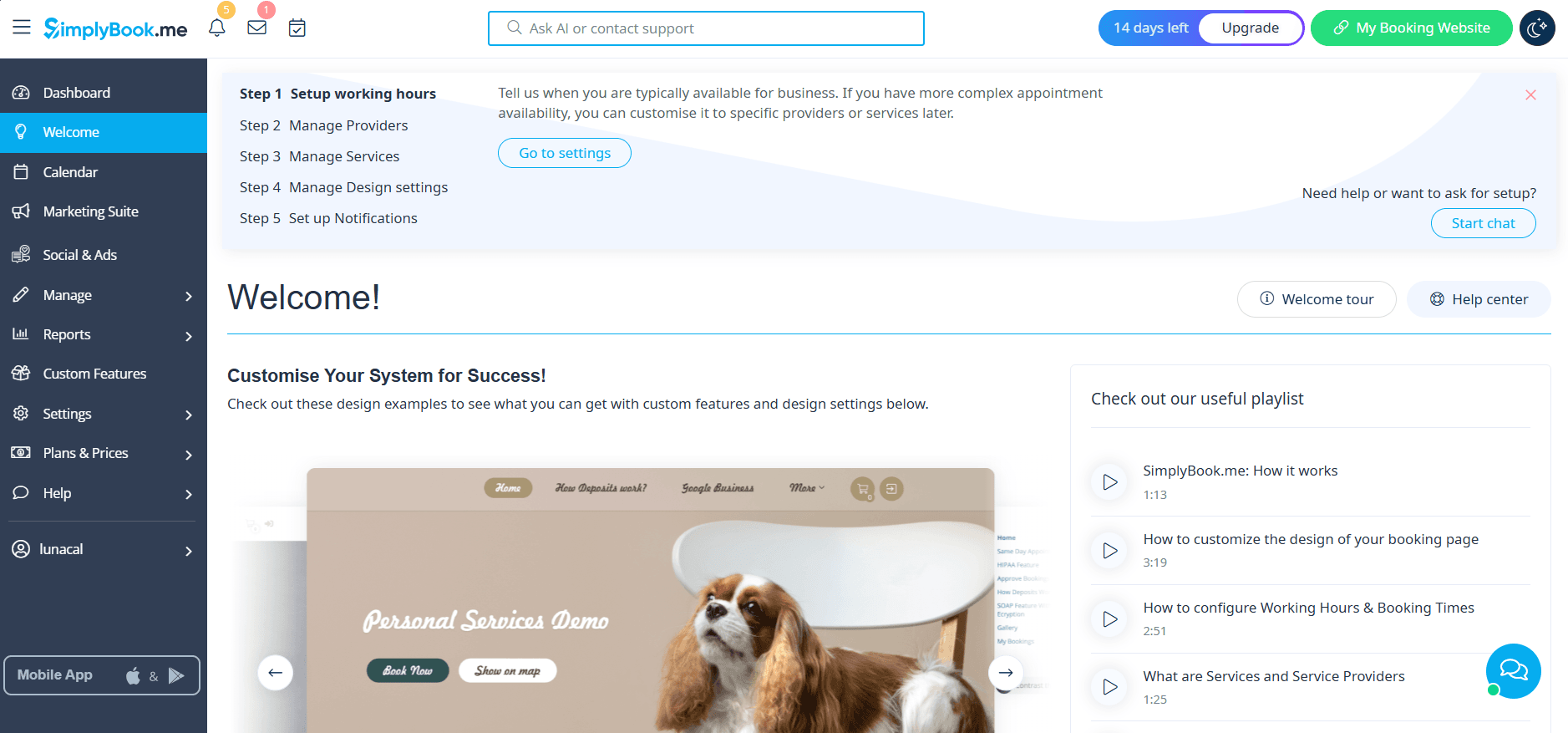
SimplyBook.me is an appointment booking app that comes with a hosted booking website, and it also gives you widgets you can embed in a lot of places. So even if you do not want to build anything on your own site yet, you can still start taking bookings quickly. And if you do have a site, you can drop the booking pieces wherever you need them.
Most appointment booking software feel like they are built for someone who books a few calls a day. SimplyBook.me reads more like something for service businesses where appointments are the whole business and the calendar runs all day.
Features
Availability rules
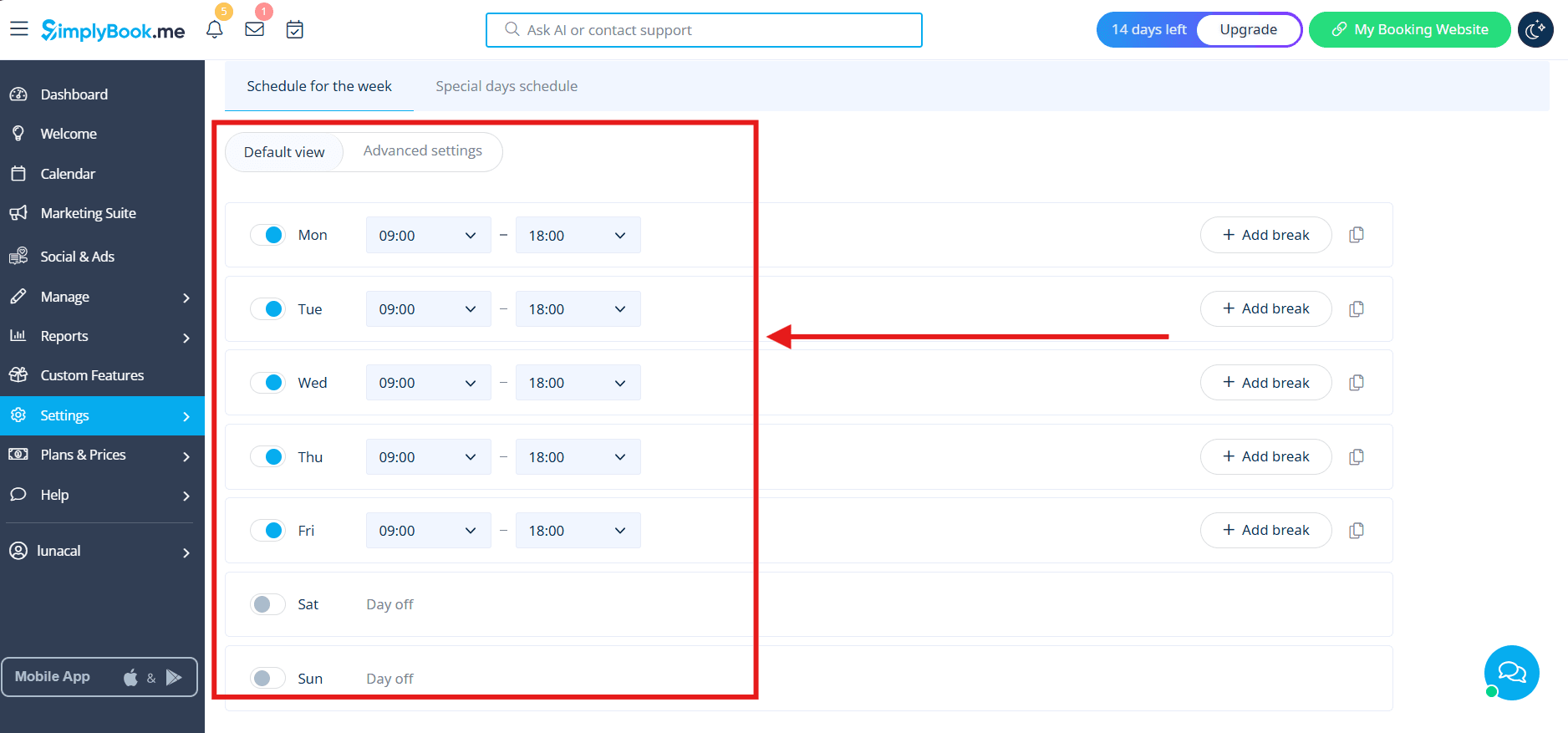
When I set it up and cross checked reviews, this was the part people talked about the most.
You can set real schedules with service durations, buffers between appointments, and capacity rules. So if you have a service that needs cleanup time, or you can take two people at once for a class, you can reflect that.
It felt built for salons, clinics, studios, and any place where bookings happen all day. The tradeoff is that you do spend time setting the rules. Once they are set, it behaves the way you expect.
Payment integration You can turn on online payments and deposits once you pick a payment gateway.
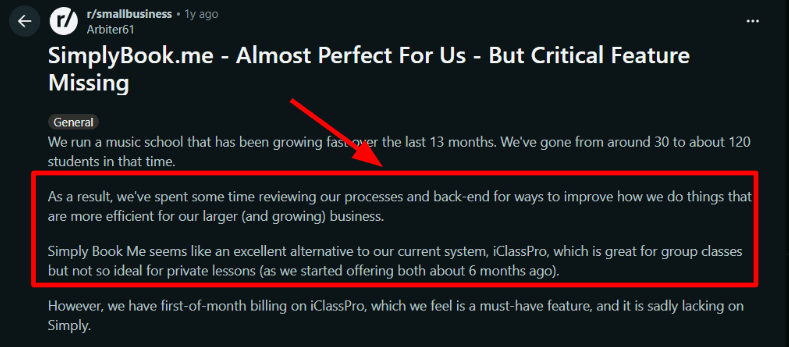
In general, setup felt straightforward. Where I saw pushback in reviews was around strict billing cycles. A Reddit reviewer called out that they could not enforce a rigid first of month billing cycle the way they needed for a tuition style model.
If your business is session based, this probably will not matter. If your recurring revenue depends on everyone being charged on the same fixed date every month, I would test this early.
Booking website
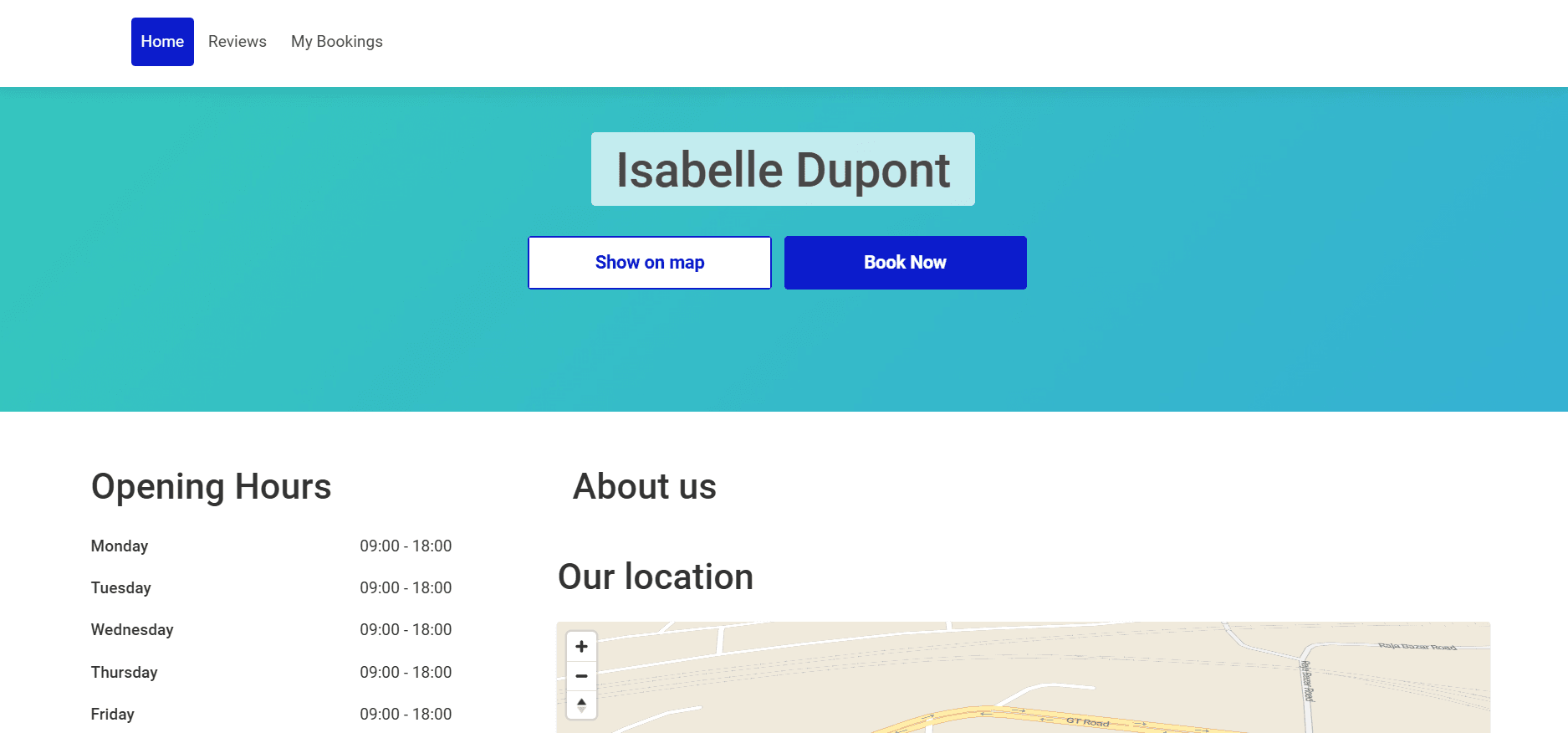
The hosted appointment booking website is one of the reasons people choose it.
I was able to test the full flow without integrating anything into a main website. Then the widgets made it easy to imagine how it would sit on an existing site too.
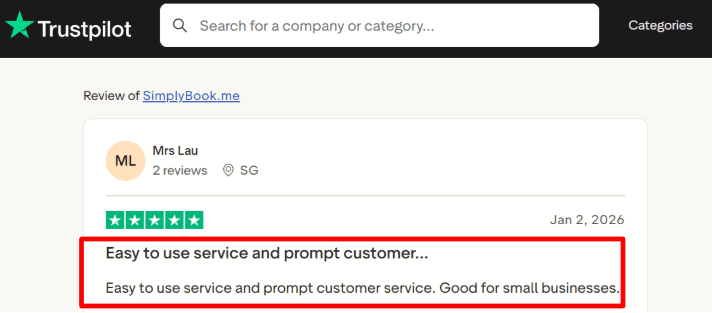
I also saw a Trustpilot review saying it was easy to use and support was responsive. That matched the setup experience. It did not feel like a long complicated onboarding.
Client intake forms This is where it starts feeling more practical than most appointment booking software.
You can ask more than name and email. You can add detailed questions before the booking is confirmed, so you get the context upfront. That means fewer back and forth messages later.
In testing, it felt genuinely useful, not like a form builder added for show.
Security controls This part needs a little patience.
There are options like SSO and a HIPAA mode depending on how you configure it. Reviews do not always go deep here, but the theme I saw was that security depends on which settings you turn on.
It did not feel like one simple master switch. I had to double check a few toggles to make sure the right protections were actually enabled.
I also came across a note that SimplyBook.me operates under team.blue, with a focus across European and English speaking markets, which is not something most people mention when they talk about it day to day.
Pros
- Strong fit for service businesses that need a booking website plus embeds.
- Feels like a complete booking system rather than just a scheduling link.
- Flexible configuration model supports different service structures.
- Intake forms allow meaningful pre-appointment information collection.
- Controls exist to reduce repeat booking abuse or spam behavior.
- Support responsiveness was noticeable during setup.
The flexibility is a genuine strength for businesses with layered service models.
Cons
- Strict first-of-month subscription billing is not supported in the way tuition-style businesses often require.
- The custom features model can feel fragmented as more add-ons are enabled.
- Some advanced security options are feature-gated rather than default, as outlined in DPA documentation.
- Certain rescheduling and group or recurring booking scenarios have structural edge-case constraints.
- Total cost can increase once paid extras such as custom domains or SMS credits are added.
It works well when configuration is embraced, though it does require careful planning.
Pricing
Free: A limited no-cost plan is available.
Basic: $13.90 per month on monthly billing, with up to 100 bookings, five providers, and three premium custom features.
Standard: $29.90 per month on monthly billing, with higher booking and feature allowances.
Premium: $59.90 per month on monthly billing, with additional capacity and features. Annual billing is discounted.
These are USD prices from the pricing page's dollar view. Choose a tier by booking volume, providers, and the exact custom features you need. A 14-day trial is available, and items such as SMS credits and custom domains can cost extra. See the official SimplyBook.me pricing page.
When to Choose SimplyBook.me
Choose SimplyBook.me if running a service business with multiple services, structured staff schedules, and detailed intake requirements.
It makes sense when booking volume grows alongside feature needs, and when having both a hosted booking website and embed options is useful.
Avoid it if the business model depends on strict tuition-style subscription billing cycles, or if an all-inclusive plan without add-on decisions is preferred.
If compliance is critical, ensure the necessary security features are explicitly enabled and verified before going live.
Square Appointments - Good if you're already on Square ecosystem
Square Appointments felt easiest to understand once I framed it the way reviewers do.
It basically puts the appointment scheduling app inside Square. So if you already use Square for payments and POS, you end up with bookings, payments, and customer info in one place. People kept describing it as fewer moving parts day to day, because you are not trying to keep a separate scheduling tool in sync with checkout and reporting.
I also remember seeing a Reuters's article talking about bigger platforms pushing booking inside their commerce systems. Square is doing exactly that here.
If you’re weighing options, this Square Appointments alternative guide goes deeper on the real trade-offs.
If you're not on square, there are better appointment booking software like Lunacal or Acuity Scheduling.
Features
Deposit policies
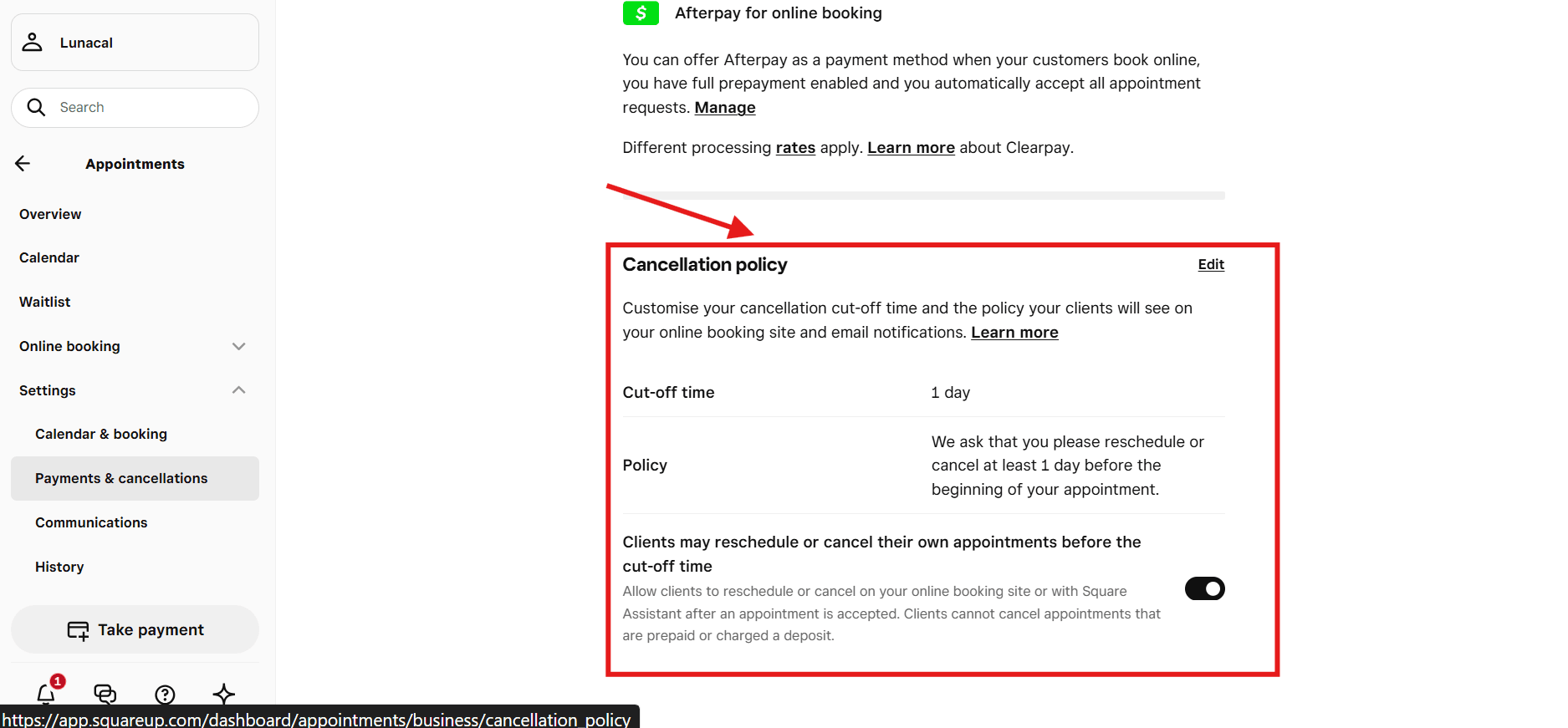
You can set cancellation fees, no show rules, and turn on deposits for services where people tend to flake.
While testing, I noticed something that reviews also hinted at. Deposits do not behave the same way for every booking. Online bookings can follow one path, and appointments created by staff at the counter can follow another. That matters if your team often enters appointments manually.
Deposits are in beta and there are limits around how they work, including online only collection. Square’s docs are pretty clear about those boundaries, so it is worth reading before you promise clients a certain policy.
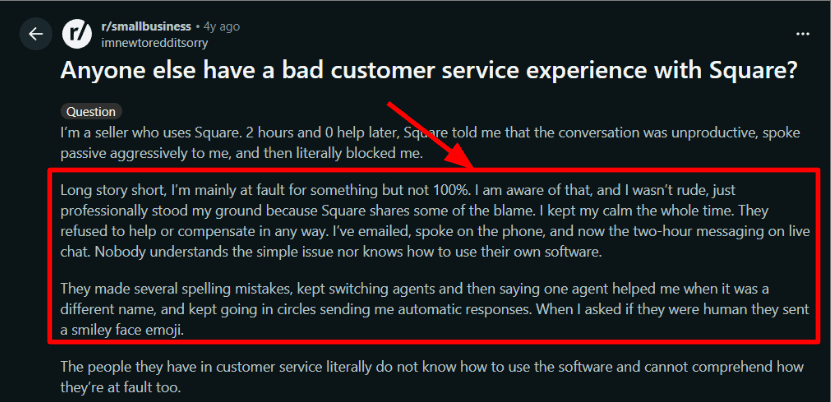
I also saw a Reddit review about someone getting passed around support when deposits and appointment rules got complicated. That felt believable, since payments plus booking rules can get messy fast.
Client messaging
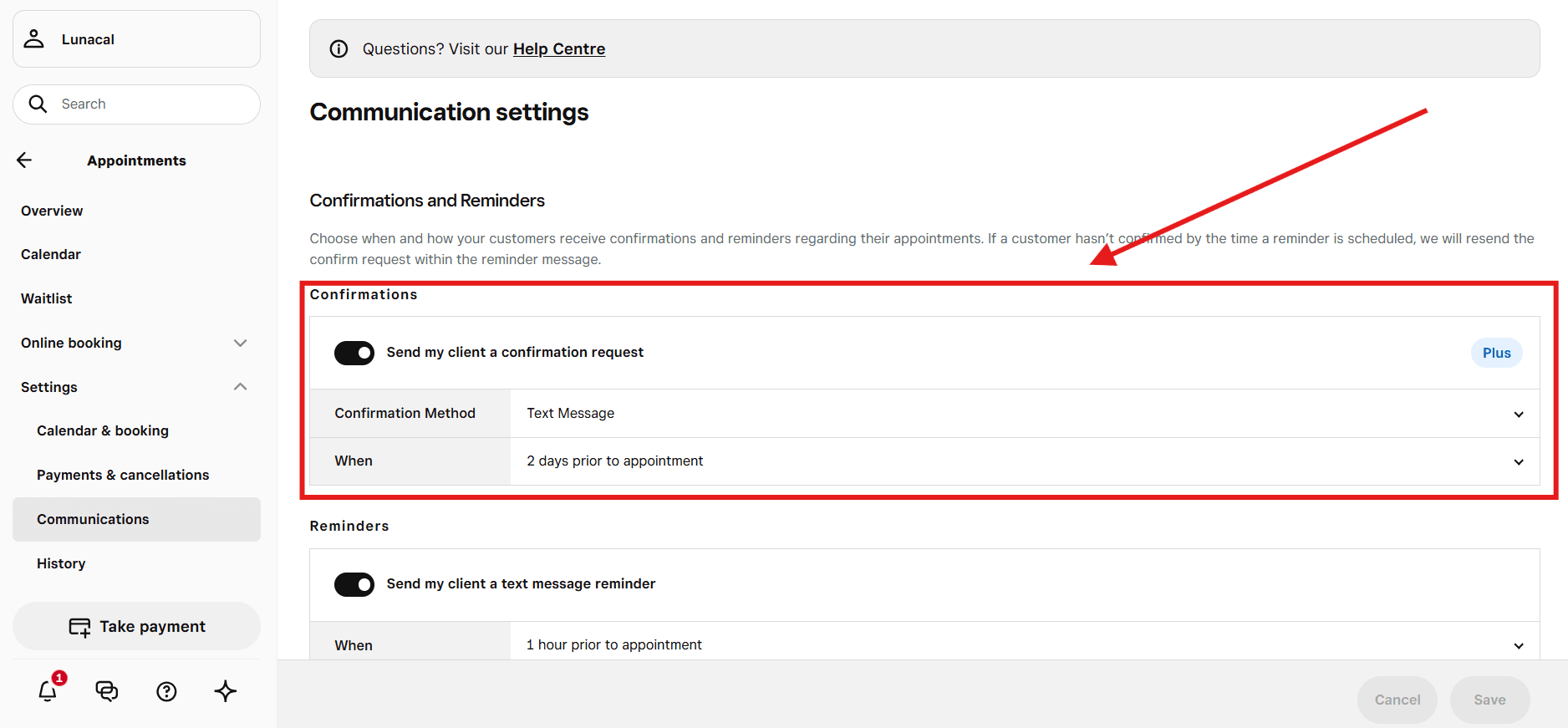
Email and SMS reminders were easy to turn on.
Reschedule links are built into the messages, which saves a lot of back and forth. For most service businesses, this is the kind of feature in appointment booking software that reduces admin work quickly.
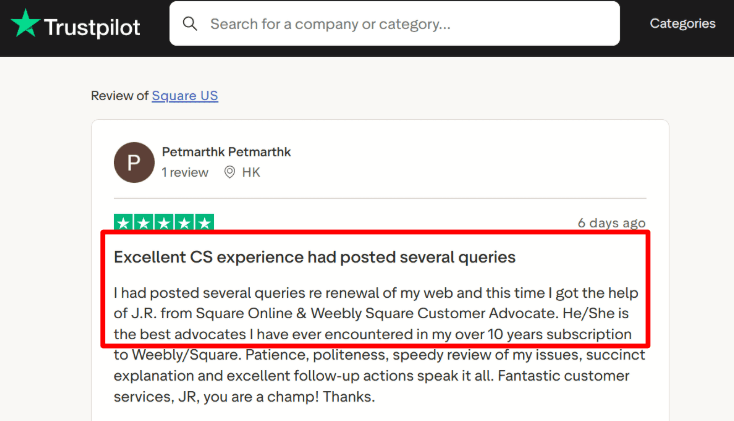
Support feedback felt mixed when I read reviews. I saw one Trustpilot review praising a Square and Weebly advocate who really helped them out, and I saw other stories where people sounded stuck. The pattern I took away was that support can be great, and it can also be frustrating depending on the issue and who you reach.
Calendar sync Google Calendar sync blocks off personal events and helps prevent double bookings.
Setup was straightforward. It does what it needs to do without a lot of advanced calendar logic. That matches how Square feels overall. It is trying to run the business side cleanly, then keep the schedule accurate.
In testing, it was reliable for that scope. If your team lives in Outlook and you expect deep Outlook first workflows, you will want to check the limitations early.
Resource scheduling You can assign rooms, chairs, stations, or other resources to services.
When someone books, the resource gets reserved automatically. Reviews from salons and studios tended to appreciate this, since space is often the real bottleneck.
Waitlists can help fill last minute cancellations. One thing to watch is that waitlists do not apply to class bookings, so if you run group sessions, that limitation shows up during setup.
Meeting automation Square Appointments does not really feel built for video calls.
If clients expect an automatic Zoom or Meet link the way meeting schedulers do, you may need a workaround. It can be handled, it just does not feel like the main focus based on testing and the way people talk about it in reviews.
Pros
- Tight connection between booking and payments for businesses already using Square.
- Checkout after service flows naturally inside the same system.
- Strong fit for salons and studios managing multiple staff members.
- Card-on-file functionality supports no-show protection.
- Waitlist feature helps fill last-minute gaps.
- Free plan available for solo operators.
For Square-based businesses, the integration advantage is real.
Cons
- If Square is not the preferred payment or POS system, this can feel restrictive.
- Moving away later may involve ecosystem friction.
- Deposits are still in beta and have workflow constraints.
- Waitlists do not apply to class bookings.
- Google-focused calendar sync may not suit Outlook-only environments.
- Messaging and marketing usage can increase overall costs.
The system works best when embraced as part of the Square ecosystem rather than as a standalone scheduler.
Pricing
Square Free: $0 per month per location, plus applicable payment-processing charges.
Square Plus: $49 per location per month.
Square Premium: $149 per location per month.
These are U.S. plan prices. Match staff, resource, and other advanced appointment requirements to the selected tier rather than assuming the free plan includes them. Paid tiers offer a 30-day trial. See the official Square pricing page.
When to Choose Square Appointments
Square Appointments makes sense when scheduling, payments, and POS need to live in one place, and Square is already the operational backbone.
It is particularly suitable for salons and studios with multiple staff members and resource-based scheduling.
It is less suitable when advanced calendar logic across multiple ecosystems is required, or when video-first scheduling is central.
For businesses operating internationally, confirming Square’s country availability before committing is important.
Setmore - Known of its liberal Free plan
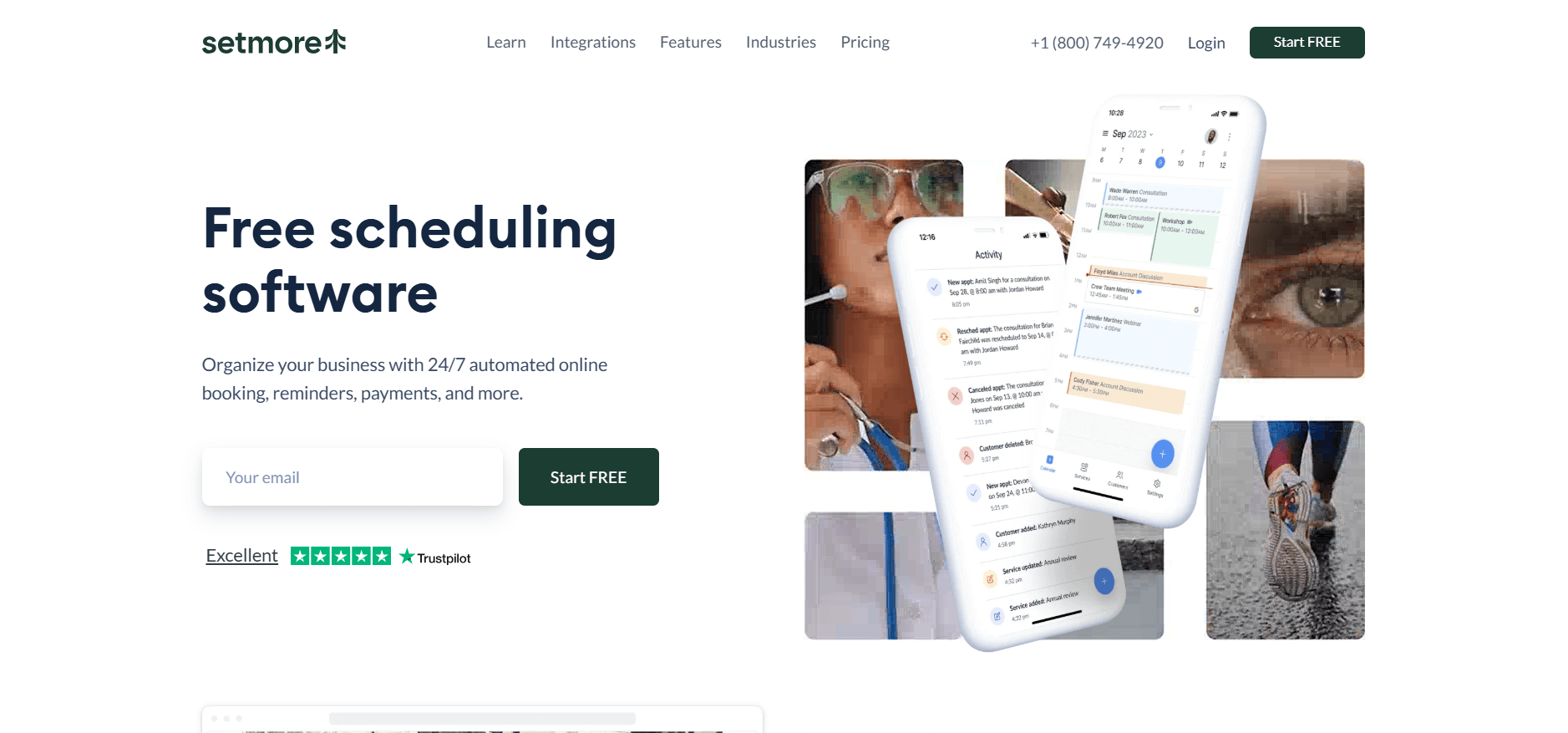
Setmore is widely known for offering a genuinely usable free plan and an appointment booking app page that can go live quickly without much configuration.
A lot of people basically said the same thing. The free plan is actually usable, and you can get a booking page live quickly. During setup it felt pretty light too. Connect your calendar, add your services, share the link. That is the loop.
I also noticed a pattern in roundups and review threads. Setmore tends to fit solo operators and small teams really well at the start. Over time, some businesses outgrow it, which is why the Setmore alternative guide can be useful if you are trying to think beyond the first few months.
Features
Brand controls
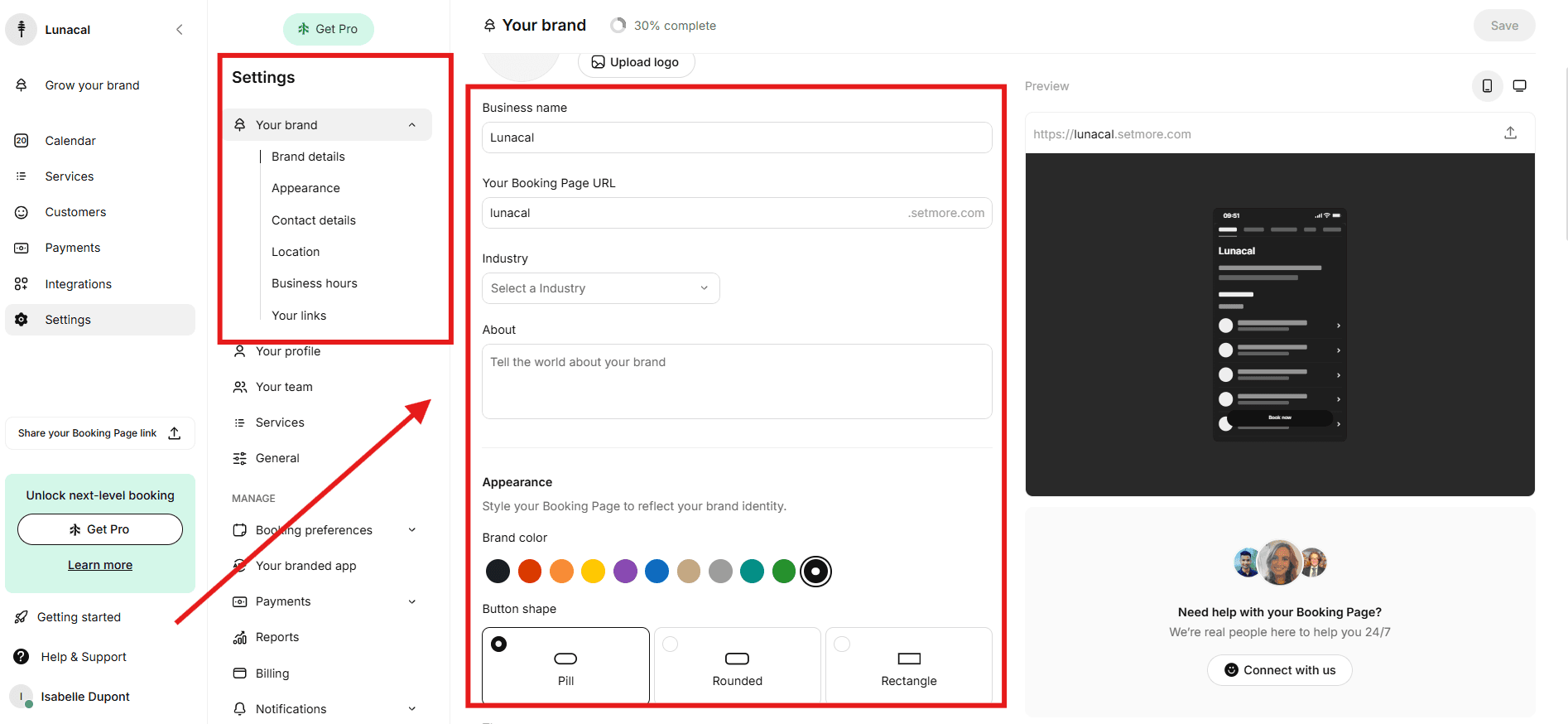
You can change how the booking page looks from the Your brand area.
Colors, buttons, and basic visuals are easy to tweak. I did not feel like I needed design skills to make it look decent.
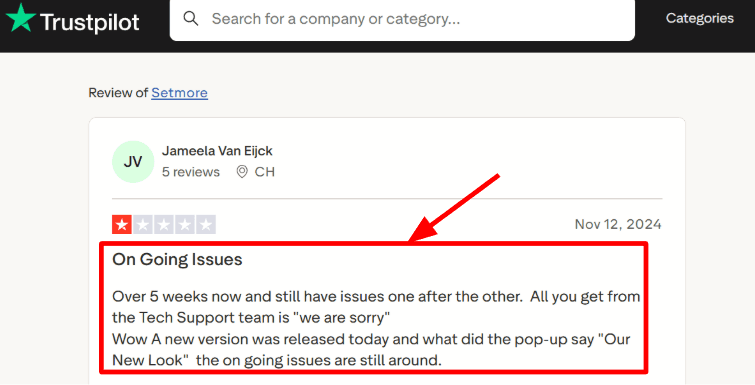
One thing I kept noticing, both in reviews and while clicking around, is that the interface changes fairly often. A Trustpilot review mentioned they got a new look while older issues were still around. I can see why someone would say that. Sometimes settings move and you have to hunt for them again.
Setmore also has an official brand visuals guide that helps when you are trying to find the right screen after an update.
Human support Setmore talks a lot about 24 7 human support, so I paid attention to support comments in reviews.
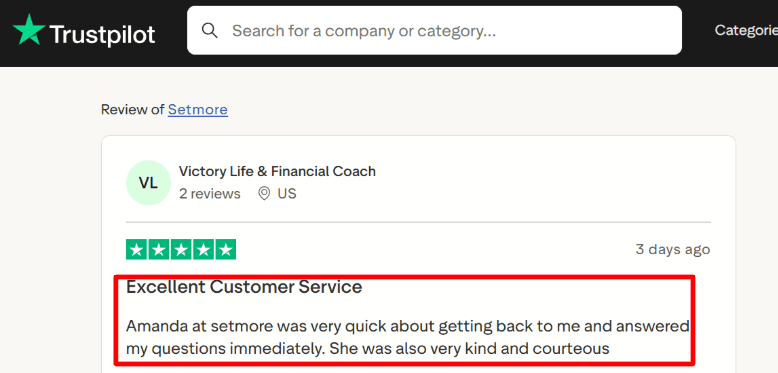
In my setup questions, replies were fairly quick. I also saw a Trustpilot review calling out a support agent named Amanda for being polite and fast. That kind of support matters with appoint booking software when your booking page is already live and you just need an answer.
Most support feedback I saw leaned positive, though you still see the occasional bad experience like any platform.
Availability rules
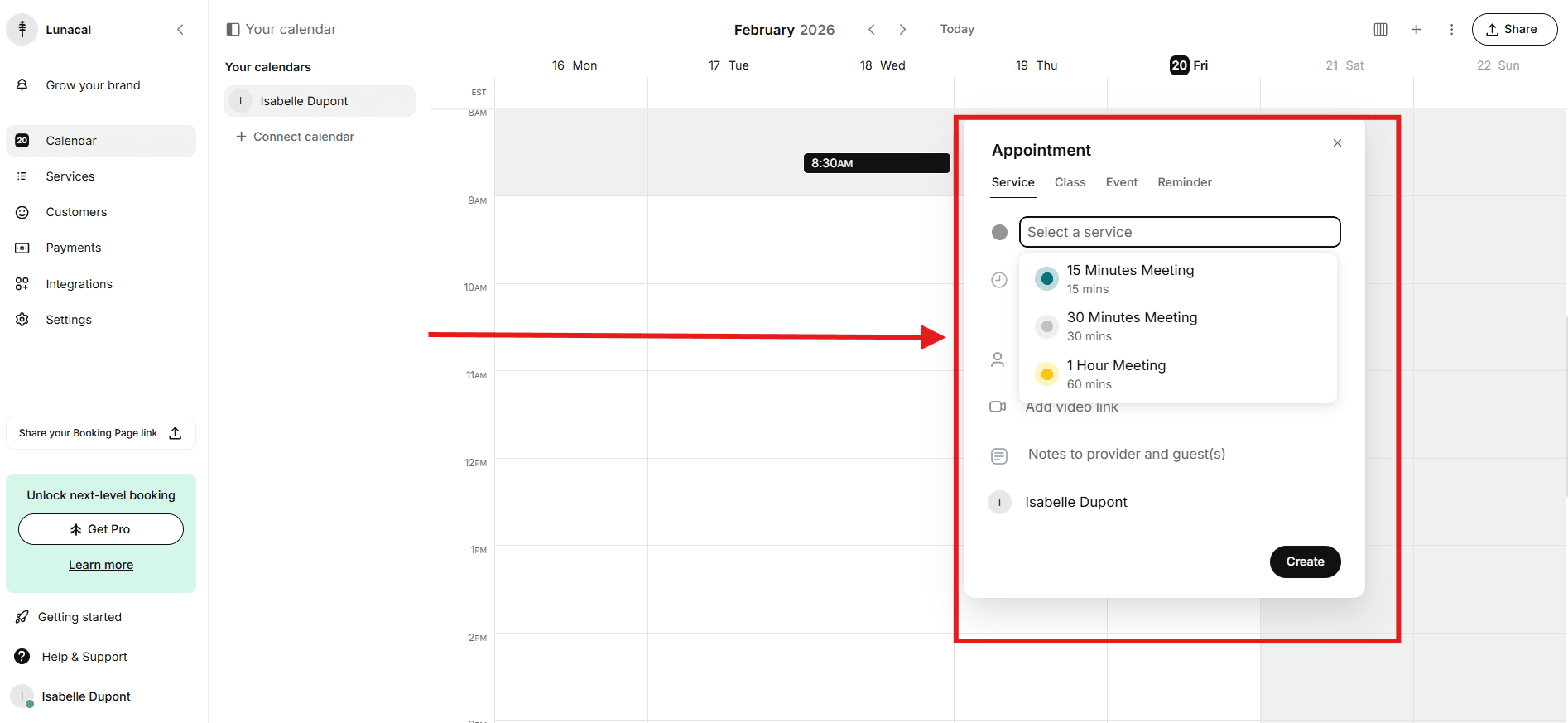
Scheduling rules are simple, and that is probably why people find it easy to adopt as an appointment scheduling app.
It gives you enough to avoid double bookings and manage staff calendars without feeling like a complicated system. When I tested it from a client view, picking a service and choosing a staff member felt clean and not cluttered.
The flip side is that it keeps things intentionally limited. If you run a more complex operation, you may start wishing for an appointment booking app with deeper controls.
Calendar sync
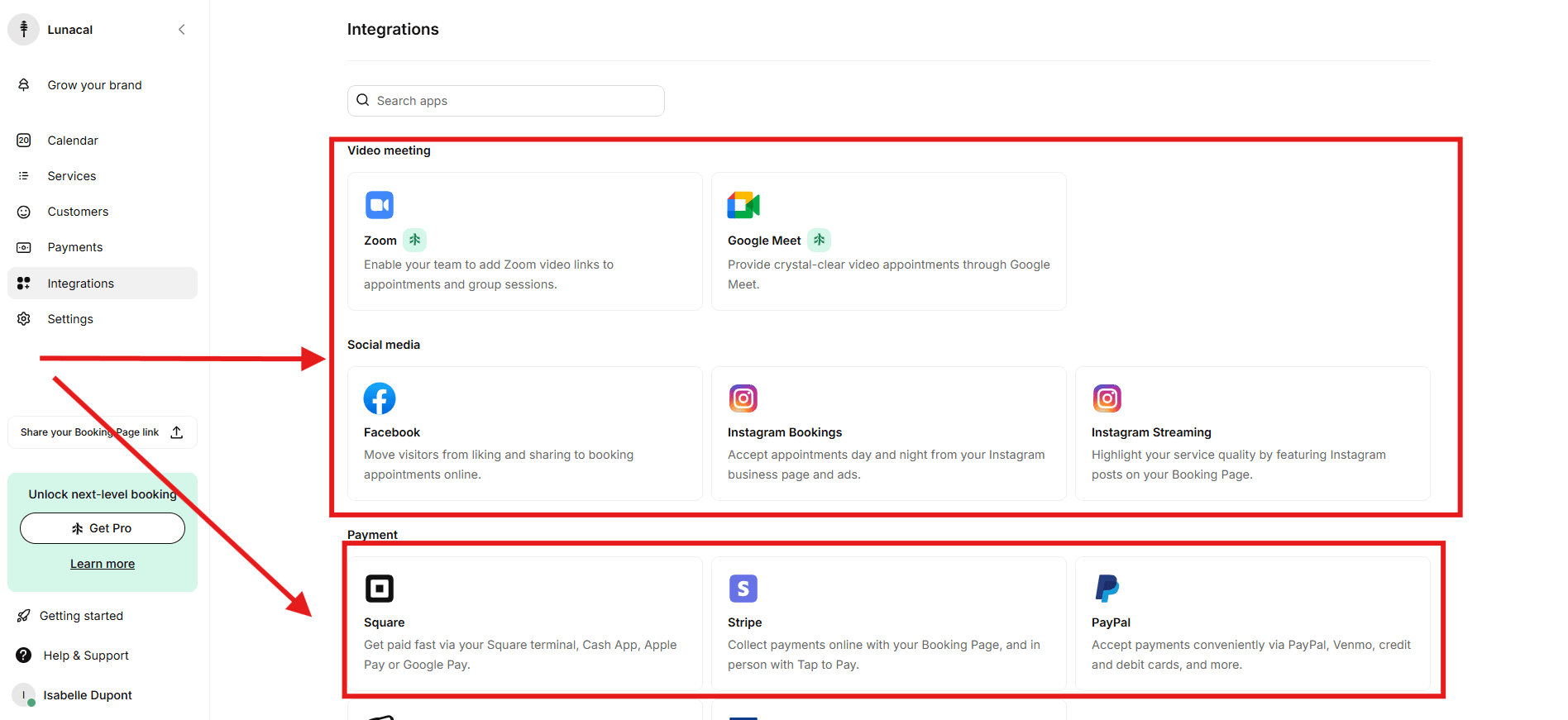
Setmore can sync with Google and Office calendars to avoid conflicts with personal events.
One thing that took a bit of attention is that sync options depend on the plan. I had to slow down and check what is included at each tier, because it is easy to assume everything is available and then realize it is gated.
Once connected, the sync behaved steadily.
Payment integration
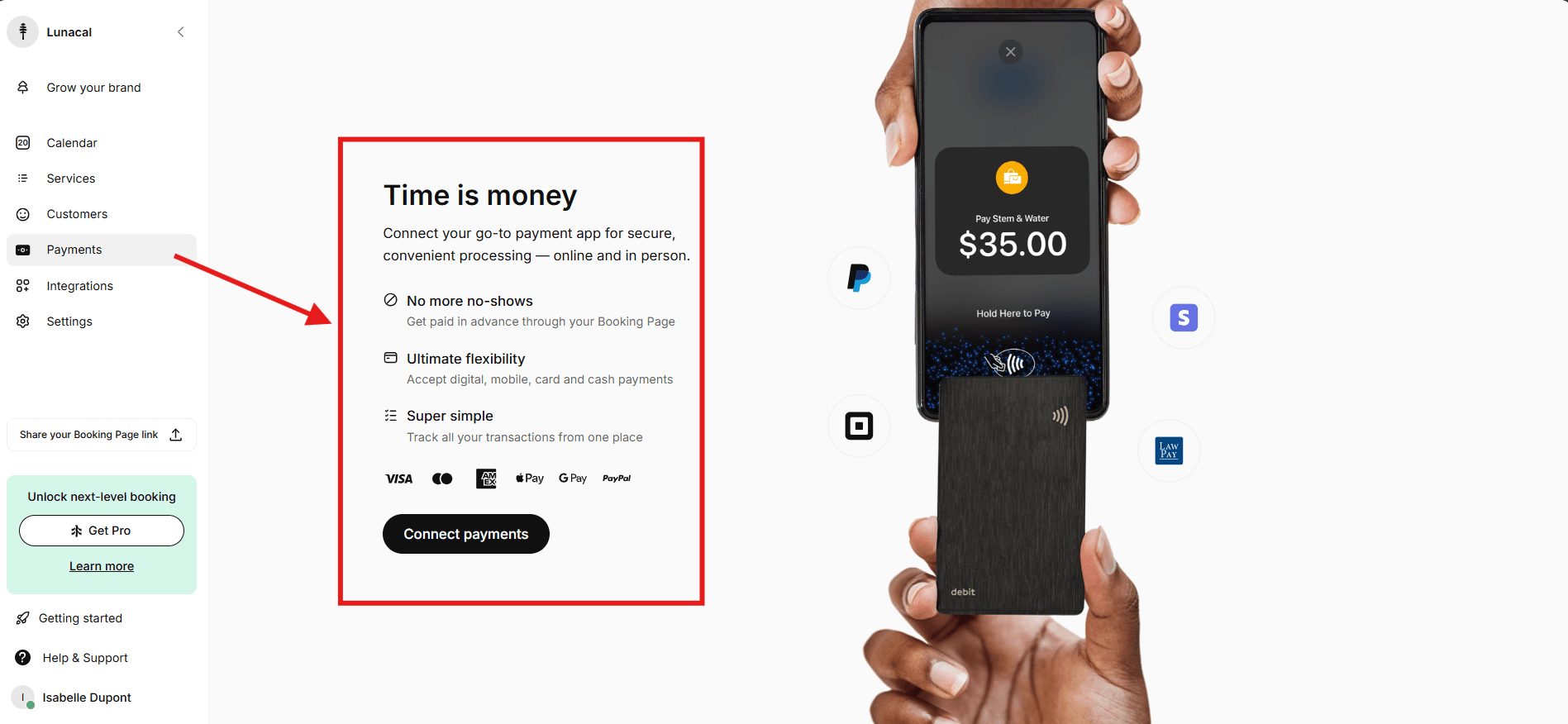
You can take payments during booking through common providers.
This is mainly useful for deposits and prepaid services, especially if no shows cost you money. It does add one more setup step since you have to connect a payment gateway, so some teams put it off until they feel the pain.
The payment flow felt practical. It covers what most people need without being complicated.
Pros
- Very low setup effort with a genuinely usable free plan.
- Good option for solo operators or small teams launching quickly.
- Solid branding controls for a clean booking page.
- Mobile app appears actively maintained.
- Suitable for services and group sessions.
- Responsive support can reduce launch stress.
Setmore performs well when simplicity is the goal.
Cons
- Not structured for large, complex operations with multi-location oversight.
- Advanced reporting and layered admin controls are limited.
- Plan distinctions require careful reading to avoid surprises.
- Features that feel standard, such as text reminders, may sit behind paid tiers.
- Heavy reliance on automation tools requires manual integration setup.
- Calendar integration and plan eligibility should be double-checked on the pricing page.
As teams scale and processes deepen, limitations become more visible.
Pricing
Free: $0 per month, with up to four users and 200 appointments.
Pro: $5 per user per month billed annually, or $12 per user per month on monthly billing. Pro adds two-way calendar sync and SMS reminders, subject to usage terms.
Free staff booking is different from round robin or qualification-based routing. Check plan limits and SMS fair-use terms on the official Setmore pricing page.
When to Choose Setmore
Setmore makes sense when the priority is speed and ease.
It works well for small teams that want a clean booking page, reliable reminders, and a no-cost starting point. It is particularly practical for straightforward service businesses that do not require heavy automation or layered operational controls that other appointment booking software may have.
If the operation requires enterprise-grade controls, multi-location complexity, or advanced reporting from the outset, a more comprehensive system may be better aligned.
For workflows built around simple operations and optional prepayments, Setmore holds up well. For automation-heavy back-office environments, it may feel limited over time.
Microsoft Bookings - Best for teams already using Microsoft 365
Microsoft Bookings is worth checking before buying another scheduler if your team already works in Outlook and Microsoft 365. Its shared booking page lets customers choose a service and an available appointment, while staff manage availability within the Microsoft environment. This section is based on Microsoft's documentation; Bookings was not included in the original hands-on tests.
Features
Outlook availability and staff scheduling
Bookings connects service availability with staff calendars. You can define services, assign staff, and set booking policies. This suits consultations, support appointments, and other staff-based services. Staff assignment is different from qualifying a sales lead through routing forms, so check the actual assignment rules your team needs. See Microsoft's Bookings service description.
Self-service booking and notifications
Customers can use the booking page without buying Microsoft 365. Confirmation and reminder emails support the appointment workflow, and service settings control availability and customer information. The business can customize its booking page, but it should still evaluate whether the available layout meets its branding needs.
Online appointments
Bookings supports virtual appointments through Microsoft Teams. Check the staff members' licenses and your organization's settings before choosing it for video appointments; the scheduler and the meeting service have related but distinct requirements. Microsoft's online appointment overview explains the Microsoft 365 calendar integration.
Payments
Microsoft's Bookings FAQ states that Bookings does not support payments. If a customer must pay a deposit, buy a package, or subscribe during booking, you will need a separate payment process or a different scheduler.
Pros
- Included with eligible Microsoft 365 subscriptions, including Business Basic, Standard, and Premium.
- Fits teams that already manage work calendars in Outlook.
- Supports customer self-service and staff-based appointments.
- Connects online appointments with the Microsoft Teams environment.
Cons
- Requires an eligible subscription and availability within your organization's settings.
- No native payment collection during booking.
- Paid packages and subscriptions require a separate commerce workflow.
- Staff assignment should not be assumed to provide sales qualification and lead routing.
Pricing
Bookings is included with supported Microsoft 365 plans; it is not a separate free subscription. An already-licensed business may have no additional Bookings subscription cost. For new U.S. subscriptions, Business Basic is listed at $7/user/month with Teams or $5.40 without Teams, paid yearly. Compare the full subscription, regional availability, and meeting requirements on Microsoft's business plan pricing page. Payment collection is not unlocked by upgrading the Bookings license.
When to Choose Microsoft Bookings
Choose Microsoft Bookings for Outlook-based teams that need customers to reserve time with staff and do not require payment at checkout. Compare Lunacal or Acuity instead when deposits or prepaid sessions are part of the booking itself. For sales teams, compare the required assignment and qualification workflow with Calendly or Cal.com before deciding.
Google Calendar Appointment Schedules - Best for a simple Google-first setup
Google Calendar Appointment Schedules is the shortest path from a Google calendar to a public booking page. It is a practical choice for solo professionals, educators, and small teams that already live in Google Workspace and do not need a separate service catalog or complex lead-routing layer.
Features
Native booking page and conflict checks
You can publish available times, share or embed the booking page, and have confirmed appointments written directly to Google Calendar. Google blocks times that conflict with connected calendars, subject to the calendars and subscription features available to the account.
Premium scheduling controls
Google's appointment schedule comparison separates the basic one-page option from premium features. Eligible plans can add multiple appointment schedules, automatic email reminders, multi-calendar availability checks, payment collection, email verification, secondary-calendar scheduling, and up to 20 co-hosts. The exact combination depends on the Google subscription.
Stripe payments
Eligible Workspace users can connect Stripe and require payment before an appointment is confirmed. Google does not process refunds automatically, so the organizer must manage cancellation and refund policies through Stripe.
Pros
- Already integrated with Google Calendar.
- A personal Google account can create one booking page.
- Premium plans add reminders, payments, and broader calendar checks.
- Simple for invitees who only need to choose a time.
Cons
- Premium features vary by Google subscription.
- Less suitable for detailed service catalogs, packages, or multi-step intake.
- Payment refunds must be handled separately in Stripe.
- Advanced sales routing and CRM automation require other tools.
Pricing
There is no separate Appointment Schedules subscription. A personal Google account or Workspace Business Starter can create one booking page. Multiple schedules and other premium features require an eligible Google Workspace or Google One subscription. Check Google's current eligibility table rather than assuming every Workspace tier includes the same controls.
When to Choose Google Calendar Appointment Schedules
Choose it when your workflow is already centered on Google Calendar and the booking job is mostly "pick an open time." Choose a dedicated appointment booking tool when you need a service menu, prepaid packages, deeper branding, complex staff assignment, or detailed booking analytics.
Zoho Bookings - Best for businesses already using the Zoho ecosystem
Zoho Bookings fits organizations that want scheduling to connect with Zoho CRM, Zoho Meeting, Zoho Assist, Zoho SalesIQ, or the wider Zoho One suite. It supports both individual appointments and staff-based workflows, with more operational depth than a simple meeting link.
Features
Services, workspaces, and calendar sync
The free plan supports one user, one event type, one workspace, and one calendar connection. Paid plans expand event types, calendar connections, workspaces, and team controls. Google Calendar, Microsoft 365, Outlook.com, and Zoho Calendar are supported in the plan comparison.
Team distribution and routing
Zoho documents default, equal, load-based, and priority-based appointment distribution. It also offers routing forms, customer portals, reports, meeting links, and plan-dependent integrations. This makes it more suitable than a basic booking page when appointments need to move through a broader customer workflow.
Payments and communications
Payment-provider integrations, SMS providers, WhatsApp notifications, and revenue reporting are plan-dependent. Confirm the required tier and any provider fees before treating these as part of the entry price.
Pros
- Strong fit with Zoho CRM, Zoho One, and other Zoho apps.
- Free plan for one user includes reminders and two-way calendar sync.
- Multiple team-distribution methods.
- Supports workspaces, reports, and customer-facing booking pages.
Cons
- Pricing and feature availability vary by region and plan.
- The wider feature set can take longer to configure than a basic meeting link.
- Some payment, messaging, and workspace needs require Premium or add-ons.
- Best value is clearest for teams already committed to Zoho.
Pricing
Zoho offers a Forever Free plan for one user. Basic and Premium are priced per user, with annual billing discounted; the displayed amount varies by region. Compare the live Zoho Bookings pricing table for event types, calendar connections, workspaces, payment providers, and add-ons before calculating team cost.
When to Choose Zoho Bookings
Choose Zoho Bookings when appointments should feed a Zoho-centered sales or service stack. If you only need a clean booking link, Google Calendar, Calendly, or Setmore may be simpler. If the booking page itself must carry extensive service content and branding, compare it closely with Lunacal and SimplyBook.me.
YouCanBookMe - Best for customizable booking forms and notifications
YouCanBookMe is designed for people who want fine control over what a booking page asks, displays, and sends. It connects with Google, Microsoft, Apple, and CalDAV calendars, and it supports Stripe payments even on the free plan according to the current feature table.
Features
Booking-page and form customization
The free plan includes one booking page and one calendar connection. You can add form questions, customize confirmation messages, embed the page, create single-use links, and let invitees reschedule or cancel. Paid tiers add branding, more pages and calendars, advanced workflows, tracking, and deeper integrations.
Notifications and workflows
Professional adds automated reminders, follow-ups, no-show workflows, analytics, and integrations such as HubSpot and Zapier. SMS can carry extra charges, so compare both the subscription and message usage.
Team scheduling
The Team plan adds team-member listings, round robin, roles, centralized billing, administration, and onboarding. This is the relevant tier when multiple staff members need shared management rather than separate personal links.
Pros
- Detailed control over booking forms, page text, and notifications.
- Free plan includes a booking page, calendar connection, and Stripe support.
- Works with Google, Microsoft, Apple, and CalDAV calendars.
- Team tier adds round robin and centralized administration.
Cons
- The number of pages and calendar connections is plan-limited.
- Team distribution is not included in the individual tiers.
- SMS and payment processing can add variable costs.
- Advanced customization creates more setup decisions than a basic scheduler.
Pricing
The official help center currently lists Free at $0, Individual at $9/month, Professional at $13/month, and Team at $18/member/month. Annual billing reduces those paid rates by 10%. Because the public pricing page uses dynamic checkout values, confirm the live rate and currency on the YouCanBookMe pricing page before subscribing.
When to Choose YouCanBookMe
Choose it when form questions, notification wording, page styling, calendar choice, and workflow automation need more control than a basic scheduling link provides. For service catalogs and packages, compare Acuity, SimplyBook.me, and Lunacal. For simple group availability voting, Doodle is more direct.
Doodle - Best for group polls and multi-person coordination
Doodle remains distinct from most appointment scheduling software because its core strength is collecting availability from a group before a final time is chosen. It also offers a Booking Page for direct appointments, 1
scheduling, and Sign-up Sheets for limited-capacity slots.Features
Group Poll
The organizer proposes dates and times, shares a link, and participants vote without needing an account. The organizer can then select the final option and send calendar invitations. This is useful for boards, committees, interviews, workshops, and any meeting where a fixed booking link cannot represent everyone's availability.
Booking Page and 1
schedulingDoodle's Booking Page publishes times based on a connected Google or Microsoft 365 calendar. Buffers are reflected as bookings arrive. The free plan includes a booking page, while Professional adds synchronization, tracking, branding, and an ad-free experience.
Sign-up Sheets
Sign-up Sheets let participants claim available slots or limited-capacity options. That is useful for office hours, volunteer shifts, or small events, but it is not the same as a service-business system with packages, inventory, and payment policies.
Pros
- Group polls solve multi-person availability better than a fixed booking link.
- Participants can vote without creating an account.
- Free plan includes polls, a booking page, and Sign-up Sheets.
- Professional adds calendar synchronization and branding.
Cons
- Less suited to deposits, service packages, or detailed client intake.
- Not designed for complex lead routing or multi-location operations.
- A booking page requires a Google or Microsoft 365 calendar connection.
- Advanced branding and tracking require Professional.
Pricing
Doodle Free supports basic group meetings, a booking page, and Sign-up Sheets. In the United States, one Doodle Professional license costs $15 on monthly billing or $132 per year, equivalent to $11 per month when paid annually. Regional prices differ; check Doodle's current pricing help page.
When to Choose Doodle
Choose Doodle when the main problem is agreeing on a time across several people. Choose a service-focused appointment booking system when clients need to select services, staff, add-ons, packages, or paid appointments in one structured checkout.
Fresha - Best for beauty and wellness businesses
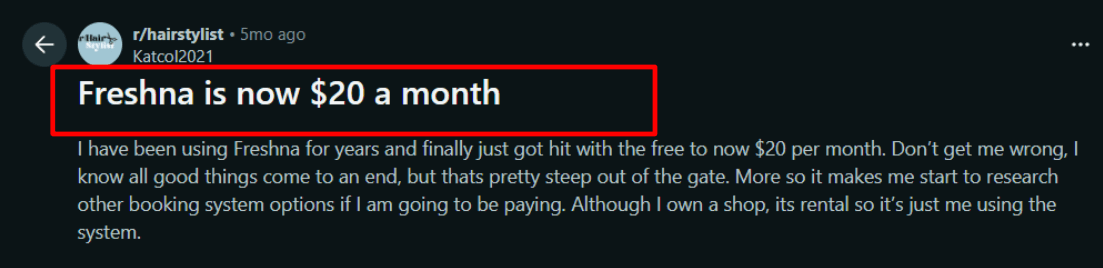
Fresha is built around the day-to-day needs of salons, barbers, spas, and independent beauty or wellness professionals. It combines online booking with a client database, consultation forms, payments, point of sale, inventory, memberships, packages, group bookings, and resource management. That makes it a broader operating system than a simple meeting-link tool.
For independent user feedback, read Fresha reviews on G2.
Features
Beauty and wellness booking workflow
Businesses can publish services, assign staff and resources, set availability, collect client details, and manage repeat visits from the same system. Automated reminders and client notifications support the appointment workflow, while forms, packages, memberships, and product inventory cover work that a general-purpose meeting scheduler normally leaves to other tools.
Marketplace discovery
Fresha also lists businesses in its consumer marketplace. That can help a salon or independent professional reach new clients, but the commercial model needs attention. Fresha's pricing page states that a one-time 20% commission applies when a brand-new client discovers and books the business through the marketplace. The minimum charge varies by region. Existing clients and customers who book through the business's own channels are treated differently, so review the exact attribution rules before relying on marketplace demand.
Payments and retail operations
Optional payment processing, checkout, retail inventory, packages, and memberships make Fresha relevant when an appointment ends with an in-person sale or creates an ongoing client relationship. Businesses should price the full workflow, including processing, marketplace acquisition, and bookable staff, rather than comparing only the base subscription.
Pros
- Strong fit for salons, spas, barbers, and independent wellness providers.
- Combines booking, client records, forms, payments, inventory, packages, and memberships.
- Supports group bookings and resource management.
- Marketplace can introduce the business to new clients.
Cons
- Marketplace-acquired new clients can trigger a one-time commission.
- Team pricing grows with the number of bookable staff members.
- Businesses that only need a simple meeting link may find the operational feature set excessive.
- Regional pricing and fee minimums need to be checked in the live account.
Pricing
On the U.S. version of Fresha's pricing page, Independent is $19.95 per month. Team is $14.95 per bookable team member per month, and Enterprise uses custom pricing. Optional payment processing and the marketplace new-client commission are separate from the subscription.
When to Choose Fresha
Choose Fresha when the appointment is part of a wider beauty or wellness workflow involving staff, treatment resources, client history, retail products, memberships, or repeat visits. Choose a lighter scheduler if the main requirement is simply sharing availability for calls.
Mindbody - Best for established fitness and wellness operations
Mindbody targets gyms, studios, salons, spas, and wellness businesses that need more than one-to-one appointments. It covers class schedules, memberships, payments, staff, rooms and resources, reporting, marketing, and marketplace discovery. Its breadth makes it most relevant to established operations or businesses planning to manage several revenue streams in one platform.
For independent user feedback, read Mindbody reviews on G2.
Features
Appointments, classes, and memberships
Mindbody can manage scheduled services alongside classes and recurring memberships. Branded website widgets let customers book from the business's site, while the Mindbody consumer app provides another discovery and booking channel. This is useful when a business sells both individual sessions and capacity-limited classes.
Rooms, resources, and operational reporting
The Accelerate plan adds room and resource management, Pick-a-Spot, promo codes, and deeper analytics. Those controls matter for studios that must coordinate instructors, equipment, and physical capacity rather than merely avoid calendar conflicts.
Marketing and lead management
Ultimate adds email and text automation, lead management, and additional analytics. Mindbody also offers enterprise arrangements and optional products, so the final setup can extend beyond scheduling into acquisition and retention. That breadth is valuable, but it also means buyers should map required capabilities to a plan before entering a sales process.
Pros
- Designed for fitness, beauty, and wellness businesses.
- Handles appointments, classes, memberships, payments, staff, rooms, and resources.
- Includes marketplace visibility through the Mindbody app.
- Higher tiers add marketing automation, lead management, and advanced analytics.
Cons
- Costs scale by location and rise as operational and marketing features are added.
- Smaller businesses may not need the full platform.
- Some advanced capabilities and add-ons require a sales conversation.
- Marketplace-acquired new customers can involve an acquisition fee.
Pricing
Mindbody's U.S. pricing starts at $79 per month per location for Starter, according to its current pricing information. Accelerate and Ultimate add operational, analytics, and marketing capabilities, while Enterprise pricing is custom. The marketplace can charge 20% of a new client's first purchase, capped at $30 in the U.S.; direct and repeat bookings follow different rules.
When to Choose Mindbody
Choose Mindbody when a fitness or wellness business needs appointments, classes, memberships, resources, marketing, and reporting in one established system. A solo professional who only needs online booking and reminders should compare the total cost with a simpler service-business scheduler.
Picktime - Best low-cost option for appointments, classes, and resources
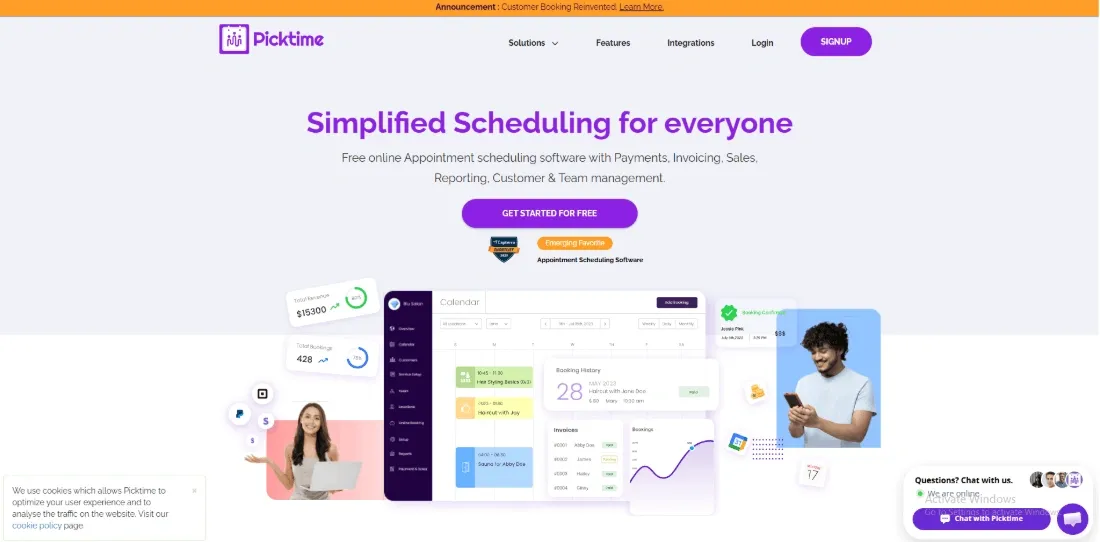
Picktime combines appointment scheduling with classes, multiple locations, staff, rooms, and equipment. Its free plan is unusually broad for a small team, while the paid plans add reminders, payment options, recurring bookings, two-way calendar sync, routing, waitlists, and approvals.
For independent user feedback, read Picktime reviews on G2.
Features
Appointments and classes
The same account can publish one-to-one services and capacity-based classes. This makes Picktime useful for tutors, coaches, small studios, community organizations, and service businesses that do not fit a meetings-only model.
Locations and resources
Picktime can coordinate staff with rooms and equipment. The free plan includes two locations and three resources, while Pro expands location and class capacity. Resource scheduling is important when availability depends on a treatment room, court, vehicle, or piece of equipment as well as a staff calendar.
Payments, reminders, and calendar sync
Starter adds two-way calendar synchronization, recurring bookings, reminders, time-zone conversion, attendance tracking, and payment connections including PayPal, Stripe, and Square. Pro adds round robin, waitlists, booking approvals, and more control over the booking flow.
Pros
- Free plan supports three users and unlimited appointments.
- Supports appointments, classes, locations, rooms, and equipment.
- Paid plans are inexpensive compared with many per-seat scheduling products.
- Starter and Pro add useful operational controls without requiring an enterprise contract.
Cons
- The free plan limits users, resources, locations, and classes.
- Some capabilities displayed on the pricing page are marked as coming soon.
- Advanced team routing and workflow controls require Pro.
- Businesses should confirm SMS availability and usage rules for their country.
Pricing
Picktime Free costs $0 and includes three users, three resources, two locations, two classes, and unlimited appointments. On annual billing, Starter is $3 per user per month for three users, while Pro is listed at $2.25 per user per month for 10 users. Check Picktime's live pricing comparison because feature availability and items marked coming soon can change.
When to Choose Picktime
Choose Picktime when a small organization needs to schedule both people and resources without a large monthly commitment. It is especially worth comparing for classes or multi-location workflows. Choose a more specialized platform when deep CRM automation, salon inventory, or enterprise administration is the primary need.
HubSpot Meeting Scheduler - Best for CRM-connected sales scheduling
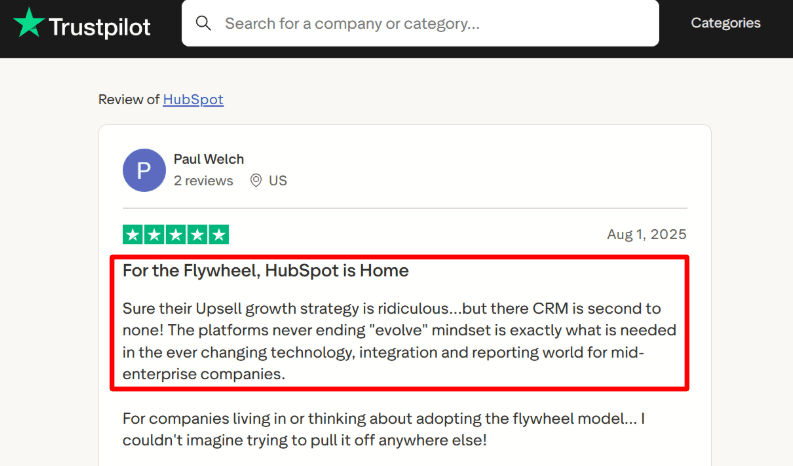
HubSpot Meeting Scheduler is most useful when booking is part of a sales or customer-service process. A meeting booked through a shareable link or embedded widget can be associated with the contact record in HubSpot CRM, reducing the need to copy attendee details into a separate system.
For broader customer feedback, read HubSpot Sales Hub reviews on G2.
Features
CRM-connected booking pages
The free scheduler connects with Google Calendar or Office 365, creates shareable booking links, and can be embedded on a website. Contact and meeting activity flows into HubSpot, giving sales teams a clearer record of the interaction than a standalone calendar link provides.
Individual, group, and team meetings
HubSpot supports individual scheduling as well as group and round-robin meeting links. The exact entitlement depends on the Sales Hub plan, so a team should confirm which seats and tier are required before designing lead distribution around those features.
Sales automation around the meeting
The scheduler sits inside the wider Sales Hub product. Paid tiers add progressively deeper prospecting, sequences, automation, reporting, forecasting, and team controls. This makes HubSpot compelling when the meeting is one step in a managed sales pipeline, but expensive if the business only wants a booking page.
Pros
- Free meeting scheduler connects booking activity with HubSpot CRM.
- Supports shareable links, website embeds, and time-zone handling.
- Useful for sales teams that want contact history and meetings in one system.
- Paid Sales Hub tiers can add team scheduling and broader sales automation.
Cons
- Advanced automation and team workflows can require significantly more expensive tiers.
- Feature entitlements vary by Sales Hub plan and seat type.
- It is not designed for service inventory, classes, treatment rooms, or prepaid packages.
- The wider CRM can add setup and interface complexity for a simple scheduling need.
Pricing
The basic HubSpot meeting scheduler is available free. HubSpot currently lists Sales Hub Starter from $10 per seat per month, Professional at $100 per seat per month, and Enterprise at $150 per seat per month. Promotional pricing and included features can change, so confirm the live Sales Hub pricing and the team-meeting entitlement before purchasing.
When to Choose HubSpot Meeting Scheduler
Choose HubSpot Meeting Scheduler when contacts, meetings, follow-up, and pipeline activity should live in HubSpot CRM. Choose a dedicated appointment platform when customers need to select services, staff, resources, packages, or paid add-ons during booking.
How to make your final choice
Shortlist two or three tools that support your booking workflow. Check the required plan, staff and calendar limits, and total cost, including payments and messaging.
Before committing, complete a booking from a customer's phone, reschedule it, and check that the correct calendar updates. If you need payments or team assignment, test those steps too.
6 must-have features in appointment booking software
Check these six features against your booking workflow before choosing a plan.
1. Two-way calendar sync with real conflict checks
The appointment booking software should read busy time from Google and Outlook, write new bookings back immediately, and block overlaps without hesitation.
If sync is one-way or delayed, problems surface quickly. Double bookings start appearing. Personal events get ignored. Small inconsistencies add up fast. Reliable two-way sync is not optional. It is foundational.
2. Self-serve reschedule and cancel links
Clients should be able to reschedule or cancel on their own.
When that option is missing, the inbox becomes the appointment scheduling tool. Messages go back and forth. Last-minute changes create unnecessary stress. A clean self-serve link removes that friction and keeps the process predictable.
3. Automatic confirmations and reminders
A confirmation should go out immediately after booking. Reminders should follow before the appointment.
Check whether email and SMS reminders are included in the plan and available in your region.
Consistency here matters more than advanced automation.
4. Availability controls that match real life
Buffers between meetings, minimum notice windows, daily limits, blackout dates. These settings protect time.
Without buffers, days stack too tightly. Without notice rules, surprise bookings land at inconvenient times. Without limits, calendars quietly overfill. The controls should be simple to configure and reliable once set.
If adjustments feel fragile or confusing, that friction spreads into daily operations.
5. Payments or deposits during booking
For paid sessions, deposits or upfront payments change behavior.
Collecting payment during booking can reduce the need to send an invoice afterward.
The key is clarity. Clients should see exactly what is being charged and when.
6. A booking page that works on mobile and explains the service
The booking page should load quickly, display clearly, and explain what is being scheduled. Duration, price if relevant, and the next available times should be obvious.
If clients frequently ask what a time slot represents, the page is not doing enough. Good scheduling software removes confusion before it starts.
Methodology
The comparison focuses on the same practical appointment workflow for every product: connect a calendar, publish availability, complete a booking, reschedule or cancel it, and check how payments, reminders, time zones, and team rules affect the result. Pricing and plan distinctions for the original 12 tools were checked on September 8, 2026. Fresha, Mindbody, Picktime, and HubSpot Meeting Scheduler were checked on September 27, 2026.
How tools were chosen
- The shortlist includes tools that consistently appear when businesses search for scheduling software. Each option needed enough public information to evaluate properly.
- That means clear pricing, accessible documentation, and help guides that explain how things work. It also had to be possible to test the product fully without being pushed into a sales process.
- If a tool could not be explored end to end without guesswork, it was left out.
Booking scenarios compared
- Each product went through the same set of flows to keep the comparison consistent. A basic solo booking was created using one calendar and one event type. That booking was then rescheduled and canceled from the attendee side, followed by checking whether the organizer view remained accurate.
- Time zone bookings were tested across regions to confirm that invites, meeting links, and calendar entries stayed aligned. Availability edge cases were also reviewed, including buffers, minimum notice, daily limits, and conflict handling.
- Where supported, paid booking flows were tested to see how deposits, receipts, and follow-up steps were handled. Team scheduling features were included as well, covering round robin distribution and routing logic.
Setup and reliability checks
A useful scheduler should make event types, calendar connections, availability rules, and attendee settings easy to find. The real test is whether those controls remain predictable when buffers, minimum notice, time zones, and conflict rules interact. A clean first setup matters, but reliable behavior after the calendar becomes busy matters more.
What matters in practice
The most useful signals are the ones that change the buying decision: the required paid tier, calendar and provider limits, payment behavior, reminder access, staff-assignment rules, and recurring operational friction. A long feature list matters less than knowing whether the booking flow works for the exact service, team, and customer experience the business needs.
FAQs
Which appointment scheduling software should a small business choose?
Start with the type of appointment you sell and the systems you already use. A meeting link, a staff-based service, and a class have different requirements. Use the comparison table to shortlist options, then check the required plan and test the booking flow.
Which appointment booking tools have a free plan?
Cal.com, Calendly, and Setmore are examples with permanent free plans. The pricing section in each review identifies other free options and trials. Check staff, event-type, calendar, and booking limits, as well as whether reminders and payments are included. Microsoft Bookings requires an eligible Microsoft 365 subscription.
Is Microsoft Bookings included in Microsoft 365, and can it take payments?
Microsoft Bookings is included in eligible subscriptions such as Microsoft 365 Business Basic, Business Standard, and Business Premium. An administrator may need to enable access. Microsoft says Bookings does not support payments, so taking a deposit or selling a prepaid package requires a separate payment process. Check the supported plans and payment limitation before choosing it.
What is the difference between staff selection, round robin, and lead routing?
Staff selection lets a customer choose a provider. Round robin distributes appointments among eligible team members. Lead routing uses answers or business rules to direct someone to an appropriate person, team, or event. Check which workflow the plan supports; staff calendars alone do not imply qualification-based routing.
Which tools suit deposits, classes, or prepaid appointment packages?
Acuity Standard supports packages and subscriptions, while Lunacal Teams lists multi-session packages. Check deposits and classes separately: a deposit collects part of a booking fee, a class allows multiple attendees in one session, and a package sells credit for multiple sessions. Verify the required plan and payment-provider charges.
How should I compare the real cost of scheduling software?
Price the plan that supports your workflow for your whole team. Multiply per-user fees by paid seats, distinguish per-location charges, and check calendar or provider allowances on flat-rate plans. Use the same billing period and currency, then add SMS charges, payment processing, and required add-ons.
Can appointment scheduling software prevent double bookings and no-shows?
Calendar conflict checks can prevent overlapping bookings when the correct calendars and availability rules are connected. Reminders, rescheduling links, and clear cancellation or deposit policies can help manage missed appointments, but no tool guarantees attendance. Test a booking, a calendar conflict, a reschedule, and a cancellation before launch. If reminders are essential, check whether email and SMS are included in your chosen plan and region.
What should I check before accepting bookings across countries?
Test a booking across the relevant time zones, including a daylight-saving transition if applicable. Confirm how dates and times appear in the booking page, confirmation, and calendar invitation. Check supported languages, payment currencies, SMS destinations, and country availability. For personal data, review the vendor's privacy terms, data-processing agreement, and settings against your requirements; a generic compliance label does not establish that every configuration fits your business.
Summarize this content with AI


