

Introduction
The right pick for a fitness class booking system changes based on three things: how you sell classes (drop-ins vs packs vs memberships), how you manage capacity (waitlists, cancellations, late arrivals), and how you collect money (prepay, deposits, no-show fees).
We evaluated 10 widely used fitness class booking tools and selected the five strongest options. We also considered other tools like WellnessLiving, Glofox, Zen Planner, TidyCal, and Exercise.com, but they did not make the final list.
Fitness Class Booking Software Comparison
Best tools by fitness by business type
| Fitness business type | Best tool | Why it fits |
|---|---|---|
| Solo coach | Lunacal | Simple class booking, paid sessions, and clean client experience without heavy setup |
| Solo coach (alt) | Acuity Scheduling | Strong for recurring bookings, memberships, and client self-service |
| Single-location studio | Vagaro | Handles classes, staff, payments, and memberships in one system |
| Growing studio team | Lunacal | Flexible booking pages, group sessions, and team scheduling without complexity |
| Multi-location gym/studio | Mindbody | Built for multi-site scheduling, memberships, and operational depth |
| Lightweight class setup | Calendly | Quick group booking links with minimal setup for small classes |
Feature comparison for fitness classes
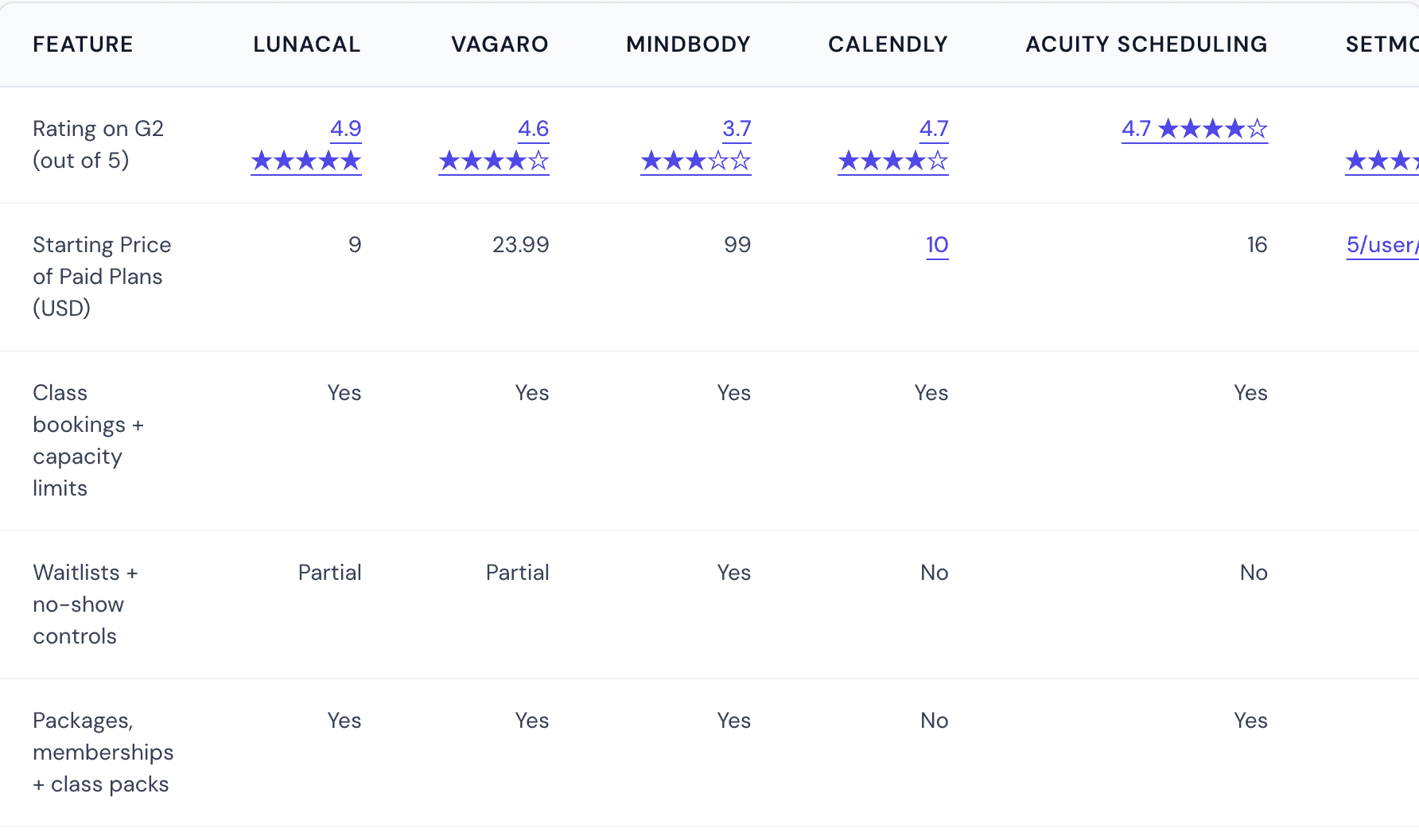
| Feature | Lunacal | Vagaro | Mindbody | Calendly | Acuity Scheduling |
|---|---|---|---|---|---|
| G2 rating | 4.9 | 4.6 | 3.7 | 4.7 | 4.7 |
| Starting price (USD) | 9 | 23.99 | 99 | 10 | 16 |
| Class bookings + capacity | Yes | Yes | Yes | Yes | Yes |
| Waitlists | Partial | Yes | Yes | No | No |
| Packages + memberships | Yes | Yes | Yes | No | Yes |
| Payments at booking | Yes | Yes | Yes | Partial | Yes |
| Instructor scheduling | Yes | Yes | Yes | Yes | Yes |
| Multi-location support | No | Yes | Yes | No | Limited |
| POS / front desk tools | No | Yes | Yes | No | No |
| Automation + workflows | Yes | Moderate | Advanced | Basic | Moderate |
Lunacal
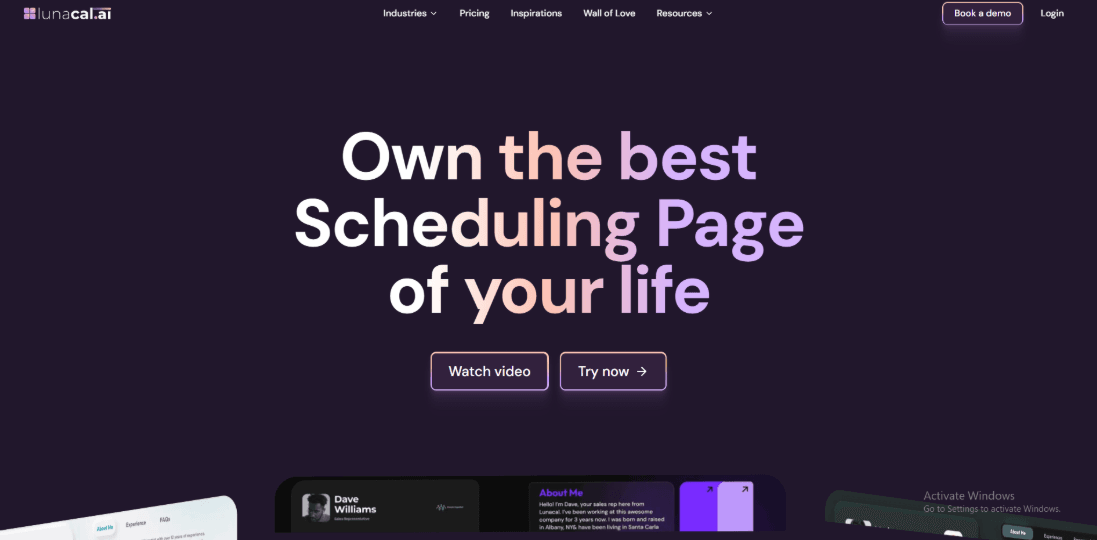
Lunacal works well as fitness class scheduling software because it lets you build a booking page that explains the class before someone signs up. In fitness class scheduling, Lunacal is rated 4.9/5 on G2, which puts it among the highest-rated software options. Lunacal works well as fitness class scheduling software because it lets you build a booking page that explains the class before someone signs up.Lunacal works well as fitness class scheduling software because it lets you build a booking page that explains the class before someone signs up.
- Paid and free event types
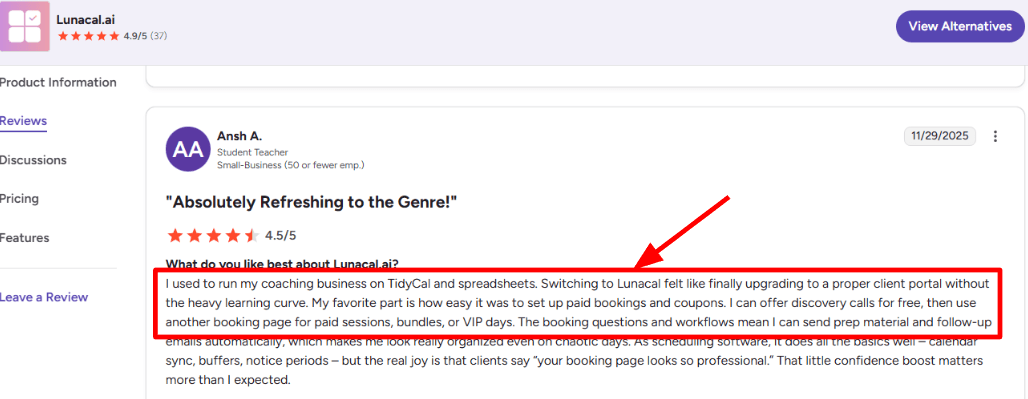
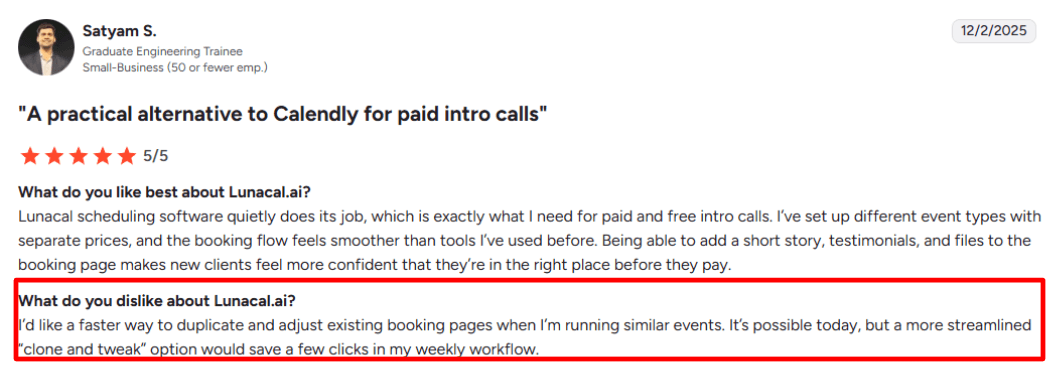
You can create different event types for different classes. For example, you might offer a free intro class and a paid small group session. Each one can have its own price, rules, and time limits. That makes it easier to manage promotions and regular classes without mixing them together. I am sharing a screenshot below.
- Booking page content
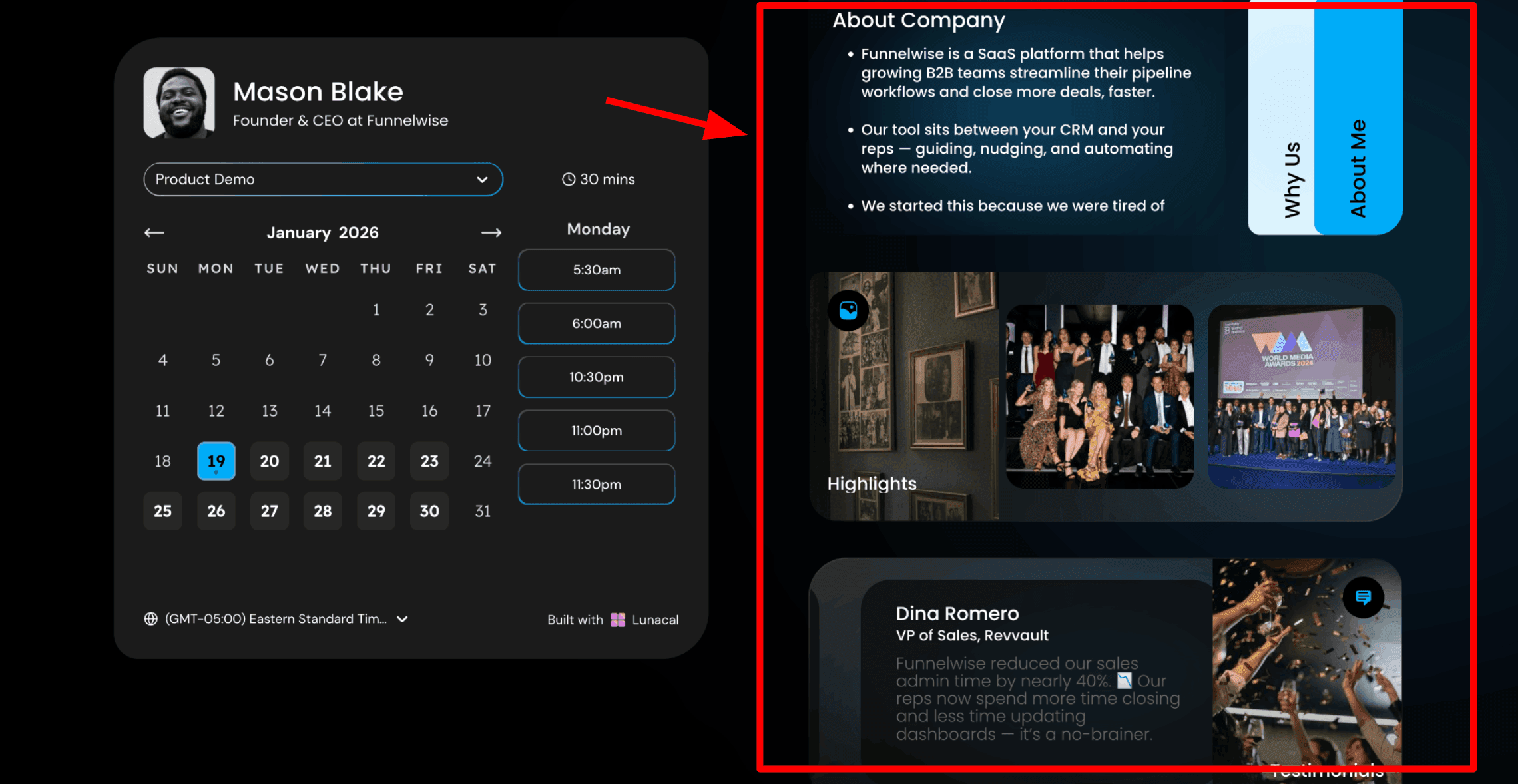
The booking page lets you add more than a calendar. You can include a short class description, testimonials, and helpful files so new students know what to expect before they sign up. For studios using fitness class scheduling software, this is where you might add a waiver form, a short checklist, or a quick note explaining what to bring to the first class.
- Group class bookings
Group sessions are easy to set up. You can open a time slot and allow several people to book into the same class. Think about a Saturday morning HIIT class. You open the 7
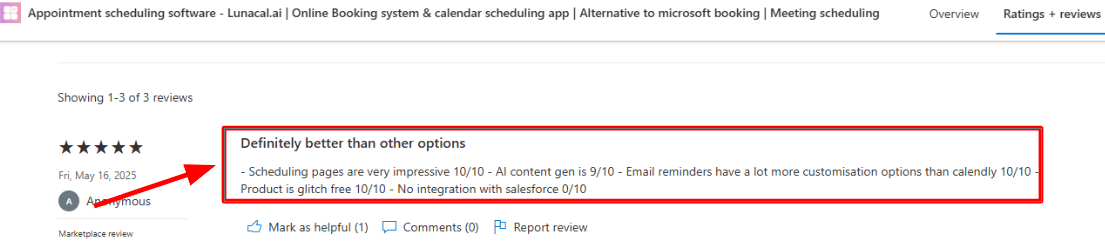
AM slot, allow a set number of people to join, and stop new bookings before class time using notice rules. This setup is common when using fitness class scheduling software for group training.A Microsoft Marketplace review echoed a few of these practical points, like the scheduling pages looking strong, reminder controls being more configurable than Calendly, and also flagged no Salesforce integration.
- Reminders and workflows
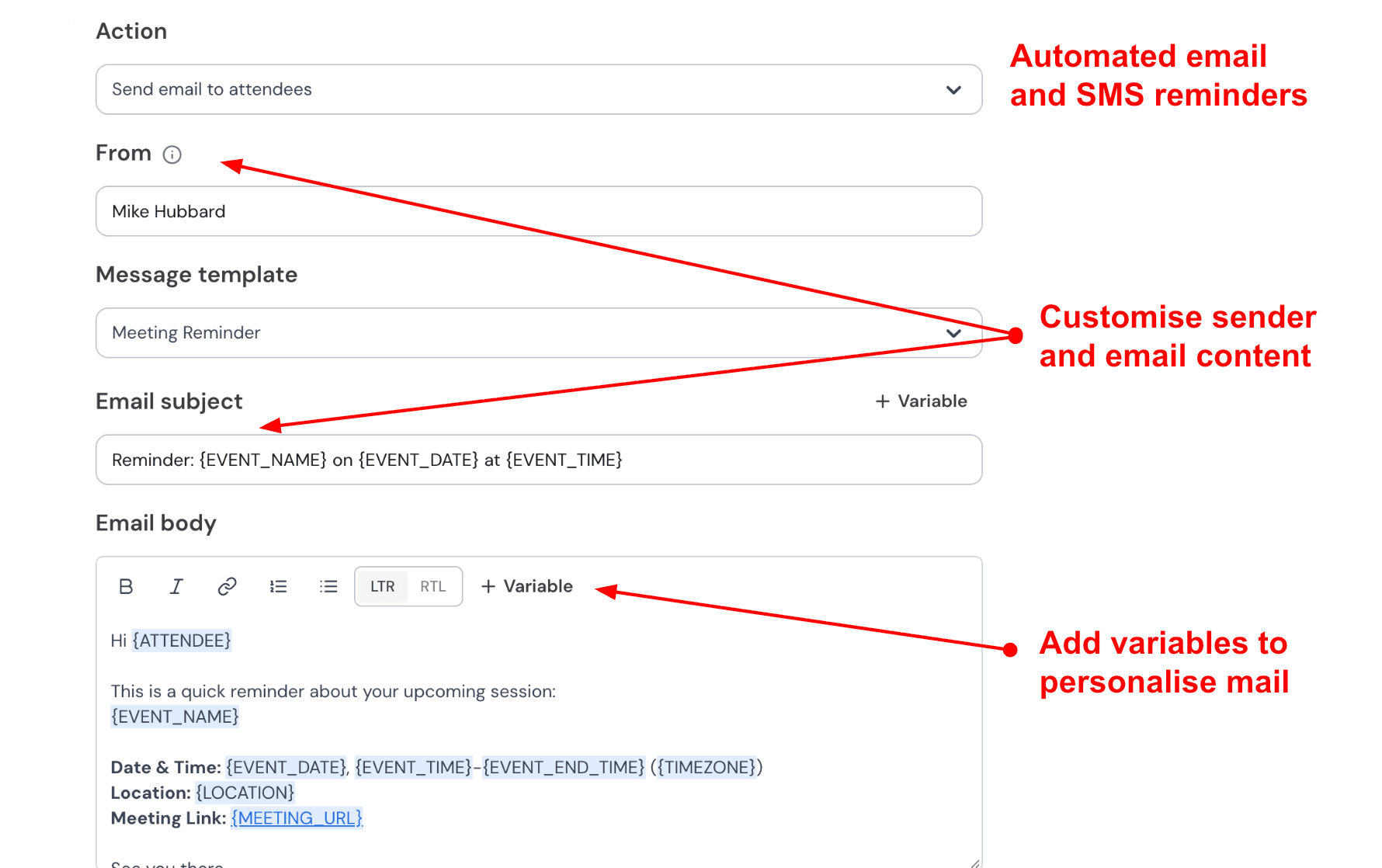
Automated email and SMS reminders are built in, and you can use workflows for pre-class instructions and post-class follow-ups. You can also create simple workflows. For example, a message before class with preparation notes and another message afterward with a follow up or feedback request. Studios that rely on fitness class scheduling software often use reminders like this to reduce missed classes.
- Teams and lead routing
For studios with multiple trainers, team scheduling can distribute new bookings. Round robin routing sends the next booking to the next available coach. This helps keep schedules balanced. One limitation to be aware of is CRM integration depth. If your studio runs heavily on Salesforce, the lack of a native integration may matter.
Pros
- Booking pages can include files and proof, which reduces first-timer hesitation before paying.
- Strong fit for studios mixing free trials, paid intros, and paid sessions with clear rules.
- Group-style bookings cover the core need for classes without forcing an appointment-only model.
- Timezone behavior is reliable for remote teams and traveling clients.
- Reminder plus workflow depth is better than most simple schedulers.
Cons
- Duplicating and lightly modifying similar class pages still takes extra steps.
- If you need Salesforce-first workflows, the missing integration is a real drawback.
- Group booking is there, but advanced studio features like heavy waitlist logic or room-level capacity planning may need a dedicated platform.
- Teams and routing are useful, but they add setup overhead if you are a solo instructor who just needs one simple class link.
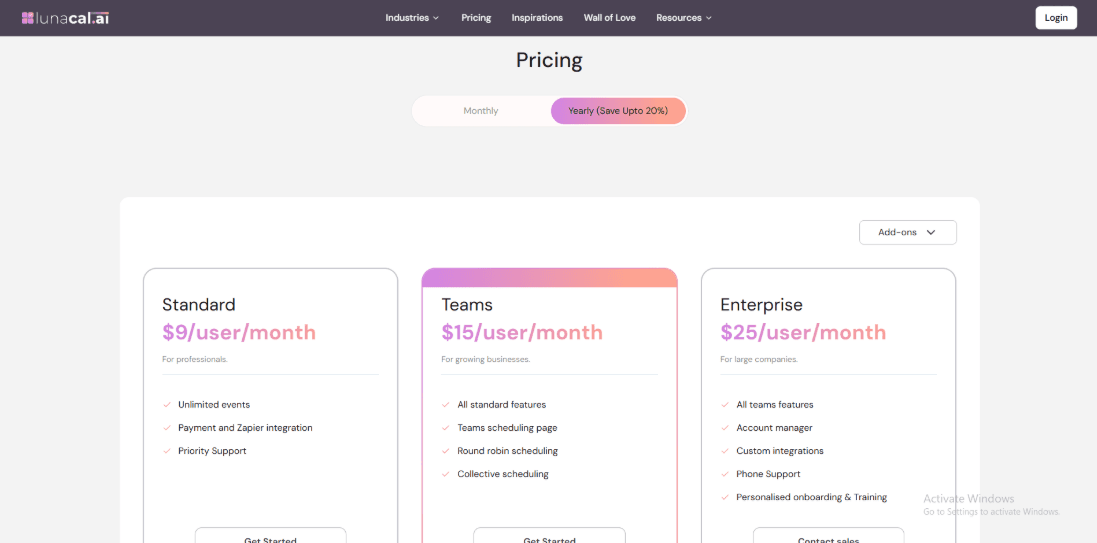
Note: Pricing of a Fitness Class Booking System includes a lot of nuances and hidden costs, so I'd recommend going through the pricing page in detail.
Vagaro
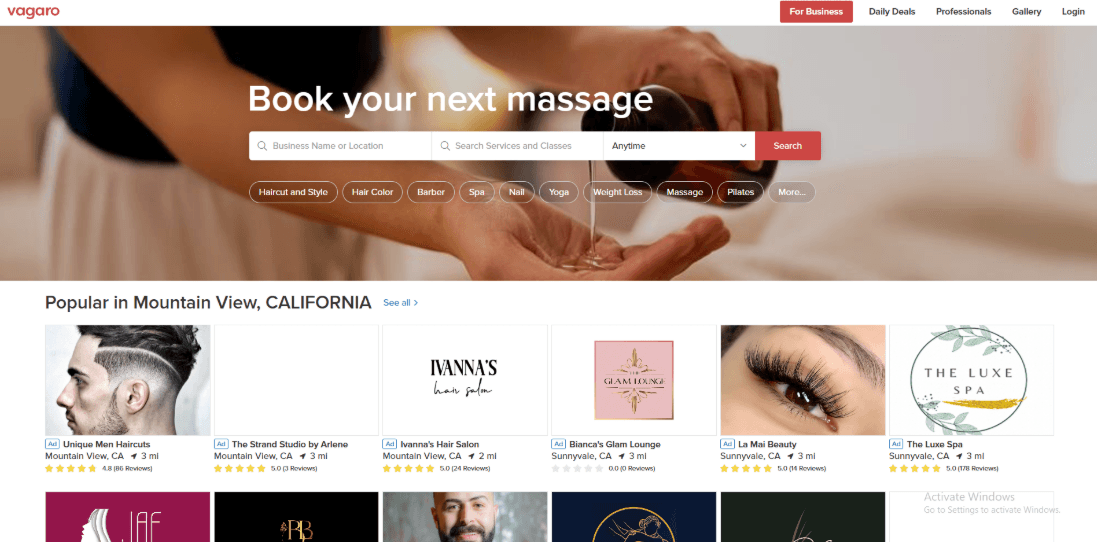
Vagaro is widely used by fitness studios that need booking, payments, and front desk tools in one place. Many studio owners use it as their main system for managing daily operations. It works well as fitness class scheduling software because it supports classes, trainers, payments, and memberships inside the same platform.
-
Classes and workshops Studios can run group classes and workshops without forcing everything into a one-to-one appointment format. You can set a class capacity and the system will stop bookings once the limit is reached. For example, if a yoga class has 12 spots, the system keeps the booking limit at 12. This helps studios avoid confusion at the door.
-
Staff calendars and roles Multi-trainer scheduling works once you map services to the right staff and location. Permissions are important if you have freelance coaches who should not see revenue reports.
-
Waitlist and booking rules Studios can set rules for cancellations, rescheduling, and no-shows. A waitlist feature helps fill empty spots when someone cancels. For example, if two members cancel a Tuesday evening class a few hours before it starts, the system can notify people on the waitlist and move them into those open spots. These kinds of tools are common in fitness class scheduling software because they help keep classes full and reduce lost revenue.
-
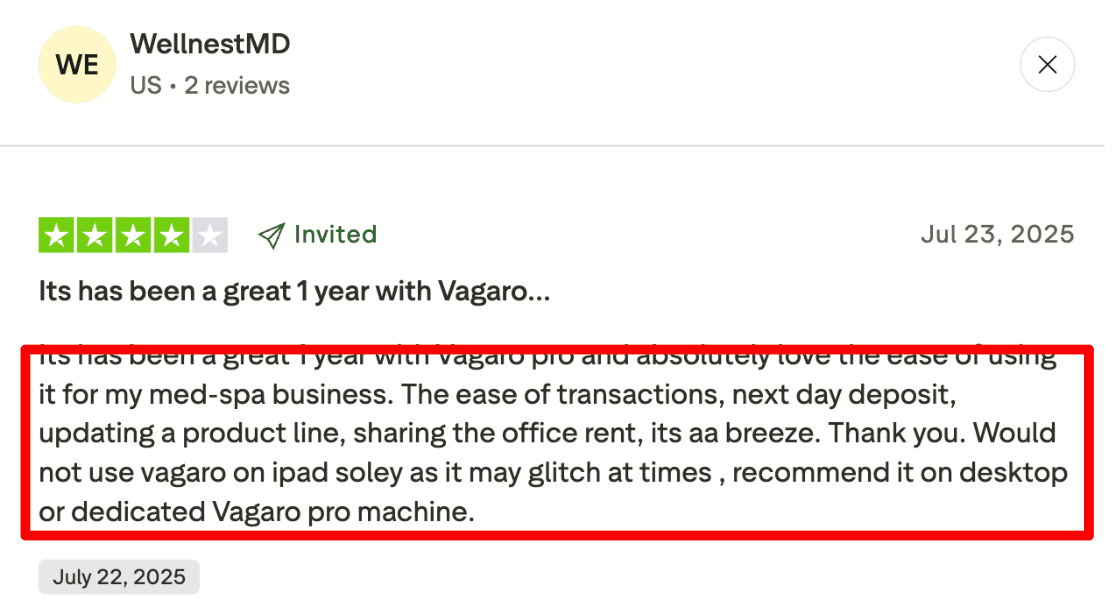
Payments and POS Checkout, deposits, and selling add-ons are built in, which matters when you sell water, merch, or a recovery session after class. A Trustpilot review (screenshot below) also called out next-day deposits and easy transactions, and noted that iPad-only setups can glitch.
Other features in Vagaro for fitness class booking include client waivers and forms, automated reminders, multi-location support, retail inventory, and staff payout reporting.
- Packages and memberships Class packs and recurring memberships are handled in the same system as booking, so your front desk doesn't have to juggle spreadsheets. This is useful for studios that sell a 10-class bundle, then let members upgrade to unlimited mid-month. The nuance is in the rules, like how you handle unused credits or refunds, so plan a short dry run before you announce it to members.
Pros
- Strong fit for studios that run group classes plus trainer appointments.
- Waitlist and cancellation rules reduce empty spots in popular sessions.
- Built-in checkout keeps class packs, merch, and drop-ins in one flow.
- Staff roles help when you have contractors and rotating trainer rosters.
- Multi-location support works for small studio chains with shared ops.
Cons
- iPad-only usage can feel unreliable during peak check-in times.
- Setup can take longer because there are many policy switches to get right.
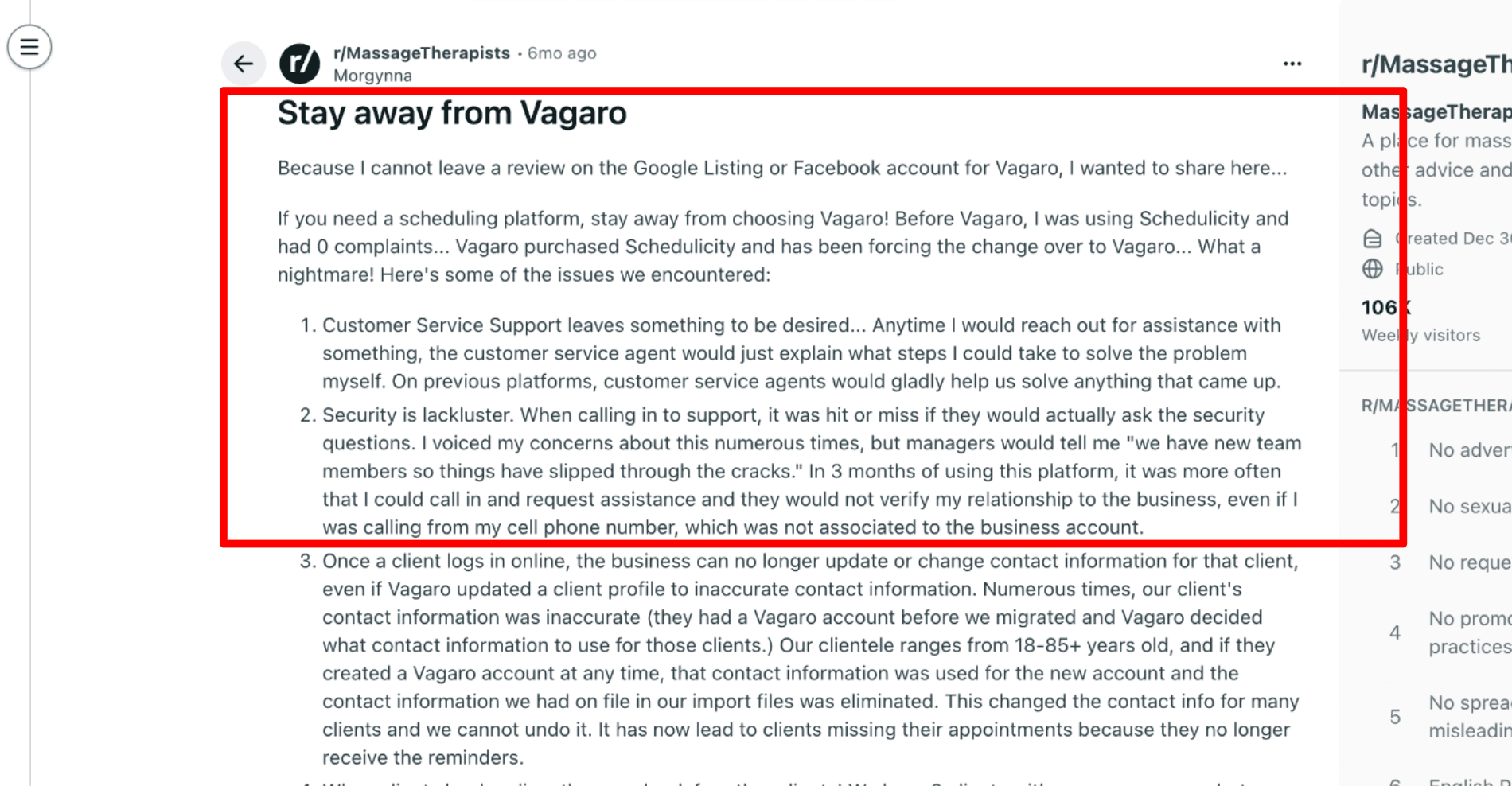
- Support can feel self-serve when you want hands-on help during migration.
- BNPL can eat margin since Affirm has a documented 6% plus $0.30 fee per transaction in the Support Center.
- If you rely on marketplace discovery, paid visibility can become a recurring cost.
Vagaro Pricing
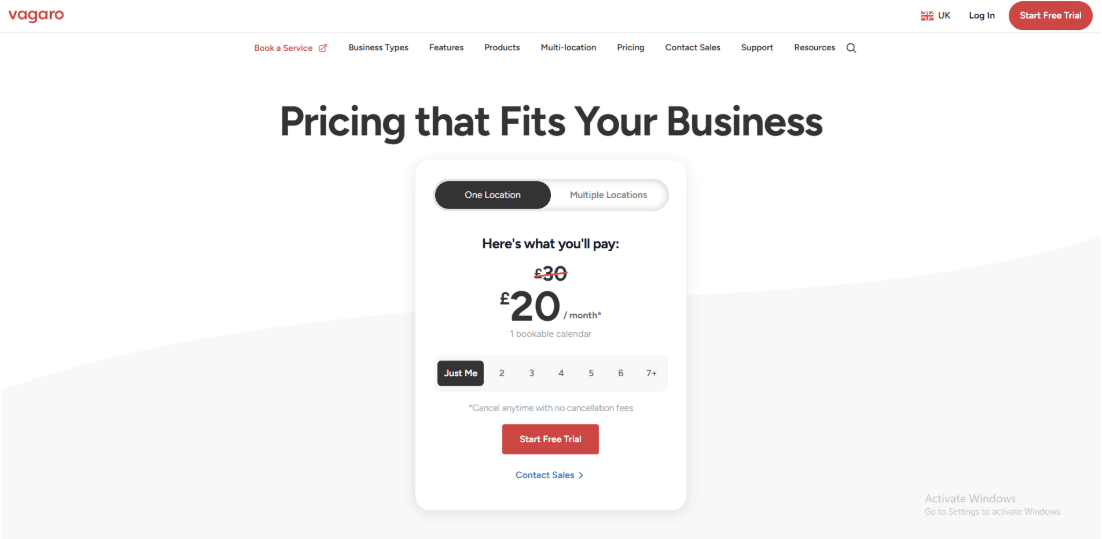
- US pricing starts at $23.99 per month for 1 bookable calendar, with each extra employee calendar at $10 per month up to 7, then more staff can be added without extra calendar fees. See Vagaro pricing and subscription details.
- Pricing varies by country, like Canada $35, UK £20, and Australia $45 per month, each including 1 calendar.
- Premium add-ons can raise the monthly total.
- Text and email plans may trigger overage charges if you exceed credits.
Note: Here's an article on class booking features.
Mindbody
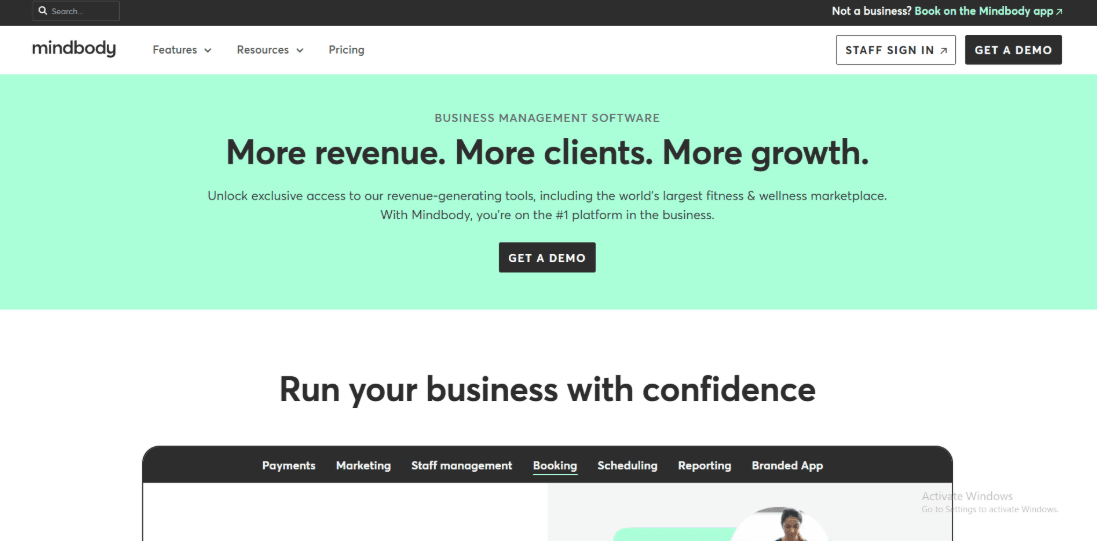
Mindbody is a well-known platform used by fitness studios that want classes, memberships, and payments in one place. Many studios choose it when they want a full system to run daily operations. For studio owners searching for fitness class scheduling software, Mindbody often comes up because it combines booking, billing, and studio management tools in a single platform.
If you’re comparing studio platforms, this overview of Mindbody alternatives is a quick way to sanity-check features vs pricing.
-
Class schedule + waitlist Studios can create a weekly class schedule that includes instructors, class types, and rooms. Clients can view the timetable and book their own classes online. For example, if the 6 pm HIIT class fills up, new clients can join a waitlist. If someone cancels, the system can automatically move the next person into the open spot. This type of waitlist system is common in fitness class scheduling software because it helps studios keep classes full.
-
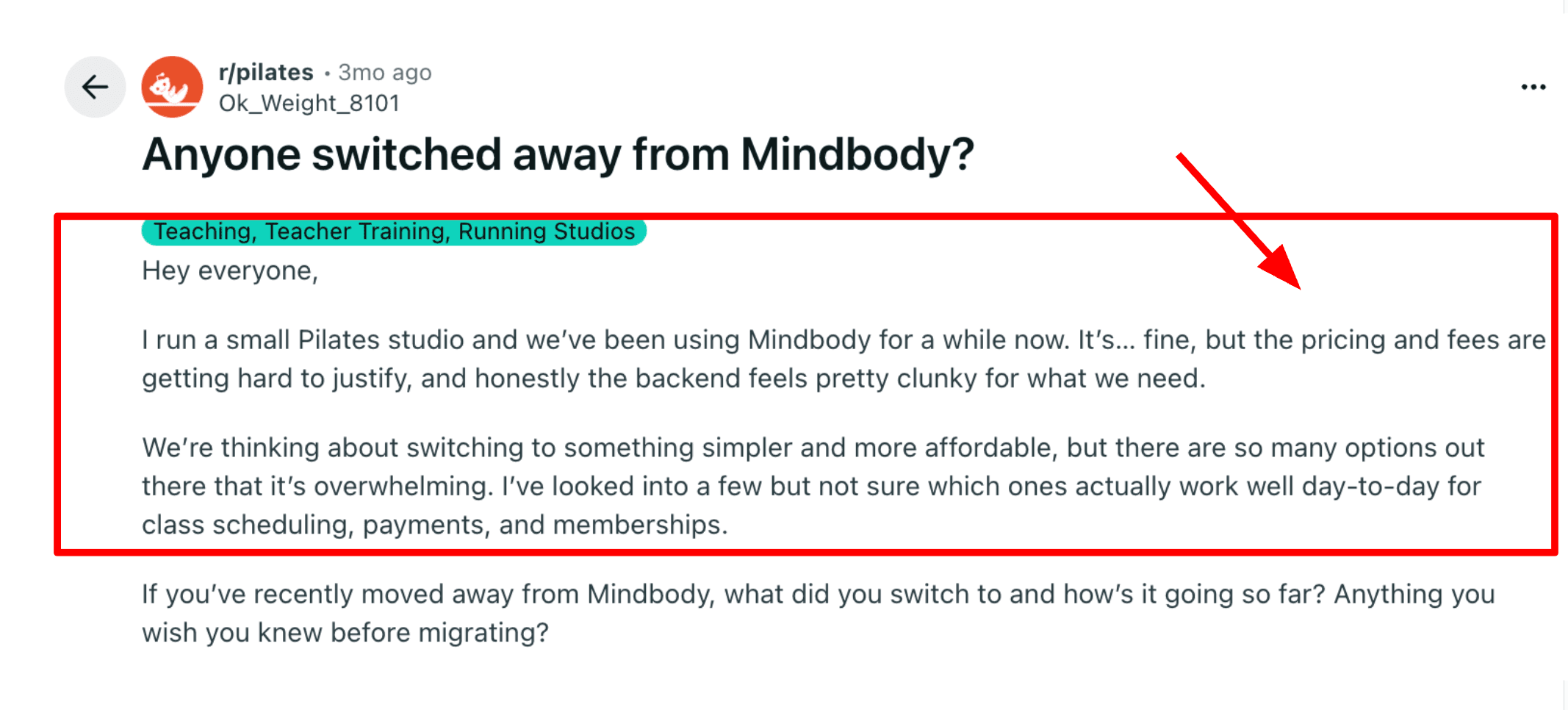
Membership billing Mindbody supports recurring memberships and class packs. Many boutique studios rely on this because memberships are often the main source of revenue. As a studio grows, total costs can increase due to add-ons and additional locations. Some studio owners have shared similar concerns in online discussions, noting that pricing becomes harder to justify over time.
-
Website booking widgets Mindbody offers booking widgets that studios can add to their website. Visitors can click a Book a class button and reserve a spot without leaving the site. Once services and schedules are set up, the basic booking flow can be launched fairly quickly.
-
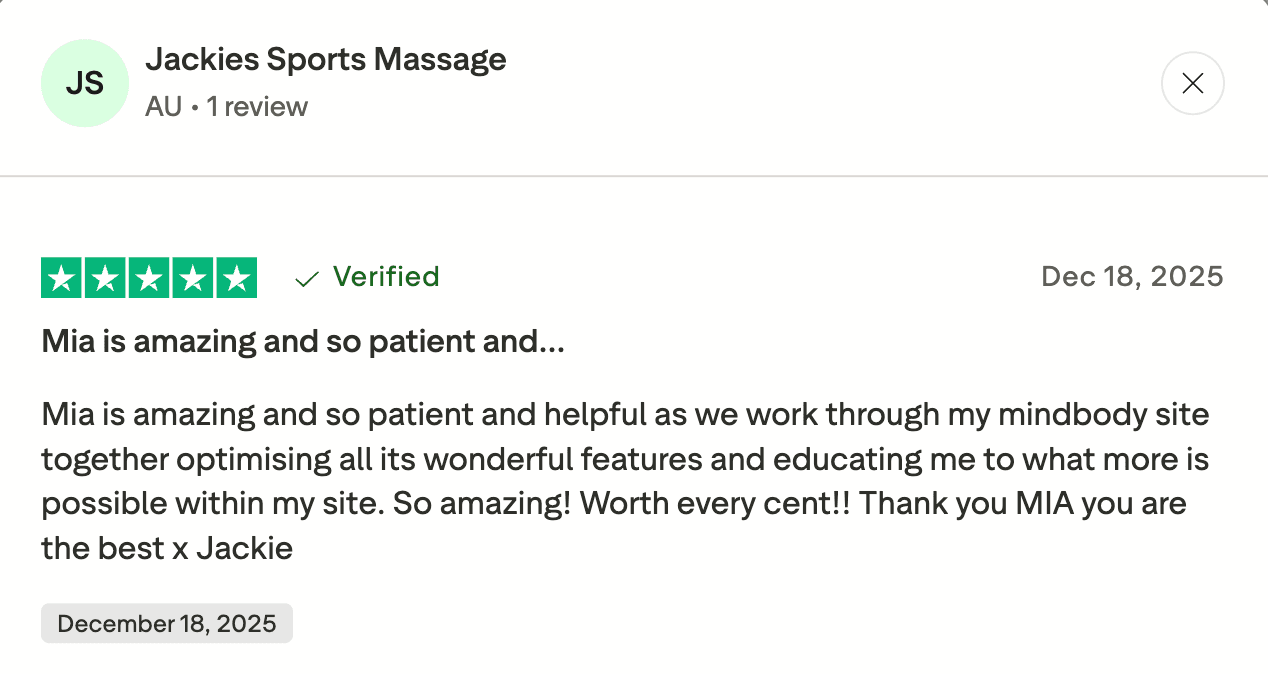
Rooms and capacity controls If you do multiple sessions in parallel, room and resource scheduling becomes the difference between smooth ops and chaos. This is where Mindbody fits studios that run reformer Pilates, yoga, and PT-style sessions under one roof, with different capacity rules per room. I also get why some owners defend the setup cost. A Trustpilot review specifically praised hands-on guidance during feature optimization, which aligns with what you get from a good onboarding specialist.
- Client discovery reach For some studios, being listed in the Mindbody consumer app is the real lever, especially in dense cities where discovery drives first-time trials. If you’re scanning the “extra but important” stuff for fitness class booking, look at staff management, promo codes, retention analytics, branded app options, and reporting depth.
Pros
- Handles class packs and memberships in one system, which matters when billing is your business model.
- Strong fit for studios running multiple class types with instructors, rooms, and capacity rules.
- Booking widgets work well for turning website traffic into direct class bookings.
- Discovery via the Mindbody app can help fill off-peak slots in competitive markets.
- Deep reporting helps you spot patterns like late cancellations and no-show-heavy time slots.
Cons
- The admin side can feel clunky when you’re moving fast between schedules, clients, and payments.
- Pricing can be tough to justify for smaller studios as needs grow beyond the entry plan.
- Setup takes real effort if you want clean membership rules, waitlists, and room logic.
- Some workflows feel optimized for “do everything” businesses, not minimalist class studios.
- If your studio runs on iPad-only front desk ops, you’ll want to test your daily flow before committing.
Mindbody Pricing
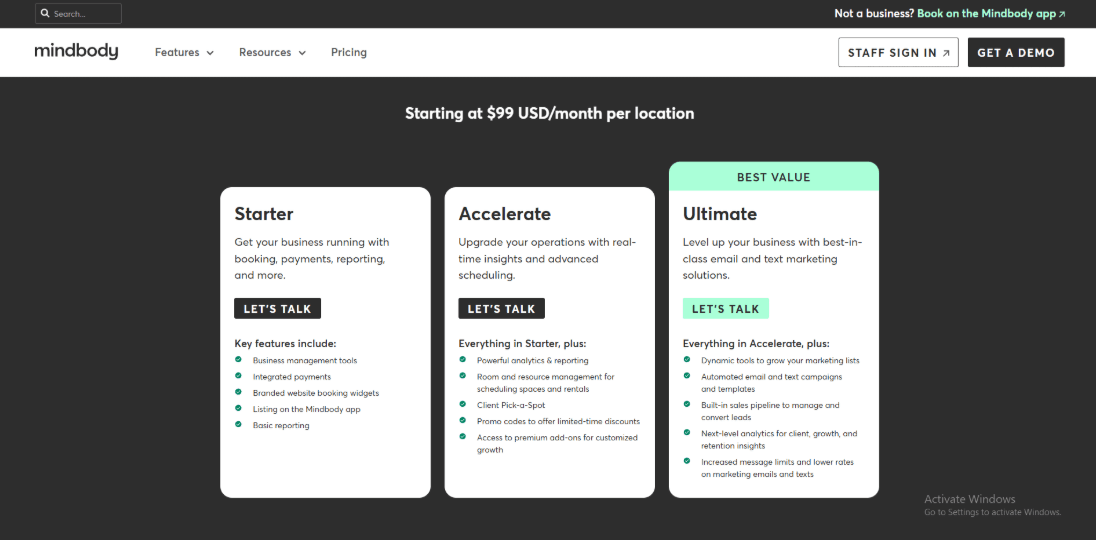
- Starter starts at $99 USD per month per location and includes booking, integrated payments, website widgets, Mindbody app listing, and basic reporting.
- Higher tiers add studio ops depth like room/resource scheduling, promo codes, and richer analytics, plus email/text marketing and a built-in sales pipeline.
- Pricing varies by region and scale, so many studios request a quote for multi-location and messaging needs. Details are on the official Mindbody pricing page.
Calendly
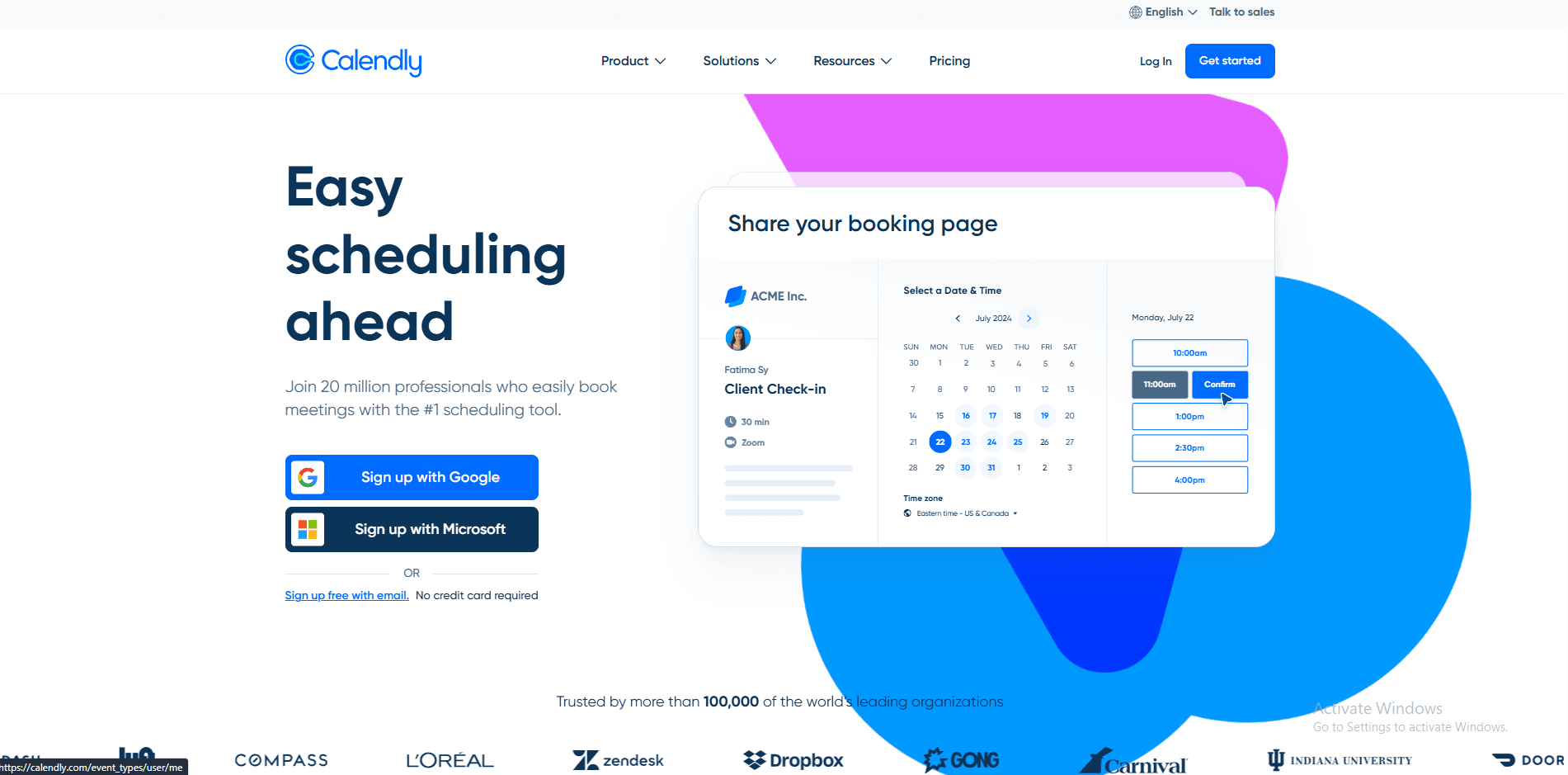
Calendly is known for simple booking links that remove the back and forth when scheduling meetings or sessions. Some fitness businesses also use it as lightweight fitness class scheduling software when they want a simple booking tool without a full studio management system.
-
Group class sessions
Calendly includes a feature called Group Events. It allows multiple people to book the same time slot while keeping a seat limit. For example, a trainer could create a Saturday HIIT session with 20 available spots. Once the class fills up, the system stops additional bookings. This approach works well for small classes or trial sessions. -
Reliable confirmations
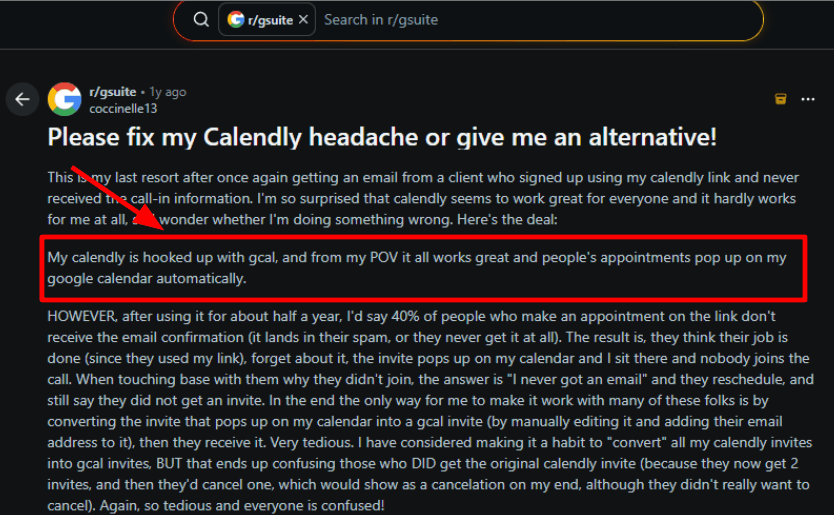
Email confirmations and reminders are important for classes. When a message does not arrive, it can lead to missed sessions. One thing didn’t sit right during testing, and I also saw it echoed in a Reddit review. People booked, but some never received the confirmation or call details, leading to no-shows. I’m sharing that screenshot below.
- Calendar sync rules
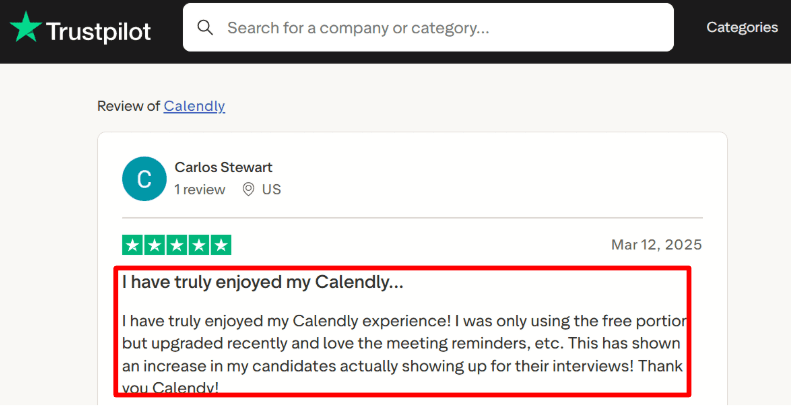
Calendly connects with calendars such as Google Calendar or Outlook. This helps avoid double bookings. You can also set rules like buffer time between sessions, minimum notice before booking, and limits on the number of sessions per day. These rules are helpful for coaches who run both private sessions and group classes. A Trustpilot reviewer also called out fewer no-shows after upgrading because reminders “just happen,” and I’d agree if workflows are set up properly.
-
Routing and handoffs
Routing forms help when you offer different class types, trial sessions, or multiple coaches. You can ask a couple of questions up front and send the person to the right booking path, instead of forcing them to pick from a confusing list. In practice, you’ll also care about Stripe payments, website embeds, Zoom or Google Meet links, rescheduling rules, and team round-robin for shared coaching queues. -
Embed-friendly booking links
Embeds are handy for landing pages like “Free trial class” or “Join the next batch,” so people book without leaving your site. I’d still sanity-check load speed on mobile, because a slow embed can quietly hurt conversion.
Pros
- Fast setup for 1 and group bookings
- Strong scheduling rules for busy days
- Useful reminders to reduce no-shows
- Solid for teams with shared calendars
- Good integration ecosystem
Cons
- Pricing scales quickly per seat
- Some key features sit behind tiers
- Email delivery edge cases can hurt attendance
- Complex setups take time to get right
- Data residency needs checking for strict orgs
Calendly Pricing
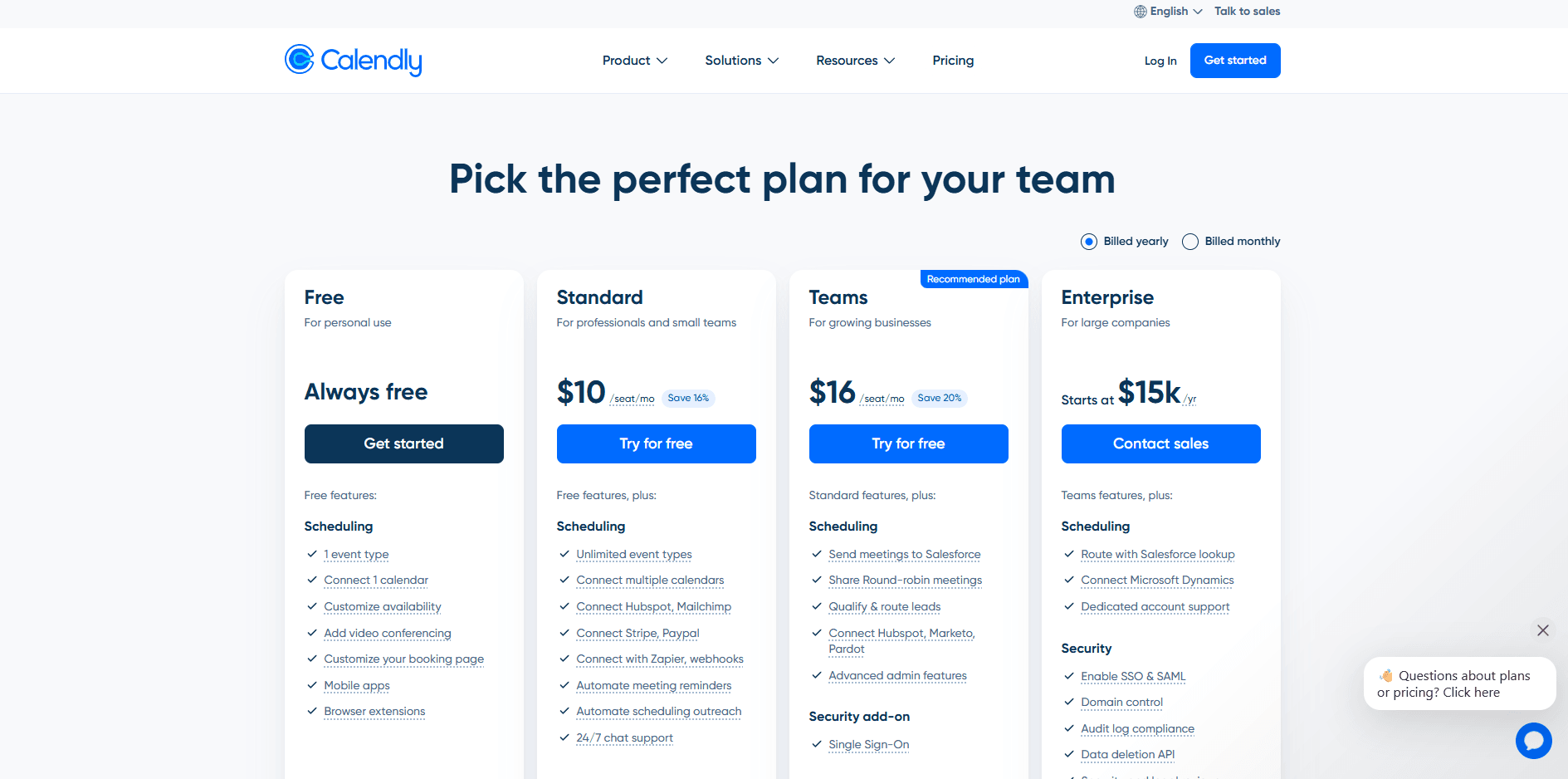
- Free is always free with 1 event type and 1 connected calendar.
- Standard is $10/seat/mo billed yearly with unlimited event types, payments, and reminders.
- Teams is $16/seat/mo billed yearly with round robin, routing forms, and Salesforce.
- Enterprise starts at $15k/yr with SSO, audit log, and advanced admin. Full details on the Calendly pricing.
Acuity Scheduling
Acuity Scheduling is commonly used by studios that want members to book classes themselves. It supports signups, payments, and reminders in one system, so staff do not need to manage every booking. Many studios use it as fitness class scheduling software because it handles class signups and member payments without needing a full front desk system.
-
Group classes with capacity Acuity lets you create group classes with a fixed number of seats. For example, I created a 6
AM bootcamp with 18 spots. Once 18 people booked the class, the system stopped accepting new bookings. This helps avoid overbooking and confusion when members arrive for class. Seat limits like this are an important part of fitness class scheduling software because they keep class attendance organized. -
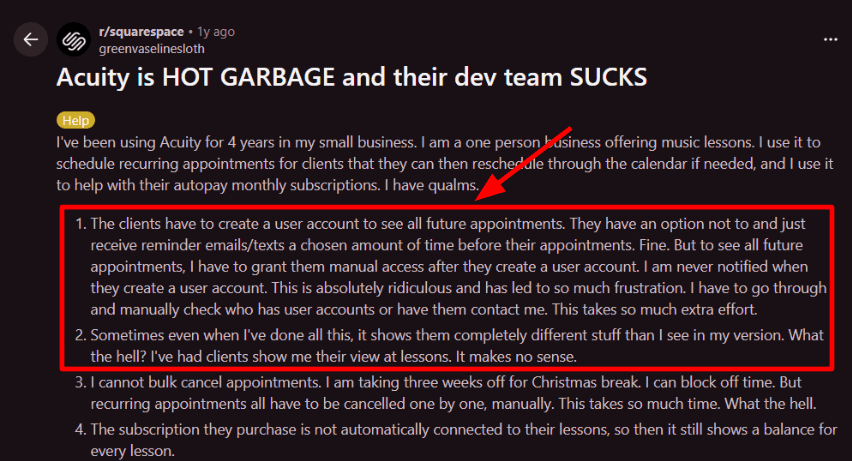
Recurring bookings and member view Recurring bookings work well for members who attend classes on a regular schedule. A studio can create plans such as two classes per week or fixed training programs. I saw the same issue in a Reddit review, and I’m sharing that screenshot below. Some members need an account step to see all future bookings, and access can become manual and easy to miss.
-
Payments and memberships Acuity works with Stripe, Square, and PayPal. Studios can accept deposits, sell class packs, or offer monthly memberships. It is helpful to test the full booking process from the member’s perspective. Subscriptions sometimes appear separate from individual bookings, which can create confusion about remaining class credits if the setup is not clear.
-
Calendar sync and reliability Sync with Apple Calendar or Google Calendar is a big part of day-to-day operations, especially when coaches rotate. A Trustpilot review called Apple Calendar sync “100% reliable” and praised responsive human support, which matches what I look for when the signup page needs a quick fix.
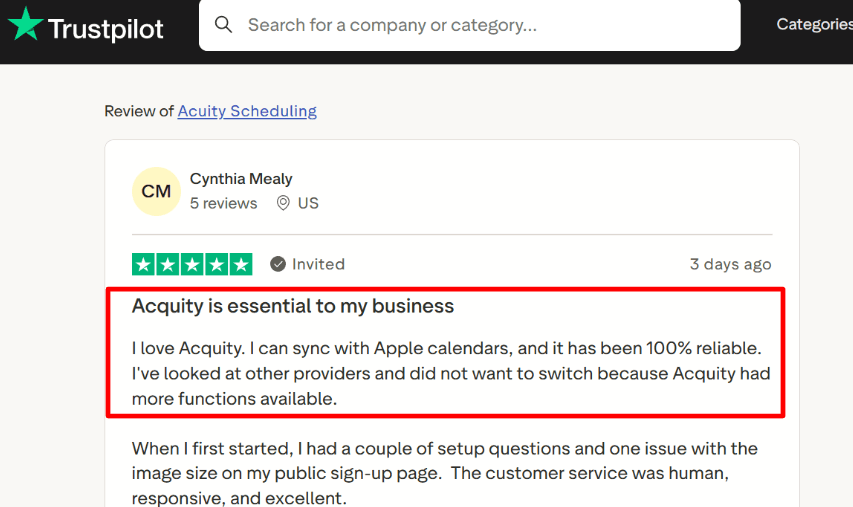
A Trustpilot reviewer praises reliable Apple Calendar sync and responsive human support. -
Automation and integrations
Studios often connect Acuity with other tools using integrations. Zapier is commonly used for automation, but it is worth testing how triggers behave. According to Zapier documentation, some triggers run only once per appointment. If a class booking is rescheduled, the automation may not trigger again.
Pros
- Seat caps keep popular classes from overbooking.
- Subscriptions and class packs fit studios that sell passes.
- Calendar sync supports coaches with changing weekly hours.
- Reminders reduce no-shows for early morning classes.
- Multiple calendars support multi-coach schedules.
Cons
- Member visibility can become manual if client account access is not automatic.
- Bulk cancelling recurring classes for holidays can become slow cleanup.
- Passes can still cause balance confusion if the setup is not tight.
- Zapier automation may miss reschedules due to trigger behavior.
- Multi-seat booking under one payer can need workarounds for partner classes.
Acuity Scheduling Pricing
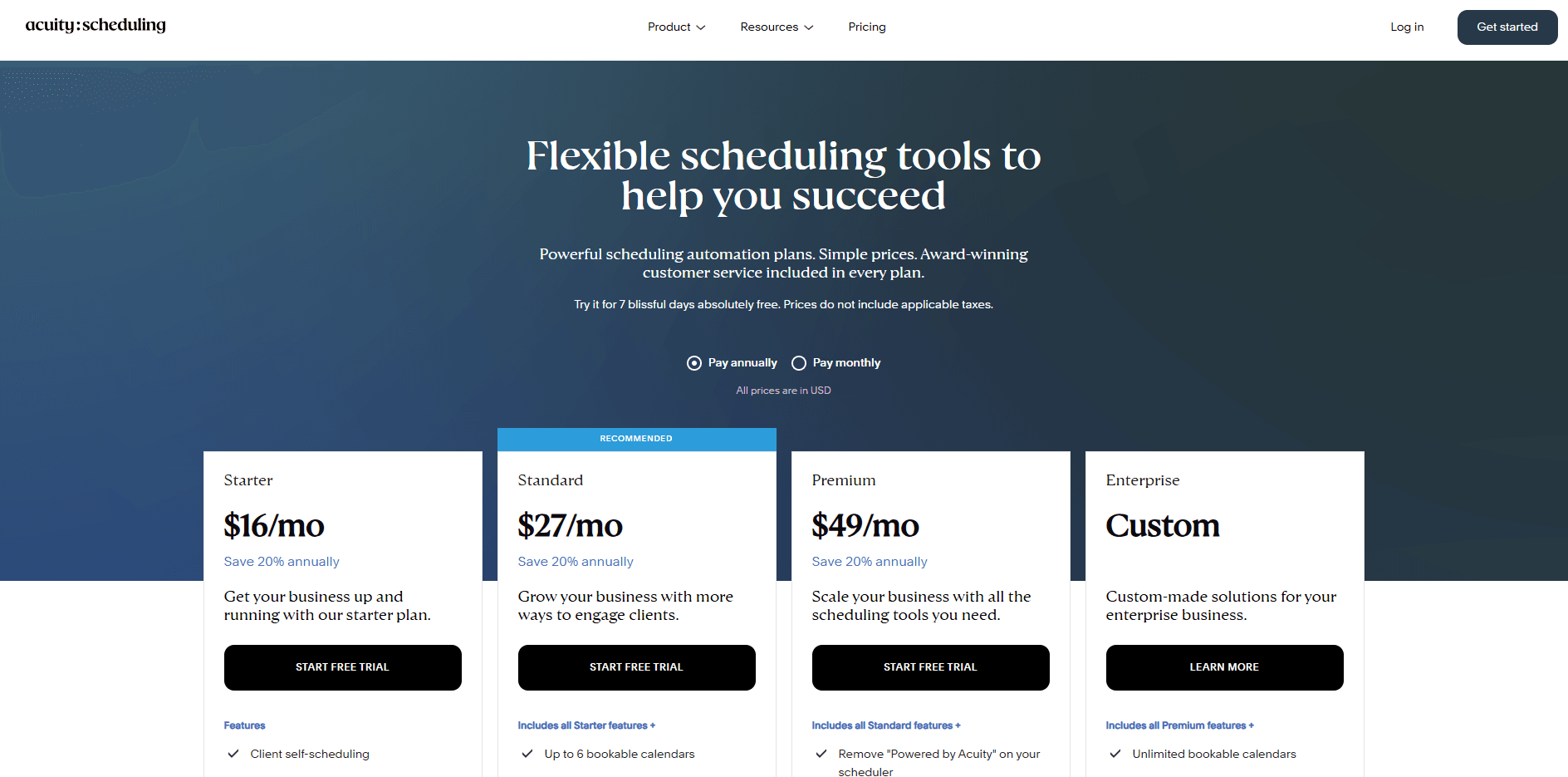
- Starts with a 7-day free trial, then you pick a paid plan. See the official pricing page.
- Starter is $20 monthly or $16 per month billed annually.
- Standard is $34 monthly or $27 per month billed annually, and adds SMS reminders plus packages and memberships.
- Premium is $61 monthly or $49 per month billed annually, and adds 36 calendars, branding removal, and HIPAA BAA.
- Enterprise pricing is custom for larger teams.
Conclusion
If you want a quick decision, here’s how I’d choose based on real usage and setup:
- Lunacal works best for solo coaches and small studios that want clean booking pages, paid classes, and minimal admin without a heavy system.
- Acuity Scheduling is a strong pick for coaches selling packages or memberships with recurring bookings and client self-management.
- Vagaro fits single-location studios that need classes, staff scheduling, payments, and POS in one place.
- Mindbody is the right choice for multi-location studios that need memberships, reporting, and full operational control across teams and locations.
- Calendly works when you only need simple group booking links and do not need memberships, packages, or studio workflows.
The key decision comes down to this: whether you need a lightweight class booking tool, a studio management system with memberships and payments, or a multi-location platform that handles operations at scale.
Methodology
I ran the same basic test flow on every tool so the comparison stays fair. Wherever possible, I’ve added links and screenshots so you can verify what I’m saying.
Test setup
- One test business: a fitness studio that runs classes and 1 sessions
- One test event: a paid class with limited seats
- One test client: booked from mobile, paid, rescheduled, then cancelled
- Timezone check: I tested a mismatch on purpose (business in one timezone, client in another)
- The original testing was completed on January 14, 2026. The article was reviewed and updated on July 2, 2026; product details may change after these dates.
The real-world scenarios we ran
- New client booking
- Find a class, understand price, pick a time, pay, get confirmation
- Class capacity pressure
- Try to book when seats are almost full, then when full
- Reschedule and cancel
- Client reschedules from the link, then cancels
- Studio gets the alert and the spot opens correctly
- Admin day-to-day
- Create a new class, duplicate it, set buffer rules, block staff time off
- Team and multi-location (if supported)
- Add a second staff member and see how assignment works
References you’ll see in this article
- We went through Trustpilot reviews, G2 reviews, and Reddit posts. I’ve added actual screenshots and links in the tool sections.
- Pricing pages of all tools referenced in each section (example: https://www.vagaro.com/pro/pricing)
- Security and policies pages referenced where possible (example: https://www.vagaro.com/pro/privacy, https://www.vagaro.com/pro/trust-center, https://calendly.com/security)
- Actual product testing screenshots. You’ll see them inside each tool section, not hidden in a footnote.
FAQs
Which is the best online booking system for fitness classes?
Best booking software for fitness classes is Lunacal. It is rated 4.9/5 on G2 and handles packages, beautiful booking pages, customizable intake forms, and seamless payment integration. Calendar sync stays reliable with Google and Outlook. For large studios needing memberships, staff permissions, and busy front desk workflows, Mindbody can be a better fit.
Which fitness studio scheduling software should I pick?
The most practical picks for fitness studio scheduling software are Lunacal, Mindbody, and Vagaro.
- Lunacal: Best when you want a booking page that helps people commit. Great for class packs, payments, intake forms for injuries or goals, and team scheduling when multiple trainers rotate classes.
- Mindbody: Best for studios running full programs. Strong on memberships, class rosters, instructor coverage, and check in flows at the desk.
- Vagaro: Best if the business mixes classes with appointments. Helpful for staff calendars, client messaging, and keeping everything under one client record.
Calendly can be fine for personal training sessions, yet it usually feels stretched for true class operations.
What country level tax, language, or GDPR nuances matter in fitness class scheduling software?
Country nuances that matter in fitness class scheduling software come down to taxes, language, and consent.
- US and Canada: sales tax rules vary by state or province so separate taxable items like merchandise, drop ins, and memberships
- UK and Australia: GST or VAT handling needs invoices and refunds for no shows
- EU: GDPR needs consent logs, data export and deletion. Offer German, French, and Spanish language options
What features should fitness class booking software include?
Fitness class booking software should include capacity limits, waitlists, recurring schedules, and instructor assignments. It should sell passes and packages, take payments, and send reminders. Look for easy rescheduling, clear cancellation rules, and a check in list for the desk.
Is Calendly good enough for booking fitness classes?
Calendly can work for group sessions when you treat each class as a time slot. It struggles with waitlists, class packs, and instructor rosters. Use it for basic scheduling only.
Summarize this content with AI


