Multiple attendees
Let separate attendees book the same session time.
LunaCal group booking lets multiple attendees reserve the same time slot. Set a capacity of up to 30 participants per slot, keep booking open while seats remain and reopen places when attendees cancel.
Start your free trialCompare scheduling tools ↓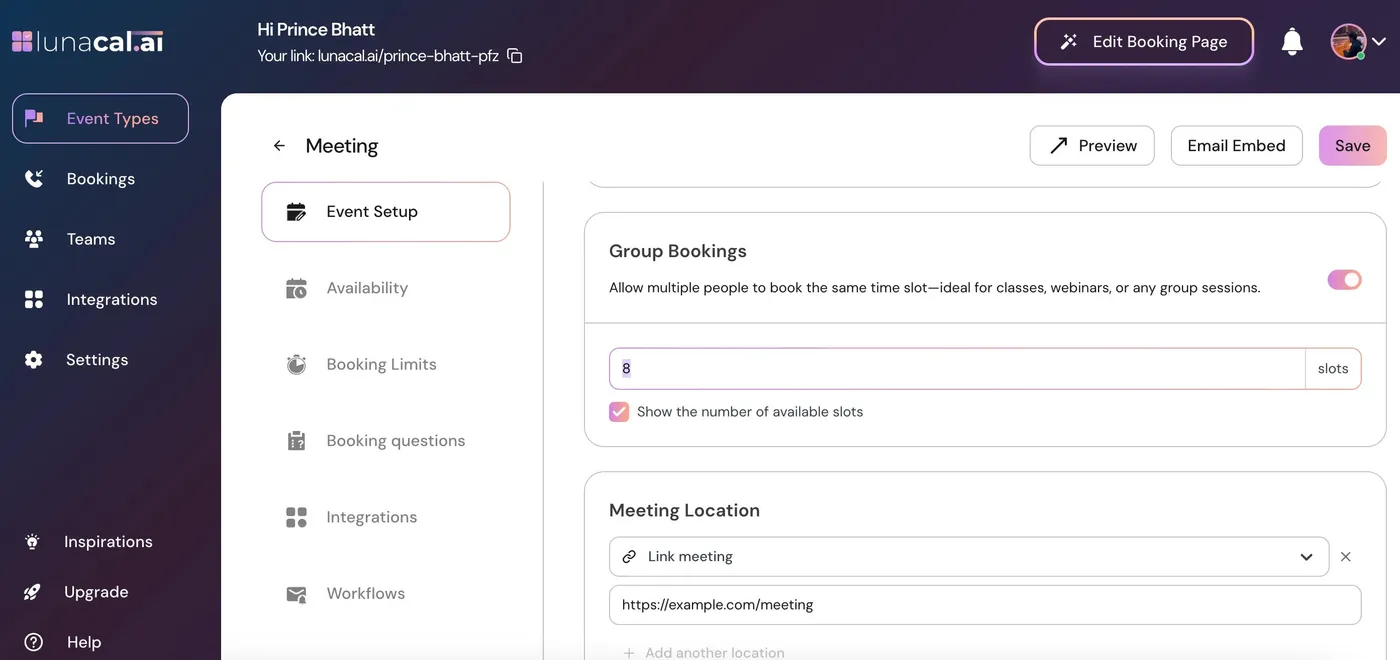
Group booking adds capacity controls to an event without replacing its normal appointment settings.
Let separate attendees book the same session time.
Set a maximum of 1–30 participants for each time slot.
Track remaining capacity separately for every slot.
Show the number of spots left when the display option is enabled.
Hide a time slot once its capacity is reached.
Make the place available again when a cancellation frees capacity.
Collect the details each attendee needs to provide before the session.
Use booking workflows to send the session details and reminders.
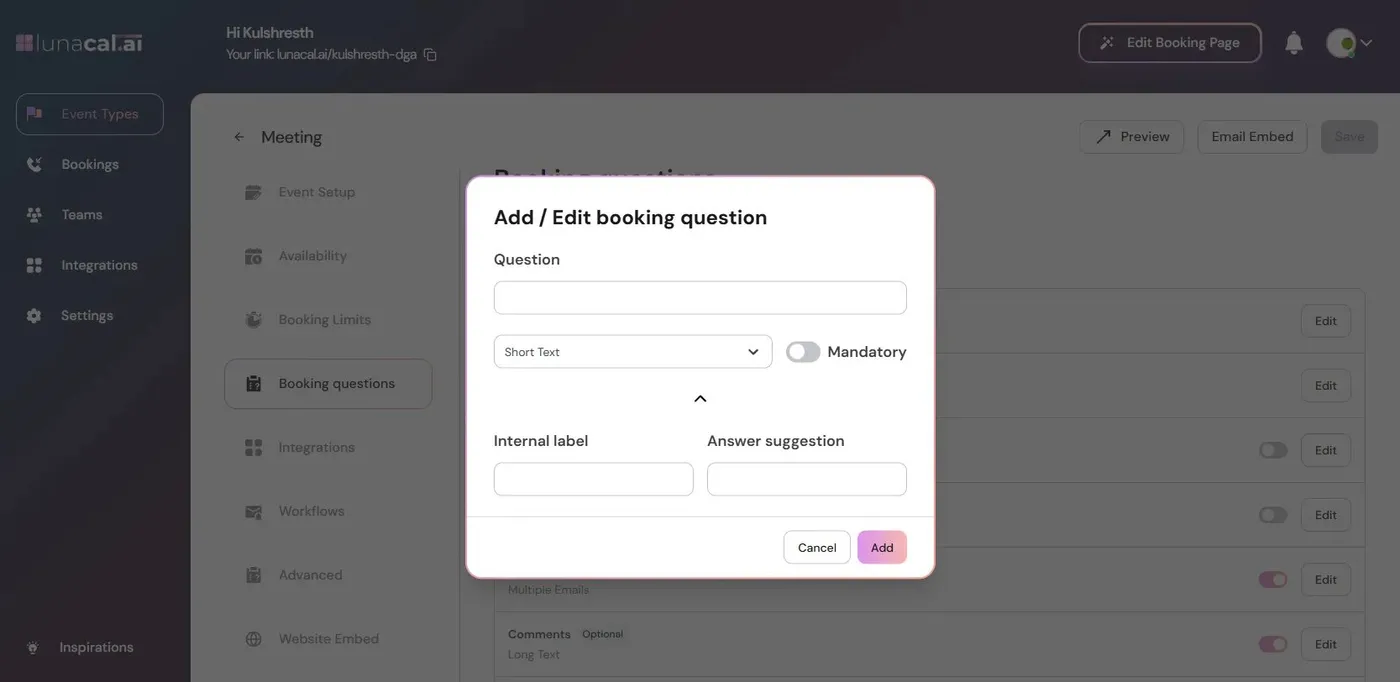
Capacity controls how many people can attend. Booking questions collect the information needed from each person reserving a place.
The time slot remains available while its participant count is below capacity.
The remaining-seat count decreases for that particular slot. Other session times keep their own counts.
LunaCal hides the full slot from the booking page so additional attendees cannot book it.
The seat becomes available again. A previously full slot can reappear with updated capacity.
Group booking is enabled on the event itself. Edit the event, open Event Setup and switch Group Bookings on.
Explore this setting →Enter the maximum participants per slot, from 1 to 30, then save.
Use the event schedule to determine when sessions run; capacity determines how many people can reserve each one.
Choose group booking for attendee seats. Use a collective event when the main requirement is coordinating several hosts.
LunaCal keeps participant capacity, attendee information and appointment communication together.
A cancellation updates the slot’s capacity without requiring you to republish the session.
A full session does not close the entire event. Other time slots can continue accepting bookings.
Manage group sessions alongside one-to-one appointments. Teams adds shared scheduling, multi-session packages and webhooks at $15 per user per month.
Compare group-capacity controls first. LunaCal supports up to 30 participants per slot; larger sessions may suit a different tool.
| Capability | LunaCal | Calendly | Cal.com | Koalendar |
|---|---|---|---|---|
| Group booking | Yes | Paid plans | Offer seats | Paid plans |
| Capacity setting | 1–30 participants | Configurable | Configurable | Configurable |
| Independent capacity per slot | Yes | Yes | Yes | Yes |
| Remaining-seat display | Optional | Optional | Optional | Optional |
| Full-slot closure | Yes | Yes | Yes | Yes |
| Booking questions | Yes | Yes | Yes | Yes |
| Online session location | Yes | Yes | Yes | Yes |
| In-person session location | Yes | Yes | Yes | Yes |
| Email reminders | Yes | Yes | Yes | Yes |
| Payment collection | Stripe / PayPal | Stripe / PayPal | Stripe / PayPal | Stripe / PayPal |
| Website embedding | Yes | Yes | Yes | Yes |
| Individual bookings alongside groups | Yes | Yes | Yes | Yes |
Edit the event, open Event Setup, switch Group Bookings on, enter the maximum participants per slot and save.
The Group Bookings setting accepts a capacity from 1 to 30 participants per slot.
Yes. When remaining-seat display is enabled, the booking page shows how many spots are left.
The full time slot is hidden from the booking page. Other slots with remaining capacity stay available.
Yes. A cancellation frees capacity, and a previously full slot becomes available again.
No. Capacity is managed separately for each time slot, not as one shared limit across every session.