

Introduction
Getting more driving lesson enquiries is hard.
Losing them because your booking setup is slow, clunky, or confusing is worse.
While selecting a scheduling software for your driving lessons, you need to evaluate options that help you fill lesson slots faster, take payments online, send reminders automatically, and make booking easy for students.
In this guide, I compare the best driving instructor scheduling software and driving school scheduling software based on critical parameters: booking flow, payments, reminders, lesson packages, instructor coordination, and how professional the experience feels.
Some tools are a better fit for solo instructors. Some work better for small schools. A few are strong for admin-heavy operations.
Let's dive into it.
Driving Instructor Scheduling Software Comparison
Best tools by driving school type
| Driving business type | Best tool | Why it fits |
|---|---|---|
| Solo driving instructor | Lunacal | Clean booking page, easy payments, minimal admin, professional student experience |
| Small driving school team | Lunacal | Handles multiple instructors, shared availability, and lesson distribution without complexity |
| Pupil tracking focused school | Total Drive | Built for lesson records, learner progress, and instructor-side workflows |
| Square-based business | Square Appointments | Booking + payments in one system if you already use Square |
| Budget-first setup | Picktime | Low-cost entry with scheduling, payments, and resource tracking |
| Custom workflow heavy school | SimplyBook.me | Flexible rules, add-ons, and booking configuration depth |
| Full operations + packages | BookingTimes | Strong on lesson bundles, payments, and school-level coordination |
Feature comparison for driving lessons
| Feature | Lunacal | Total Drive | Square Appointments | SimplyBook.me | Picktime | BookingTimes |
|---|---|---|---|---|---|---|
| Starting price | $9/user/mo | £16/mo | Free / $49+ | Free / €11.9+ | Free / $3/user | $99/mo |
| Payments | Yes | Yes | Yes | Yes | Yes | Yes |
| SMS reminders | Yes | Yes | Yes | Add-on | Paid plans | Yes |
| Email reminders | Yes | Yes | Yes | Yes | Yes | Yes |
| Team scheduling | Yes | Yes | Yes | Yes | Yes | Yes |
| Lesson packages | Yes | Limited | Yes | Yes | Yes | Yes |
| Pupil tracking | No | Yes | No | No | No | Yes |
| Resource scheduling (cars) | No | Limited | No | No | Yes | Yes |
| Waitlist support | No | Yes | Limited | Yes | Limited | Yes |
| Calendar sync | Yes | Yes | Yes | Yes | Yes | Yes |
Driving Scheduling Software Reviews
Lunacal for Driving Schools
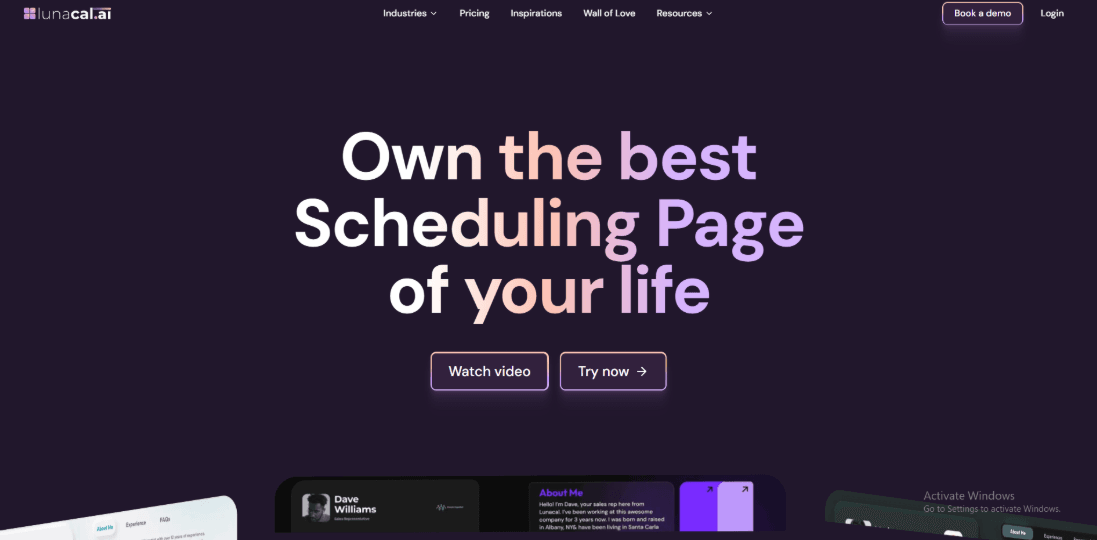
Lunacal is popularly known for its richer booking page and a clean booking flow that feels simple for the student. If you want fewer back and forth messages and a more organized scheduling setup, it’s worth considering.
Features
-
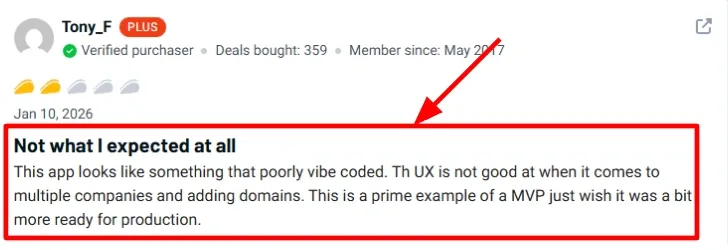
Team scheduling When I tested a setup with multiple instructors, the team page and round robin rules were the main pieces I spent time on. It’s useful when you want new bookings to distribute across instructors without manual assignment. I did see a Appsumo review mention the multi company and domain setup felt rough. I’m sharing a screenshot of that below to keep it real.
-
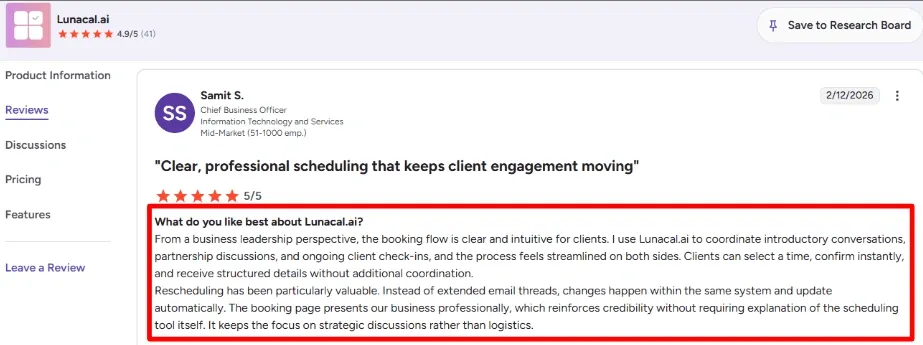
Booking page The booking page is designed to share more context before someone picks a slot, which helps when students or parents have basic questions. A G2 reviewer also said the booking flow felt clear and easy for clients, and I agree after trying the basic flow end to end. You can scan the screenshot below if you want the exact wording they used.
-
Availability rules You can set buffers, notice periods, and booking limits so students don’t book last minute slots that mess up your day. While testing, this part was straightforward to tune for peak hours and weekends. One small thing I didn’t love was needing a bit of trial and error to get the exact feel of the rules.
-
Meeting tool integration If you run theory classes online, you can set the meeting location to tools like Zoom and generate links automatically per booking. I tested Zoom setup and it worked once permissions were correct. It’s a practical feature when you have hybrid training or remote parent consults.
-
Automation webhooks If your driving school uses a CRM, WhatsApp workflows, or internal tools, webhooks can trigger actions like booking created, rescheduled, cancelled, and paid. This is the kind of detail many people skip, but the Lunacal help docs show it clearly in their Webhooks section on Zapier. It’s especially helpful when you want admin work to happen automatically after a booking.
Pros
- The ratings footprint is strong, with Lunacal showing a 4.9 score on G2 across 41 reviews, which usually signals consistent product delivery at this scale.
- The booking flow is easy to follow, so students can pick a slot and confirm without extra steps.
- Buffers, notice period, and limits are practical for instructor schedules.
- Team scheduling features cover common instructor allocation needs.
- Webhooks and Zapier options give you room to automate admin work.
Cons
- If your driving school needs deep classroom style features like lesson plans, student records, and compliance logs, a driving school focused scheduler can fit better than Lunacal.
- Multi company and domain setup can feel rough when you scale, as noted in a Reddit review.
- Some setups take a bit of experimenting to get the scheduling rules feeling perfect.
- If your process relies on many custom edge cases, you may need extra integration work.
- Per user pricing can add up when you have a large instructor roster.
Pricing
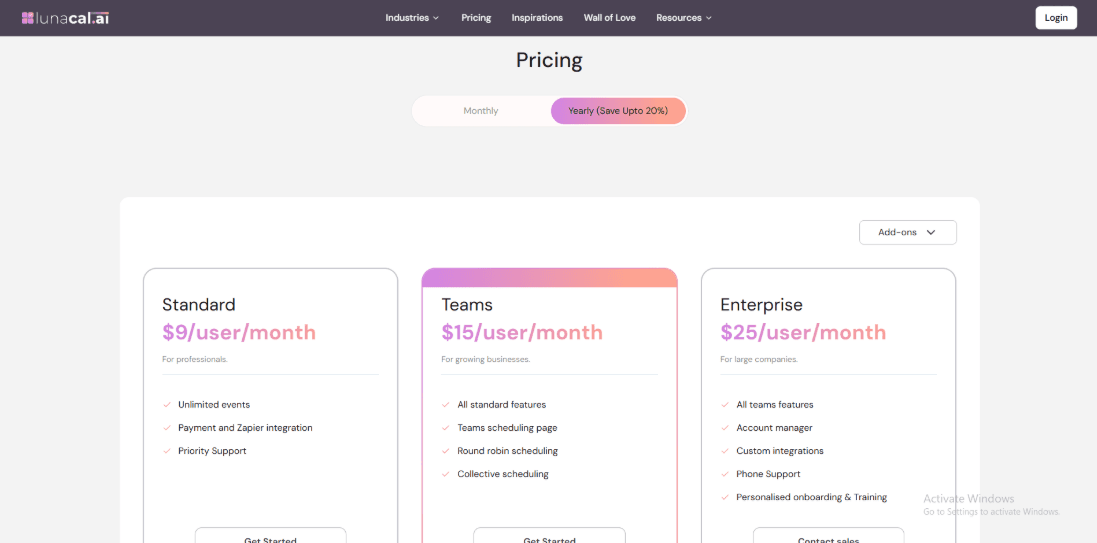
- Standard is $9 per user per month and includes unlimited events, payments, Zapier integration, and priority support.
- Teams is $15 per user per month and adds team scheduling pages, round robin, and collective scheduling features.
- Enterprise is $25 per user per month and includes onboarding, training, a dedicated account manager, and custom integrations.
When to Choose Lunacal
Choose Lunacal if you want a clean booking flow for students, instructor distribution for new bookings, and simple controls for availability. It also fits teams that want automations for booking updates and payments. Skip it if you need a full driving school management system with student tracking, lesson progress, and regulatory workflows built in.
Square Appointments
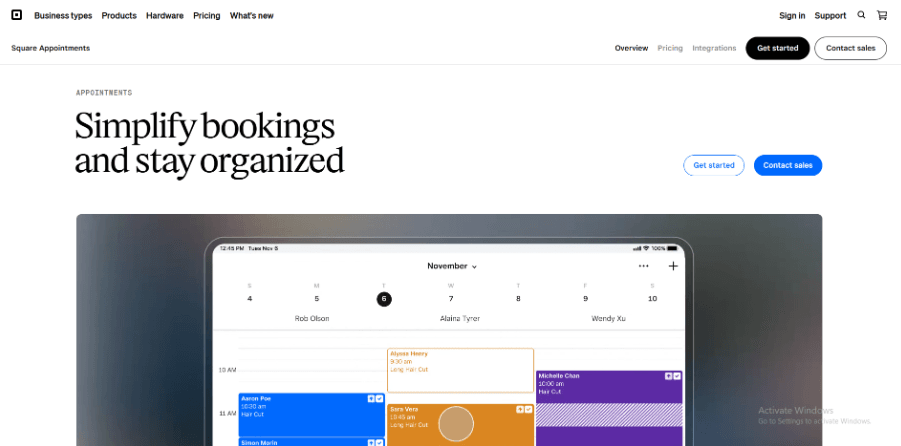
Square Appointments combines online booking and Square payments in one system. For a driving school, this can make daily operations easier. Students can book lessons online and pay at the same time. You do not need a separate billing tool. If you are comparing tools in the Driving Instructor Scheduling Software space, Square often comes up because payments are already built in.
Features
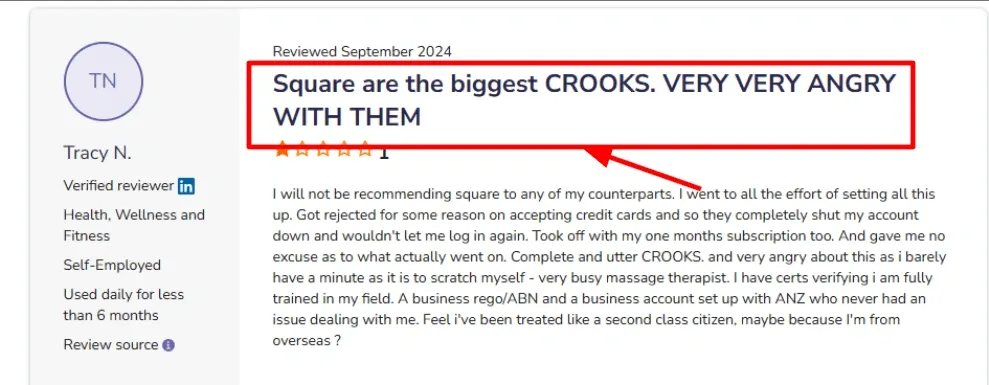
- Payment Integration: During setup, I tried out card payments. The system carefully checks your business profile. Onboarding can stop until something is fixed if something is missing or not clear. I also saw a similar account shutdown story in a Software Advice review.
I am sharing a screenshot below:
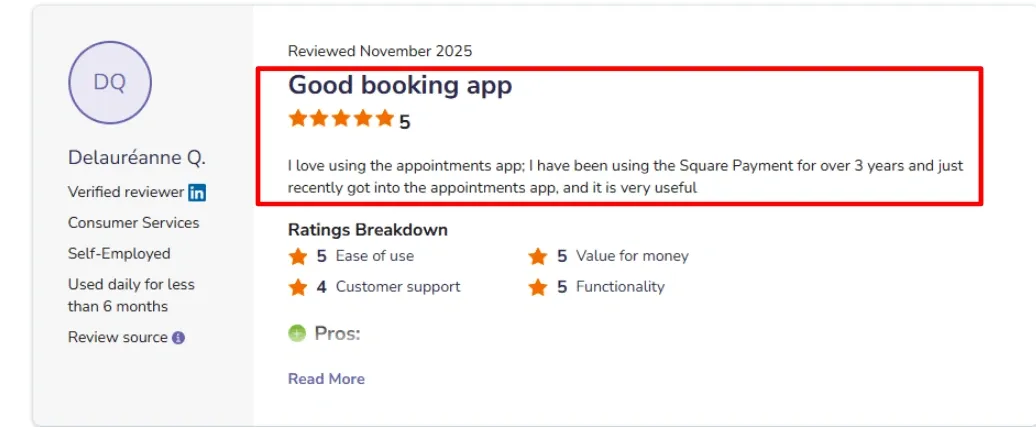
- Square Payments Sync: Reservations, payments, and reports remain connected. Many people say that adding Appointments to their existing Square account made things run more smoothly. This can save time for a driving school that already uses Square to process payments. In the broader Driving Instructor Scheduling Software category, this tight integration with payments is one of Square’s biggest advantages. A Software Advice reviewer said it became very useful once they started using Appointments after years on Square Payments.
-
Online Booking Page: You can publish a booking page that students or parents can use anytime. This reduces phone calls during busy hours. For driving lessons, it works best when services are clearly labeled. For example: 60-minute lesson, 90-minute lesson, or road test preparation. The booking link is easy to share on your website, Google Business Square's messaging apps. The steps are simple and easy to follow.
-
*No Show Fees: Square supports cancellation policies and no-show fees. This is important when an instructor loses a lesson slot at short notice. It helped to clearly explain the cancellation rule in the confirmation message while testing. There are fewer problems later when expectations are clear. This feature helps protect teachers' time in schools that are always busy.
-
Future Booking Reports: Square includes forward-looking reports that show upcoming bookings. This helps with planning. For a driving school, this can make it easier to see which weeks are busy in advance. You can check the instructor workload and adjust schedules early. Many tools in the Driving Instructor Scheduling Software space focus on booking teachers' reporting, which helps with planning and staffing decisions. Square added a Future Bookings report in a Community update, which helps you see what is coming up without manual counting.
Pros
- Easy to run if your payments already go through Square, since booking and payment live in the same setup. It reduces tool switching during a busy day.
- The online booking link is quick to share on WhatsApp, Google Business Profile, and your website.
- Automated reminders help cut down missed lessons.
- Cancellation rules and no-show fees give you a practical way to protect instructor time.
- Simple setup flow for solo operators or small teams, based on how the product is structured in Square.
Cons
- If you need features specifically for driving schools, such as assigning both an instructor and a specific vehicle to the same lesson, you may encounter limitations.
- Handling bookings that require multiple resources can be restrictive.
- The mobile and web experience can feel different during day-to-day updates.
- Payment onboarding can sometimes pause during verification, which can slow your launch.
- Some features are plan gated, and Square highlights tier-based access on its pricing page.
Pricing
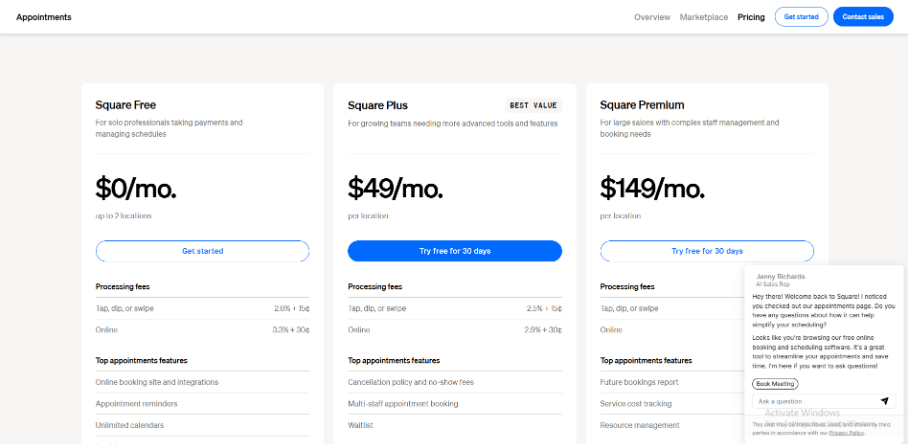
- Square offers a free plan for solo users that costs $0 per month. This includes basic booking and reminders.
- Plus costs $49 per month and is for teams that need more control over their schedules.
- Premium is a higher-level plan with more features for bigger teams and more reporting needs.
- For the most up-to-date information, always check the official pricing page.
When to Choose Square Appointments
If you own a small driving school and want to book and pay in one place, choose Square Appointments. If you want to offer a few clear lesson types, need reminders, and want simple rules for canceling, this is a good option. If you already use Square for payments and are looking for Driving Instructor Scheduling Software, this is a better option. If you need more advanced instructor and vehicle matching, route planning, or detailed compliance tracking for driving schools, look at other tools.
SimplyBook.me
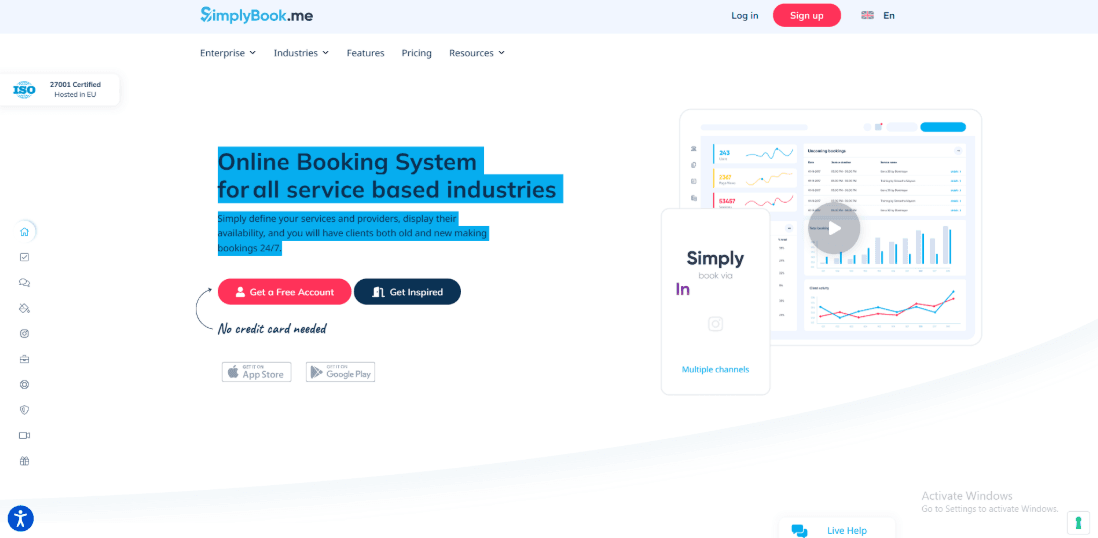
SimplyBook.me is known for its adaptable setup. You turn on the features you want and leave the others off. This can be a good option for driving schools that want to book lessons, track their instructors' schedules, and collect payments online without building their own system. If you are looking for Driving Instructor Scheduling Software, this option gives you control over how your booking flow looks and works.
Features
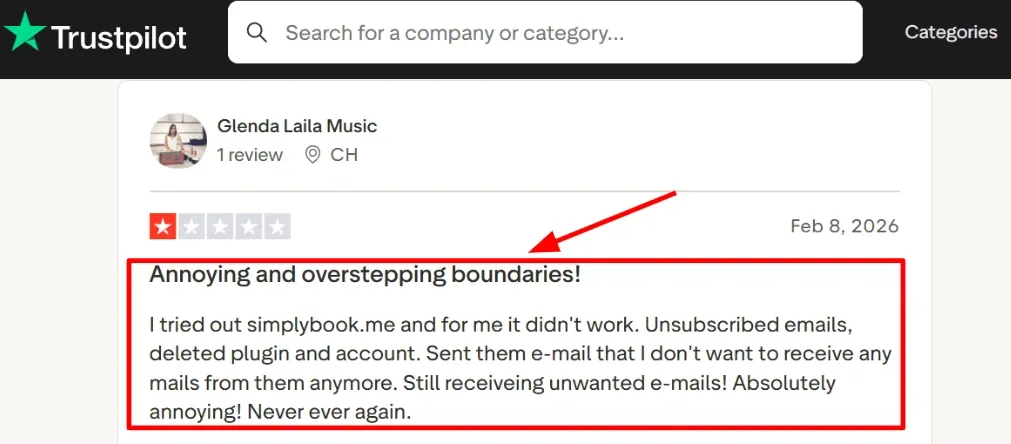
- Booking widgets: You can run a full booking page with SimplyBook.me. You can also embed the booking flow into your driving school website. That means learners can book lessons online without having to call your office. When I tested it, getting a basic booking flow live was quick. The steps were clear, and I had a working page in a short time. I also saw a Trustpilot review calling out unwanted emails after cancellation.
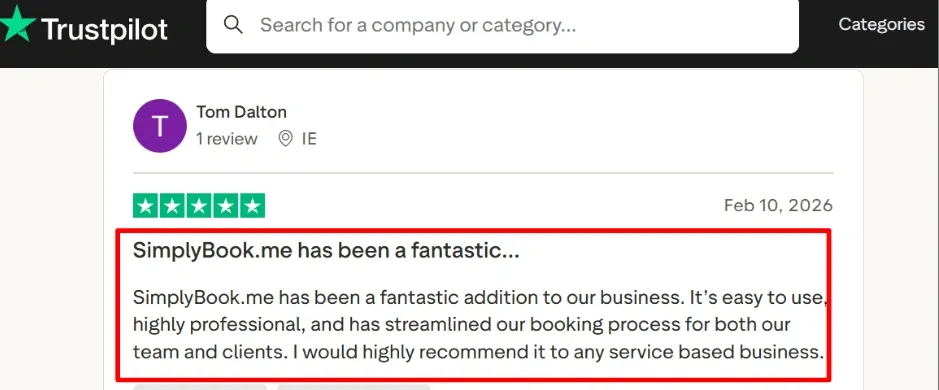
- Availability rules: You can set instructor schedules, add buffer time between lessons, and control how many bookings are allowed per day. For a driving school, this helps prevent double bookings and reduces gaps between lessons. You can also avoid stacking lessons too tightly for one instructor. One setting I expected under availability was placed inside the custom features area. It took a few minutes to locate it. Once found, it worked as expected. For schools evaluating Driving Instructor Scheduling Software, these scheduling controls are usually among the most important features.
-
Calendar sync: Bookings can sync with instructor calendars. Lessons appear in their daily view automatically. This reduces manual copy and paste. It also helps instructors stay updated when a lesson is moved or cancelled. If you manage several instructors, calendar sync can quickly lower admin work.
-
Payment collection: You can collect payment at the time of booking. This can be full lesson payments or deposits. For driving schools, this often reduces no-shows, especially for first-time learners. I recommend testing the payment with one lesson type first. Once it runs smoothly, you can expand it to other services.
-
Data processing: If privacy is important to your school, review its Data Processing Agreement. It talks about how they handle data and mentions GDPR and security practices. This is important when you keep track of student contact information, lesson history, and your own notes.
Pros
- For a driving school that wants to set up online booking quickly, the setup can be quick. The modular feature system helps you stay on track with what you need.
- Calendar sync keeps teachers on the same page and cuts down on manual coordination.
- Payments, lesson packages, and memberships make it easier for you to get paid right before the booking.
- You can use one booking link on all of your social media and website pages.
- The documentation and legal pages are clear enough for basic vendor checks.
- For many schools exploring Driving Instructor Scheduling Software, this level of control is enough to run daily scheduling smoothly.
Cons
- If your school needs route planning, vehicle tracking, student progress records, or instructor compliance management, you may need a system built specifically for driving school operations.
- Feature limits on lower plans can push you toward upgrades sooner than expected.
- Add-ons such as SMS, WhatsApp, and AI credits can increase total costs over time.
- SMS pricing varies by country, which can make forecasting harder.
- Email controls should be tested carefully, especially if your school has strict rules about unsubscribes and contact preferences.
Pricing
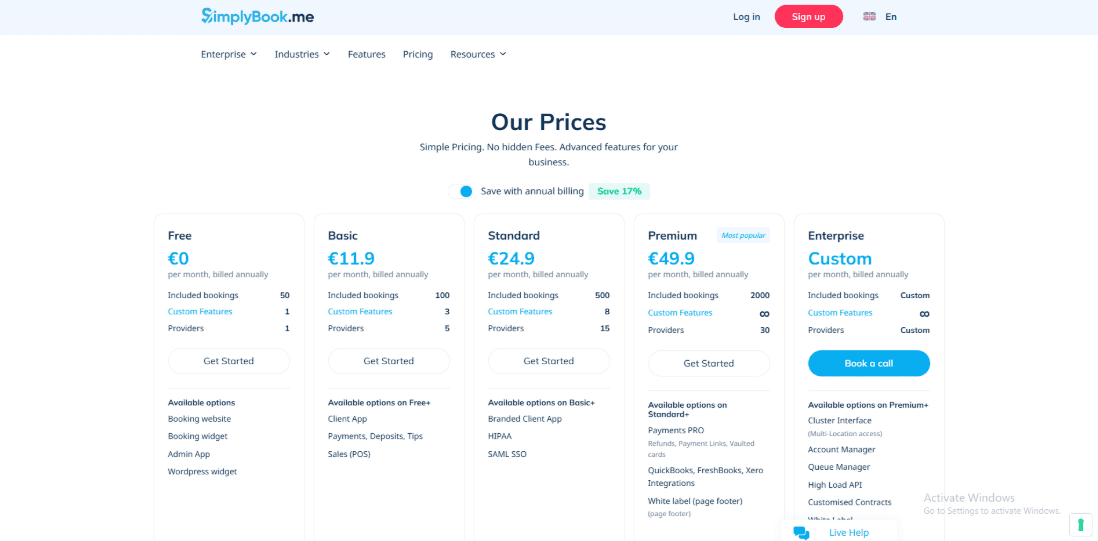
- A free plan is available for testing with limited bookings.
- Paid plans scale based on monthly booking limits and the number of custom features you enable.
- Higher tiers increase booking capacity and reduce feature limits.
- Extra costs may include SMS, WhatsApp, and AI credits.
- Many driving schools land in the mid-tier if they have multiple instructors and several booking rules.
When to Choose SimplyBook.me
Choose it if you want flexible Driving Instructor Scheduling Software that supports multiple instructors, lesson types, and payment collection. It works well when your main goal is to reduce admin work around booking and confirmations. Look elsewhere if you need a full driving school management system with built-in student tracking, vehicle allocation, and compliance tools.
Picktime
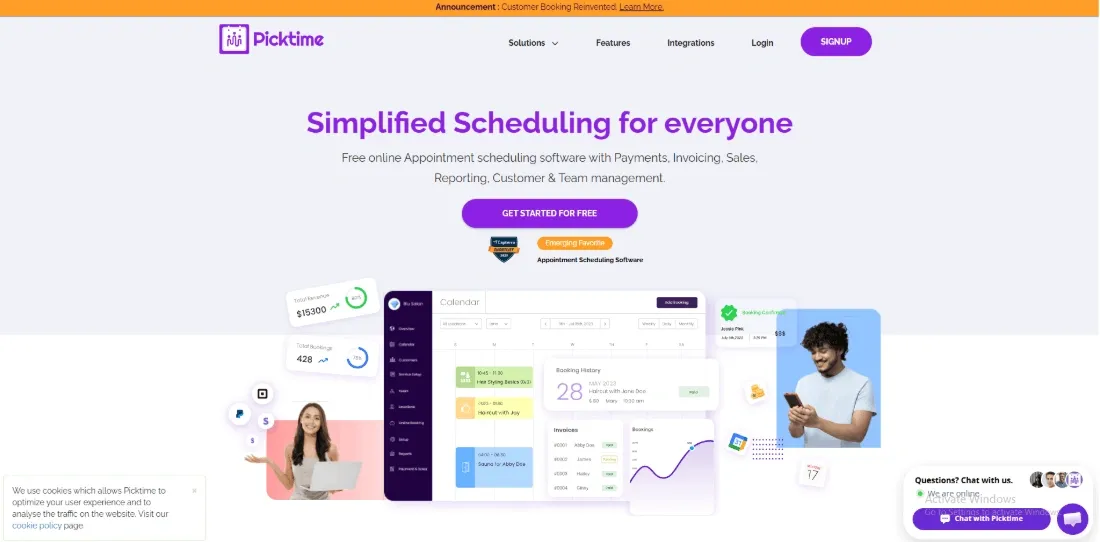
Picktime is an online appointment booking tool that works well for businesses that manage people, time slots, and shared resources like rooms or vehicles. For a driving school, it can act as practical Driving Instructor Scheduling Software. Students can book lessons online, pay a deposit, and choose available time slots. Instructors and cars stay organized inside the same system.
Features
-
Online booking page: I made a simple link for booking lesson times and shared it on WhatsApp and my Google Business Profile. Setting up was easy. You can set how far in advance someone can book and add buffer time between lessons. That helps reduce last-minute changes.
-
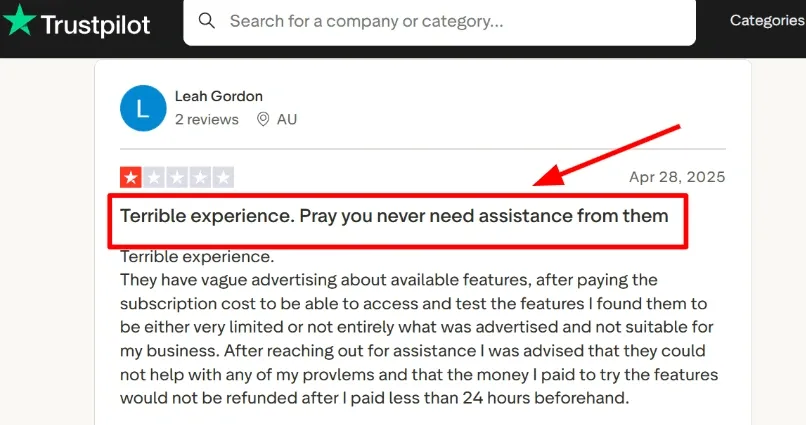
Payments integration: I connected Stripe and PayPal so that students could pay a deposit when they made a reservation. During testing, the payment flow worked well. I did find a Trustpilot review where someone said the paid features weren't as good as they expected. You should carefully consider that before choosing a plan.
-
Calendar integration: Google and Outlook sync kept instructor availability accurate during busy weeks. I also noticed recent updates mentioning multi-team calendars and the ability to edit closed dates from mobile. That matters when an instructor suddenly becomes unavailable. One detail I noticed in the APKPure update notes is that they added multi-team and resource calendars plus editing closed dates from mobile, which matters when instructors suddenly go off-road for a day.
-
Resource scheduling: This is where Picktime becomes useful as Driving Instructor Scheduling Software. I added cars as resources. That prevented the same vehicle from being assigned to two instructors simultaneously. It reflects how a real driving school operates without needing a custom-built system.
-
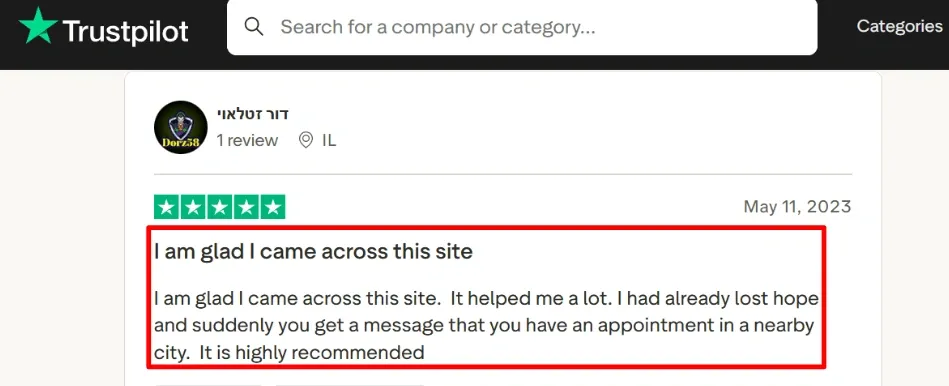
Reminders and attendance: Automatic reminders go out before lessons. That reduces missed sessions and back-and-forth messages. I saw a Trustpilot review praising quick confirmation emails, which matched my experience. Another Trustpilot reviewer mentioned receiving a timely appointment confirmation, which matched what I saw during testing. I am adding their screenshot:
Pros
- Picktime covers the core needs of a small driving school. Lessons, payments, invoicing, and calendar sync live in one place.
- You can clearly assign instructors and vehicles.
- It supports classes, which helps if you run theory sessions. Invoicing is built in.
- There is a free plan, so you can test your setup before paying.
- For schools looking for practical Driving Instructor Scheduling Software without a long setup process, it gets you started quickly.
Cons
- If your school needs deep student progress tracking, compliance records, structured lesson packages, and route planning, a dedicated driving school platform will handle those better.
- Some integrations require careful checking. Zapier lists it as coming soon on their integrations page, so confirm the current status before relying on it.
- The booking settings include many controls. I had to review them several times to get everything right.
- Some advanced features depend on the plan you choose, so budgeting matters.
- It is also smart to review support and refund policies in advance.
Pricing
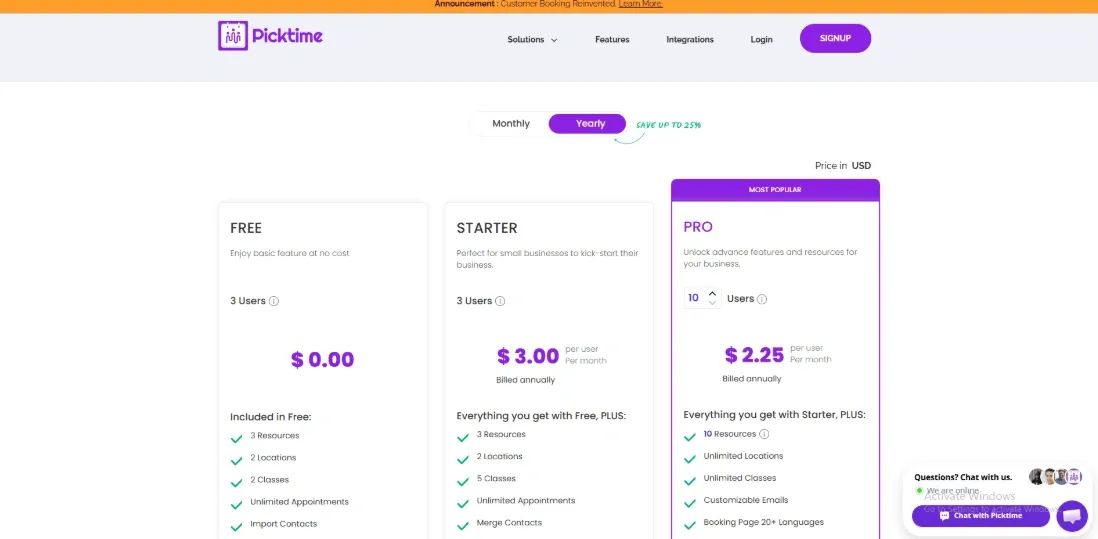
- The free plan is $0 and supports up to 3 users.
- Starter is $3 per user per month, billed annually, with a minimum of 3 users.
- Pro is $2.25 per user per month, billed annually, and includes up to 10 users.
- Enterprise pricing is custom and requires contacting sales.
- Always confirm current pricing directly on their site before making a decision.
When to Choose Picktime
Choose Picktime if you want clean online booking for lesson slots, calendar sync for instructors, and deposit collection at the time of booking. It works well for schools that want simple rules and clear vehicle management inside their Driving Instructor Scheduling Software. It may not be the right fit if you need detailed student performance records, structured training programs, or advanced reporting from day one. For small to mid-sized schools focused mainly on scheduling and payments, it is a practical option.
Total Drive
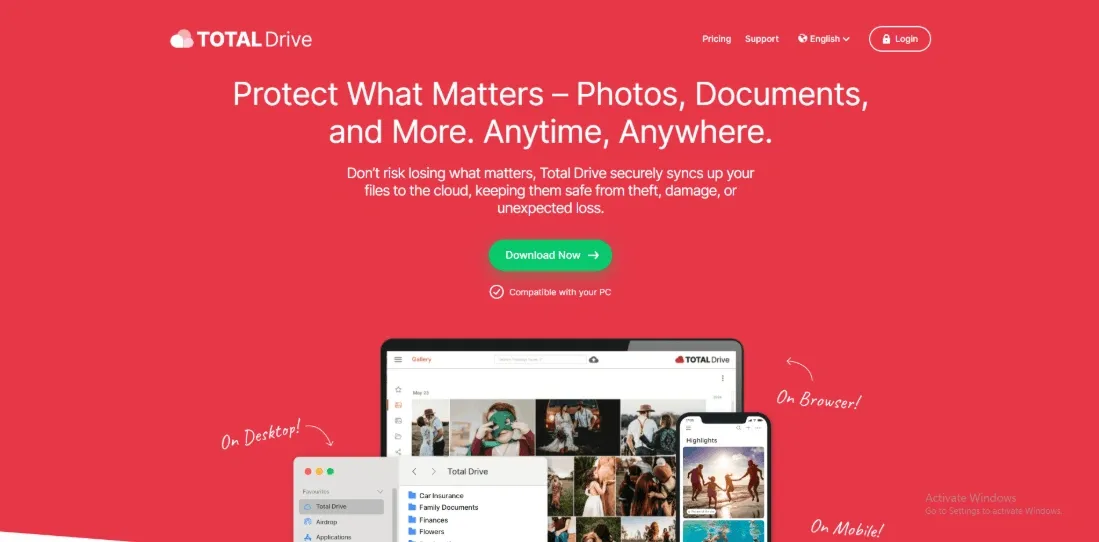
Total Drive is scheduling and management software built specifically for driving schools. It connects instructor diaries, learner enquiries, pupil progress, lesson records, and payments in one system.
Features
-
Diary scheduling: I could transfer lessons to different days, make them longer, or move them to new times without having to start over. Even when more than one teacher is working at the same time, the weekly perspective remains obvious. When you have more than one instructor, it's helpful to know who is free and where the gaps are. You may rapidly look through the diaries and make judgments without having to look through several calendars. For anyone searching for Driving Instructor Scheduling Software that handles real school timetables, this is the core strength.
-
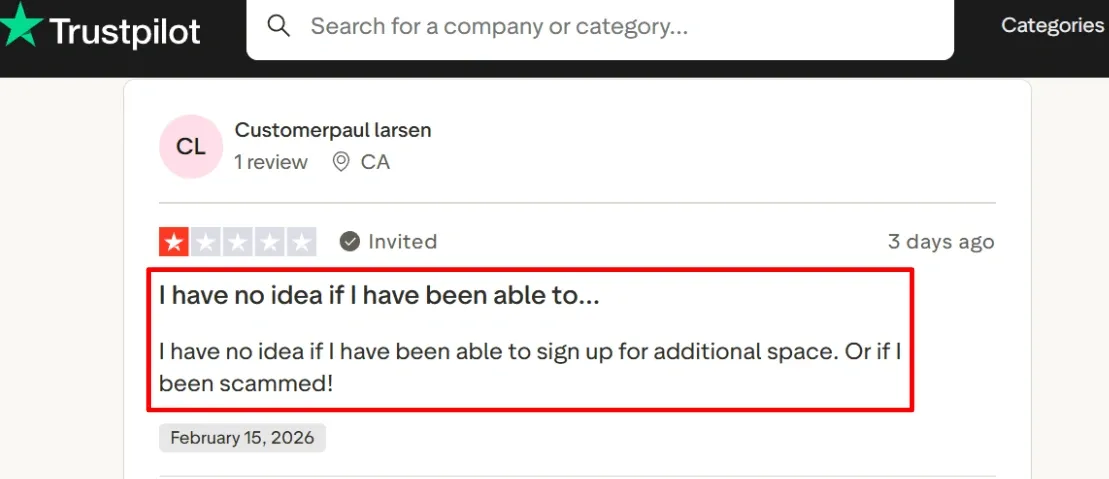
Payment integration: You can enable card payments in the system. Payments are recorded against each pupil, so you are not tracking money in separate spreadsheets. That alone can remove a lot of admin at the end of the week. During setup, the add-on options and payment settings need careful attention. I am sharing a screenshot below from Trustpilot because it corresponds to the part of the setup where you toggle paid add-ons and payment settings.
-
Enquiry manager: Enquiries from your website can flow into the system. You can accept them, place them on a waiting list, or decline them. This is helpful during busy periods when demand rises quickly. At first, it was not completely obvious how fast you should assign an enquiry to an instructor or leave it waiting. After testing, the flow made sense, but it takes a little time to understand your own process.
-
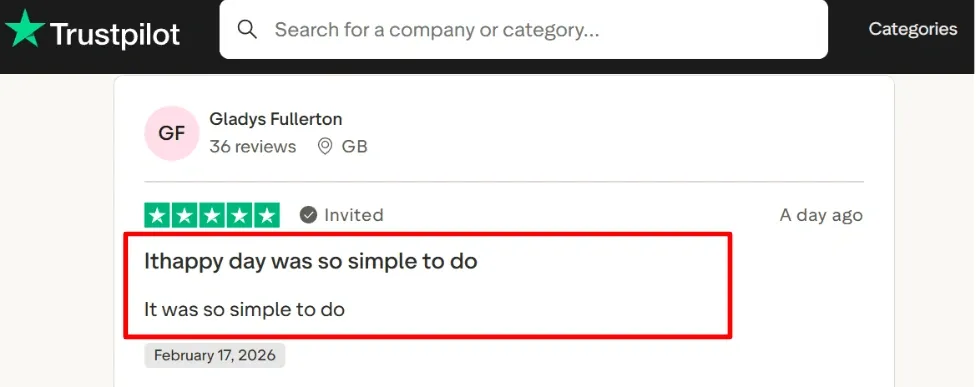
Pupil progress: Pupils can see their lesson history and progress inside the learner app. This reduces messages asking what to practice next or how much time is left. It makes sure everyone is on the same page. I also saw a Trustpilot review saying the setup felt very simple, and I agree with that for the core diary and pupil onboarding. I have added that screenshot below so readers can judge the context themselves.
- Ownership change: Total Drive Software Limited was acquired by Software Circle. Company ownership can influence long-term plans and support. If you are investing time into Driving Instructor Scheduling Software for your school, it is worth reading the official announcement and understanding who now owns the product. See the official announcement on London Stock Exchange.
Pros
- Built specifically for driving schools, with enquiries, instructor allocation, and pupil records connected to the diary.
- Payments can be linked directly to pupils once set up, which reduces admin.
- Cancellation filling tools can help keep diaries full.
- Calendar sync works if instructors also use Google or Apple calendars.
- The learner app reduces back-and-forth messages about progress and practice.
Cons
- If you only need basic appointment booking, this may feel like more system than you require.
- Payment and add-on setup needs attention so you understand what is included.
- The learner app delivers the most value when pupils actively use it.
- Online booking rules can take time to configure properly, especially for travel time and availability logic.
- Acquisition details may matter to some buyers seeking stability signals, so it is worth reading the deal PDF before committing.
Pricing
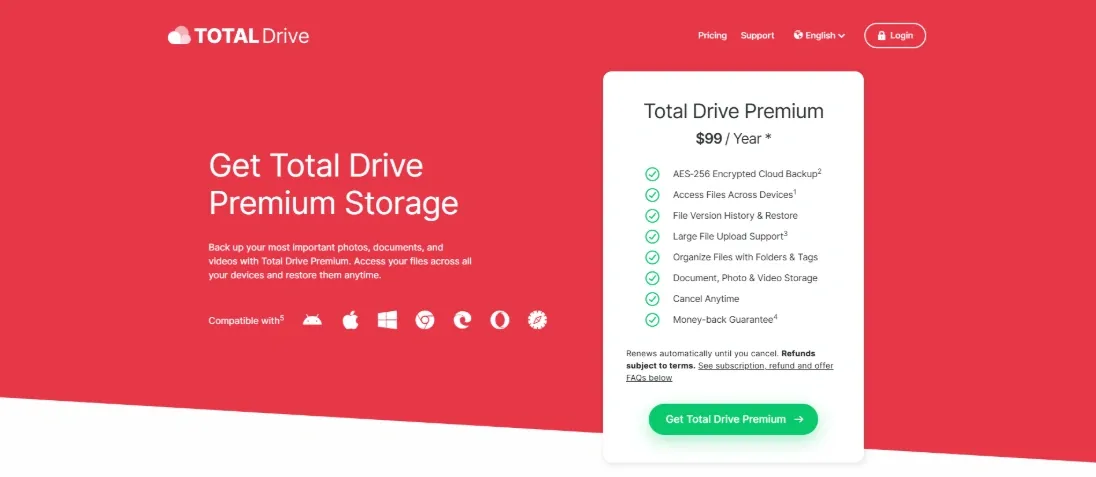
- A 30-day free trial is usually available so you can test it with your real diary.
- Instructor memberships are commonly listed between £16 and £24 per month, depending on the plan.
- Higher tiers include features such as booking, payments, and teaching tools.
- Some plans include a per-pupil add-on for theory training, which can increase your overall cost if widely used.
When to Choose Total Drive
Choose Total Drive if you run a driving school that needs more than a simple calendar. It works well when you want enquiries, instructor coordination, pupil tracking, and payments tied together. If you are comparing Driving Instructor Scheduling Software options and want something designed around real driving school workflows, Total Drive fits that role. If you only need a lightweight booking with no pupil tracking or school management features, a simpler tool may suit you better.
BookingTimes
BookingTimes is widely used as a Driving Instructor Scheduling Software built specifically for driving schools. It also includes a built-in website layer, so you can manage lessons, instructors, and payments in one place. If you want a system that covers daily lesson planning and the business side of running a school, this one deserves a close look.
Features
- Calendar sync
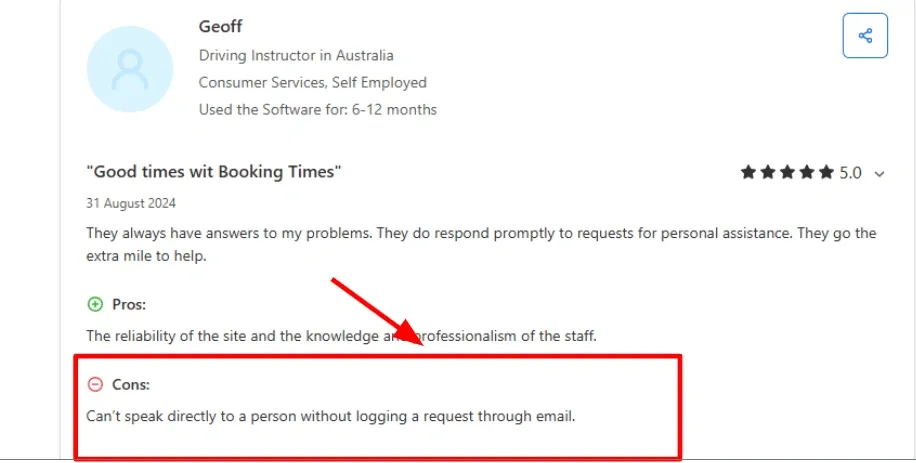
It was considerably easier to plan when I linked the teachers' calendars. It was easier to see where the problems were. Availability showed actual working hours rather than speculation. It does take a while to set up the first time. varied instructors may have varied hours, times when they can't work, or times when they can. I saw a similar thing in a Capterra review too, so I am sharing a screenshot below.
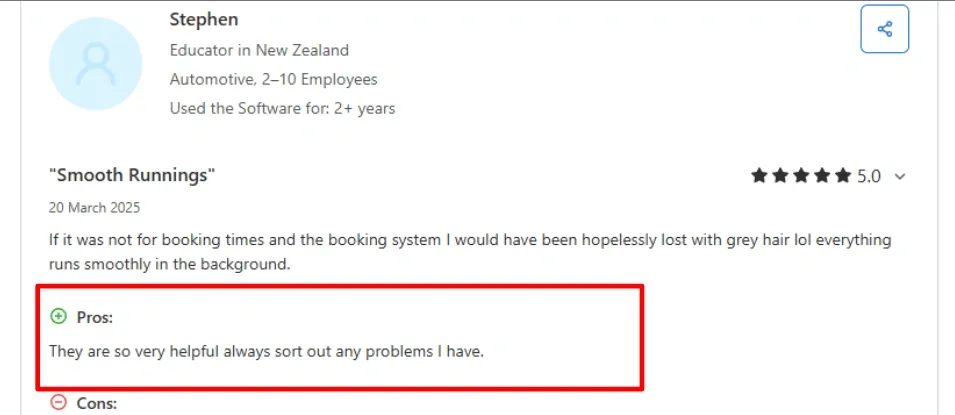
- Support-led setup: One thing that stood out was how guided the setup felt. When something needed adjustment, support stepped in quickly. A Capterra reviewer said they are very helpful and sort out problems quickly, and I agree based on how the onboarding and fixes played out for me.
-
Online payments: BookingTimes supports payments during booking. That is important for driving schools that sell lesson bundles or require prepayment. You can connect payments to specific session types. For example, a first lesson, a block of ten lessons, or a driving test session. This keeps payments organized and reduces unpaid bookings. For schools looking at Driving Instructor Scheduling Software, built-in payments make day-to-day operations smoother.
-
Package tracking: Driving lessons usually come in bundles. BookingTimes handles multi-session packages well. Once bundles are set up, you can clearly see how many lessons a learner has used and how many remain. This removes the need for manual tracking and cuts down on messages about remaining lesson credits.
-
Compliance posture
The company publicly mentions ongoing compliance work, including SOC 2 and PCI SAQ-D, in their release updates. That is relevant if you process payments regularly and want reassurance around security standards. Here is the notes because this is the kind of detail that affects risk reviews and payment workflows.
Pros
- Support feels responsive during setup and when changes are needed. You can resolve issues quickly.
- It aligns well with driving school workflows, including lessons, instructors, and bundled packages.
- The built-in website layer reduces the need for extra booking plugins.
- Payments within the booking flow help lower the number of unpaid sessions.
- Calendar syncing keeps instructor schedules accurate once configured properly.
Cons
- If you only need a basic booking calendar and already use a separate system for student records and payments, this may feel heavier than necessary.
- Phone-style instant support is not always the default. Some requests go through logged tickets.
- Initial setup can take longer when instructors have very different working patterns.
- Front desk bookings can involve several steps, which may slow things down during busy periods.
- Extra features such as SMS or custom work can increase the total cost.
Pricing
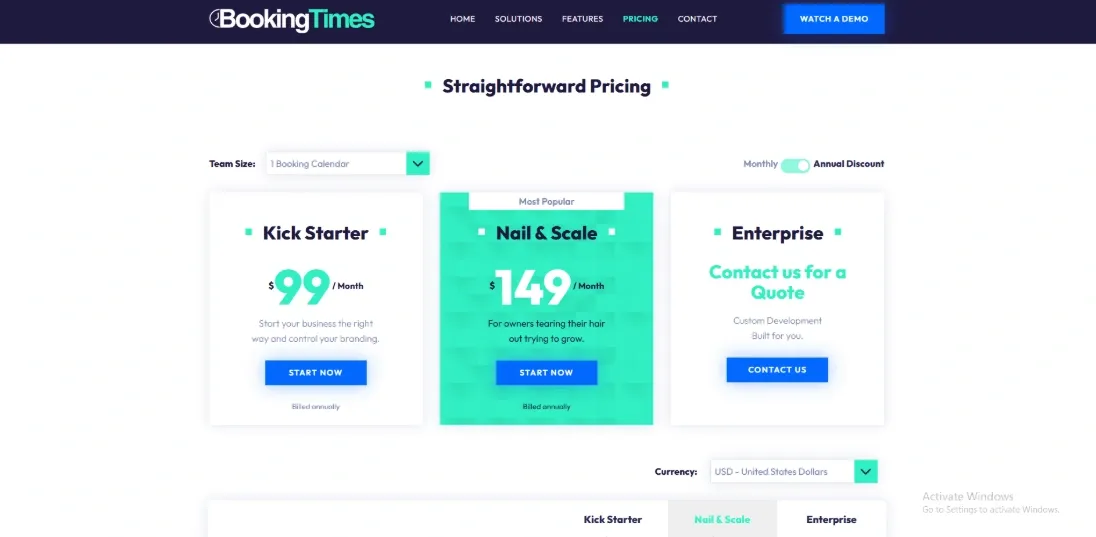
- Pricing usually includes a base platform fee plus a cost per calendar, which means it scales with the number of instructors.
- Public plan names include Kick Starter, Nail and Scale, and Evolve, with Enterprise available for larger schools.
- Monthly and annual options are offered. Discounts apply to annual billing. Multiple currencies are supported.
- Optional extras such as SMS credits, domains, or custom changes may add to the total cost.
When to Choose BookingTimes
If you own a driving school and want a single system for scheduling, lesson packages, payments, and a branded booking experience, choose it. It is a good choice for schools that want help setting up and making changes over time. If you only need a simple calendar link and already have a different system for tracking student information and running the classroom, a lighter solution might be appropriate for you.
Driving Instructor Scheduling Software Verdict
- For solo instructors and small schools, I would put Lunacal first when the goal is to look professional, reduce back-and-forth, and make it easier for students or parents to book and pay online.
- Total Drive is the better pick when pupil tracking, lesson history, and instructor admin matter more than the booking-page experience.
- Square Appointments makes sense for schools already committed to Square for payments and day-to-day operations.
- SimplyBook.me works well for teams that want more booking rule flexibility and are comfortable spending more time on setup.
- Picktime is the budget-friendly option for operators who want something simple and low-cost.
Conclusion
If you want a fast decision, here is how I would choose after testing these tools in real scenarios:
- Lunacal is the best fit for solo instructors and small schools that want a smooth booking experience, simple payments, and less back-and-forth with students or parents.
- Total Drive stands out when pupil progress, lesson history, and instructor workflows matter more than booking page design.
- Square Appointments works best if your payments already run through Square and you want everything in one place without extra tools.
- SimplyBook.me is a strong option when you need flexible booking rules, custom setups, and are willing to spend more time configuring the system.
- Picktime is the most practical low-cost option for smaller schools that need scheduling, payments, and basic resource handling without complexity.
- BookingTimes is better suited for schools that want lesson packages, instructor coordination, and a more complete operational system.
The right choice depends on the operational depth your school needs. A general scheduling tool may be enough for bookings, payments, and reminders, while a driving-school platform is better when pupil progress, vehicles, lesson packages, and instructor administration must stay connected. Test both the learner booking flow and the instructor workflow before choosing.
Methodology
Sources
- I began with the official website, pricing, FAQs, and help docs to map key features and limits.
- I opened trials where possible and completed onboarding with real settings on desktop and mobile.
- I reviewed trends on G2 and Trustpilot, then checked Reddit and Quora for direct feedback on billing, reliability, and support.
- I scanned integration docs and status pages, and tested support by sending a simple question during trials.
Test setup for each tool
- I created a sample school with two instructors, two cars, and three services: intro lesson, road test prep, and a 5 lesson package.
- Availability included buffer time, pickup windows, travel limits, holidays, and short notice blocks.
- I added owner and admin roles, then tested calendar sync, mobile use, and timezone handling.
- I logged each step from first login to first confirmed booking using a test email and phone number.
Common scenarios we tested
- Student booking, rescheduling, and cancellations, plus reminders by email and SMS.
- Instructor workflows, conflict checks, waitlists, and assignments by location and vehicle.
- Payments for deposits and packages, refunds, receipts, and weekly reports for a small owner.
FAQs
Which is the best scheduling app for driving instructors?
The best scheduling app for driving instructors is Lunacal, rated 4.9/5 on G2, because it handles lessons and recurring packages, takes seamless payments, and uses customizable intake forms to capture permit status and pickup address. If you run Square for payments in the office, Square Appointments can fit better.
Compare driving school scheduling software
The most practical shortlist for driving school scheduling software is Lunacal, Square Appointments, and SimplyBooke.me.
- Lunacal: strong for lesson bundles, clean booking pages, and intake that captures permit type, pickup zone, and instructor notes.
- Square Appointments: strong when your desk already lives in Square for payments, receipts, and staff schedules.
- SimplyBooke.me: strong for a public service catalog, multiple locations, and a straightforward reschedule flow.
What country specific licensing, language, or compliance nuances affect driving school scheduling software?
In the US, UK, Canada, Australia, and the EU, the biggest country nuances are licensing records, language, and privacy.
- GDPR in the EU means clear consent for storing learner data, plus easy data export and deletion.
- Language matters for parent and teen bookings, so support for German, French, and Spanish reduces back and forth.
- Licensing rules affect intake forms, such as permit number, class type, and instructor certification fields.
What features should driving school scheduling software include?
Driving school scheduling software should include real time instructor calendars, pickup address capture, lesson lengths, and buffers for travel. It should support lesson packages, deposits, automated reminders by text or email, easy reschedules, and student progress tracking for missed lessons.
How should driving schools handle cancellations and no shows in scheduling software?
Handle cancellations with a clear notice window, automatic fees or deposit forfeits, and SMS reminders to reduce late cancellations. Picktime works for basic policies, while Lunacal supports packages and payments.
Summarize this content with AI


