Team booking page
Publish team members, services and available appointment types on one shared page.
LunaCal gives your business one booking page for team members, services and locations. Clients can choose a provider, book the next available person, or select a time when every required host is free.
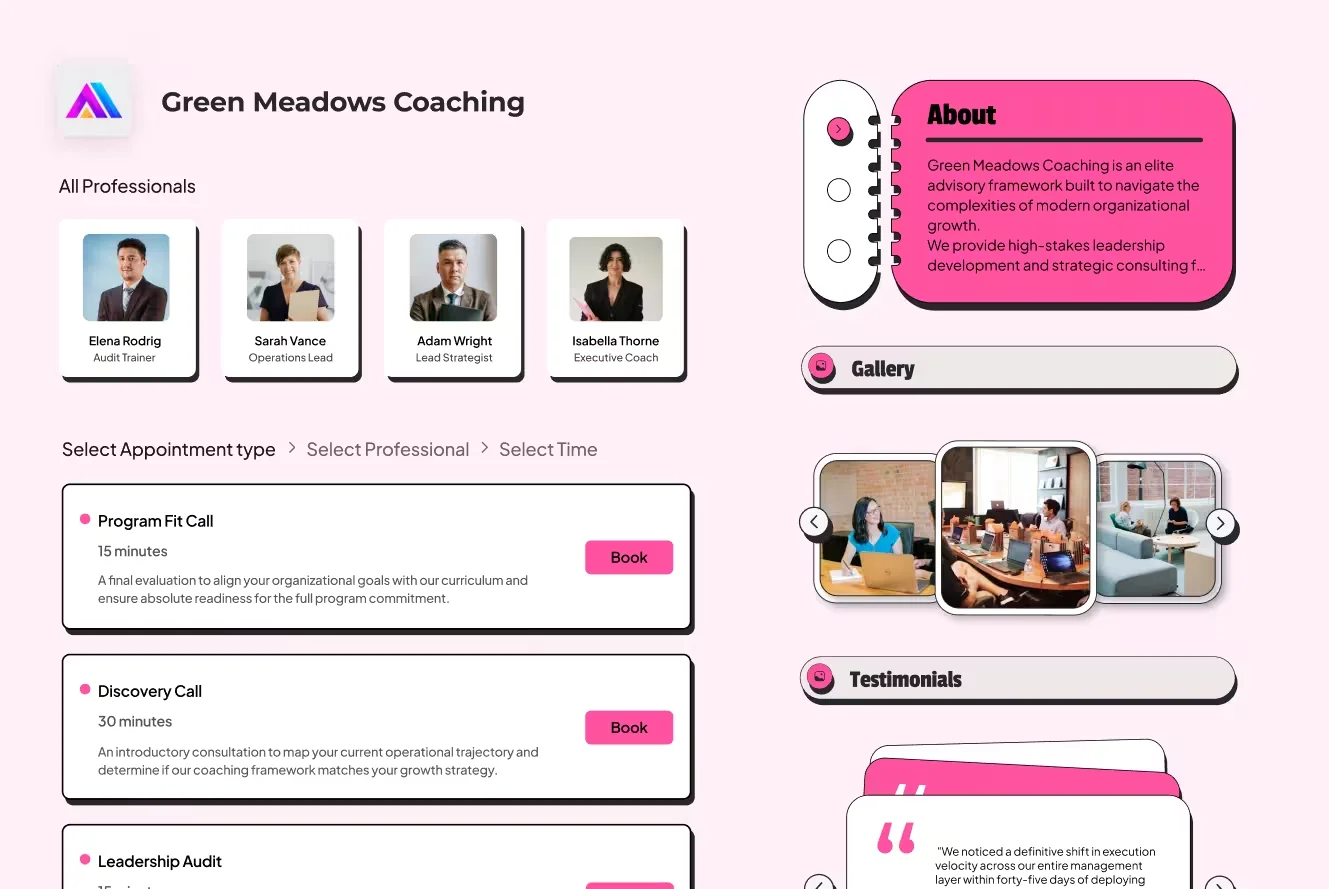
LunaCal combines host assignment, service booking, location management, payments and automation in one team scheduling product. These are the capabilities that control who can be booked, how a host is selected and what happens after the appointment.
Publish team members, services and available appointment types on one shared page.
Let clients choose a specific team member and view that person’s available times.
Assign a new booking to one available team member without asking the client to choose.
Show a time only when every team member required for the meeting is available.
Allow several attendees to reserve places in the same class, webinar or session.
Connect appointment types to the relevant providers, branches, studios or offices.
Check each member’s connected Google, Outlook and Apple calendars before showing times.
Set working hours, buffers, minimum notice, date overrides and time-zone handling.
Collect contact details, dropdown answers, attachments and consent during booking.
Take Stripe or PayPal payments and sell prepaid multi-session packages.
Send confirmation emails, SMS or email reminders and post-appointment messages.
Embed booking on a website and connect CRM tools, Zapier, webhooks and video meetings.
LunaCal can place multiple services and professionals in the same booking flow. A client first selects what they need, then chooses an eligible provider and sees times based on that provider’s availability.
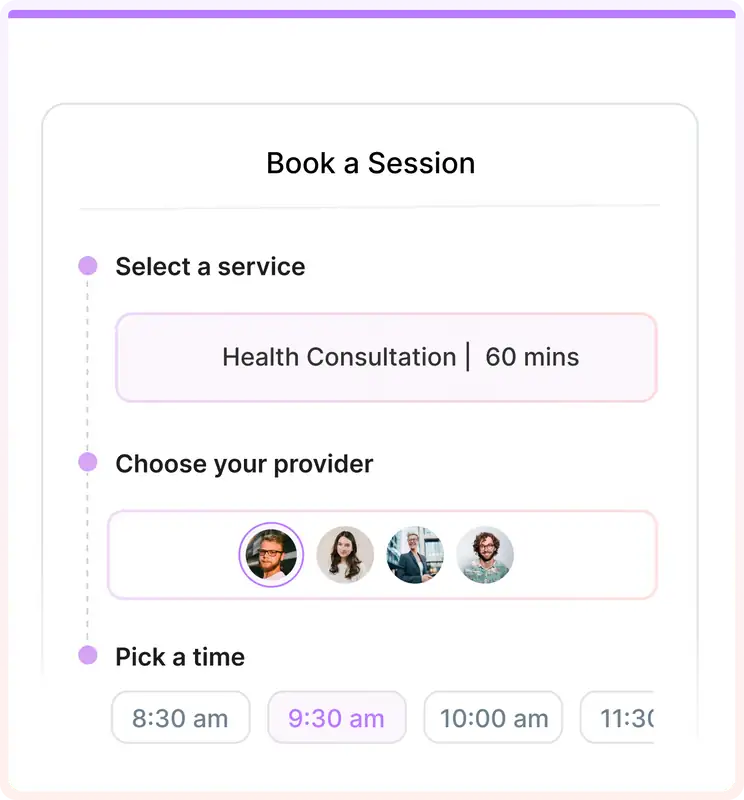
The event type determines whether the client chooses a person, LunaCal assigns one person, or several hosts attend together.
One chosen host. The client selects a named team member before choosing a time.
One assigned host. LunaCal sends the booking to an available member of the team.
Several required hosts. The client sees only times that work for the complete host group.
One session, multiple attendees. Several clients reserve places in the same event.
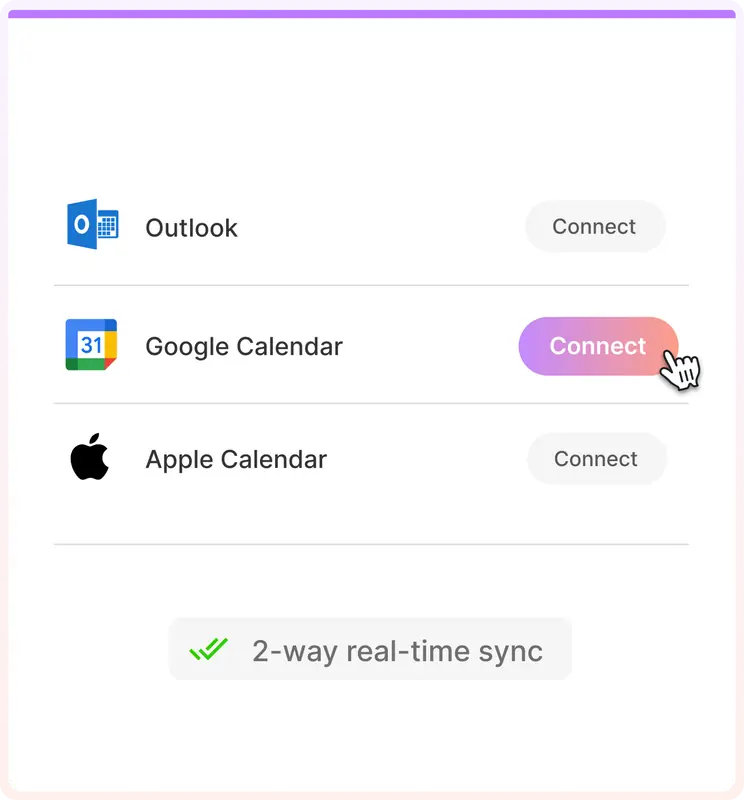
Each team member connects their own calendars. LunaCal checks busy events and applies that member’s availability rules before a slot appears on the team page.
Google Calendar, Microsoft Outlook and Apple Calendar, including multiple-calendar conflict checks.
Set the weekly schedule a member normally accepts appointments.
Change availability for holidays, travel, leave or a specific date.
Prevent back-to-back appointments and block last-minute bookings.
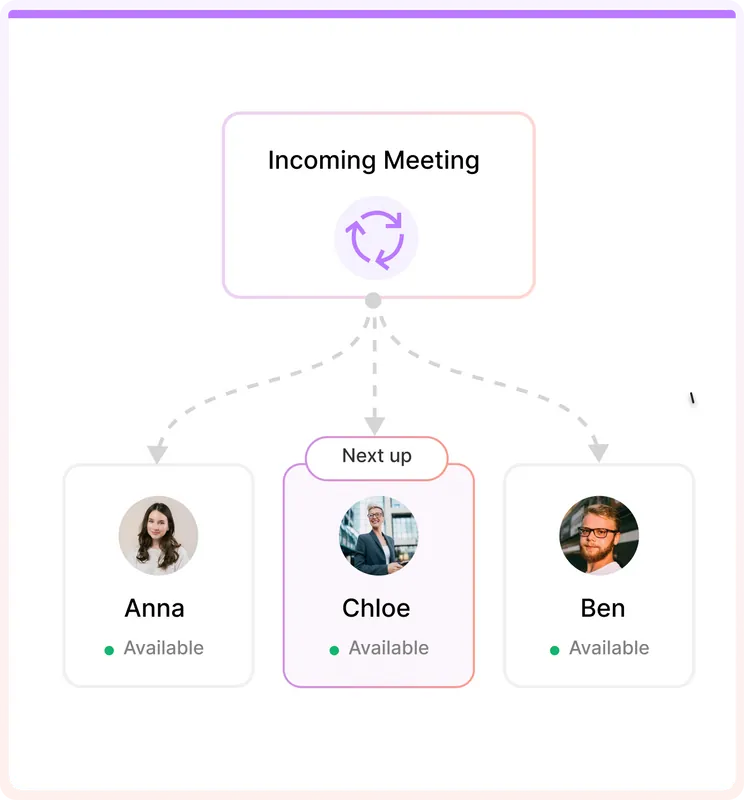
For an event that any qualified team member can handle, LunaCal checks the eligible members and assigns one available host. The client books from a shared link without opening several individual calendars.
The account owner adds eligible team members to the event.
LunaCal checks their calendars and availability rules.
The client chooses one of the available times.
The booking is assigned and the event is added to the selected member’s calendar.
The assigned booking can trigger the communication, meeting and payment steps attached to that service or event type.
Send the appointment details to the client and assigned team member.
Create a Google Meet, Microsoft Teams or Zoom link, or provide an in-person location.
Collect Stripe or PayPal payment before confirming a paid appointment.
Send email and SMS reminders according to the event workflow.
Pass booking details to HubSpot, Pipedrive, Zapier or a webhook endpoint.
Send instructions, resources or a post-appointment message automatically.
LunaCal is built for teams that need more than a shared meeting link. It combines four ways to assign bookings with the service, location, payment and follow-up controls used by appointment businesses.
Use named-provider booking, round robin, collective scheduling and group events without moving different appointment types into separate products.
Connect each service to the right providers and locations. Clients see only the people who can deliver the selected service, then only the times those people can accept.
Returning clients can choose a familiar provider while new enquiries go into a shared round-robin queue. The same team page can support both booking paths.
Sell prepaid multi-session packages, take Stripe or PayPal payments and keep reminders, follow-ups and provider assignment attached to the appointment.
Place provider profiles, services, business details, images, video, testimonials and FAQs beside the scheduler so a client can choose without opening another page.
The Teams plan includes round robin, collective scheduling, multiple services and locations, multi-session packages, webhooks, unlimited services and unlimited calendar connections.
See what is included in Teams →Compare the capabilities that matter when several people, services and appointment workflows share the same scheduling system.
| Capability | LunaCal | Calendly | Cal.com | Koalendar | Acuity Scheduling |
|---|---|---|---|---|---|
| Shared team page | Yes | Yes | Yes | Yes | Shared scheduler |
| Client chooses provider | Yes | Yes | Member links | Yes | Staff calendars |
| Round-robin assignment | Yes | Teams plan | Yes | Random selection | Pooled calendars |
| Collective scheduling | Yes | Yes | Yes | Yes | No |
| Group events or classes | Yes | Yes | Seated events | Yes | Group classes |
| Service catalog | Yes | Event types | Event types | Appointment types | Appointment types |
| Multiple business locations | Yes | Meeting locations | Event locations | Resources | Calendar locations |
| Service → provider → time | Yes | Event-first | Event-first | Yes | Yes |
| Multiple calendar checks | Yes | Yes | Yes | Yes | Yes |
| Website embed | Yes | Yes | Yes | Yes | Yes |
| Custom booking questions | Yes | Yes | Yes | Yes | Intake forms |
| Payments at booking | Stripe + PayPal | Stripe + PayPal | Stripe + PayPal | Stripe | Multiple processors |
| Multi-session packages | Yes | No native packages | No native packages | No native packages | Yes |
| Email and SMS reminders | Yes | Yes | Workflows | Paid plan | Yes |
| Testimonials and FAQ blocks | Yes | No | No | No | No |
| Webhooks or API | Yes | Paid plans | Yes | Zapier | Yes |
| Team-plan price | $15/user/month | Teams plan | $12/user annual | Pro per user | By staff calendars |
Answers about providers, host assignment, calendars and team booking pages.
Team appointment scheduling software lets clients book with a business instead of coordinating with each employee separately. It combines team availability, services, provider selection or automatic assignment, locations and booking workflows.
Yes. A LunaCal team page can show individual members so a client can choose a provider and view that person’s available times.
Round robin assigns one available team member to a booking. Collective scheduling shows a time only when every required team member is available, so all selected hosts can attend.
Yes. Team members connect their calendars so LunaCal can check individual availability. LunaCal supports Google Calendar, Microsoft Outlook and Apple Calendar, including conflict checks across multiple connected calendars.
Yes. LunaCal can connect services, providers and business locations in the same team booking flow.
Yes. LunaCal supports an inline calendar, a pop-up opened from a website button and a floating booking widget. You can also share the hosted team page directly.
Yes. LunaCal supports Stripe and PayPal payments, confirmation emails, email and SMS reminders, follow-ups and custom booking questions.
The Teams plan costs $15 per user per month and includes team scheduling, round robin, collective scheduling, multiple services and locations, multi-session packages and webhooks.
Add team members, connect their calendars and choose how each appointment should be assigned.