
Introduction
By Pranshu Kacholia. Written and updated September 29, 2026.
The best round-robin scheduling software depends on what you are trying to balance. Small service teams usually need a dependable shared link. Sales teams may need CRM ownership, qualification, territories, and fallback logic before a calendar appears.
This guide compares seven tools that cover those different jobs. If you only need to rotate appointments across a small team, start with Lunacal, Calendly, or Cal.com. If the booking is part of a complex inbound revenue flow, compare RevenueHero, Chili Piper, HubSpot Meetings, and OnceHub more closely.
Key Takeaways
- Lunacal is a practical fit for small service teams that want round robin, collective scheduling, payments, and a more content-rich booking page.
- Calendly makes team scheduling familiar and offers a clear choice between maximizing availability and keeping meeting counts relatively even.
- Cal.com suits technical teams that want APIs, open-source deployment options, weights, priority rules, and more control over scheduling infrastructure.
- RevenueHero and Chili Piper are built for revenue routing, where qualification, CRM ownership, account matching, and fallback rules matter as much as calendars.
- HubSpot Meetings is compelling when HubSpot is already your operating system. OnceHub is useful when routing must also cover service teams, resource pools, or rooms.
- Fairness is not one setting. Decide whether you mean equal meetings, equal workload capacity, or equal opportunity value before configuring any tool.
| Tool | Best for | Round-robin approach | Relevant starting price* | Main buyer caveat |
|---|---|---|---|---|
| Lunacal | Small service teams and client-facing booking pages | Team rotation plus collective scheduling | Teams: $15/user/month | Lunacal's public pricing page does not list weighted or CRM-owner-first routing |
| Calendly | Fast adoption across mixed business teams | Maximum availability or equal distribution | Teams: $16/seat/month, annual billing | Equal distribution can hide slots and reduce availability |
| Cal.com | Technical teams and customizable workflows | Availability, weights, priorities, groups, and fixed hosts | Teams: $12/user/month, annual billing | More flexibility creates more configuration work |
| RevenueHero | HubSpot, Salesforce, or Zoho inbound routing | Custom logic, balanced round robin, collective pools, and fallbacks | Inbound Essentials: $79 platform fee plus $25/user/month annually | Cost includes a platform fee and advanced fairness requires Enterprise |
| Chili Piper | Larger B2B revenue teams with complex handoffs | Strict or flexible rotation, weights, credits, and calibration | Routing & Scheduling starts at $15,000/year | Annual commitment and enterprise-oriented cost |
| HubSpot Meetings | Teams already paying for HubSpot Sales or Service Hub | Even or weighted meeting rotations with CRM-owner priority | Sales Hub Professional: $90/seat/month annually, plus $1,500 onboarding | Every participant needs a qualifying seat and connected calendar |
| OnceHub | Qualification, service routing, and resource pools | Equal, maximum-availability, or priority distribution | Route: $19/seat/month annually | Round robin starts above the simpler Schedule tier |
The prices below are the lowest public plans that include the round-robin capability being compared, not each vendor's cheapest plan.
*Pricing was checked on September 29, 2026. Prices are vendor-listed USD rates where available and can change with billing cadence, seat minimums, promotions, taxes, usage, and negotiated terms.
If you are still deciding between team rotation and a broader booking platform, use this appointment booking software comparison as the wider category shortlist.
How the round-robin scheduling tools were compared
A product was included only when its current vendor site or help center explicitly documented round-robin meeting assignment. The comparison uses six observable dimensions: equal distribution, maximum-availability routing, weights or priorities, CRM owner or property routing, collective or multi-role rotation, and reassignment or fallback controls. Prices use the least expensive public plan that unlocks the relevant round-robin feature. Undocumented capabilities are labeled as undocumented rather than unavailable.
The order reflects distinct buyer use cases, from simpler team scheduling to specialized revenue routing. It is not a hands-on performance ranking. Product capabilities and prices come from vendor pages checked on September 29, 2026. Public discussions were used only to identify operational questions. A recent routing discussion emphasizes workload skew, capacity gaps, overrides, and explainable assignment at higher inbound volume. This anecdote is not representative performance data, but it reveals useful test cases.
Disclosure: Lunacal publishes this comparison and is one of the products covered. Feature and pricing claims were checked against each vendor's documentation. This was not a hands-on benchmark.
1. Lunacal: Best for team round robin scheduling and rich booking pages
Lunacal combines team rotation with the client-facing elements that service businesses often need around a booking. A prospect can see context about the provider or service, choose a time, receive reminders, and, where relevant, pay or buy a package without moving through a sales-routing stack.
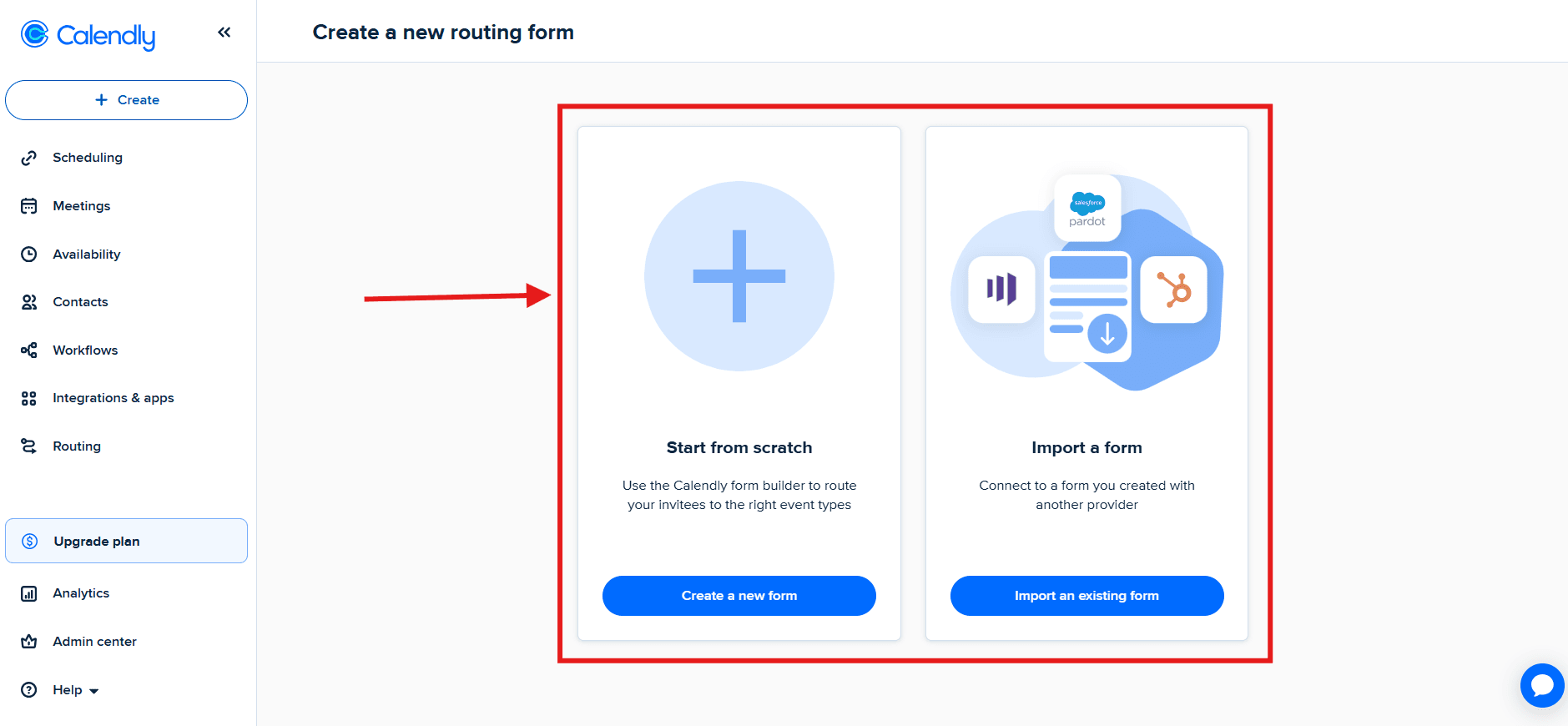
Routing capability
The Lunacal pricing page lists round-robin scheduling, collective scheduling, multi-location and multi-service flows, team setup, and webhooks on its Teams plan. Round robin is the right mode when any eligible team member can take the appointment. Collective scheduling is different: it finds a slot when several required participants can all attend.
This mix fits agencies, clinics, coaches, consultants, and other teams that sell time or recurring services. The booking page can carry video, testimonials, FAQs, or service details, a different priority from a revenue router focused on CRM assignment.
Pricing and buyer caveat
Teams is listed at $15 per user per month and includes team scheduling, round robin, collective scheduling, packages, and webhooks. Standard is $9 per user per month, but it does not include the team-routing features needed for this use case.
The trade-off is ecosystem breadth. Buyers who depend on deep Salesforce ownership, lead-to-account matching, or territory trees should compare a specialized revenue router. Service teams should test multiple calendars, leave, rescheduling, and moving a paid booking to another host.
Best fit
Choose Lunacal when the scheduling page is part of the customer experience, not merely a utility link. It is particularly relevant when round robin sits beside payments, packages, reminders, branded content, and several services or locations. Review the Teams plan against the number of staff who need to receive bookings.
2. Calendly: Best for familiar team scheduling and quick adoption
Calendly is a sensible default when users already know the interface and the organization wants to deploy shared event types without introducing a full revenue-routing platform. Its most useful buying distinction is explicit: optimize a pool for availability or optimize it for equal distribution.
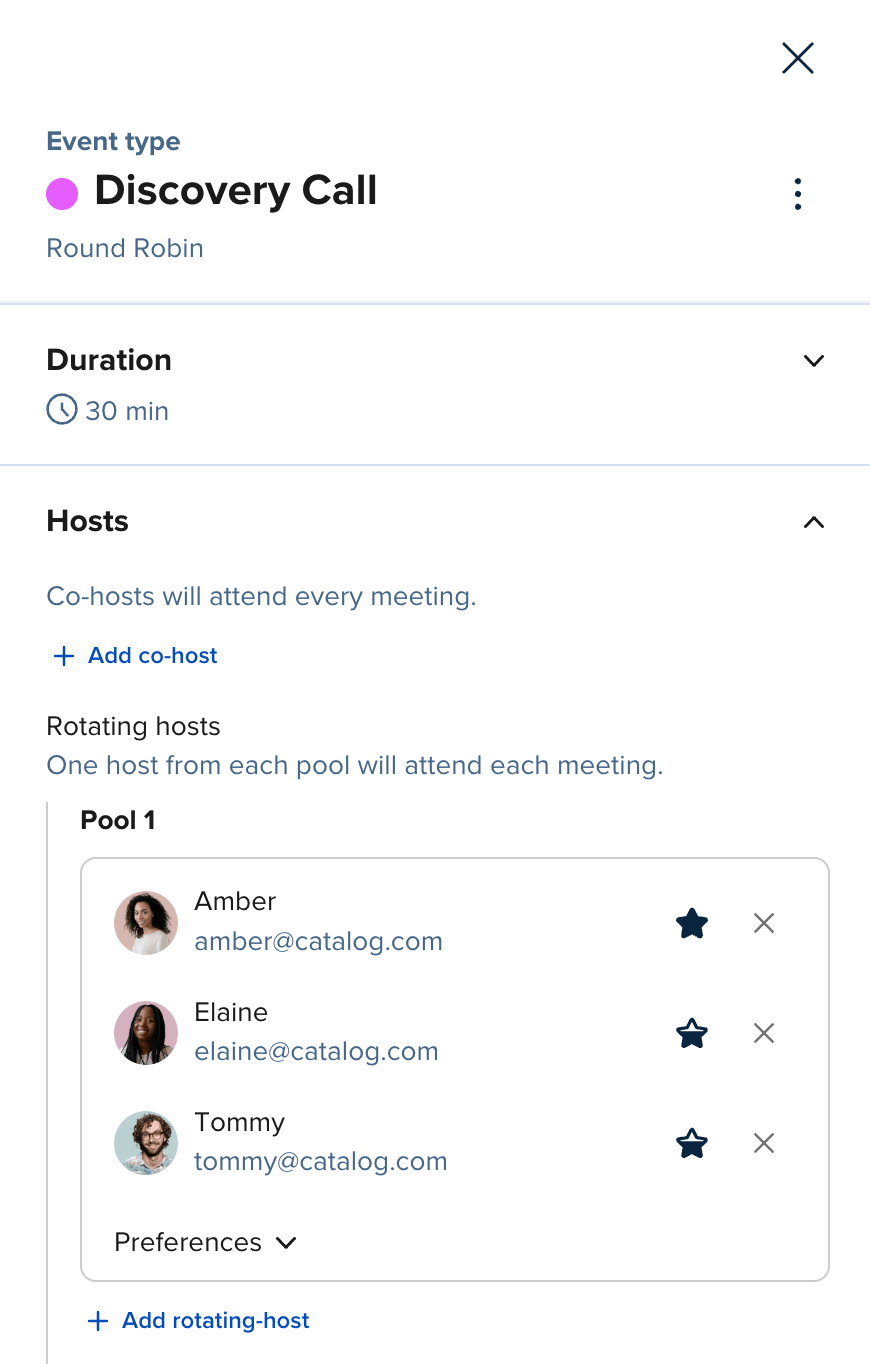
Routing capability
Calendly's round-robin distribution documentation says availability mode shows times whenever an eligible host is free, then uses host priority, least-recently-booked logic, and a random tie break. Equal-distribution mode tracks meeting counts and hides a host's availability when that person is three or more meetings ahead of teammates.
Availability mode can produce sooner slots. Equal distribution protects team balance, but Calendly warns that it can show fewer times. Changing the host list also resets meeting counts, so teams that frequently change pools need a procedure for it.
Pricing and practitioner signal
Calendly pricing lists round robin and team scheduling on Teams at $16 per seat per month with annual billing. Teams also adds lead qualification and routing, managed event types, and integrations with Salesforce, Marketo, and Pardot. Lower tiers cover individual scheduling, but not the round-robin feature being compared here.
A Reddit recruiting discussion describes applicants using a forwarded public booking link. It is anecdotal, but suggests a useful trial: validate who can book, then have one administrator add and remove a host, adjust priorities, and inspect the activity trail without vendor help.
Best fit
Choose Calendly when adoption speed and a familiar booking flow matter more than self-hosting or deeply customized revenue logic. It is also a strong shortlist candidate for recruiting, admissions, customer success, and sales teams that need a clear choice between wider availability and more even meeting counts.
3. Cal.com: Best for technical teams that want control
Cal.com is designed for teams that want scheduling logic they can adapt, integrate, or self-host. Its paid Teams plan packages standard team features, while the broader platform offers APIs, webhooks, routing fields, and open-source deployment options for engineering-led organizations.

Routing capability
The Cal.com pricing comparison describes round robin based on availability, weights, and priority rules. It also lists round-robin groups, fixed round robin, collective events, managed event templates, basic routing, member attributes, and meeting reassignment. A fixed host plus a rotating second pool is useful when, for example, an account owner must attend with whichever sales engineer is available.
That configuration range is also the risk. Weights, priorities, attributes, fixed hosts, and pools can interact in ways that are hard to explain. Treat routing like production logic: document it and test every path.
Pricing and buyer caveat
Teams is $12 per user per month with annual billing and includes one team, shared availability, round robin, managed and collective event types, routing, analytics, APIs, and workflows. Organizations is $28 per user per month annually and adds unlimited subteams, attribute-based routing, a company subdomain, SSO, SCIM, and broader administration. Self-hosting can change software costs but introduces infrastructure and engineering work that a hosted per-seat price does not capture.
Name who will maintain integrations, routing rules, upgrades, and user provisioning. Teams without that owner may get more value from a narrower hosted setup.
Best fit
Choose Cal.com when APIs, deployment choice, composable workflows, or unusual multi-host logic are purchasing requirements. Teams looking for a turnkey administrator experience should compare setup time, not only subscription price.
Want to test a simpler client-facing setup? Try Lunacal's team scheduling flow and compare its booking page, rotation behavior, reminders, and rescheduling against your current process. See the Lunacal and Calendly comparison.
4. RevenueHero: Best for balanced inbound revenue routing
RevenueHero is built around the moment a qualified inbound prospect submits a form and should immediately see the right calendar. It goes beyond a rotating link by combining qualification, CRM ownership, account matching, scheduling, distribution, and meeting operations.
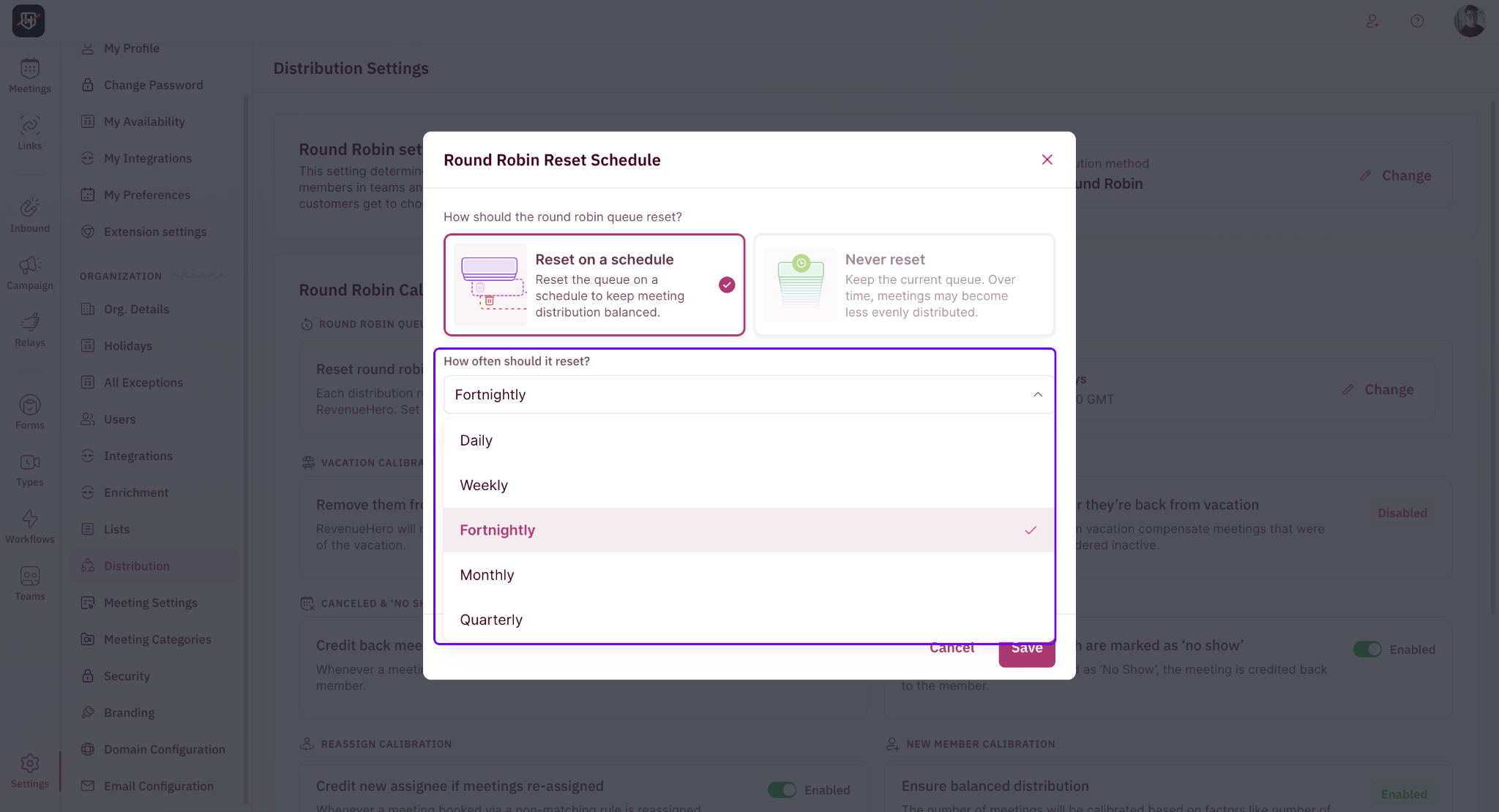
Routing capability
RevenueHero pricing includes round robin or custom routing logic in Inbound Essentials. Enterprise adds balanced round robin, collective round robin, fuzzy and lookup-field matching, fallback redistribution, custom lists, dynamic meeting types, and dynamic guests. RevenueHero's enterprise documentation describes Balanced Round Robin as distributing by actual meetings taken, with adjustments for no-shows, cancellations, and time away.
This helps when equal counts are too crude. A team may need to preserve account ownership, pair an AE with a specialist, compensate after PTO, or route around an unavailable preferred rep. Define those policies before configuring the tool.
Pricing and practitioner signal
Inbound Essentials costs a $79 monthly platform fee plus $25 per user per month on annual billing. Monthly billing is listed at a $99 platform fee plus $35 per user. Inbound Enterprise is $79 plus $35 per user annually, or $99 plus $45 per user monthly. Enterprise is the relevant comparison if balanced or collective round robin is required.
A recent GTM engineering discussion asks how smaller inbound teams should combine routing, scheduling, enrichment, and CRM updates without opaque costs. Some replies are vendor-adjacent, so treat them as directional only. The thread still surfaces a useful test: submit existing-account, net-new, unqualified, and incomplete leads, then verify the calendar and CRM owner.
Best fit
Choose RevenueHero when inbound conversion and routing governance are the problem, especially with HubSpot, Salesforce, or Zoho in the stack. A small team that only needs a pooled calendar will probably be paying for process depth it does not use.
5. Chili Piper: Best for complex B2B handoffs and calibrated distribution
Chili Piper targets larger revenue teams that want form conversion, lead qualification, CRM-aware routing, SDR-to-AE handoffs, and scheduling to share one operating model. Its round-robin controls are more detailed than a basic team link.
Routing capability
Chili Piper's round-robin scheduling documentation describes strict and flexible algorithms. Strict rotation keeps distribution as close to equal as possible. Flexible rotation exposes more slots and chooses the least recently scheduled person when several are available. Both can be affected by weights and calibration.
Admins can credit or skip meetings and inspect scheduled, canceled, and no-show counts. Fairness often breaks after booking: ten low-value meetings may not equal six high-value opportunities. RevOps must decide what earns credit and how weights are approved.
Pricing and buyer caveat
The current Chili Piper pricing page advertises Routing & Scheduling plans starting at $15,000 per year and says its Fire plans are billed annually. The vendor is rolling out new pricing tiers, so buyers should use the live calculator or a written quote for included seats, AI credits, extra-seat rates, and product scope. A standalone ChiliCal price is not directly comparable with the broader routing package.
The caveat is operating cost. A platform can reduce handoffs while requiring careful administration. Ask vendors to demonstrate rule changes, audit trails, failed-route alerts, and reporting to your actual administrator.
Best fit
Choose Chili Piper when routing spans forms, CRM records, inbound qualification, and human handoffs across a sizeable B2B revenue organization. If all you need is a fair shared booking link, the price and implementation scope are hard to justify.
6. HubSpot Meetings: Best for teams already operating in HubSpot
HubSpot Meetings puts round-robin scheduling inside the CRM where contacts, companies, owners, workflows, and reporting already live. That reduces integration work for teams committed to HubSpot and can keep a booking attached to the customer record from the start.
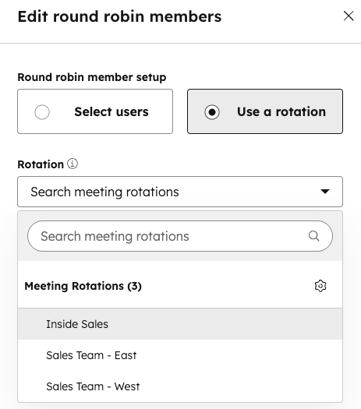
How the HubSpot round-robin meeting link works
HubSpot's meeting-rotation documentation documents even and weighted rotations, plus contact-owner priority on round-robin scheduling pages. Meeting rotations require Sales Hub Professional or Enterprise, or Service Hub Professional or Enterprise.
Every person added must activate Meetings, hold the appropriate seat, and connect a calendar. Test offboarding and leave before rollout so an inactive team member does not leave the pool without a valid host.
Pricing and practitioner signal
HubSpot Sales Hub pricing lists Professional from $90 per seat per month with an annual commitment, or $100 per seat on monthly billing, plus $1,500 in required onboarding. Confirm the exact Sales or Service Hub seat required for every host rather than budgeting from a cheaper tier that does not include rotations.
The recent HubSpot Reddit question asks whether workload, working hours, PTO, language, and time zones can all shape assignment. It highlights the difference between a meeting rotation and skills- or capacity-aware orchestration. Ask HubSpot to build your exact pattern before committing.
Best fit
Choose HubSpot Meetings when HubSpot adoption is already broad and reducing system handoffs matters more than buying a specialist router. If your scheduling administrators do not otherwise work in HubSpot, include the CRM subscription, seat rules, and onboarding effort in the comparison.
7. OnceHub: Best for routing people, services, and resources
OnceHub covers booking pages, routing forms, team distribution, phone scheduling, and resource pools. It suits organizations whose round-robin problem extends beyond sales reps to service professionals, rooms, locations, or other schedulable resources.
Routing capability
The OnceHub pricing comparison lists round-robin, maximum-availability, and priority-based distribution on Route. It also includes routing by visitor answers and contact properties, CRM-owner assignment, user-attribute filtering, meeting reassignment, and room scheduling. OnceHub's round-robin resource-pool documentation explains when equal distribution should take priority across a pool.
That breadth can replace separate qualification and scheduling flows, but creates more paths to test. Simulate service choices, locations, room requirements, skills, missing owners, unavailable owners, and visitors who should receive content instead of a meeting.
Pricing and buyer caveat
Route is listed at $19 per seat per month with annual billing or $23 monthly. The cheaper Schedule plan costs $10 annually or $12 monthly, but round-robin and routing features begin on Route. Engage adds chatbots and live handoff at $39 annually or $47 monthly. A free Basic plan exists for one user, one calendar, and one booking link, but it is not a round-robin plan.
Map the few flows that matter before buying a broad tier. Confirm whether distribution counts bookings, available resources, or priorities, and how cancellations and reassignment affect the queue.
Best fit
Choose OnceHub when one platform must route appointments across people and operational resources, or when qualification should stay inside the booking experience. A conventional sales team with a simple rep pool may find Calendly or HubSpot easier to administer.
What fair round-robin scheduling means in practice
Equal meetings is the simplest definition of fairness: each eligible person receives approximately the same number. Capacity fairness adjusts for working hours, part-time schedules, leave, existing workload, or ramping. Opportunity-value fairness tries to balance the quality or expected value of assigned prospects, not just the count.
A strict sequence can achieve equal counts while offering fewer times. An availability-first pool exposes more slots but can favor people with open calendars. Weighted routing can reflect capacity, territory, or quota, but only if the weights match a policy the team understands.
How to choose the right round-robin scheduling software
Start with the assignment policy, not the product demo. Write down who is eligible, what makes someone unavailable, whether existing ownership overrides rotation, and which events count toward fairness. Then run the same scenarios through every shortlisted tool.
Choose a pooled scheduler when simplicity is the goal
Shortlist Lunacal, Calendly, and Cal.com when the job is primarily to show a visitor the combined availability of a team and assign an eligible host. Choose Lunacal when the booking page and service workflow matter, Calendly when familiarity and adoption speed matter, and Cal.com when technical control matters.
Choose a revenue router when context determines ownership
Shortlist RevenueHero or Chili Piper when form answers, CRM ownership, account matching, territories, handoffs, and fallback rules must be evaluated before showing a calendar. HubSpot Meetings deserves a place in this group when the team already operates deeply inside HubSpot and its native logic covers the use case.
Choose an operational router when resources matter too
OnceHub is worth testing when rooms, locations, service types, and resource pools are part of the same assignment. The key question is whether its broader model simplifies your stack or merely adds another administrative layer.
Before purchase, script normal booking, partial and zero availability, leave, cancellation, reschedule, no-show, and pool changes. Revenue teams should add existing-account, unqualified, territory, and CRM lookup-failure cases. Record the assignment and customer-visible slots.
Frequently asked questions
What is round-robin scheduling software?
Round-robin scheduling software distributes incoming appointments across a pool of eligible hosts. Depending on the product and settings, it may rotate in sequence, choose the least recently booked person, favor the first available host, apply weights, or route according to CRM and qualification data.
What is the difference between round robin and collective scheduling?
Round robin selects one host from a pool for a meeting. Collective scheduling finds a time when multiple required hosts can attend the same meeting. Some platforms combine the two, such as keeping an account executive fixed while rotating through available sales engineers.
Does round robin guarantee equal meetings?
Not always. Availability-first modes usually expose more time slots but can send more meetings to people with open calendars. Equal-distribution modes can hide a busy host's slots until colleagues catch up. Weights, cancellations, no-shows, reschedules, leave, and changes to the host pool can also affect the final counts.
Which tool is best for a small team?
Lunacal, Calendly, and Cal.com are the most direct small-team shortlist in this comparison. Pick according to the broader job: client-facing service pages for Lunacal, familiar setup for Calendly, or technical customization for Cal.com. Price the plan that actually includes round robin, not the entry plan.
Which tool is best for round-robin lead routing?
RevenueHero and Chili Piper provide deeper qualification, CRM matching, ownership, and fallback logic than a basic pooled scheduler. HubSpot Meetings may be the more economical operational choice when HubSpot is already the CRM and its native routing covers the required cases.
How should we test fairness before rollout?
Create a shared test calendar and script scenarios for availability, PTO, cancellations, rescheduling, no-shows, pool changes, and unequal working hours. Compare both meeting counts and opportunity value. Ask the vendor to show the audit trail that explains why each meeting went to a specific person.
Can round-robin software route to rooms or locations?
Some products can. OnceHub explicitly supports room scheduling and resource pools, while Lunacal supports multiple locations and services. Requirements vary, so verify whether the tool reserves the resource, checks its live calendar, and releases it correctly after a cancellation.
The bottom line
Round-robin scheduling software is only as fair as the policy behind it. Lunacal, Calendly, and Cal.com solve the shared-calendar problem at a manageable level for many small teams. RevenueHero and Chili Piper address the more demanding revenue-routing problem. HubSpot Meetings reduces tool sprawl for committed HubSpot customers, while OnceHub handles broader service and resource scenarios.
Choose the product that can explain every assignment your team cares about. A larger feature list is less valuable than a routing rule your administrators can maintain, your team considers fair, and your customers never have to notice.
Summarize this content with AI


