Local appointment times
Available slots display in the visitor’s local time zone.
LunaCal international appointment scheduling shows available times in the visitor’s time zone and supports booking in 13 languages. Choose the guest-facing language while keeping your availability, services and team scheduling in one account.
Start your free trialCompare scheduling tools ↓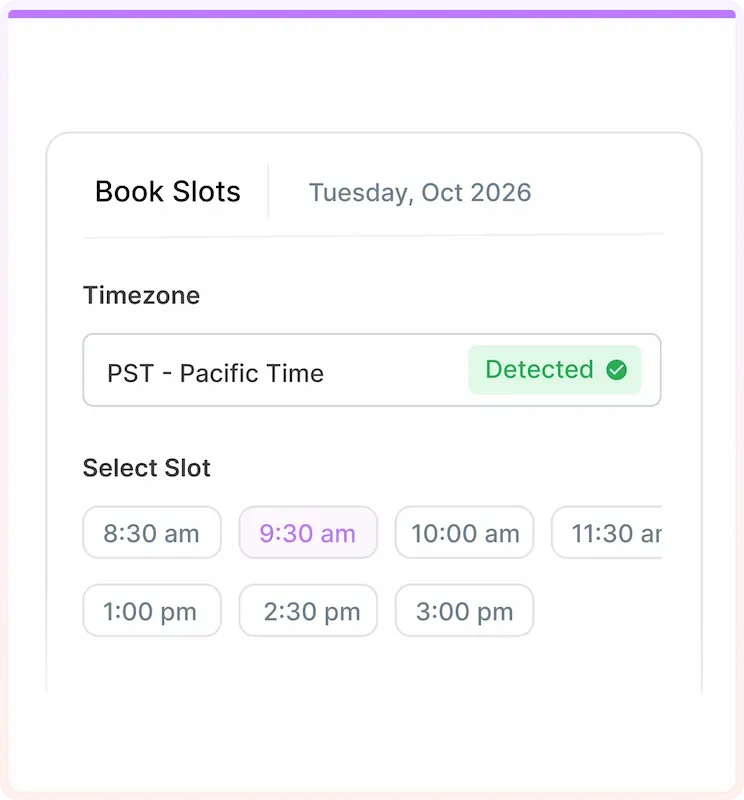
Set the guest experience separately from the hours your business works.
Available slots display in the visitor’s local time zone.
Offer booking in languages including English, Spanish, French, German and Arabic.
Visitor Language also applies to confirmation pages and guest notifications.
The selected visitor language applies to attendee calendar invites.
Guest language does not change your dashboard, which currently uses English.
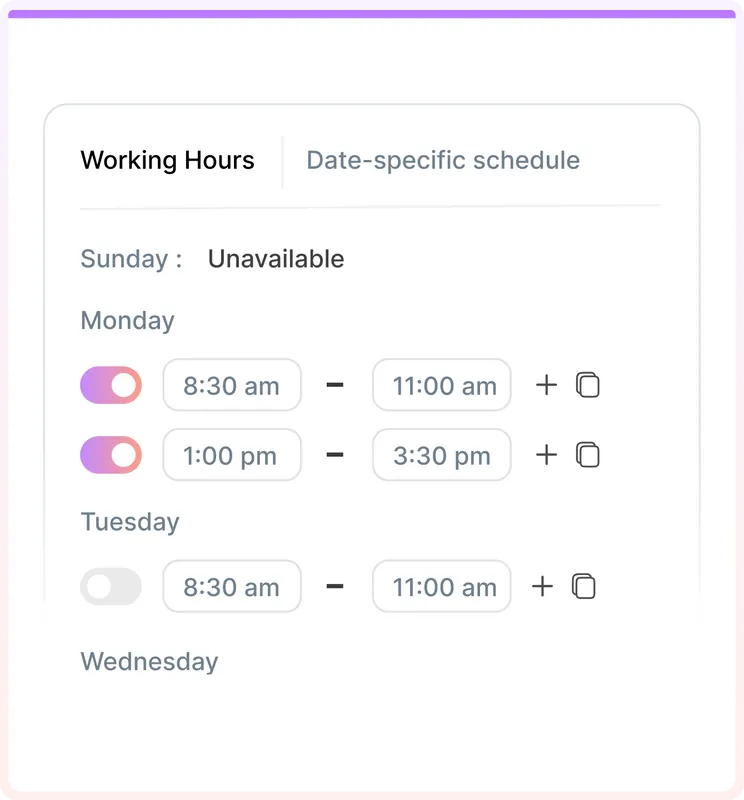
Define the hours during which each service accepts bookings.
Adjust availability for holidays and one-off changes.
Use round robin for available colleagues or collective scheduling for shared availability.
Offer remote appointments through connected video meeting tools.
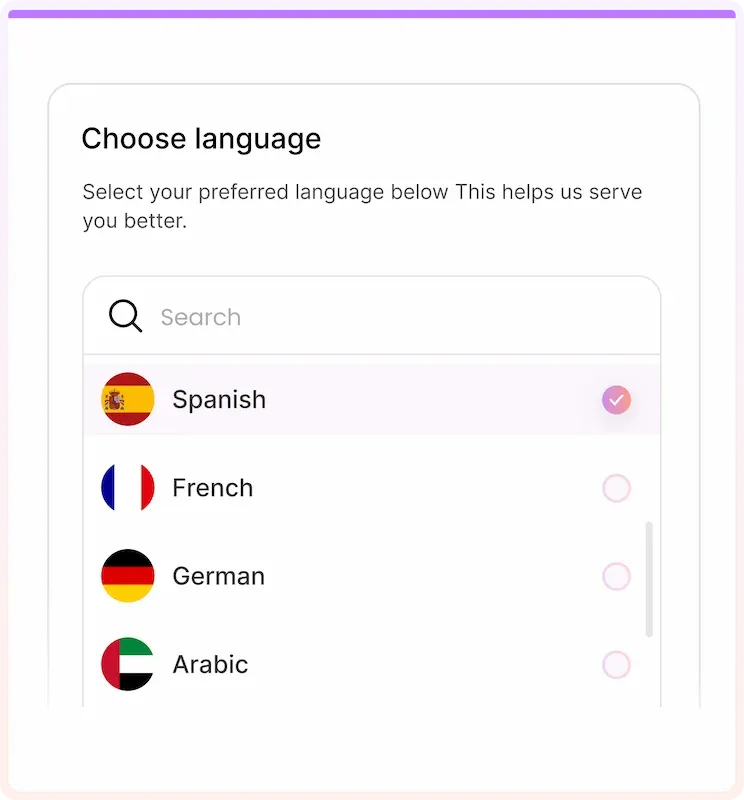
LunaCal separates Visitor Language from App Interface Language. The guest setting covers the booking journey and notifications; the dashboard setting affects your own workspace.
Set the schedule your service follows. A client in another country sees the available times converted for their location.
Automatic time-zone detection changes the display of available slots. The booking still represents one appointment shared by host and guest.
A French booking interface and a Paris time zone are different choices. Select the guest language and verify the time zone independently.
Collective meetings need overlapping host availability. Round robin allocates the appointment among available team members.
Visitor Language applies beyond the calendar. Use the same guest language for the booking page, confirmation page, notification emails and calendar invitation.
Guests choose their appointment using the selected interface language.
The confirmation page and guest messages follow the visitor-language setting.
Keep using the English dashboard while your guests book in another supported language.
Time-zone conversion does not decide when your business works. LunaCal availability schedules and date exceptions define those boundaries.
LunaCal combines guest language, local-time booking and service scheduling without splitting the workflow across separate tools.
Configure the language for booking and guest communications together instead of stopping at a translated calendar.
Combine saved schedules, exceptions and team formats for appointments delivered from different locations.
Standard starts at $9 per user per month with unlimited calendars and services, payments and reminders. Teams adds shared scheduling and packages.
Compare language support alongside the scheduling controls an international service needs.
| Capability | LunaCal | Calendly | Cal.com | Koalendar |
|---|---|---|---|---|
| Local-time booking | Yes | Yes | Yes | Yes |
| Multilingual booking | 13 languages | Yes | Yes | 30+ languages |
| Custom working hours | Yes | Yes | Yes | Yes |
| Date exceptions | Yes | Yes | Yes | Yes |
| Calendar connections | Unlimited | Up to 6 | Unlimited | Plan dependent |
| Video meetings | Yes | Yes | Yes | Yes |
| Minimum notice | Yes | Yes | Yes | Yes |
| Meeting buffers | Yes | Yes | Yes | Yes |
| Collective scheduling | Teams+ | Standard+ | Teams+ | Paid plans |
| Round robin | Teams+ | Teams+ | Teams+ | Paid plans |
| Payments | Stripe / PayPal | Stripe / PayPal | Stripe / PayPal | Yes |
| Free plan | No | Yes | Yes | Yes |
LunaCal automatically displays available slots in the visitor’s local time zone. Guests can review the displayed time zone before choosing an appointment.
The setting applies to booking pages, confirmation pages, guest confirmation and notification emails, and attendee calendar invites.
Yes. App Interface Language and Visitor Language are independent. The dashboard currently supports English.
No. Language controls the guest-facing interface and messages. Availability schedules control bookable hours.
Yes. Add date-specific availability exceptions for the service schedule rather than changing the normal weekly hours.
Yes. Use collective scheduling for a meeting requiring several hosts, or round robin when any available team member can handle it.