13 guest languages
Select the language clients will use from the supported visitor-language options.
LunaCal lets you choose the language clients see when they book, receive a confirmation and open a calendar invitation. The visitor language is separate from your dashboard, so you can keep managing appointments in English.
Start your free trialCompare scheduling tools ↓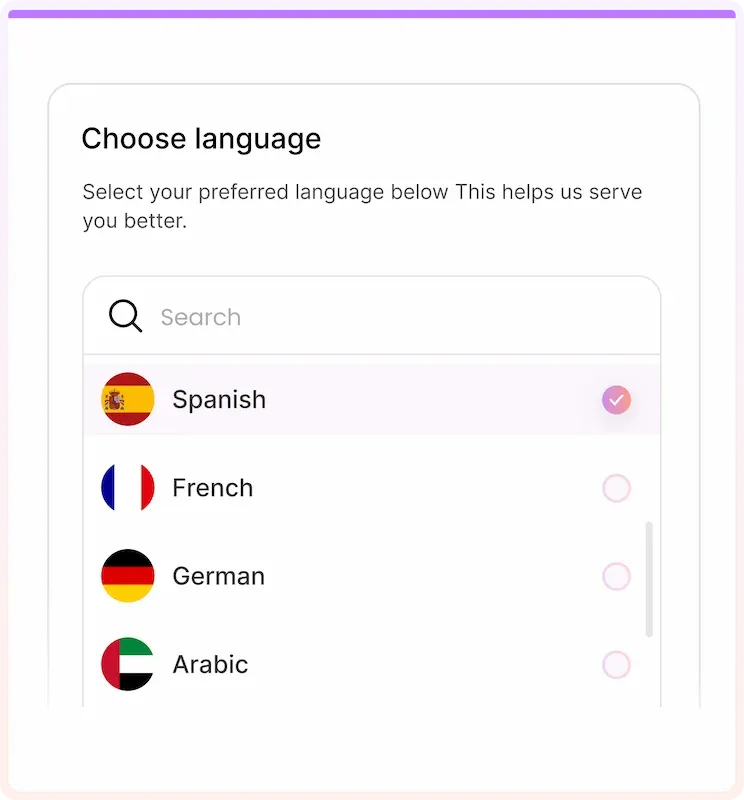
Visitor Language applies to the client-facing booking experience, not just the first page.
Select the language clients will use from the supported visitor-language options.
Display the scheduling interface in the visitor language you select.
Keep the confirmation screen in the same selected language.
Use the visitor language for booking confirmations and notification emails.
Carry the selected language into invitations sent to attendees.
Manage appointments in English independently of the guest-facing language.
Apply a changed visitor language to new bookings after saving.
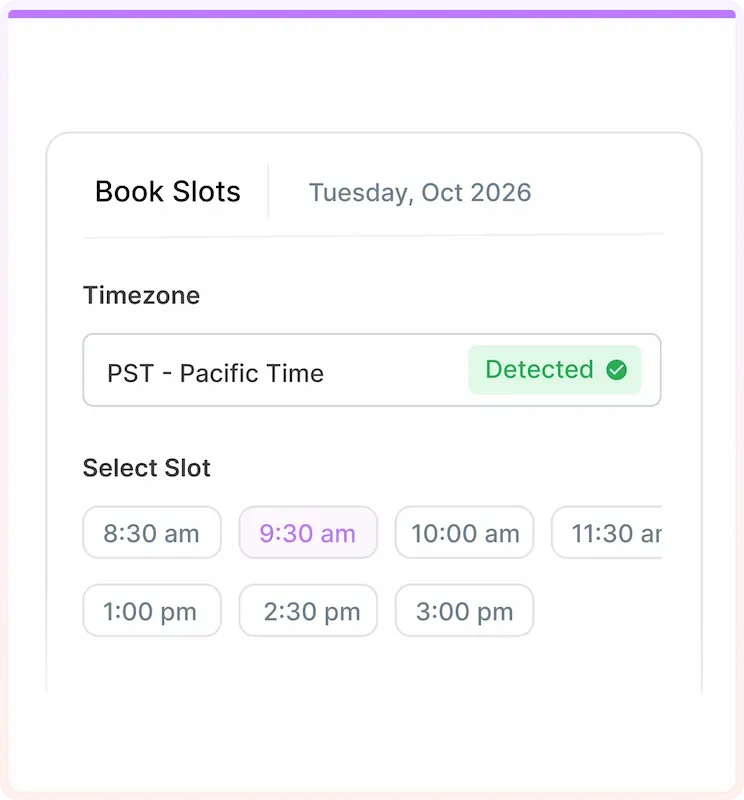
Show appointment times in the visitor’s time zone alongside your language setting.
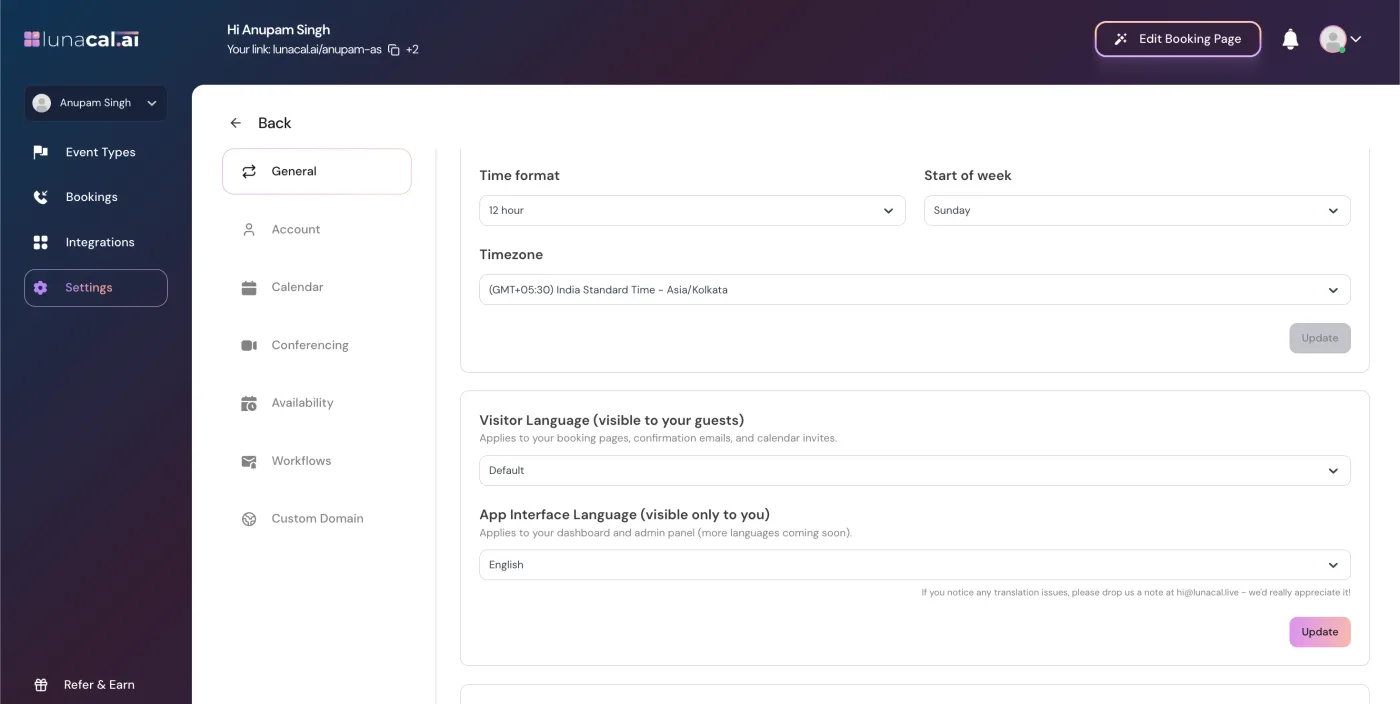
Choose the language your clients should use before sharing the booking link. The Visitor Language control changes their booking experience without changing the language you use to manage it.
Visitor Language controls LunaCal’s client-facing interface and standard booking communications.
Write the event name, description, questions and any custom message in the language clients should read. Do not treat a language setting as a translation service for your own copy.
Time-zone detection converts available times for the visitor. A French-language page does not mean the attendee is in France.
The app interface currently supports English. Selecting another visitor language does not translate dashboard labels or admin controls.
LunaCal includes several guest languages beyond the common English, French, Spanish and German set. Use a language your clients are comfortable reading when they select a date and confirm an appointment.
Explore this setting →Dutch, French, German, Italian, Polish, Portuguese, Russian, Spanish and Swedish are available alongside English.
These are also supported visitor-language options, so those clients do not have to rely solely on translating the page in their browser.
An English-speaking administrator can manage bookings while the guest-facing experience uses another supported language.
International appointment scheduling needs both readable instructions and the correct local time. LunaCal handles time-zone conversion separately from the visitor language.
LunaCal combines guest-language settings with the scheduling controls needed to take appointments across countries.
The setting reaches the booking screen, confirmation page, guest emails and calendar invites. Clients keep the selected language after choosing a time.
Arabic, Hebrew, Polish, Russian, Swedish and Vietnamese are included alongside the widely offered Western European languages.
Keep guest language, time-zone conversion, custom intake questions and calendar availability in the same account. You can manage the service in English while clients book in another supported language.
Language coverage and selection behavior differ. Koalendar offers browser-language detection and a broader language list; LunaCal lets you select the guest language and carries it into booking communications.
| Capability | LunaCal | Calendly | Koalendar | Acuity |
|---|---|---|---|---|
| English, French, German, Spanish | Yes | Yes | Yes | Yes |
| Dutch, Italian, Portuguese | Yes | Yes | Yes | Yes |
| Arabic interface | Yes | No | Yes | No |
| Hebrew interface | Yes | No | Yes | No |
| Polish interface | Yes | No | Yes | No |
| Russian interface | Yes | No | Yes | No |
| Swedish interface | Yes | No | Yes | Yes |
| Vietnamese interface | Yes | No | Yes | No |
| Ukrainian interface | No | Yes | Yes | No |
| Japanese interface | No | No | Yes | Yes |
| Language selection | Host-selected | Per event type | Manual / browser detection | Account scheduler setting |
| Guest email language | Selected language | Event language | Page language | Template-dependent |
Arabic, Dutch, English, French, German, Hebrew, Italian, Polish, Portuguese, Russian, Spanish, Swedish and Vietnamese. Select the visitor language in Settings → General.
Yes. Visitor Language covers booking and confirmation pages, guest confirmation and notification emails, and calendar invitations.
No. Visitor Language and App Interface Language are separate. The dashboard currently supports English only.
The Visitor Language setting lets you choose the guest-facing language in your account. Configure it before sharing the page; automatic time-zone detection is a separate feature.
Write your event information and custom questions in the language you want clients to read. The visitor-language setting should not replace reviewing your own content.
Saved language changes apply to future bookings. Do not rely on changing the setting to replace messages or calendar invitations already sent.