Per-event approval
Require review for selected event types instead of every service.
LunaCal manual booking approval keeps an appointment request pending until the host accepts it. Review requests from email or the Bookings page before the client receives a confirmation and calendar invite.
Start your free trialCompare scheduling tools ↓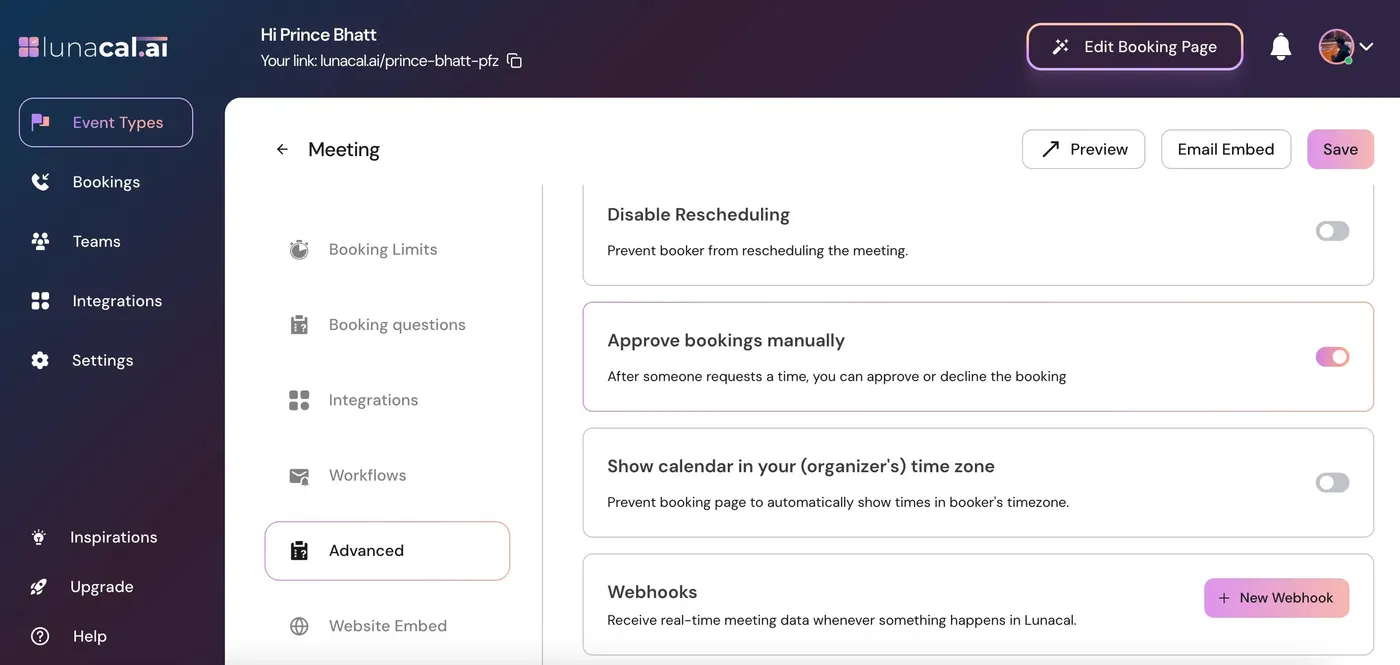
Keep self-service time selection while reserving the final decision for the host.
Require review for selected event types instead of every service.
New requests remain pending until the host takes action.
Receive an email when a request needs a decision.
Approve or reject without first opening the bookings dashboard.
Review pending appointments from the Bookings section.
Collect the details needed to assess the appointment.
The guest receives the confirmation email and calendar invitation after acceptance.
Pending requests do not trigger appointment reminders.
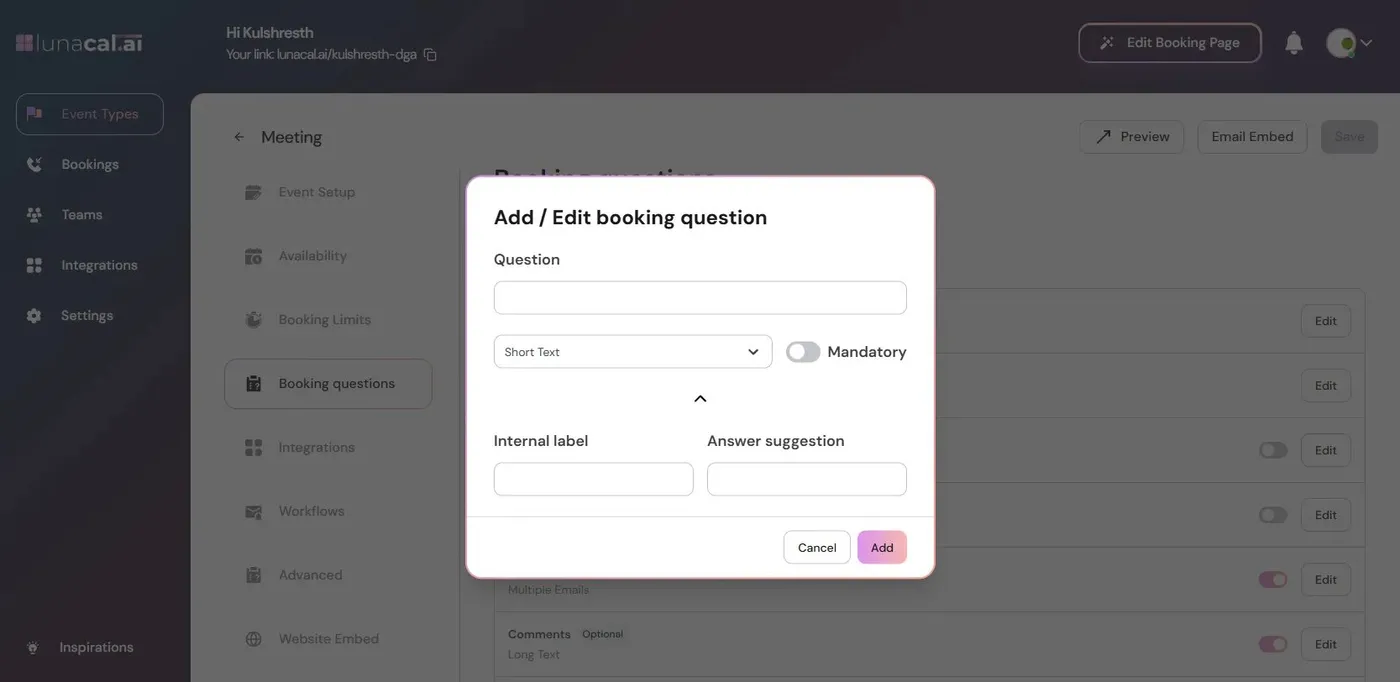
LunaCal booking questions collect context before you review a request. Use specific fields for the details that determine whether the appointment is suitable.
The client completes the booking flow and sees that their request has been sent.
LunaCal notifies the host and lists the request in Bookings. The appointment is awaiting a decision.
Review the request from email or Bookings, then make the decision for that appointment.
After acceptance, the guest receives confirmation and a calendar invite. Reminders are held until approval.
Manual approval is an event setting. Keep routine meetings instantly bookable while reviewing appointments that need preparation or screening.
Set up manual booking approval →Ask about the proposed work before committing to a specialist consultation.
Collect the topic or requirements so the host can judge whether they can deliver the session.
Leave approval disabled when a suitable available slot is enough to confirm the meeting.
Approval and availability answer different questions. Availability determines when someone can request a meeting; approval determines whether that request becomes confirmed.
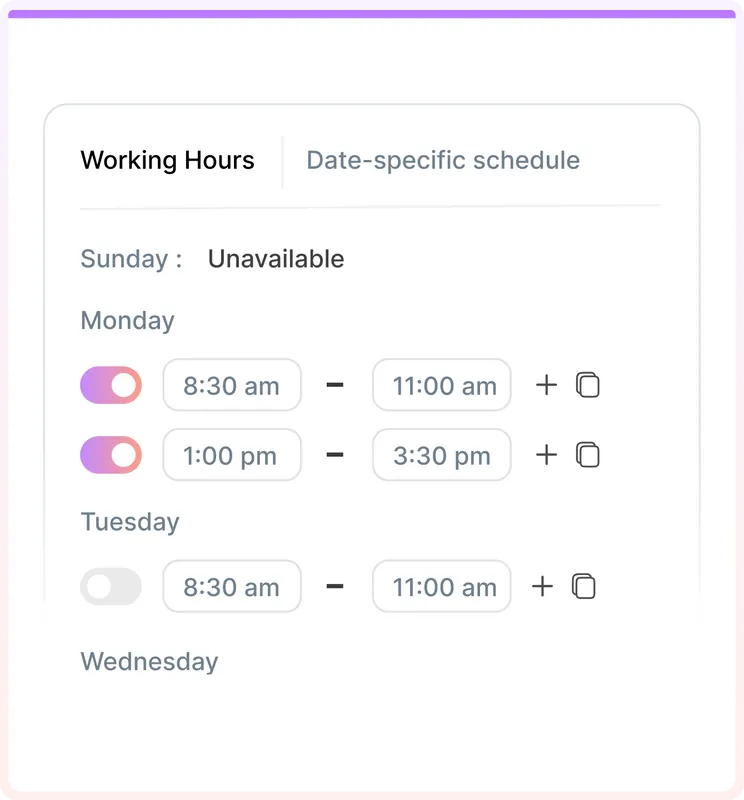
LunaCal connects the request form, host decision and confirmation sequence within the appointment workflow.
Clients select a time and answer booking questions in the same event flow. The host makes the final decision.
An introductory call and a specialist appointment can follow different confirmation rules within the same account.
Pending requests do not send the guest a calendar invitation or appointment reminders. Acceptance moves the booking into its confirmed communication flow.
Manual approval reviews a submitted request. Routing forms qualify visitors before directing them to a booking option; the two approaches serve different workflows.
| Capability | LunaCal | Calendly | Cal.com | Koalendar |
|---|---|---|---|---|
| Review approach | Host approval | Routing forms | Host approval | Host approval |
| Custom booking questions | Yes | Yes | Yes | Paid plans |
| Required answers | Yes | Yes | Yes | Paid plans |
| Service-specific settings | Yes | Yes | Yes | Yes |
| Working hours | Yes | Yes | Yes | Yes |
| Calendar conflict checking | Yes | Yes | Yes | Yes |
| Minimum booking notice | Yes | Yes | Yes | Yes |
| Meeting buffers | Yes | Yes | Yes | Yes |
| Confirmation emails | Yes | Yes | Yes | Yes |
| Automated reminders | Yes | Standard+ | Yes | Paid plans |
| Online meeting links | Yes | Yes | Yes | Yes |
| Website embedding | Yes | Yes | Yes | Yes |
| Free plan | No | Yes | Yes | Yes |
Open the event type, choose Edit, go to Advanced, enable Approve bookings manually and save. New requests for that event require your decision.
Use the request notification email or the Bookings section in LunaCal to approve or reject it.
No. The client receives the confirmation email and calendar invite after you approve the request.
No. Reminders are not sent until the booking is approved.
Yes. Approval is configured per event type, so you can enable it only for services that need review.
Yes. Add booking questions to collect the appointment details and make essential answers mandatory.