Workspace roles
Assign Owner, Admin or Member roles in a team workspace.
LunaCal combines workspace roles, managed-event permissions and booking-data controls for teams. Set who can manage scheduling, control the information collected at booking and use the documented process for data requests.
Start your free trialCompare scheduling tools ↓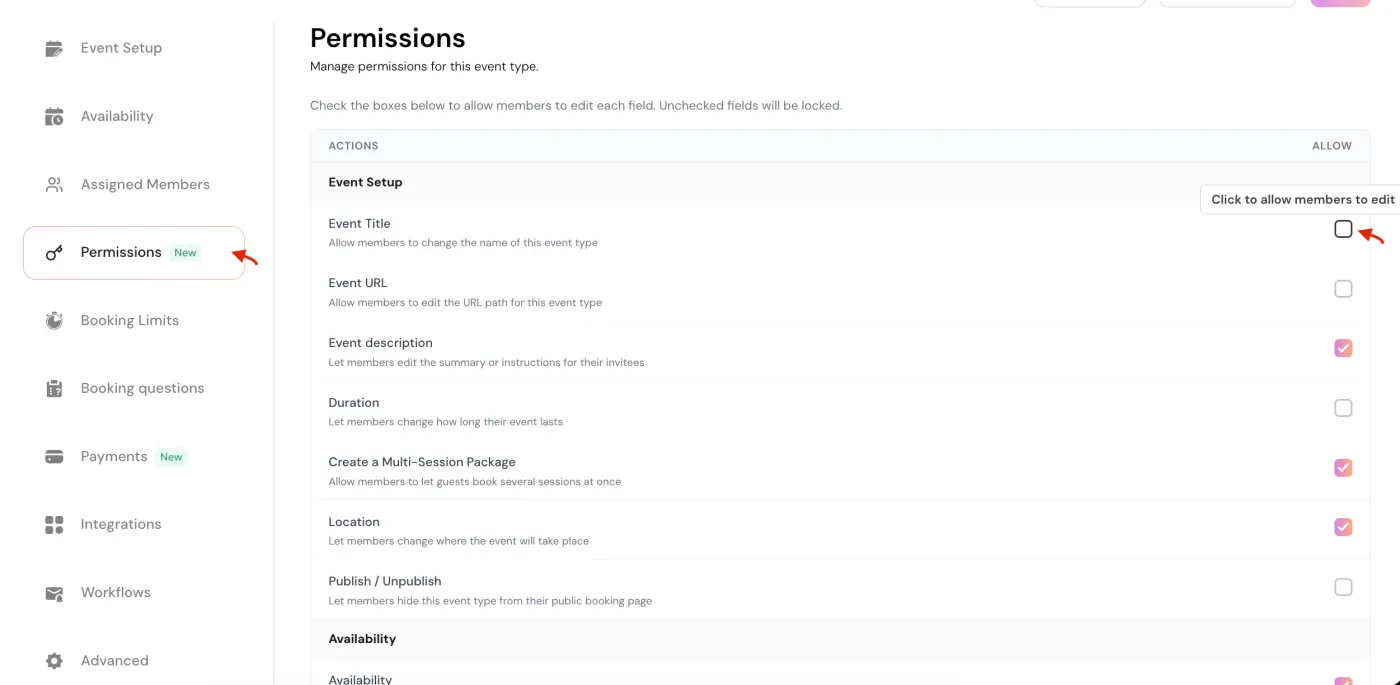
Manage team permissions separately from public booking-page visibility and client information.
Assign Owner, Admin or Member roles in a team workspace.
Only Owners and Admins can invite new team members.
Choose which settings assigned members may edit.
Control whether a team member appears on the public page.
Use the SSO option available on LunaCal’s Enterprise plan.
Choose which questions appear and which answers are required.
Use the documented request process for account, team or booker data.
Report potential vulnerabilities through LunaCal’s published security process.
In a LunaCal Managed Event, the owner or admin decides which settings assigned members can change. Settings without permission remain centrally controlled.
An Admin can manage events and members. A Member manages assigned events. Assign the role that matches the person’s responsibilities.
Control individual event settings separately from workspace membership. A member’s ability to edit depends on the permissions assigned to that managed event.
Whether a person appears on the booking page is a separate choice from their role inside the workspace.
Enterprise includes SSO for organizations that want that sign-in option alongside their scheduling setup.
LunaCal’s data-request process distinguishes personal accounts, team records and guest booking details. That distinction helps identify the records and the person authorized to request them.
Read data access and deletion instructions →Request access or deletion using the email address associated with your account.
Verified team owners can request team booking, member-profile and configuration data.
Bookers or hosts acting for them can identify a booking using its event link and timestamp.
LunaCal lets you choose booking fields, hide questions and require essential answers. A consent-checkbox field can collect agreement to the wording you provide.
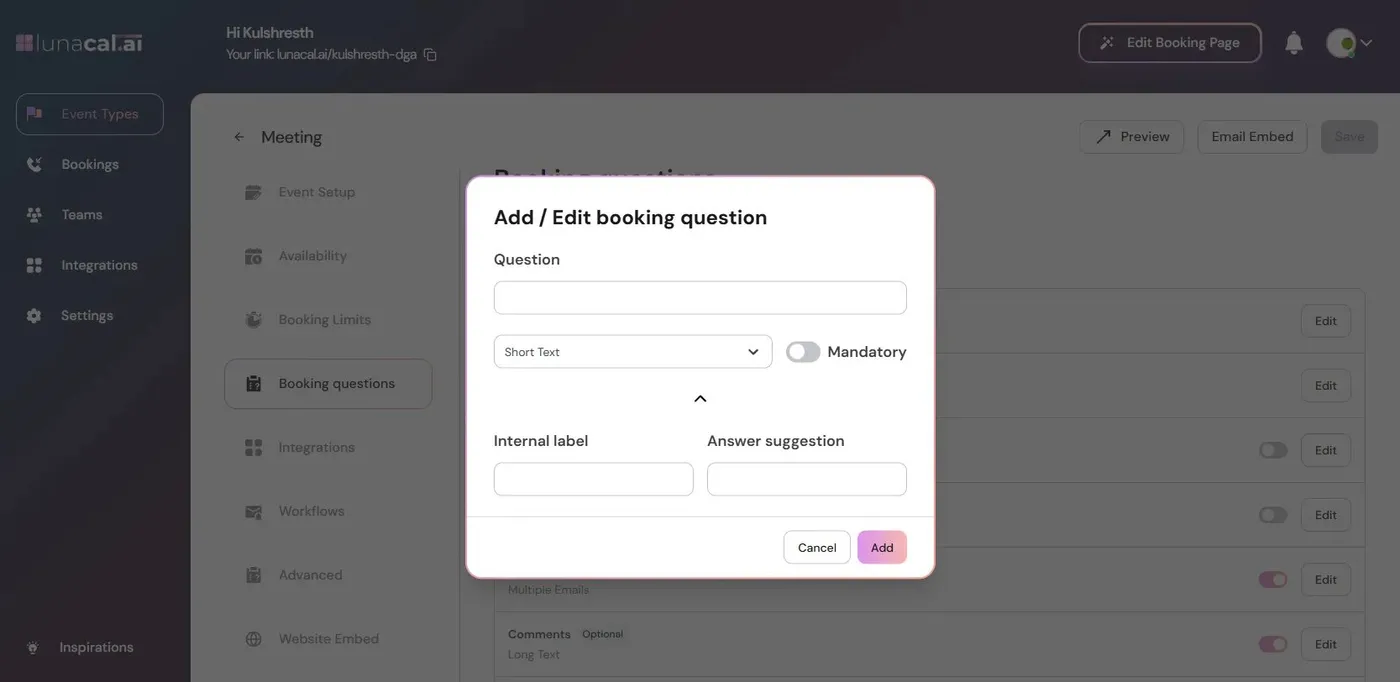
Workspace access, event settings and booking forms can be managed together while each host continues to receive appointments.
Managed events let admins retain control of shared settings while allowing members to edit the fields they need.
Combine team roles with service assignment, public visibility and appointment questions instead of treating every booking page as an isolated account.
Teams starts at $15 per user per month for team scheduling. Enterprise starts at $25 and adds SSO and an account manager.
Compare access management and booking-data controls alongside the appointment workflow your team needs.
| Capability | LunaCal | Calendly | Cal.com | Koalendar |
|---|---|---|---|---|
| Team administration | Yes | Yes | Yes | Yes |
| Role-based team access | Yes | Yes | Yes | Yes |
| SSO offering | Enterprise | Enterprise / add-on | Organizations+ | Google SSO |
| Custom booking questions | Yes | Yes | Yes | Paid plans |
| Required booking fields | Yes | Yes | Yes | Paid plans |
| Per-event configuration | Yes | Yes | Yes | Yes |
| Calendar connections | Unlimited | Up to 6 | Unlimited | Plan dependent |
| Privacy policy | Published | Published | Published | Published |
| Data request process | Yes | Yes | Yes | Yes |
| Team scheduling | Teams+ | Paid plans | Teams+ | Paid plans |
| Payment providers | Stripe / PayPal | Stripe / PayPal | Stripe / PayPal | Yes |
| Free plan | No | Yes | Yes | Yes |
LunaCal workspace Owners and Admins can invite members. Choose the role when sending the invitation.
Yes. Managed Event permissions let the owner or admin keep selected settings locked while allowing other settings to be edited.
Yes. SSO is included in the Enterprise offering listed on LunaCal’s pricing page.
Contact hi@lunacal.live from your account email address. For a team request, the requester must be a verified team owner.
Yes. Bookers, or hosts acting on their behalf, can submit a request identifying the appointment with details such as the event link and booking timestamp.
LunaCal publishes a Privacy Policy and Data Processing Agreement. Its help center also describes data retention and responsible vulnerability disclosure.