Appointment scheduling software for services and teams
Lunacal lets customers book appointments, meetings and classes online. Manage availability, staff, locations and payments through customizable booking pages, with automatic calendar sync and reminders.
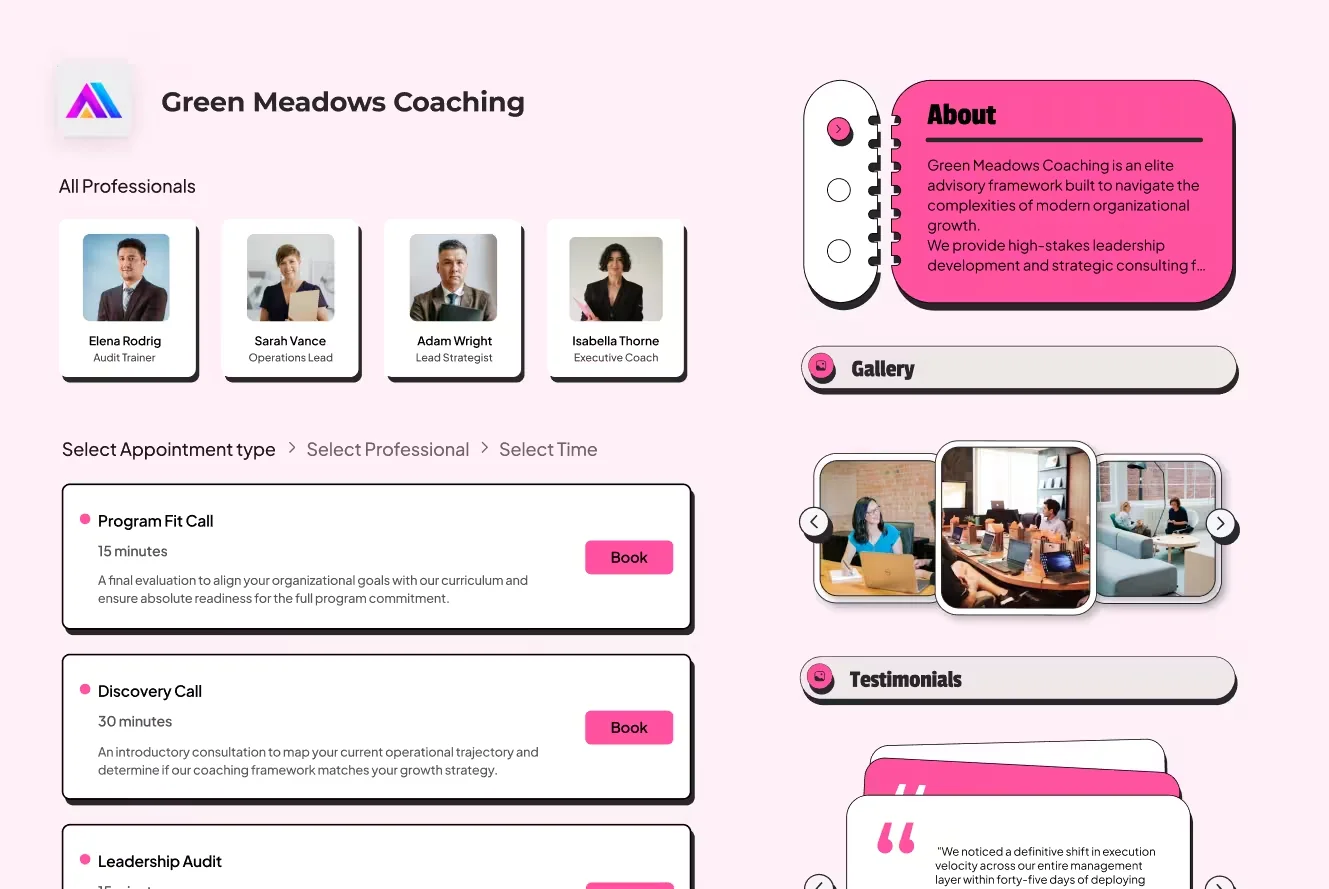
What does Lunacal do?
Lunacal is online appointment booking software for professionals and service businesses. Create a booking page or add a booking calendar to your website, connect your calendars and set your availability. The Teams plan adds staff scheduling, multiple locations and appointment packages.
Booking & availability
- Online appointment bookingPublic booking links and an embeddable scheduling calendar.
- One-to-one appointmentsPrivate meetings, consultations and paid sessions.
- Group sessions and classesMultiple attendees for the same session.
- Recurring appointmentsRepeat sessions without rebuilding booking rules.
- Unlimited servicesDifferent appointment types and durations.
- Calendar conflict checksCheck multiple connected calendars before showing slots.
- Availability controlsWorking hours, date overrides, holidays and time buffers.
- Approval and reschedulingManual confirmation and cancellation/reschedule rules.
Teams & business operations
- Team booking pagesPresent providers and services on one page.
- Round-robin assignmentDistribute incoming bookings across available staff.
- Collective schedulingFind a time when required team members are free.
- Multiple locationsManage branches, providers and location-specific services.
- Prepaid packagesSell multi-session bundles on Teams.
- Booking intake formsCustom questions, attachments and consent fields.
- Payments and discountsStripe, PayPal, coupons and payment reminders.
- Booking analyticsTrack booking activity and source attribution.
Customer booking experience
- Branded booking pagesColors, profile, service copy, images and video.
- Custom domainOffer a branded scheduling URL where supported.
- Website booking widgetsInline calendar, floating widget or button pop-up.
- Automatic notificationsConfirmation, SMS/email reminders and follow-ups.
- Online meeting linksGoogle Meet, Microsoft Teams, Zoom or custom links.
- Multilingual booking13 guest-facing languages.
- Time-zone handlingAutomatic detection and configurable date/time formats.
- No guest account requiredVisitors book through a public booking page.
Privacy, integrations & advanced features
- GDPR documentationPrivacy policy and data processing agreement.
- Access controlsRole-based access; SSO listed on Enterprise.
- Calendar integrationsGoogle Calendar, Outlook and Apple Calendar.
- CRM and automationHubSpot, Pipedrive, Zapier and Teams webhooks.
- Marketing measurementUTM parameters and Google Tag Manager.
- White-label optionsBrand removal, custom domain and custom SMTP options.
- AI voice agentEnterprise AI voice agent (beta).
- MCP serverEnterprise MCP server (beta).
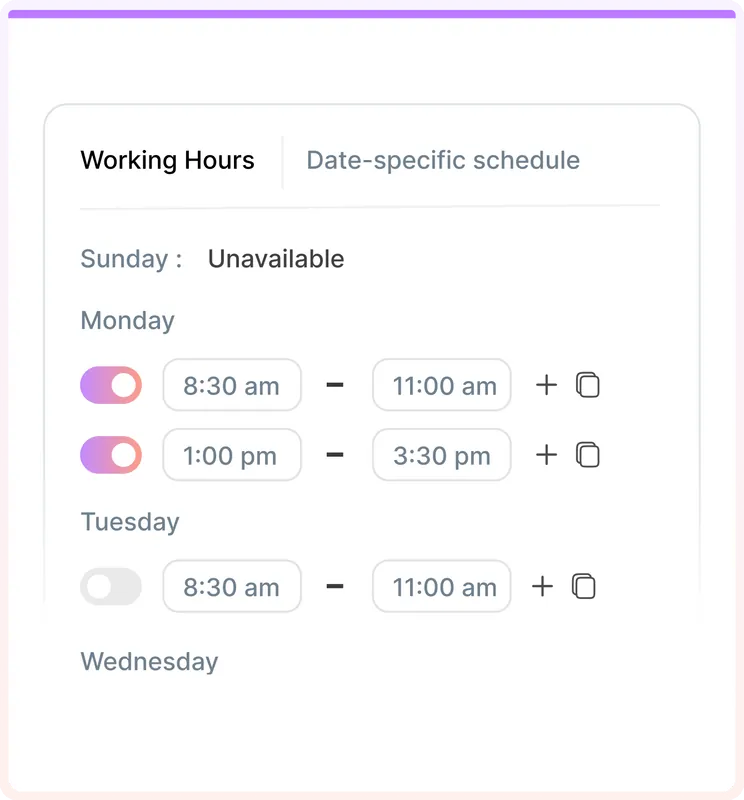
Control exactly when customers can book.
Publish appointment types with their own durations, prices, locations and scheduling rules. Lunacal checks connected calendars before offering a time.
- Multiple calendars: Google, Outlook and Apple Calendar with conflict checks.
- Booking rules: business hours, buffers, minimum notice, date overrides and holidays.
- Appointment formats: individual, group, recurring, online, phone or in person.
- Intake: custom fields, file attachments, consent checkboxes and approval options.
- Booking changes: manage cancellations, rescheduling and redirects after booking.
Booking pages, website embeds and custom branding
Customers can book from a standalone scheduling link or directly from your existing website.
Booking page content
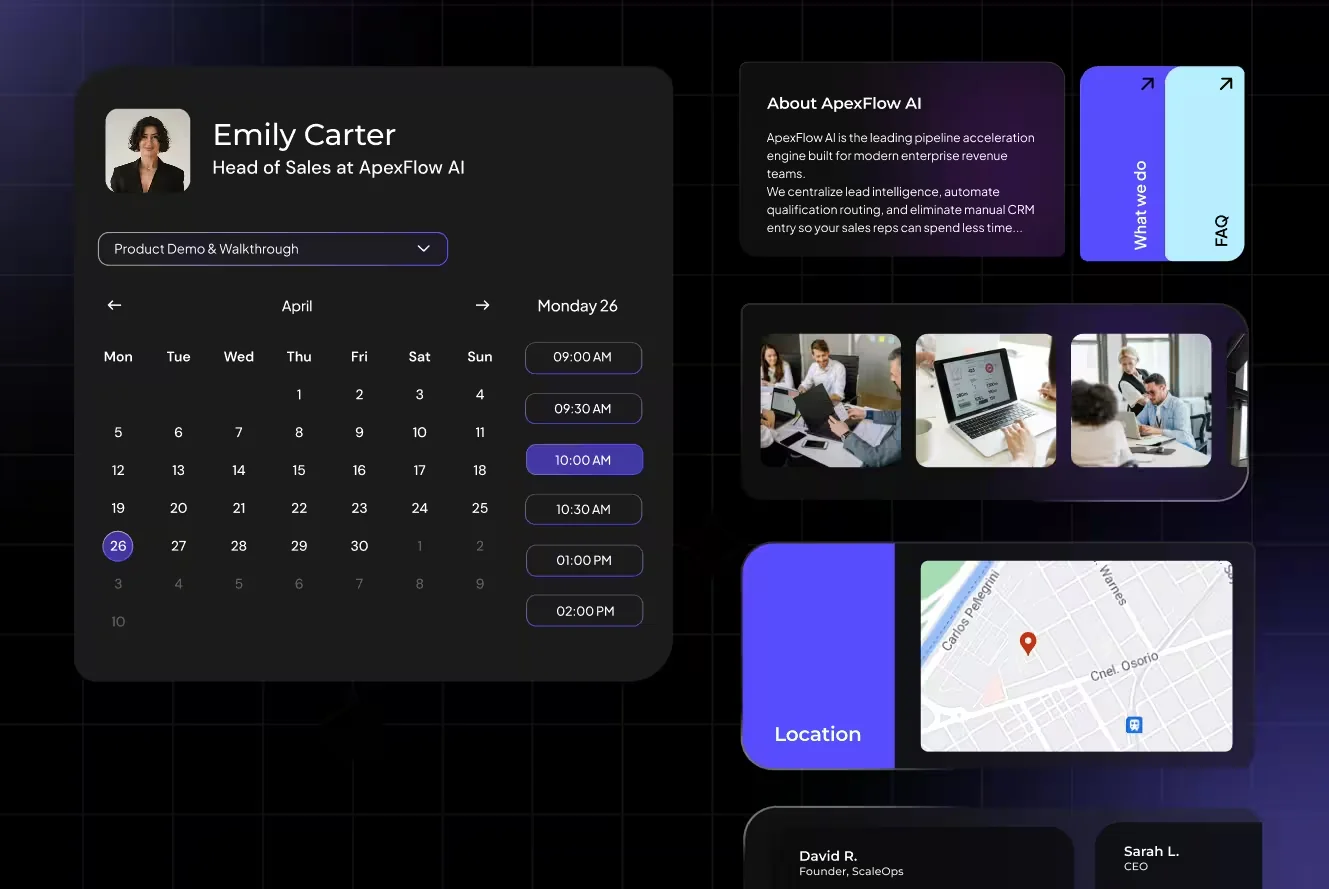
Add service descriptions, team profiles, testimonials, FAQs, images, videos, documents, maps and external links.
Website booking widget
Embed a calendar inline, use a floating booking widget or open booking from an existing website button.
Branding and domain
Customize colors, backgrounds and content. Brand removal, custom SMTP and custom domain options depend on plan or add-on.
Booking questions
Collect names, contact details, dropdown answers, attachments and consent using custom intake forms.
Scheduling links
Share booking URLs in email, social profiles, SMS, WhatsApp and your Google Business Profile.
Tracking and analytics
Use booking analytics, UTM parameters and Google Tag Manager to understand appointment sources.
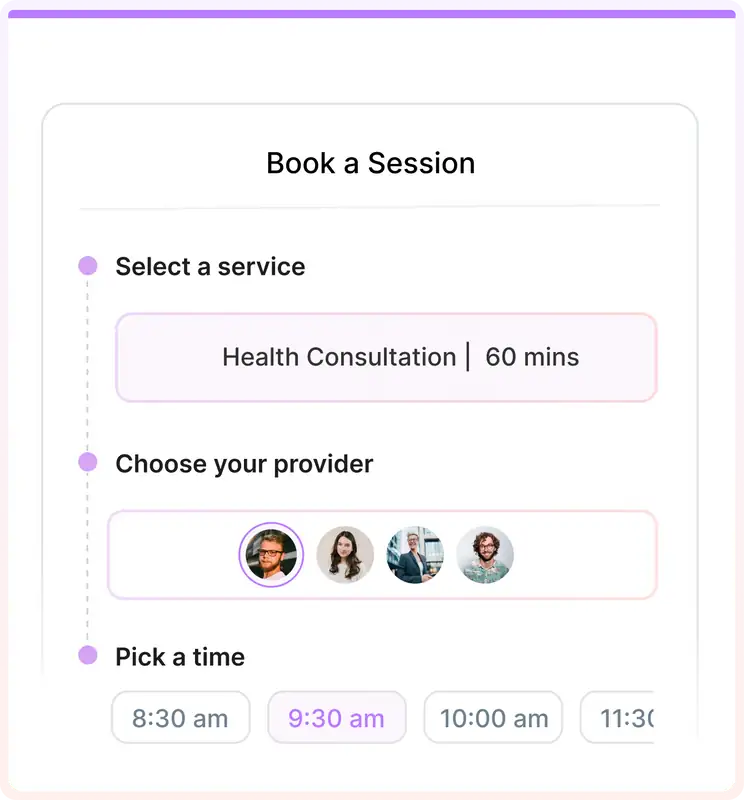
Schedule staff, services and locations.
The Teams plan supports business-wide scheduling when bookings need to be assigned to different people or branches.
- Team pages: display providers, services and availability on one booking page.
- Round robin: distribute appointments across available team members.
- Collective booking: show slots when multiple required team members are free.
- Multi-location: organize branches and location-specific booking options.
- Service booking: let visitors choose a service, provider and time in one flow.
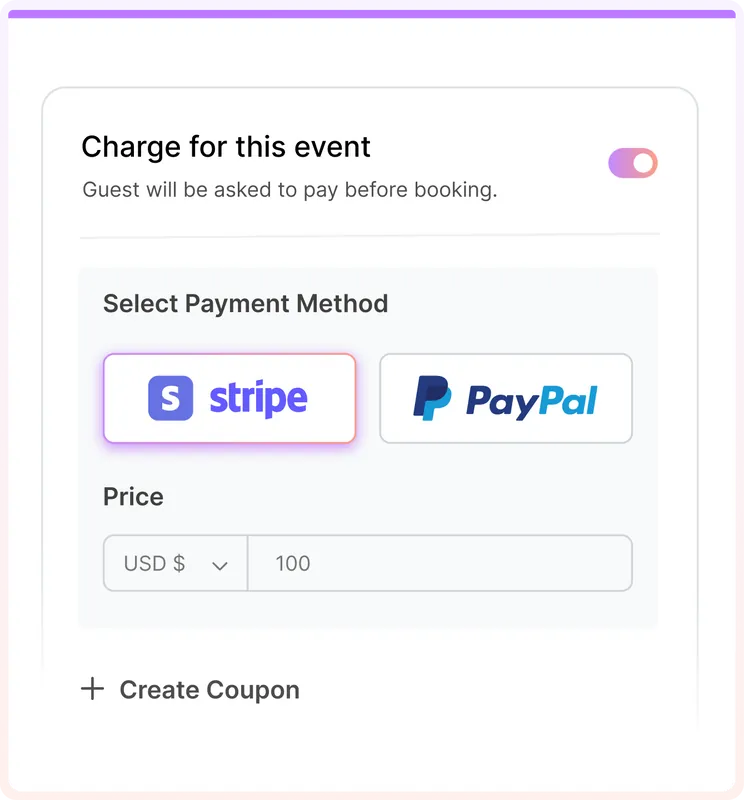
Collect payments during appointment booking.
Use Stripe or PayPal for paid appointments. Lunacal charges no additional platform commission on payments; normal processor fees apply.
- Accept online payments for appointments and services.
- Set up coupons, discounts and promotional pricing.
- Sell prepaid multi-session packages on Teams.
- Use payment-related reminders where supported by your plan.
- Manage free and paid booking types in the same account.
Appointment confirmations, reminders and follow-ups
Set up automated appointment reminders, booking confirmations and follow-ups without sending each message manually.
Booking confirmation
Send customers appointment details after a booking is confirmed.
Email reminders
Schedule reminder emails before appointments.
SMS reminders
Send text reminders where messaging is available and configured.
Follow-up emails
Send automated emails after the scheduled appointment.
Workflow automation
Set up multi-step email workflows around meeting events.
Cancellation and rescheduling
Control how booking changes are handled and communicated.
Multilingual appointment booking for international customers
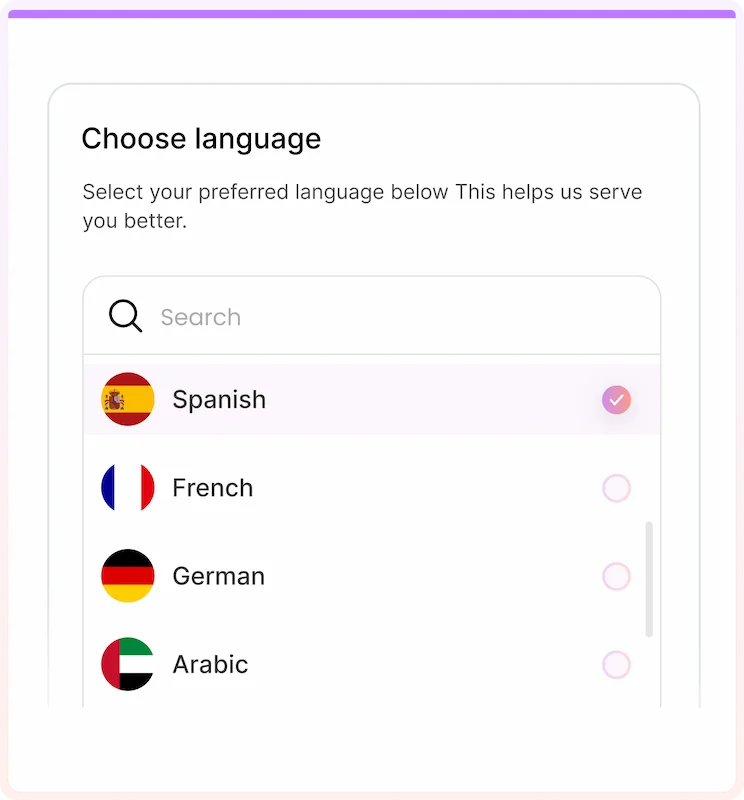
Customers can book in 13 languages. Lunacal detects their time zone and lets you adjust calendar and time formats for different regions.
- Automatically detect the customer's time zone and display available times accordingly.
- Change calendar and time formats for regional preferences.
- Use localized booking interfaces alongside branded page content.
GDPR documentation and appointment data security
Lunacal provides a privacy policy and data processing agreement (DPA) covering its role in handling booking data, security commitments, subprocessors and international transfers.
Controller and processor roles
Lunacal's privacy policy describes it as a processor for customers' bookers and a controller for its own website visitors and direct users.
Data processing agreement
The public DPA covers documented instructions, confidentiality, security obligations, subprocessors and help with data-subject requests.
International data transfers
The DPA references EU Standard Contractual Clauses where applicable; Lunacal's privacy policy discloses processing in the United States.
Security commitments
The DPA addresses appropriate technical and organizational measures, access limitation and personal-data breach notification.
Access management
Lunacal describes role-based access controls and lists single sign-on (SSO) in Enterprise.
Data minimization controls
Configure custom intake questions and consent fields to request information relevant to the appointment.
Calendars, video meetings, payments, CRM and automation
Use native connections and supported integrations to link appointment booking with the tools your business already uses. Certain integrations depend on the plan.
Calendars
Google Calendar, Microsoft Outlook and Apple Calendar; multiple connections and conflict checks.
Video meetings
Google Meet, Microsoft Teams, Zoom and custom online meeting links.
Payments
Stripe and PayPal for paid bookings and prepaid packages.
CRM and automation
HubSpot, Pipedrive and Zapier integrations.
Events and data
Webhooks on Teams; ask about requirements for deeper custom integrations.
Attribution
UTM tracking, booking analytics and Google Tag Manager.
Advanced branding, access and AI features
Enterprise adds single sign-on, advanced branding, an account manager and AI booking features.
- Single sign-on: SSO on Enterprise.
- Branding: Full branding; custom booking domain as an add-on.
- Email identity: Custom SMTP and sender-domain options.
- Account support: account manager and personalized onboarding.
- AI voice agent: AI voice agent (beta) on Enterprise.
- MCP server: MCP server (beta) on Enterprise.
Lunacal vs other appointment scheduling software
Compare appointment types, team assignment, booking pages, payments, reminders and pricing.
| What to compare | Lunacal | Calendly | Acuity | SimplyBook.me | Square | Setmore |
|---|---|---|---|---|---|---|
| Booking setup | Meeting links and service → provider → time booking | Event types, scheduling links and team meetings | Services, appointment types and staff calendars | Services, providers and a booking website | Services, staff and booking site connected to Square | Service and staff booking pages |
| Booking page | Images, videos, FAQs, testimonials, custom branding | Customizable scheduling page and branding | Custom scheduler, intake forms and appearance settings | Booking website, templates and configurable features | Online booking site connected to Square tools | Customizable branded booking page |
| Team assignment | Choose provider, round robin and collective booking on Teams | Group and collective events; round robin on Teams | Separate calendars for staff or locations | Book chosen or next-available provider | Staff-based availability and appointments | Staff calendars and any-available-staff selection |
| Classes & groups | Group sessions and classes | Group event types | Group classes and appointment types | Classes and group-booking features | Group classes on qualifying plans | Classes and recurring appointments on Pro |
| Prepaid packages | Multi-session packages on Teams | Paid meeting packages | Packages on Standard and Premium | Package and membership features | Service packages on qualifying plans | Recurring appointments on Pro |
| Payment options | Stripe and PayPal; no Lunacal booking commission | Stripe, PayPal and Calendly payment features | Stripe, Square, PayPal and Venmo | Multiple payment gateways through custom features | Square Payments with POS integration | Online payments with supported integrations |
| SMS reminders | Text and email reminders on Standard and above | Email workflows and reminders | SMS on Standard and Premium, region-dependent | SMS credits purchased separately | Text and email notifications, plan-dependent | SMS on Pro; email reminders on Free |
| More than one location | Multi-location services and staff on Teams | Meeting locations (online, phone or in person); no branch-and-service booking flow listed | Assign separate calendars to staff or locations | Multiple-location feature; Enterprise cluster interface | Multi-location management on paid plans | Team and staff calendars |
| Pricing model | Per user; Standard $9/month, Teams $15/month, Enterprise $25/month | Free tier; paid plans per seat | Plans priced by bookable calendars | Plans based on bookings, providers and enabled features | Free tier; paid plans generally per location | Free tier; paid plans per user |
| Trial or free option | 7-day trial; setup help | Free plan; paid plans | 7-day trial | Free tier with usage limits | Free plan; paid trial options | Free plan; paid upgrade |
Lunacal pricing
Standard is for individual booking, Teams adds staff and multiple locations, and Enterprise adds SSO and advanced branding. Pricing is per user.
Standard
For individual professionals and standard appointment booking.
- Unlimited services and connected calendars
- Branded booking page
- Email and SMS reminders
- Stripe and PayPal payments
Teams
For team booking, service businesses and multi-location scheduling.
- Everything in Standard
- Round robin and team scheduling
- Multi-session packages
- Webhooks
Enterprise
For advanced branding, access management and onboarding.
- Enterprise branding options
- SSO
- Account manager and onboarding
- AI voice agent and beta MCP server
Frequently asked questions
Features, plans, payments and privacy.
What does Lunacal do?
Lunacal is an online booking system for individual professionals, service businesses and teams. Customers choose an appointment or service and an available time; Lunacal manages the booking, connected calendars, optional payments and notifications.
Can customers book without creating an account?
Yes. Customers can book through a public Lunacal booking link or an embedded website calendar without opening their own Lunacal account.
Does Lunacal connect to Google Calendar, Outlook and Apple Calendar?
Yes. It connects to Google Calendar, Microsoft Outlook and Apple Calendar, supports multiple calendars and checks for scheduling conflicts.
Does Lunacal support team scheduling and multiple locations?
Yes. The Teams offering includes team booking pages, round-robin scheduling, collective scheduling and multi-service, multi-location booking.
Can I accept payments and sell appointment packages?
Lunacal supports Stripe and PayPal payments and coupons. Its Teams plan lists prepaid multi-session packages. Lunacal charges 0% platform commission on bookings; payment processor fees still apply.
Which languages does Lunacal support?
Lunacal lists 13 guest languages: English, Spanish, French, German, Italian, Polish, Dutch, Portuguese, Russian, Arabic, Hebrew, Vietnamese and Swedish.
What GDPR documents does Lunacal provide?
Lunacal publishes a data processing agreement and privacy policy. The DPA addresses subprocessors, security and Standard Contractual Clauses for applicable transfers. The privacy policy discloses processing in the United States.
Where does Lunacal process booking data?
Lunacal’s privacy policy discloses processing in the United States. EU-only hosting, SOC 2 and ISO 27001 certification are not advertised.
What website embedding options are available?
Lunacal supports a shareable booking link, an inline website calendar, a floating booking widget and a pop-up opened from an existing button.
What integrations and enterprise features are available?
Lunacal integrates with Google Meet, Microsoft Teams, Zoom, Stripe, PayPal, Zapier, HubSpot and Pipedrive. Teams includes webhooks. Enterprise lists SSO, an AI voice agent (beta) and an MCP server (beta).
How much does Lunacal cost?
Standard is $9, Teams is $15 and Enterprise is $25 per user per month. Lunacal offers a 7-day trial; custom domains are an add-on.
Set up appointment booking with Lunacal.
Connect your calendars, configure services and publish your booking page.