

Introduction
The best GDPR-compliant scheduling software for most EU service businesses is Lunacal, especially when multilingual booking pages, local time and date formats, automatic time-zone conversion, branded explanations and paid appointments matter together. Zeeg is the strongest alternative for buyers who require EU hosting as a procurement condition. TIMIFY and Shore stand out for European appointment-led businesses, while Microsoft Bookings and Google Calendar appointment schedules suit organisations already governed through those productivity suites.
No scheduling tool makes a business GDPR-compliant by itself. The controller still needs a lawful basis, an appropriate privacy notice, a data-minimisation policy, processor contracts, retention rules, security controls and a process for data-subject requests. The European Commission's guidance for organisations explains how controller and processor responsibilities depend on the activity. The shortlist below therefore evaluates whether each platform can support that work, not whether buying a subscription transfers legal responsibility to the vendor.
For EU teams, privacy is only half the decision. A workable scheduler must also connect to the calendars employees already use, display Central European and other local time zones correctly through daylight-saving changes, support the languages customers expect, and handle EUR payments without pretending that a payment receipt is automatically a VAT-compliant invoice.
Key Takeaways
- A signed DPA, documented subprocessors and a lawful transfer mechanism matter more than a generic “GDPR compliant” badge.
- EU data residency can simplify procurement, but it is not the only lawful architecture. US processing may be used with appropriate safeguards such as the EU-US Data Privacy Framework or Standard Contractual Clauses.
- Google and Microsoft calendar connections are common. Direct Apple Calendar or CalDAV support is much less consistent and should be tested.
- Multilingual page copy, locale-specific dates, 24-hour time, time-zone detection and DST handling are separate capabilities.
- Payment collection and VAT invoicing are separate jobs. Confirm whether the scheduler, payment processor or accounting system creates the legally required invoice.
Best GDPR-Compliant Scheduling Software for EU Businesses
Lunacal is the best overall choice for an EU-facing booking experience, while Zeeg is the clearest fit for teams that put EU hosting first. The table below compares all 12 options across the details that matter in Europe: calendar coverage, customer-facing languages, regional formats, time zones, EUR payments and invoicing workflows.
Feature and EU-readiness comparison
| Rank | Software | Privacy and hosting position | Calendar support | EU language and locale fit | EUR payments and invoicing | Best for |
|---|---|---|---|---|---|---|
| 1 | Lunacal | DPA available; US processing disclosed; SCC-based safeguards where required | Google and Microsoft calendars; multiple connected calendars | Multilingual pages, 24-hour time, local date formats, automatic time zones and DST | Stripe and PayPal can accept EUR; invoicing and VAT records should be handled in the connected finance stack | Branded multilingual paid bookings |
| 2 | Zeeg | German provider; data hosted in Germany and the Netherlands according to vendor documentation | Google and Microsoft calendar connections | Strong European market fit; confirm every attendee-facing language required | Stripe and PayPal can support EUR; validate VAT invoice workflow | EU-residency-led procurement |
| 3 | TIMIFY | European platform using EU AWS infrastructure according to vendor documentation | Google, Microsoft and selected external-calendar workflows | Multi-language booking and European regional settings | Payment options vary by market and integration; confirm fiscal and VAT outputs | Multi-location service operations |
| 4 | Doodle | Swiss-founded vendor with published privacy documentation; hosting and transfer details must be checked in the DPA | Google, Microsoft and Apple calendar connections vary by product and plan | Broad interface-language and time-zone support for international groups | Not designed as a full service-commerce or VAT-invoicing system | Group polls and meeting coordination |
| 5 | Shore | German appointment and customer-management platform with EU business focus | Calendar sync is available; confirm exact provider and direction | Strong fit for German-speaking local businesses | Booking, checkout and business functions vary by country and plan | DACH salons and local services |
| 6 | Zoho Bookings | DPA and international-transfer materials published within Zoho's privacy programme | Zoho, Google and Microsoft calendar connections | Broad language, time-zone and regional-setting coverage | Payment gateways can collect EUR; use Zoho Books or another accounting tool for VAT invoices | Zoho-centred small businesses |
| 7 | Microsoft Bookings | Covered by Microsoft commercial privacy, DPA and regional-data commitments for eligible tenants | Native Outlook and Microsoft 365 calendars | Microsoft 365 language, locale and time-zone settings | No general native checkout; pair with payments and invoicing tools | Microsoft 365 organisations |
| 8 | Google Calendar appointment schedules | Covered by Google Workspace privacy and DPA terms for business customers | Native Google Calendar; other calendars require limited or indirect workflows | Strong time-zone and locale handling through Google account settings | Stripe payments are available in supported configurations; VAT invoicing remains separate | Google Workspace teams |
| 9 | SimplyBook.me | Standard hosting locations include France, Canada and Singapore; DPA and transfer safeguards require review | Google and Outlook sync; CalDAV options depend on configuration | Extensive booking-site languages and regional settings | Multiple gateways, EUR and sales features; confirm VAT invoice numbering and country rules | Multilingual service businesses |
| 10 | YouCanBookMe | Published DPA, privacy and subprocessor documentation; international transfers use stated safeguards | Google and Microsoft calendars | Configurable language, time zone and date/time presentation | Stripe payments can support EUR; accounting remains separate | Calendar-first solo and small teams |
| 11 | Cal.com | DPA and security documentation; hosted and self-hosted deployment choices | Google, Microsoft, Apple and CalDAV options depend on deployment and integrations | Localisation and time-zone support, with extra control when self-hosted | Stripe workflows can accept EUR; invoice compliance remains the operator's job | Technical teams needing deployment control |
| 12 | Calendly | US storage is documented; published DPA and transfer safeguards require review | Google, Microsoft and selected Apple calendar connections | Localised scheduling pages and automatic time-zone handling | Stripe and PayPal on eligible plans; VAT invoices for the service business are separate | Sales and recruiting teams |
The biggest differences are data location, calendar coverage, localisation depth and the way payments connect to invoicing. The product reviews below explain where each tool fits best.
Deep-dive into individual booking tools
Lunacal: Best overall for EU booking experiences
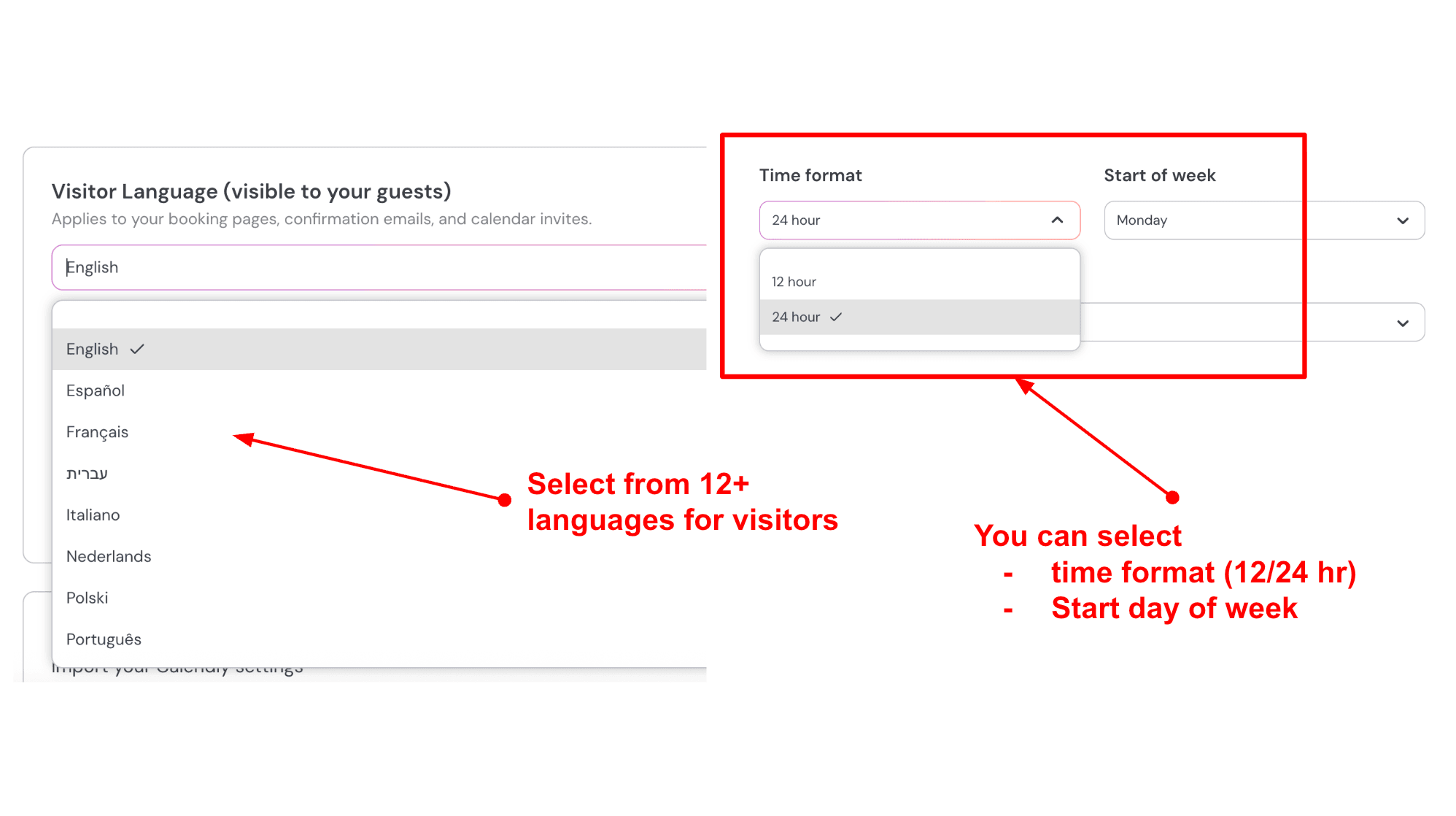
Lunacal ranks first because it brings the customer-facing details EU service businesses often need into the same booking experience: multilingual content, 24-hour time, local date formats, automatic time-zone handling, multiple calendar connections and EUR-capable payment processors. Its strength is not an EU-residency promise. Lunacal discloses US processing, so organisations that require data to stay exclusively in the EU should choose a vendor or deployment that contractually satisfies that requirement.
Features
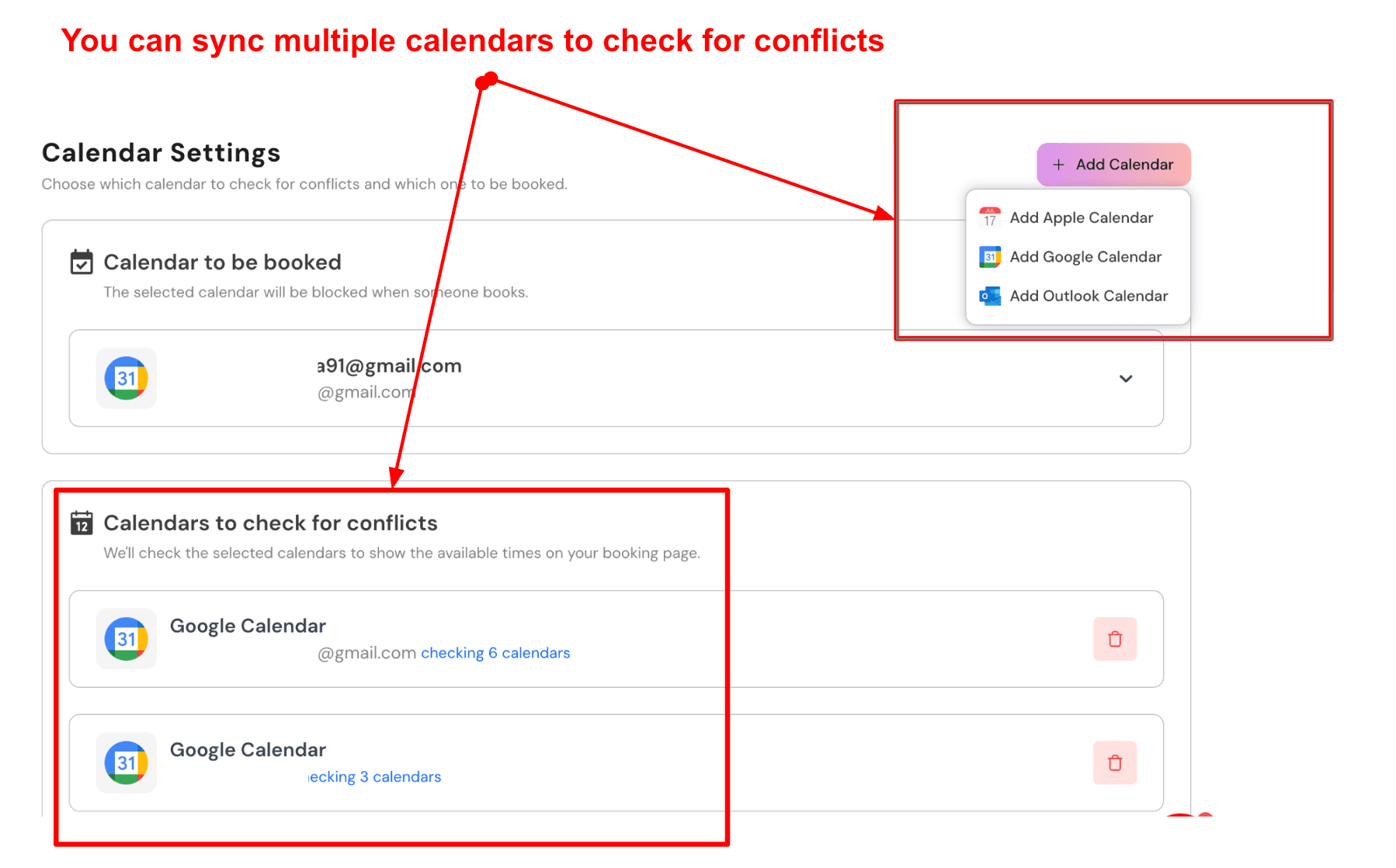
Lunacal can connect Google and Microsoft calendars, check availability across multiple calendars and place confirmed meetings on the chosen calendar. Its official feature overview documents the broader scheduling controls. Booking pages can show availability in the visitor's time zone, which is important when a Berlin consultant works with clients in Dublin, Helsinki and Lisbon. The host can also use 24-hour time and local date presentation instead of forcing a US-style month-first format.
Privacy work starts with contracts and data mapping. Lunacal publishes a privacy policy and Data Processing Addendum, including international-transfer terms. That gives EU teams a documented starting point for procurement while retaining the booking-page flexibility that makes Lunacal useful for multilingual service businesses.
For customer-facing localisation, a business can create pages in the required language and use content blocks to explain cancellation terms, the purpose of intake questions and links to the controller's privacy notice. This is more useful than merely translating buttons. A French physiotherapist, for example, can explain why an injury description is requested and avoid asking for clinical details that are not needed at the booking stage.
Lunacal's payments documentation covers paid-booking workflows with Stripe and PayPal, both of which can accept EUR in supported accounts. The scheduling record, processor transaction and tax invoice remain separate records. Businesses should connect their payment or accounting system so VAT rate, legal entity details, invoice sequence and reverse-charge wording are correct for the transaction.
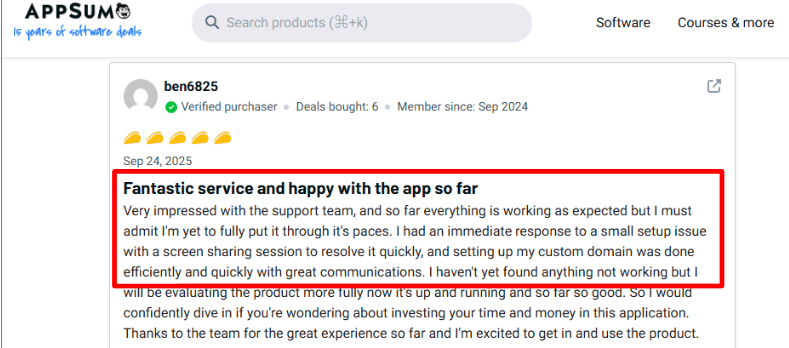
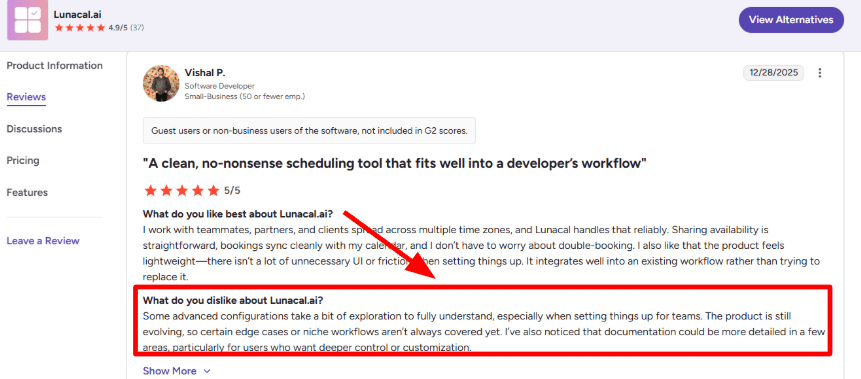
User feedback supports the product's ease-of-use case. One AppSumo reviewer highlighted the fast support and smooth custom-domain setup, while a G2 reviewer noted that team routing can take some tweaking. That is a useful trade-off for EU teams: Lunacal is approachable for client-facing setup, but more complex team logic still deserves a proper test before rollout.
Pros
- Strong combination of multilingual page content, local time formats, automatic time-zone conversion and branded explanations.
- Multiple Google and Microsoft calendars can be used to calculate real availability.
- A public DPA and transfer safeguards support a structured procurement review.
- Stripe and PayPal support paid appointments in EUR for eligible merchant accounts.
- Rich page sections can place privacy information and cancellation terms near the form rather than hiding them in a footer.
Cons
- Lunacal should not be described as an EU-resident service because it discloses US processing.
- Apple Calendar and generic CalDAV users should confirm the precise connection path rather than assuming parity with Google and Microsoft.
- The scheduler does not replace a VAT-compliant invoicing or accounting system.
- A controller still needs its own retention schedule, lawful basis and request-handling process.
Pricing
Lunacal has paid plans priced per user, with capabilities varying by tier. Check the current Lunacal pricing page for plan entitlements and whether annual or monthly billing fits the team. Add payment-processing fees, SMS usage and the cost of the accounting or invoicing system when comparing total cost.
When to Choose Lunacal
Choose Lunacal when customer experience is as important as calendar automation: multilingual consultants, trainers, agencies, recruiters and service teams that need to explain a service before a visitor books or pays. Choose an EU-hosted alternative when internal policy requires exclusive EU data residency rather than safeguarded international transfers.
Zeeg: Best for EU-hosting-led procurement
Zeeg is a strong option when a buyer wants a scheduling product built and marketed from Germany with EU privacy expectations in mind. That makes procurement conversations simpler for many European organisations, but the buyer should still read the DPA, confirm the contracted hosting region and review subprocessors instead of treating the vendor's location as sufficient evidence.
Features
Zeeg provides one-to-one, team and routing-style scheduling with Google and Microsoft connections described in its official calendar integration guide. EU teams should map which calendar is read for conflicts, which receives the event and how long event metadata remains in Zeeg. That detail matters when meeting titles reveal a sales lead, recruitment process or health-related service.
Its official GDPR compliance documentation states that data is hosted in Germany and the Netherlands, while its scheduling-page language guide explains the available localisation control. Confirm every attendee-facing language required and test how browser locale affects dates, 24-hour time and the first day of the week. Also test DST boundaries, especially the March and October changeovers when EU and North American clocks move on different dates.
Zeeg can connect Stripe and PayPal for payments. Do not infer VAT readiness from the presence of either checkout. Confirm the supported merchant country, EUR settlement, refund process and where the invoice is generated. A compliant German invoice, for example, needs more information than a card receipt supplies.
Pros
- German and European market focus can reduce friction in privacy and procurement discussions.
- EU-hosting options are more suitable than a US-only architecture for strict residency requirements.
- Team scheduling and routing cover common consulting, sales and recruiting workflows.
- Google and Microsoft calendar connections suit the dominant business-calendar environments.
Cons
- EU hosting does not remove the need to inspect subprocessors and support access from outside the EEA.
- Language availability and payment features should be checked against the exact plan.
- Apple Calendar and CalDAV requirements need explicit confirmation.
- VAT-compliant invoice generation may still require a finance integration.
Pricing
Zeeg offers free and paid scheduling plans, with team, routing and enterprise capabilities increasing by tier. Use the current Zeeg pricing page and ask for a written quote where data residency, SSO, audit logs or custom contractual terms are required.
When to Choose Zeeg
Choose Zeeg when EU hosting and a German vendor relationship carry significant weight, particularly for professional services, recruiting and sales teams. Keep Lunacal ahead when multilingual presentation and content-rich service pages matter more than an EU-residency requirement.
TIMIFY: Best for European multi-location services
TIMIFY is designed for appointment-led businesses with staff, resources, branches and customer-facing booking. Its European roots and multi-location focus make it relevant to retailers, clinics, public services, education providers and chains that need more than a meeting link.
Features
TIMIFY's feature documentation covers web booking, resource management, team calendars, reminders and multi-location administration. Buyers should distinguish staff calendars inside TIMIFY from external Google or Microsoft calendar sync. Confirm two-way behaviour, conflict-check timing and whether private external events expose only busy status or more metadata.
TIMIFY's official GDPR page describes EU hosting on Amazon Web Services infrastructure. A controller should still verify the legal entity in the contract, exact hosting arrangement, subprocessors and transfer clauses. For clinics or services that might collect health information, minimise intake fields and clarify whether the chosen edition and contract are suitable for that higher-risk data.
Language handling is a practical strength for cross-border service businesses, and TIMIFY provides a specific multi-time-zone scheduler guide. Still, every required locale should be previewed. Check accented characters, translated confirmation messages, 24-hour display, Monday-first calendars, decimal and currency formatting, and the treatment of daylight-saving changes for recurring bookings.
Payments and business functions vary by integration and market. Confirm that the merchant can settle in EUR, that refunds are reflected in the appointment record, and that invoices flow into the company's accounting process with the correct VAT treatment.
Pros
- Built for appointments, staff, resources and multiple branches rather than only one-to-one meetings.
- European product focus fits organisations serving customers across EU markets.
- Multi-language and regional workflows are more central than in many sales schedulers.
- Published privacy materials support processor due diligence.
Cons
- The broad operating model can be more complex than a solo consultant needs.
- Calendar, payment and invoicing capabilities may vary by plan, country and integration.
- Special-category data requires more than ordinary booking configuration.
- Buyers should verify hosting and transfers contractually rather than relying on brand geography.
Pricing
TIMIFY provides tiered plans and custom enterprise options. Consult the current TIMIFY pricing page and request a full cost that includes locations, users, SMS, payments, implementation, SSO and data-protection requirements.
When to Choose TIMIFY
Choose TIMIFY for an EU business coordinating people, rooms, equipment or services across locations. Choose a lighter scheduler when the workflow is simply sharing a meeting link with a few calendar users.
Doodle: Best for cross-border group polls
Doodle remains useful for finding a time across a group whose members may not share the same calendar tenant. Its poll-first workflow solves a different problem from service booking: it collects availability and identifies a workable time before the organiser creates the final meeting.
Features
Doodle connects with major calendar ecosystems, with exact Apple, Google and Microsoft capabilities varying by product and plan. A privacy review should use Doodle's official Data Processing Addendum and subprocessor list and ask whether invitees need accounts, what participant names and votes are visible, and how poll data is retained. Public polls should avoid revealing sensitive meeting purposes in titles or descriptions.
International scheduling is one of Doodle's natural strengths. Its time-zone guide explains how the product displays poll times for participants. Organisers should still test the DST weeks when regions change clocks on different dates and make the zone explicit in high-stakes invitations.
Doodle publishes privacy and data-processing information, but organisations should confirm hosting, transfers and subprocessors in the current contract. Switzerland has its own data-protection law and an EU adequacy relationship, yet that does not mean every subprocessor is located in Switzerland or the EEA.
Doodle is not the strongest tool here for collecting payment, calculating VAT or issuing invoices. Adding a payment link after a poll can work operationally, but it creates a disconnected customer journey.
Public reviews capture both sides of Doodle's workflow. A Reddit user described the friction of re-selecting availability in a large poll, while a Trustpilot reviewer reported an easy refund after an accidental subscription. The first matters for coordinators running complex cross-border polls; the second suggests the billing-support experience can be responsive when something goes wrong.


Pros
- Group polls coordinate availability without forcing every participant into one calendar system.
- Mature time-zone handling suits meetings across EU countries and external organisations.
- Familiar workflow reduces explanation for occasional invitees.
- Published privacy materials allow a formal procurement review.
Cons
- Poll visibility can expose participant names or availability if configured carelessly.
- It is not a full appointment-commerce or VAT-invoicing platform.
- Calendar capabilities vary across products and plans.
- Swiss headquarters do not prove that all processing stays in Switzerland or the EEA.
Pricing
Doodle offers free and paid plans for individual and team scheduling. Check the current Doodle pricing page for calendar connections, branding, advertising, administrative controls and enterprise requirements.
When to Choose Doodle
Choose Doodle when the main problem is agreeing on a time with several participants across companies, universities, associations or public bodies. Choose a service-booking platform when customers need to select services, staff, locations or paid options.
Shore: Best for DACH local businesses
Shore combines appointment booking with customer and business management for local service companies. Its German-market orientation makes it particularly relevant to salons, beauty businesses, wellness providers and other appointment-led teams in the DACH region.
Features
Shore's core workflow includes online booking, staff calendars, customer information, reminders and operational features around local service delivery. EU buyers should confirm how external calendar sync works, whether it is one-way or two-way, which event fields are copied and how deletions propagate. A salon owner may need personal and business calendars blocked without exposing private event names to colleagues.
Shore publishes a German-language guide to Shore and the GDPR, which should be assessed alongside the commercial agreement. German-language privacy materials and an EU business focus can make review easier, but the controller still needs the current DPA, subprocessor list, hosting description, retention position and transfer mechanism. Businesses should also configure booking questions so they do not collect health or other sensitive details before they are needed.
Localisation is more than translating a booking button. German-speaking businesses should inspect formal versus informal address, consent wording, German date and 24-hour time formats, Monday-first calendars, reminder language and umlauts in messages. Teams serving France, Italy or multilingual Swiss regions should verify each additional customer language separately.
Shore documents how to activate online payment during appointment booking. Payment and point-of-sale functions may differ by country and package. Ask whether the platform creates only a payment receipt or a numbered tax invoice, whether VAT rates can vary by service, and how refunds, tips and cancellations appear in accounting exports.
Pros
- Strong focus on German-speaking appointment businesses and local service operations.
- Booking and customer management are designed to work together.
- EU-oriented documentation and vendor communication can simplify procurement.
- Regional language and operating conventions receive more attention than in generic meeting schedulers.
Cons
- International language coverage may be less broad than products aimed at global SaaS teams.
- External-calendar, payment and invoicing details should be confirmed per country and plan.
- It can be more operationally involved than a simple link-based scheduler.
- A German vendor relationship does not eliminate controller obligations or subprocessor review.
Pricing
Shore packages and prices vary by business need and market. Use the current Shore pricing page or request a quote that itemises users, locations, messages, payment hardware, onboarding and contract term.
When to Choose Shore
Choose Shore for appointment-led local businesses in Germany, Austria and German-speaking Switzerland that value regional support and customer management. Confirm additional languages and country-specific finance requirements before using it across a wider EU footprint.
Zoho Bookings: Best for the Zoho business stack
Zoho Bookings is the practical choice for an organisation already using Zoho CRM, Zoho Books, Zoho Meeting or other Zoho apps. Scheduling can sit inside a broader system for customers, sales, finance and communications instead of becoming another isolated database.
Features
Zoho Bookings connects with Zoho Calendar and major external business calendars, including Google and Microsoft, as shown in its official integrations directory. The exact sync direction, number of connected calendars and staff-level behaviour depend on configuration and plan. Test rescheduling, deletion, all-day events and private-event visibility before migrating a busy team.
Zoho Bookings publishes a product-specific GDPR guide alongside Zoho's broader privacy programme. Zoho operates multiple data centres, but account location and service architecture determine which region applies. EU buyers should obtain written confirmation for the specific tenant and app combination rather than assuming every connected Zoho product follows one identical residency path.
Zoho's international product suite provides language, locale, currency and time-zone settings, with policy and preference controls described in the official Bookings workspace guide. Preview the public booking page for every target language because administrator-language coverage does not always equal attendee-page translation.
Payment gateway integrations can collect EUR in supported merchant countries. Zoho Books can help with VAT invoices and accounting, but it is a separate configured system. Map the customer identity, tax rate, invoice number, payment status and refund between Bookings, the gateway and Books.
Pros
- Integrates naturally with Zoho CRM, Books, Meeting and the wider Zoho suite.
- Broad language, currency, locale and time-zone support suits cross-border small businesses.
- Published DPA, GDPR and transfer materials support formal due diligence.
- Finance integration offers a clearer route to VAT invoicing than a standalone scheduler alone.
Cons
- Regional data location should be confirmed for the exact tenant and connected Zoho services.
- Configuration across several Zoho apps can become complex.
- External-calendar limits and staff entitlements vary by plan.
- Payment collection does not create a correct VAT workflow unless the finance integration is configured.
Pricing
Zoho Bookings offers free and paid editions, with pricing that can vary by billing cycle and region. Check the live Zoho Bookings pricing page and include the cost of CRM, Books, payment processing, SMS and implementation where those products are part of the design.
When to Choose Zoho Bookings
Choose Zoho Bookings when the company already uses Zoho and wants appointments to flow into CRM and accounting. A business starting from scratch should compare the total multi-app setup with an all-in-one service scheduler.
Microsoft Bookings: Best for Microsoft 365 governance
Microsoft Bookings fits organisations that already manage identities, calendars, security and compliance through Microsoft 365. The product uses the Microsoft environment staff already know, which can reduce account sprawl and centralise administration.
Features
The official Microsoft Bookings overview explains how the product is built around Outlook and Microsoft 365 calendars. Staff availability, appointments and Teams meeting links can share the same tenant. For GDPR review, administrators should define who can create booking pages, which staff details are visible, whether customer data appears in Exchange mailboxes and how retention, eDiscovery and account deletion policies affect booking records.
Microsoft publishes an EU Data Boundary description for eligible services and tenants. That commitment does not remove the need to identify exactly which Bookings data falls within scope, what support access is possible and which connected services process the data.
Microsoft documents how administrators set language and time zones for Bookings. Teams should test the public page rather than relying on administrator settings. Check local date order, 24-hour time, customer time-zone detection, translated service names and reminder templates.
Microsoft Bookings is not primarily a payment or VAT-invoicing system. A company can connect the workflow to Power Automate, Dynamics, a payment provider or an external invoicing system, but that increases implementation work and adds processors to the data map.
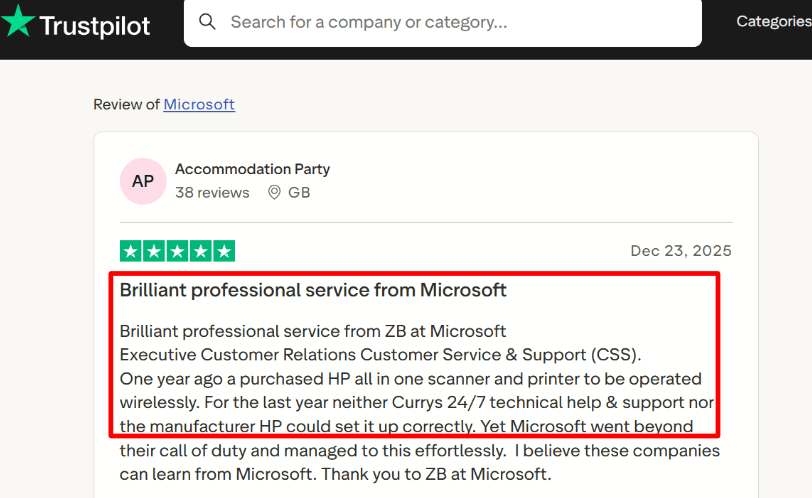
The Microsoft ecosystem can be an advantage when setup becomes complicated. One stored customer review describes Microsoft support helping untangle a messy Bookings configuration. That matters most to EU organisations that already have a Microsoft administrator and want scheduling to stay inside the same support and identity environment.
Pros
- Native fit with Outlook calendars, Microsoft identities and Teams meetings.
- Existing Microsoft 365 governance can cover access, administration and lifecycle controls.
- Suitable for departments that want to avoid introducing another standalone user directory.
- Microsoft publishes extensive DPA and enterprise privacy documentation.
Cons
- Best suited to Microsoft calendars, not mixed Apple, Google and CalDAV environments.
- It is not a full checkout, package, point-of-sale or VAT-invoicing platform.
- Regional-data commitments must be checked for the exact tenant and service scope.
- Custom customer experience and page design are more limited than specialist schedulers.
Pricing
Microsoft Bookings is included with eligible Microsoft 365 plans rather than typically purchased as an isolated scheduler. Review the current Microsoft Bookings product page and tenant licensing. Include Power Platform, payment and implementation costs if automation is required.
When to Choose Microsoft Bookings
Choose Microsoft Bookings when the organisation already standardises on Microsoft 365 and prioritises tenant governance over a highly customised public booking page. Avoid it when direct payments, packages or mixed-calendar support are central requirements.
Google Calendar appointment schedules: Best for Google Workspace
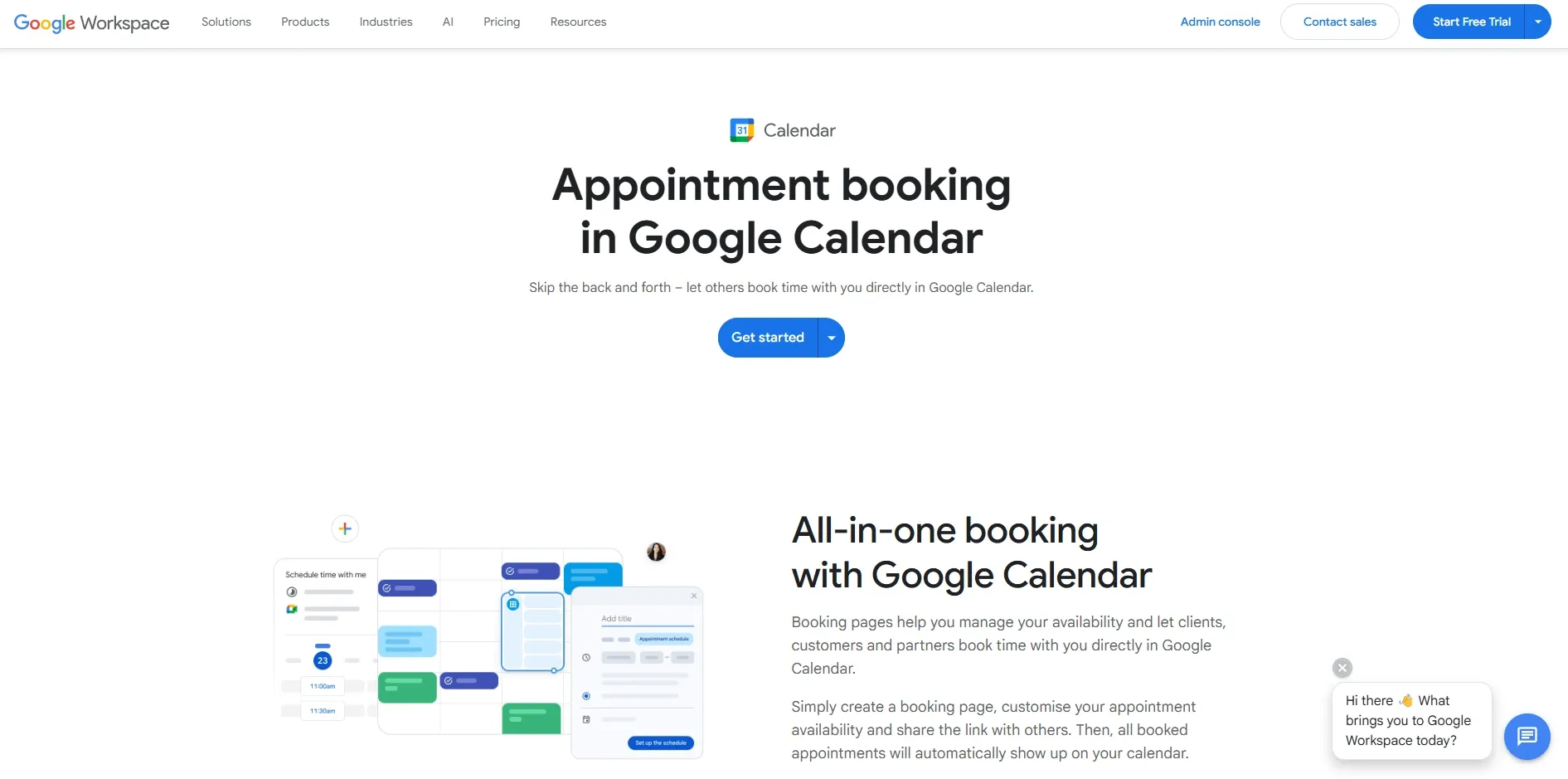
Google Calendar appointment schedules let eligible Google Workspace users publish availability directly from Calendar. The low-friction setup is attractive for consultants, educators and internal teams already working in Google Workspace.
Features
The principal advantage is native Google Calendar behaviour. Busy events, appointment slots and video meetings can stay in one account. Organisations should test secondary calendars, delegated calendars, resource calendars and personal-calendar conflict checks because entitlements differ across Workspace editions.
Google publishes official privacy, compliance and records guidance for Workspace and data-region controls. The controller needs to assess appointment data together with Calendar, Meet, Gmail and any forms or scripts added to the workflow. Regional settings may not cover every data type or support operation, so procurement teams should read the current service-specific documentation.
Google's official appointment-schedule guide explains the core workflow, while a separate guide covers paid appointment schedules. The booking page should still be previewed in target languages and on devices set to different locales. Test 24-hour time, day-month-year dates, DST transitions and the wording of automated messages.
Stripe payments are available for appointment schedules in supported configurations and regions. That can collect EUR, but the business remains responsible for VAT determination and the invoice. Google Calendar is not a package-management, membership-accounting or local fiscalisation system.
Pros
- Minimal learning curve for teams already living in Google Calendar and Meet.
- Strong automatic time-zone and locale behaviour through the Google account ecosystem.
- Workspace contracts and administrative controls are familiar to many EU procurement teams.
- Stripe can add simple paid appointments in supported configurations.
Cons
- Best suited to Google calendars, with weaker mixed-calendar flexibility.
- Feature limits depend on Workspace edition and account type.
- It is not a full package, membership, point-of-sale or VAT-invoicing system.
- Data-region settings and DPA coverage should be checked at the service and data-type level.
Pricing
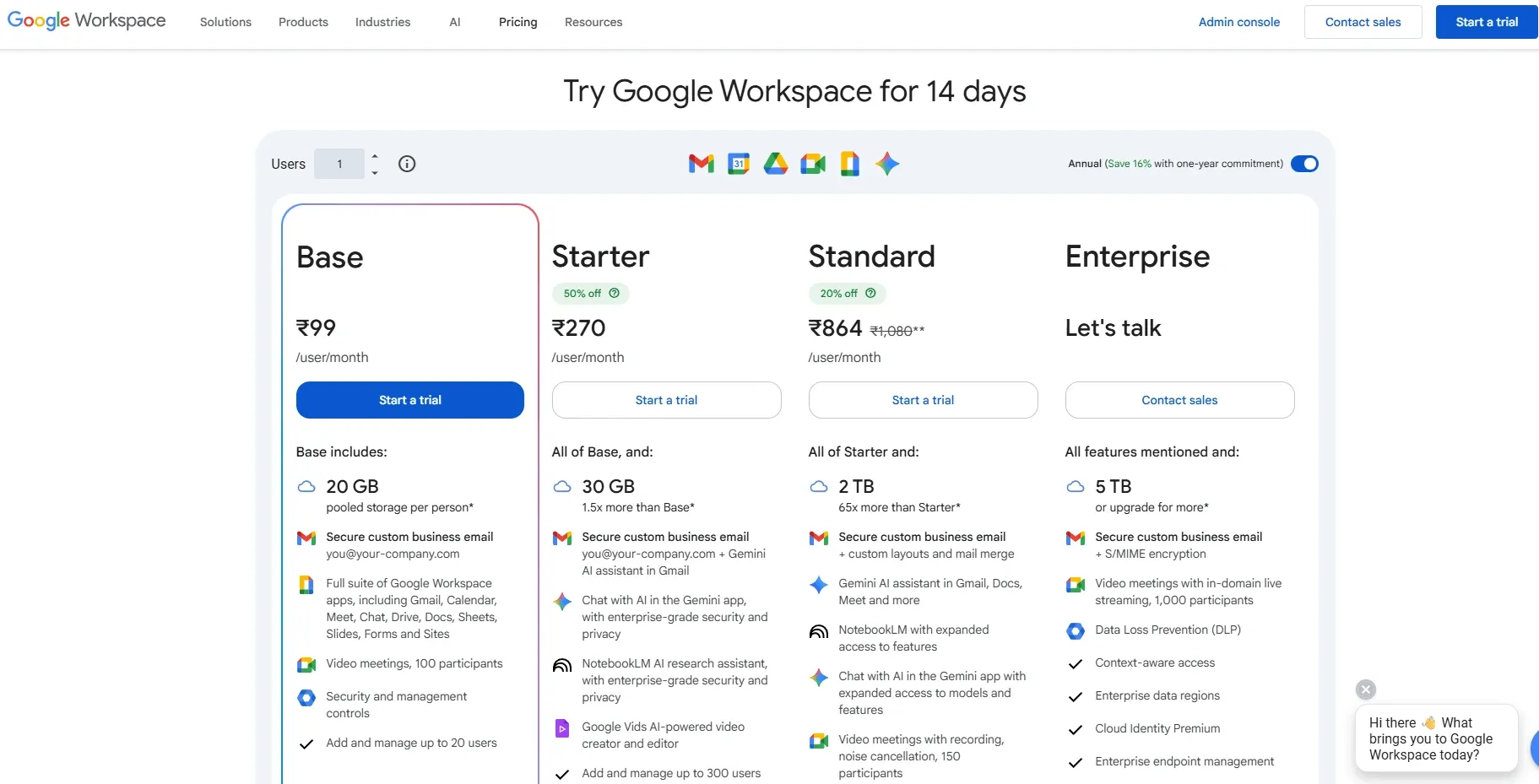
Appointment-schedule features are included in eligible Google Workspace plans, with capability differences by edition. Consult the current Google Workspace pricing page and add Stripe, invoicing, SMS or automation costs where required.
When to Choose Google Calendar Appointment Schedules
Choose Google appointment schedules when an organisation already governs work through Google Workspace and needs straightforward public availability. Choose a specialist scheduler when multilingual service pages, staff routing, packages or stronger design control matter.
SimplyBook.me: Best for multilingual service catalogues
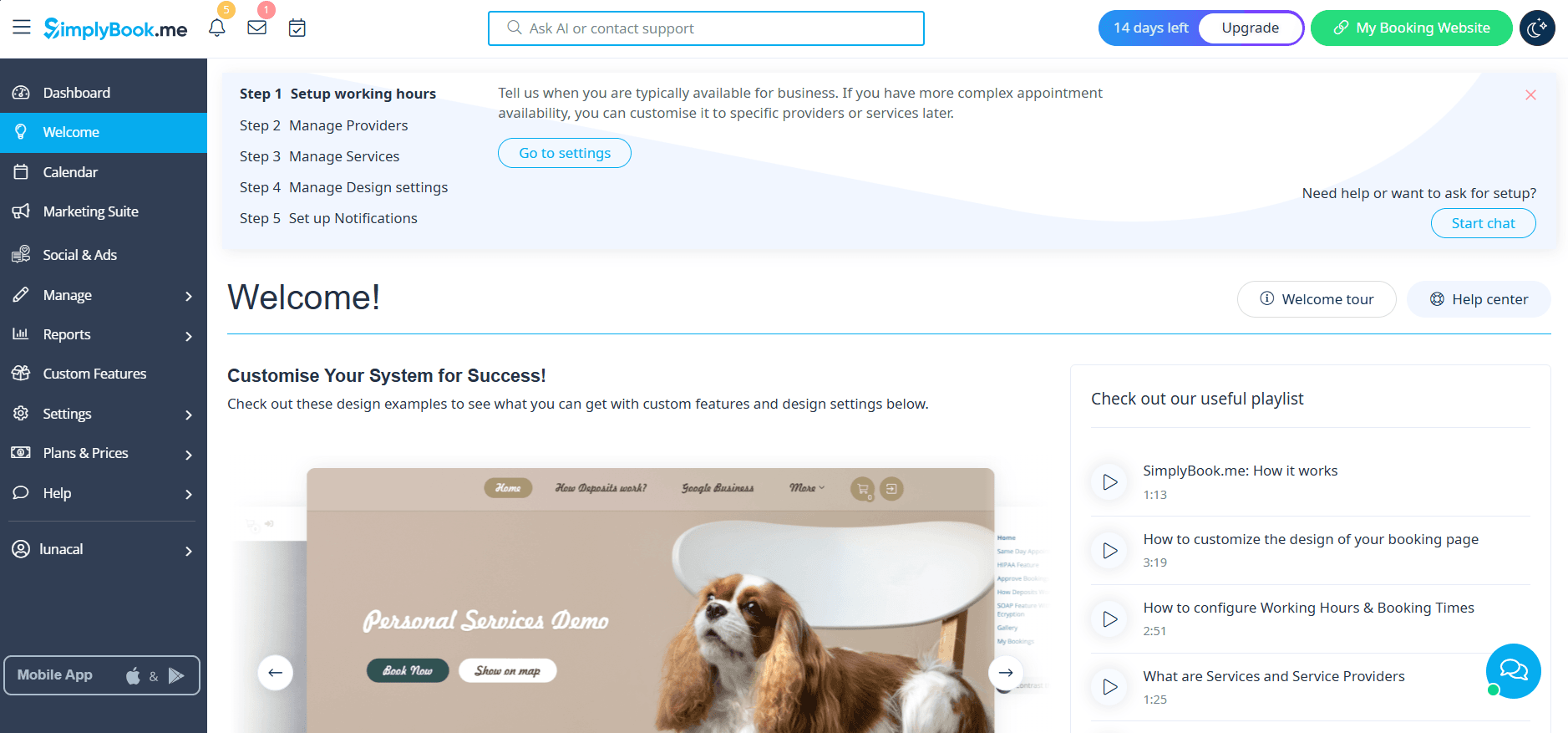
SimplyBook.me is one of the most configurable service-booking platforms in this list. It combines a hosted booking website with staff, services, classes, reminders, payments and optional features, which is useful for businesses serving customers in several EU languages.
Features
SimplyBook.me supports calendar connections with major providers, but the number of synchronised calendars and the direction of updates depend on the plan and features enabled. Test cancellations and changed recurring events carefully. A conflict that disappears from one calendar but remains in another can expose a time that should still be blocked.
SimplyBook.me publishes GDPR compliance information and its privacy policy. The vendor says standard hosting locations include France, Canada and Singapore, so an EU buyer should identify which location applies and document any transfer outside the EEA. Because the platform uses a modular feature and integration model, buyers should also map gateways, SMS providers, analytics, video tools and every enabled custom feature.
Multilingual booking sites are a major advantage, and the vendor's feature directory describes the configurable booking system. A business can localise the interface and customer content for different markets, but it should use a native reviewer for consent text, cancellation terms and regulated-service explanations.
SimplyBook.me works with multiple payment gateways, which can help businesses collect EUR using a provider available in their country. Its sales features can support taxes and receipts, but EU invoicing rules differ. Confirm sequential invoice numbers, VAT IDs, exemptions, reverse-charge wording, credit notes and exports with the accountant before relying on the platform as the system of record.
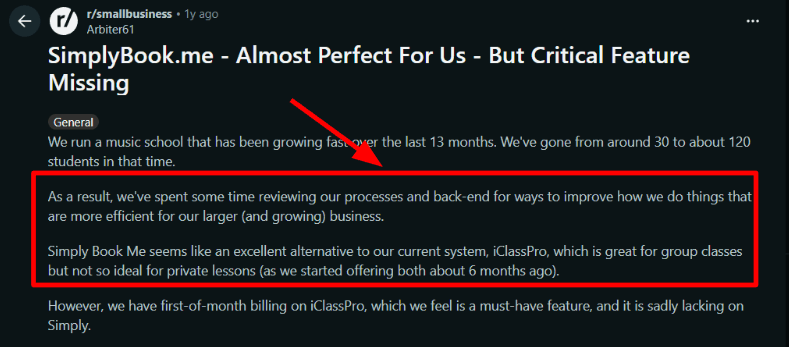
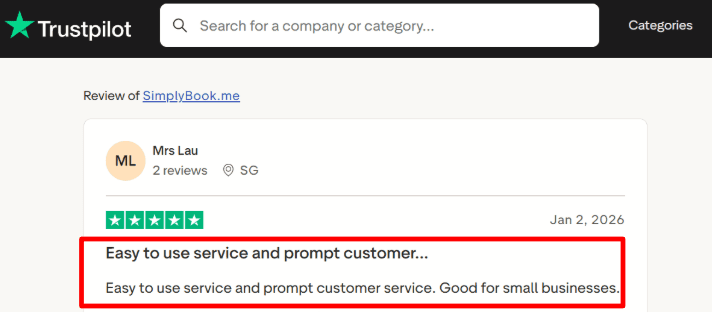
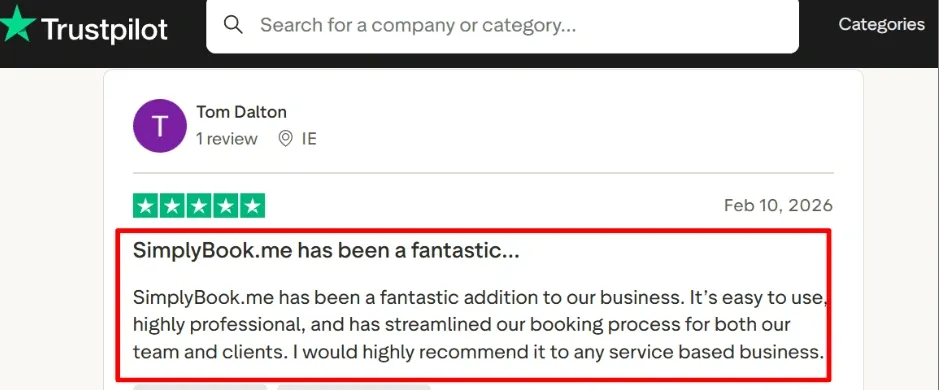
Reviews show why configuration depth needs attention. A Reddit user said the platform could not enforce a strict first-of-month billing cycle for their use case, while a Trustpilot reviewer praised the product's usability and fast support. SimplyBook.me is therefore strongest when its existing billing rules match the business rather than when a team needs an unusual subscription schedule.
Pros
- Extensive booking-site localisation is useful for multi-country service businesses.
- Multiple payment-gateway options provide more regional choice than single-processor products.
- Modular features cover classes, memberships, packages and other appointment-commerce needs.
- Published DPA and GDPR materials support a structured vendor review.
Cons
- The modular system can make plan and privacy scoping more complicated.
- Calendar and premium-feature limits vary by tier.
- Enabling many third-party features expands the subprocessor and data-flow map.
- Tax and invoice settings still need country-specific accounting validation.
Pricing
SimplyBook.me offers a free tier and several paid plans, with booking limits and included custom features varying by tier. See the current SimplyBook.me pricing page and calculate gateways, SMS, extra features, users and booking volume together.
When to Choose SimplyBook.me
Choose SimplyBook.me when a salon, clinic, class provider or service company needs a multilingual booking catalogue and regional payment choice. Create a full feature list first, then audit the privacy impact and price of that exact configuration.
YouCanBookMe: Best for calendar-first small teams
YouCanBookMe is a focused scheduler built around Google and Microsoft calendars. It suits independent professionals and small teams that want configurable booking pages without adopting a broad salon, retail or enterprise operations suite.
Features
The product reads availability from connected Google or Microsoft calendars and creates bookings in the selected calendar. Teams should test multiple-calendar conflict checking, pooled availability, cancellations and account disconnection. Apple Calendar users need to confirm whether their workflow can be supported through an underlying calendar account rather than assuming native iCloud parity.
YouCanBookMe publishes a privacy notice and a data-processor list. EU customers should confirm the contracting entity, processing locations, international-transfer safeguards and retention behaviour. Intake questions should be limited to what is necessary for arranging the meeting, particularly for HR, legal and health-adjacent workflows.
YouCanBookMe documents languages and time/date formats for its booking pages. Preview each locale to verify translated system text, custom copy, 24-hour time and European date ordering. If participants can override their time zone, make the displayed zone explicit in both the confirmation page and calendar invitation.
Stripe integration can collect EUR for eligible merchant accounts. A Stripe receipt confirms payment, but the service business may still need a VAT invoice or receipt created in its accounting platform. Connect booking IDs to transactions so refunds and cancellations can be reconciled.
Pros
- Focused Google and Microsoft calendar workflow is easy to understand.
- Booking-page configuration offers more control than native calendar appointment features.
- DPA and subprocessor information are publicly available for vendor assessment.
- Stripe supports simple paid appointments in EUR where available.
Cons
- Apple Calendar and CalDAV users should verify the precise supported route.
- It is lighter on point of sale, package management and operational service-business features.
- International transfers still require contractual and risk assessment.
- VAT invoicing requires a separate finance workflow.
Pricing
YouCanBookMe offers free and paid scheduling plans, with team and advanced controls depending on the tier. Consult the current YouCanBookMe pricing page and include calendar users, payment processing, SMS and integrations in the comparison.
When to Choose YouCanBookMe
Choose YouCanBookMe for consultants, university teams and small businesses whose scheduling revolves around Google or Microsoft calendars. Choose a richer service platform for inventory, memberships, classes or multi-location operations.
Cal.com: Best for deployment and integration control
Cal.com is the most technically flexible option in the shortlist. Organisations can use the hosted cloud product or evaluate self-hosting, while developers can customise workflows and integrations around an open-source scheduling core.
Features
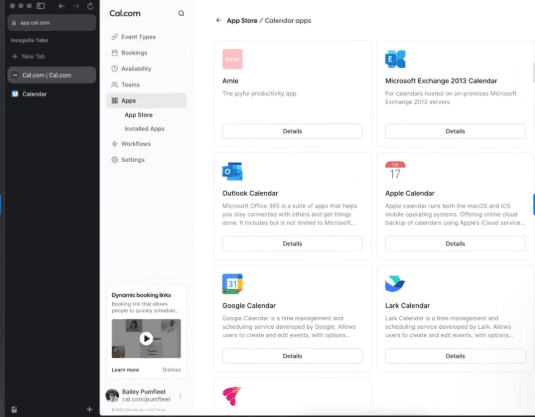
Cal.com supports major calendar providers and offers Apple or CalDAV-related options through available integrations. Exact support depends on whether the team uses Cal.com Cloud, an enterprise agreement or a self-hosted deployment. Test authentication, event metadata, webhooks and failure behaviour for each provider.
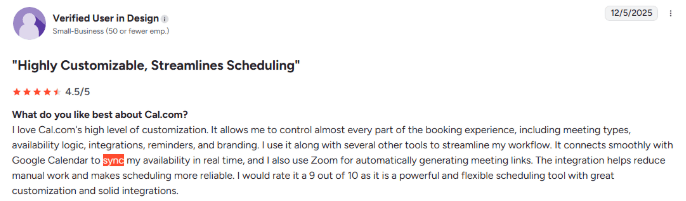
A G2 review in the Lunacal media library specifically praises Cal.com's seamless Google Calendar synchronisation. That reinforces Cal.com's fit for technical teams that want broad integration control without giving up a familiar calendar workflow.
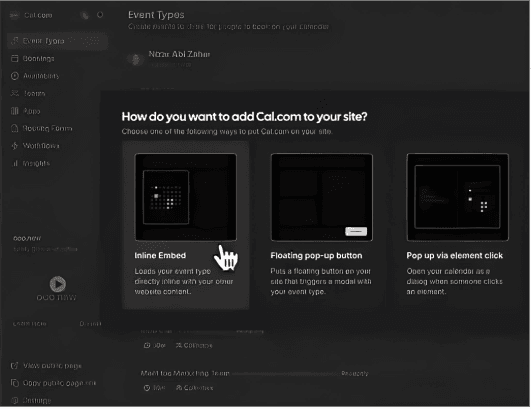
For GDPR work, Cal.com publishes a privacy notice and a detailed trust centre for the hosted service. Self-hosting changes the responsibility model: it can provide stronger location control, but the operator becomes responsible for infrastructure security, patching, backups, logging, availability, deletion and the privacy terms for connected services. Self-hosted does not mean subprocessor-free when email, SMS, video and payments remain external.
The product supports international time zones and localised interfaces, and open-source deployment can offer additional control over translation. Buyers should verify attendee-facing languages, 24-hour time, week start and DST handling in the chosen version. Custom translations require an owner and update process.
Cal.com's official payments feature page describes its Stripe workflow, which can support EUR in eligible merchant accounts. Cal.com should not be treated as the accounting ledger without confirming VAT calculation, invoice numbering, credit notes and retention requirements.
Pros
- Hosted and self-hosted approaches give technical teams unusual deployment choice.
- Broad calendar and API options suit complex integration requirements.
- Localisation and time-zone handling can be extended by capable teams.
- DPA and security documentation are available for the hosted service.
Cons
- Self-hosting transfers security, availability, deletion and maintenance work to the operator.
- Connected services can still create international transfers and subprocessors.
- Technical flexibility can increase implementation and governance cost.
- Payment collection remains separate from full VAT accounting.
Pricing
Cal.com provides individual, team and enterprise options, while self-hosting has infrastructure and engineering costs even when software components are open source. Review the current Cal.com pricing page and price identity, hosting, monitoring, backups and support as part of the total.
When to Choose Cal.com
Choose Cal.com when engineers need APIs, integrations or control over deployment and data location. Choose a managed scheduler when the business does not have an owner for security updates, backups and incident response.
Calendly: Best for established sales workflows
Calendly is widely used for sales, recruiting, customer success and external meetings. Its routing, team scheduling, automated workflows and integration ecosystem can be valuable, but EU buyers need to evaluate its DPA and transfer position rather than relying on popularity.
Features
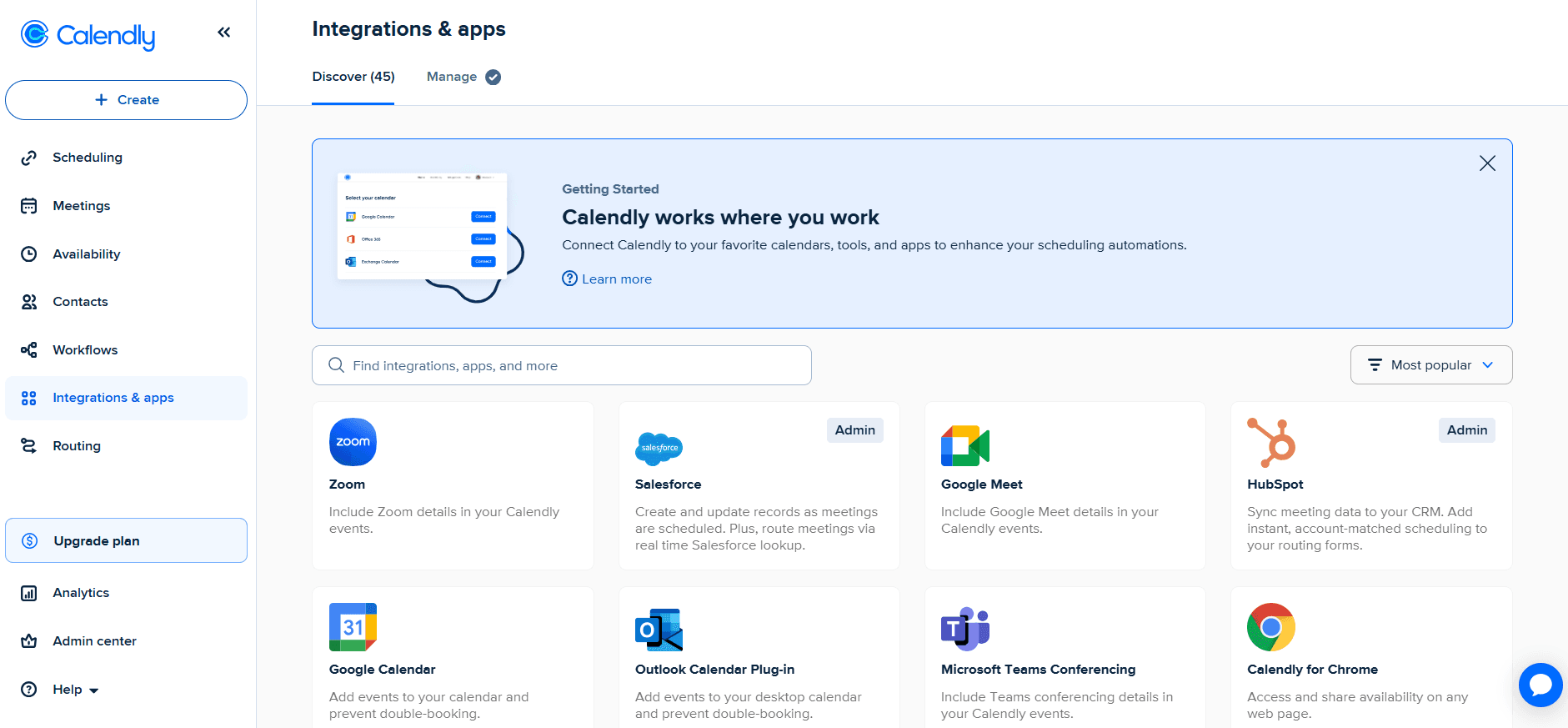
Calendly connects with Google and Microsoft calendars and supports selected Apple-calendar workflows depending on account and plan. Large teams should test calendar permissions, round-robin reassignment, event ownership when an employee leaves and how Salesforce or CRM fields propagate into booking records.
Calendly publishes a Data Processing Addendum and a specific explanation of US data storage and international transfers. A controller should record the applicable safeguard and review support and subprocessor access. High-risk or regulated use cases may need additional measures.
Calendly offers localised scheduling experiences and automatic time-zone conversion, while its calendar connection guide describes supported calendar setup. Preview the exact customer-facing languages, custom questions and reminder content.
Eligible plans can connect Stripe, as documented in Calendly's Stripe integration guide, or PayPal for payments, including EUR where the merchant account supports it. Payment, refund and cancellation data should flow to the organisation's invoicing and accounting system so VAT records remain consistent.
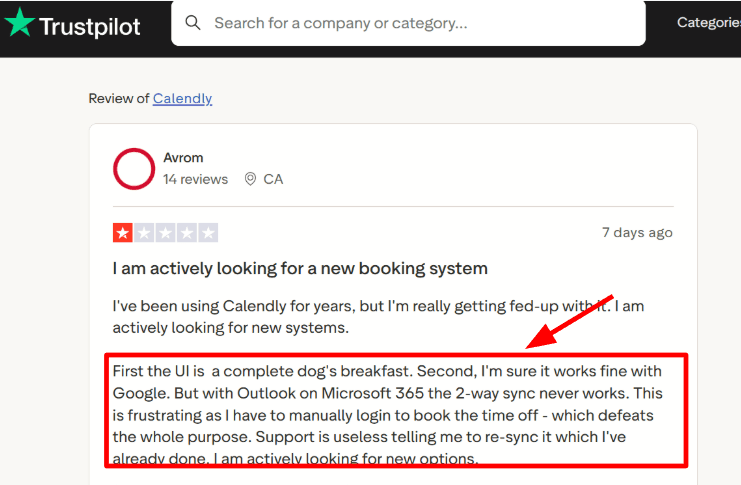
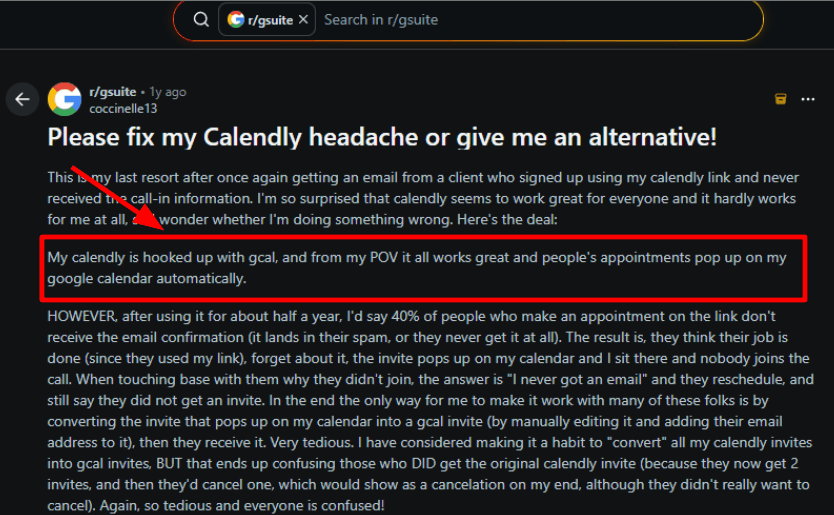
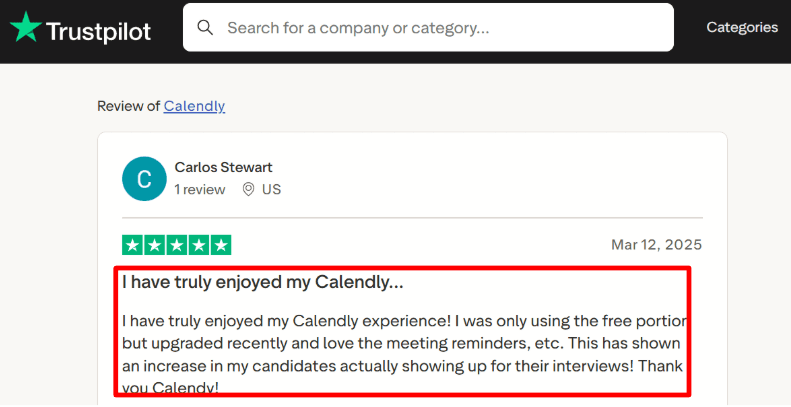
Calendly's review record is mixed in the areas EU teams should test carefully. One Trustpilot review reported flaky Microsoft 365 and Outlook synchronisation, while a Reddit user described missing confirmations and call details that contributed to no-shows. Another Trustpilot reviewer said paid-plan reminders reduced no-shows. The practical lesson is simple: test the exact calendar connection and notification sequence used by the team, because the workflow is valuable when every hand-off works.
Pros
- Mature team, routing and integration workflows for sales and recruiting.
- Familiar booking experience for many external participants.
- Published DPA, transfer and subprocessor information supports enterprise review.
- Automatic time-zone handling and localised pages suit international meetings.
Cons
- US processing and international transfers may not meet an EU-only residency policy.
- Advanced routing, administration and integrations sit on higher tiers.
- Mixed Apple, Google and Microsoft requirements should be tested user by user.
- Payments do not replace VAT invoicing and accounting.
Pricing
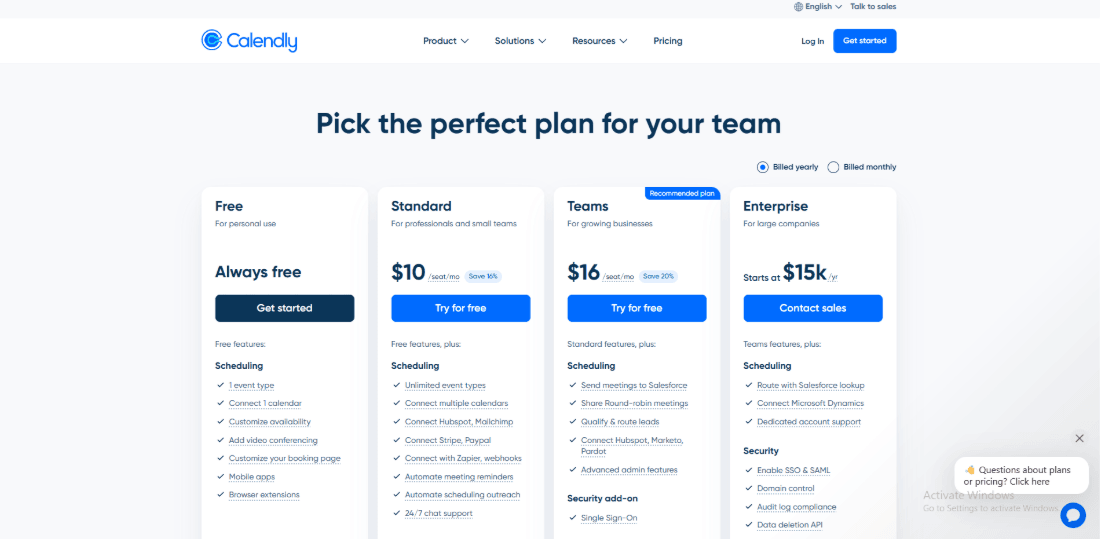
Calendly has free and paid plans, with team, routing and enterprise controls varying by tier and billing term. See the current Calendly pricing page and add payment processing, SMS, CRM administration and enterprise security requirements.
When to Choose Calendly
Choose Calendly when an established sales, recruiting or customer-success team values routing and integrations more than EU-only residency. Choose Zeeg or a controlled Cal.com deployment when location requirements dominate the decision.
EU buyer checklist for scheduling software
A defensible selection process connects privacy promises to the actual booking workflow. Use the following checklist before a pilot becomes a production deployment.
If you are still defining the broader shortlist, compare the workflow differences in our guide to the best appointment booking software. Teams selling retainers, memberships or class credits should also review how scheduling software handles subscriptions, packages and payments, because payment collection and GDPR governance create separate requirements.
- Define the controller and purpose. Record who decides why the booking data is collected and whether the purpose is sales, service delivery, recruiting, education or another activity.
- Classify the data. Names and email addresses are personal data. Intake answers can introduce health, disability, union, religious or other special-category data with stricter conditions.
- Choose a lawful basis. Contract steps, legitimate interests and consent are different legal bases. Consent should not be used as a default when it is not freely given or necessary.
- Sign and archive the DPA. Check processor instructions, confidentiality, security, subprocessors, assistance, breach notification, deletion and audit terms.
- Map processing locations and transfers. Identify storage, support, analytics, email, SMS, video, payments and backups. Document the transfer mechanism and any additional assessment required.
- Review subprocessors. Set a process for monitoring changes. A scheduler can add providers for messaging or analytics after the initial procurement review.
- Minimise booking fields. Ask only what staff need before the appointment. Collect detailed clinical or legal information in a purpose-built secure system when possible.
- Set retention and deletion rules. Decide when cancelled bookings, no-shows, intake answers, logs and inactive customer profiles are deleted or anonymised.
- Test data-subject requests. Confirm how to locate, export, correct and delete an individual's data across the scheduler and connected tools.
- Control staff access. Use least privilege, SSO where appropriate, multi-factor authentication, offboarding and audit logs.
- Test calendars and DST. Use Google, Microsoft and Apple/CalDAV accounts actually present in the team. Include EU and non-EU daylight-saving transition weeks.
- Preview every language and locale. Check page copy, system buttons, custom questions, confirmations, reminders, 24-hour time, date order and week start.
- Separate checkout from tax accounting. Confirm EUR settlement, VAT rate, invoice fields, sequential numbers, credit notes, refunds and evidence for B2B reverse charge.
- Document the decision. Keep the DPA, security review, risk assessment, screenshots of settings and sign-off date so the organisation can demonstrate accountability.
The full text of the GDPR makes accountability central to compliance. A vendor feature can support that programme, but the organisation needs evidence that its own configuration and use are lawful.
Frequently asked questions
Does GDPR require scheduling data to stay inside the EU?
No. GDPR does not impose a universal EU-only storage rule. Personal data can be transferred outside the EEA when the transfer meets Chapter V requirements, such as an adequacy decision or appropriate safeguards including Standard Contractual Clauses. Some organisations impose stricter residency requirements through policy, regulation, customer contracts or public-sector procurement.
Is a DPA enough to make scheduling software GDPR-compliant?
No. A DPA is an important controller-processor contract, but compliance also depends on lawful purpose, data minimisation, security, retention, transparency, transfer safeguards and operational handling of individual rights. The organisation must configure and use the product consistently with those obligations.
Can a scheduler collect health information in an intake form?
Technically many can, but that does not make the collection lawful or wise. Health data receives special protection under GDPR. Collect it only when a valid Article 9 condition and other legal requirements apply, minimise the fields, restrict access and consider moving clinical details into a purpose-built system.
Which calendars should an EU business test before purchase?
Test the providers employees actually use: Google Calendar, Microsoft Outlook or Exchange, Apple Calendar and CalDAV where relevant. Verify conflict checking, creation, rescheduling, cancellation, private-event visibility, multiple calendars, delegated calendars and DST transitions. A logo on an integrations page does not prove every workflow is supported.
Do Stripe or PayPal payments create a VAT-compliant invoice?
Not automatically. A payment confirmation shows that money moved. The supplier may still need an invoice containing its legal identity, invoice number, date, taxable amount, VAT rate and other country-specific information. Connect the scheduler and processor to an accounting or invoicing system that matches the business's obligations.
What is the difference between EU hosting and GDPR compliance?
EU hosting describes where certain data is stored or processed. GDPR compliance is broader and includes purpose, lawful basis, transparency, security, retention, rights, processor contracts and transfers. EU hosting can reduce transfer complexity, but it does not correct excessive data collection, weak access controls or indefinite retention.
Conclusion
Choose Lunacal when the priority is a customer-friendly booking page with strong language, locale, time-zone and payment capabilities, and the organisation can document safeguarded US processing. Choose Zeeg when EU hosting is a leading procurement requirement. Choose TIMIFY or Shore for European appointment-led operations, Microsoft Bookings or Google Calendar for suite-native governance, and Cal.com when a technical team needs deployment control.
Whichever platform reaches the shortlist, run one real booking in every target language and calendar environment. Then test cancellation, deletion, data export, a DST transition, a EUR payment, a refund and a VAT invoice. That short pilot will reveal more than a page of compliance badges.
Methodology
Sources
We used official product pages, pricing pages, privacy and DPA documentation, and customer-review screenshots already stored in Lunacal's media library. Review sources represented in the article include Reddit, G2, Trustpilot and AppSumo.
What we compared
Each product was compared across calendar support, EU language and locale settings, time-zone and DST behaviour, hosting and transfer options, EUR payments, VAT-invoice fit, staff controls and common user complaints.
Common scenarios considered
- A multilingual booking page serving customers in several EU countries.
- Google, Microsoft, Apple and CalDAV calendar connections used by one team.
- Bookings made across EU daylight-saving changes and different European time zones.
- EUR payments, refunds, subscriptions and the hand-off to an invoicing system.
- DPA, hosting, subprocessor and international-transfer questions during procurement.
Summarize this content with AI


