


Introduction
The best class booking software in 2026 comes down to six things: recurring class scheduling, seat caps, payments, team calendars, reminders, and ease of use. That is what I tested across many popular online scheduling tools. Lunacal, Mindbody, Calendly, Acuity Scheduling, Setmore, WellnessLiving, ABC Glofox, and Picktime made the shortlist, while Vagaro, Booksy, SimplyBook.me, and Schedulicity did not. We'll get into the reasons below.
I made sure to look at how each tool handles real class-booking workflows, including paid bookings, reschedules, cancellations, group capacity, and multi-instructor scheduling. I also went beyond the feature pages and cross-checked public reviews on G2 and Trustpilot to see if the product claims matched my findings or not.
I gave extra weight to country-specific details that buyers often miss during evaluation. For teams in the EU, especially in countries like Germany, France, and Spain, GDPR, localization, currency handling, time formats, and SMS reliability can all affect how well the software works. If you are comparing the best booking tools for recurring classes in 2026, this guide is built to help you choose based on real-world scenarios.
Best Class Booking Software (Tables)
Table of Class Booking Software by Business Use-case
| Business type | Best fit | Why it fits |
|---|---|---|
| Modern all-round class businesses | Lunacal | Strong mix of class bookings, payments, packages, team scheduling, and a more polished booking experience |
| Fitness and yoga studios | Mindbody | Built for studios that need memberships, class rosters, and stronger day-to-day operational control |
| Independent instructors | Lunacal | Handles live classes, paid sessions, packages, and 1 bookings with a cleaner setup |
| Small coaching teams | Setmore | Lower-cost option with simple scheduling, reminders, and enough team support for lean operations |
| Training providers | Acuity Scheduling | Flexible for workshops, recurring sessions, and mixed booking formats |
| Membership-led studios | WellnessLiving | Combines class scheduling with memberships, client communication, and studio operations |
| Boutique gyms and fitness studios | ABC Glofox | Focuses on member booking, branded experiences, and fitness-business workflows |
| Small class providers and resource-based businesses | Picktime | Covers classes, appointments, staff, rooms, and equipment in one scheduler |
Class Booking Software Feature Table
| Feature | Lunacal | Mindbody | Calendly | Acuity Scheduling | Setmore | WellnessLiving | ABC Glofox | Picktime |
|---|---|---|---|---|---|---|---|---|
| Best for | Independent instructors and modern class businesses | Fitness and yoga studios | Simple meeting scheduling | Training providers and workshops | Coaches and small teams | Membership-led studios | Boutique gyms and fitness studios | Small class and resource scheduling |
| G2 rating | 4.9 ★★★★★ | 3.7 ★★★☆☆ | 4.7 ★★★★☆ | 4.7 ★★★★☆ | 4.5 ★★★★☆ | — | — | — |
| Paid plan starts at | $9/mo | $99/mo per location | $10/seat/mo annual | $16/mo annual | $5/user/mo annual | Check current pricing | Check current pricing | Check current pricing |
| Calendar sync | Google Outlook Apple | Yes | Yes | Yes | Yes | Yes | Yes | Yes |
| SMS and email reminders | Yes | Yes | Partial | Yes | Yes | Yes | Yes | Yes |
| Live class bookings | Yes | Yes | Partial | Yes | Yes | Yes | Yes | Yes |
| Team scheduling | Yes | Yes | Yes | Yes | Yes | Yes | Yes | Yes |
| Packages or passes | Yes | Yes | No | Yes | Partial | Yes | Yes | Plan-dependent |
| Payment support | Yes | Yes | Partial | Yes | Yes | Yes | Yes | Yes |
Class booking sofware deep-dive
1. Lunacal
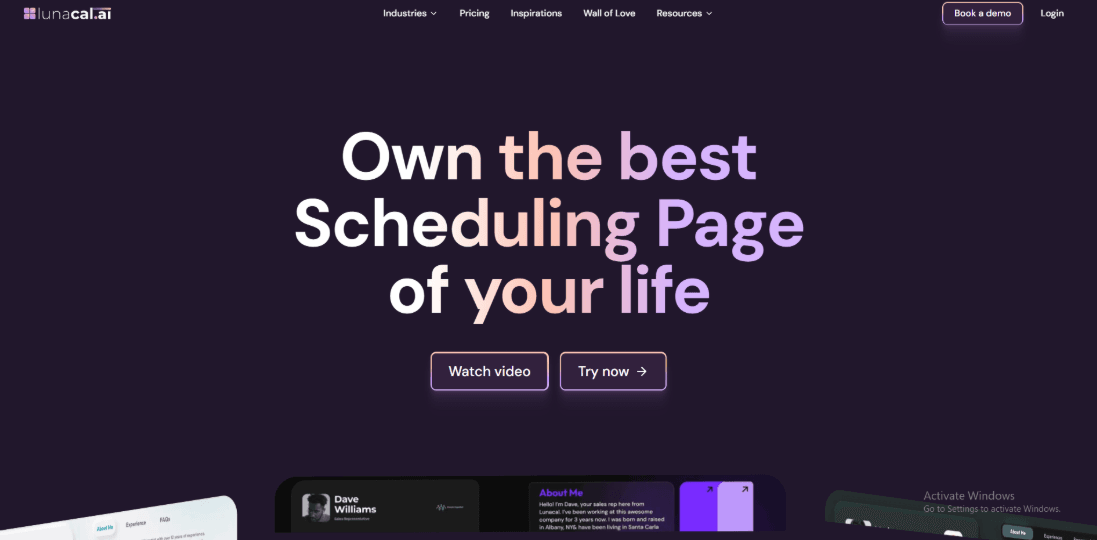
Lunacal is class scheduling software that helps you fill more classes with recurring sessions, group booking, reminders, payments, and branded class pages. That is one reason Lunacal comes up in conversations around the best booking tools for recurring classes in 2026. In class booking, Lunacal is rated 4.9/5 on G2, making it one of the highest-rated scheduling platforms in this space. For anyone searching for reliable Class Scheduling Software, Lunacal focuses on making the booking page clear and informative. Students understand what they are signing up for before they choose a time.
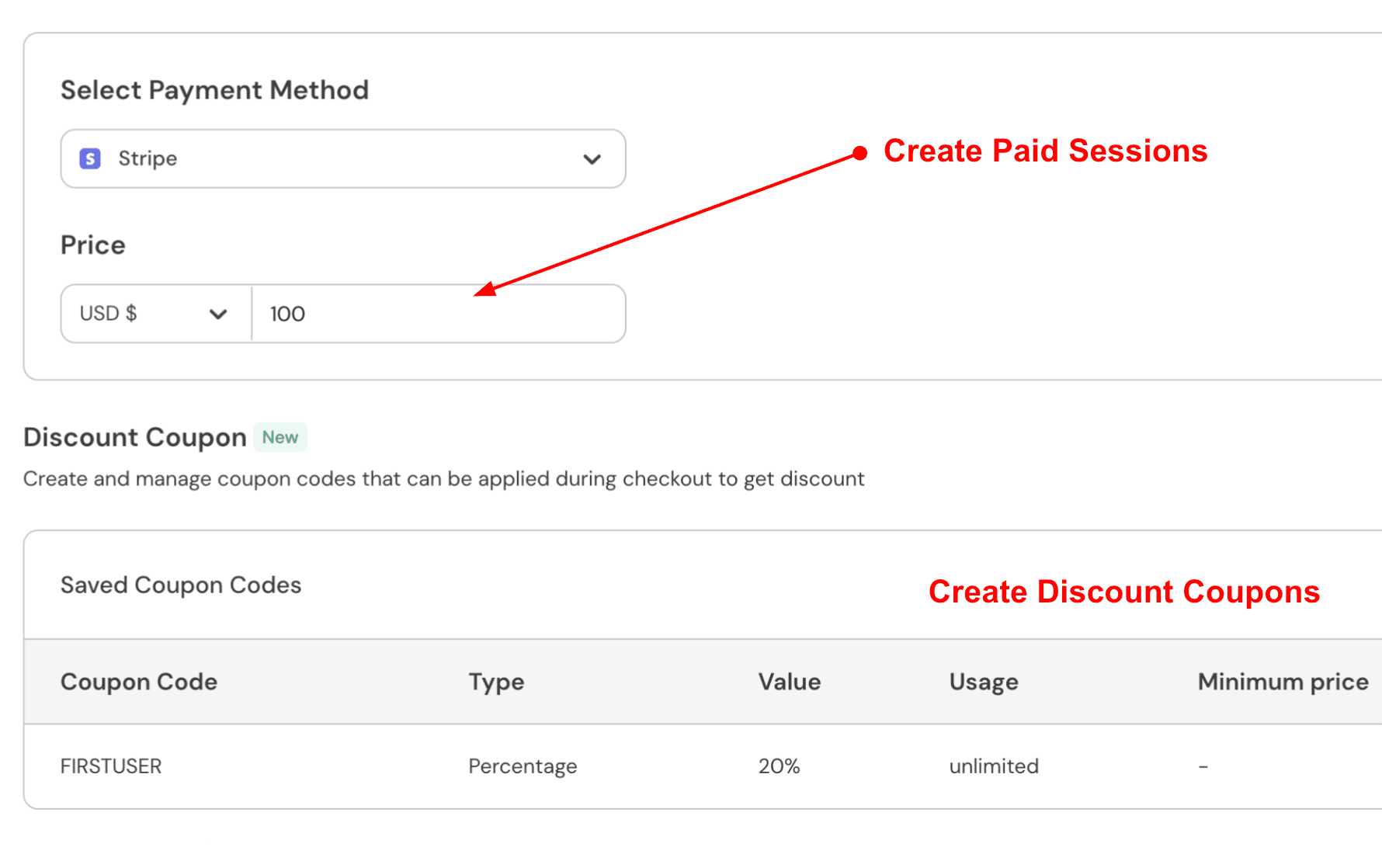
Paid bookings
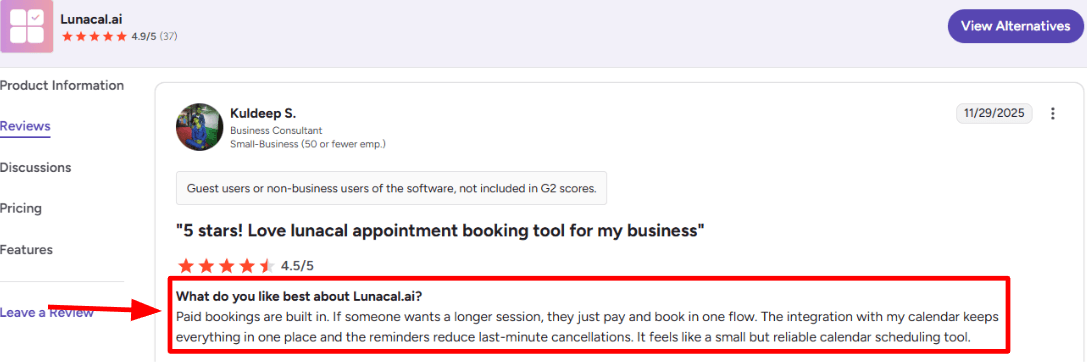
You can charge for an online class or a one-on-one session during booking. This works well for paid workshops, trial sessions, and longer training blocks. I saw the same in a G2 review (I’m adding a screenshot below) where they called out paid booking + reminders as the combo that cuts last-minute dropoffs.
Calendar sync
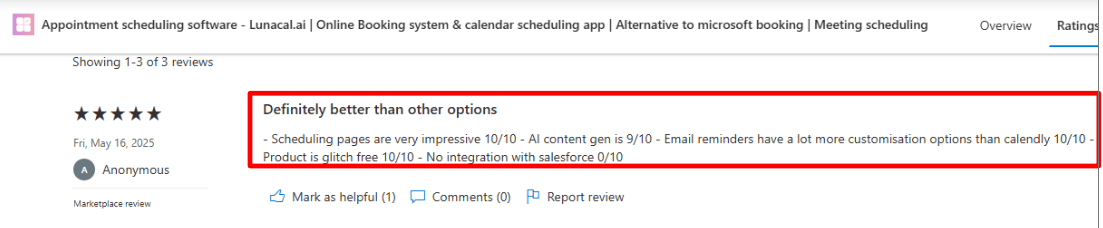
You can connect your calendar so class bookings block time automatically. This helps prevent overlaps when classes and admin calls sit on the same calendar. Once the sync is active, reschedules and cancellations update without manual edits. I also came across a Microsoft Marketplace review (screenshot below) that praised the scheduling pages and reminder customization, but called out the missing Salesforce connection as a deal-breaker for some teams.
Group capacity
You can run a class as a group event with limited seats, so “12 spots only” is enforced by the system, not by you watching a spreadsheet. For a weekend cohort, you can keep one schedule link, cap seats, and let late signups pick the next available date instead of messaging you for options. It is also a practical fit for anyone screening best class scheduling apps for busy professionals in 2025/2026 because classes and private sessions can live in one setup.
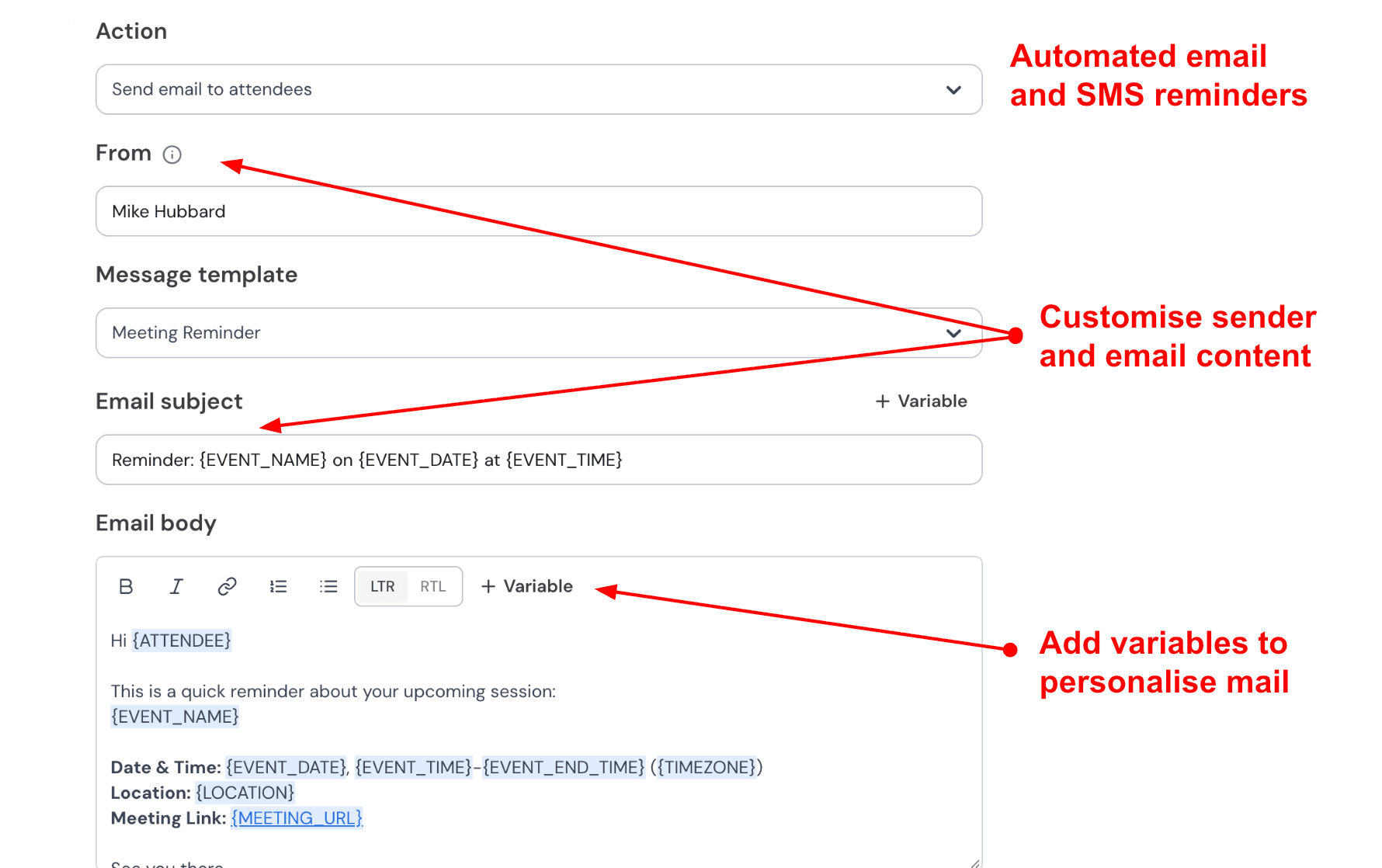
Automated Reminder controls
Email reminders can be timed to match how your classes run. You can send one reminder shortly before the class and another earlier in the week. The reminder setup covers many real situations. Templates and timing settings give you room to shape the message for workshops, recurring sessions, or trial classes. Here is how I set up reminders:
Branded booking page
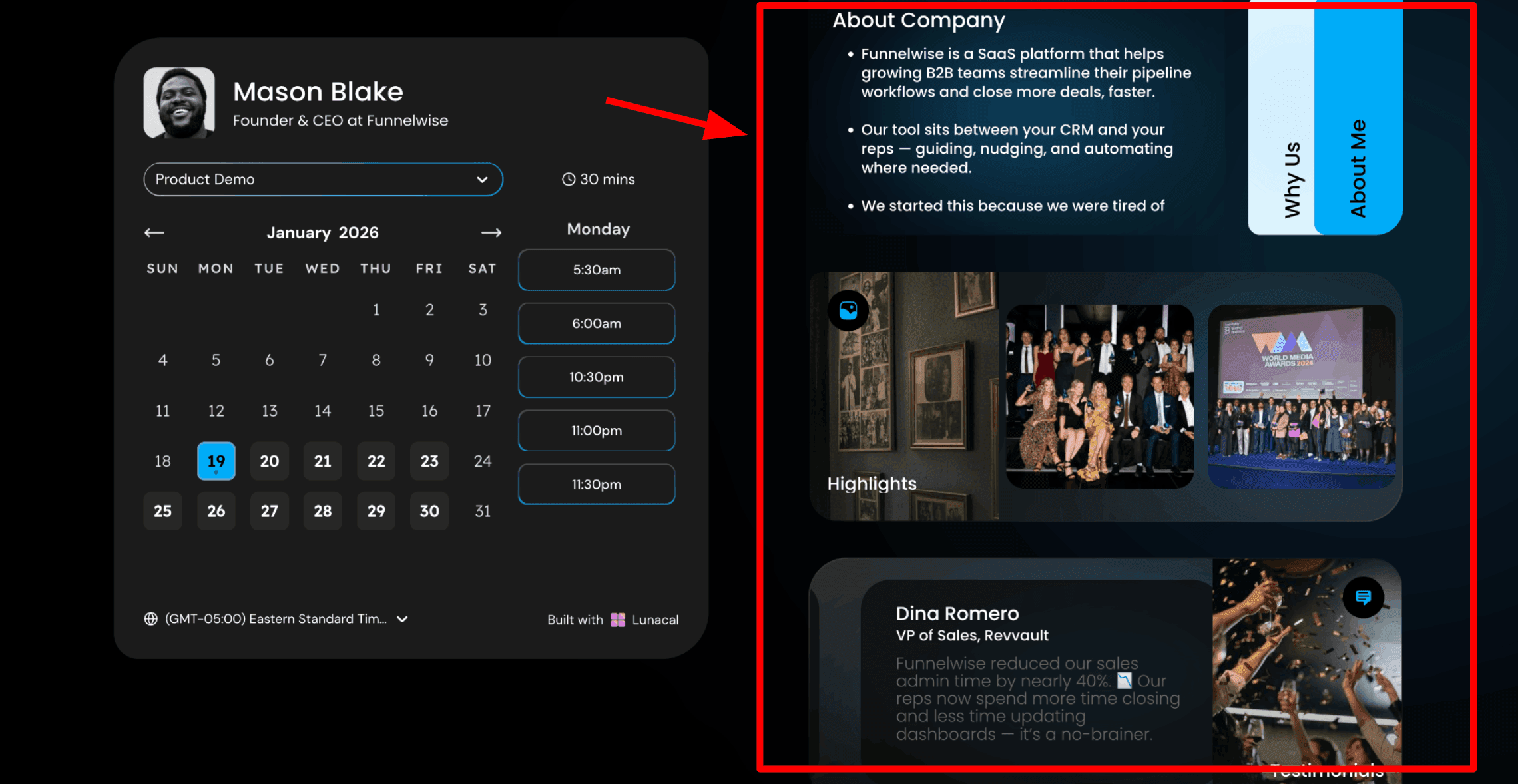
The booking page can look like a class page with information, videos, and details about the session. Students see what the class includes, how to prepare, and how they will join. Clear information often reduces confusion before the session begins. You can include text, testimonials, images, videos, or documents that explain your coaching services.
Team scheduling flow
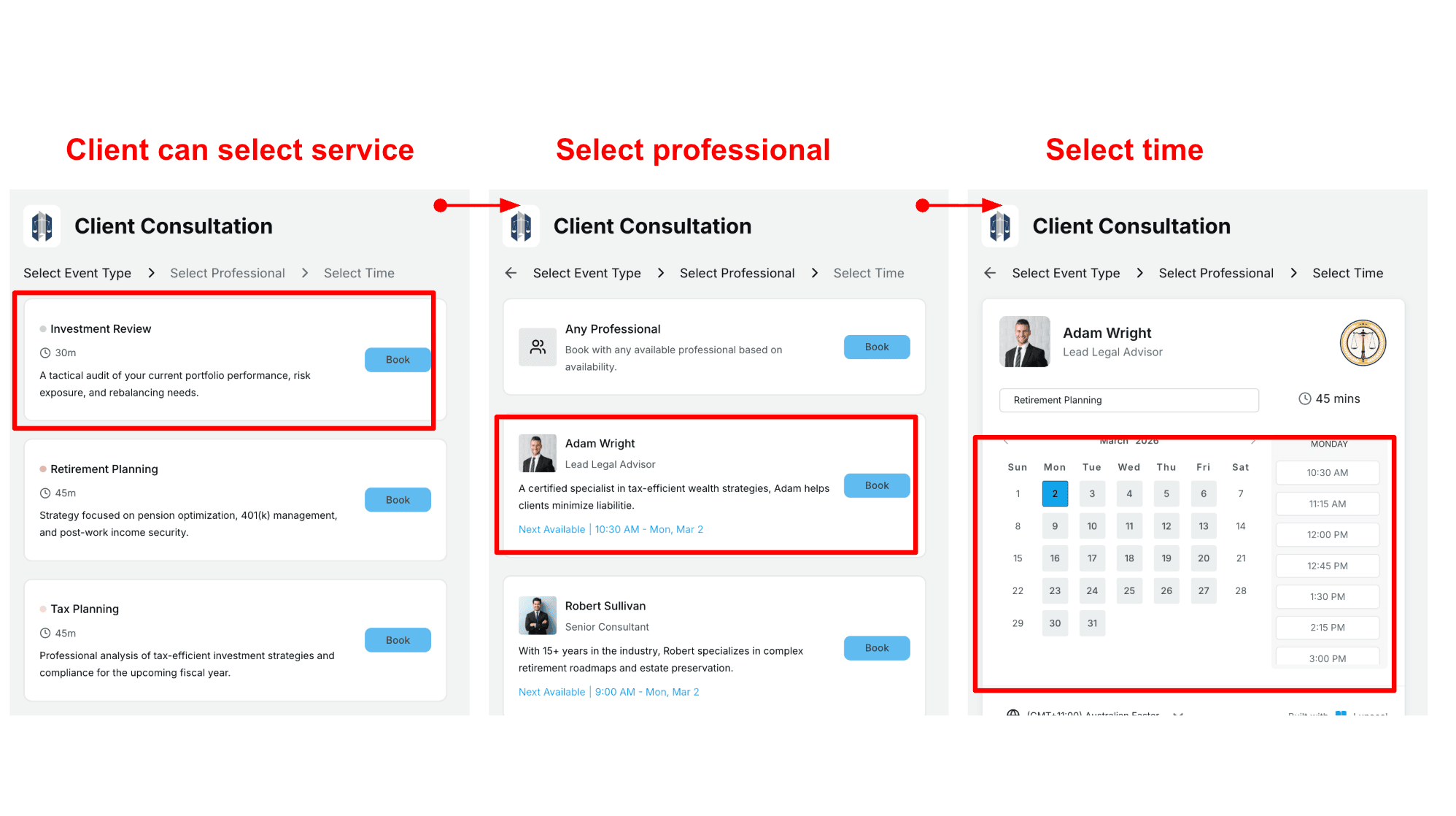
If you work with multiple coaches, Lunacal supports team scheduling. Visitors can choose a service, select a coach, and then pick an available time. You can also allow visitors to book the first available coach automatically. For teams comparing the best booking tools for recurring classes in 2026, this kind of coach-selection flow matters more than people expect.
This works well for coaching practices that serve many clients or offer multiple types of sessions. Here's a screenshot of how it looks in actual flow:
Pros
- Payments + booking in one flow helps when you sell paid classes, longer sessions, or workshops.
- Strong booking page presentation, which matters when the page itself needs to build trust.
- Reminder setup can be more detailed than the basic defaults most tools give you.
- Calendar sync reduces manual cleanup when people reschedule or cancel.
- Works for both 1 sessions and group classes, so you don’t need separate systems.
Cons
- If you need Salesforce deeply, you may hit a hard stop depending on your workflow.
- Rebooking the exact same slot next week is not a one-button action.
- Advanced setup can take a bit of clicking before it feels fully “done.”
- Some teams will want more native CRM/reporting depth without relying on external automations.
- If you run very complex multi-track programs, you may still need process around cohorts and follow-ups.
Lunacal Pricing
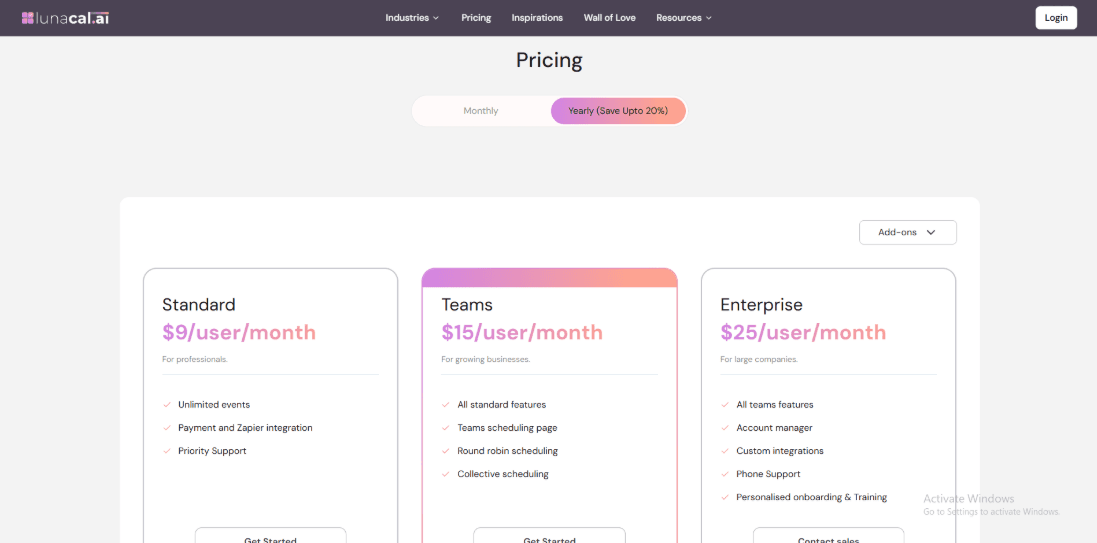
- Standard starts at $9/user/month for solo artists: unlimited event types, payments, Zapier, priority support.
- Teams is $15/user/month for multi-artist studios: team scheduling page, round-robin, and collective bookings.
- Enterprise is $25/user/month: account manager, custom integrations, phone support, and guided onboarding.
- Annual billing claims savings up to 20%; see full inclusions on the official pricing page.
2. Mindbody
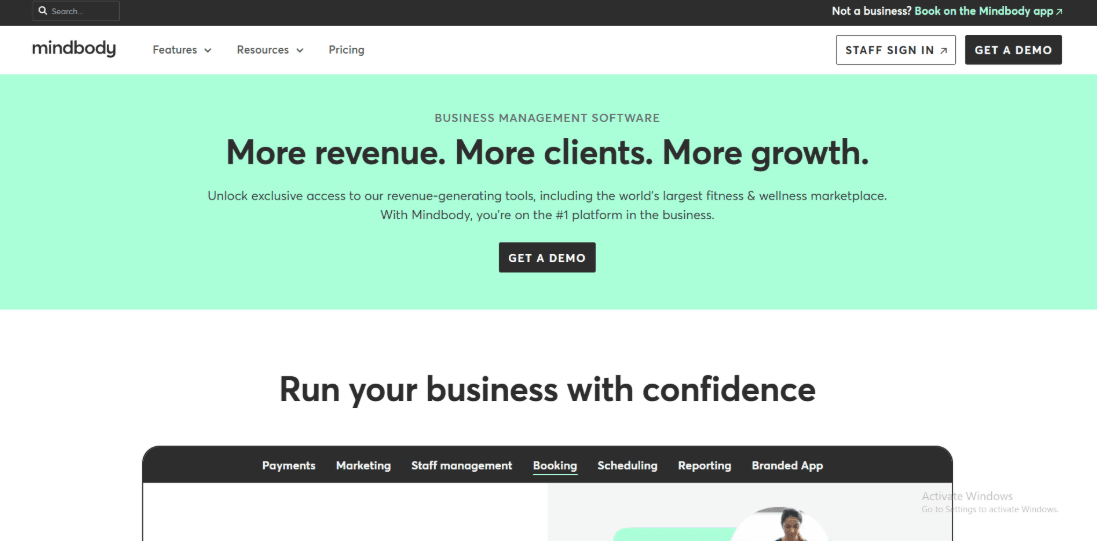
Mindbody is widely used in fitness studios and wellness businesses that run group classes. Many studios rely on it because it keeps bookings, memberships, and payments in one system. For studios that run multiple classes every day, having these pieces together makes daily operations easier. This makes it relevant in the discussion around the best booking tools for recurring classes in 2026 because it handles high-frequency studio scheduling well.
Class scheduling built for group classes
Mindbody handles group class scheduling with tools for capacity limits, waitlists, and booking rules. Example: a 12-spot Pilates class can auto-fill from the waitlist while still enforcing a late-cancel cutoff, so you’re not manually chasing no-shows.
Payments and memberships tied to bookings
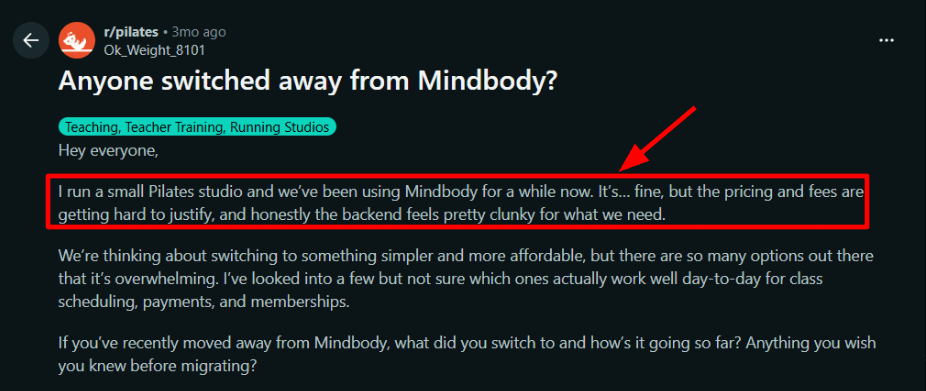
If you want clients to pay at booking and keep memberships on autopay, Mindbody keeps those flows in one place. What felt off during testing was the clunky backend and the way costs can climb as you add the features a studio actually needs. I saw the same complaint in a Reddit post from a small Pilates studio, and I’m sharing that screenshot below.
Website booking plus client discovery
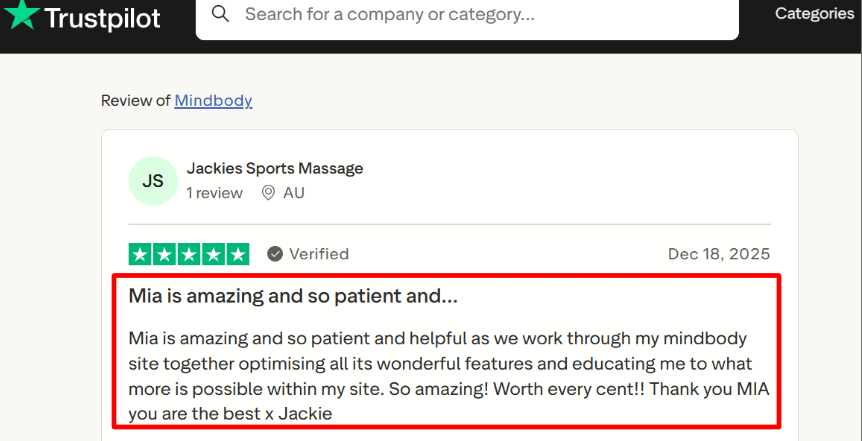
Studios can collect payments during booking and manage memberships inside the same platform. Recurring memberships can run on autopay. Class packs and drop-in sessions can also be managed in the same system. That makes check-ins easier for front desk staff and keeps payment records organized. I also saw a Trustpilot review praising a support rep for being patient during setup. That matches the reality that onboarding helps when there are lots of settings. This is especially relevant for studios looking at the best class scheduling tools with mobile app for staff and clients in 2026, since discovery and repeat booking often happen on mobile.
Managing staff and studio operations
Mindbody also provides booking widgets for studio websites. Adding a simple Book a Class button to a site is straightforward.
Studios can also appear in the Mindbody app where people search for classes in their area. Once the class schedule and pricing were set up clearly, the app helped bring in new visitors who had never booked before. If Mindbody is part of your evaluation, check this Mindbody alternative breakdown.
Pros of Mindbody
- Strong class scheduling logic for capacity, waitlists, and drop-ins, so you spend less time fixing overbooks.
- Memberships, packs, and credits stay connected to bookings, which makes front-desk check-ins smoother.
- Integrated payments help you collect money at booking instead of chasing it after class.
- Website booking widgets are practical when you just need a clean Book a Class flow on your site.
- Solid fit for multi-instructor studios where you need one place for schedules, clients, and revenue reporting.
Cons of Mindbody
- The price can feel hard to justify for smaller studios, and many reviewers call it one of the most expensive options.
- The admin backend can feel clunky when you are making quick edits between back-to-back classes.
- Reporting is powerful but it has a learning curve, and it is easy to pull the wrong report at first.
- Some operators report slow performance after updates, which hurts when you live in the schedule view all day.
- Migrating memberships and client history takes real planning, so switching costs can be higher than expected.
Mindbody Pricing
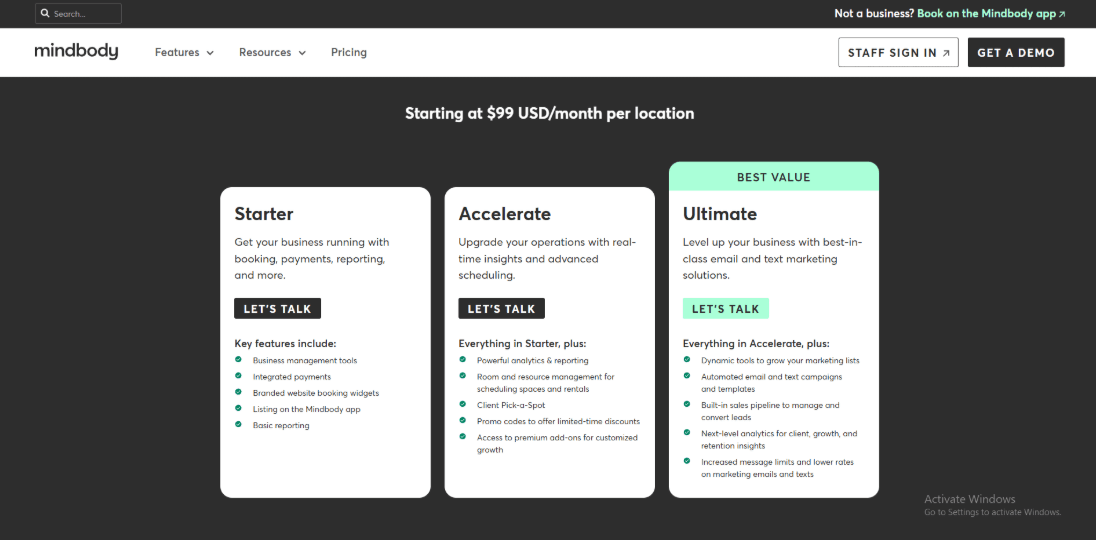
- Plans start at $99 USD per month per location for core features.
- Plans are usually organized into tiers such as Starter, Accelerate, and Ultimate.
- Official pricing page Pricing.
3. Calendly
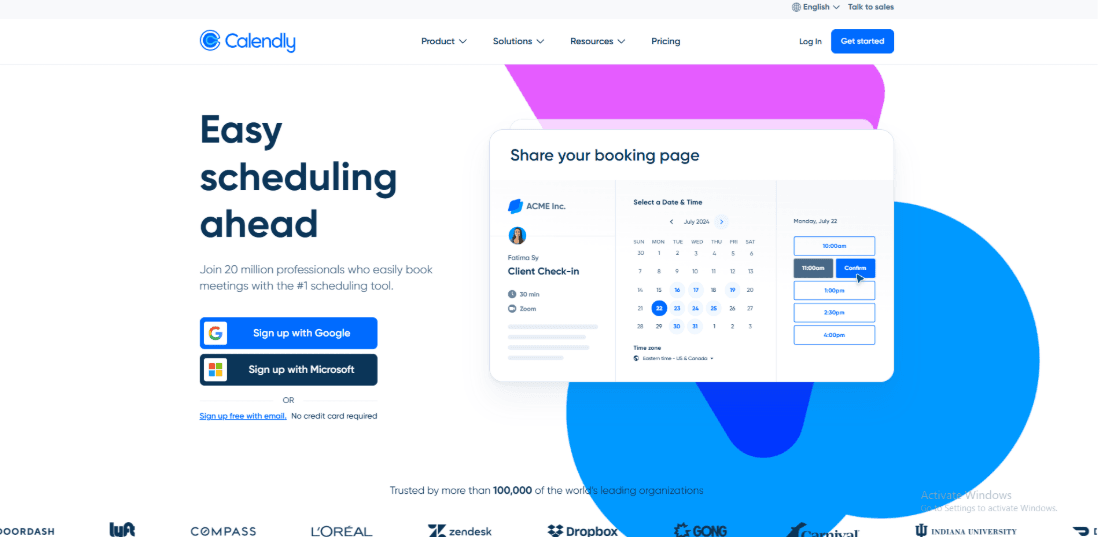
Calendly also appeals to buyers searching for the best class scheduling apps for busy professionals in 2026. It is widely used for class scheduling because it makes booking simple through shareable links. Instead of going back and forth over email to find a time, you send one link and people choose a slot that works.
This works well for classes, intro calls, and small sessions where you want people to book quickly without extra steps.
Group event sessions with seat limits
For workshops and small-group classes, Group Events let many people pick the same time while you cap invitees and optionally show remaining spots. That was a positive surprise because it covers capacity in a lightweight way. Example: a Saturday yoga flow with 12 seats and one link that closes the slot when it’s full. That makes it worth considering among the best booking tools for recurring classes in 2026 when your classes are lightweight and repeat on a simple cadence.
Workflows for reminders and fewer no-shows
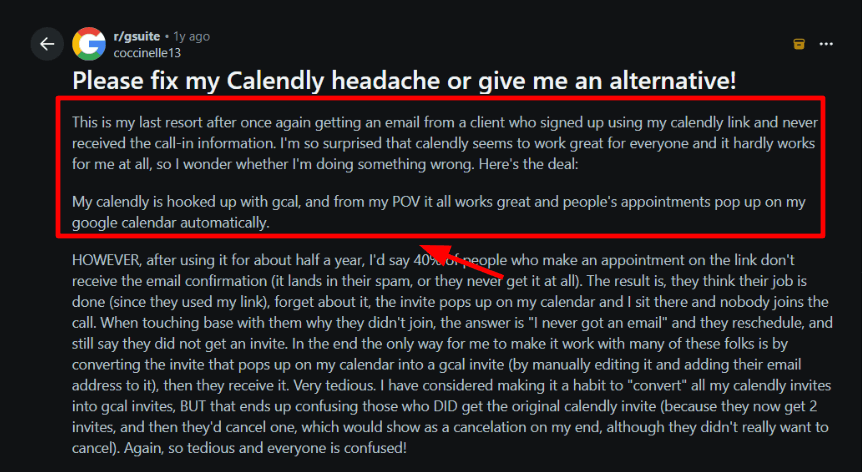
Automated email and text reminders help when clients book days ahead, and reconfirmation can nudge flaky attendees to commit. You can also mark someone as a no-show and run a different follow-up path. I saw a Reddit review where clients never received confirmation or call-in details, which led to missed sessions. If you rely on email, test it with a few real inboxes first. I’m sharing that screenshot below.
Calendar sync plus time-protection rules
Calendar connections reduce double-booking, but the operator value is guardrails like buffers, minimum notice, and meeting limits so you don’t stack back-to-back sessions all day. Meeting limits have been a recent focus in Calendly updates.
Routing to the right class or coach
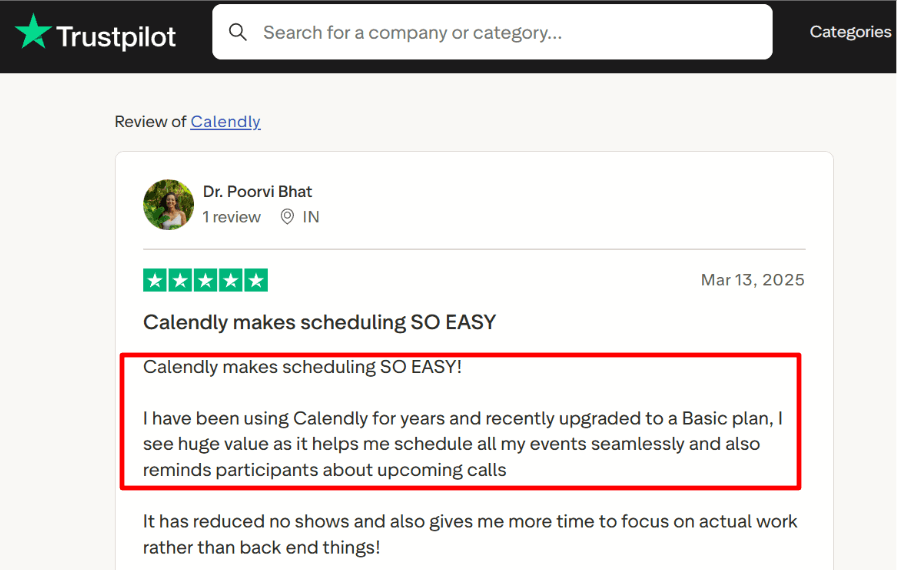
Routing forms can send people to the right booking page based on a few answers, and team scheduling helps distribute requests when multiple coaches run the same session type. A Trustpilot reviewer also said reminders reduced their no-shows after upgrading, which matches what you’d expect once workflows are configured.
Other features in Calendly for class booking include time zone detection, Stripe payments, website embeds, round robin assignment, API and webhooks, and admin controls. For class packs, waitlists, and recurring sessions, see fitness class booking scheduling software.
Pros of Calendly
- Group event links work well for small classes when you need one time slot with a clear seat cap.
- Automated reminders help reduce no shows for trial classes and first time attendees when people book days in advance.
- Buffers and meeting limits protect instructor time so you do not stack sessions back to back all day.
- Routing forms can send people to the right class type or coach before they see time slots.
- Calendar integrations keep your teaching calendar clean when you also take private sessions and consults.
Cons of Calendly
- It is not a true class management system so packs memberships and complex waitlists usually need a separate tool.
- Email confirmations can be a weak link for class bookings if attendees miss the message or it lands in spam.
- Apple-first teams can run into friction because new iCloud calendar connections are not supported.
- Per seat pricing adds up fast if you have multiple instructors who need their own links and schedules.
- Your front desk still needs a clear policy flow for late arrivals and refunds because the tool will not enforce every studio rule by itself.
Calendly Pricing
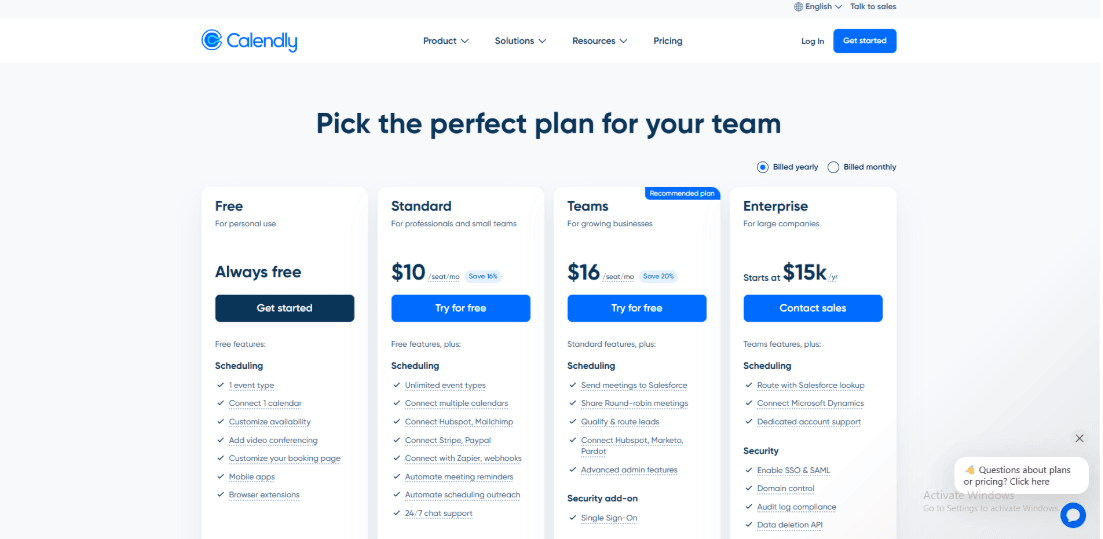
- Free plan exists for basic 1 scheduling.
- Paid plans start at Standard $10/seat/month and Teams $16/seat/month (as shown on the pricing page).
- Enterprise is sold annually and listed as starting at $15k/year, typically for SSO, audit logs, and org controls.
- Official pricing page: Calendly Pricing.
4. Acuity scheduling

Acuity Scheduling, now called Squarespace Scheduling, is widely used in studios and service businesses. Many teams use it because clients can book their own spots, pay in advance, and receive reminders automatically. That removal of a lot of manual work is why it is one of the better-known options in the best booking tools for recurring classes in 2026 conversation.
Group classes and seat caps
Run a group appointment where many people book the same class time, with a hard capacity limit like a real studio. A 12-spot HIIT class can stop at 12, while the slot repeats weekly without you rebuilding it. The pleasant surprise is how clean the client flow feels once it’s live.
Confirmations and reminders that reduce no-shows
Email reminders handle most of the follow ups automatically. Text reminders can also be added for last minute classes or drop in sessions. One practical note is that SMS works in many countries, though delivery can depend on local carriers and messaging rules.
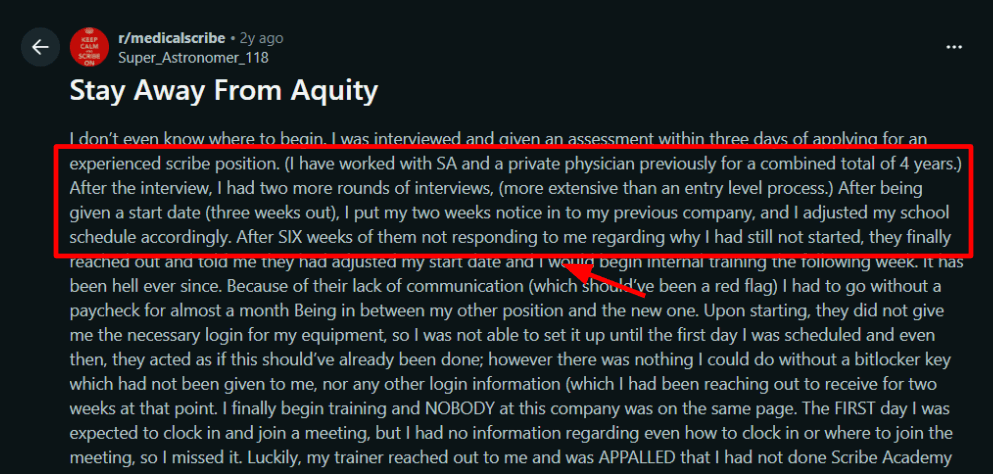
I also saw a long Reddit review about scheduling and follow-ups falling apart at a workplace, and I’m sharing that screenshot below as a reminder that systems matter.
Payments, packages, and promo control
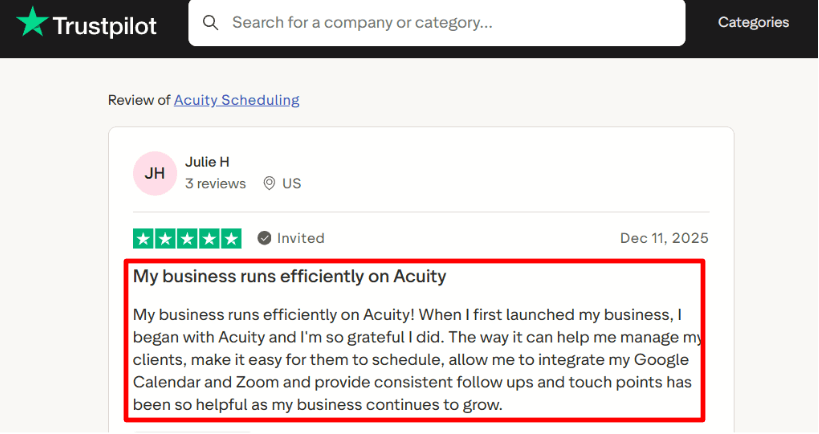
Payments can be collected through Stripe, Square, or PayPal. You can also take deposits and sell class packs or subscriptions which works well for day-to-day operations. It also makes sense for teams reviewing the best class scheduling apps for busy professionals in 2025/2026 when prepaid packages and repeat attendance are central to the workflow. A client can buy a package, book classes, and let the system track the remaining sessions. A Trustpilot review matches my experience.
Multi-instructor calendars and room or equipment limits
Add separate calendars for instructors, then use resources to prevent double-booking a room or equipment. Resources don’t work across calendars in different time zones, so distributed teams need a workaround. Other features in Acuity Scheduling for class booking include intake forms, client accounts, coupons, reschedule and cancellation cutoffs, and buffer times.
If Acuity Scheduling is on your list, start with Acuity Scheduling alternative.
Pros of Acuity
- Real group class scheduling with a hard seat cap, so your 12-spot class stops at 12.
- Strong fit for selling class packs and memberships, so prepaid clients can book without manual tracking.
- Practical scheduling limits help enforce late-cancel rules, booking cutoffs, and class-specific availability.
- Multi-instructor calendars work well for studios with rotating coaches and different weekly hours.
- Reminders are reliable for reducing no-shows when you run drop-ins and back-to-back sessions.
Cons of Acuity
- Resources do not work across calendars in different time zones, which gets messy for multi-city studios.
- International SMS is supported widely, but message delivery is not guaranteed in every country.
- Code redemption is restrictive since only one code can be applied per appointment, including coupons.
- Email template editing after booking can feel slow when you want small copy tweaks for each class type.
- Some class workflows like one buyer reserving multiple seats can require workarounds and extra admin.
Acuity Scheduling Pricing
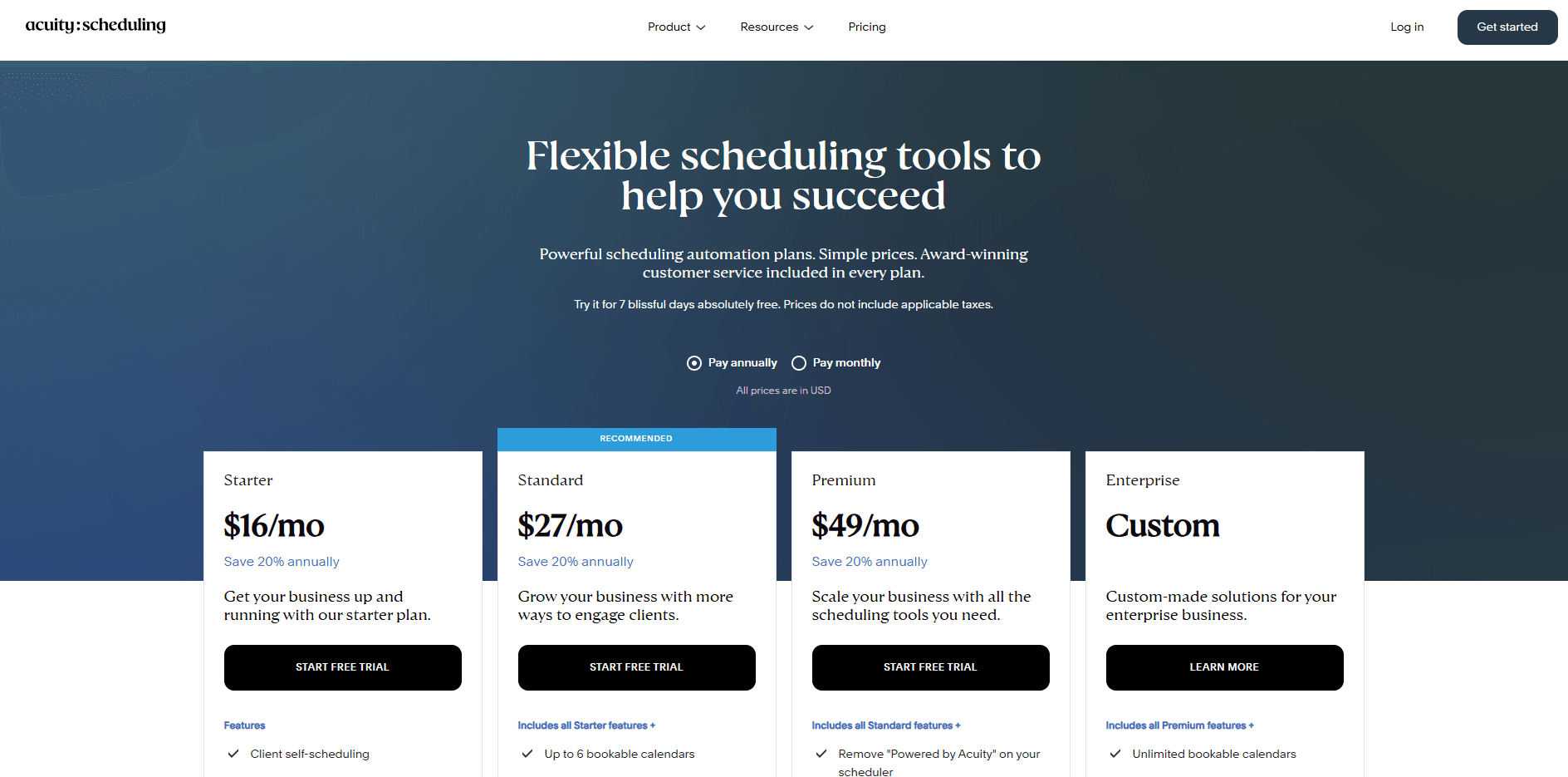
- Acuity (Squarespace Scheduling) is priced by tier, not per staff seat in the starter tiers.
- Starter $20/month (or $16/month billed annually), Standard $34/month (or $27/month billed annually).
- Top tier shows $61/month (or $49/month billed annually) for more advanced features and higher limits.
- Official pricing page: Acuity Scheduling Pricing.
When Acuity Scheduling pricing or limits come up, I usually share Acuity Scheduling alternative.
5. Setmore
Setmore is commonly used for simple booking pages and class sessions with seat limits, so studios can accept self-bookings without a front desk managing the calendar. It is also one of the more relevant names for people searching best free or cheap class scheduling software with cancellation management in 2025/2026, though the plan limits matter.
Class booking with seats
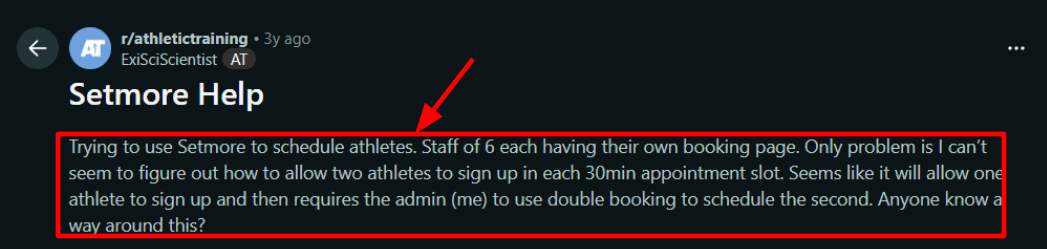
You create a session, set seats, and students reserve spots from your Booking Page. Prepay is supported, which helps for limited-capacity workshops. Example: an 8-seat evening class stays capped even if bookings spike after work. The slightly frustrating part is when you start with a normal 30-minute appointment. Setmore won’t let two people share that slot unless you switch it to a class or enable double-booking. I saw the same pain in a Reddit review about scheduling two athletes into one slot, so I’m sharing that screenshot below.
Booking flow that can sell add-ons
For clients it’s simple: pick the class, pick the instructor if needed, confirm. Positive surprise: you can enable “booking multiple services,” which fits studios that bundle a class with an add-on like an assessment or equipment rental.
Instructor scheduling and calendar sync
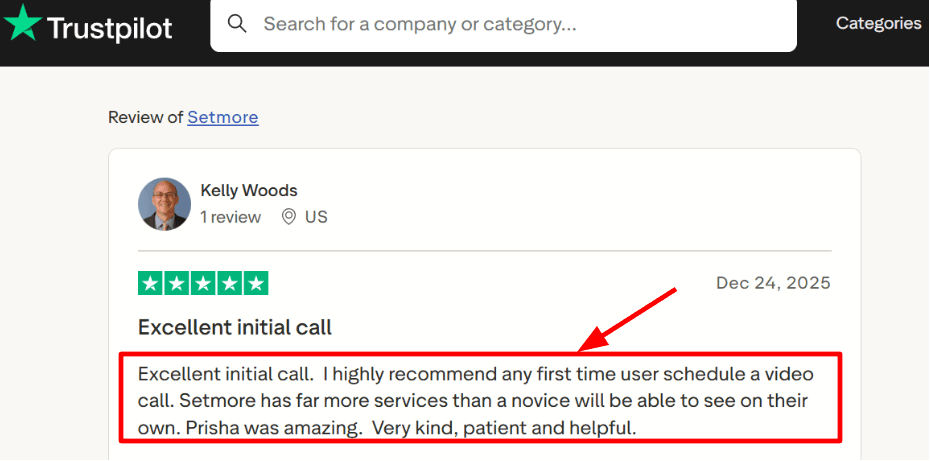
Staff can add attendees to a class from the calendar, which keeps phone bookings and walk-ins in the same system. A Trustpilot review called out a helpful onboarding video call (they named the rep, Prisha), and I’d echo that for first-time setups.
Payments and reminders for attendance
Payments and reminders for attendance. Payment at booking helps lock in commitment for limited-seat sessions. Email reminders are standard, and SMS reminders are available on Pro with a published fair-usage policy. Other useful features include video appointments, recurring bookings, mobile apps, custom intake fields, Instagram and Facebook booking buttons, and optional 2FA.
If Setmore is on your list, my Setmore alternative breakdown makes the tradeoffs clear.
Pros of Setmore
- Handles class sessions with seat counts, and staff can add attendees from the calendar.
- Multi-service booking helps when a student wants a class plus an add-on like an assessment.
- Payments at booking reduce drop-offs for limited-capacity sessions.
- Works well for multi-instructor studios where each coach needs their own schedule and booking link.
- Pro unlocks 2-way calendar sync, which helps avoid instructor double-booking across personal calendars.
Cons of Setmore
- The Free plan caps you at 200 appointments a month, which a busy studio can hit fast.
- If you want two students in the same 30-minute slot, you usually need classes or double booking, which adds admin work.
- Some users report unreliable Google Calendar sync, so you should stress test it before migrating a whole team.
- SMS reminders have usage and country limits, so coverage varies by region.
- Recurring bookings and video sessions sit behind Pro, which matters for weekly cohorts.
Setmore Pricing
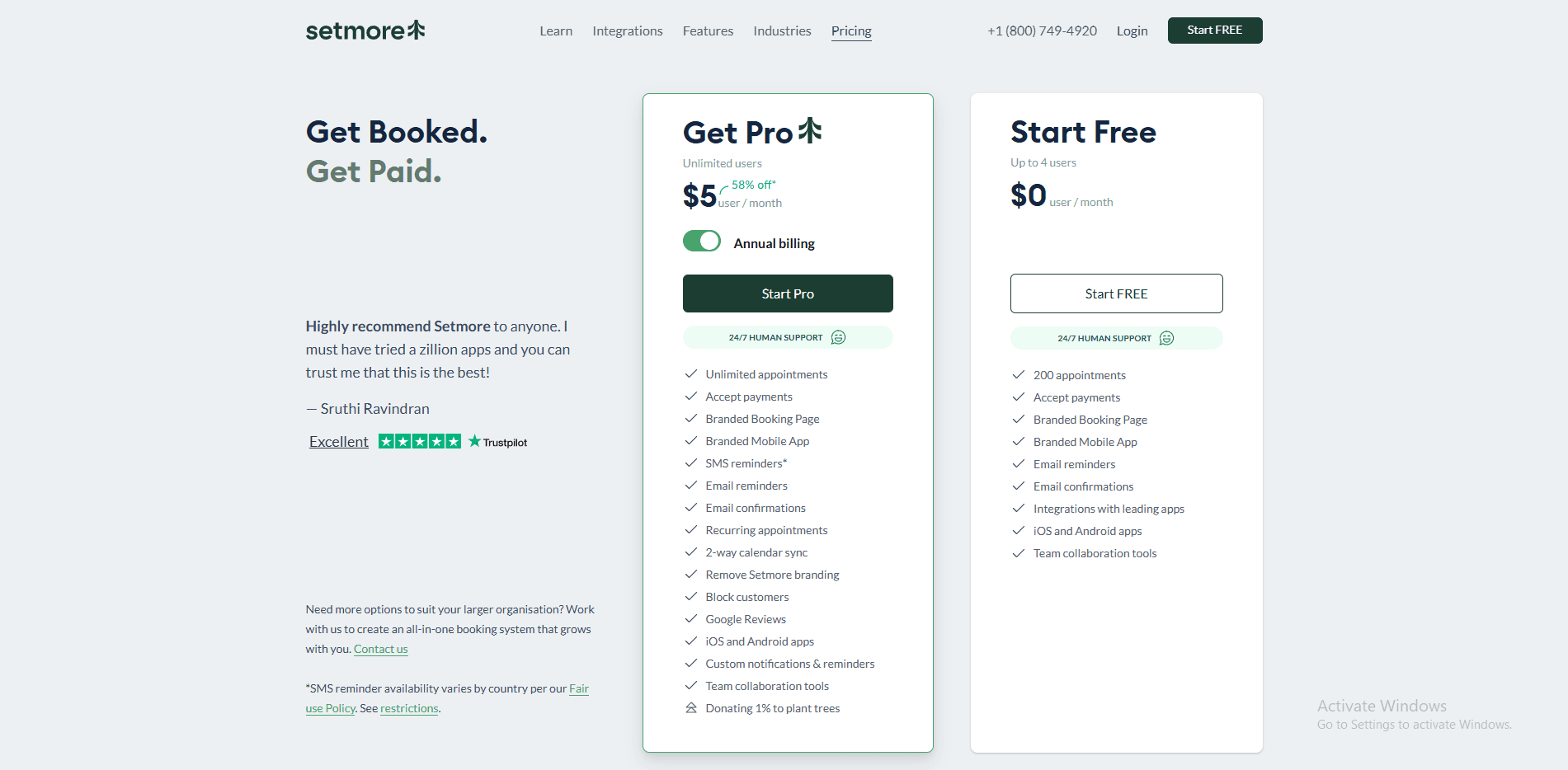
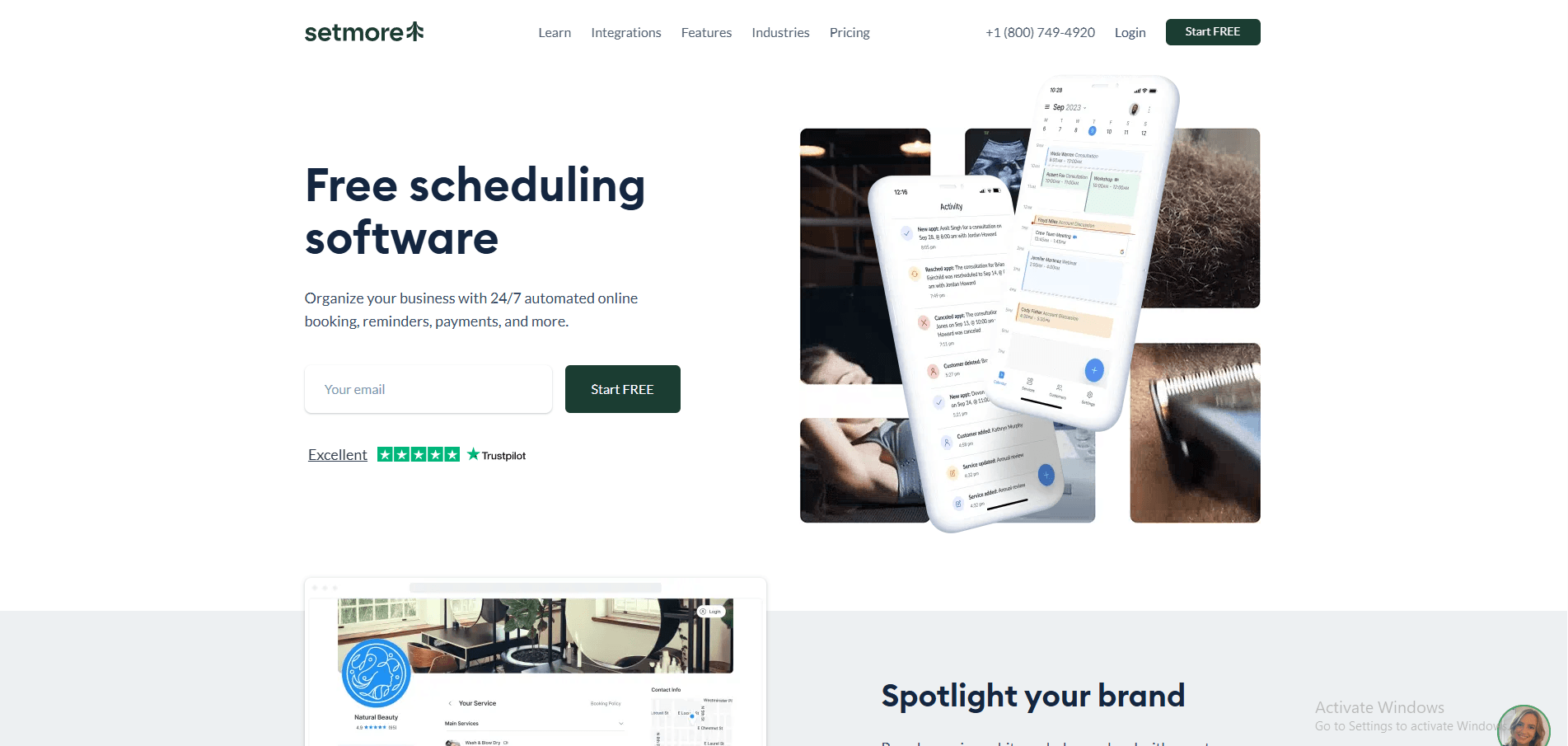
- Free plan is listed as $0/user/month for up to 4 users, useful for a small solo setup.
- Pro is listed as $5/user/month with annual pricing and supports unlimited users.
- The page also references a higher monthly rate (shown alongside annual pricing), so your total depends on billing cycle.
- Official pricing page: Setmore Official Pricing.
6. WellnessLiving
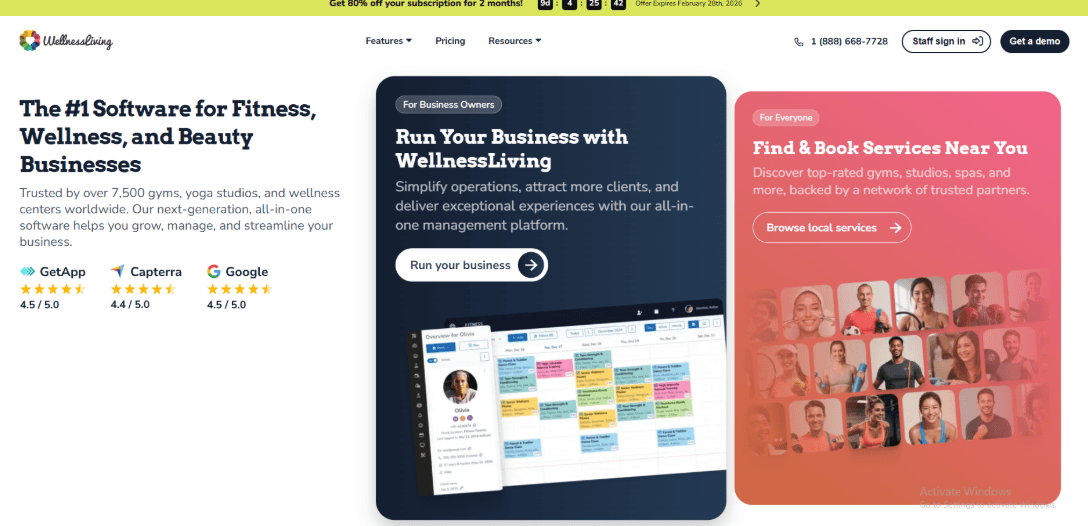
WellnessLiving is a class booking system aimed at studios that need scheduling and membership operations in the same place. It is a stronger fit when the business runs recurring classes, sells memberships or passes, and wants client communication tied to the booking record.
For independent user feedback, read WellnessLiving reviews on G2.
Class schedules and member booking
Businesses can publish recurring class schedules, apply capacity rules, and let clients reserve from a customer-facing booking flow. This makes it more suitable for studios with a regular timetable than a meeting scheduler adapted for occasional group sessions.
Membership and retention workflows
WellnessLiving brings memberships, passes, client profiles, and follow-up tools into the same operational system. That can reduce the number of separate tools a studio uses, although it also means the setup is broader than a lightweight scheduler.
Pros of WellnessLiving
- Built around recurring classes, memberships, and studio operations.
- Supports class capacity, client records, payments, and staff scheduling.
- Useful for businesses that want booking and retention workflows together.
Cons of WellnessLiving
- The broader feature set can take longer to configure than a simple class calendar.
- It may be more system than an independent instructor needs.
- Pricing and feature availability should be checked against the current plan before migrating.
WellnessLiving pricing
WellnessLiving uses plan-based pricing. Check its current pricing and confirm which plan includes the membership, reporting, messaging, and multi-location features your studio needs.
7. ABC Glofox
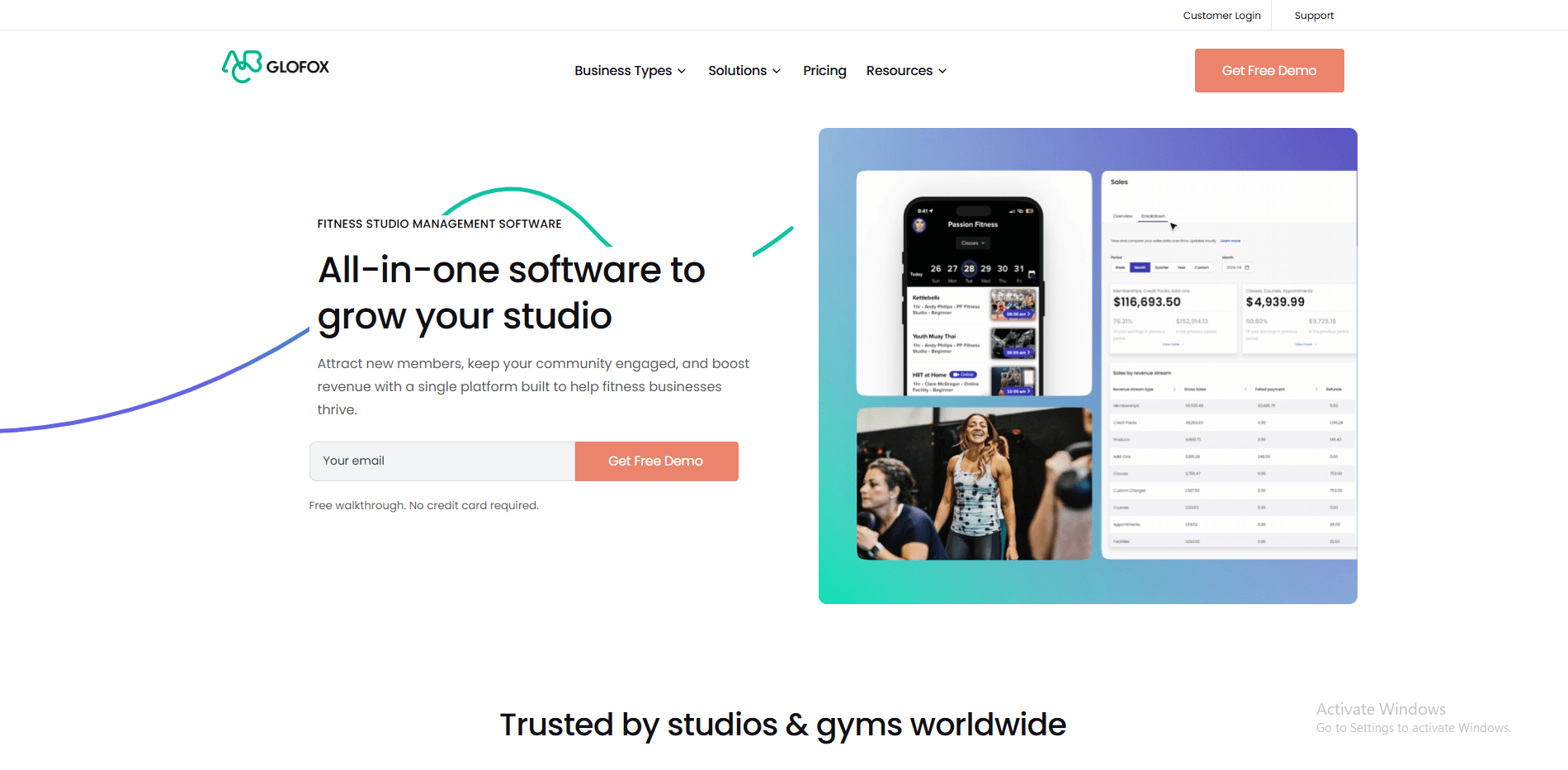
ABC Glofox is designed for gyms and fitness studios that want class booking, memberships, and a branded member experience. It fits businesses where the booking system is part of a larger member journey rather than a standalone calendar.
For independent user feedback, read ABC Glofox reviews on G2.
Member-facing class booking
Clients can browse the timetable, reserve classes, and manage bookings through a digital experience designed for fitness businesses. That focus is useful for studios that want class discovery and repeat attendance to feel consistent.
Fitness-business operations
Glofox combines class schedules with membership and business-management workflows. The tradeoff is that it is best evaluated as an operating platform, not only as a scheduling widget.
Pros of ABC Glofox
- Strong fit for boutique gyms and fitness studios.
- Combines class booking with membership-oriented workflows.
- Supports a more branded member experience than a basic scheduling page.
Cons of ABC Glofox
- Can be excessive for instructors who only need a simple class calendar.
- Setup decisions affect both staff operations and the member experience.
- Pricing is not shown here because plan details were not rechecked for this update.
ABC Glofox pricing
Request or review the current pricing directly and confirm the required features for memberships, branded apps, payments, reporting, and multiple locations.
8. Picktime
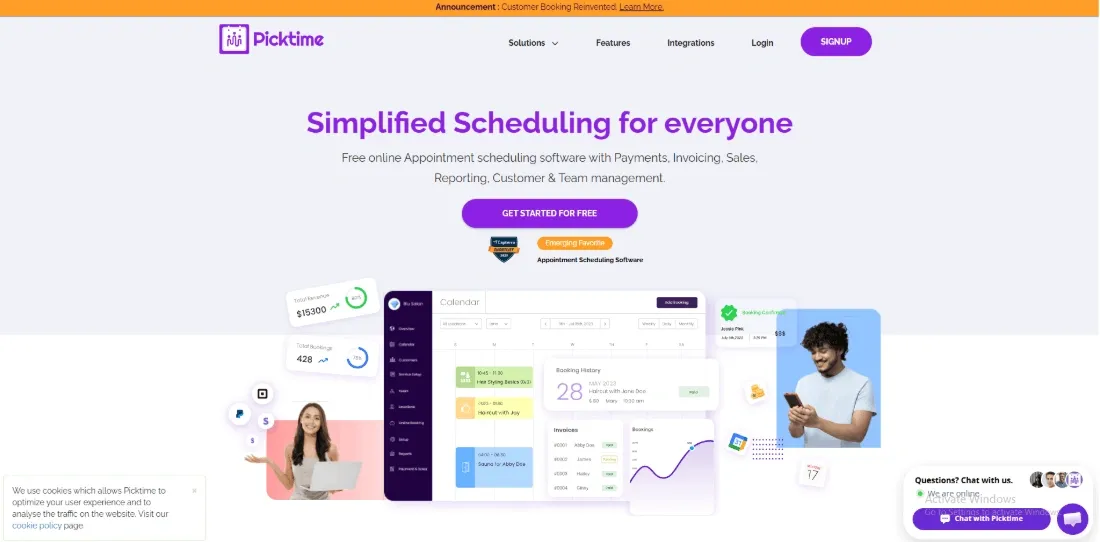
Picktime is a practical option for smaller class businesses that schedule instructors, rooms, or equipment alongside group sessions. It works best when the booking workflow needs to cover both classes and ordinary appointments without a heavy studio-management layer.
For independent user feedback, read Picktime reviews on G2.
Classes, staff, and resources
The scheduler can organize bookable services around people and resources, which is helpful for training rooms, workshops, tutoring sessions, and mixed appointment-and-class businesses. This gives it a broader operational use than a calendar link alone.
Straightforward setup
Picktime is easier to shortlist when the priority is getting a usable booking flow running without adopting a large membership platform. Businesses with complex memberships or advanced retention programs may still need a more specialized system.
Pros of Picktime
- Covers classes, appointments, staff, rooms, and equipment.
- Suitable for small teams with mixed scheduling needs.
- Offers a lighter setup than a full studio-management platform.
Cons of Picktime
- Advanced studio operations may require other tools or a more specialized platform.
- Package and membership requirements should be tested against the plan you choose.
- Complex multi-location workflows need a careful trial before migration.
Picktime pricing
Picktime offers multiple plan levels. Review the current pricing page and confirm the limits that matter for staff, locations, resources, reminders, and payment collection.
Conclusion: Which is the best Class Booking Software
The biggest differences between tools in this article come down to live class support, packages or passes, payment flow, and how much operational control you need behind the scenes. You can make a quick decision on these final key points:
- Choose Lunacal if you want the strongest balance of a high-converting booking page, live class bookings, paid sessions, packages, and a booking flow that feels modern from the start.
- Choose Mindbody if you run a fitness or yoga studio and need heavier studio operations like memberships, rosters, and tighter admin control, even at a much higher starting price.
- Choose Acuity Scheduling if you run workshops, repeat programs, or mixed appointment formats and want a safer middle ground with strong scheduling flexibility.
- Choose Setmore if your shortlist is mainly about low-cost class scheduling software with cancellation management.
- Choose Calendly only if class scheduling is a smaller part of your workflow and you mostly need standard meeting scheduling with light group-event support.
- Choose WellnessLiving if memberships, recurring classes, and studio operations need to live in one system.
- Choose ABC Glofox if you run a boutique gym or fitness studio and want a member-focused, branded booking experience.
- Choose Picktime if you need a lighter scheduler for classes, appointments, staff, rooms, or equipment.
Methodology
We reviewed class booking scheduling software the way a studio owner would: setting up sample classes, checking calendar sync, group bookings, reminders, payments, waitlists, rescheduling, and mobile flow. We also read pricing pages, help docs, reviews, and compared how easy each tool feels for instructors, admins, and students daily use.
How I evaluated the tools
- I reviewed each product’s official website, pricing pages, feature breakdowns, and product updates to understand what they actually claim to support for online and group classes. I also went through FAQs and help documentation to catch the smaller details that usually impact real setup and daily use.
- To balance those claims with real-world usage, I analyzed user reviews on platforms like G2 and Trustpilot, focusing on patterns around reliability, support responsiveness, billing issues, and hidden limitations. I also checked Reddit and Quora to surface more candid feedback, common workarounds, and recurring frustrations that don’t always show up in polished reviews.
How I tested them
- I set up each tool using a simple but realistic scenario: a small business running group classes with a few instructors and a mix of free and paid sessions. This included creating class types, building schedules, setting up booking pages, and enabling email notifications and calendar integrations where possible.
- Payments were tested wherever supported, including flows like paying at the time of booking, issuing refunds, and managing class credits. I also configured practical settings such as time zones, class capacity, and booking cutoffs to see how they affect attendance and scheduling behavior.
- I then ran through real-world scenarios: a customer booking a group class, receiving confirmations and reminders, joining via a link, and interacting with waitlists when sessions fill up. I also tested repeat usage, including class packs, rescheduling, refunds, instructor changes, and cancellations, while evaluating how clearly and reliably the system communicates updates to attendees.
Online Class Booking Software Scheduling Tips
Class booking software needs to handle the realities of group attendance: capacity limits, repeat customers, unpredictable drop-offs, and peak-hour demand. Good class scheduling software is not about filling the calendar. It is about filling the right seats consistently.
Design your class catalog with clarity. Separate classes by format (group, semi-private), duration, and difficulty. If you run multiple instructors, keep class names consistent so clients do not feel like every session is a different product. In class booking workflows, confusion is the fastest path to no-shows.
Treat capacity as a business rule. Set a hard cap, enable a waitlist, and decide how waitlist promotions work. The best systems promote from the waitlist automatically and notify the next person immediately. Add a cutoff window for promotions, so you are not filling seats 10 minutes before start time. For high-demand classes, require a card-on-file or commitment rule to reduce flaky bookings.
Cancellation policies should be strict but fair. Offer a clear cancellation window and apply late-cancel or no-show penalties consistently. For recurring attendees, consider a gentle “strike” approach before penalties. For drop-in heavy classes, a stricter rule often works better.
Use scheduling rules to protect operations. Add setup buffers for equipment resets, instructor handoffs, and studio cleaning. If classes are back-to-back, enforce minimum transition time. For multi-location businesses, avoid overlapping start times that overload front desk capacity.
Finally, track attendance patterns by class, instructor, and time slot. If a class is always full, add another session or raise capacity only if quality stays intact. If a class is always empty, change the time, rename it, or retire it. Great class booking software supports these decisions, but the wins come from acting on the data.
FAQs
What is a good class scheduling software for most class-based businesses?
For most class-based businesses, Lunacal is a strong option. It works well when you want to sell classes, offer packages, collect payments, and keep the booking flow simple for customers.
If you run a bigger studio and need more day-to-day operational tools, Mindbody can also be worth looking at.
Which class booking tools should I compare?
A few strong options are Lunacal, Mindbody, Acuity Scheduling, and Calendly.
- Lunacal works well for classes, packages, payments, intake forms, and team scheduling
- Mindbody is a good fit for studios with memberships, staff workflows, and front-desk style operations
- Acuity Scheduling is useful for simple class bookings and easy client self-service
- Calendly can work for basic group sessions when the setup is simple
The right choice depends on how simple or operationally heavy your business is.
What features matter most in class scheduling software?
The most important features are the ones that save time and keep classes full.
Look for:
- class capacity limits
- waitlists for filled sessions
- packages or class passes
- intake forms for each booking
- reminders and reschedule controls
- payment collection during booking
These help you stay organized and reduce manual follow-up.
What should I check if I run classes in different countries?
If people book from different countries, small details matter more than most businesses expect.
Check for:
- clear time zone handling
- local date and time formats
- support for the languages your customers need
- proper consent for reminders
- privacy support such as GDPR if you serve the EU
- the right currency and payment setup for each region
A quick test booking from each region usually shows problems early.
How does Lunacal help with group class bookings?
Lunacal lets you set up a class with a fixed number of seats, add timings, collect payments, and ask booking questions before someone joins.
It can also help with reminders, reschedules, and package-based bookings, so running group classes feels much easier to manage.
Summarize this content with AI


