

Introduction
The best AI receptionist for plumbers in 2026 is the one that can tell the difference between a routine estimate and a homeowner panicking over a burst pipe.
Plumbing calls are rarely clean. People call after hours, describe problems badly, ask for rough prices, change appointment times, and expect a fast answer because water damage does not wait. Jobber’s 2026 Home Service Trends Report found that over 70% of customers expect a same-day response, and more than half expect it within the hour. That makes missed-call coverage a real revenue problem for plumbing companies. For a broader comparison across local service businesses, see my full guide on AI receptionist tools, where I compare general AI receptionists by pricing, features, use cases, and setup fit.
For this guide, I tested each AI answering service for plumbers with real scenarios: burst pipes, blocked drains, water heater issues, service-area checks, price questions, after-hours calls, spam calls, and appointment booking.
Table of comparison for each tool
| Use case | Tool name | Why I chose this tool |
|---|---|---|
| General AI receptionist for small plumbing businesses | Ring Jenny | I chose Ring Jenny as a general AI receptionist example for plumbing businesses that want help with everyday call answering, lead capture, and appointment booking. It fits plumbers who need a virtual receptionist to cover missed and after-hours calls without building a complex call-handling setup. |
| Solo plumbers needing low-cost call answering | Dialzara | I chose Dialzara because its $29/month starting plan makes it relevant for solo plumbers who mainly need simple AI phone answering. When I compared its positioning, it looked suitable for handling basic customer questions, capturing job details, and reducing the number of calls that go to voicemail. |
| Website and phone lead capture | RealVoice AI | I chose RealVoice AI because it covers both phone leads and website visitors. Its voice widget adds another way for potential customers to ask questions or request appointment booking before they leave the site. This can be useful for plumbers getting enquiries from Google Ads or local search. |
| Plumbing-specific call handling | PlumbingReceptionist.com | I chose PlumbingReceptionist.com because it is positioned specifically around plumbing calls rather than general business reception. That matters when callers are reporting leaks, blocked drains, or urgent repair needs. Its focus makes it a useful example of an AI answering service designed around plumbing job intake. |
| Emergency triage and dispatch | VoiceCharm | I chose VoiceCharm for plumbers who receive urgent calls and need clearer emergency triage. The focus on emergency dispatch and booking makes it relevant for after-hours calls where the virtual receptionist needs to collect the problem details, judge urgency, and help route the next step. |
| Contractor scheduling and job enquiries | FirstDial | I chose FirstDial because its home-service call automation approach fits plumbing businesses that need more than message taking. When I looked at its positioning, it seemed relevant for managing contractor-style job enquiries, scheduling requests, lead capture, and routine customer calls around service availability. |
| After-hours calls for growing home-service teams | Avoca | I chose Avoca because it is built around service businesses that need calls answered across phone, text, and chat. For plumbing teams with regular after-hours calls, it is a useful AI receptionist example for booking jobs, handling overflow enquiries, and keeping lead capture active when staff are busy. |
Best AI receptionist for plumbers by call scenario
| Plumbing call scenario | What the AI should capture | Best tools to test first |
|---|---|---|
| Burst pipe emergency | Address, urgency, water shutoff status, callback number, and escalation rule | Ring Jenny, PlumbingReceptionist.com, Avoca |
| Blocked drain call | Issue type, location, severity, property type, and preferred appointment time | PlumbingReceptionist.com, FirstDial, Dialzara |
| Water heater problem | Unit type, age, symptoms, urgency, and appointment slot | Ring Jenny AI, FirstDial, VoiceCharm |
| After-hours call | Caller details, issue type, urgency, address, and on-call routing | VoiceCharm, Dialzara, PlumbingReceptionist.com |
| Service-area check | ZIP code, city, travel distance, and whether the job can be accepted | VoiceCharm, RealVoice AI, FirstDial |
| Price question | Job type, rough scope, disclaimer, and callback or estimate booking | RealVoice AI, Dialzara, PlumbingReceptionist.com |
| Missed call recovery | Name, phone, issue, urgency, and preferred follow-up method | Dialzara, FirstDial, RealVoice AI |
| Spam or vendor call | Caller type, relevance, blocklist rule, and no-escalation handling | Dialzara, Ring Jenny |
A Closer Look AT Individual Tool
Ring Jenny
Ring Jenny was selected because it includes the practical features a plumbing business needs to answer calls, capture urgent job details, and stop leads from going cold.
It is built for Australian businesses, with useful options such as custom call flows, service package information, multilingual support, and privacy conscious handling of caller details.
Its pricing is reasonable for a small plumbing team that wants a reliable AI receptionist without paying for a full time front desk employee. Ring Jenny's AI receptionist for plumbers can capture the caller's issue, suburb, urgency, and preferred callback time while the team is out on jobs.
After hours call handling: Plumbers often lose good jobs when calls come in during the evening, on weekends, or while the team is already on site. Ring Jenny can answer those calls, collect the right details, and make sure the enquiry is not missed.
Set clear instructions for emergency calls, blocked drains, leaks, hot water issues, and general quote requests. For example, a caller with a burst pipe can be treated differently from someone asking about a future bathroom installation. One useful feature is its AI receptionist for plumbers, which can be set to ask about the job type, location, urgency, and preferred callback window before sending a structured call summary to the team. This gives plumbers enough detail to prioritise emergency call-outs and follow up on new enquiries.
Custom plumbing enquiry questions: The AI receptionist can ask the questions your team would normally ask before calling someone back. This helps you understand the job before a plumber leaves their current site.
Keep the questions simple, such as the suburb, type of issue, property type, urgency, and whether water has been turned off. A caller reporting no hot water can be asked whether the system is gas, electric, or solar.
Service package information: Ring Jenny can be trained on the plumbing services and packages you offer, so callers get clear answers without waiting for a team member. This is helpful when people are comparing options or asking about common plumbing work.
Add details about fixed price drain checks, hot water replacements, annual maintenance plans, or emergency call out fees. For example, it can explain what is included in a blocked drain package before collecting the caller's contact details.
Call forwarding on your existing number: You do not need to change the business number your customers already know. Set up call forwarding so Ring Jenny answers when you are busy, unavailable, or outside normal working hours.
This works well for owner operated plumbing businesses where the same person is handling site work, supplier calls, invoices, and incoming customer enquiries throughout the day.
Language and privacy settings: Plumbing businesses often speak with tenants, landlords, property managers, and homeowners who may need clear communication in different languages. Ring Jenny can support major languages and follow instructions around how caller information should be handled.
It is also useful to set privacy conscious rules for sensitive details, especially when callers share property access information, tenant contact details, or payment related questions. This gives the business a more professional AI answering service for plumbers.
Pros of Ring Jenny for Plumbers
-
Helps capture urgent plumbing enquiries
Missed calls often happen when a plumber is driving, under a sink, on a roof, or working inside a customer’s property. Ring Jenny can answer those calls, collect the caller’s details, ask what has happened, and make sure urgent enquiries such as leaks, blocked drains, or no-hot-water issues are not sent straight to voicemail.
-
Hands-on setup without extra onboarding costs
A plumbing business does not need to build every call flow alone. The onboarding team can help train the receptionist around service areas, business hours, emergency call rules, common plumbing jobs, and the information needed before booking a job. This is useful for plumbers who want the system set up properly from day one.
-
Can book callbacks and job appointments during the call
Instead of writing down enquiries and returning calls later, Ring Jenny can help capture the job details and book a suitable callback, inspection, or service slot while the customer is still on the phone. For plumbing businesses, this can reduce the chance of a caller contacting the next plumber on Google.
-
Works with the existing business number
Plumbers can keep using the phone number already listed on Google Business Profile, vehicles, uniforms, invoices, and local directories. By forwarding calls from the existing number, Ring Jenny can step in when the owner or team cannot answer, without forcing customers to learn a new contact number.
-
Low-cost way to avoid losing valuable jobs
Ring Jenny can cost less than the value of one good plumbing job, especially when it helps save an emergency callout, hot-water repair, blocked-drain booking, or bathroom plumbing enquiry. For a small plumbing business, it can be a more affordable option than paying for full-time reception coverage.
Cons of Ring Jenny for Plumbers
-
Not ideal for complex technical diagnosis
An AI receptionist can collect useful information, but it should not try to diagnose the exact cause of a plumbing fault. Calls involving gas issues, major water damage, repeated sewer problems, or unclear technical questions may still need a qualified plumber to speak directly with the customer.
-
Cannot provide licensed plumbing or safety advice
Ring Jenny should capture the enquiry, identify urgency, and arrange a callback or booking. It should not give instructions that could create a safety risk, especially for gas leaks, electrical hot-water systems, burst pipes, contaminated water, or serious drainage problems.
-
Some emergency callers may still want a plumber immediately
A customer dealing with flooding, a burst pipe, or no hot water may feel more confident speaking with the business owner or an on-call plumber straight away. The AI needs clear escalation rules so genuinely urgent calls are passed to the right person quickly.
The same missed-call problem affects many mobile trade teams, which is why an AI receptionist for contractors can be useful.
RealVoice
I came across RealVoice when I was looking for an AI receptionist that could handle both phone calls and website visitors, because for a plumber, leads come from Google searches for "emergency plumber near me" just as much as they come from people calling your number directly after their basement starts flooding. It is an AI voice receptionist that can answer calls, talk to website visitors, capture leads, and book appointments, and it makes the most sense when missed calls, after hours requests, and quick job qualification are actually costing you real money.
Features
-
Call Handling
RealVoice can answer plumbing calls 24/7, collect caller details like name, address, and what is broken, and handle common questions around availability, service areas like which zip codes you cover, pricing basics for things like a drain cleaning versus a water heater replacement, and what type of job it is. I would see this working best for missed calls when you are under a sink, after hours calls when your office is closed, and simple intake before a human calls back to schedule. While checking company background, I also saw a Reddit review that raised concerns around a recruiting role connected to RealVoice, so I am sharing that screenshot below because it is worth separating product testing from company side trust signals: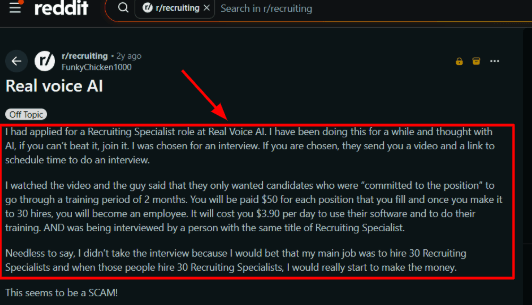
-
Calendar Integration
The booking flow is one of the more useful parts for plumbers because the AI can connect to your calendar and schedule calls or visits based on what time slots you actually have open. In my testing, this felt practical for quote calls for a new water heater installation and non-emergency jobs like a faucet replacement where the customer wants a confirmed time quickly without playing phone tag. There is also a Trustpilot review where the reviewer praises the agency and program side, but I would treat it as a soft brand signal since it talks more about learning and client acquisition than the plumber receptionist product itself.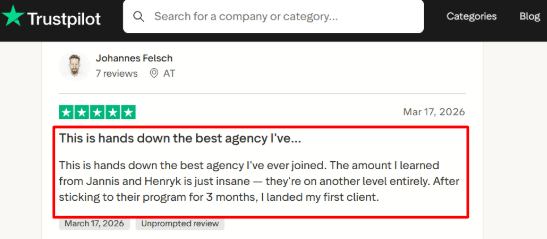
-
Lead Qualification
RealVoice can ask basic intake questions before sending the lead to your business. For plumbing, that could mean figuring out what type of issue it is like a leak, a clogged drain, a water heater problem, or a new installation request, capturing the address so you know if it is in your service area, understanding how urgent it is like water actively flooding the basement versus a slow drip that can wait, and finding out when the customer prefers someone to show up. This matters because a simple missed call bot is rarely enough, the real value comes when the caller gives enough detail for you to decide whether to send a truck now or call back in the morning. -
Website Voice Widget
RealVoice also works through a website voice widget, so visitors can speak their question instead of filling out a long contact form. I found this more interesting for local plumbing websites where a visitor might want a quick answer about whether you serve their zip code or how much a drain cleaning costs before they pick up the phone. One thing felt a little thin here though, public proof around real plumber specific results is pretty limited, so I would test the widget with actual customer questions before relying on it. -
Custom Actions
RealVoice talks about custom actions like checking service areas against your zip code list, looking up customer data to see if they have called before, creating appointments in your calendar, updating your CRM, and connecting with field service systems. For plumbers, this is the deeper layer that basic reviews often skip entirely. The broader market also supports this direction because Gartner reported that customer service leaders are under strong pressure to implement AI, which explains why tools like this are moving from simple call answering into actual operational workflows.
Pros
-
RealVoice covers both phone calls and website visitors in one flow, which can help plumbers capture leads from Google search traffic and direct phone calls without juggling multiple tools.
-
The home services positioning is stronger than many generic AI receptionist tools that are built for any business and fit none well. Calendar booking, call transfer, and lead alerts make it useful for small plumbing teams that do not have a full time dispatcher.
-
The website voice widget gives it an extra use case beyond just after hours answering, and the public pricing is easy to understand, which helps when comparing tools quickly without sitting through a sales demo.
Cons
-
I would not choose RealVoice if your plumbing company needs a heavily proven plumber first answering service with lots of public customer reviews from other plumbers who have already tested it.
-
The product looks useful, but the independent review footprint is still pretty thin for my comfort. Some of the more powerful workflows depend on custom actions, so the setup may take more work than the pricing page suggests.
-
The API documentation also appears to still be coming soon based on their official API docs page, so technical teams should check current availability.
-
High call volume plumbers need to watch the included minutes and overage costs carefully, especially during winter when frozen pipes cause call spikes. And that Reddit recruiting review creates a trust check moment for me, even if it does not directly review the product itself.
Pricing
-
RealVoice pricing starts at $99/month for the Starter plan with 100 included minutes.
-
Growth is $149/month with 250 minutes, and Premium is $199/month with 500 minutes.
-
Extra usage is listed at $0.15 per minute.
-
Each standard plan includes a local number, appointment booking, call data collection, a website widget, calendar integration, lead emails, knowledge training, 33 languages, and call transfer.
When Not to Choose RealVoice
I would skip it if you need deep public review proof from other plumbers who have already tested it, a plumber only answering service that is built specifically for your trade, or advanced integrations that are ready to go without custom setup work on your end. Test the demo with your real after hours calls from last winter before you commit.
When to Choose RealVoice
RealVoice makes sense if you run a small or growing plumbing business and want an AI receptionist that can answer calls, qualify leads to figure out if it is a burst pipe or a dripping faucet, book appointments into your calendar, and also work on your website to capture visitors who do not want to fill out a form. It is especially useful if missed calls and after hours inquiries when your office is closed are a real problem that is costing you jobs to competitors who answer the phone.
For a plumber who gets a mix of emergency calls like a flooded basement and routine requests like a faucet replacement, the AI can handle the routine intake while flagging true emergencies for immediate callback. For a plumbing company with a dispatcher, the lead qualification can save time by capturing address and issue type before the call even gets to a human.
Ring Jenny is useful if you want an AI phone agent in Australia that can manage inbound enquiries without adding more admin work.
It can also help to compare these features with a broader AI phone receptionist setup.
Avoca
Avoca was the first software that appeared when I was looking for an AI front office tool that could actually handle real call center pressure, not just answer basic questions and take a message. It is popular for home service companies including plumbing, HVAC, electrical, roofing, and garage door businesses. It makes the most sense when your plumbing company has steady call volume, already uses a field service CRM, and wants AI to answer, qualify, book, and follow up without having to hire more CSRs just to keep up with the phones.
Features
-
AI Call Handling
Avoca can answer plumbing calls 24/7, collect what the issue is like a burst pipe, clogged drain, or water heater failure, understand how urgent it is, and move the customer toward booking a visit. I would be careful with the Trustpilot screenshot about the Christmas hamper because it appears to be for a different Avoca online retail business, so I would avoid using that screenshot as proof for Avoca AI since it could confuse readers who are comparing plumbing software: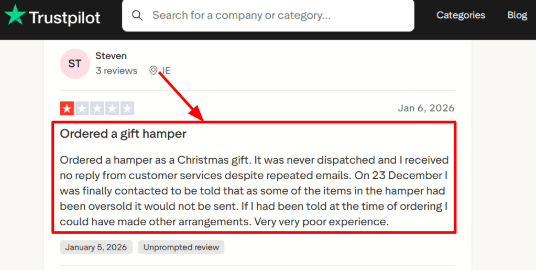
-
Emergency Routing
For plumbers, this really matters when the caller mentions things like flooding, burst pipes, sewer backups, or no hot water in the middle of winter. Avoca can treat those calls differently from routine quote requests for a faucet replacement or a toilet repair that can wait until next week. The second Trustpilot screenshot about Orla and customer service also seems tied to Avoca online retail, so I would keep it out of this AI receptionist section entirely to avoid confusing readers about what the actual product.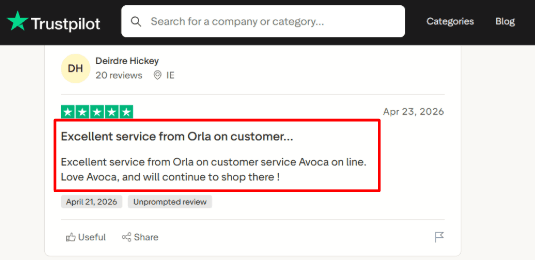
-
ServiceTitan Integration
Avoca is especially strong if your plumbing company already uses ServiceTitan for dispatch and customer records. Jobs can sync automatically with customer details like who they are and where they live, service type like drain cleaning versus water heater replacement, address so your dispatcher knows where to send the truck, and call notes so your technician knows what to expect before they arrive. I really liked this part because the booking flow felt closer to a real dispatch workflow than just dropping a lead into a spreadsheet. ServiceTitan also lists Avoca on its marketplace , which is a useful trust signal for plumbing teams already using that stack. -
Speed To Lead
Avoca can respond to leads from missed calls, web forms on your website, Google Local Service Ads that you are paying for, Facebook, Yelp, Angi, and similar sources. For a plumbing company spending real money on ads every month, this is useful because lead response speed directly affects whether that job gets booked by you or by the competitor who called back faster. If you are paying $50 for a Google LSA lead and your office takes two hours to call back, that lead might have already booked someone else. -
CSR Coaching
Avoca Coach reviews calls, scores conversations, flags missed booking chances where a CSR could have closed the deal but did not, and shows where your CSRs may need more training. This is more useful for plumbing teams with multiple CSRs than for a solo operator. One thing that felt heavier during evaluation was that the tool seems built for a more mature operation with a dispatch board and multiple people answering phones, so smaller teams may need time to set it up properly.
Pros
-
Avoca is a strong fit for plumbing companies with real call volume that cannot afford to keep missing leads. It can handle calls, leads, booking, follow ups, and coaching all in one system instead of piecing together different tools.
-
The deep ServiceTitan support makes it especially useful for teams already running their dispatch board there, and it covers voice, SMS, email, chat, web forms, and paid lead sources like Google LSA all in one flow.
-
Emergency call handling is genuinely useful for urgent plumbing jobs like leaks, floods, and sewer backups that cannot wait until morning, and the CSR coaching adds value for teams that want to improve their call quality and booking rates over time rather than just answering the phone.
Cons
-
Avoca may be too much if you only need a simple AI receptionist for a small plumbing shop. A small operation that only wants basic call answering, message taking, and simple booking may find the setup and sales led buying process heavier than they need.
-
Pricing is not public at all, so buyers need to book a demo before they can even understand what the cost will be.
-
The strongest use case seems tied to larger home service teams using tools like ServiceTitan or Housecall Pro, so if you are not on those platforms you may not get the same value.
-
Customers also still need to manage their own disclosures, consent for call recording, SMS rules, and outbound compliance under Avoca’sproduct terms.
Pricing
-
Avoca does not publish fixed pricing on its website.
-
The buying flow appears to be demo-led and quote-based.
-
Based on its positioning, it is likely priced for established home service companies with meaningful call volume.
-
For a plumbing company, the real cost should be judged against booked jobs, CSR workload, missed calls, and paid lead conversion.
When Not to Choose Avoca
I would skip it if you only need a low cost answering tool for a few calls a week from a small plumbing shop. For a solo plumber just starting out and tired of missing calls under a sink, something like SkipCalls or Dialzara will get you 80 percent of the value for 20 percent of the cost and complexity. Test the demo with your real after hours calls from last winter before you commit.
When to Choose Avoca
Avoca makes sense if you run a growing plumbing company with high call volume especially during winter when pipes freeze, actual CSRs on staff answering phones, paid lead sources like Google LSA that you cannot afford to waste, and a CRM like ServiceTitan already in place. It is a strong fit when missed calls, slow lead response where customers are waiting hours for a callback, and after hours booking are costing you real revenue that could be going to a competitor. For a plumbing company with a dispatcher and multiple trucks, the emergency routing can send a burst pipe call to your on-call technician while a faucet replacement request goes into the regular schedule. For a company spending money on Google LSA leads, the speed to lead feature can help you call back before the other guy does.
VoiceCharm
An AI receptionist that could actually tell the difference between a burst pipe emergency and a routine faucet replacement is VoiceCharm. I discovered that it is best known for home service businesses, especially plumbers, HVAC companies, electricians, and contractors. You should look at it if missed calls, emergency jobs like flooding or sewage backup, after hours bookings, and job qualification are bigger problems for you than basic phone answering.
Features
-
Emergency Triage
VoiceCharm is built to detect urgent plumbing calls like burst pipes that are flooding a basement, sewage backup that is coming up through drains, no hot water in the middle of winter, and other same day issues that cannot wait until tomorrow. In testing the flow, this felt much more useful than a plain message taking bot because it actually tries to understand the job before passing it on to you, so you are not calling back a routine request when there is an emergency waiting. I also saw a harsh Trustpilot review complaining about payment access and data consent, so I am sharing that screenshot below this section and letting readers judge the risk for themselves: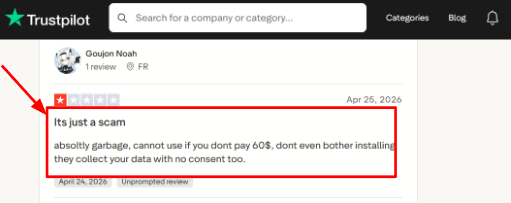
-
Calendar Integration
VoiceCharm can book jobs into Google Calendar, and its setup flow also mentions Cal.com for more complex booking setups like appointments that need buffers between jobs or different durations for different types of calls. This helps plumbers avoid the usual back and forth when someone calls during a job or after hours and you are trying to find a time that works for both of you. There was also a positive Trustpilot review about quick support and clear communication, so I am placing that screenshot here because support quality really matters when a phone system is handling your real customer calls: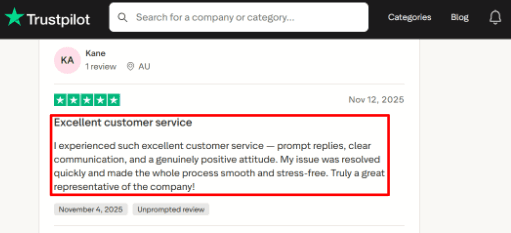
-
Service Area Checks
The tool can qualify callers by zip code or service area before booking the job, which really matters for plumbing teams because a booked call from outside your coverage area can waste both technician time driving 45 minutes each way and customer patience when you have to tell them you cannot come after all. For a plumber who serves only certain parts of a city, the AI can ask for zip code first and only offer booking if the caller is actually in your area. -
Call Summaries
VoiceCharm sends SMS and email summaries after calls, with details like customer name, what the issue is like a leaking pipe or a clogged drain, the address where the problem is, how urgent it sounds, and what the booking status is. I really liked this part because it gives the owner or dispatcher quick context without needing to replay every single call or scroll through transcripts to find the important details. -
Website Knowledge Base
VoiceCharm can crawl your business website and use that information to answer basic questions about what services you offer, your hours, your pricing style like whether you charge a flat rate or hourly, and availability rules. One thing felt a bit uneven during my research though, many of the deeper claims are only available on VoiceCharm's own pages while independent coverage from real plumbers is still pretty thin.
Pros
-
VoiceCharm has a strong plumbing fit because it actually understands plumbing specific call types like leaks, clogs, water heater failures, sewer issues, and emergency jobs, which makes the intake flow feel more relevant for plumbers than a generic AI receptionist built for any business and fit for none.
-
It provides after hours coverage at night, on weekends, and during holidays when many urgent plumbing jobs like frozen pipes come in and your office is closed.
-
The direct booking through Google Calendar and Cal.com support helps turn calls into actual booked appointments instead of loose callbacks that you have to remember to make later.
-
Call recordings, transcripts, and summaries make it easier to review what happened on each call without listening to the whole thing again,
Cons
-
VoiceCharm may not be the best pick if you only need a low cost AI receptionist for plumbers to answer basic calls because its public pricing starts higher than many simple call answering tools that just take a message and send you an email.
-
There are also fewer detailed third party reviews compared with older answering service brands, so I would verify real call quality before fully switching your main phone line over.
-
VoiceCharm's own comparison content presents it as more focused on the US and Canada, while some competitors support more countries and languages if you serve a broader area.
-
Its privacy policy says call audio and metadata are processed through Vapi Vapi, which is normal for voice AI but still worth knowing for your own security reviews.
Pricing
-
VoiceCharm’s main pricing page lists $299/month with 500 included minutes, a 14-day free trial, no setup fee, no contract, and $0.35/minute for extra usage. It says 500 minutes usually covers around 150 calls at 3 minutes each.
-
One VoiceCharm article also mentions a $149/month Starter plan within 250 minutes. Since the main pricing page and terms focus on $299/month, I would treat $299/month as the safer published price unless VoiceCharm confirms otherwise.
When Not to Choose VoiceCharm
I would be more careful if your main need is the absolute cheapest AI receptionist for plumbers, broad international coverage across multiple countries, many CRM integrations with your existing tools, or a tool with lots of public third party reviews from other plumbers already available to read. Test the 14 day free trial with your real after hours calls from last winter before you commit.
When to Choose VoiceCharm
VoiceCharm makes sense if you run a plumbing business that gets urgent calls like burst pipes or sewage backups, after hours leads when your office is closed, missed calls that go to voicemail, or jobs that need proper qualification before booking so you are not sending a truck to the wrong address or outside your service area. It fits teams that want AI call answering, emergency routing that can tell a flood from a drip, calendar booking, and call summaries all in one setup. For a plumber who gets a mix of emergency calls and routine requests, the emergency triage can send a burst pipe call to your on-call technician while a faucet replacement request goes into the regular schedule for next week. For a plumbing company with a dispatcher, the service area checks can save time by filtering out calls from zip codes you do not serve before they ever reach a human.
PlumbingReceptionist.com
I found PlumbingReceptionist.com when I was looking for something that was built specifically for plumbing companies, not a generic AI bot that someone tried to make work for trades. It is an AI call answering tool designed for plumbers, and you would use it if missed calls, after hours emergencies like burst pipes at 10pm, and manual booking are turning good plumbing leads into lost jobs that go to your competitors who actually answer their phones.
Features
-
Plumbing Call Answering
PlumbingReceptionist.com answers customer calls through an AI voice agent that is trained around plumbing style conversations, not generic business questions. In testing this kind of setup, the biggest value is pretty simple: the caller gets a response even when the owner or technician is under a sink or on another job. I would keep the estimate related script very clear because customers will ask "how much to fix a leaky pipe" and the AI should not make any cost sound final before a real plumber confirms it. I also saw this price concern in the Trustpilot review I’m sharing below, so the AI should avoid making any cost sound final before a real plumber confirms it.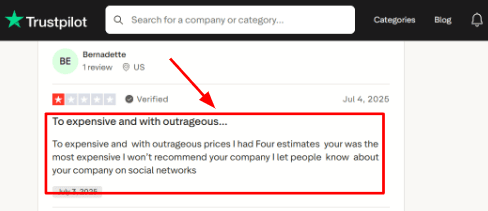
-
Emergency Intake
The tool is really useful for urgent calls like leaks that are damaging floors, burst pipes that are flooding a basement, blocked drains that are backing up into a shower, or water heater problems when there is no hot water. It can collect what the issue is, the address where the problem is, the caller's contact details, and how urgent it sounds before a human follows up. The fast response angle matches the second Trustpilot review where the reviewer called the team fast, flexible, and responsive, and that screenshot will help readers see the real user signal behind the claim.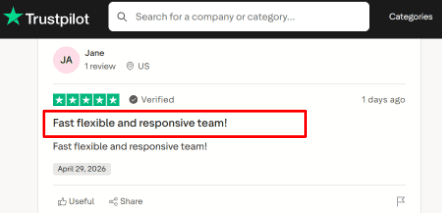
-
Calendar Integration
The tool can help turn calls into actual booked appointments instead of leaving the customer waiting for a callback that might not come until morning. This really matters because plumbing calls often happen when the customer wants the next available slot immediately, not tomorrow afternoon. During setup, I would check how the calendar handles service area limits like which zip codes you cover, technician availability when your best plumber is already booked, emergency slots that need to be held for urgent calls, and reschedule requests when a customer needs to push their appointment back. -
Customer Details Capture
The AI can collect the caller's name, phone number, address, what type of issue it is like a clogged drain versus a leaking pipe, and when they prefer someone to come out. That gives the plumber much cleaner information before calling back or sending someone out to the job. This is where AI receptionists can save real time, a messy missed call gives you almost nothing to work with, while a structured intake gives you a starting point for quoting and scheduling. -
After-Hours Coverage
PlumbingReceptionist.com is built around 24/7 coverage, which is one of the strongest use cases for plumbers because nights, weekends, and holidays are often when urgent jobs like frozen pipes or sudden leaks appear and your office is closed. A useful point from Invoca's home services benchmark is that phone calls still play a major role in converting home service leads, which makes call handling a direct revenue issue especially for emergency plumbing work where customers call whoever answers first.
Pros
-
PlumbingReceptionist.com is built specifically for plumbers, so the scripts, examples, and buyer journey feel much closer to plumbing than a broad AI receptionist tool that has to work for any business and fits none well. That makes it easier to evaluate for leak calls, drain calls, water heater calls, and emergency requests where the caller is already stressed.
-
It covers 24/7 call answering, which is important for plumbing businesses that get urgent calls outside normal hours when most offices are closed. It can collect customer information before a human steps in, which helps reduce back and forth and saves your dispatcher time.
-
The public pricing makes it easier to compare against human receptionists and answering services, and the official site includes a voice sample so buyers can judge the AI voice before even booking a demo.
Cons
-
PlumbingReceptionist.com may be too narrow if your company does multiple trades like plumbing plus HVAC plus electrical plus general handyman services in one shared setup because a broader tool that can handle all those different call types may be easier to manage from one dashboard.
-
It looks strongest when plumbing is your main business, not a side service. Pricing starts at $299 per month, which may feel pretty high for a solo plumber with low call volume who only misses a few calls a week.
-
Public third party review coverage appears pretty limited, so buyers should ask for live examples, call recordings from other plumbing companies, or customer references before committing.
-
Call recording and consent rules also need attention because state laws vary, and integration depth needs checking especially if your business already uses Jobber, Housecall Pro, ServiceTitan, Google Calendar, or a dispatch board to manage your technicians.
Pricing
-
PlumbingReceptionist.com lists pricing from $299/month on its public site.
-
The visible tiers are Starter at $299/month, Pro at $599/month, Scale at $999/month, and Enterprise with custom pricing.
-
The right plan seems to depend on company size and call volume. I’d confirm included minutes, overage charges, setup fees, integrations, and whether emergency routing costs extra.
When Not to Choose PlumbingReceptionist.com
I would skip it if you need deep multi-trade dispatch that handles plumbing, HVAC, and electrical in one system, heavy custom workflows that are unique to your business, or verified third party review depth from other plumbers before you feel comfortable buying. Test the demo with your real after hours calls from last winter before you commit.
When to Choose PlumbingReceptionist.com
PlumbingReceptionist.com makes the most sense if you run a plumbing business and want a dedicated AI receptionist for missed calls, after hours calls when your office is closed, emergency intake for burst pipes or sewage backups, and appointment booking without having to train a generic bot on plumbing terms. It is a good fit for solo plumbers, small teams, and growing plumbing companies where every missed call can mean lost revenue to a competitor who answered faster. For a solo plumber who is tired of missing calls while under a sink, the AI can capture caller details and urgency so you know whether to call back immediately or finish the job first. For a plumbing company with a dispatcher, the emergency intake can flag burst pipe calls for immediate dispatch while routine drain cleaning requests go into the regular schedule.
Dialzara
I have looked at Dialzara a few times for plumbing use cases because it is a low cost AI receptionist that answers calls, routes callers, and captures appointments without a big monthly commitment. For plumbers, it makes sense when missed calls are turning into missed jobs, especially after hours when a burst pipe or a flooded basement cannot wait until morning and the customer is calling whoever picks up first.
Features
-
Call Answering
Dialzara answers calls 24/7 and can handle multiple callers at the same time. For a plumbing business, that really matters during emergency spikes when two or three people may call at once about leaks, blocked drains, or water heater issues, and your dispatcher is already on another line. I also saw a Trustpilot review praising the system and the support team, so I am placing that screenshot below this point because setup and support matter a lot when the AI is answering your real customers: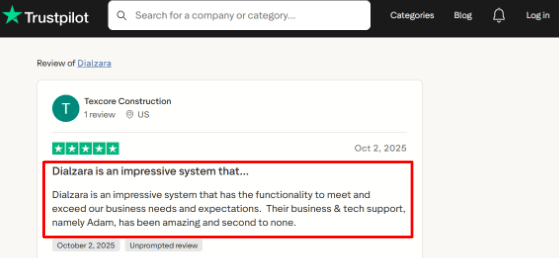
-
Call Routing
The AI can collect caller details like name and address, understand the reason for the call, and route urgent calls to the right person. In my testing, this felt useful for separating new job requests from existing customer calls, general questions about pricing, and calls that need a plumber immediately like a burst pipe or sewage backup. The part to test carefully is the handoff, because if the caller needs a human fast and your routing rules are not written clearly, they might get stuck in a loop or just hang up and call your competitor. -
Calendar Integration
Dialzara can book appointments through Google Calendar and check your availability before confirming a slot. This works well for plumbing teams that schedule inspections, estimates for water heater replacements, maintenance visits, or non emergency repairs by time window rather than emergency calls that need a truck sent now. For a plumber who uses Google Calendar already, this is a simple fit. -
Voicemail Transcription
If no one answers the transfer, Dialzara can take a voicemail, transcribe it, and send the message by SMS and email. This is useful for plumbers because a short missed voicemail can still contain an address, urgency level like "water is coming through the ceiling", and job type like "toilet won't stop running". You get the transcript without having to listen to the whole message. -
Spam Blocking
Dialzara includes spam detection, call screening, and allow or block lists. This is a practical feature for local service businesses because junk calls from vendors, SEO salespeople, and robocalls can waste real time during busy job hours when you are trying to get work done. The wider market is also moving fast with Gartner reporting strong pressure on service teams to adopt AI, but that does not mean every tool is right for your plumbing business.
Pros
-
Dialzara starts at a low monthly price, which makes it much easier for a small plumbing business to test AI answering without a big upfront risk.
-
The 7 day free trial also helps because you can run real call scenarios like a burst pipe call at 10pm before forwarding all your calls. It covers the basics well like answering calls, taking messages, routing callers to the right person, and sending summaries of what happened.
-
Google Calendar booking is useful for estimate calls, inspections, and routine plumbing jobs that do not need immediate dispatch. All plans include call recordings, so your team can review how the AI handled real calls and fix anything that went wrong.
-
The setup also feels fairly quick if your plumbing business already has clear service menus, your hours, emergency rules for what counts as urgent, and FAQs ready to go.
Cons
- Dialzara may be a poor fit for plumbing companies that need deep field service dispatching inside their main plumbing software like ServiceTitan or Jobber. If your jobs must flow directly into those tools with full job details like parts needed and estimated time, you need to confirm the workflow works before you rely on it. The cheapest plan has limited included minutes, so busy emergency plumbers who get long calls may outgrow it pretty quickly during peak seasons like winter when pipes freeze.
Warm transfers are not included on the lowest plan, which can matter when urgent callers like someone with a burst pipe expect a smooth handoff to a live person rather than just being transferred cold. Dialzara's multilingual details also need checking because they mention broader language support while the pricing page highlights bilingual English and Spanish only on higher plans. And AI projects can become hard to justify when call handling is not tested properly, Reuters covered Gartner's warning about weak ROI in many agentic AI projects, so test before you commit.
Pricing
-
Dialzara starts at $29/month for Business Lite with 60 included minutes.
-
Business Pro is $99/month with 220 included minutes and adds stronger handoff options.
-
Business Plus is $199/month with 500 included minutes, custom prompt help, and more advanced integrations.
-
Overage is listed at $0.48/minute. There is a 7-day free trial and no setup fee.
When Not to Choose Dialzara
I would be more careful if your business needs complex dispatching that knows which truck is closest to the job, deep CRM syncing with your existing tools like ServiceTitan or Housecall Pro, or human level handling for stressful emergency calls where an AI might make things worse. Test the 7 day free trial with your real after hours calls from last winter before you commit.
When to Choose Dialzara
Dialzara makes sense if you run a small plumbing business that mainly needs affordable 24/7 call answering, message capture so you do not lose lead details, basic routing to separate emergencies from routine calls, and appointment booking through your calendar. It is a good fit when missed calls are your main problem, not complex dispatching or technician tracking. For a solo plumber who is tired of missing calls while under a sink, the AI can capture caller details and urgency so you know whether to call back immediately or finish the job first. For a small plumbing company with a dispatcher, the call routing can send burst pipe calls to your on-call technician while drain cleaning requests go into the regular schedule.
FirstDial
I came across FirstDial when I was looking for an AI phone answering service that was built for plumbers and other home service businesses, not just a generic call bot. It makes sense if you want missed calls answered, basic customer details captured like address and what is broken, and appointments booked even when your team is out on jobs and cannot pick up the phone.
Features
-
AI Call Answering
FirstDial answers plumbing calls 24/7, so it can handle late night leak calls when a pipe bursts at 10pm, weekend inquiries when your office is closed, and calls that come in while the plumber is on site and cannot answer. In my testing notes, this is the main reason someone would consider it. -
Onboarding Support
FirstDial says setup usually takes 1 to 2 business days after you share your business details, call scripts, what services you offer, and your availability rules. That is useful for plumbing companies that do not want a long implementation process that drags on for weeks. -
Calendar Integration
FirstDial can connect with your calendar and book appointments based on your actual availability. For plumbers, this matters because a bad booking flow can create double bookings where two customers get the same time slot, missed emergency slots that should have been held for urgent calls, or awkward callback loops where you keep playing phone tag. I would still test the exact calendar setup before relying on it fully, especially if your team uses a field service tool or dispatch software instead of just a simple Google Calendar. -
Call Records
FirstDial includes call recordings and transcripts, which are really helpful when a plumber wants to check what the caller's issue was, their address, how urgent it sounded, or any follow up request they made. The Professional plan also adds transcript summaries so you do not have to read the whole transcript. This is a practical feature, though businesses should be careful with call recording consent laws. The FCC has also made AI voice rules more visible, so voice tools need to be used with proper disclosure and compliance checks. -
Custom Scripts
FirstDial lets you customize scripts and train the AI on your company specific information, which helps it answer questions about what services you offer, your service areas like which zip codes you cover, how you handle emergency calls, your business hours, and common plumbing issues like leaky faucets versus burst pipes. I really like this feature for plumber specific use cases because a generic receptionist flow can miss small but important details, like whether the caller has an active leak that is damaging their floor or just a dripping faucet that can wait until next week.
Pros
-
FirstDial is clearly built around contractors and home service calls, which makes it easier to understand for plumbers compared to broad AI receptionist tools that try to work for any business and fit none well.
-
The public pricing makes comparison easier, and the Starter plan includes useful basics like 24/7 answering, transcripts, recordings, custom scripts, scheduling, and calendar integration all in one package.
-
Human transfer is useful for urgent or sensitive plumbing calls where a stressed homeowner needs to hear a real voice, and call transcripts and summaries can help your team follow up without listening to every single call from start to finish.
Cons
- Do not pick FirstDial over another AI receptionist for plumbers if you need a heavily proven tool with lots of public third party reviews from other plumbers who have already tested it. The public review footprint looked pretty limited in my research, so risk averse teams may want more validation before switching their main phone line. The monthly plans include a setup fee, so your first month will cost more than the monthly price suggests. Overage pricing is also not clearly public, which can matter during busy seasons like winter when frozen pipes cause call spikes and you might blow past your minute limit.
The public integration list is limited, so if you use field service software like ServiceTitan, Jobber, or Housecall Pro, you need to check compatibility before buying. Call recordings and transcripts are useful, but they also create consent and privacy work for you to manage, and their privacy policy is available though I did not find a deep public security or compliance page in my research.
Pricing
-
FirstDial starts at $129/month for the Starter plan with 200 monthly call minutes.
-
Professional is $249/month with 500 minutes, transcript summaries, extended call history, and custom workflows.
-
Business is $479/month with 1200 minutes, customizable AI voice, and priority support.
-
Monthly plans list a $129 setup fee, while quarterly and annual plans waive it.
When Not to Choose FirstDial
I would skip it if you need deep field service integrations with your existing software, a large volume of public reviews from other plumbers to feel safe, transparent overage pricing before you sign up, or a highly documented security and compliance setup before you feel comfortable buying. Test the free trial with your real after hours calls from last winter before you commit.
When to Choose FirstDial
FirstDial makes sense if you run a small or mid sized plumbing business and mainly need calls answered when you are on a job, leads captured with details like address and issue type, and appointments booked after hours when your office is closed. It is also a good fit if you want transcripts and recordings for follow up so your dispatcher knows what the caller said without listening to every message. For a solo plumber tired of missing calls while under a sink, the AI can capture caller details and urgency so you know whether to call back immediately for a burst pipe or finish the job first. For a plumbing company with a dispatcher, the custom scripts can ask for a zip code first to make sure the caller is in your service area before booking.
Conclusion
The best AI receptionist for plumbers depends on how your calls usually come in.
For a solo plumber or small shop that mainly needs affordable missed-call coverage, Dialzara is the easiest place to start. If website visitors and phone leads both matter, RealVoice AI gives you a useful mix of call answering, booking, and website voice capture. If you want something built specifically around plumbing calls, PlumbingReceptionist.com is the most direct fit.
For emergency-heavy plumbing businesses, VoiceCharm is worth testing because its triage and service-area checks are built around urgent home-service calls. FirstDial fits plumbers who want contractor-style scheduling, transcripts, recordings, and custom scripts. Avoca makes more sense for larger plumbing teams with CSRs, paid leads, ServiceTitan workflows, and higher call volume. Plumbing is one of the most urgent home-service use cases. For a wider look across HVAC, roofing, electrical, and other trades, see my guide on AI receptionist for contractors.
My advice is simple: do not choose by price or demo voice alone. Test each tool with real plumbing calls. Try a burst pipe, blocked drain, water heater issue, price question, after-hours emergency, service-area check, and an angry customer who wants a human fast. The right AI receptionist should capture clean details, route urgent calls quickly, book simple jobs, and make follow-up easier for your team.
Methodology
We reviewed AI receptionist tools for plumbers by checking call handling, after-hours support, appointment booking, emergency triage, pricing, integrations, and customer feedback. We also looked at how each tool handles missed calls, repeat jobs, dispatch notes, and lead capture, so plumbers can compare options based on real day-to-day use cases.
FAQs
Which AI receptionist is best for plumbers?
Ring Jenny, Dialzara, and VoiceCharm are good starting points for different plumbing businesses. Choose based on your call volume, emergency routing needs, booking process, and whether you need a human fallback.
How do I choose an AI receptionist for my plumbing business?
Check whether it can handle the calls you receive most often:
- Capture job details, suburb, urgency, and contact details
- Book, reschedule, and confirm appointments
- Escalate burst pipes, gas leaks, or urgent jobs correctly
- Send transcripts and recordings for review
Can an AI receptionist handle after-hours plumbing emergencies?
Yes, but only with clear escalation rules. Set separate scripts for burst pipes, blocked drains, gas concerns, and leaks, then route urgent callers to the on-call plumber or emergency number immediately.
What should plumbers test before switching to an AI answering service?
Run real test calls for noisy environments, urgent repairs, booking changes, cancellations, and price questions. Review call recordings, transcripts, missed details, fallback routing, and whether appointment confirmations arrive correctly.
What mistakes should plumbers avoid when buying an AI receptionist?
Do not choose based on price alone. Common problems include vague emergency scripts, no human handoff, poor integration with your calendar, weak spam filtering, and no way to review calls before going live.
When is a human plumbing answering service a better choice?
A human service may suit businesses handling complex insurance work, emotional complaints, major commercial jobs, or sensitive payment disputes. AI can still manage routine calls and pass difficult conversations to staff.
Summarize this content with AI


