

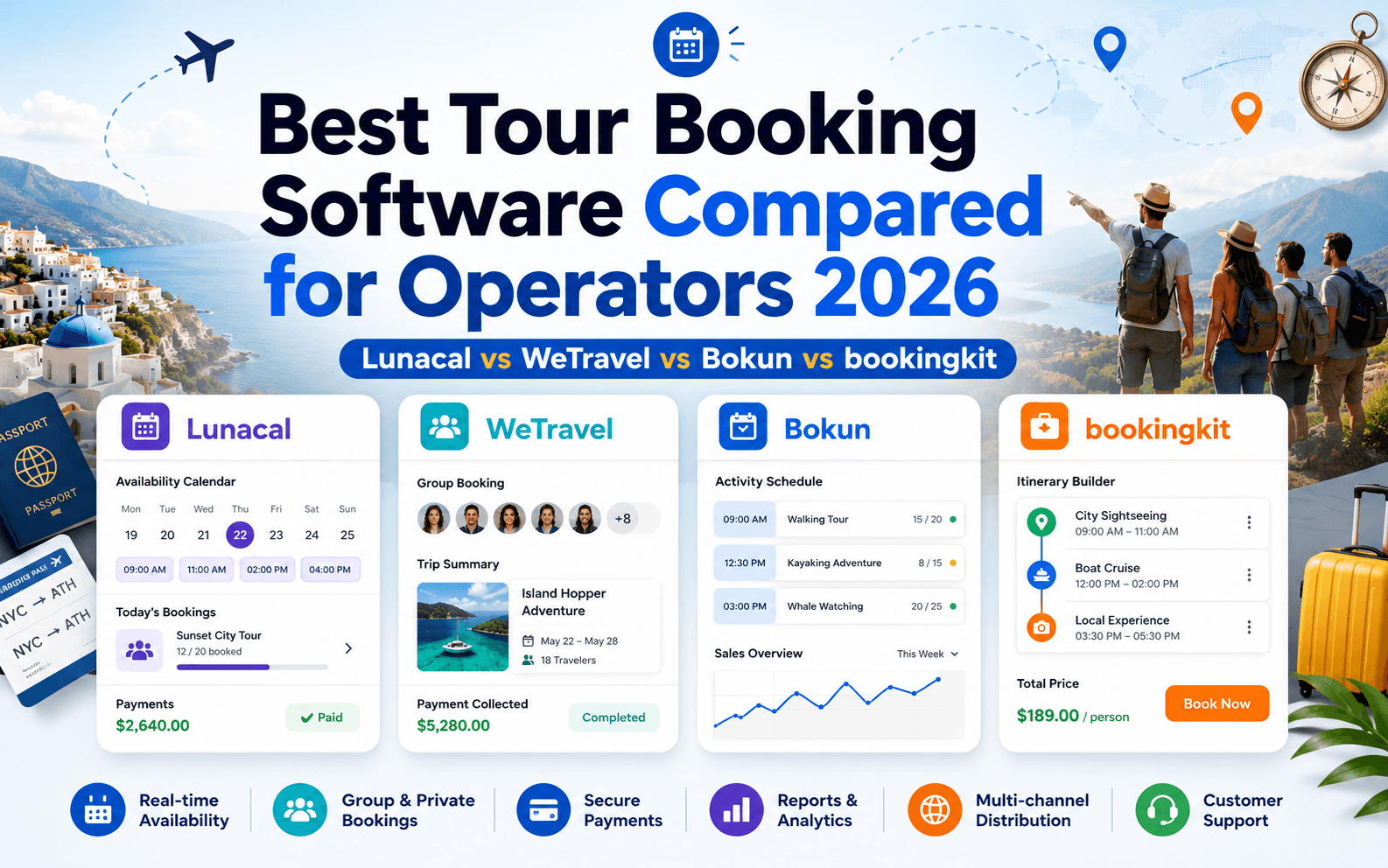
Introduction
Tour bookings look simple until reschedules, deposits, and last minute changes start piling up. One broken step and a guest bails, or shows up at the wrong time. That is why picking the right tour booking software matters more than it used to. Arival reports OTA share reached 37% of bookings in 2025 and direct website bookings slipped, so the booking flow has to be tight end to end: Direct Bookings Dive, OTAs Rise For this guide, I manually tested tools end to end, from setup to a real booking, payment, and the confirmation email. I also reviewed feedback on G2, Capterra, Trustpilot and Reddit, then stress-tested areas many comparisons overlook, including refunds, waivers, intake forms and mobile booking speed.
Best Tour Booking Software Comparison
Quick fit by business type
| Business Type | Best Tool | Why it fits |
|---|---|---|
| OTA-heavy operators | Rezdy | Built for reseller distribution, OTA reach, and commission workflows |
| Multi-channel scaling teams | TrekkSoft | Strong inventory sync across OTAs and direct bookings |
| High-volume tour companies | Bokun | Deep channel manager with allocation and partner controls |
| Resource-heavy operations | The Flybook | Handles guides, gear, waivers, and staff scheduling |
| Ops-first tour companies | Checkfront | Strong manifests, session control, and day-of workflows |
| Multi-day group trips | WeTravel | Installments, traveler management, and multi-currency payments |
| API-first operators | Bookingkit | Modern API with resource scheduling and partner distribution |
| Simple branded booking pages | Lunacal | Clean scheduling UX with fast setup and conversion-focused pages |
Feature and pricing comparison
| Feature | Rezdy | TrekkSoft | Bokun | Bookingkit | Flybook | Checkfront | WeTravel | Lunacal |
|---|---|---|---|---|---|---|---|---|
| OTA distribution | Yes | Yes | Yes | Yes | Limited | Limited | No | No |
| Channel manager | Yes | Yes | Yes | Yes | No | No | No | No |
| Direct booking checkout | Yes | Yes | Yes | Yes | Yes | Yes | Yes | Yes |
| Resource scheduling | Medium | Medium | Medium | Strong | Strong | Medium | No | No |
| Manifest / ops tools | Yes | Limited | Limited | Limited | Strong | Strong | No | No |
| Payments built-in | Yes | Yes | Yes | Yes | Yes | Yes | Strong | Yes |
| Installments | No | No | No | No | No | No | Yes | No |
| Multi-currency | Limited | Limited | Limited | Limited | Limited | Limited | Yes | Limited |
| API access | Yes | Yes | Yes | Yes | Limited | Yes | Limited | Limited |
| Setup complexity | Medium | High | High | High | High | Medium | Medium | Low |
| Best for scale | Yes | Yes | Yes | Yes | Yes | Yes | Yes | No |
| Pricing model | Subscription + fee | Subscription + fee | Subscription + fee | Subscription + fee | Transaction-based | Subscription + fee | Subscription + fee | Subscription |
| Free plan | No | No | No | No | No | No | Yes | Yes |
In Depth Comparison Of Each Tool
Lunacal
Lunacal is a flexible booking platform for tour operators that want a professional booking experience without the complexity of a traditional tour reservation system. It works particularly well for independent guides, walking tours, workshops, local experiences and small tour companies that mainly take direct bookings.
The booking page can include service details, images, videos, testimonials, FAQs and policies, allowing it to function more like a small website than a basic scheduling form.
Features
-
Custom booking pages: Each tour or experience can have its own page with descriptions, images, videos, testimonials and important booking information.
-
Group bookings and workshops: Operators can create tours with fixed dates, set participant limits and allow multiple guests to reserve the same time slot.
-
Availability controls: You can configure working hours, booking notice periods, buffers between tours, daily booking limits and unavailable dates.
-
Payments and deposits: Lunacal supports online payments, deposits, coupons and prepaid packages through Stripe and PayPal.
-
Calendar integrations: Bookings can sync with Google Calendar, Outlook Calendar and other supported calendars to reduce scheduling conflicts.
-
Automated reminders: Email and SMS reminders can be sent before a tour, helping reduce missed bookings and last-minute confusion.
-
Booking questions: Operators can collect details such as the number of participants, preferred meeting point, accessibility requirements or special requests during booking.
-
Team scheduling: Tour companies with multiple guides can manage shared availability, assign bookings or distribute reservations using round-robin scheduling.
Pros
- Booking pages are more detailed and visually customisable than standard scheduling pages.
- Suitable for both private tours and fixed-capacity group experiences.
- Supports payments, deposits, discount codes and packages.
- Useful for operators who want to generate more direct bookings through their own website.
- Customers can book without creating an account.
- Calendar syncing and automated reminders reduce manual administration.
Cons
- It does not offer the same marketplace or reseller distribution network as dedicated tour platforms such as Rezdy or Bókun.
- It may not suit large attractions that require complex ticket scanning, transport management or advanced inventory controls.
- Operators managing hundreds of departures across multiple locations may need a more specialised reservation system.
When to Choose Lunacal
Choose Lunacal if you run a small or growing tour business and want an easy way to accept direct bookings, collect payments and present your tours professionally.
It is particularly suitable for walking tours, private guides, food tours, photography experiences, workshops and other appointment- or group-based activities. Larger operators that rely heavily on online travel agencies, reseller networks or complex inventory management may be better suited to a dedicated tour distribution platform.
Rezdy
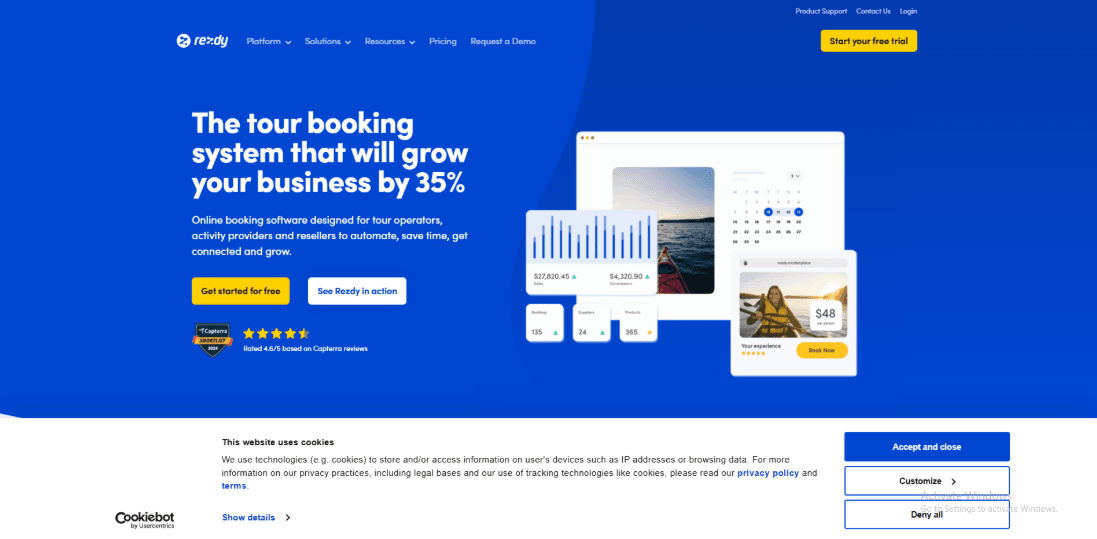
Rezdy is best known for tour and activity bookings with strong OTA and reseller distribution tools.
If your goal is to sell tours beyond your own website, Rezdy tends to go deeper than “best tour booking software” options that mainly handle direct bookings.
Features
-
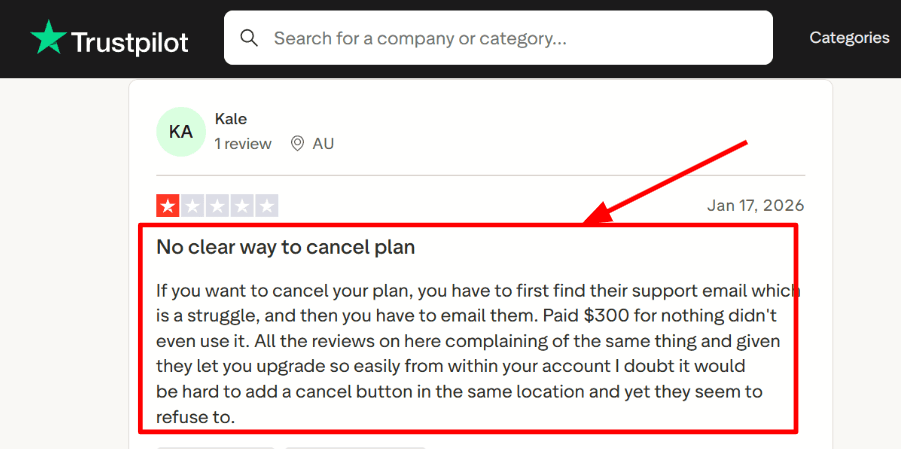
Channel distribution I set this up mainly for reseller and OTA reach, and it is the clearest Rezdy strength. A Trustpilot review I saw complained about account management friction, and the same “self-serve vs support” pattern shows up here too, which I will screenshot below. Compared to many best tour booking software tools that focus on website checkout first, Rezdy feels like it starts from distribution and works backwards.
-
Checkout flow The booking checkout is fairly structured and easy to get live on a site. I did notice an “account control” gap during setup, and it matches a negative Trustpilot review about not having a clear in-product cancel path, I will share that screenshot below. Rezdy has documented recent work on its checkout UX, the “updated checkout flow” notes in Rezdy Support are worth reading before you migrate traffic.
-
Manifest operations The manifest is where the product starts to feel operational, not just a booking form. For day tours, it is straightforward. For multi-stop or multi-day tours, I ended up testing a few manifest views before it fit my staff workflow. Their how-to guide on manifests in Rezdy Support is practical, and it covers details most quick comparisons skip.
-
Payment integration Payments are flexible if you already use Stripe or another gateway and want it connected to bookings. One thing to watch is payment stack changes over time, Rezdy’s own note on retiring older payment flows is a good indicator of how migrations can affect day-to-day ops. Most best tour booking software tools have payments, but Rezdy’s nuance is how payments interact with resellers and commissions.
-
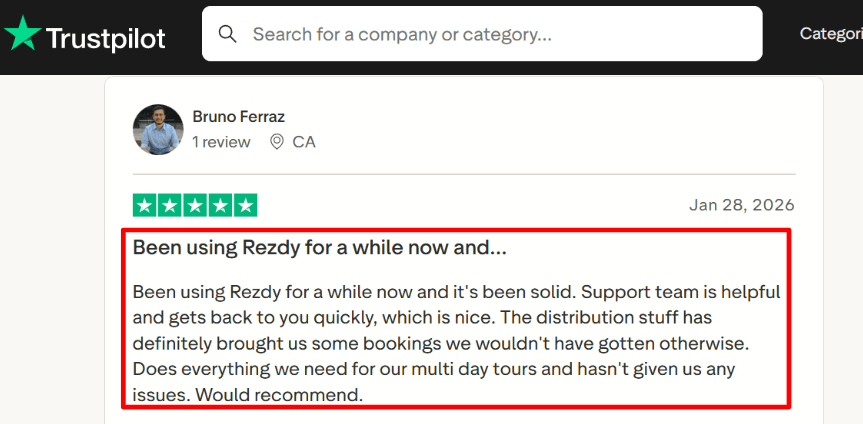
Calendar-style availability Availability setup is product-and-session driven, which is powerful once it is configured. The first time I tried to model capacity limits and resources, it took longer than expected to get the rules correct. A Trustpilot review also calls out that it “does everything we need for multi day tours,” and I agree, once availability is dialed in, it stays stable.
Pros
-
Strong fit when you need both direct bookings and reseller distribution, not just a website checkout.
That mix is where Rezdy stands out from many best tour booking software options. -
Helpful support responsiveness is a repeated theme in user feedback, and it matched my experience.
-
Manifest tooling is genuinely useful for day-of operations, not just admin reporting.
-
Solid for multi-day tour structures once products and sessions are modeled correctly.
-
GA4 and tracking support exists, which helps when you care about funnel visibility.
Cons
-
If you only need simple direct bookings with no distribution or reseller workflows, Rezdy can be more than you need compared to simpler best tour booking software tools.
You may pay for complexity you will not use. -
Some account actions can feel less self-serve than you expect, including cancellation flow complaints in Trustpilot.
-
Pricing can include a booking fee component, which matters if most of your volume is low-margin.
-
Payment stack transitions can create migration work, see the Rezdy Support note on Retiring RezdyPay v1.
-
Initial setup for capacity rules and resources can take real time if your tours are operationally complex.
Pricing
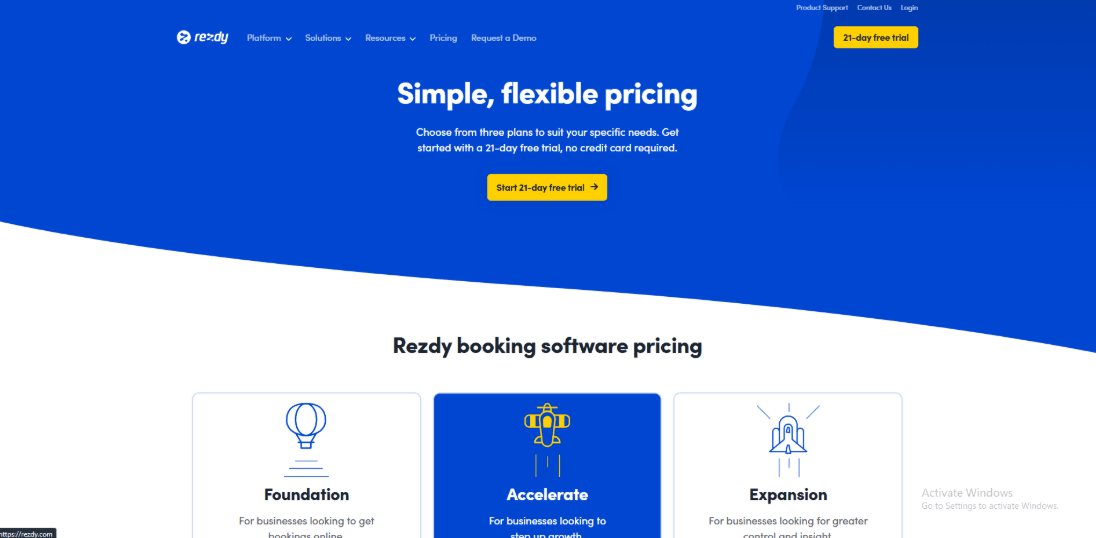
- Rezdy lists tiered plans and typically pairs subscription pricing with an online booking fee component.
- In practice, I would budget for the plan plus how that fee scales with your volume and margins.
- Start with the official plan breakdown and trial terms on the Rezdy Pricing page, then validate any reseller or offline fee assumptions in your contract.
When to Choose Rezdy
Choose Rezdy when distribution is a real growth lever, not a nice-to-have.
It is a strong fit for operators who sell through OTAs, affiliates, and resellers, and need inventory control plus day-of ops like manifests.
If your business is mostly simple direct bookings and you want the lightest setup, a simpler best tour booking software may be the better call.
TrekkSoft
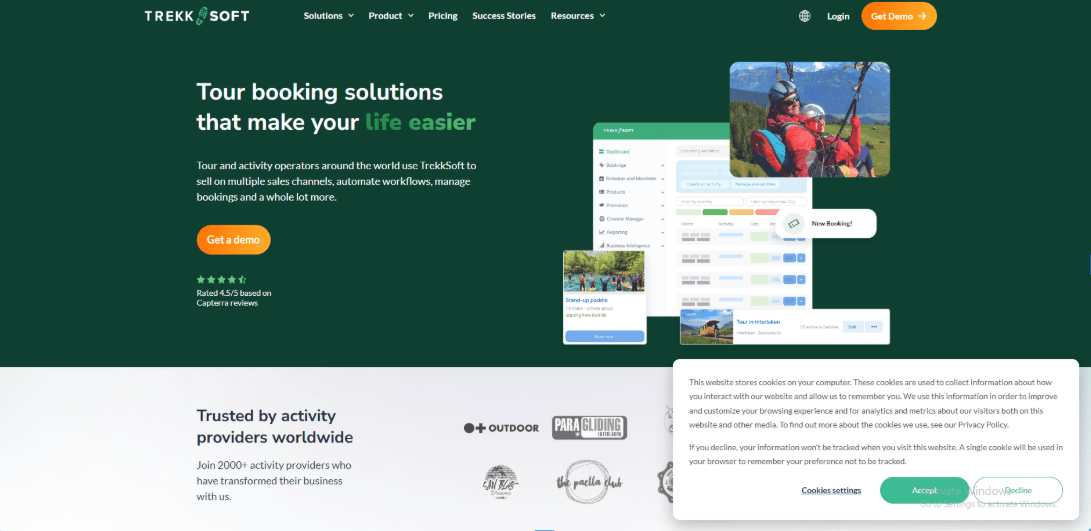
TrekkSoft is best known for tour and activity booking operations that need OTA distribution plus direct website bookings in one system.
Compared to Best Tour booking Software in general, it leans more toward inventory and channel complexity than a simple “take bookings” tool.
Features
-
Channel sync I used this mainly to keep availability aligned across OTAs and the website.
In practice, it matters most when guides, boats, or seats are limited and you cannot afford duplicate reservations.
This is where it feels different from a typical Best Tour booking Software that focuses only on website bookings.
It is powerful, but it pushes you into thinking in inventory rules, not just a calendar. -
Booking widget The website embed is flexible and you can place it in different ways, which helps if your site has multiple tour pages.
I did notice the setup can feel heavy early on, and I saw the same pattern in a G2 review. I am sharing a screenshot below because it matches what I ran into.
If your team is not comfortable with settings and terminology, the first week can be slower than expected.
Once it is stable, the flow is consistent, but it is not the simplest widget experience I have tested.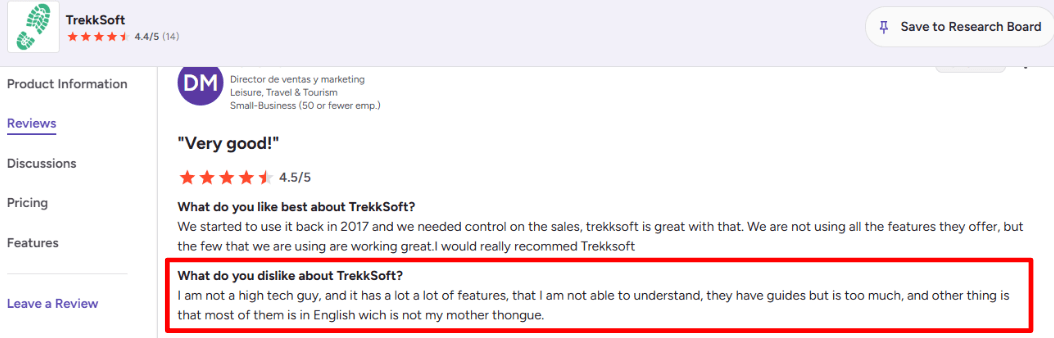
-
Payment integration Payments run through its Payyo flow, and the checkout options are built for tours rather than generic ecommerce.
When I tested card flows, I kept an eye on PCI handling because tour operators often have refunds, partial payments, and edge cases.
Their docs also mention PCI-driven changes to API payment handling, which is a detail people skip until something breaks.
You can read that note in the TrekkSoft Help Center on PCI-related payment process changes. -
Google Things to do If you care about Google travel visibility, this is a real lever when set up properly.
One operational thing I keep in mind is Google’s feed freshness expectations, because stale data can cause takedowns.
Google’s own Actions Center docs mention regular feed uploads, which is worth planning for if you go this route.
This is another area where TrekkSoft behaves more like a distribution engine than “just” Best Tour booking Software. -
POS and QR check-in The POS and mobile check-in capabilities fit walk-ins and on-site ticket validation.
I tried the QR scanning flow and liked the speed for busy pickup points, though device and workflow consistency needs discipline.
It is useful when you have multiple departure times and need fast verification without pulling up full booking records.
I also saw a Trustpilot review praising TrekkSoft for daily use as an OTA and website link, and I will share that screenshot below because it aligns with this operational style.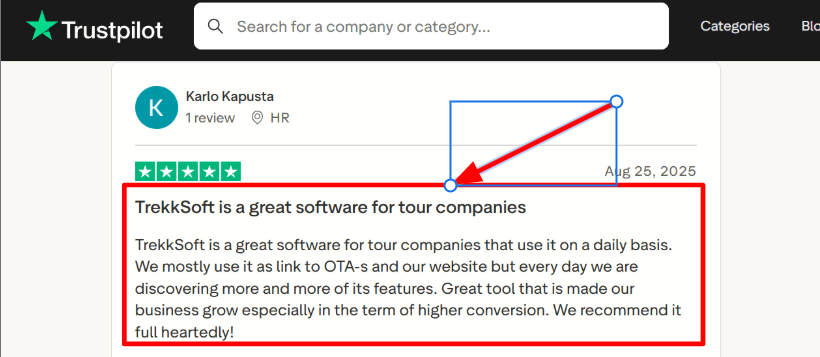
Pros
-
Strong fit for operators who sell through OTAs and their own site, while still needing one source of truth for inventory.
It feels more built for distribution complexity than many Best Tour booking Software options. -
Real-time channel inventory syncing reduces overbooking risk.
-
Payment flow is designed around tours, with deposits and refund realities.
-
POS plus QR check-in helps with walk-ins and high-volume departure points.
-
Broad integration story through channels and automation tooling.
Cons
-
If you only need a clean website booking link and simple scheduling, TrekkSoft can be the wrong pick compared to simpler Best Tour booking Software.
You will spend time on settings you may never use. -
The learning curve is real for non-technical operators.
-
Documentation and UI language may be limiting for teams that do not operate in English.
-
Pricing can be harder to estimate because fees vary by channel type.
-
API payment handling has PCI-driven constraints that can complicate custom builds, described in the TrekkSoft Help Center on PCI-related API payment process changes.
Pricing
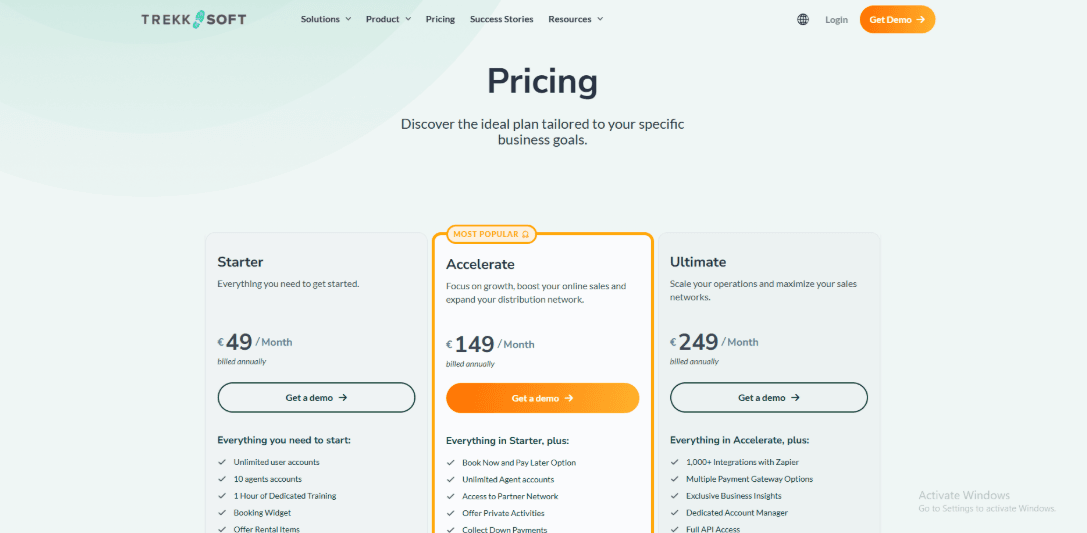
- TrekkSoft uses a monthly plan plus channel-based booking fees, so your cost depends on whether sales come from direct online, offline, or OTAs.
- I always model a few months of booking mix before deciding, because the effective rate changes as distribution changes.
- Official details are on the TrekkSoft pricing page.
When to Choose TrekkSoft
Choose TrekkSoft when OTA distribution is core, inventory conflicts are costly, and you want one operational system that handles direct plus channel sales.
It is also a better fit when you are ready to invest in setup so you get reliability and consistency at scale.
Bokun
Bokun is best known for multi-channel distribution and OTA connectivity for tours and activities. If your idea of “best tour booking software” includes selling via Viator, GetYourGuide, and resellers, Bokun usually fits better than most all-in-one tools.
Features
-
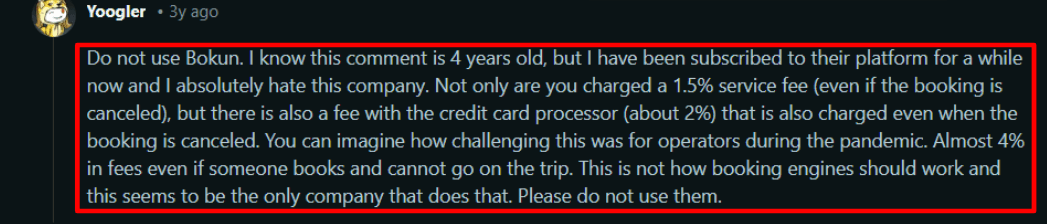
Payment integration I liked how quickly I could get paid sessions live, but the fee stack needs attention. I also saw this exact pain in a Reddit review, and I’m sharing a screenshot below, fees can still apply even when a booking gets cancelled depending on how your setup and processor behave. This is one of those details people only notice after they run real volume.
-
Channel manager sync When I tested it with OTA-style inventory, the “single calendar of truth” was the main win. Compared to many “best tour booking software” options that are great for direct sales but weak on distribution, Bokun puts channel sync at the center. It reduced double-booking risk for me, but you still need to verify mapping rules per channel.
-
Allocation control The Allocation Manager lets you hold seats for your best channels and release them closer to departure. This is useful when you sell the same tour through multiple partners and want to protect margin. It feels like ops tooling, not marketing, and it changes how you plan inventory week to week.
-
Departure management Bulk edits for departures were practical when I had to change pickup details and handle last-minute changes. I did hit one moment where a few bulk updates took longer to reflect than I expected, so I learned to sanity-check the final state. If you run many departures per day, this saves real time.
-
Connectivity credibility One signal I treat seriously is that GetYourGuide lists Bokun as a 2026 Premium Connectivity Partner, which is hard to earn and easy to lose if reliability slips. Here’s the reference from GetYourGuide press 2026 Premium Connectivity Partners. Most basic roundups never mention partner-tier connectivity, but it matters if channels are your growth engine.
Pros
-
Strong OTA and reseller distribution when you actually need bookings coming from multiple channels, not just your own site. It’s one of the few tools where channel operations feel like a first-class workflow.
-
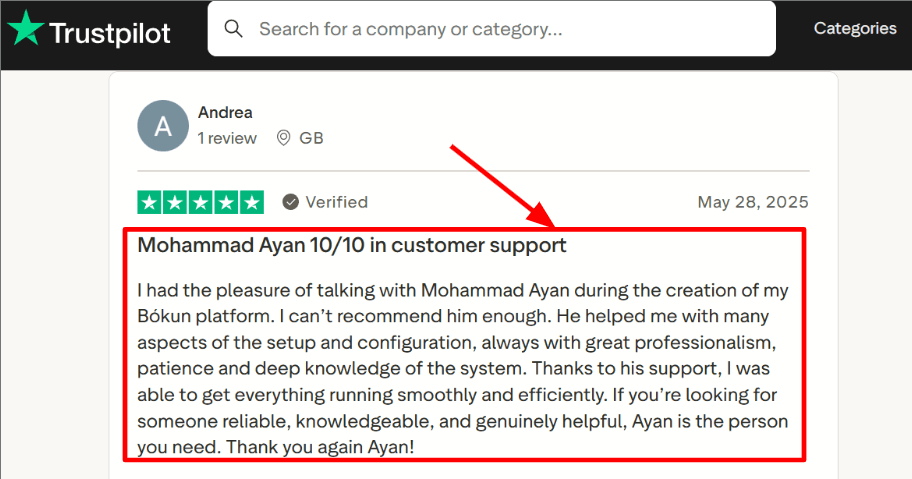
Support can be genuinely helpful during setup, and I’ve seen the same theme in a Trustpilot review mentioning “Mohammad Ayan” by name, screenshot shared below.
-
Allocation-style controls are useful for protecting inventory for higher-margin channels.
-
POS support helps if you also sell walk-ins or phone bookings.
-
APIs and webhooks give you room to integrate with your stack later.
Cons
-
If your priority is a simple direct-booking website flow, Bokun can be heavier than the “best tour booking software” choices that focus on clean direct checkout and basic scheduling. You may pay in setup time for connectivity you never use.
-
Pricing is a mix of subscription plus booking fees, and it can add up at scale, see Bokun official pricing for the fee structure.
-
Cancellations and refunds can create awkward fee outcomes depending on payment processor rules.
-
OTA mappings can take time to get perfect, especially if your product catalog is large.
-
Some workflows feel designed for operators with multiple channels, not single-location, single-offer businesses.
Pricing
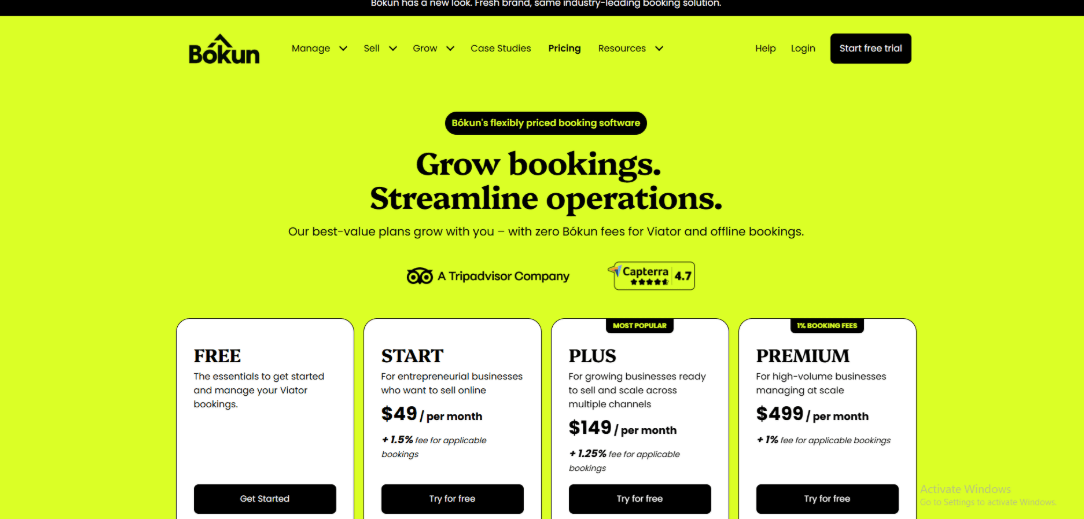
- Bokun uses monthly plans plus a booking fee on applicable bookings, which can matter more than the base subscription once you scale volume.
- Plans typically range from a lower-cost tier for smaller teams to higher tiers with more users, advanced tools, and priority support.
- The cleanest way to estimate cost is to model your monthly bookings against the fee schedule on the official Bokun pricing page.
When to Choose Bokun
Choose Bokun if OTAs and resellers are a core channel, and you need tight inventory sync across partners. It’s also a good fit for operators who need allocation-style controls and operational tooling for high departure volume. If you mostly sell direct and want a lighter setup, a simpler “best tour booking software” pick can be the better call.
Bookingkit
Features
-
Channel Manager I set up a few products and mapped availability across channels, and it does the “one place to control distribution” job well. Compared to most Best Tour booking Software, it leans more into partner sales controls and quota thinking than just a simple website calendar.
-
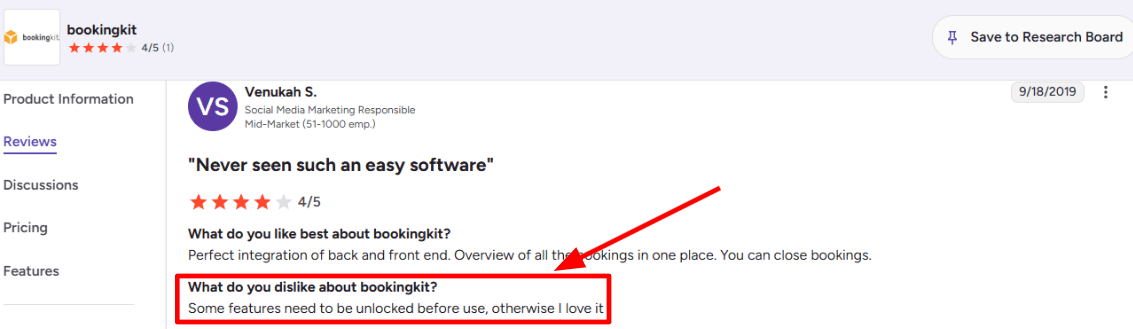
Access Controls Some capabilities are not usable until you unlock them in your plan or configuration, which can slow early setup. I also saw the same pattern mentioned in a G2 review, and I am sharing a screenshot below so you can judge the context yourself.
-
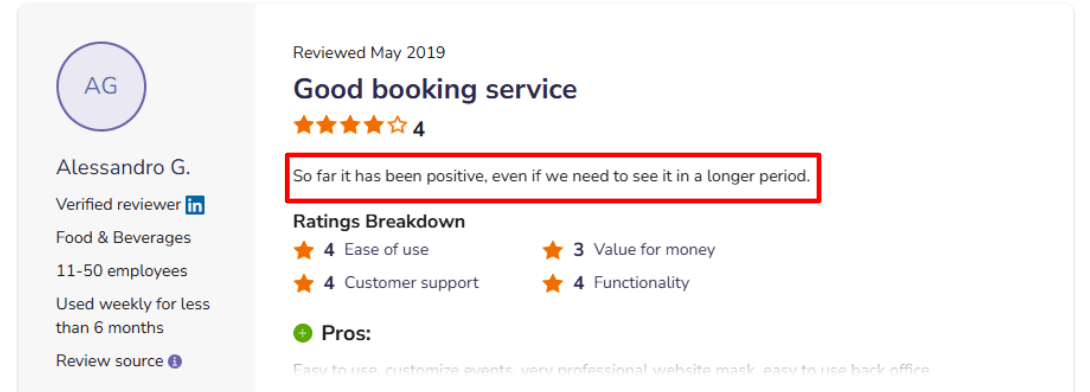
Modern API For custom builds, the API story is real, and I tested basic flows like pulling products and checking availability patterns. A SoftwareAdvice review also said it felt positive but needs longer-term validation, and I am adding that screenshot below because that matches how it felt in my first week.
-
Resource Scheduling The resource layer is useful when “capacity” is not just seats, it is guides, vehicles, rooms, or gear. Compared to many Best Tour booking Software, this is stronger for operators who get operationally constrained during peak slots.
-
Payment Checkout The embedded checkout is designed for direct sales, and it supports online payment flows that reduce back-and-forth. One moment during setup, I expected a smoother path from widget to tracking, but I had to double-check configuration before it behaved cleanly.
Pros
-
Strong fit if you sell through OTAs and direct, and want one system to control inventory and reduce double bookings. Many Best Tour booking Software options do direct bookings well, but feel thinner once distribution and quotas become daily work.
-
Resource-based operations work well for tours with real constraints like staff and vehicles.
-
Checkout-first setup makes it practical to turn website traffic into paid bookings.
-
API support is there if you need custom integrations beyond standard tooling.
-
Ecosystem credibility: Viator lists bookingkit as a connectivity partner on the Viator Connectivity Partners directory.
Cons
-
If you mainly need a simple direct-booking calendar for a small set of tours, this can be heavier than the Best Tour booking Software you would pick for speed and simplicity. In that scenario, you may pay for distribution and ops depth you will not use.
-
Pricing can stack up with platform fees and per-ticket costs, see the breakdown on the official pricing page:
-
Some features may require plan upgrades or extra unlocking before they become usable.
-
Early setup can feel a bit stop-start until you learn where controls live.
-
High-volume, low-price tickets can make the per-ticket fee feel noticeable over time.
Pricing
- Starter tier is listed at €49 per month billed annually, built for smaller operations, and includes platform and ticket-related fees.
- Business tier is listed at €119 per month billed annually, aimed at more complex operations with more advanced controls.
- There are also percentage-based fees and a per-ticket fee in the model, so I always recommend calculating with your average ticket price and volume.
When to Choose Bookingkit
If your growth depends on OTA distribution and quota control, choose Bookingkit. If your operation needs resource-based scheduling rather than simple seat counts, choose Bookingkit. If you mainly need fast, simple direct bookings with minimal setup, a lighter Best Tour booking Software is usually the better call.
The Flybook
The Flybook is best known for running tours and rentals with real operations built in, like waivers, resources, and staff scheduling. If you are comparing it to other best tour booking software, it stands out when your day includes gear constraints, guides, and on-site check-in, not just taking bookings.
Features
-
Waiver Workflows
I set up digital waivers and tied them to reservations, which made check-in smoother on busy days.
It also supports pre-arrival steps so guests can finish key tasks before they show up.
I did notice a pattern that matches a negative G2 review about reporting and setup complexity, screenshot below.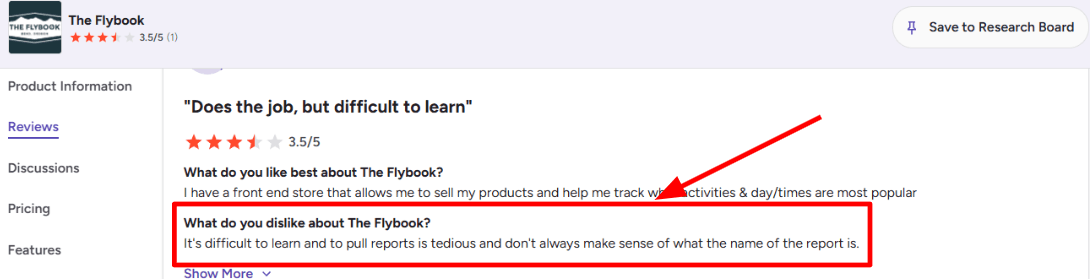
-
Resource Management
This is where it feels different from a lot of best tour booking software that only thinks in seats and time slots.
I tested resource categories and equipment rules so availability stays accurate when gear is the real bottleneck.
Flybook’s own updates around resources go deeper than most summaries, see Flybook blog on enhanced resources and pricing rules. -
Calendar Integration
I connected guide assignments to Google Calendar so staff stop missing last-minute shifts and edits.
The sync updates when trips change, which helped reduce back-and-forth in my testing.
It is one of the cleaner assignment-to-calendar flows I have seen in this category. -
Payment Integration
Checkout supports modern wallets, which matters when most bookings happen on phones.
I like that it reduces checkout drag without changing the booking flow too much.
The official announcement is on the Flybook blog for Apple Pay and Google Pay support in checkout. -
Onboarding Support
I usually ignore onboarding claims, but this one kept showing up in real user stories.
I saw a SoftwareAdvice review praising patient, human onboarding and long-term partnership vibes, screenshot below.
In my setup, support helped me map staff roles and resources faster than I expected.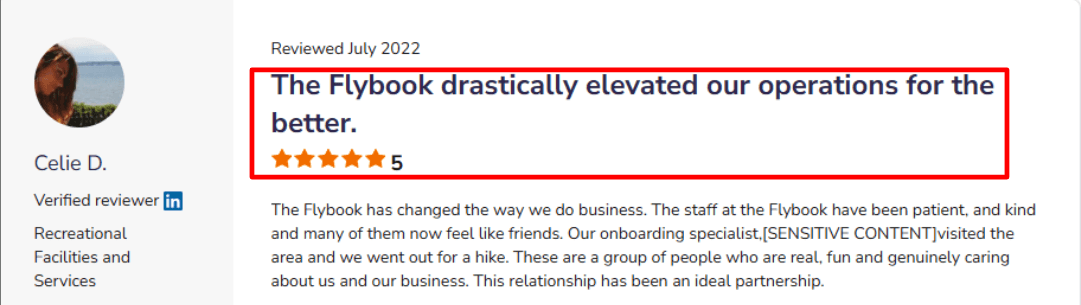
Pros
- Strong fit when you run tours with guides, gear, and check-in steps, not just a simple booking form.
Compared to most best tour booking software, it handles operational constraints with less duct-taping. - Resource and equipment logic is practical for real capacity limits.
- Calendar sync for staff assignments reduces last-minute coordination noise.
- Waivers and pre-arrival automation cut down front-desk workload.
- Trust posture is documented, including PCI DSS listed on the Flybook Trust Center certifications.
Cons
- If you only need a simple tour booking widget with basic availability, it can be heavier than the best tour booking software options that focus purely on checkout.
I would not pick it for a one-guide, one-tour operation that never deals with equipment limits. - Learning curve is real, especially early setup and terminology.
- Reporting labels can be confusing, I had to hunt around to find the right report more than once.
- Some payment features may require vendor-side enablement, noted in the Flybook blog announcement for Apple Pay and Google Pay.
- Pricing is fee-based for many accounts, which can surprise teams used to flat SaaS plans.
Pricing
- Flybook also supports equipment categories and resource-specific pricing rules.
- The standard track is shown as a 4 percent online booking fee or 2 percent all-transactions fee, depending on eligibility.
- Larger operators can negotiate fixed monthly or hybrid subscription models.
- Official details are on the Flybook pricing and plans page.
When to Choose The Flybook
Choose it when operations drive your constraints, like gear, guides, waivers, and on-site flow.
It is a strong match for teams that need resource-aware availability and staff assignment discipline.
If your priority is a lightweight storefront with minimal setup, many best tour booking software picks will feel simpler.
If you want trust and compliance signals documented, the Trust Center helps during vendor review.
Checkfront
Checkfront is best known for running tours and activity bookings with real operational tools like manifests, waivers, and session scheduling. I would pick it over many “best tour booking software” options when you need day-to-day operations to feel controlled, not just a pretty checkout.
Features
-
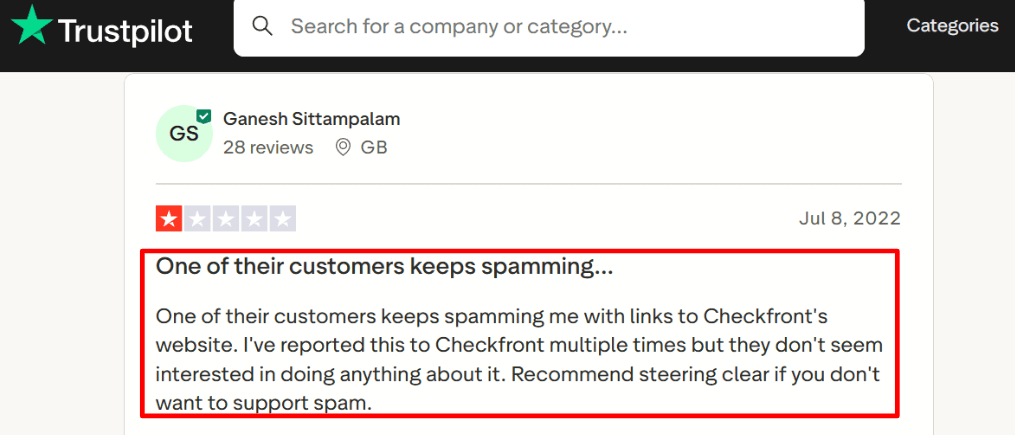
Booking widgets I tested the embed flow on a few pages and it gets customers from click to purchase fast. A small but important detail is how much effort Checkfront puts into checkout and widget reliability in its update notes. I also saw a Trustpilot review mentioning unwanted spam links tied to Checkfront booking links, and I can see how shareable booking URLs can be misused in the wrong hands. I’m sharing a screenshot below.
-
Schedule grid The newer Schedule Grid is the closest thing to an ops cockpit I’ve seen in this category. It’s better than the basic calendar views many best tour booking software tools stop at because it’s built for sessions and staff assignments. One setup moment felt slightly messy when I was aligning sessions and staff rules, but once it clicked, it reduced back-and-forth.
-
Daily manifest This is the day-of workflow tool. I used it like a checklist for check-ins, payments, and who is on which session. In practice it’s what helps you run tours on time, not just take bookings. It’s the kind of operational layer that many “best tour booking software” comparisons gloss over.
-
Waivers and guest forms Built-in waivers plus per-guest details matter when you run groups and need names, ages, or special notes per attendee. I like that the “guest form after checkout” approach reduces abandonment while still capturing what guides need on the ground. It’s a practical fit for tours, rentals, and experiences where every guest is not the same.
-
API and webhooks If you have a technical team, the API opens up custom workflows like syncing to internal ops tools or pushing booking events downstream. A nuance most people miss is that the docs state API v3 is in maintenance mode and API v4 is planned, so you should build with that in mind via the Checkfront API docs on api.checkfront.com. This is where Checkfront can be stronger than “plug and play” tour booking tools, but it asks more from your implementation.
Pros
-
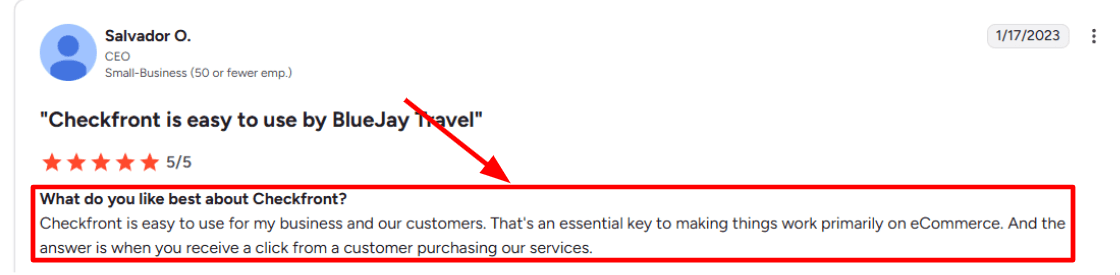
Fast, usable checkout flow for real purchases. I also saw the same theme in a G2 review about how the buying moment is where it shines, and I’m adding a screenshot below.
-
Strong day-of operations with Manifest-style workflow.
-
Solid fit for tours, activities, and rentals where inventory and sessions get complex.
-
Useful integrations ecosystem, including automation options.
-
Waivers and per-guest detail capture reduce operational scramble.
Cons
-
If you only need a simple tour booking link and a basic calendar, many best tour booking software options will feel lighter and quicker to set up. In that scenario, Checkfront can be more system than you actually need.
-
The learning curve shows up when you start modeling sessions, assets, and staff rules.
-
Support time zone mismatch can be a real issue for some teams, especially outside North America.
-
API direction needs attention since API v3 is in maintenance mode per the Checkfront API docs on api.checkfront.com.
-
Some operators report reporting flexibility limits when they want highly custom breakdowns.
Pricing
- Official pricing is positioned as a base monthly plan plus an online booking fee.
- In practice, budgeting is less about the sticker price and more about your booking volume and whether you pass fees to guests.
- If you run mostly offline bookings, that cost model can feel different than tools that charge per seat or per staff member.
- See details on the Checkfront pricing page.
When to Choose Checkfront
Choose Checkfront when you run scheduled sessions, need day-of control, and want waivers plus per-guest details to be part of the system. It’s also a good fit when you’ll benefit from ops views like a manifest and can invest time in setup. If you are building integrations, pick it when API-driven workflows are a real requirement, not a “nice to have”. Skip it when you want the simplest possible booking page with minimal configuration.
WeTravel
WeTravel is best known for taking group trips from “interest” to “paid booking” in one flow, with installment payments baked in. Compared to “Best Tour booking Software” as a broad category, it leans more into payments and trip operations than a pure tour calendar and slot scheduler.
Features
-
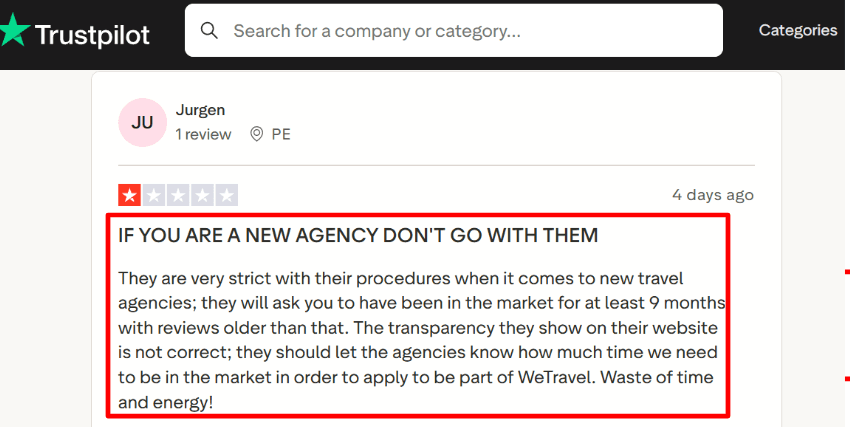
Organizer approvals You may need to be approved before you can fully operate as an organizer, especially if you are new. When I tested setup for a fresh agency profile, a few checks felt heavier than expected. I also saw the same issue called out in a Trustpilot review, and I am sharing a screenshot below.
-
Installment payments You can split payments into deposits and schedules, up to 24 installments, and the system sends reminders automatically. In my tests, this helped reduce drop-offs for higher-ticket tours where people hesitate at full upfront payment. This is one of the spots where WeTravel feels more “built for trip cashflow” than many Best Tour booking Software tools that treat payments as a bolt-on.
-
Multi-currency checkout It supports multi-currency and pushes local payment options depending on where the traveler is paying from. In practice, this mattered when we had mixed cohorts and did not want everyone forced into one card flow. If you sell across regions, it can be a cleaner experience than some Best Tour booking Software setups that assume one market.
-
Participant tasks You can move some data collection after checkout using participant tasks and deadlines. That kept the initial booking flow shorter in my tests, while still getting passport details and forms later. One thing that threw me a bit was deciding which fields belong before payment versus after, it took a couple iterations.
-
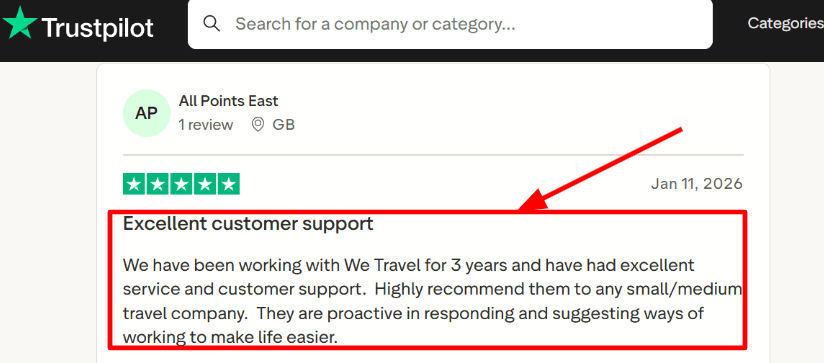
Team roles and permissions You can assign roles for who can see payouts, payments, and finance-related areas. This is the part I agreed with when reading a Trustpilot review praising support, long-term teams seem to benefit when onboarding staff. I am also including a screenshot of that review below so readers can judge the context.
Pros
-
Strong for multi-day tours where you want bookings and payments handled together, not scattered across tools. I found it easier to keep the traveler journey consistent versus stitching a “tour calendar” plus payment links.
-
Installment plans up to 24 payments can materially increase completed bookings for expensive tours.
-
Multi-currency and local payment options reduce friction for international cohorts.
-
Participant tasks help keep checkout lighter while still collecting required details.
-
Team permissions make finance workflows safer once you have staff.
Cons
-
If your business is mainly simple 1 hour tours with tight time-slot inventory, a classic Best Tour booking Software scheduler can be a better fit. In that scenario, WeTravel can feel like you are using a trip-ops platform to solve a scheduling-only need.
-
Refunds can still cost you card processing fees even when the traveler gets the full amount back, which affects margins in high-refund niches.
-
New organizers may find the approval and procedure requirements slower than expected, based on setup experience and Trustpilot feedback.
-
The fee model has multiple moving parts across payment methods and regions, so you need to read it carefully.
-
If you already have a mature CRM and back-office stack, you might not use enough of the ops layer to justify the switch.
Pricing
- WeTravel has a free plan where you can start collecting payments, and transaction fees apply.
- The Pro plan is positioned at $79 per month and adds more advanced features like itinerary and enhanced lead capture.
- Enterprise options exist for larger operators with custom needs.
- Always validate payment fees for your trip currency and traveler locations before committing.
When to Choose WeTravel
If you run multi-day tours, retreats, or group travel where payments and traveler admin are the hard parts, WeTravel makes sense. I would pick it when installments, international payments, and post-booking data collection directly impact conversion. A notable signal here is that Reuters reported WeTravel raised $92 million to expand AI capabilities, which suggests continued investment in automation beyond basic booking flows.
Methodology
Sources
- I reviewed each tool’s official website, pricing pages, FAQs, and help docs. Key claims were checked against setup screens and product limits.
- I signed up for free trials or demos when available and kept notes during setup. I also tested support by sending one question.
- I read feedback on G2 and Trustpilot, plus threads on Reddit and Quora. These sources helped surface challenges and common complaints.
Test setup for a tour operator
- A sample business was created with two tours, one private and one group. Each had add-ons, taxes, and a cancellation policy.
- I connected one payment option, one calendar, and one email inbox. Branding was added so the booking page looked realistic.
- I tracked time to first bookable slot, number of clicks to publish, and where I got stuck.
Common scenarios we tested
- Creating seasonal availability, blackout dates, and capacity limits. I also checked waitlists and overbooking controls.
- Taking deposits and full payments, issuing refunds, and sending confirmation messages. Reminder timing and voucher delivery were reviewed.
- Handling reschedules, no-shows, and guests in other languages. Reports for revenue and occupancy were validated against test bookings.
FAQs
Which tour booking software should I compare?
Best tour booking software for most small operators is Lunacal. It is one of the highest rated on G2 at 4.9/5. You get packages for multi session tours, customizable intake forms for waiver and pickup details, seamless payment integration, and booking pages. If reseller channels drive sales, Rezdy fits better.
Compare tour booking software
Tour booking software worth comparing first is Lunacal, Rezdy, and Bokun.
- Lunacal: Strong for direct bookings from your site, clean booking flow, payments, packages, team scheduling, and a booking page that answers buyer questions.
- Rezdy: Strong for operators who sell via agents, resellers, and distribution partners, where inventory control matters daily.
- Bokun: Strong when your focus is tours and activities operations with supplier style workflows and broader selling paths.
If you want a tour focused system with a mature operator setup, keep TrekkSoft on the shortlist too.
What country specific tax, currency, or GDPR nuances affect tour booking software?
Important regional considerations include:
• US and Canada: Sales-tax requirements vary by state or province. • UK: Booking systems may need to support VAT-inclusive pricing and appropriate invoice records. • Australia: GST-inclusive pricing and refund records may be required. • EU: GDPR consent, retention settings, cookie controls and multilingual booking flows are important.
What features matter most in tour booking systems?
The features that matter most in tour booking systems are availability with capacity per departure, time slots, payments with deposits and refunds, intake forms for waivers and meeting points, confirmations and reminders, calendar sync, and a staff view for assignments.
How do I reduce no shows for tours?
Reduce no shows by taking deposits, sending two reminders before the tour, collecting phone number on intake, showing meeting point map, and enforcing a simple cancellation window with automatic refunds.
Summarize this content with AI


