

Introduction
I like TidyCal for simple booking links, and I still ended up needing more control once bookings started picking up. Square reports that 36 percent of appointments get booked outside standard business hours, so your scheduler needs to keep working even when you are offline. This guide is for anyone who wants fewer back-and-forth emails, fewer double bookings, and smoother handoffs.
I manually tested every tool from share link to confirmation, then cross-checked review platforms such as G2 and Capterra, along with real user discussions on Reddit. along with real user discussions on Reddit. I also looked into edge cases that usually get ignored, like time zone handling, buffer settings, and what happens when you update availability after sharing a booking link. You will also find screenshots and links so you can verify everything yourself.
TidyCal Alternatives Comparison
Best TidyCal Alternatives by Use Case, Pricing and Product Fit.
| Use case | Best tool with G2 rating | Why it’s a fit | Paid plan starts at |
|---|---|---|---|
| Best overall for branded booking pages | Lunacal (4.9 ★★★★★) | Best for businesses that want a richer booking page, stronger first impression, reminders, payments, and more ways to convert visitors | $9/month |
| Best for simple meeting links at scale | Calendly (4.7 ★★★★☆) | Great for quick scheduling links, standard meeting flows, and teams that want something familiar and easy to roll out | $10/month |
| Best for developer control and custom workflows | Cal.com (4.6 ★★★★☆) | A strong fit for technical teams that want deeper control over workflows, routing, and implementation flexibility | $15/month |
| Best for service businesses with payments and packages | Acuity Scheduling (4.6 ★★★★☆) | Better suited for appointment-based businesses that sell services, collect payments, and manage repeat sessions | $16/month |
| Best for booking websites with add-ons | SimplyBook.me (4.4 ★★★★☆) | Works well for businesses that want a fuller booking site with extra modules, add-ons, and service-focused setup | $9.90/month |
In-Depth Reviews of the Best TidyCal Alternatives.
| Feature | Lunacal | Calendly | Cal.com | Acuity Scheduling | SimplyBook.me |
|---|---|---|---|---|---|
| Rating on G2 out of 5 | 4.9 ★★★★★ | 4.7 ★★★★☆ | 4.6 ★★★★☆ | 4.6 ★★★★☆ | 4.4 ★★★★☆ |
| Starting price of paid plans | $9 | $10 | $15 | $16 | $9.90 |
| Calendar sync with Google, Outlook, and Apple | Yes | Partial | Yes | Yes | Partial |
| SMS and email reminders | Yes | Yes | Yes | Yes | Yes |
| Paid meetings | Yes, Stripe and PayPal | Yes, Stripe | Yes, Stripe | Yes, Stripe, Square, and PayPal | Yes, Stripe and PayPal |
| Scheduling page themes | Yes | Partial | Yes | Yes | Yes |
| Team scheduling | Yes | Yes | Yes | Yes | Yes |
| Round robin scheduling | Yes | Yes | Yes | Partial | Partial |
| Multi-session packages | Yes | Partial | No | Yes | Yes |
| Custom domain | Yes | Partial | Partial | Partial | Yes |
| GDPR support | Yes | Yes | Yes | Yes | Yes |
In-depth research of different alternatives
Lunacal
Lunacal is mainly known for its booking page, which feels like a mini profile for your calendar. If you care about trust before the meeting, and you want bookings to feel polished with less back and forth, it is worth a look. Its detailed booking pages make it particularly useful for consultants, freelancers and service businesses that need to provide more context before a meeting.
Features
- Availability windows with date exceptions
Once your page is ready, you can define exactly when people can book time with you. You set your working hours for each day and then layer in date exceptions for holidays, focused work periods, or weeks when you want your calendar fully closed. TidyCal covers the basics well, but Lunacal gives you more control over exceptions, which becomes important when your schedule shifts based on client work. For example, if you only take calls Monday to Wednesday between 10
AM and 3 PM, you set that once. If you need to block off the week of April 14th for a major project, add a date exception and your booking page updates automatically without manual edits. Here is how I set up my availability: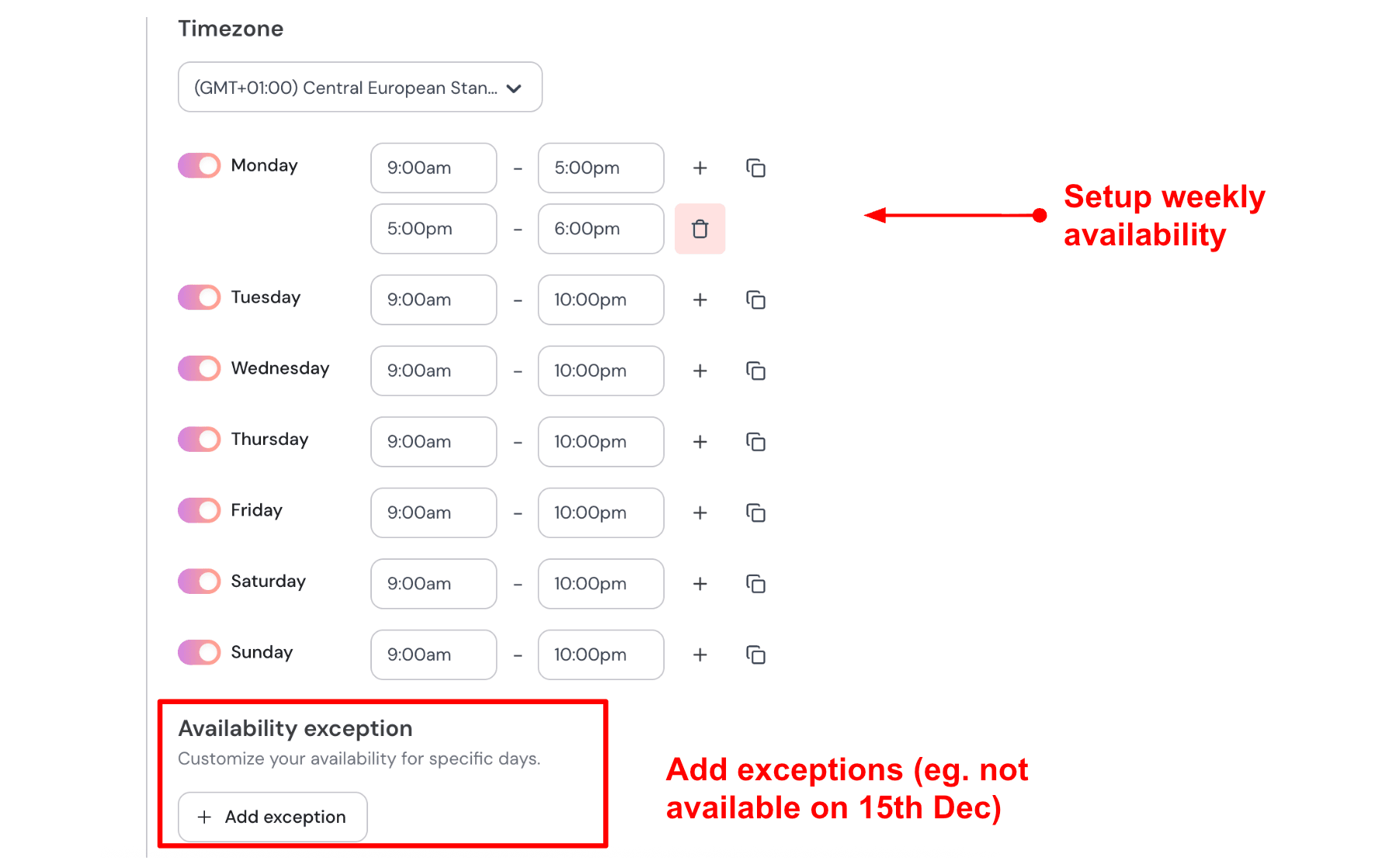
- Sync multiple calendars to prevent double bookings
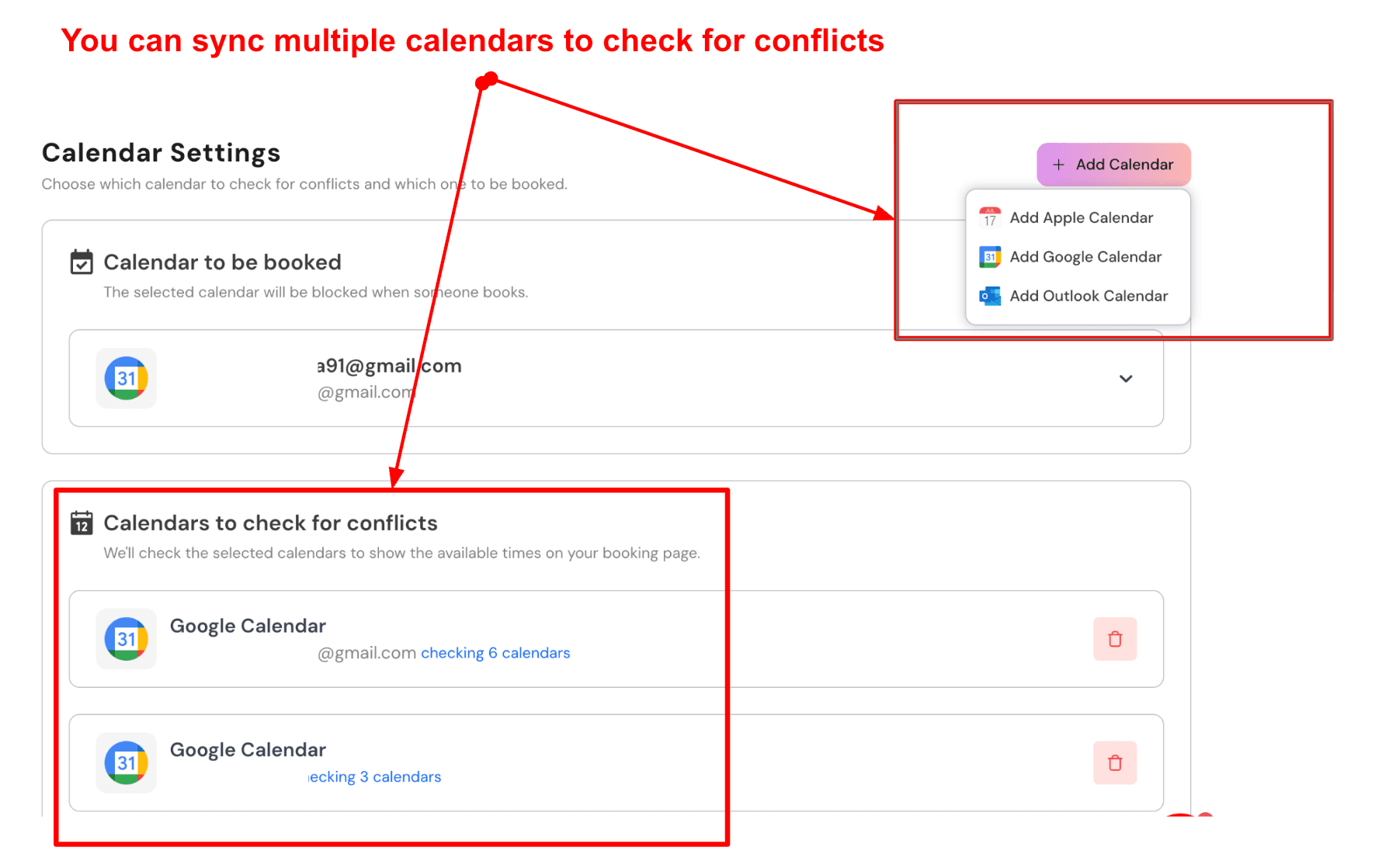
Lunacal lets you connect multiple calendars, so bookings are added to one while the others are checked quietly in the background before showing availability. TidyCal connects with Google and iCloud calendars, which works for simpler setups. Professionals managing multiple calendars often need stronger conflict detection, and this is where Lunacal stands out among TidyCal alternatives. For example, you can send confirmed bookings to your main Google Calendar while also connecting a personal calendar and a project calendar. If you already have a focus block or personal commitment, that time is automatically removed from your booking page. Here is a screenshot below:
- Custom pre-meeting intake questions
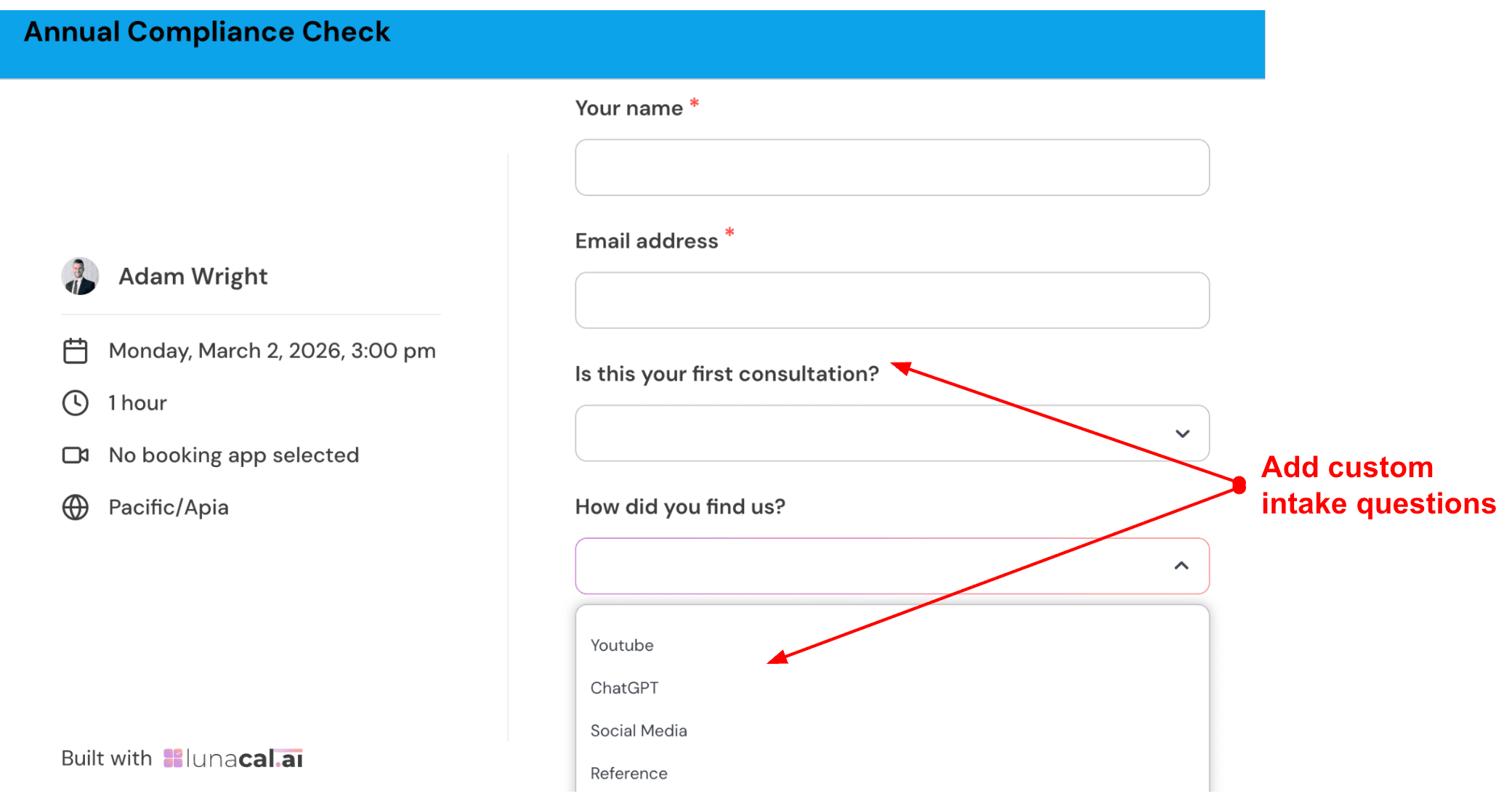
You can add custom questions to your booking form so you gather useful information before the meeting even starts. This is one area where many users look for TidyCal alternatives because collecting only name and email is often not enough. Lunacal lets you tailor the intake experience so you can prepare properly. Three questions usually work best. Check out the intake form I created:
- Team and multi-service scheduling flow
Visitors can choose a meeting type, then select a team member if needed, or simply book with the next available person. This makes it easy to manage multiple services and people from one booking page. TidyCal works well for individuals and simple setups, while Lunacal is better suited for growing teams that need smoother routing.
- Automated reminders with full message customisation
Lunacal sends automated confirmations and reminders through both email and SMS, and you control the entire message. You can adjust the sender name, subject line, and content while inserting dynamic details like the recipient’s name, meeting time, and joining link. This gives every interaction a more personal feel. TidyCal includes confirmation emails but offers limited control over reminders. For example, you can send a detailed confirmation right after booking, a reminder the evening before, and a short SMS one hour before the meeting with a direct join link.
- Paid bookings beyond TidyCal's basic payment setup
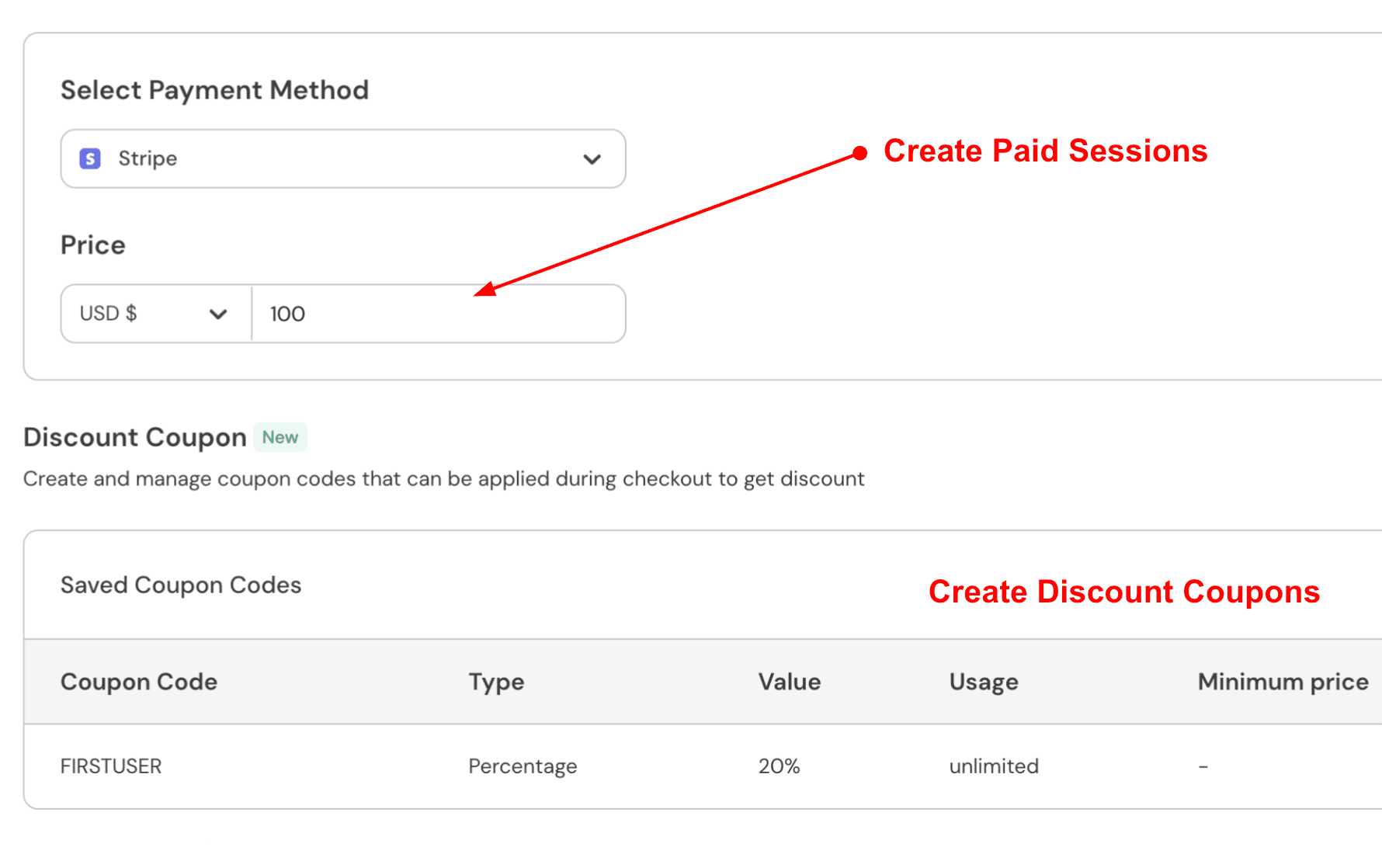
You can connect Stripe or PayPal and collect payments or deposits during the booking process. TidyCal also supports payments, but its payment options are more limited and may depend on the selected plan. Lunacal offers greater flexibility, allowing both full payments and deposits without locking them behind premium pricing. This makes it a practical choice for freelancers, consultants, and coaches who rely on paid sessions as part of their workflow. Here is how to do it:
Pros
- The booking page can carry real context like videos, files, and testimonials, which can lift trust before someone picks a time. It is also easy to see how this would reduce follow up questions.
- Calendar sync and conflict checks work well in common setups.
- Payments, coupons, and packages cover many paid session workflows.
- Webhooks cover booking and payment lifecycle events.
- Public docs for GDPR, DPA, and security reporting help with vendor checks.
Cons
- If your only goal is a very low cost, simple booking link with minimal setup, TidyCal is usually a better fit. Lunacal has more surface area, so it can feel like extra work for basic use.
- Duplicating event types is still a time sink when you create many similar meetings.
- The page editor can take a bit of exploration before it feels fast.
- Seat-based pricing can add up for larger teams.
Pricing
- Paid plans start at $9 per user per month, with Teams at $15 and Enterprise at $25.
- Annual billing shows savings up to 20 percent.
- Paid meetings support Stripe and PayPal, and the pricing page mentions 0 percent commission for collecting payments.
When to Choose Lunacal
Choose Lunacal when you want the booking page to do more than show time slots, like explaining your service, building credibility, and collecting payment or selling packages. It also fits when you have teams, multiple event types, and you want clean reschedules with calendar sync. It is one of the more flexible TidyCal alternatives if you need more than a basic scheduling link. If you want a lightweight scheduler for quick links and basic meetings, TidyCal is usually the simpler pick.
Calendly
Calendly is known for simple scheduling links that remove the back and forth over email. You use it when you want people to book time quickly while keeping your calendar organized.
Features
- Calendar integration
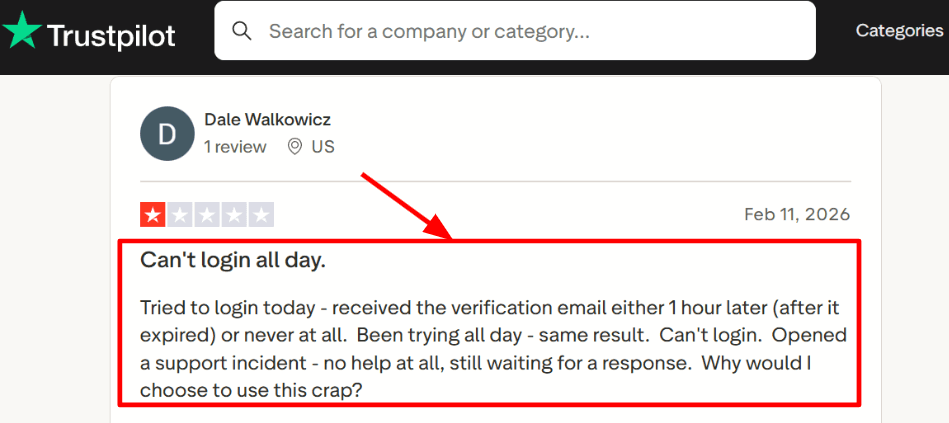
Setup was quick with Google Calendar, and it prevented double bookings during testing. One day, the email verification step took much longer than expected and blocked access. I also noticed the same issue mentioned in a Trustpilot review, and I am sharing a screenshot below so you can see it clearly.
- Meeting tool integration
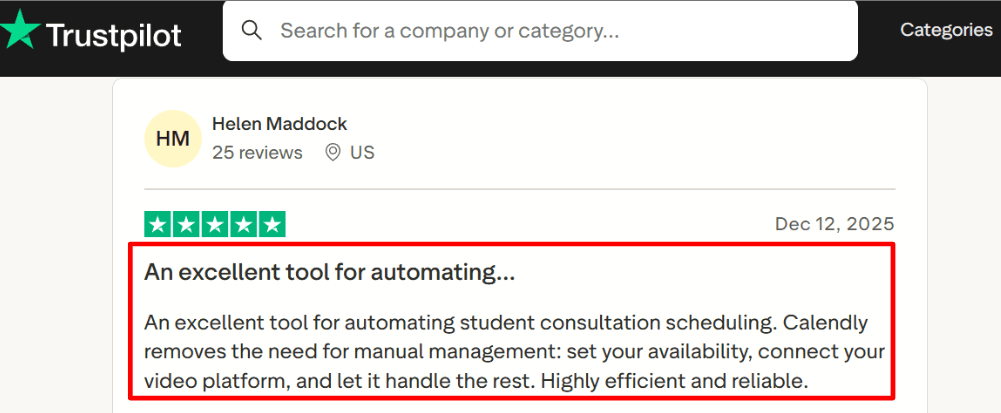
Connecting Zoom or Google Meet is simple, and invites automatically include the correct meeting link. A Trustpilot review mentioned how student consultations became easier once availability and video tools were connected. That lines up with my experience, and I am adding the screenshot below for context.
- Availability rules
You can define working hours, buffers, and minimum notice so people only see time slots you can actually take. I tested cases like last-minute bookings and back-to-back meetings, and once the rules were adjusted properly, everything worked as expected.
- Routing forms
You can ask a few questions before booking and route people to the right meeting type or team member based on their answers. This works well for sales or support flows where a single booking link would otherwise create confusion.
- Workflows and reminders
Workflows handle reminders and follow-ups automatically, which reduces manual effort. One detail that does not get mentioned often is the security side. Calendly appears in the CSA STAR registry, which can help when buyers ask for compliance details during reviews.
Pros
- Fast from link to confirmed meeting, with a familiar experience for invitees
- Strong support for team scheduling, including routing and round robin on higher plans
- Wide range of integrations for sales and marketing tools
- Workflows reduce manual reminder tasks
- Well-documented security and compliance information
Cons
- Pricing can feel high if you are looking for simple and low-cost TidyCal alternatives
- iCloud calendar sync is a known limitation, discussed on Calendly Community
- Advanced features like routing and admin controls require higher tier plans
- Seat based pricing increases costs as teams grow
- Email verification and account access steps can occasionally slow things down
Pricing
- Free plan available with basic scheduling features, usually limited to one event type and one calendar
- Standard plan is around 10 per seat per month, billed annually
- Teams plan is around 16 per seat per month, billed annually, with higher monthly rates in some cases
- Enterprise pricing is custom and starts around 15k per year for large organisations
When to Choose Calendly
Choose Calendly when your team needs reliable booking links, calendar sync, and routing for sales, support, or hiring. It works well when you want reminders and follow-ups to run automatically after setup. If your main goal is a simple, budget-friendly scheduler, or if you depend heavily on iCloud calendar sync, Calendly may be less suitable
Cal.com
Cal.com is known for open source scheduling and deep embedding into websites and apps. People choose it when they want flexible team booking, routing, and a developer friendly setup in one place. It fits well into workflows where scheduling is part of a larger product experience.
Features
- Calendar Sync
I connected Google Calendar in a few minutes and tested double booking by trying to book the same slot twice. The system blocked the second booking right away, which is important if your availability shifts during the day and you need accuracy without constant manual checks.
- Team Routing
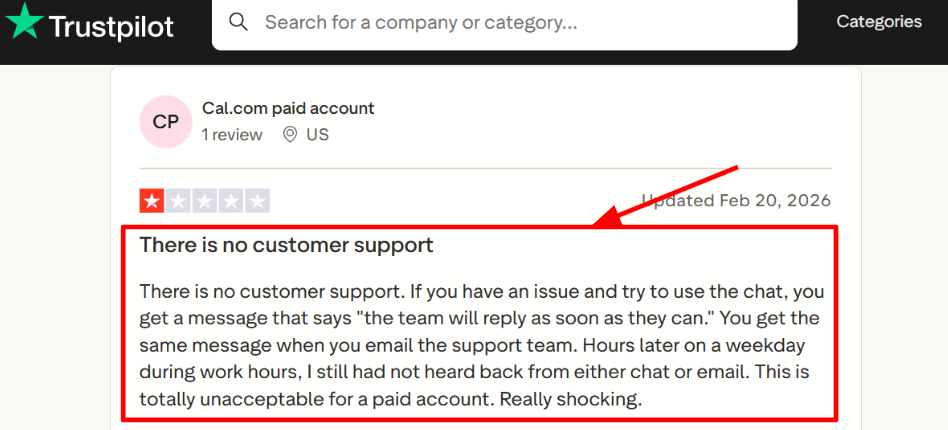
Round robin and collective booking are built in, so leads get assigned automatically without extra coordination. I also came across a Trustpilot review mentioning slow support replies on a paid plan, which is something to keep in mind if you plan to use it across a team.
I am sharing a screenshot of that Trustpilot review below since it reflects a common concern during rollout.
- Workflows
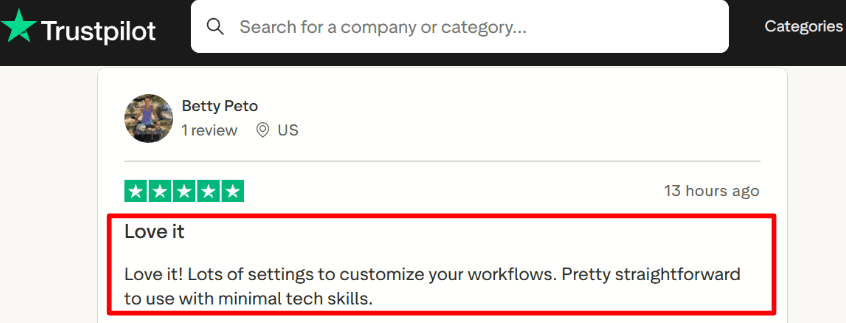
Workflows handle reminders and follow ups, and the setup becomes clear after running one full test booking. Another Trustpilot review highlighted how flexible and easy the workflows feel, which matches my experience when testing different scenarios.
I am adding that screenshot below so you can see how detailed the feedback is.
- Embedded Booker
The embed options are useful if you want scheduling to feel like a native part of your product instead of sending users to another page. During testing, the UI looked clean and consistent, though some deeper embed settings took a bit of time to locate.
- API and OAuth
If you need full control, the API and OAuth features are available and well suited for product integrations. You can also review the open source side through the GitHub repo. One detail worth noting is how Cal.com has approached link handling and security in the past, something I first came across via Google Cloud, which made me look more closely at link safety.
Pros
- Strong foundation for teams and platforms, especially with routing and embeds
- Free plan works well for solo scheduling
- Round robin and collective booking are easy to configure
- Works well for product led growth with APIs and webhooks
- Supports paid bookings through Stripe and PayPal
Cons
- If you only need a simple booking link, TidyCal or another lightweight scheduler may be easier to set up.
- Self hosting requires real operational effort and the Cal.com docs make that clear
- Features like SSO and SCIM are limited to higher tier plans
- Pricing takes some time to fully understand across billing options
- Support response time is something users have raised concerns about
Pricing
- Free plan available for individuals with core scheduling features
- Teams plan is priced per user, with better rates on annual billing
- Organizations plan includes SSO, SCIM, and advanced admin controls, also priced per user
- Separate platform pricing exists for high volume embedded use cases
When to Choose Cal.com
Choose Cal.com if you need team scheduling, routing forms, embedded booking, or API driven scheduling inside a product. It is also a good fit if self hosting or EU based hosting matters for your setup. If your priority is a simple personal scheduler with minimal setup, some TidyCal alternatives may feel more straightforward.
Acuity Scheduling
Acuity Scheduling is a booking tool from Squarespace that lets people book appointments online and pay at checkout. It is popular for intake forms, packages, and a clean booking flow that works well for service businesses.
Features
- Calendar integration
When I connected Google Calendar, conflicting slots were blocked during testing. Rescheduled appointments also remained synchronised across both calendars in most cases. I also tested reschedules and it kept both sides in sync most of the time. One thing I had to double check was time zone handling when switching devices, since it can behave differently depending on where you access it.
- Availability controls
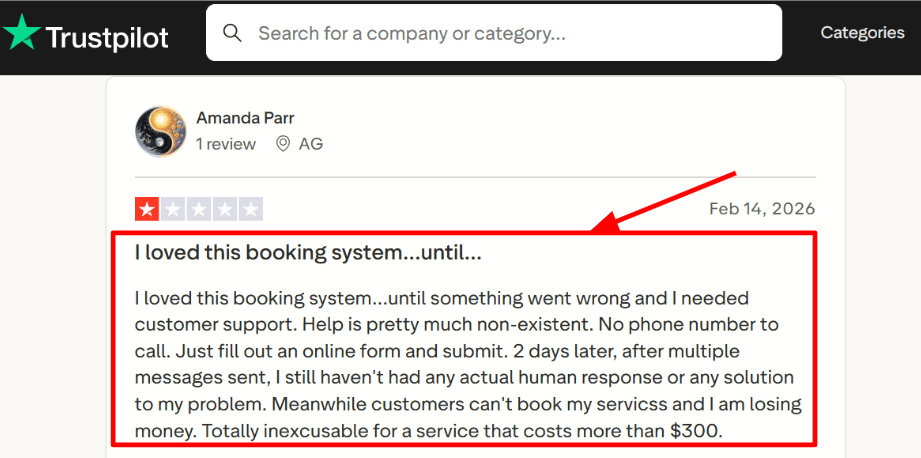
You can set buffers, minimum notice, daily limits, and service specific hours so your calendar stays realistic. It took a bit of time to understand how rule order works when multiple limits are stacked together. I also saw a similar issue mentioned in a Trustpilot review.
I am sharing a screenshot below since it reflects what can happen when something breaks mid week.
- Payment integration
I set up Stripe and PayPal and was able to collect full payments and deposits during booking. Card capture and partial payments help reduce no shows without forcing full prepayment. It is worth running a full refund test once before going live so you know exactly how it behaves.
- Client intake forms
Intake forms collect key details before the call, which helps sessions start with context. I found it better to keep one required question and leave the rest optional, since conversions stayed healthier during testing. Client profiles and internal notes also make follow ups easier.
- No show controls
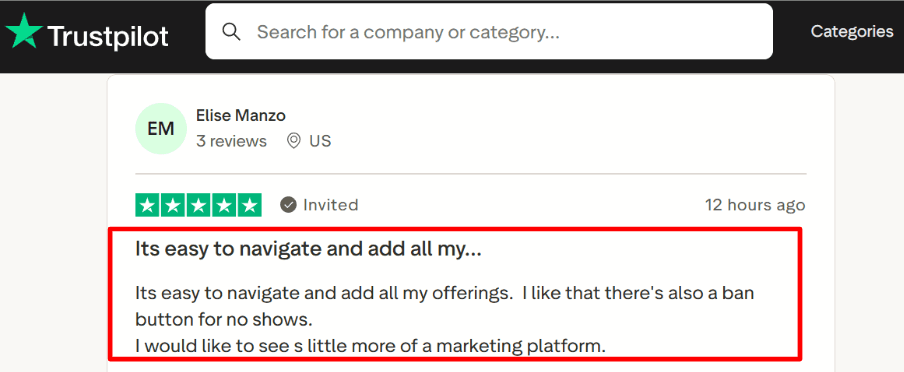
It is easy to add offerings and manage them, which lines up with what I noticed in a Trustpilot comment while researching. You can also block repeat no shows, which was also mentioned by another Trustpilot reviewer.
I am adding a screenshot below so readers can judge the details on their own.
Pros
- Strong setup for services that need scheduling, payments, and client info in one flow
- Intake forms and client profiles make appointments feel more prepared
- Packages and subscriptions work well for recurring sessions
- SMS and email reminders are built in
- Calendar conflict checks help avoid overlaps
Cons
- If you mainly want a simple one time payment scheduler like TidyCal alternatives, Acuity can feel like extra setup
- No free plan, only a trial
- SMS coverage and delivery can vary by country per the Acuity Help Center.
- Some team needs push you to higher tiers sooner than expected
- Enterprise pricing is custom, so budgeting takes an extra step
Pricing
- Free trial is typically 7 days for testing booking, reminders, and payments
- Paid plans often start around 20 per month for basic scheduling and calendar sync
- A mid tier is commonly listed around 34 per month with more automation like SMS reminders
- A higher tier is often listed around 61 per month with advanced features such as HIPAA enablement paths
- Annual billing is usually discounted compared to monthly
When to Choose Acuity Scheduling
Choose Acuity when you need appointment booking, intake forms, and payment collection in one place, especially for recurring services and packages. It also works well for teams that want stronger availability rules and client management. If your priority is a lightweight tool with minimal setup, many TidyCal alternatives will feel easier to get started with.
SimplyBook.me
SimplyBook.me is widely used for service based bookings and comes with a large set of add ons like packages, memberships, and client apps. It works well when you want a complete booking system that handles staff, reminders, and payments without building anything from scratch. If you are exploring TidyCal alternatives, this is one of the more feature rich options to consider.
Features
- Booking Website
I started by setting up a basic booking site, then embedded the widget on a test page and it worked smoothly. It is designed for service businesses, so you can group services, assign durations, and keep the booking flow easy for clients to follow.
- Client Messaging
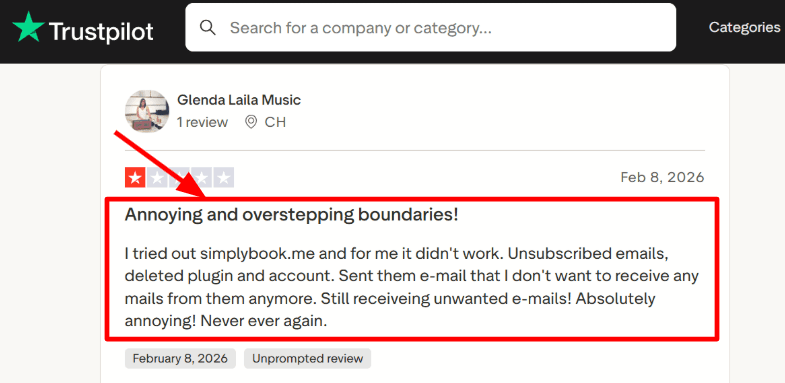
Email and SMS reminders are simple to enable, and the templates can be customized once you locate the settings. One thing stood out around emails after removing certain elements. I also noticed a similar concern in a Trustpilot review, and I am sharing a screenshot below.
- Team Scheduling
Adding multiple providers felt smooth, and the booking calendar looks busy but becomes manageable after setup. Another Trustpilot review mentions how professional it feels for team use, which matched what I saw during testing. I am adding that screenshot below so you can review it quickly.


