
Introduction
Introduction
This report summarizes what good looks like for booking conversion rate, show rate, and Scheduling Success Rate, based on real scheduling-page behavior. It also highlights the page content bookers say they want, and the reminder setup that most reliably reduces no-shows.
TL;DR
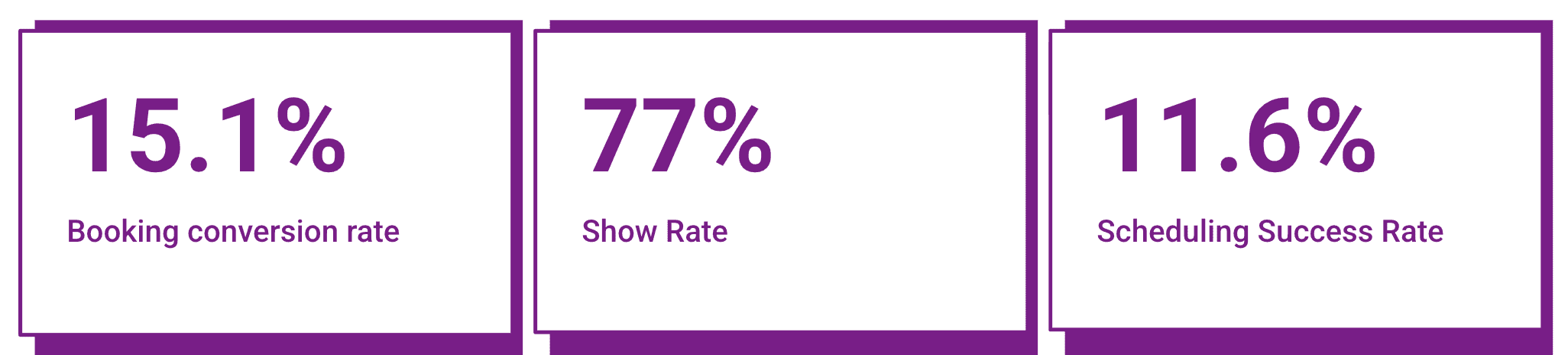
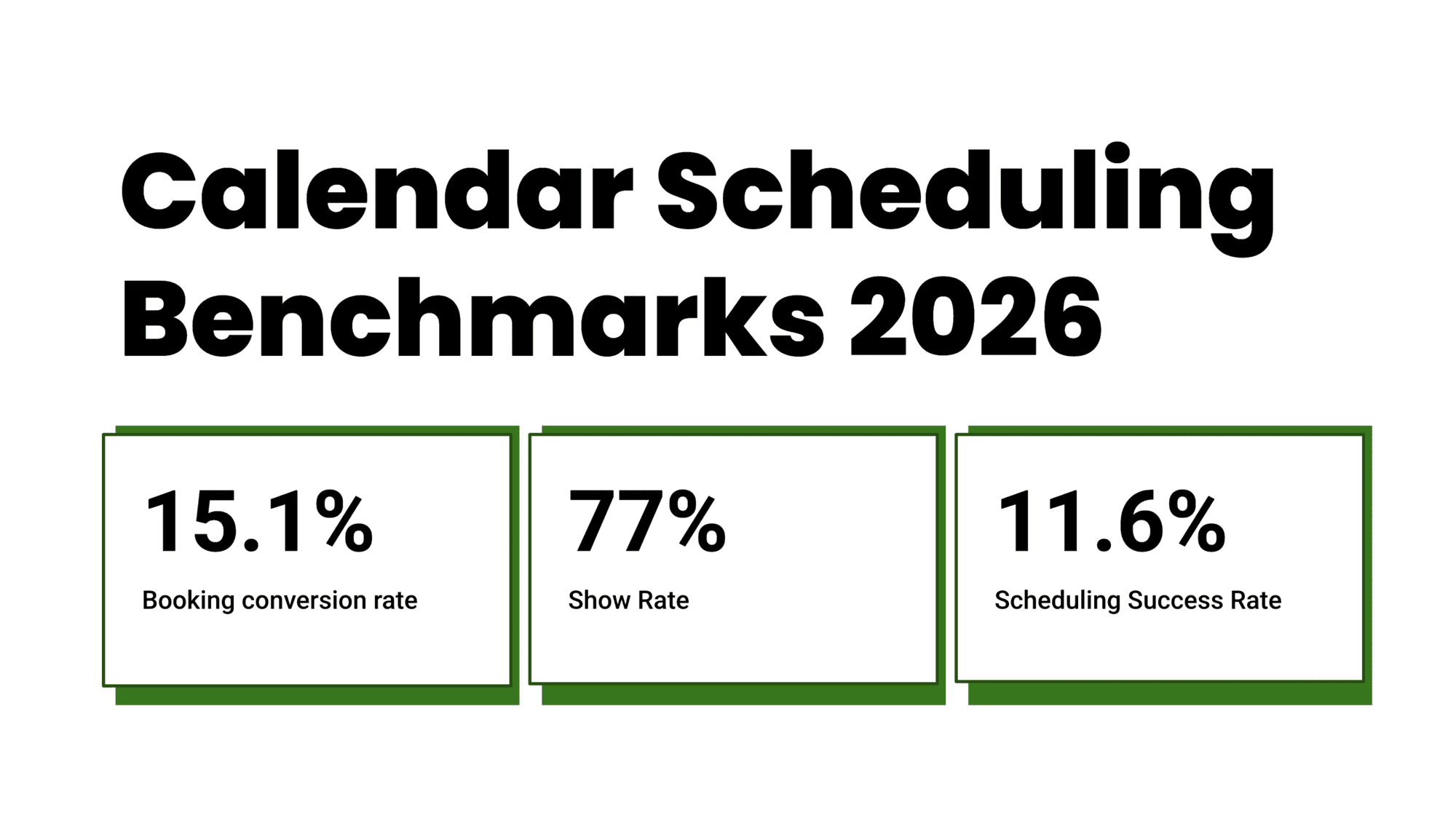
- On average, 15.1% of people who visit a scheduling page book a meeting. The top 10% of pages get 30%–33% to book, roughly 2× higher.
- Once a meeting is booked, 77% of people show up. The top 10% of pages reach 87%–90% show rates.
- End to end, the average page turns 11.6% of visitors into attended meetings. The top 10% of pages reach 26%–30%.
- People prefer booking pages over coordination. 74% of organizers and 67% of bookers would rather use a calendar scheduling page than phone/messages.
- The biggest pain is still back-and-forth. 62% of organizers say coordination via phone/messages is their #1 scheduling problem.
- Pages with a few helpful sections, not just a calendar, generally convert better. The clearest pattern shows up when pages include 3–6 useful sections instead of calendar-only.
Core benchmarks at a glance
Scheduling page benchmarks
Fit by use case
| Use case | What to focus | Target metric | Key lever |
|---|---|---|---|
| Lead generation | More bookings | 20%+ conversion | Page content |
| Sales calls | Show rate | 85%+ show | Reminders |
| Consult calls | Qualified leads | 12–18% success | Short forms |
| Demos | Volume + quality | 15%+ conversion | FAQs + video |
| Local services | Attendance | 80%+ show | Map + reminders |
Key metrics comparison
| Metric type | Average | Top pages | What improves it |
|---|---|---|---|
| Booking rate | 15.1% | 30%–33% | Content sections |
| Show rate | 77% | 87%–90% | Email + SMS |
| Success rate | 11.6% | 26%–30% | Both above |
| Form completion | ~71% | — | 3–5 fields |
| No-show rate | 31% | 10%–13% | Reminders |
“I definitely liked going through the content before booking.. scheduling time is a big committment and I only do it if I am convinced it's worth the effort.”
- Booker, anonymized
What is a good scheduling page booking conversion rate
Most scheduling pages convert around 15.1%. The top 10% of pages reach 30%–33%.
What that gap usually reflects is not “better calendars.” It’s lower decision friction and higher trust at the moment someone is ready to book. Visitors arrive with intent, but they still need a few basics to feel comfortable booking right now instead of postponing.
In the top-performing pages, two patterns show up again and again:
- They answer the obvious questions immediately. Bookers consistently say the most helpful sections are details about the person and company, a short video, clear FAQs, attached files, and a map when location matters. This isn’t “extra content.” It’s the minimum context that stops people from switching to messages to ask what they’re booking.
- They keep the booking action lightweight. Short intake forms, fewer meeting-type choices.
What bookers said they prefer to see on a scheduling page
We asked ~80 bookers what actually helps them decide. Their answers were largely consistent.
| Section bookers prefer | What it does for the booking decision |
|---|---|
| Details about the person and company | Makes the page feel legitimate. Helps understand who they’re meeting. |
| Videos | Gives the “vibe” quickly. Helps people know what to expect without reading. |
| FAQs | Removes hesitation and prevents “quick question” messages. |
| Attached files | Adds proof and usefulness. A deck, prep doc, one-pager, or brochure makes the meeting feel real. |
| Map | Reduces friction for in-person meetings and makes planning easier. |
A useful mental model is that bookers are doing a quick risk check. They want to avoid wasting time. These sections help them answer that quickly without switching to messages.
Booking questions help, but long forms hurt
A few booking questions can improve the quality of meetings. But long forms reduce completions fast.
| Form fields | Completion rate after form start |
|---|---|
| 3–5 fields | ~71% |
| 6–8 fields | ~62% |
The drop happens because visitors haven’t committed yet. If the form feels like homework, they pause. Pauses kill bookings.
What tends to be enough before booking:
- A short reason for the meeting
- Email or phone if required
- One optional dropdown for meeting goal or type
What tends to work better after booking:
- Deeper context questions
- Links, uploads, long descriptions
- Anything that requires searching for information
Page speed is table stakes
We did not isolate page load time as a separate experiment in this benchmark, so we are not assigning a hard number to it here. But slow pages show up as silent conversion loss, especially on mobile.
What is a good meeting show rate for appointment bookings
Across pages, the average show rate is 77%. The top 10% of pages reach 87%–90%.
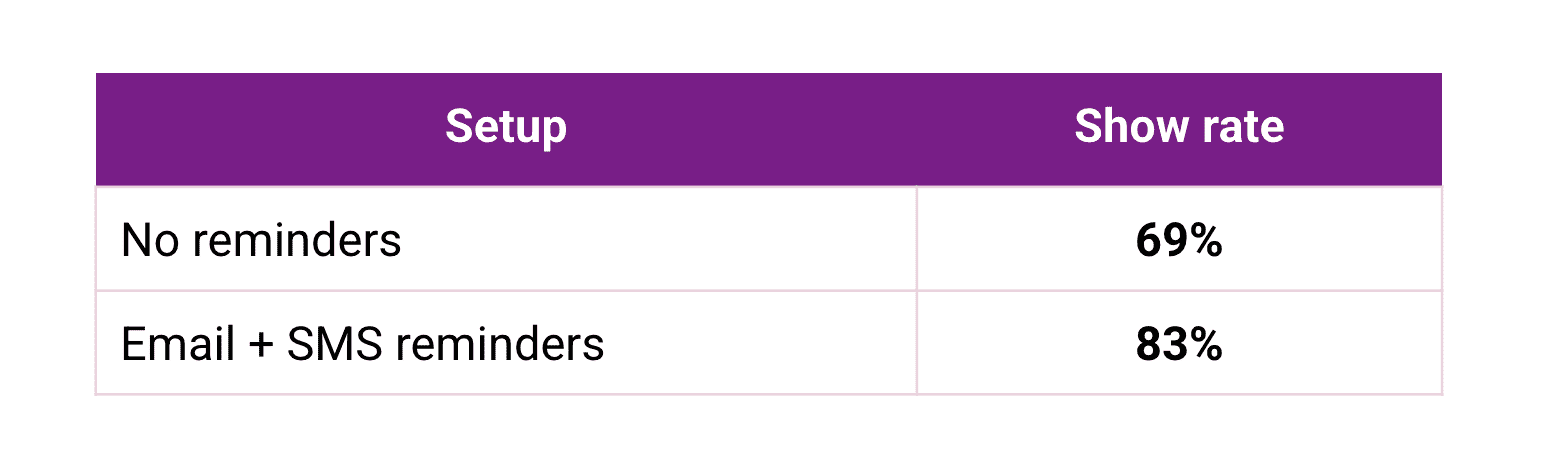
The biggest driver is reminders. Not because people are irresponsible, but because meetings compete with real life. Reminders turn “I forgot” into “I’ll make it” and turn “I can’t make it” into “I’ll reschedule.”
What reminders change
| Reminder setup | Show rate | No-show rate |
|---|---|---|
| No reminders | 69% | 31% |
| Email plus SMS reminders | 83% | 17% |
Email plus SMS improves attendance compared to having no reminders.
“The impact of setting meeting reminders is clearly visible.. no-shows have gone down ”
- Organizer, anonymized
What organizers said is working for them
We asked scheduling page owners what reduced no-shows without making things feel heavy. The same practices kept coming up:
- Confirmation right after booking with the basics: time and link or location
- Reminder the day before
- Short reminder close to the meeting
- Rescheduling that is easy and obvious
A small detail that matters: reminders that include a direct reschedule option tend to reduce no-shows more than reminders that only say “don’t forget.”
Scheduling Success Rate is the outcome metric most teams should track
Booking conversion tells you if people are willing to schedule. Show rate tells you if meetings actually happen. Scheduling Success Rate combines both.
| Metric | Platform average | Top 10% of pages |
|---|---|---|
| Scheduling Success Rate | 11.6% | 26%–30% |
In practice, Scheduling Success Rate improves when you do two things well:
- Help people book confidently with a few useful sections
- Help them remember and manage the meeting with reminders
What to do next
If your booking conversion rate is low
- Add details about the person and company, written plainly
- Add a short video that explains what the meeting is and what happens next
- Add 4–6 FAQs that match what people ask you in messages
- Keep booking questions to 3–5 fields
- Keep the page fast on mobile
If your show rate is low
- Turn on reminders
- Use email plus SMS if no-shows are costly
- Make rescheduling obvious and easy
- Add one line on the page about what the meeting will cover
If you want to educate prospects better without making the page long
- Add a short file attachment like a one-page overview, prep doc, or deck
- Add 2–3 FAQs that remove confusion about pricing, scope, or next steps
- Send one short pre-meeting note after booking with any prep needed
Key Definitions
Booking conversion rate: Percentage of visitors who complete a booking.
Show rate: Percentage of booked meetings where the attendee shows up.
Scheduling Success Rate: Percentage of visitors who book and show up. Equal to Booking conversion rate × Show rate.
Reschedule rate: Percentage of bookings that are rescheduled at least once.
FAQ
What is a good booking conversion rate for a scheduling page
A typical scheduling page converts around 15.1% of visitors into bookings, while the top 10% of pages reach 30%–33%.
What is a good show rate for booked meetings
Across pages, the average show rate is 77% and the top 10% of pages reach 87%–90%.
What is Scheduling Success Rate
Scheduling Success Rate is the percentage of scheduling page visitors who both book and attend a meeting.
Do meeting reminders improve show rates
Yes. In this dataset, pages using email plus SMS reminders reached an 83% show rate compared to 69% with no reminders.
How many booking form fields should I ask before someone books
Most pages perform best with 3–5 fields. Completion rates tend to drop once forms reach 6–8 fields.
What sections should a scheduling page include to convert better
Bookers consistently find details about the person and company, videos, FAQs, attached files, and a map most useful when deciding whether to book.
Methodology
We reviewed calendar scheduling tools through real use cases, not feature checklists. We compared setup time, booking flow, reminders, team scheduling, availability controls, page customization, integrations, and pricing. We also looked at public reviews, help docs, and product pages to understand what each tool actually solves for small businesses online.
Sources
- I went through official websites, pricing pages, FAQs, and help docs for each scheduling tool included in this report. This helped me understand what each tool claims and how features actually work during setup and daily use. Trials were also part of the process to validate real behavior.
- To balance this, I reviewed feedback on platforms like Trustpilot and G2 to spot patterns in reliability, support, and billing. I also checked Reddit and Quora to understand real challenges, edge cases, and what users struggle with after the first few weeks.
Test setup for Calendar Scheduling Benchmark Report 2026
- I created multiple scheduling pages across tools with common use cases like sales calls, demos, and consult bookings. Each page included basic sections like availability, short forms, and reminders.
- I tested across desktop and mobile, with different time zones, to see how booking flows behave in real conditions. This included checking page speed, form completion, and how reminders are delivered.
Common scenarios we tested
- Visitors landing on a scheduling page, reviewing details, and deciding whether to book. I tracked how page content, form length, and layout affect conversion.
- Booked meetings moving to completion. This included reminders, rescheduling flows, and no-show behavior. I also tested how small changes like adding FAQs or reducing form fields impact booking and attendance rates.
Conclusion
From testing and reviewing this data, the gap between average and top-performing scheduling pages comes down to a few specific decisions.
- If your goal is more bookings, focus on page clarity and trust signals like FAQs, videos, and basic context
- If your issue is no-shows, prioritize email + SMS reminders and easy rescheduling
- If you want better lead quality, keep forms short upfront and collect details after booking
- If you run local or in-person services, adding a map and clear logistics improves attendance
Most teams don’t need more features. They need a page that answers key questions quickly and a reminder system that ensures meetings actually happen.
Summarize this content with AI


