

Introduction
The best booking software for a small business depends on what you sell. Choose Lunacal for consultations and branded service pages, Square Appointments for services paid at checkout, or Acuity Scheduling for lessons, classes, and packages. Setmore suits small teams on a budget, Calendly suits client calls, and Cal.com gives solo operators flexible free scheduling.
Mastercard’s Dreamonomics report, published 15 September 2026, found that 78% of surveyed SMEs considered integrated tools critical. For an owner managing the diary and payments, that means checking how the booking reaches the calendar, reminder, and payment record. Start with the business group below, then compare the plan you’ll need.
Which booking software fits your type of small business?
Best booking software by small-business type
| Business type | Best fit | Why it fits |
|---|---|---|
| Consultants, advisers & creative businesses | Lunacal | Branded pages; paid consultations |
| Solo specialists & technical teams | Cal.com | Flexible events and calendar connections |
| Agencies, sales & recruitment | Calendly | Meeting automation and team routing |
| Coaching, education, fitness & wellness | Acuity Scheduling | Intake, classes and prepaid packages |
| Small service teams & nonprofits | Setmore | Up to four free users |
| Salons, grooming, retail & repairs | Square Appointments | Appointments connected to service checkout |
| Trades & mobile services | Field-service software | Travel, jobs and dispatch |
| Clinics, hospitality & rentals | Industry-specific booking software | Patient, room or inventory management |
For consultants and creatives, the booking page needs to explain the service. Teaching and wellness businesses need intake or repeat sessions; salons and repair businesses need checkout. Clinics need practice systems, restaurants need table reservations, and hotels or rental companies need inventory-based availability.
Booking systems for small business: staff, payments, and plan limits
| Tool | Staff booking | Payments | Reminders | Repeat services | Key restriction |
|---|---|---|---|---|---|
| Lunacal | Individual pages; round robin on Teams | Stripe and PayPal | Email and text | Packages on Teams | Paid seats for team scheduling |
| Cal.com | Round robin and collective events on Teams | Stripe and PayPal | Email and SMS workflows | Multiple event types on Free | Shared team features need paid seats |
| Calendly | Round robin on Teams | Stripe and PayPal on Standard | Automated workflows on Standard | Multiple event types on Standard | Free: one event type, one calendar |
| Acuity Scheduling | 1, 6, or 36 calendars | Payments and deposits | Email; SMS from Standard | Packages and memberships from Standard | Price rises with calendar allowance |
| Setmore | Up to four users on Free | Online payment integrations | Email; SMS on Pro | Services and group classes | Two-way calendar sync needs Pro |
| Square Appointments | Staff calendars; multi-staff booking on Plus | Square payments and POS | Text and email | Packages and classes | US paid plans charged per location |
References: Lunacal pricing · Acuity pricing · Lunacal G2 reviews · Cal.com G2 reviews · Setmore G2 reviews
Booking software for small business: where each tool works best
Lunacal
Lunacal combines service scheduling, payments, and a customisable booking page for businesses that want clients to understand their offer before choosing a time.
Who is Lunacal best for?
Consultants and creative service businesses whose booking page needs to explain the value of an appointment. Choose it when a client needs to see what the session includes, how to prepare, or examples of your work before paying and choosing a time.
When is Lunacal a poor fit?
Skip it if you only need an occasional free booking link. For a salon already using Square at the counter, connecting appointments to that checkout may be more useful than building a separate service page.
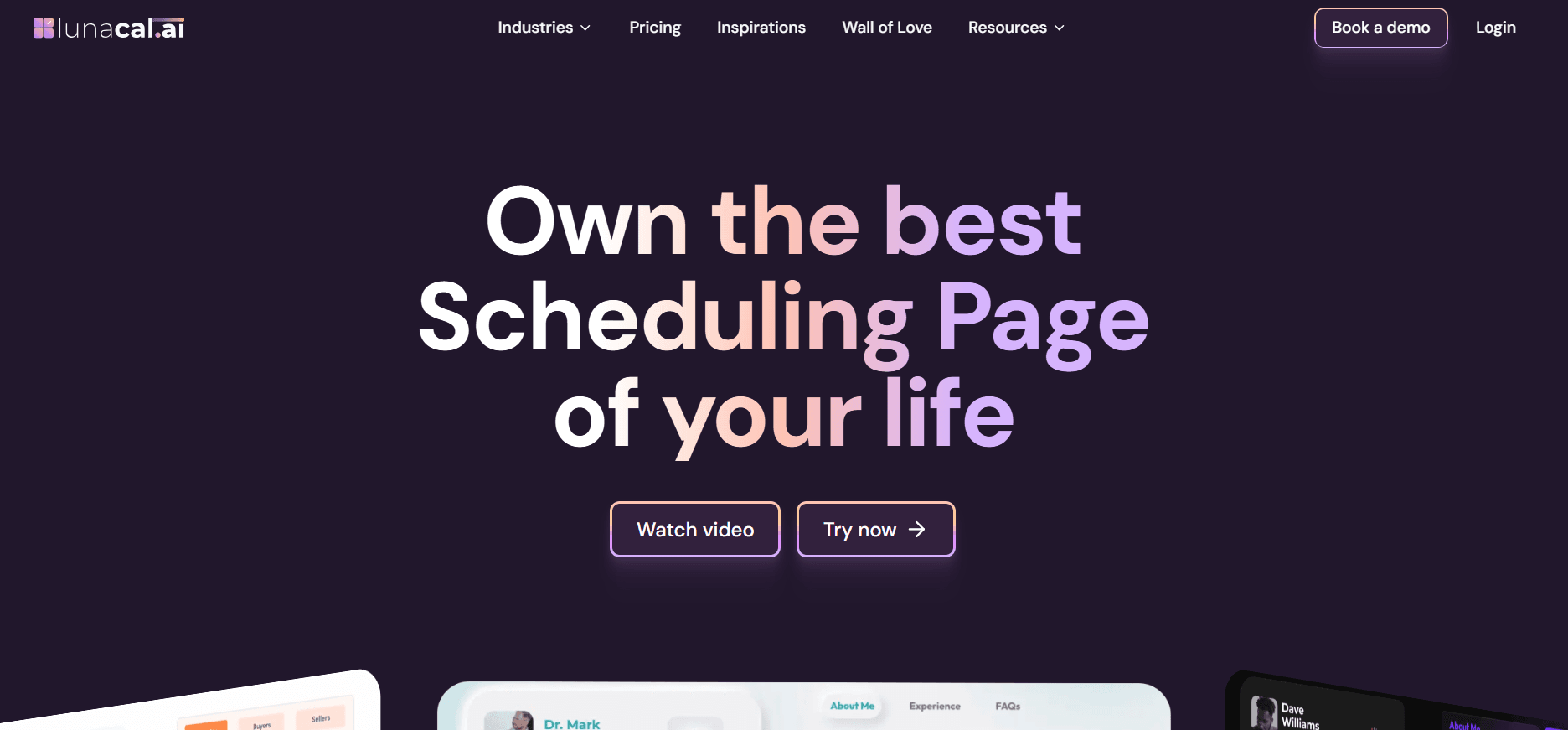
The homepage below shows Lunacal’s focus on presenting a business alongside its booking calendar.
Features
Service pages
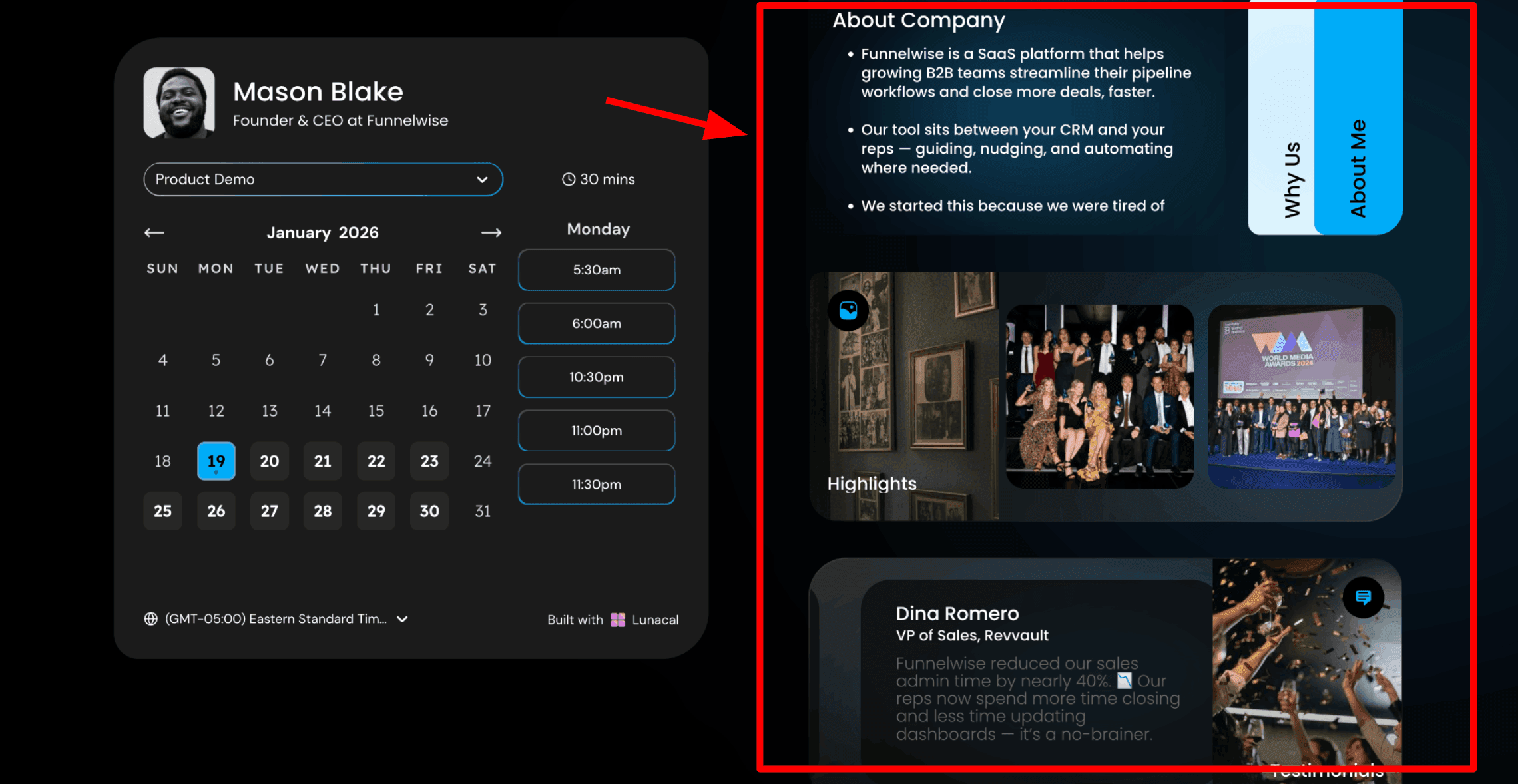
A solo consultant can explain what a paid session includes, while a photographer can describe the shoot and what clients should bring. Putting those answers beside the calendar reduces questions the owner would otherwise answer separately. In a G2 review, Akshat R. described adding an introduction, FAQs, and a preparation file so people understood the meeting before booking. That is useful for a paid consultation where a bare time picker leaves questions unanswered.
Team allocation
Teams adds round-robin scheduling and shared booking workflows. Benjamin A.’s G2 review highlighted distributing demos among team members and sending booking information to a CRM through webhooks. For a three-person consultancy, round robin can share new enquiry calls without the owner forwarding each booking. Use individual pages when clients should choose a particular adviser, and shared routing when any available colleague can handle the enquiry.
Page customisation
Branding matters most when the booking page is the first substantial contact with your business. An AppSumo reviewer who switched from Calendly liked Lunacal’s page design and team options, but initially found the range of choices overwhelming. Start with your main service and booking rules before adding every available widget.
The booking-page widgets below show how service information can sit beside the calendar.
Paid appointments
Stripe and PayPal let a consultant collect payment when the client reserves a session. QuickBooks’ 2026 Small Business Late Payments Report, published 7 July 2026, found that 59% of surveyed small businesses had invoices overdue by 30 days or more. For a fixed-price consultation, taking payment during booking removes a separate invoice and follow-up step.
Choose Standard for one-off paid appointments, or Teams for packages such as a block of tutoring lessons. Our guide to booking systems with payment explains the differences to check before subscribing.
Setup support
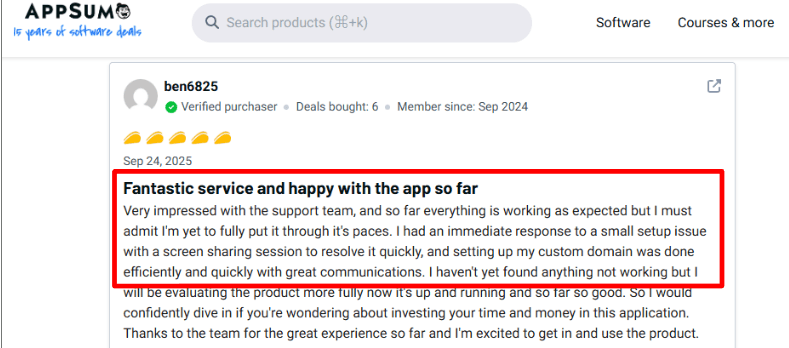
A booking page still needs working calendar connections and sensible cancellation rules. The AppSumo review below highlights fast help with custom-domain setup; that matters when the booking link has to match an existing business website.
Pros
- Service explanations can answer client questions before they take up appointment time.
- Payments and booking happen in one flow, so a paid session needs less follow-up administration.
- Teams can distribute enquiries while keeping a consistent business booking page.
- Packages support repeat work without selling every session individually.
Cons
- There is no permanent free plan for businesses that only need occasional bookings.
- Team scheduling requires paid seats, increasing the subscription as staff join.
- The range of page and routing settings adds setup work compared with a basic meeting link.
Pricing
For one owner booking individual services, start with Standard. A tutor selling lesson packages or a team sharing enquiry calls should budget for Teams rather than choosing solely by the lowest advertised price.
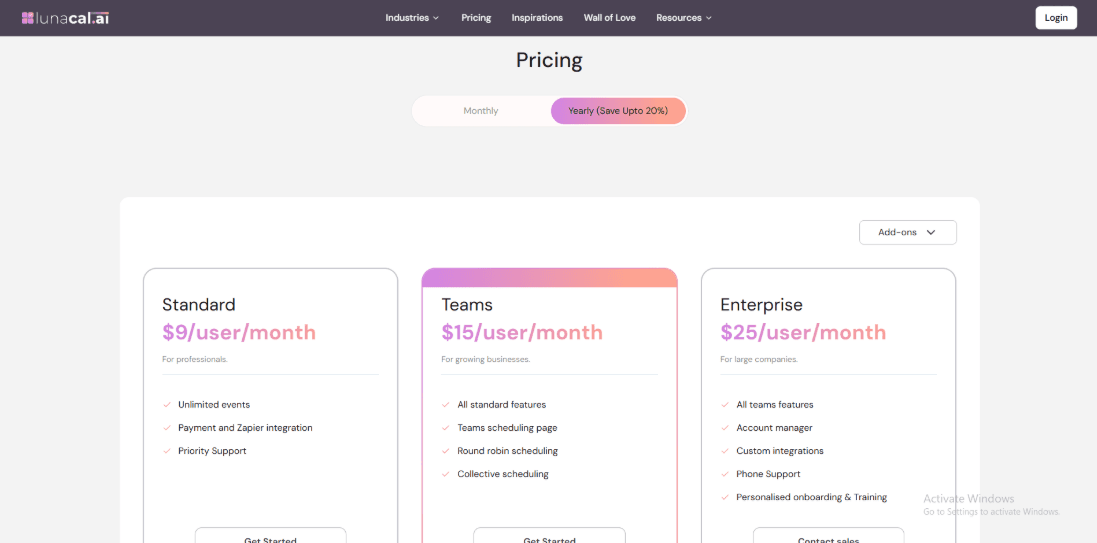
Standard
- US$9 per user/month, billed annually.
- Unlimited calendars and services, payment collection, booking-page customisation, and email/text reminders.
Teams
- US$15 per user/month at the current promotional price. Check the renewal price before subscribing.
- Adds team scheduling, round robin, packages, and webhooks.
Enterprise
- US$25 per user/month, billed annually.
- Adds account management and enterprise features; confirm beta-feature availability for your account.
The pricing view below helps distinguish individual booking features from team and enterprise options.
Pricing checked on 2 October 2026 against Lunacal pricing.
Cal.com
Cal.com is a flexible scheduler with a generous individual free plan and paid team routing, suited to businesses that want control over event types and integrations.
When should you choose Cal.com?
Solo specialists offering several appointment types, and technical teams connecting bookings to other software. A consultant can keep separate links for discovery, troubleshooting, and handover meetings without paying solely to add another event type.
Who should avoid Cal.com?
An owner who wants a tightly guided service-booking setup may find the configuration choices excessive. Shared team routing requires a paid plan, so the individual free tier is not a substitute for a staff booking system.
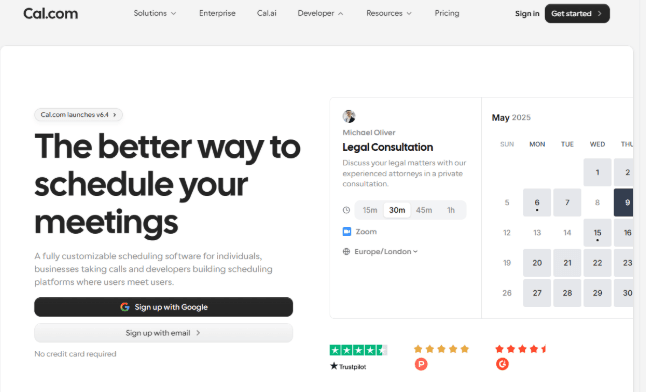
The homepage below reflects Cal.com’s emphasis on flexible scheduling for individuals and teams.
Features
Calendar connections
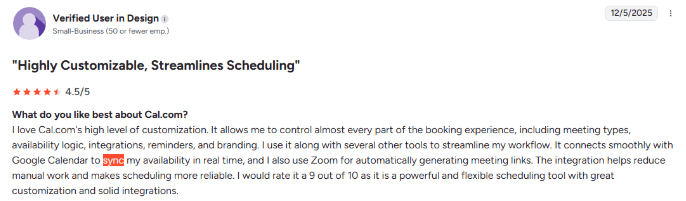
Free includes unlimited event types and calendar connections for one user. In a G2 review, Hriday B. highlighted calendar syncing and time-zone handling as useful everyday features. An IT consultant can create separate links for a free discovery call, paid troubleshooting, and a project handover without paying just to add another event type. Work and personal calendars can both block unavailable time.
The review below highlights Google Calendar syncing, a useful check when work and personal commitments must block the same booking page.
Shared availability
Teams supports round robin and collective events. Hriday B.’s G2 review also praised shared availability while noting that advanced settings took guidance. A small IT support team can use round robin to assign the next available specialist. A project handover involving both the developer and account manager needs collective scheduling, so the client sees only times that work for both people.
Paid meetings
Stripe and PayPal support charging for booked appointments. This suits a solo specialist who wants payment attached to a consultation. Selling a prepaid course of sessions involves a different workflow; Acuity or Lunacal deserves a closer look when packages are central to the business.
Custom integrations
Cal.com offers APIs and webhooks for connecting bookings with other systems. Its open-source option creates room for deeper customisation, but self-hosting brings maintenance and deployment work. A two-person business without someone responsible for hosting should start with the hosted service. A developer-led business has a stronger reason to consider custom integration or self-hosting when scheduling must fit an existing customer portal.
Booking rules
Different event types can have their own durations, availability, and booking conditions. That is helpful when a short sales call should not consume the same schedule as a longer paid session. Check all related calendars and buffer rules before sharing the link: flexible settings only help when they match the way the business operates.
Pros
- A solo business can offer several services without buying a paid tier just to add event types.
- Multiple calendar connections help protect availability across different commitments.
- Collective and round-robin options support different kinds of team appointments.
- Integration flexibility gives technical teams room to connect bookings with existing systems.
Cons
- Advanced routing and configuration take more effort than a minimal booking link.
- Shared team features introduce a per-user subscription cost.
- Self-hosting requires technical ownership rather than removing ongoing maintenance.
Pricing
A solo operator can stay on Free while offering several services. Three staff who need Teams features cost US$36/month in total when billed annually; adding users should follow a genuine need for shared scheduling.
Free
- US$0/month for one user.
- Unlimited event types and calendar connections, plus payment integrations.
Teams
- US$12 per user/month, billed annually.
- Round robin, collective events, routing, and removal of Cal.com branding.
Organizations
- US$28 per user/month, billed annually.
- Adds organisation-level controls and unlimited subteams.
Enterprise
- Custom pricing.
- Advanced requirements and enterprise support arranged with sales.
Pricing checked on 2 October 2026 against Cal.com pricing.
Calendly
Calendly is a meeting scheduler for client calls, consultations, and sales conversations, with paid automation and team routing beyond its basic free booking link.
Which teams benefit most from Calendly?
Small agencies, recruitment firms, and sales teams arranging client conversations. Choose it when the priority is sharing availability, sending meeting links, and routing enquiries to the right colleague rather than selling service packages.
When should you skip Calendly?
A salon or studio needing service packages, client intake, and checkout will get a more natural fit from Acuity or Square. Free also becomes restrictive quickly if you offer more than one appointment type or need more than one connected calendar. Our Calendly alternatives guide covers options for a more service-focused setup.
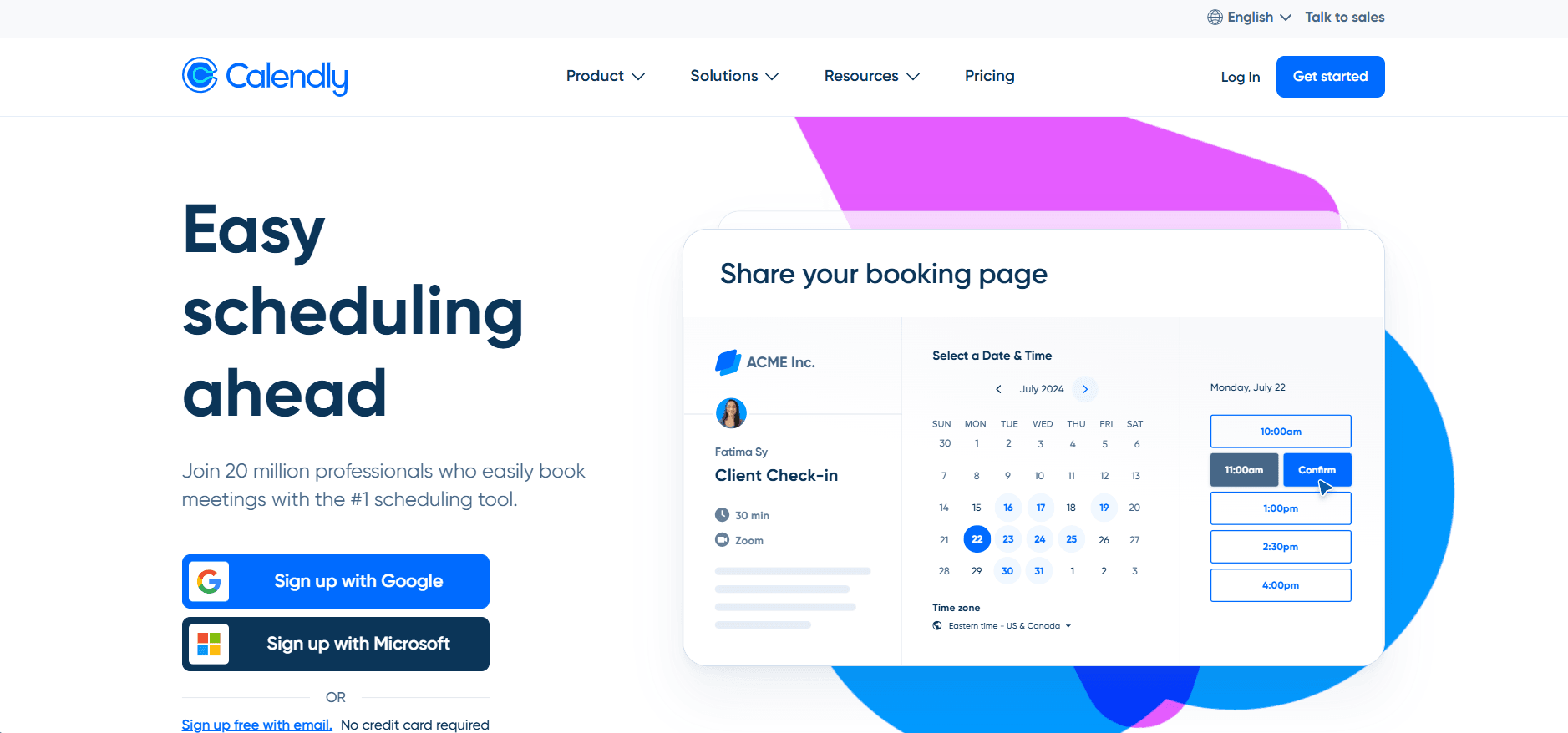
The homepage below shows Calendly’s focus on making meetings easier to arrange.
Features
Booking links
Free provides one event type and one calendar connection. A Trustpilot reviewer, Sandra, found the free version intuitive and sufficient for her needs. A freelance marketer offering only a 30-minute discovery call can use that free setup. An agency needing separate discovery, onboarding, and project-review links should budget for Standard rather than treating Free as a complete business setup.
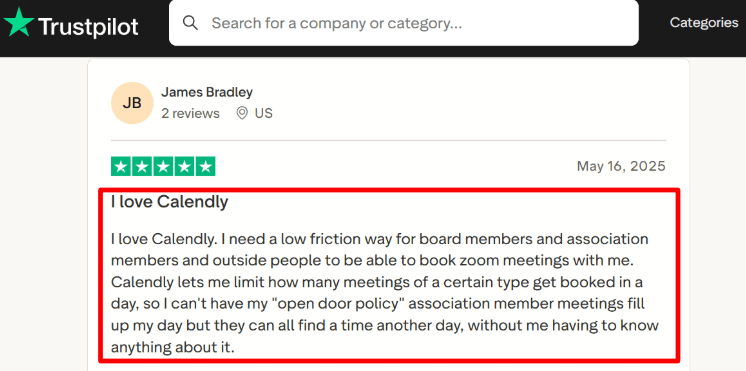
Daily limits
Availability rules, buffers, and booking limits help protect time around calls. The Trustpilot review below focuses on daily limits as a way to avoid filling every working hour with Zoom meetings. A solo adviser needs time to prepare notes and follow up after calls. Leave buffers between appointments and cap the day’s bookings so client calls do not consume the hours needed to deliver paid work.
Automated follow-ups
Standard adds automated workflows and payment integrations. Reminders are useful when a client booked days ago and needs the meeting link again; follow-ups can carry the next step after a consultation. Configure the timing around the appointment rather than sending every available message.
Team routing
Teams adds round robin and lead-routing capabilities. That fits a small agency sharing discovery calls or an insurance broker allocating enquiries among advisers. A two-person team pays US$32/month on annual billing for Teams; a shared company name alone is not a reason to buy routing if clients always choose a specific person. It also does not turn Calendly into a salon checkout or prepaid-session system.
Support access
Brianna Kuhlwein’s Trustpilot review described easy use as a small-business owner and quick answers to questions. Recent reviews also include individual booking and account complaints, so keep a direct contact option on the website for a client who cannot complete a booking.
Pros
- One simple service can use the free tier without a subscription.
- Meeting links suit businesses selling time through remote calls.
- Paid workflows reduce manual reminder and follow-up messages.
- Team routing can share sales enquiries among several hosts.
Cons
- One free event type is restrictive when the business offers several services.
- One free calendar connection is insufficient for separate work and personal calendars.
- Payments and automated workflows require a paid plan.
- Package sales and service-business checkout need a different tool or additional systems.
Pricing
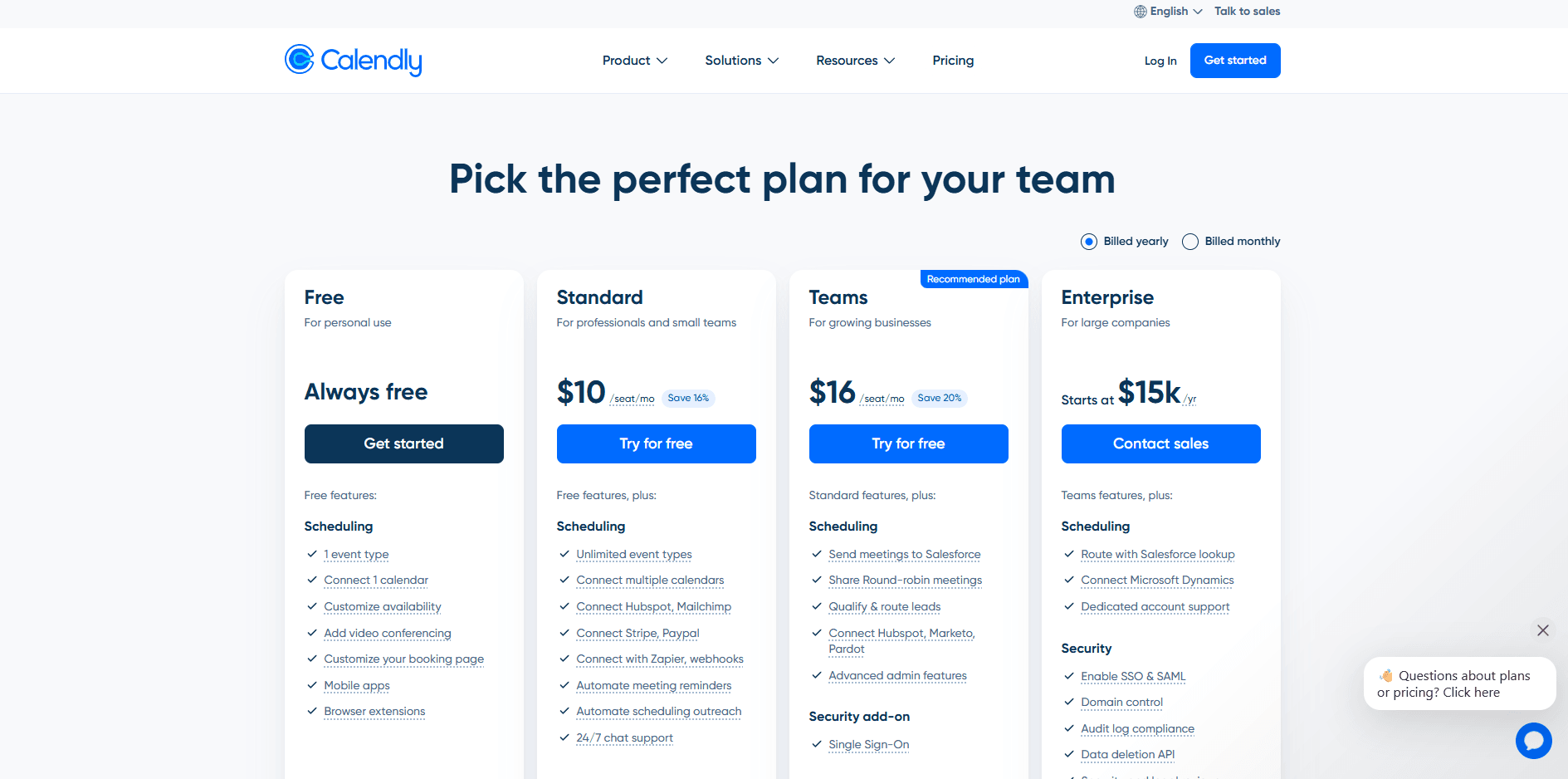
Use Free for one simple booking link. Standard is the relevant upgrade for a small business offering several meeting types or charging for a consultation; choose Teams when enquiries need to be distributed among hosts.
Free
- US$0/month.
- One event type and one connected calendar per user.
Standard
- US$10 per seat/month, billed annually.
- Multiple event types, additional calendar connections, payments, and automated workflows.
Teams
- US$16 per seat/month, billed annually.
- Adds round robin and lead-routing features.
Enterprise
- Starts at US$15,000/year.
- Intended for larger deployments starting at 50 seats.
The tier view below shows why multiple appointment types and automation change the price of a Calendly setup.
Pricing checked on 2 October 2026 against Calendly pricing.
Acuity Scheduling
Acuity Scheduling organises service appointments, intake forms, deposits, and repeat purchases for businesses that need more than a meeting link.
What does Acuity Scheduling suit best?
Teaching, coaching, fitness, and wellness businesses that need preparation questions and repeat purchases. It suits a lesson block or coaching programme where the client pays once, books several sessions, and expects the business to track what remains.
Who needs an alternative to Acuity Scheduling?
An occasional meeting host may not need a paid service-management system. A team needing lead routing or frequent meetings involving multiple employees should compare Calendly or Cal.com before committing to Acuity’s calendar-based tiers.
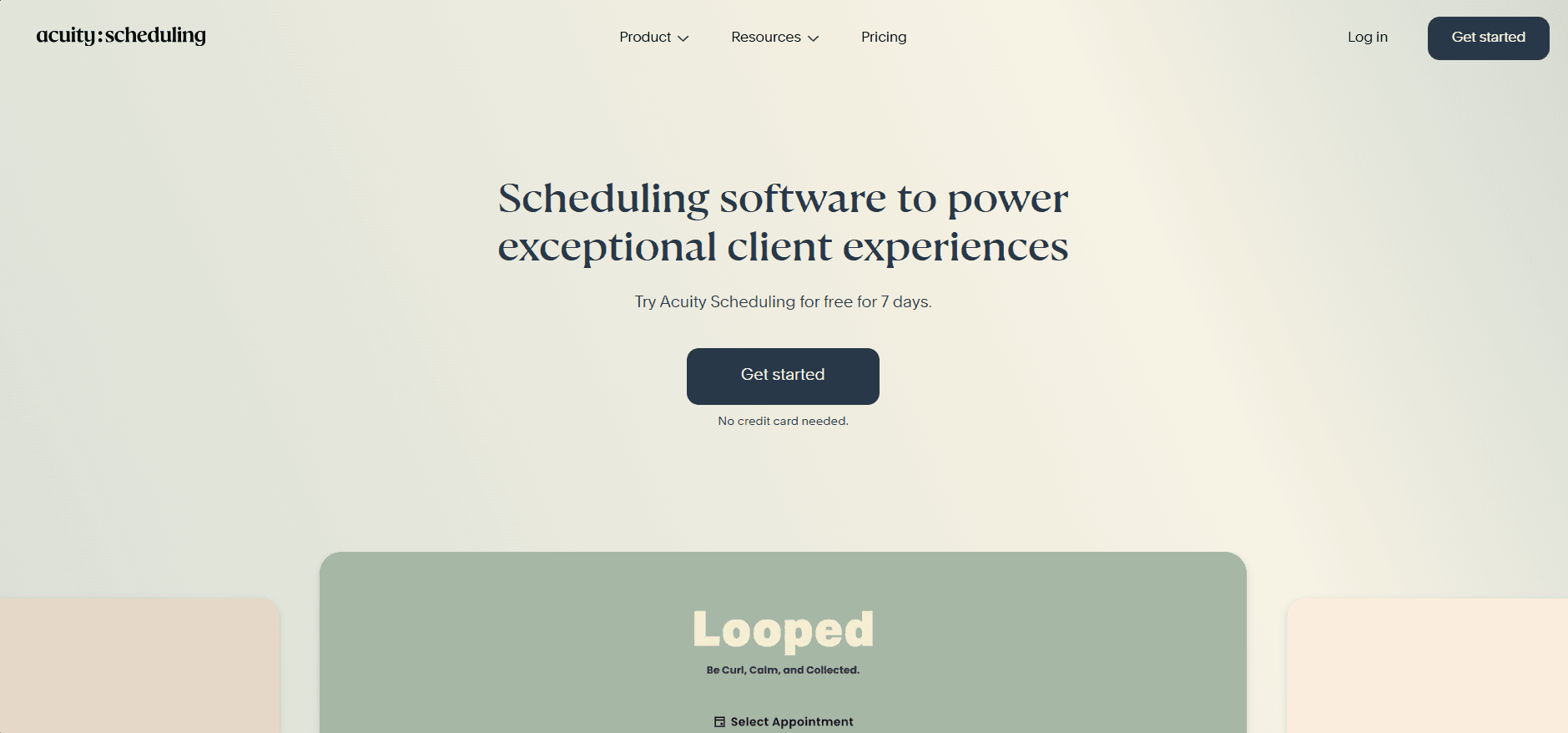
The homepage below places intake forms and payments alongside service booking, which is Acuity’s main advantage over a basic meeting scheduler.
Features
Intake forms
Attach different questions to each service so the owner receives useful preparation details with the booking. A trainer can ask about goals and experience; an accountant can ask whether the client needs a personal-tax or business consultation. Ask only what is needed to prepare, and keep existing professional records in the system used to manage them.
Repeat purchases
Standard adds packages, memberships, and gift certificates. In inTandem’s 2026 Small Business Digital Adoption Report, 38% of US small-business owners planned to improve payment collection in 2026. A driving instructor selling ten lessons or a coach selling a six-session programme needs to track what the client purchased and what remains. Connecting the purchase with later bookings avoids maintaining a separate spreadsheet of session balances.
Calendar syncing
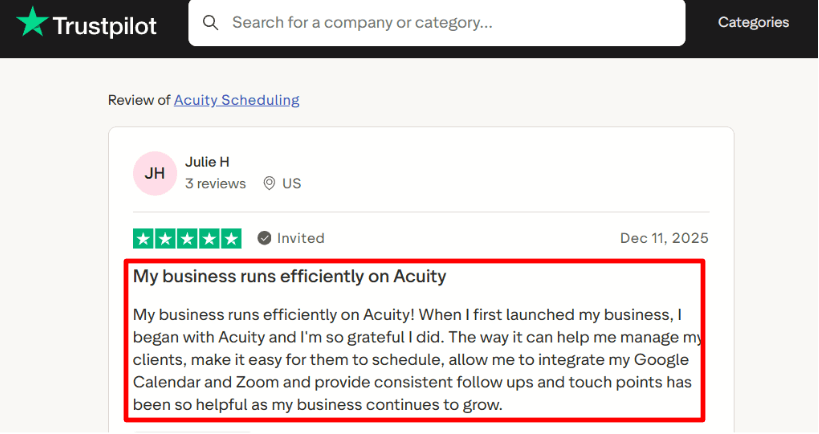
Acuity connects external calendars to help keep personal commitments and client appointments aligned. Kathy Kennedy’s Trustpilot review described needing substantial help connecting her iCal calendar. That is a reason to check the exact calendar connection during the trial, especially if it is already the owner’s main diary.
The review below describes a business owner using Google Calendar, Zoom, and follow-ups together; notice how the surrounding integrations matter as much as the booking page.
Client reminders
Email reminders are included on Starter; SMS begins on Standard. A reminder should include the appointment time, location or call link, and a clear way to make changes. For a trainer moving between sessions, automated texts can replace manually messaging tomorrow’s clients. If texts or packages are essential, compare the Standard price rather than choosing Starter and adding manual work around it.
Setup help
Corey Indian’s Trustpilot review described receiving videos from support that helped restore client booking. Support can be useful when an integration interrupts the booking flow, but leave enough trial time to configure forms, calendars, and payments before sending clients the new link.
Pros
- Intake answers can arrive with the booking, reducing separate preparation emails.
- Deposits help a business collect a commitment before delivering the appointment.
- Packages and memberships connect repeat purchases with later bookings.
- Calendar allowances make the cost easier to compare for a service team with several bookable schedules.
Cons
- There is no permanent free plan for low-volume or occasional use.
- SMS and packages require Standard rather than Starter.
- Adding more bookable calendars can require moving to a higher tier.
- Forms, payments, and external calendar connections take more initial setup than a single meeting link.
Pricing
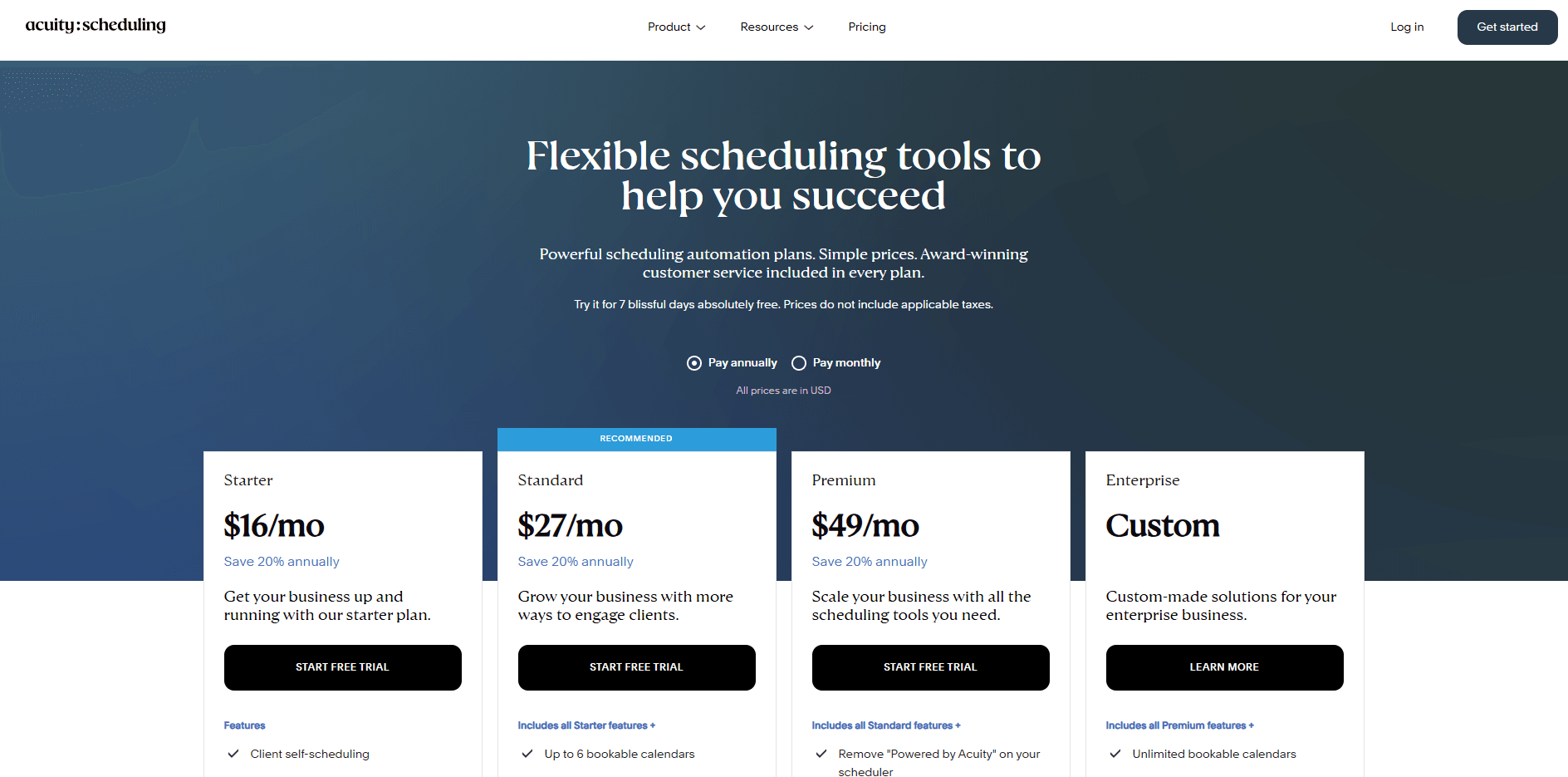
A solo practitioner taking one-off appointments can start with Starter. Standard is usually the more relevant comparison for a small studio because it includes up to six calendars, SMS, and packages for one subscription rather than a separate fee for each calendar.
Starter
- US$16/month, billed annually, or US$20 month to month.
- One calendar, intake forms, payment collection, and email reminders.
Standard
- US$27/month, billed annually, or US$34 month to month.
- Up to six calendars, SMS reminders, packages, memberships, and gift certificates.
Premium
- US$49/month, billed annually, or US$61 month to month.
- Up to 36 calendars, branding removal, and advanced customisation/API access.
The pricing screenshot below shows the calendar allowances and upgrades to check when moving from individual services to a larger practice.
Pricing checked on 2 October 2026 against Acuity pricing.
Setmore
Setmore provides service booking, staff calendars, and online payment options, with a free plan that accommodates up to four users.
Is Setmore right for your business?
A small service team with up to four bookable people and a tight software budget. Start here when customers need to select a service and staff member, and email reminders are sufficient; budget for Pro if external calendar syncing or texts are essential.
Where does Setmore fall short?
If every staff member needs two-way external calendar syncing and text reminders, budget for Pro from the start. The free team allowance is useful, but it does not include those day-to-day coordination features.
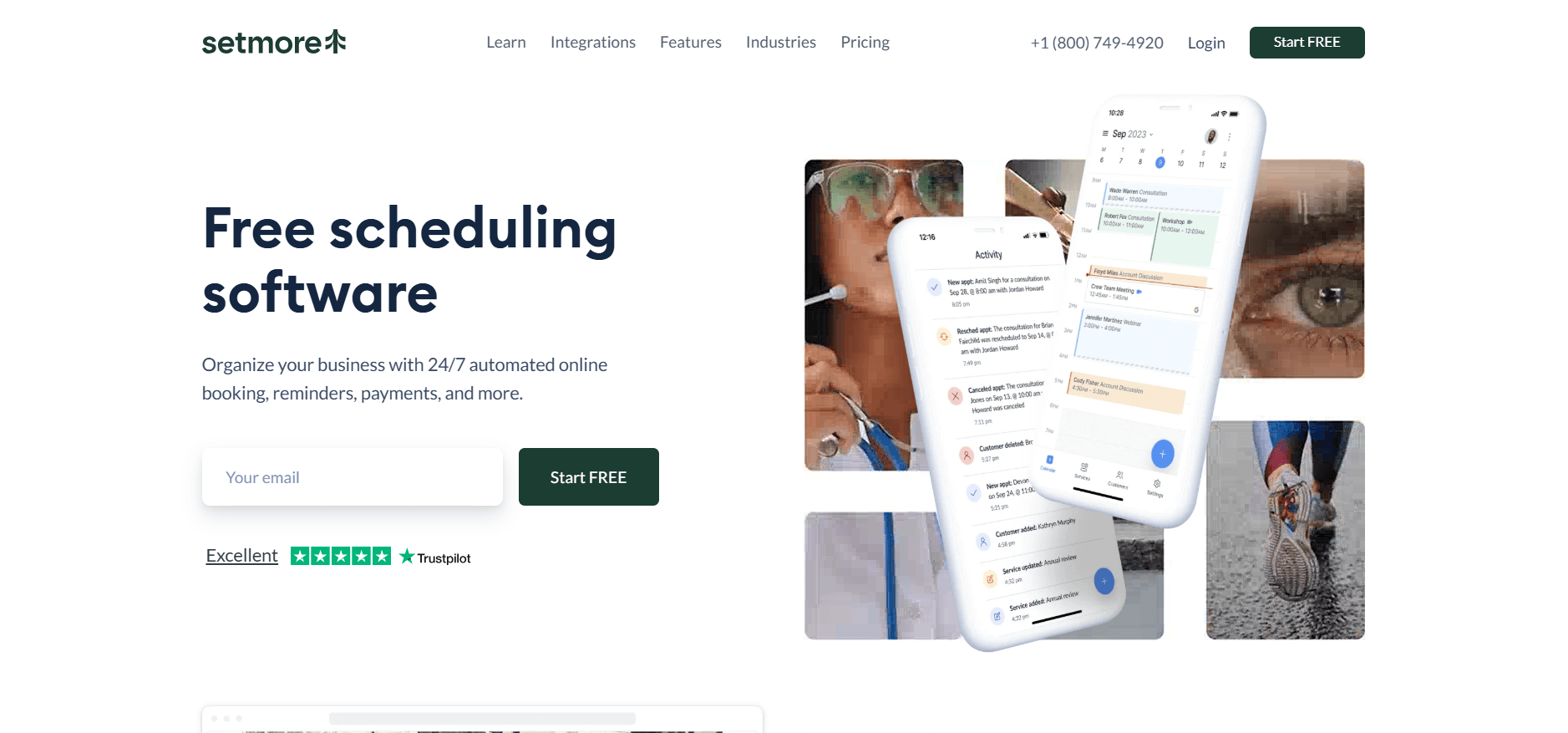
The homepage below shows Setmore’s straightforward approach to online appointment booking.
Features
Staff calendars
Free includes up to four users and unlimited appointments. Each service can be associated with the staff who deliver it, helping clients choose the right appointment without contacting the owner. A three-person cleaning business can list its service types and staff availability; a tutor group can let parents select the subject and teacher. If appointments also need travel routes, job dispatch, or live arrival updates, a field-service system is a better comparison.
Booking confidence
A booking page can display services and customer reviews together. James C.’s G2 review highlighted easy setup and the value of reviews on the scheduling page. That matters for a new customer deciding whether to book a local service they have not used before.
Calendar coordination
Pro adds two-way calendar syncing. Kristen M.’s G2 review described using Setmore for multiple services but occasionally needing to reconnect a calendar. If a tutor also teaches elsewhere or a cleaner accepts work outside the business, those commitments must block the booking page. Budget for Pro when external two-way syncing matters; free staff accounts alone do not cover that coordination.
Reminder controls
Free includes email reminders; Pro adds SMS with 500 credits per team member each month and additional credits available to purchase. A four-person service team should estimate texts per staff member as well as total appointment volume. Confirmations, reminders, and changes can consume more credits than a simple count of clients suggests.
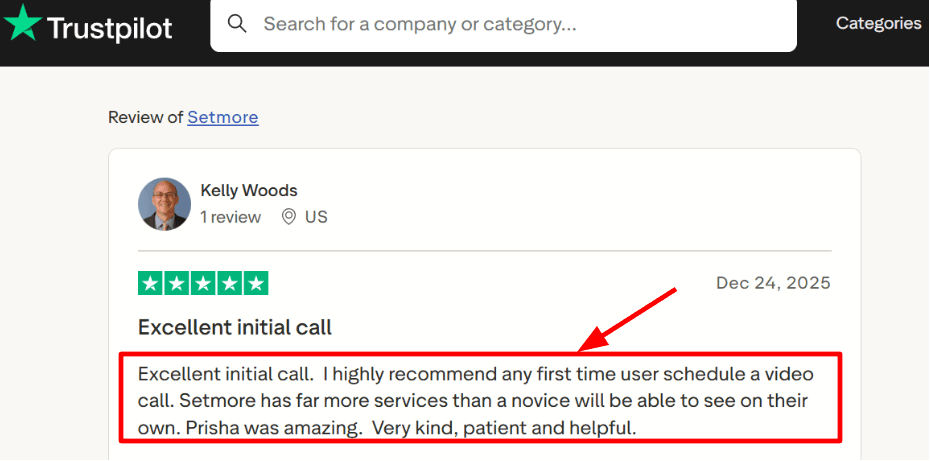
Onboarding help
The onboarding review below describes a representative helping a customer discover features they had missed. A short setup conversation can be worthwhile when several staff members need different services or availability rules.
Pros
- Four free users let a small staff start taking online bookings together.
- Unlimited appointments avoid a monthly booking cap on the free tier.
- Service pages can carry reviews where a new client makes the booking decision.
- Payment integrations let the team connect scheduling with collecting money.
Cons
- External two-way calendar syncing requires Pro.
- SMS reminders require a paid plan and have a credit allowance.
- Per-user billing increases the cost when the whole team needs Pro features.
- Calendar reconnection can require attention, as one G2 reviewer reported.
Pricing
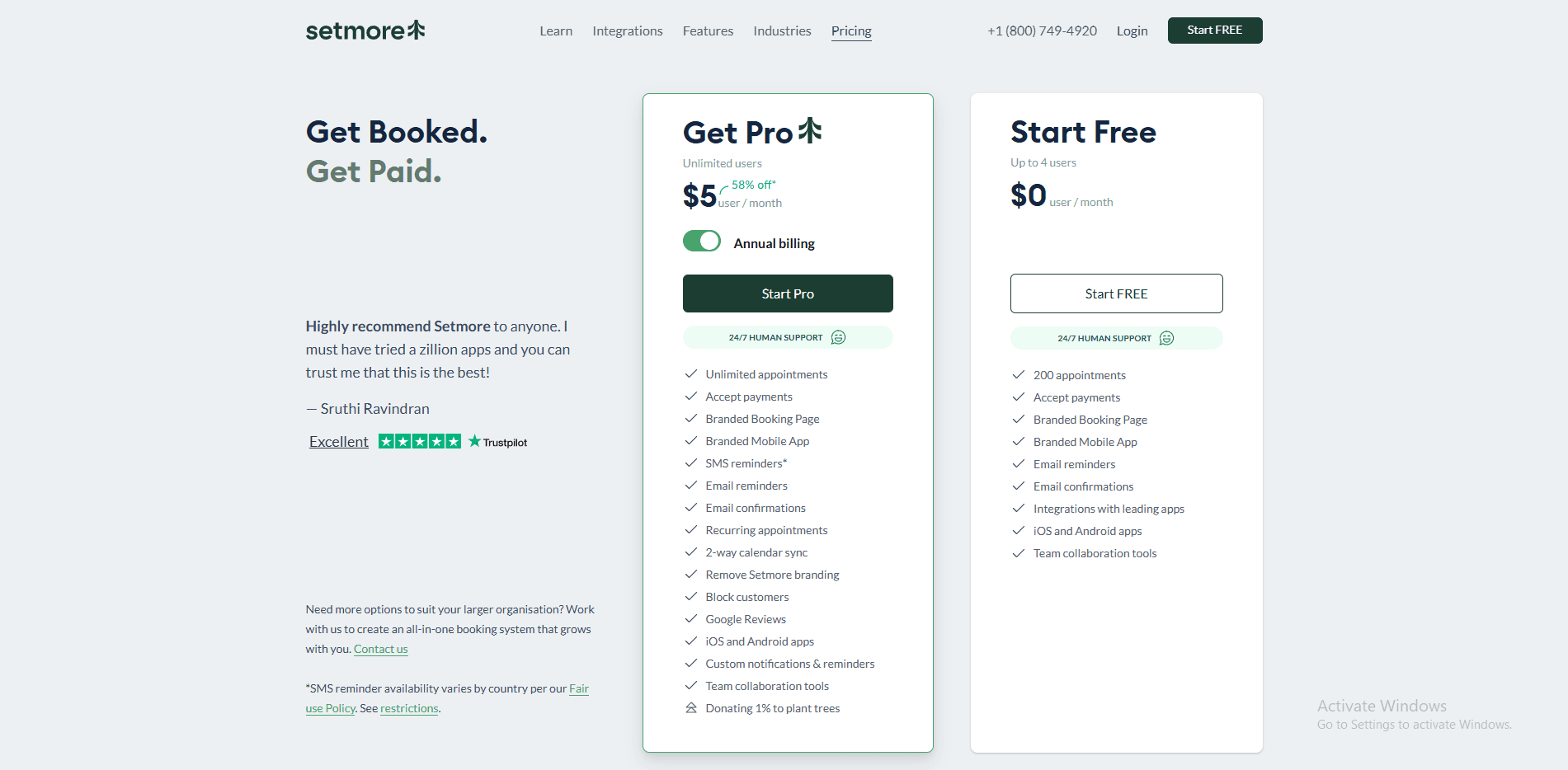
Four staff can start on Free if its booking and email-reminder features cover the business. If all four need Pro, the total is US$20/month on annual billing, or US$48 month to month; compare that total with a shared subscription before choosing.
Free
- US$0/month for up to four users.
- Unlimited appointments, online booking, email reminders, and payment integrations.
Pro
- US$5 per user/month, billed annually, or US$12 per user month to month.
- Two-way calendar syncing and SMS reminders; 500 SMS credits per team member/month.
Enterprise
- Custom pricing.
- Contact Setmore for a larger deployment and specific business requirements.
The pricing view below helps separate the free staff allowance from the syncing and reminder features that require Pro.
Pricing checked on 2 October 2026 against Setmore pricing.
Square Appointments
Square Appointments connects service bookings with Square payments, checkout, and customer records for businesses that deliver services in person.
Who is Square Appointments best for?
Salons, grooming businesses, retail showrooms, and repair businesses that take payments in person. It is especially useful when staff already use Square, because adding bookings to the same system creates less administration than maintaining a separate diary and checkout.
When is Square Appointments a poor fit?
A remote consultancy primarily booking video calls has less reason to adopt a point-of-sale ecosystem. Multi-location businesses also need to calculate the subscription for every location, rather than treating the advertised monthly price as a business-wide fee.
The homepage below shows Square Appointments as part of a booking and payment system for service businesses.

Features
Booking and checkout
Square is useful when the appointment ends at a checkout counter. A salon can collect payment for the booked service and a retail product together; a repair business can keep the service booking and payment in the same system. Compare that whole process with your current setup, especially if reception already uses Square and another booking app would create duplicate records.
Customer self-booking
Bree B.’s Software Advice review described online booking reducing calls and emails for a small charter operation, with payment information connected to scheduling. The same reviewer moved on when booking requirements became more complex. Square is most convincing when the service fits its appointment model.
Staff schedules
Square offers unlimited staff calendars, with multi-staff appointment booking among the Plus features. Delauréanne Q.’s Software Advice review praised time management but noted differences between tools in the app and the online version. In a small salon, the owner may use a phone while reception manages the diary on a computer. Check service changes, staff availability, and rescheduling in both places so the person serving clients is not relying on a feature only reception can access.
Booking protection
Text and email reminders help clients keep track of appointments. Plus adds cancellation-policy and no-show-fee tools and a waitlist; Premium adds resource management. A spa may need both an available therapist and an available treatment room. A busy salon may want a waitlist to refill cancellations. Those needs make the paid tier more relevant than the number of staff calendars alone.
Ecosystem support
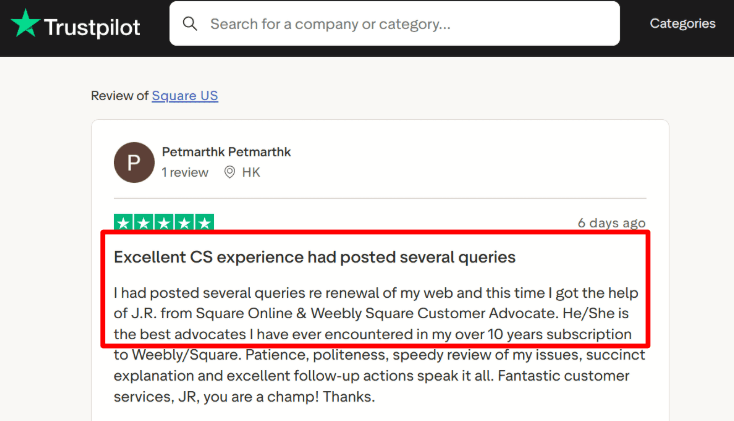
Using one provider for appointments and payments can simplify daily administration, but support becomes consequential when several parts depend on that account. The Trustpilot review below praises a Square/Weebly support advocate; it concerns the wider Square ecosystem rather than appointment scheduling alone.
Pros
- Appointments and payment records can stay in the same business system.
- Staff calendars support a growing service team without a calendar-count cap.
- Text and email reminders are available without buying a separate messaging tool for basic appointment reminders.
- Paid waitlist and booking-protection features suit busy local service businesses.
Cons
- Paid US plans charge for each location, increasing costs as the business expands.
- Payment-processing fees apply alongside any subscription.
- Multi-staff booking and advanced protection tools require a paid tier.
- Staff may encounter differences between app and browser functionality, as one Software Advice reviewer reported.
Pricing
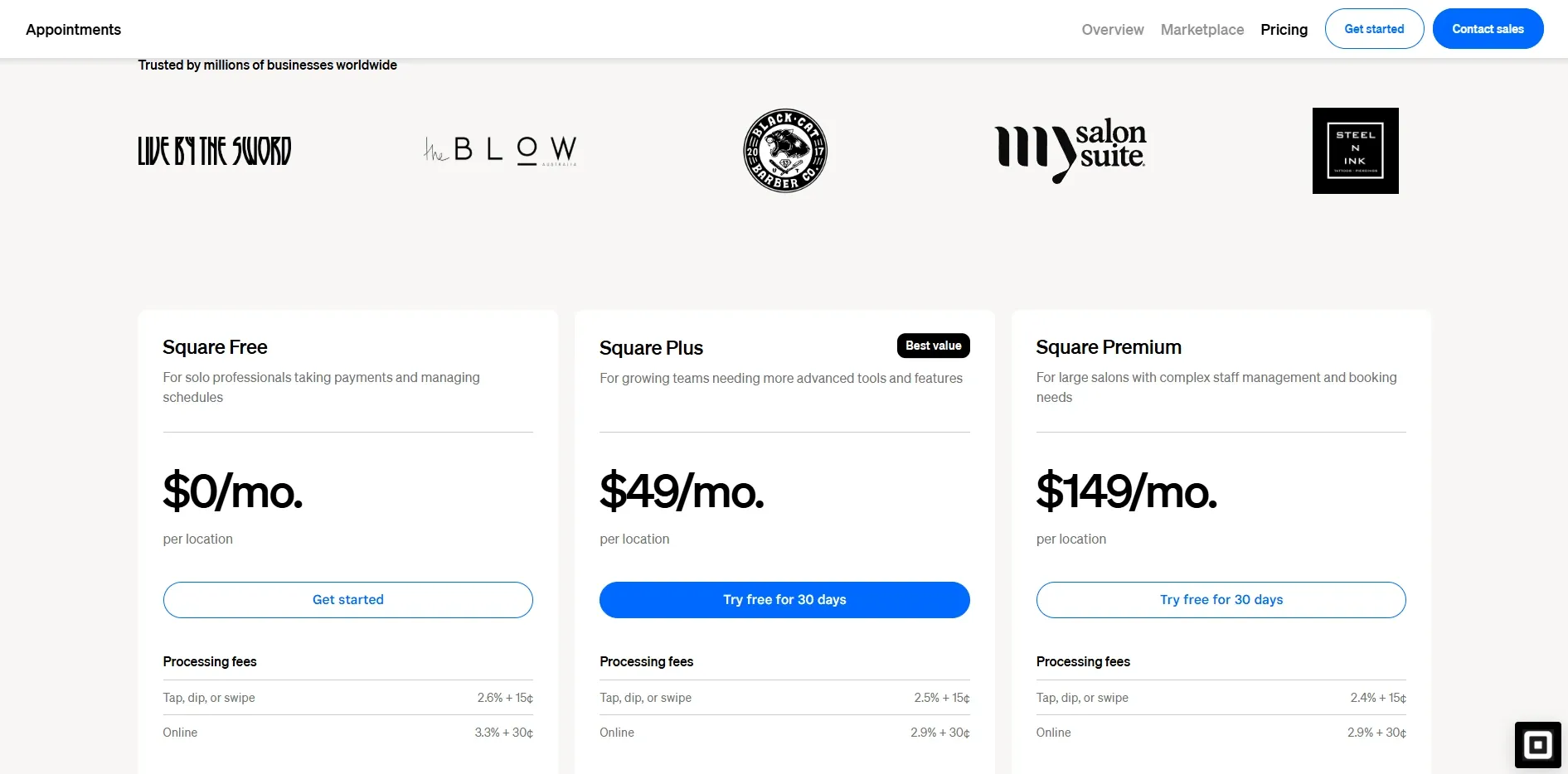
For a US business, calculate the price by location. Two locations on Plus cost US$98/month before payment-processing fees; Premium is the relevant tier when shared rooms or other resources must be scheduled.
Free
- US$0 per location/month for US businesses.
- Online booking, appointment reminders, and unlimited staff calendars; payment-processing fees apply.
Plus
- US$49 per location/month in the US.
- Adds multi-staff booking, cancellation/no-show tools, and a waitlist.
Premium
- US$149 per location/month in the US.
- Adds resource management, future-booking reports, and service-cost tracking.
Pro
- Custom pricing.
- Contact sales for a tailored arrangement.
The pricing tiers below highlight the per-location cost and the advanced team features to consider before upgrading.
Pricing checked on 2 October 2026 against Square Appointments US pricing.
How we chose booking software for small businesses
The recommendations focus on running appointments when the owner or a small staff also handles delivery, customer questions, and payments:
- Services customers can recognise: A client should be able to choose a haircut, tax consultation, lesson, or training session with the right duration and preparation details.
- A realistic working day: Availability should leave time for travel, preparation, breaks, and follow-up work rather than filling every hour with appointments.
- The right person or space: A tutor group needs teacher selection; an agency may need round robin; a spa may also need a treatment room. Those are different booking requirements.
- Less owner administration: Customers should be able to book, receive reminders, and make changes without someone manually handling each message.
- Payments that match the service: Compare one-off payments for consultations, deposits for appointments, and packages for lessons or coaching programmes.
- The whole business’s cost: Count paid staff, locations, the tier required for essential features, messaging allowances, and payment fees before committing annually.
For a wider shortlist across industries, see our appointment booking software guide.
Questions small-business owners ask about booking software
What is the best free booking software for a small business?
Setmore suits a small service team because Free includes up to four users and unlimited appointments. Cal.com fits a solo consultant offering several appointment types with multiple calendar connections; Calendly Free works for one simple booking link and one calendar.
Can I take payments when clients book?
Yes: Lunacal, Cal.com, Acuity, and Setmore offer payment integrations, Square uses its own payment system, and Calendly adds payments on Standard. For a tutor or coach selling a block of sessions, compare Acuity Standard or Lunacal Teams so the purchase connects with later bookings.
How much should a small team budget for booking software?
Calculate the total for the staff and features you need: four Setmore Pro users cost US$20/month on annual billing, while Acuity Standard costs US$27/month billed annually and includes up to six calendars, packages, and SMS. A US salon considering Square Plus pays US$49/month for each location, with payment-processing fees alongside the subscription.
Which booking system is best for classes or group sessions?
Acuity suits a trainer or studio that needs classes connected with packages or memberships, while Setmore is worth considering for group-class booking on a smaller budget. Check attendee capacity, repeat schedules, and how prepaid sessions are redeemed; our fitness-class booking guide covers those requirements.
Can I add booking software to my existing website?
Yes, these tools provide booking links or website integration options, so a small business can keep its existing site. Put the booking option beside the relevant service—a photographer’s session page or an adviser’s consultation page—and check that a customer can complete it on a phone.
Does every small business need appointment booking software?
No: a restaurant needs table reservations, a hotel needs room inventory, and a rental company needs availability for the items being hired. A mobile trade business may need job dispatch and travel planning; an online shop selling products without time slots needs an ecommerce platform rather than an appointment scheduler.
Choose for the business you actually run
For a consultant, photographer, or designer, start with Lunacal when service information helps clients decide to book. For a solo IT consultant, Cal.com offers useful free flexibility; for an agency, recruiter, or adviser arranging calls, Calendly is the more direct fit.
Choose Acuity for coaching programmes, lesson packages, and intake-led appointments. Choose Square for salons and other businesses connecting bookings with in-person checkout, or Setmore for a small service team starting on a tight budget.
Before paying annually, run the appointment your customers actually buy: a prepaid lesson, a consultation needing two colleagues, or a spa service needing a room. Check the booking, staff availability, payment, reminder, and rescheduling steps. That reveals whether the plan removes owner administration or leaves it to be handled manually.
Summarize this content with AI


